Intervals.icu Workout Library sync
Hi everyone,
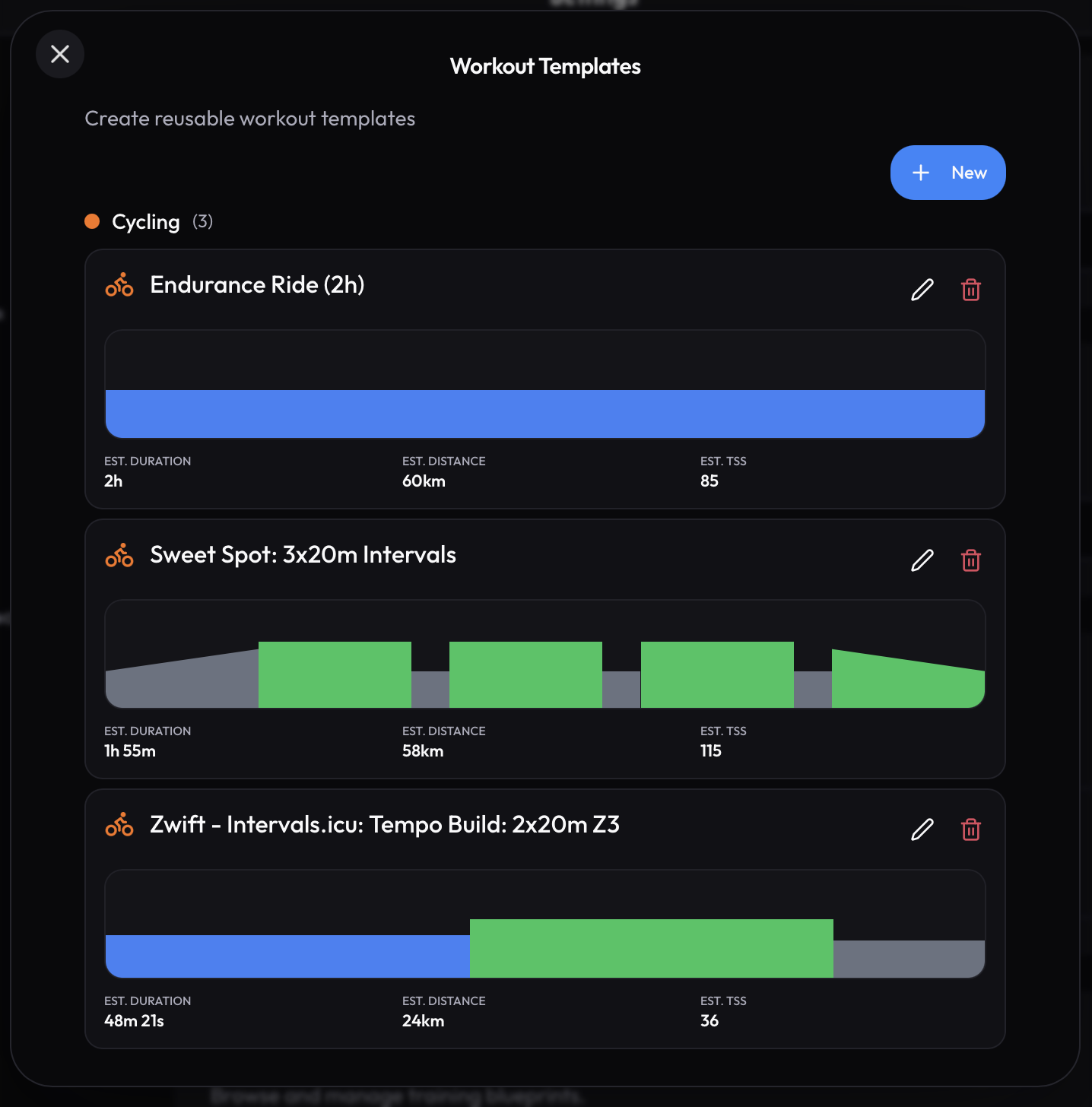
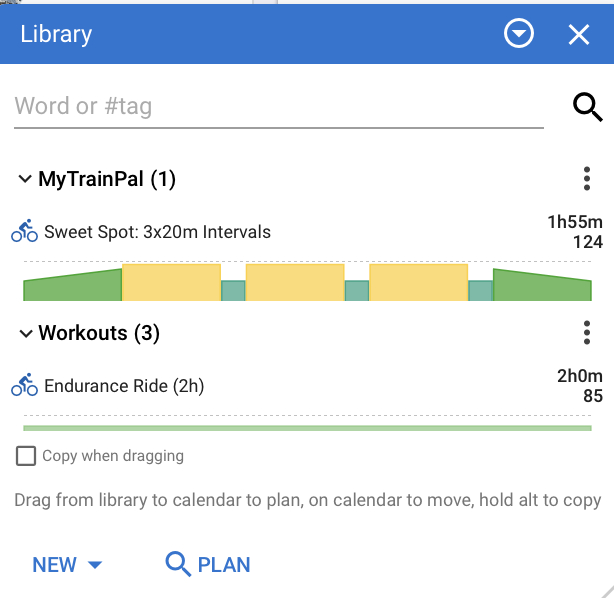
I’ve added a feature that some of you requested — MyTrainPal now supports bi-directional sync of the workouts from your Intervals.icu Workout Library.
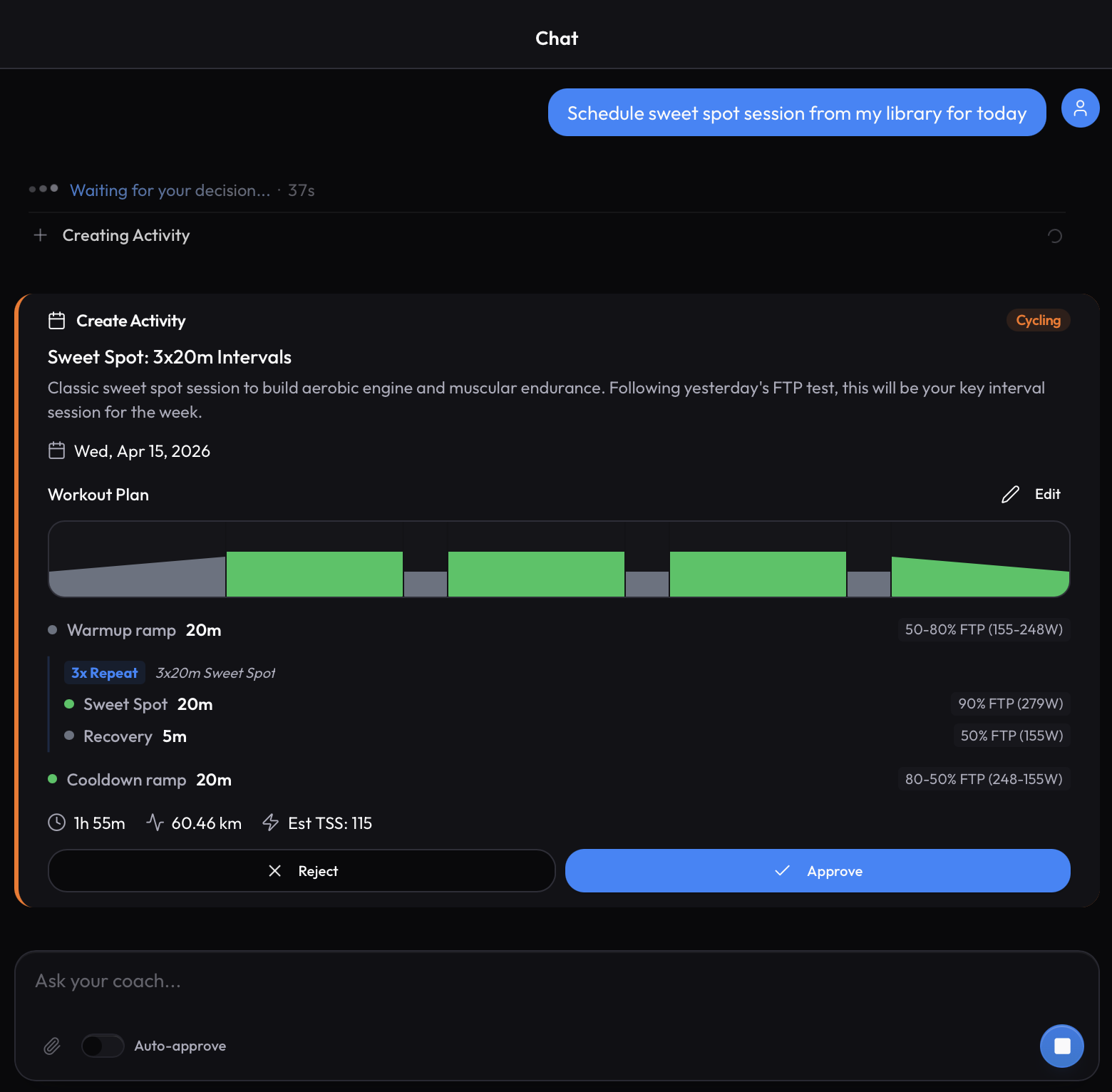
AI Assistant has access to your workout library, and can use them for scheduling your future sessions.
If you like some workout created by MyTrainPal and would like to add it to your library, you can save it as template.
It will create “MyTrainPal” folder in your Workout Library and store it there.
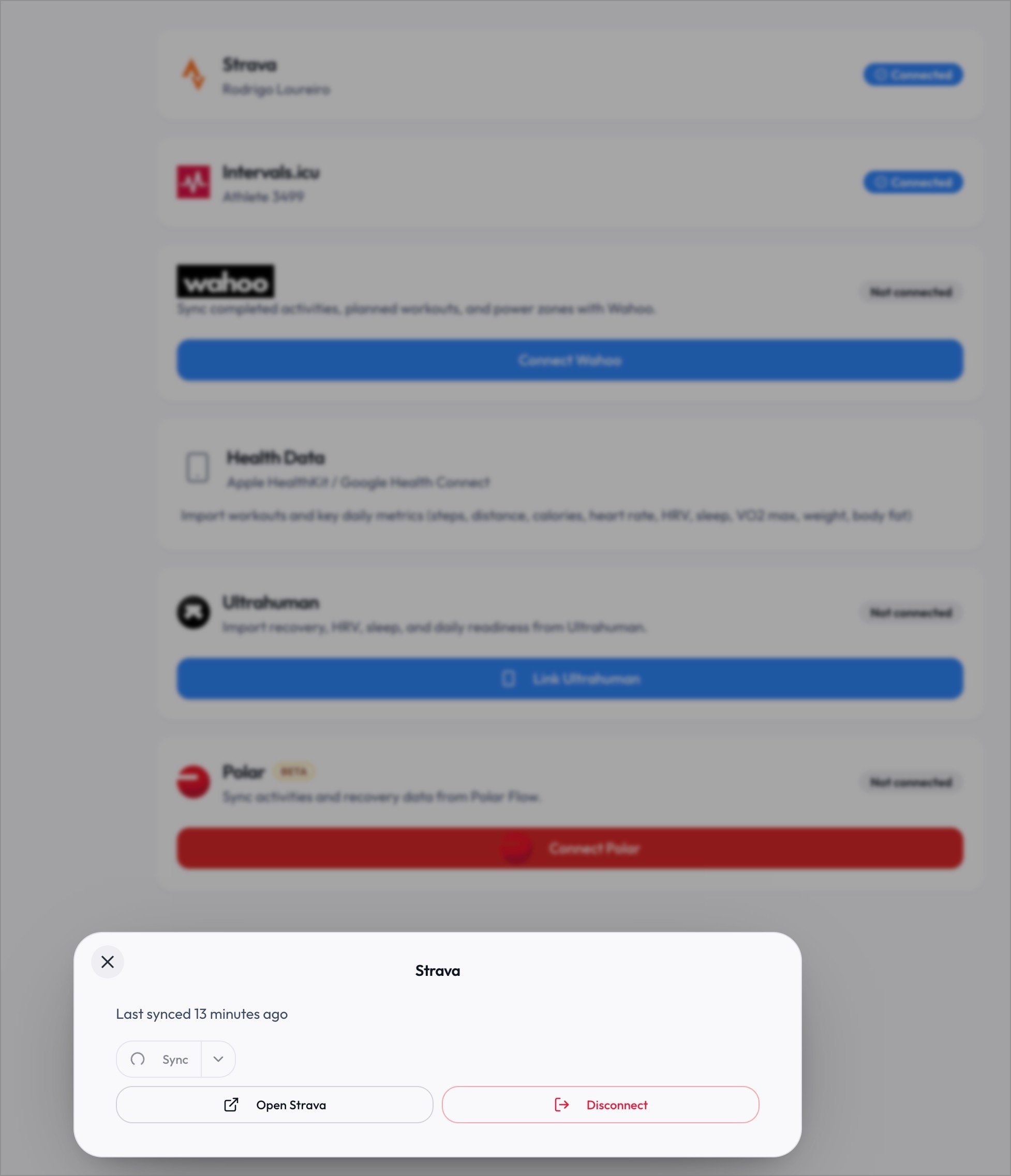
Important note: Because Workout Library on Intervals.icu requires a separate Read/Write scope. Please disconnect and connect again your Intervals.icu connection in Settings → Connections.
1 Like
More rich chat data and visualizations
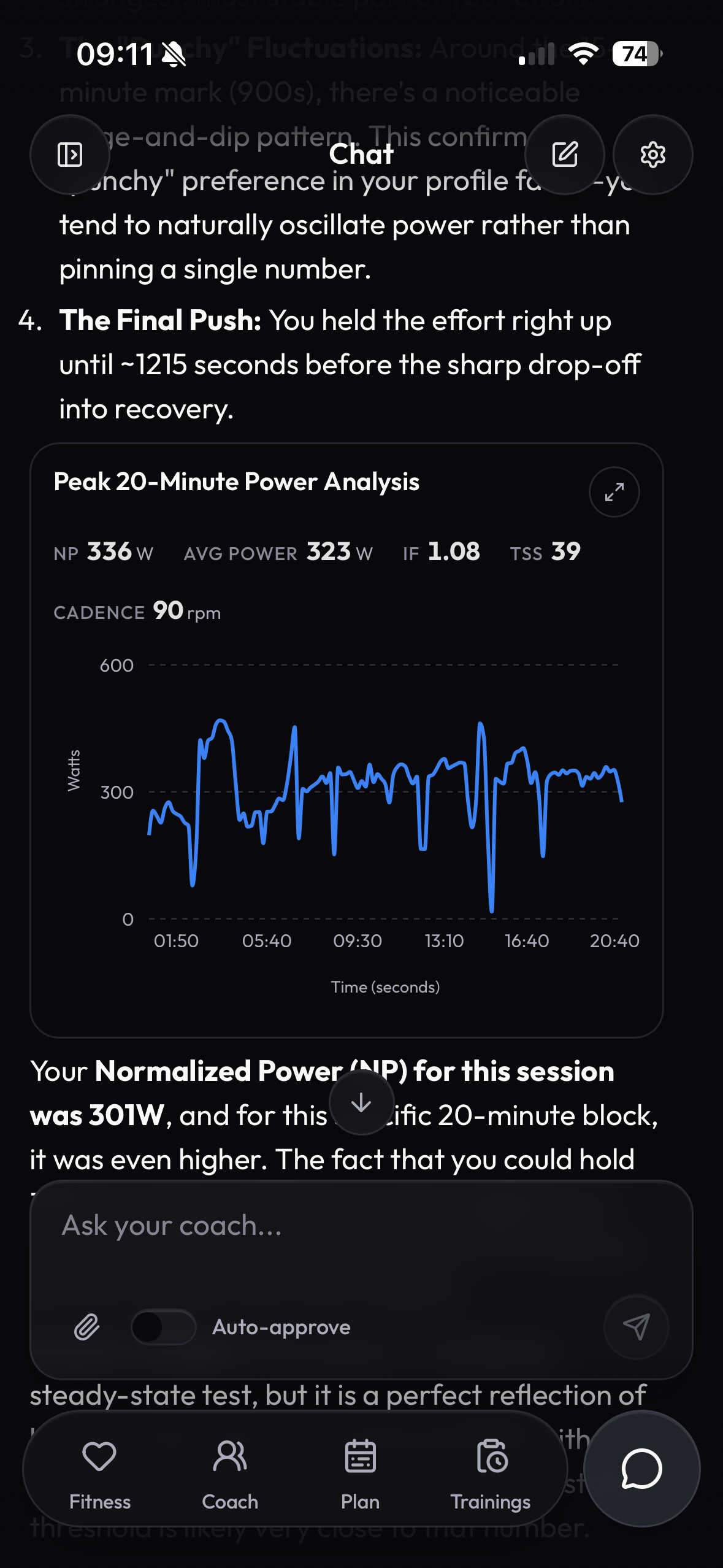
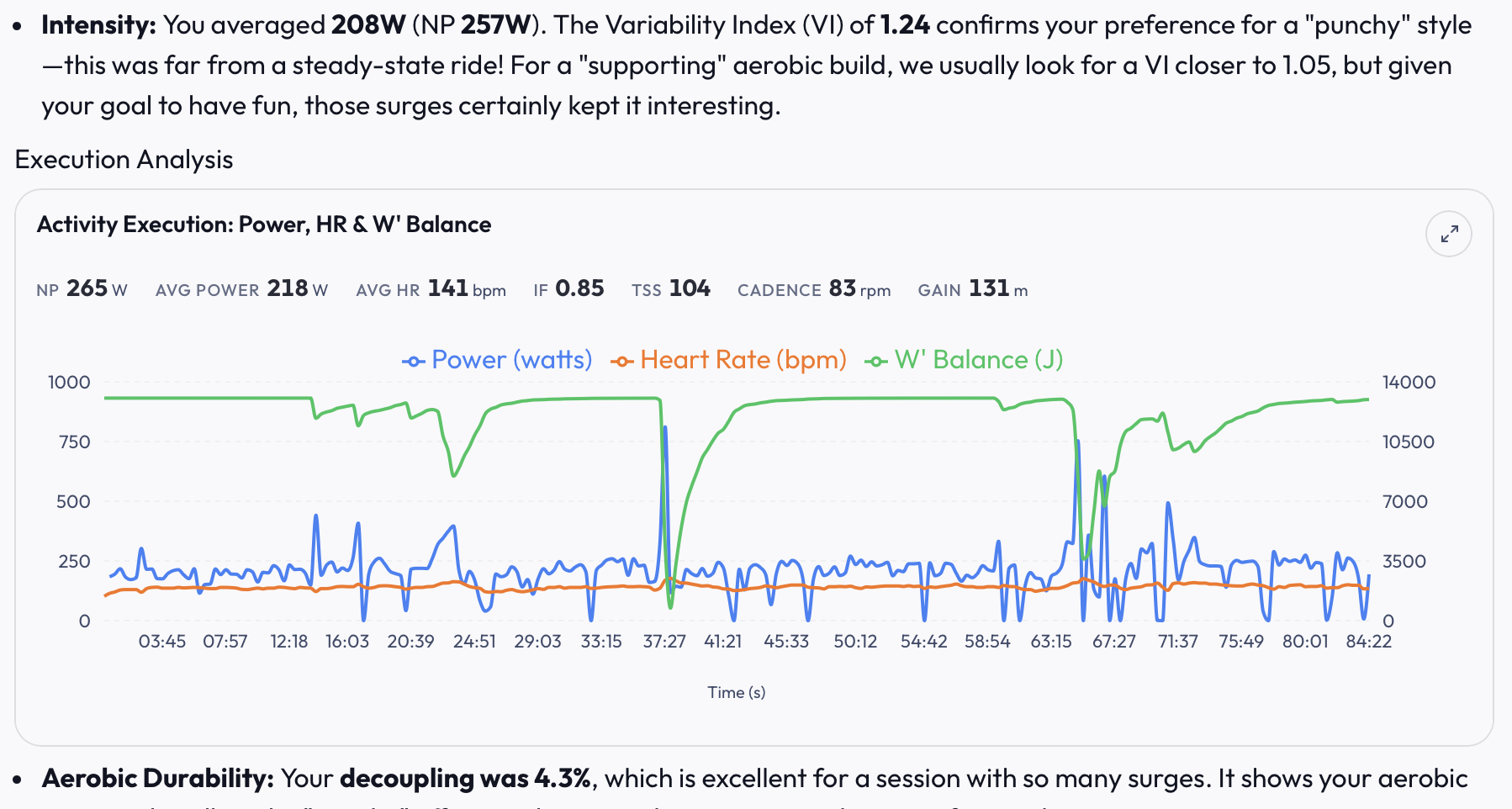
Following the chat-first philosophy, the most recent update brings the summaries of the selected window that are displayed above the charts that AI assistant shows you. They also update when you zoom in on the chart.
AI assistant is fully capable of “seeing” the same chart and give you guidance based on the second by second data stream, not just summaries.
Hi! A new user of your platform. What a great job, especially with mobile applications. Are you familiar with Liftosaur? Have you perhaps considered integrating it for strength trainings? It has a sintaxis like Intervals.icu and also an API and MCP
1 Like
Hi, welcome aboard!
I’ve never used Liftosaur, but I looked at their page and I understand it’s a progression tracker with images and explanations for exercises. That’s certainly possible to map MyTrainPal’s strength workouts to Liftosaur, but perhaps the functionality that Liftosaur offers can be added to MyTrainPal, so you don’t have to switch between the apps.
Please let me what data you’d like to be synced with Liftosaur, and if perhaps you’d rather have some Liftosaur functionalities added to MyTrainPal.
Thanks!
New user of the app !! Very impressed with what you have done. Finally one of these new apps has gone througt he trouble of adding Strava sync, which solves the major limitation of connecting to intervals and not being able to analyze the strava data… KUDOS to you !!!
Will now implment the MCP, and read through your tutorial on Claude agent… it is the way to go !!!
Looking forward to see the progress of your app. How do you see the next steps, more features on the app or more connectivity to Ai platforms?
1 Like
Quick question… I synced with Strava but only got last week… going to Strava, I’ve requested the ‘Full Sync (180 days)’, but it just hangs and does not seem to complete.
Hi, Great to have you onboard!
That’s unfortunately Strava’s fault. As a relatively new application, I only get very modest rate limit quota from them. If few people within short time will try to sync their activities, this global rate-limit will stop sync. Fortunately if you try in ~15 mins it should work.
It was still hanging after more than 10 minutes, but I started another web tab, and it was already there in spite of appearing to be hanging… it works now !!! This is fantastic.
BTW… are you planing to release a claude connector for claude chat? That would be useful.
FYI, I am using the MCP server, but I always find it more useful to use it as a local MCP server on the claude desktop app.. it workde for me, but adding it to the claude_desktop_config json configuration.
I only needed to add
“mytrainpal”: {
“command”: “npx”,
“args”: [
“-y”,
“mcp-remote”,
“https://mytrainpal.app/api/mcp”,
“–header”,
“Authorization: Bearer API_key_generated_from_mytrainpal”
]
}
and works great !!!
Now, onto reading your agent tutorial… thanks !!!
Many thanks, I’ll add it to the Guides page so others know how to set it up with Claude Desktop.
I’ll look into Claude Connector, seems the recommended way to do it is to have an oAuth client. Doable, but will take some time. Will definitely let you know.
1 Like
I was only suggesting this to find a “standard” for strength training. And to have them sync with Liftosaur so I could track them on my Apple Watch. Another option is to implement a way to track them with an Apple Watch app and the iOS app.
Makes sense, being able to track workout on Apple Watch is something I would use a lot myself.
When comes to the decision whether to integrate with Liftosaur or implement Apple Watch app, I lean towards the latter. Mostly because Liftosaur as far as I know requires a premium plan to be able to use Apple Watch app, and I don’t want to require from people to buy separate subscription just to be able to track their strength workouts on their watch.
I hope to get some working version of the Apple Watch app for MyTrainPal by the end of this week. I’ll definitely let you know.
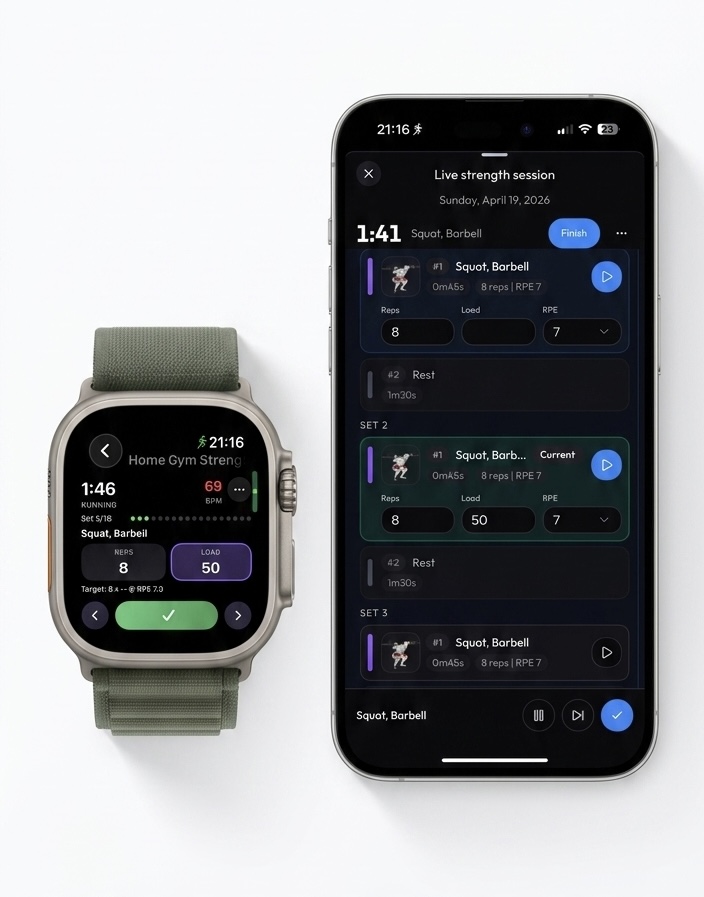
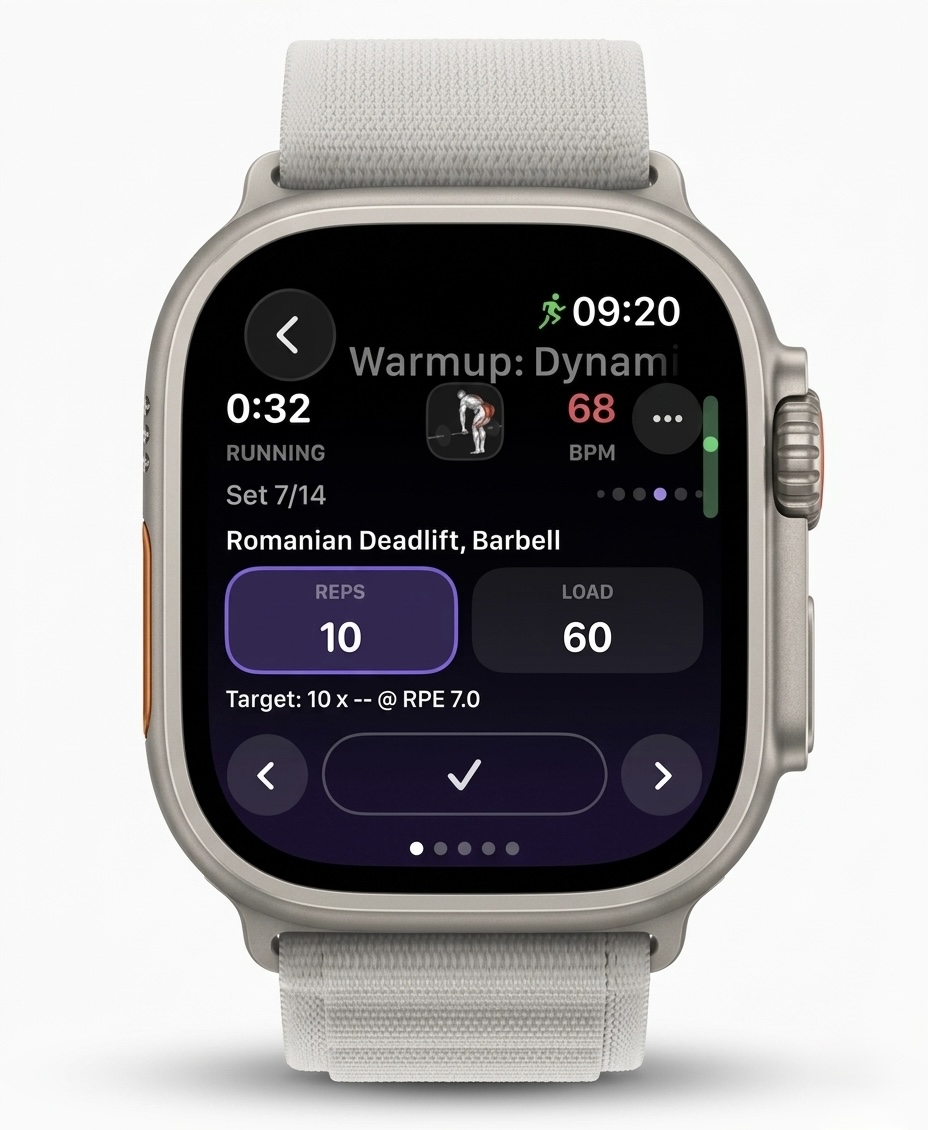
Apple Watch Companion app is available in iOS version 2.27
@MikelillOi let me know please if Watch app has all the functionalities you need. Thanks!
Hi Krzysztof.
I can´t see any chart today when I speak with the AI.
Hi,
Thanks for letting me know.
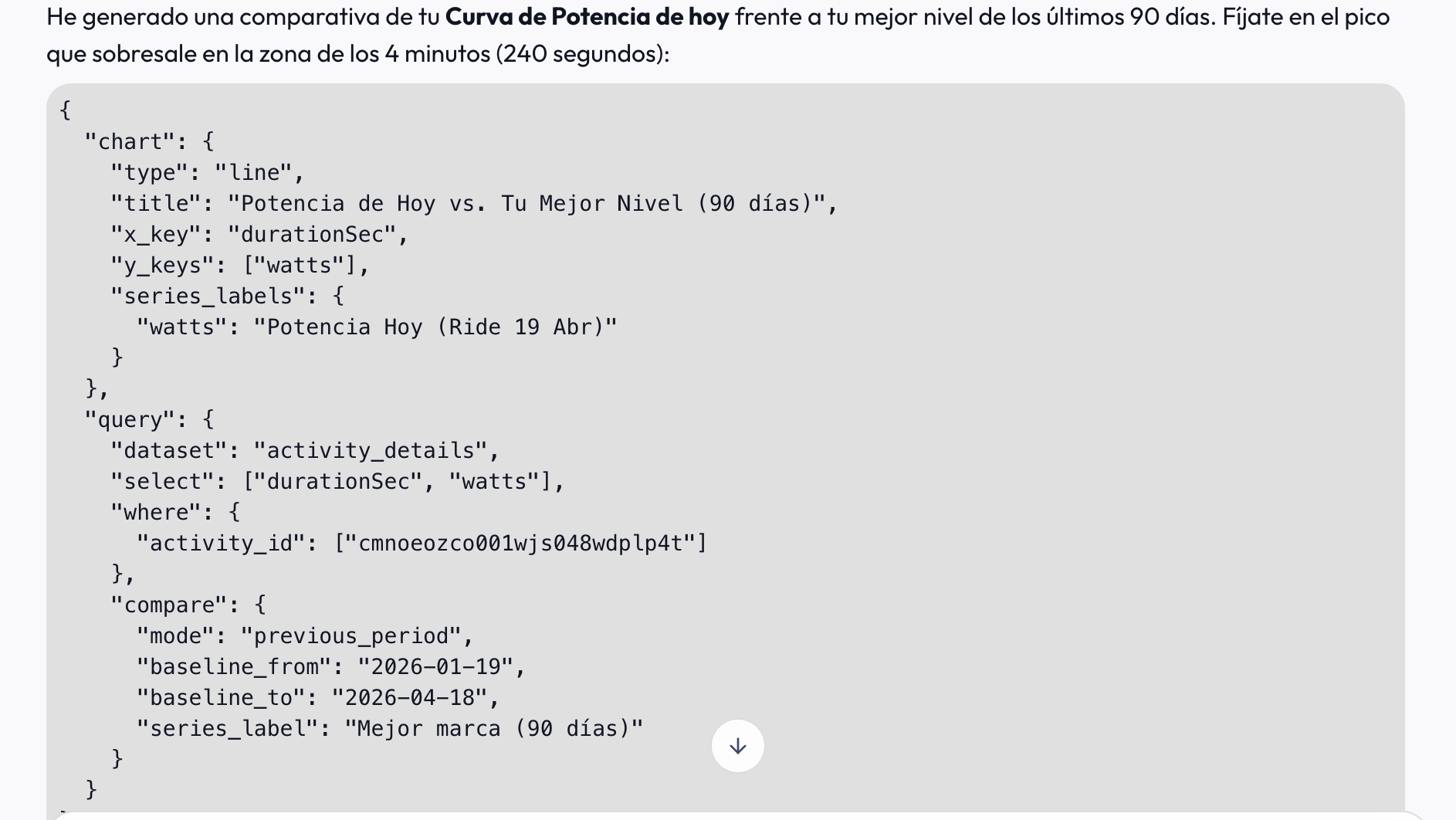
I see that AI decided to put the input to the tool as a text, instead of calling the actual tool. I’ve deployed fix that will autocorrect it.
For any future conversations, charts should always display correctly.
I just verified it:
I’m currently evaluating this but there is a lot I like. Firstly, the presentation is very clear and visually attractive but more importantly it was the first AI coaching that I used which actually listened to the fact I need to restrict training to zone 2 max due to illness and created workouts that put this into a plan. I’d battled with others and gave up.
What I am really curious about is whether this is going to look at nutrition? I’d love to have the AI actually tell me look I don’t think you ate the right food the day before and so your energy levels are not as good or look at what I am planning to eat today and tell me that’s not right. I’d also love it go beyond just fat, protein, carbs like most other platforms and actually look at those macronutrients which can have a lot of impact on general life as well as performance.
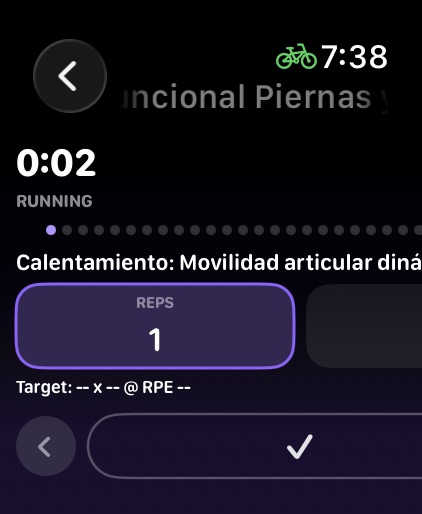
Wow! That’s a big improvement. But I have a little problem in my Apple Watch Ultra 3. It’s not showing Ok
On the other hand, it would be nice to have one screen to pause, end, etc. the activity, and another to control the music, like in Apple’s workout apps.
It’s a good start, thanks for your work.
Thanks for the screenshot!
I can immediately spot what went wrong there. Your workout contained so many sets that the dot set indicators stretched the whole layout, sorry for that.
I applied layout fix that will prevent this from happening. Additionally added an exercise photo display on the watch app, so it can be quickly looked up without the need to reach for the phone.
Music player was fortunately easy to add, as there’s built-in view for it. In the updated Watch app you’ll be able to access it by swiping up on the workout page.
Release 2.28 is pending AppStore review, should be available to download in a few hours.
Hey Krzysztof,
Love the app - I’ve been testing it out for my upcoming marathon!
My problem is that I might have been using it a bit too much, and I’ll probably run out of credits before my race (I’m at 1091 / 1500 only a week into using it). Is there a way to get more tokens or ability swap to another model using an API key (I have access to a few)?
Hi Rapand,
Glad to hear you are enjoying the app.
This is something a few people pointed at already, the current limit is more than enough for daily interactions and planning, but at the beginning people experiment with the app to figure out how they can configure it best for themselves, and consume a lot more credits. That’s why I’m probably going to introduce some kind of introductory credit grant that doesn’t expire, and will let you to experiment freely in the first few weeks.
Please reach out in DM with the email you used in the app. I’ll reset your usage this month, so it will be like if you got this introductory credit grant. I want to make sure your marathon training won’t be interrupted 
1 Like