It works good on my kickr bike, all data was present and erg was good.
Love the low poly look of the world.
The HUD, I have lots of issues with how the data is displayed. It was just about okay for a Z2 ride whilst watching youtube but not enough data and info for a hard interval session. Don’t get me wrong its incredible for a first beta, just needs a lot of UI improvements.
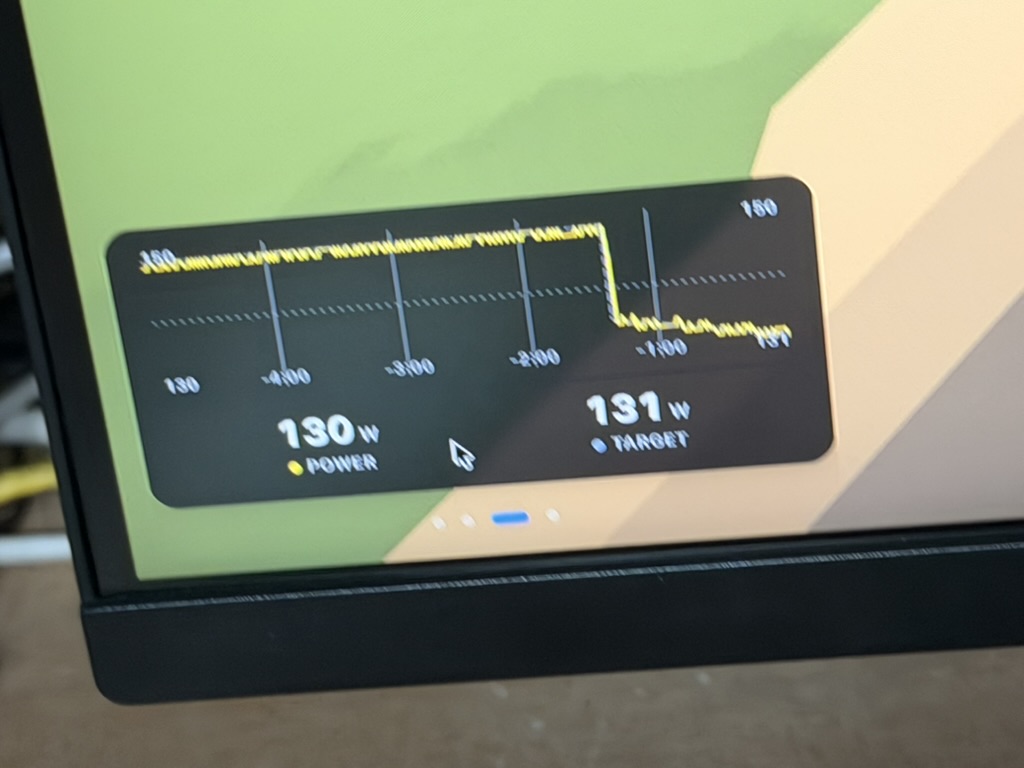
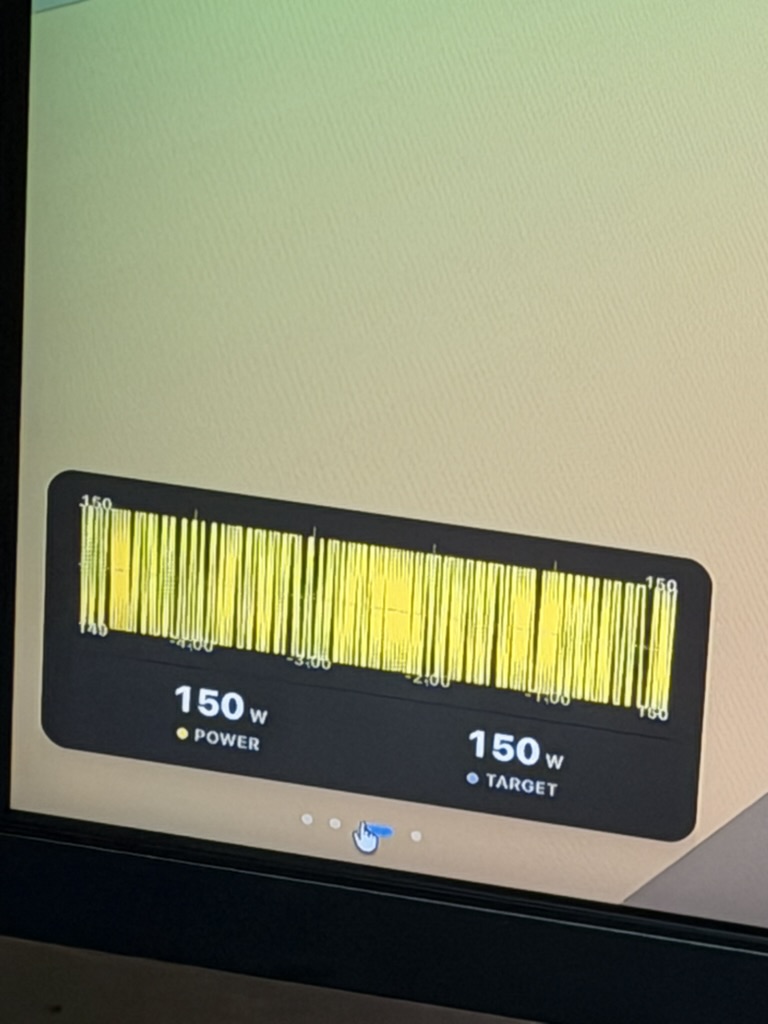
An big issue straight away is that the power graph scale the y axis dynamicaly which is no good when holding a steady power. When there are changes its not so bad, but at a steady 150w it looks like an earthquake
I think if it went from zero to say 500w or if it knew what the max prescribe power was for the workout that would work better.
Thanks a lot, if you have suggestions for any new environment, please let me know!
Absolutely fair. That’s exactly why I asked you to help me test it. Constructive feedback is what I’m looking for, so there’s no need to sugarcoat anything.
That said, it sounds like the overall experience was still quite positive, and with some UI improvements it could become a genuine alternative for executing your workouts. That means a lot to me, especially at such an early stage.
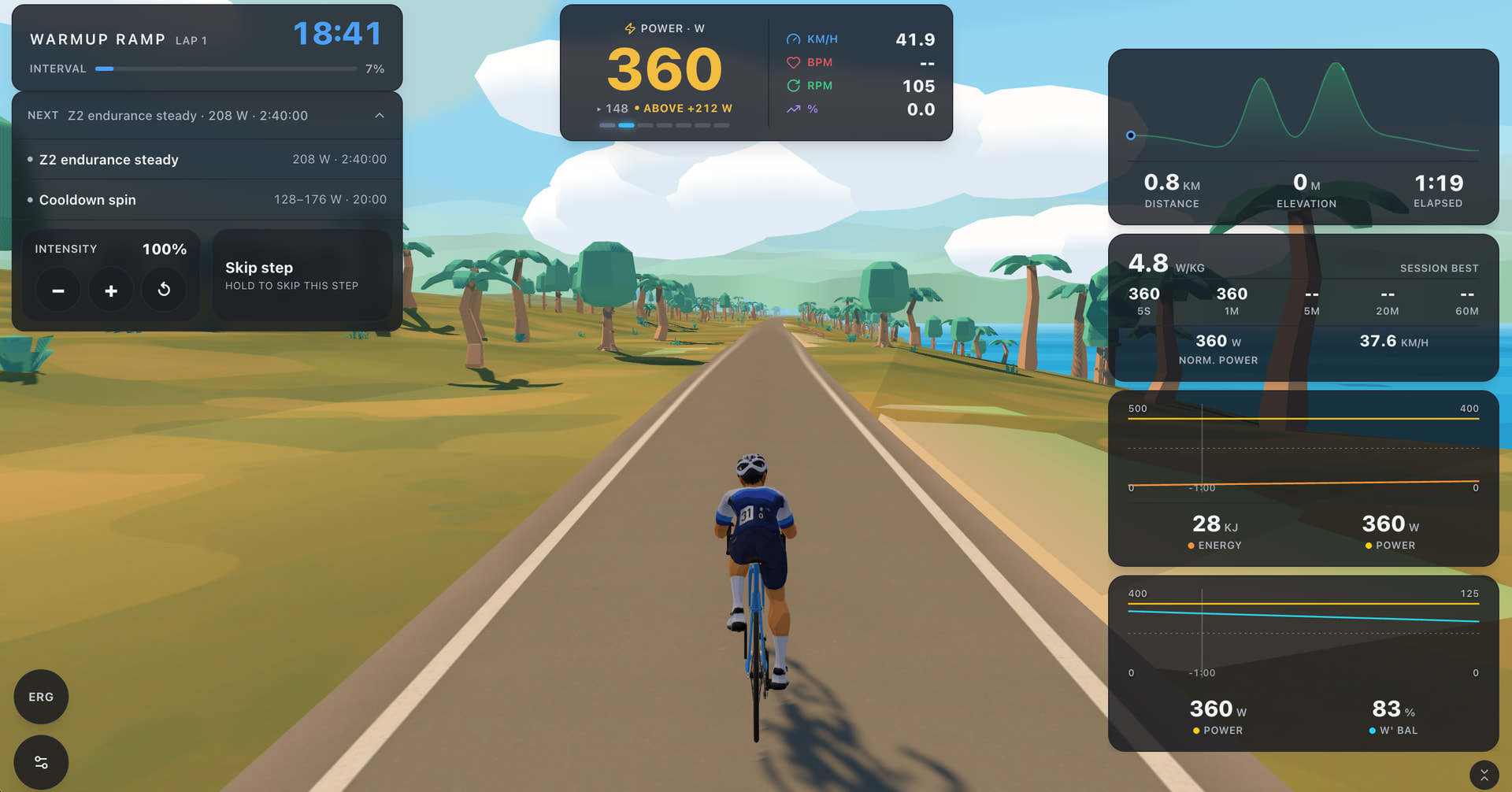
I’ve made few adjustments and would like to ask you for your opinion, screenshot below
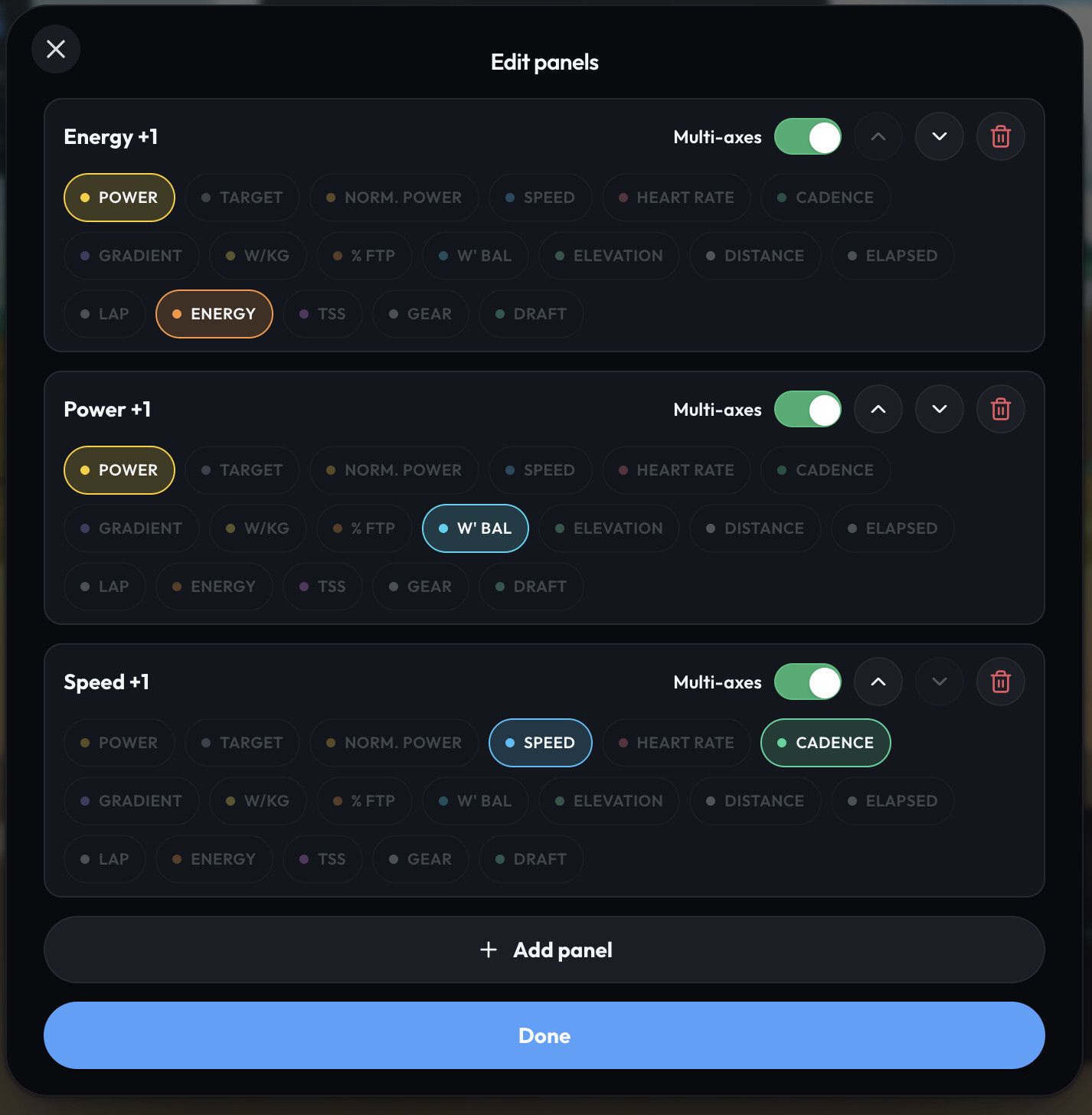
Panels can now be expanded and are positioned on the right side of the screen, allowing you to configure which data streams you want to monitor live during the workout.
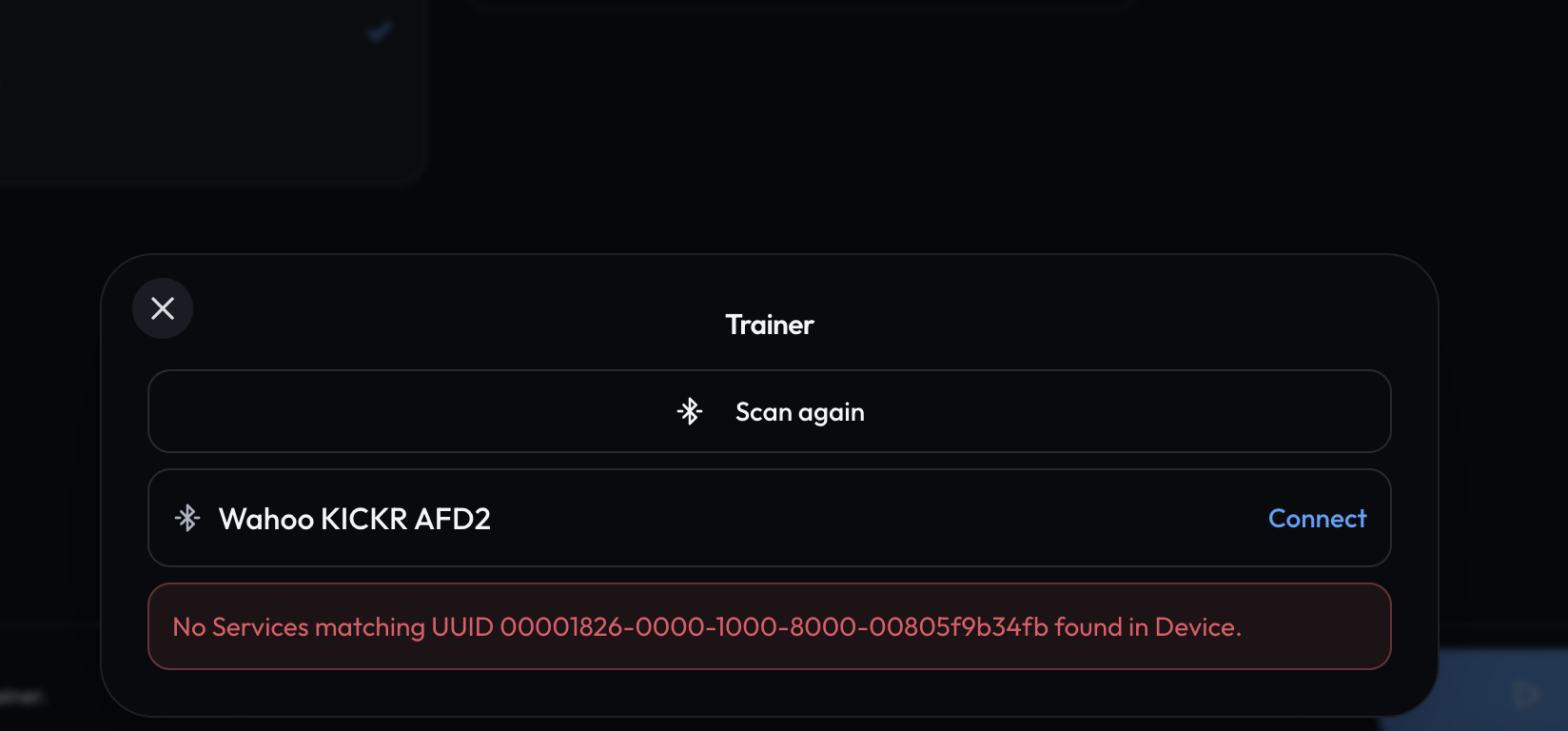
I’ve done a lot of testing, and finally, thanks to MTP’s indications, it seems my Kickr isn’t being detected because it’s a V4, and this version has a non-FTMS Bluetooth signal.
I’m attaching what MTP tells me:
[MyTrainPal Ride, on the other hand, scans devices exclusively for the universal Bluetooth standard profile FTMS (Fitness Machine Service, UUID 0x1826).
On the KICKR v4 (2018), unlike later models (v5, v6, KICKR CORE with updated firmware) which always advertise the open FTMS service in the initial Bluetooth advertising packet, Wahoo has maintained a hybrid/legacy Bluetooth management system in which the standard FTMS service is often not transmitted in the generic discovery packet (advertisement), but requires direct negotiation of the Wahoo protocol. As a result, MyTrainPal Ride’s scanning engine is excluding the device because it doesn’t recognize it as a standard FTMS.]
Please tell me there’s any hope of pairing it with MTP Ride, and that I don’t have to replace my Kickr.
Ah, that makes sense, thank you for attaching this information. The game exclusively scans for FTMS devices that’s true. I’ll look into it, if it won’t require a lot of hacking I’ll try to add support for Kickr v4.
The Kickr has never given me any problems and currently connects with every other indoor cycling app.
I’d be really happy to use MTP Ride for indoor cycling, in addition to MTP Coach, which I’m getting along wonderfully with.
Howvere I have a bigger issue, yesterday I connected Appleheath activites as I thought this would be greta for Gym stuff. But it has overwritten every cycle workout since Thursday 6th August, now all workouts have Heartrate and thats all.
Shouldn’t intervals trump AH and AH only fill in gaps in workouts - how do I fix it?
Sorry to hear you experienced this problem. THe Apple Health data is notoriously bad, and it’s true that Intervals.icu data has priority, but I looked at the code and there’s a bug involving Apple Health that I’ll fix in the next version.
Right now the best option to quickly fix it on your side will be to disable sync of activities from AppleHealth, ask on a chat to remove completed activities since 6th of August, and perform full sync on the Intervals.icu connection.
Thanks. I got that far with chat but it won’t delete them for me. Says it can’t. It’s fine I’ll manually delete them. (Only about 20) then have to do a full re sync.
so it should be okay to have Apple health workouts come in to fill missing gaps but ignore the quality intervals ones if already there?
Well, It definitely can, probably model just tries very hard to not perform any destructive action… I’m sure you could convince it that it can indeed delete these activities, but if it’s not a problem to delete them manually it will work as well.
Yes, but please wait for the upcoming iOS update, which will fix the issue where Apple Health data can overwrite data imported from Intervals.icu. Once again, I’m sorry about that. It definitely should not happen.
In general, I would advise against using Apple Health sourced activities at all. The best option for tracking strength workouts is the MyTrainPal Apple Watch app.
If you do not have an Apple Watch, support for tracking heart rate during strength workouts with a chest strap is also coming soon.
Yeah if it was just strength but once recovery I’ll be back to Pilates and yoga. Plus I do passive heat training in the sauna. All of these are recorded on my AW ultra.
So it would be good if AW workouts can import fine but I’ll turn it off for now.
I can go back to my previous workflow if needed. AW workouts got synced to intervals via RunGap. Then anything connected to intervals pulls them in
I just used the MTP feature for a 90 minute indoor session with a Kickr Core and a Polar heart strap. The connectivity worked flawlessly over the 90 minutes and it could even deal with a dodgy network connection i have in the basement. The app is intuitive and I love that panels are configurable.
A few suggestions from the perspective of someone that uses indoor mostly for structured trainings:
screen real-estate is scarce and the basic graphics are not doing much for me
I’d rather have more panels with info than the landscape graphics that are more or less always the same
Could one take even more advantage of the tight integration with the MyTrainPal App i.e.
import scheduled trainings (already exists and works)
use the Ai coach to check-in during a structured workout to provide some tips and guidance to the in progress session ? The AI coach has all my profile information/data and can monitor the execution of my structured work-out in real time (maybe that would require storing snapshots in teh background during the workout). It could for example:
monitor my cadence and intervene if I drop too low
monitor HR and map against intended training zones
monitor HR drift and call out when I am overreaching
provide pacing instructions/warnings during a long training ride
provide me with an execution summary as soon as i saved the work out
I think since there is so much data accessible, there is a big opportunity space to combine historic quality data with AI Intelligence to provide “live coaching” during a structured workout
You have built an already great training tool that has even more potential - thank you !
Many thanks for taking the time to write such detailed feedback. Reading messages like this gives me a great deal of motivation to keep improving MyTrainPal.
As for the ideas you mentioned, I think they are all excellent. The key will be executing them well and making sure they feel natural.
Coincidentally, I recently added voice dictation support, which I think could be especially useful for communicating with the AI coach during a ride.
I’m happy to tell you that the Kickr is being seen and connected properly.
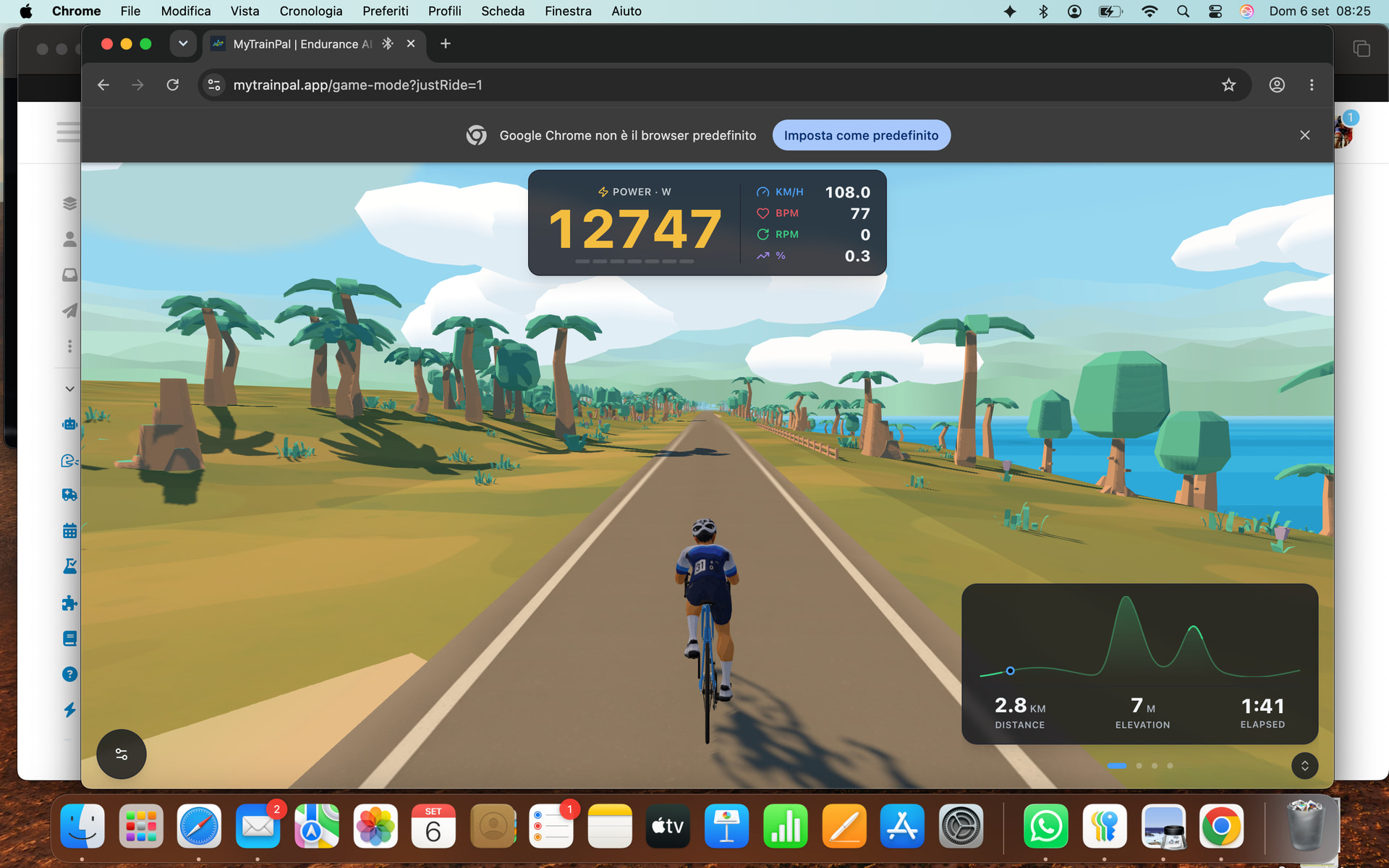
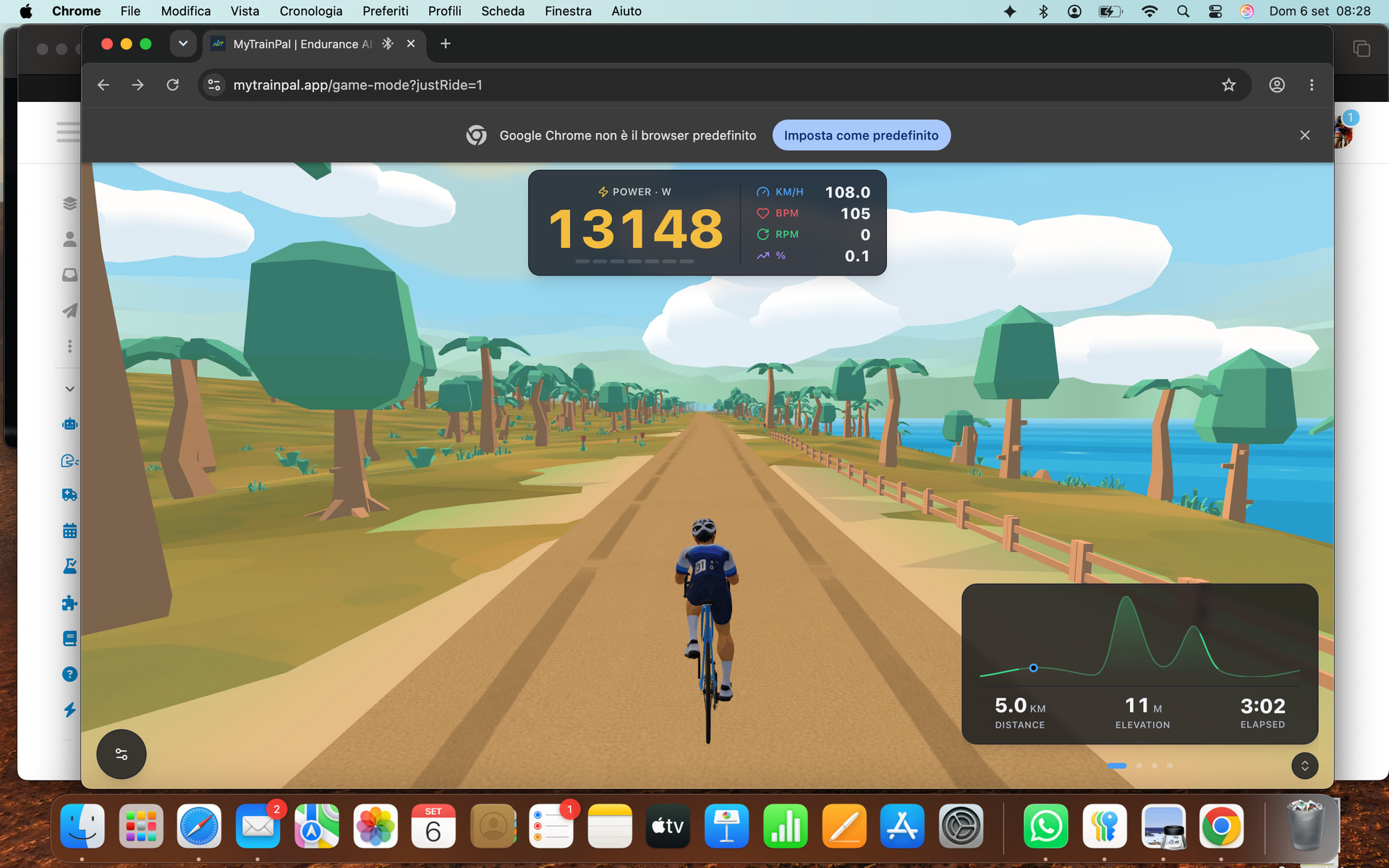
But during my workout (I had started a structured workout created by MTP for today), the Power shows a very high number that increases continuously and rapidly. I’ve attached the screenshots.
I wanted to ask if there’s also a way to connect the RPM sensor bluetooth
Anyway, considering just getting started, you’re really doing an amazing job!
MTP is becoming more and more of a necessity for me!
Le indico a el chat de la MyTRainPlan que siga el siguiente formato para escribir bien en INtervals los entrenamientos estructurados, pero no termina de hacerlo bien:
Formato estructurado Intervals.icu/Garmin
Separar fases con Press lap y mantener repeticiones agrupadas.
text
-Press lap 20m Z1-Z2 HR
Tecnica 5x
25s Z3 HR
25s Z1 HR
-Press lap 1m Z1 HR
Progresivos 5x
15s Z5 HR
45s Z1 HR
-Press lap 1m Z1 HR
Main Set 8x
500mtr Z4 HR
75s Z1 HR
Cooldown
-Press lap 15m Z1-Z2 HR
Reglas
Calentamiento/enfriamiento empiezan por Press lap.
Entre bloques usar Press lap 1m Z1 HR separado del bloque.
Intervalos inmediatamente bajo Nx, sin espacios entre líneas.
Cada descripción lleva guion.
Dejar espacio entre bloques para que Press lap no entre en la repetición.