MyTrainPal - AI Assistant connected to Intervals

Hi everyone,

I’m looking for a few testers with access to a smart trainer who would like to try a new feature called MyTrainPal Ride.

We already have platforms like Zwift, Rouvy, and MyWhoosh, so why build another one? There are a few reasons why I think MyTrainPal Ride can offer something different.

1. Everything stays inside MyTrainPal

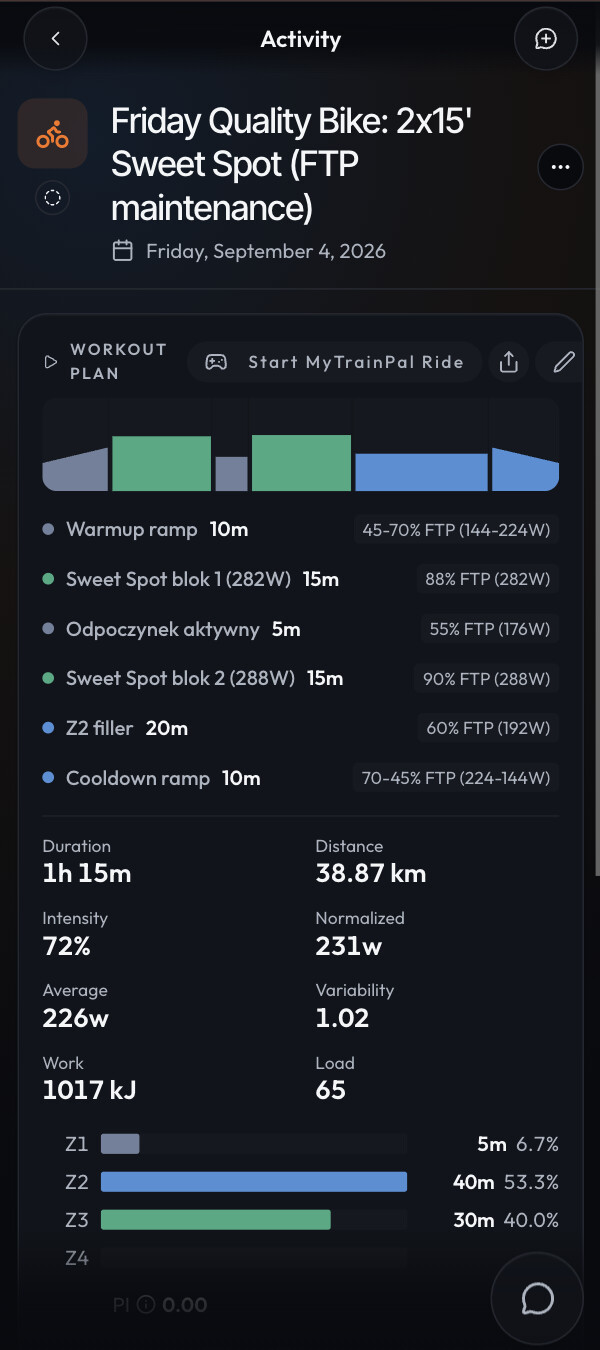
MyTrainPal already schedules your workouts, and now you can execute them directly from your smartphone or browser.

Because the workout, your training history, and the AI coach all live in the same app, the coach can help you develop a pacing strategy and then let you actually execute that strategy during the ride.

It also connects nicely with the GPX route generation described below.

2. Train on virtual versions of real routes

You can upload any GPX file and MyTrainPal Ride will generate a virtual route based on the same course profile, including elevation changes and turns.

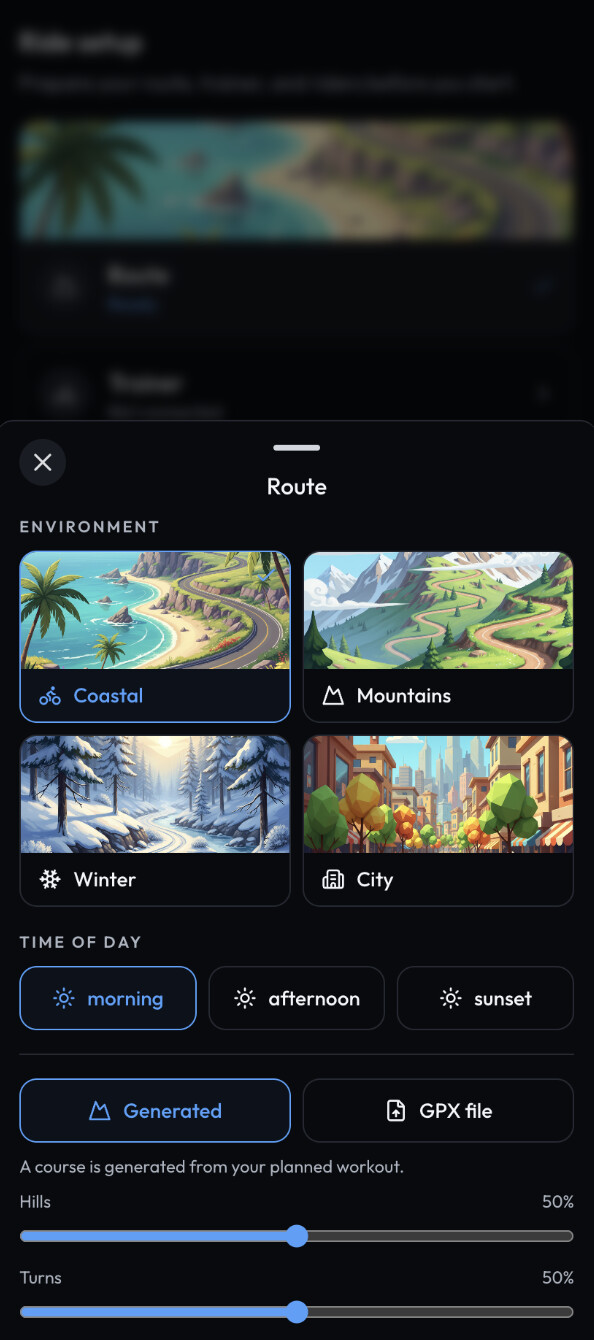
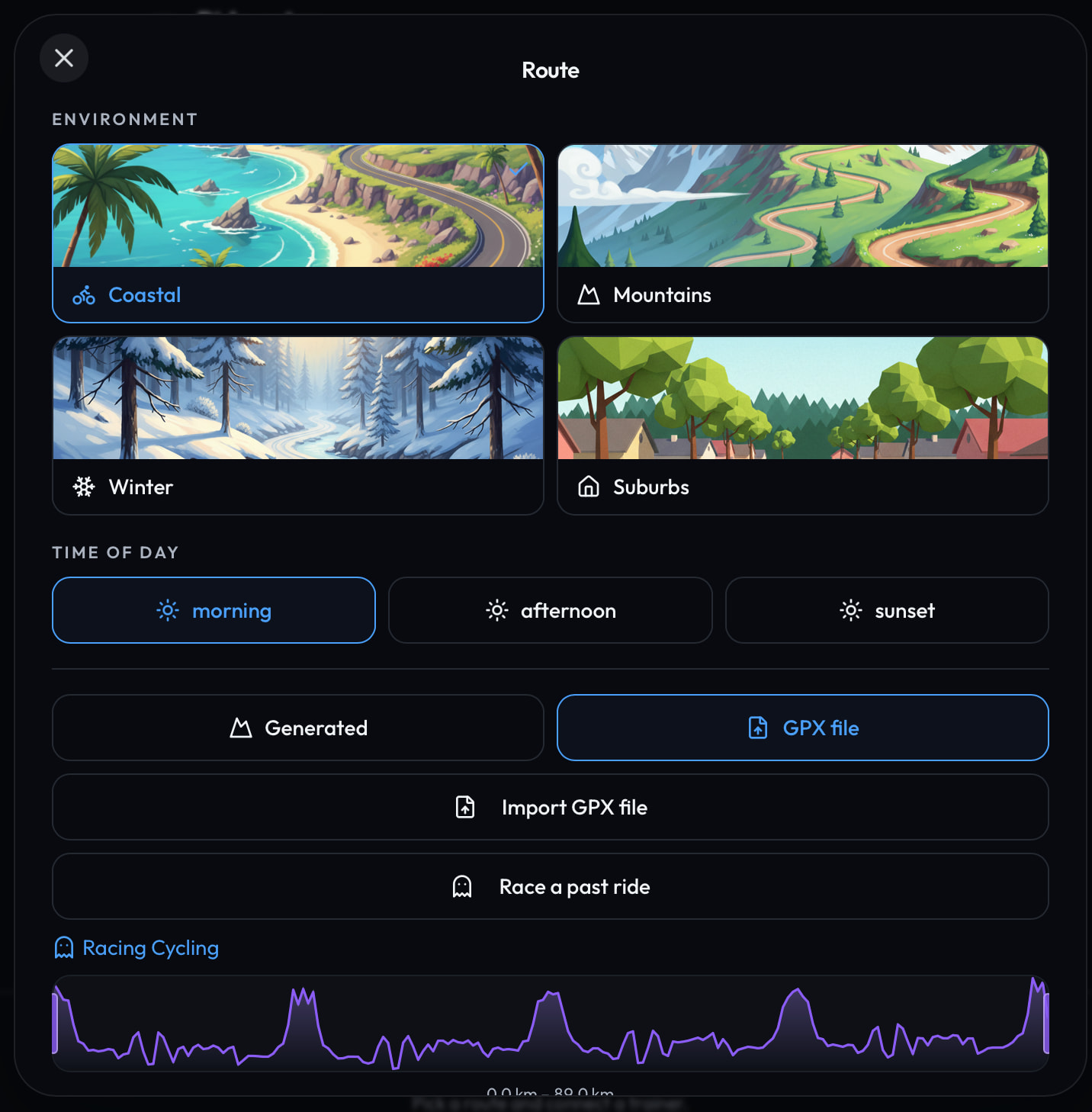
You can then choose the environment you want to ride in, such as coast, mountains, city, winter, and others.

This is particularly useful for race preparation. For example, when preparing for a triathlon, I can load the actual race course and practice my pacing strategy on a route with the same elevation profile.

3. No additional app required

There is nothing extra to install. You can run MyTrainPal Ride directly in your browser, and it also works inside the native MyTrainPal apps on iOS and Android.

4. Plenty of room for deeper training features

Since the whole system is integrated with MyTrainPal, I can continue extending it with more advanced training features. One example I would like to add is a live W’bal chart during the ride.

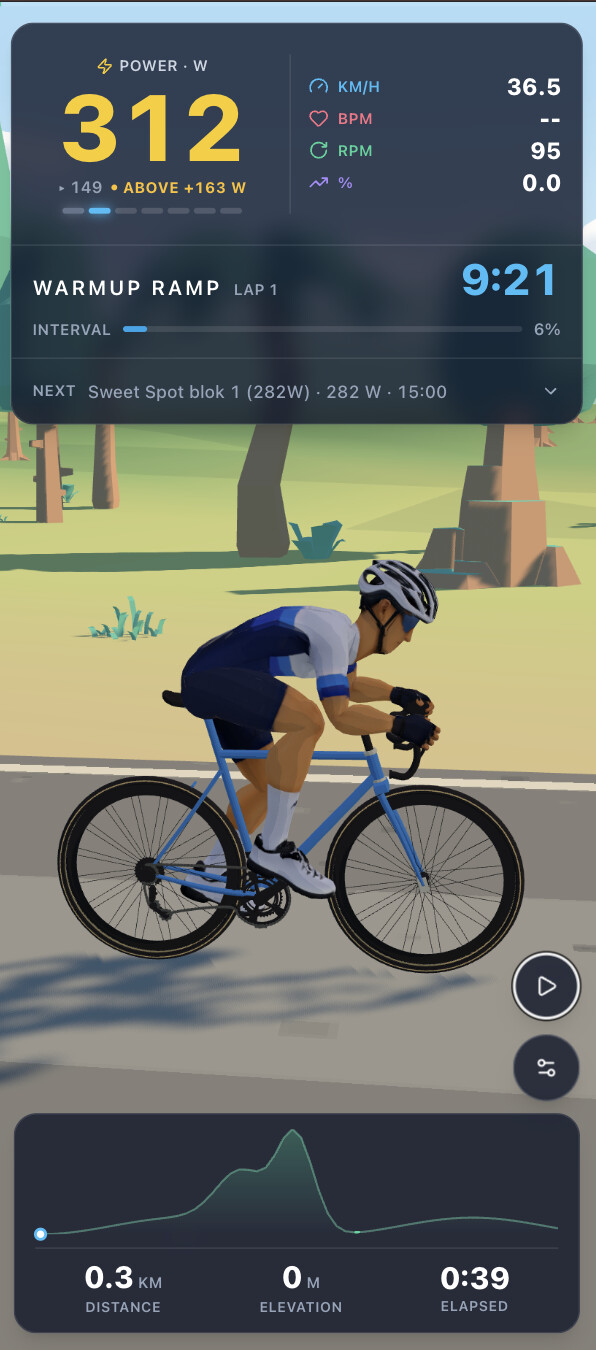
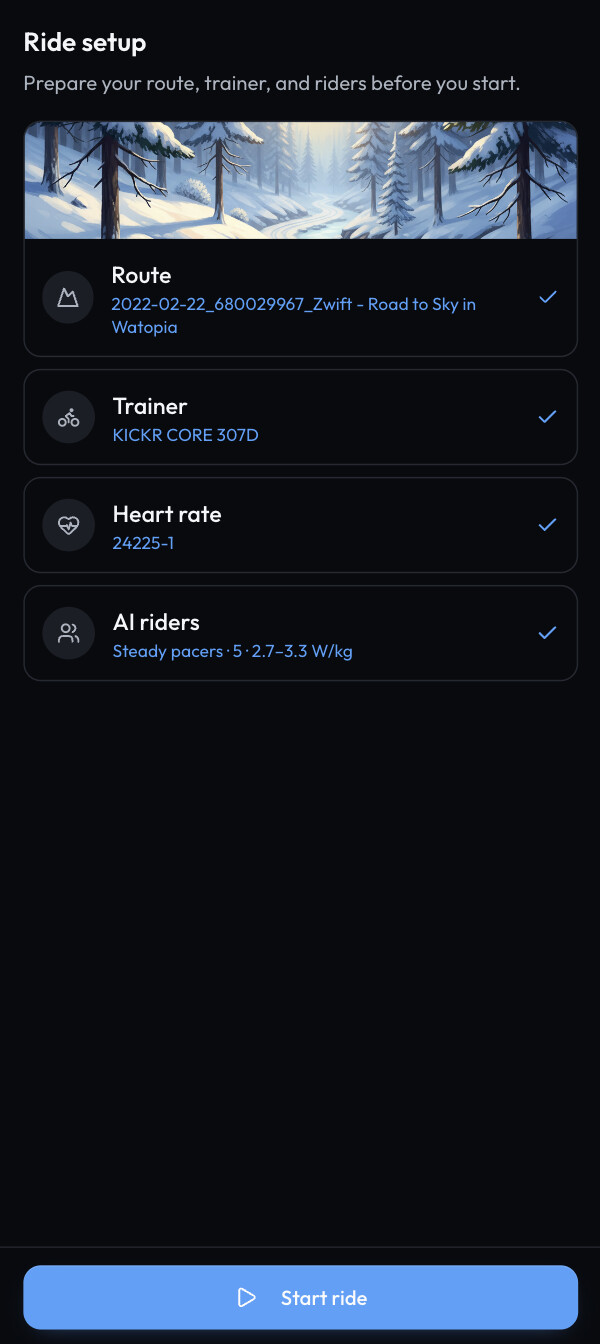
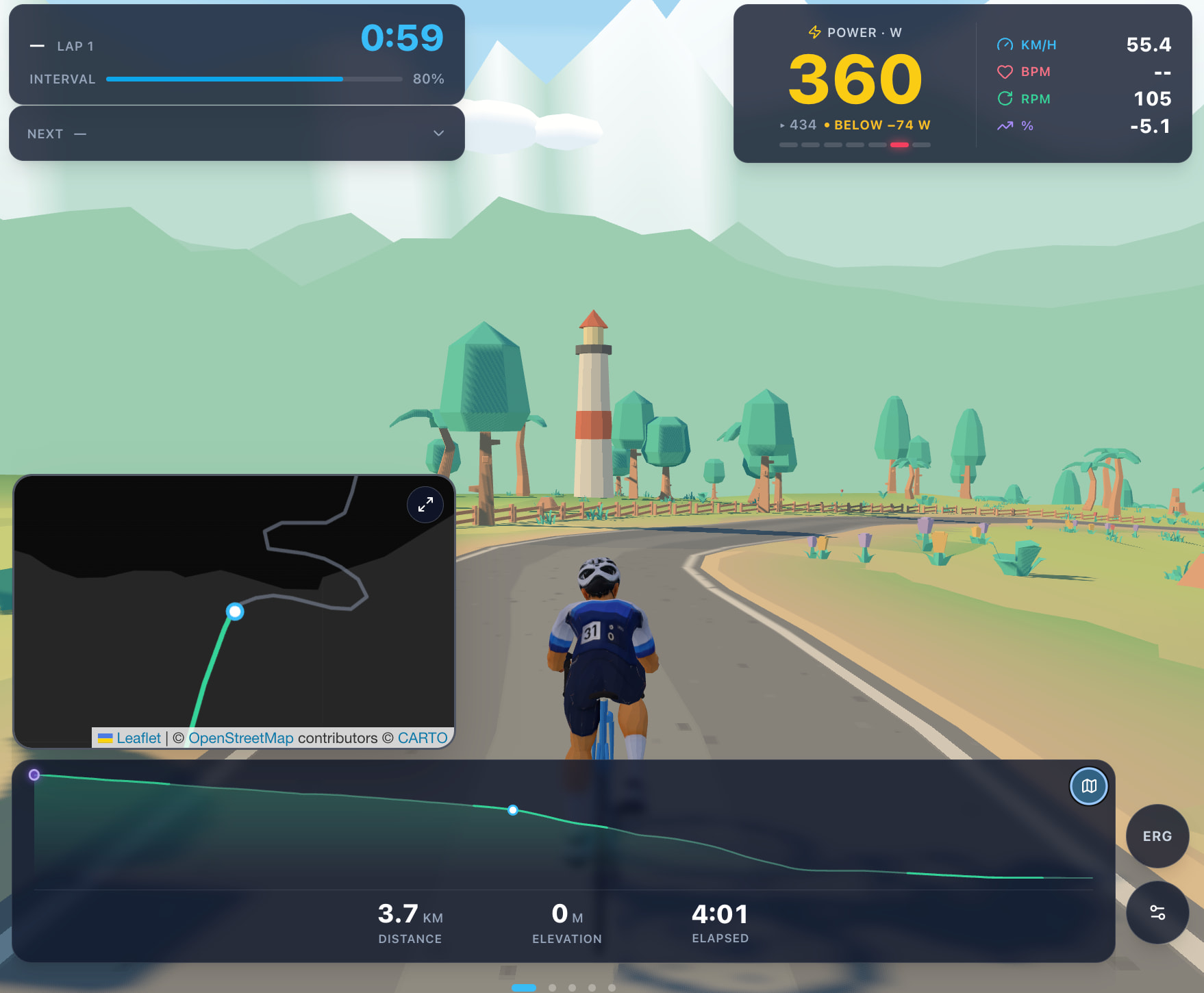
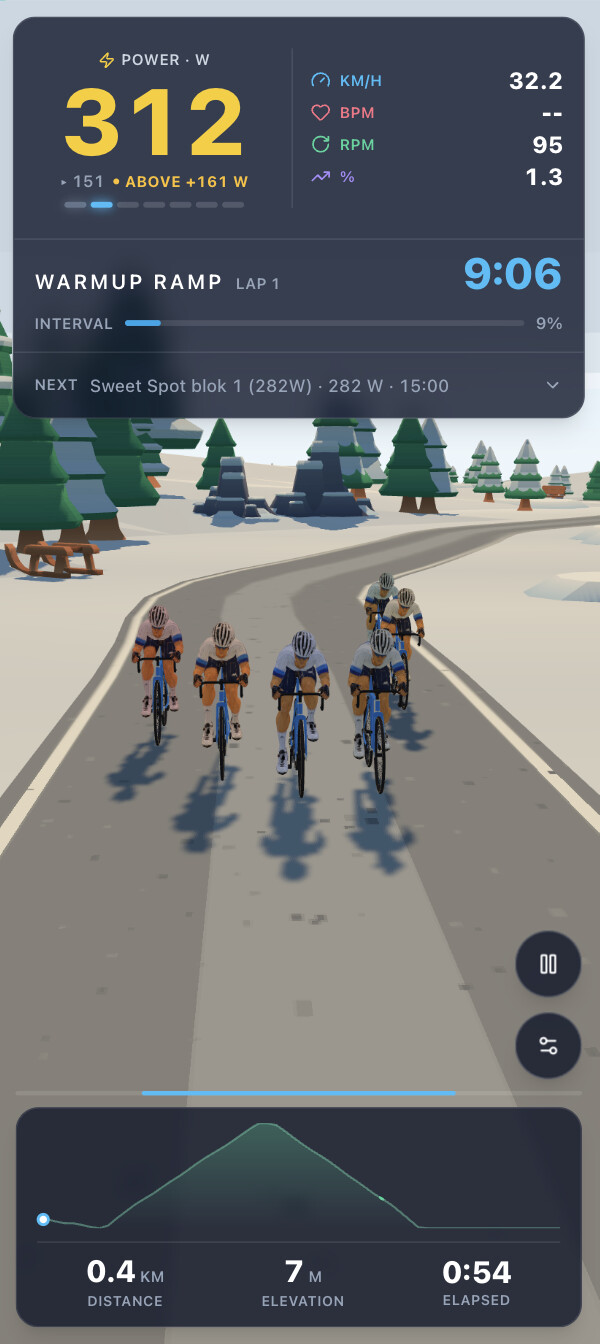
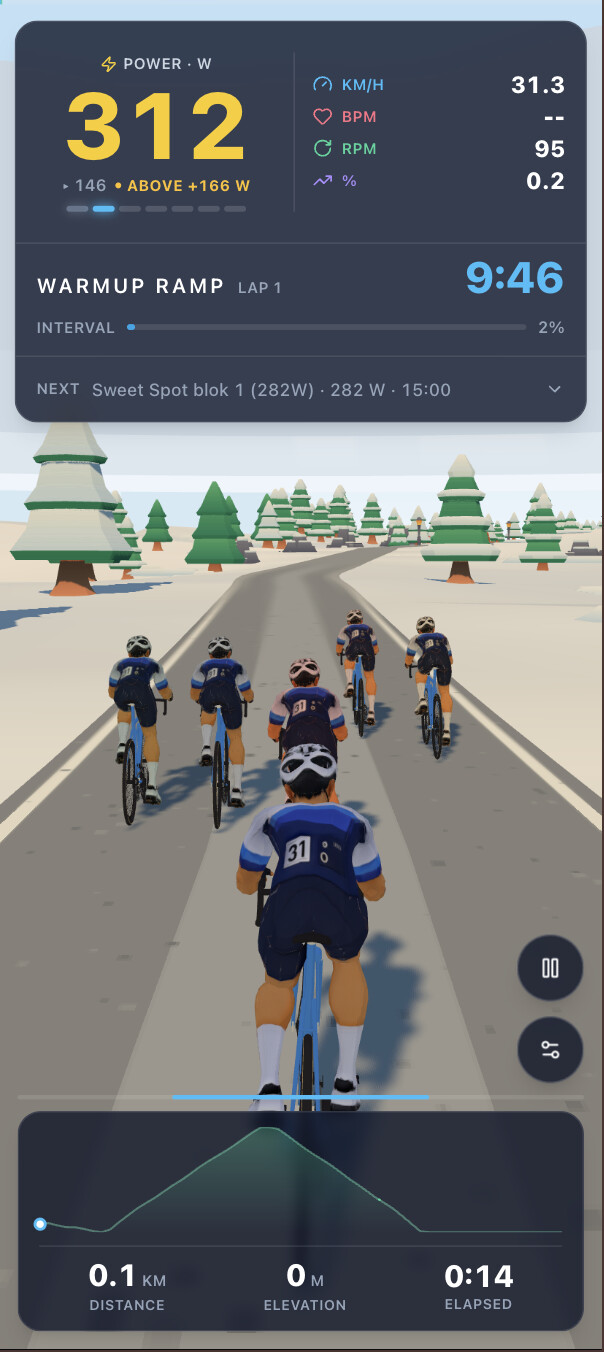
I’m sharing a few screenshots below to give you an idea of what it looks like.

Testers will get access to the beta version. I’d especially like to get feedback from people using both iOS and Android, so if you have a smart trainer and would like to help test it, please let me know.
1 Like

Hi Krzysztof,

thanks for the reply.

I understand that using the Apple Watch has a big advantage, such as no longer needing the list of exercises, sets, reps, and weights, etc. in the intervals notes, because it structures everything you need in the heart rate data; very valid!

I use the Amazfit Balance 2 as a watch, paired with the Helio Strap 24h for all biometric data. This is obviously using Zepp on my iPhone. Do you think there is hope for better integration with this configuration?

Today I did the structured workout proposed by My Trainpal (I’m a Plus user), and it’s really excellent, but I need to look more closely at the Hevy-MyTrainpal-Zepp synchronization for intervals, it doesn’t show me the data.:sad_but_relieved_face::sad_but_relieved_face:

Well that certainly is intriguing, I’d be happy to test it for you in a browser.

How does it connect to my Trainer, HR and Core sensor? via computer or the iOS app as a companion?

Also didn’t realise there was a watch app, is there a simple way to build a strength workout?

Thank you, I’ll reach out when it will be ready to test, I need to polish few last bits before allowing others to test it.

It connects via Bluetooth. On desktop, it works in browsers that support Bluetooth devices, such as Chrome.

At the moment, I’ve added support for smart trainers like the Wahoo KICKR CORE, as well as heart rate straps. I don’t see any reason why support for the CORE temperature sensor couldn’t be added as well.

I don’t have the device myself, though, so I’d need some help testing the integration.

Yes, there is a Watch app. At the moment, it is mainly focused on letting you execute strength workouts with heart rate tracking, but I also plan to expand its functionality over time.

1 Like

Cool, I have a kickr bike, Polar HR and if you could add CORE that’d be great. I can help sort that with testing.

1 Like

Count me in :+1:

1 Like

@Jamie_Bishop and @James_Paul , thank you again for volunteering to test it. I’m happy to announce that MyTrainPal Ride was released in BETA this morning.

I’m counting on your constructive criticism, but I also hope you’ll have as much fun testing it as I had building it :slightly_smiling_face:

A few useful instructions to get you started:

  1. How to access MyTrainPal Ride

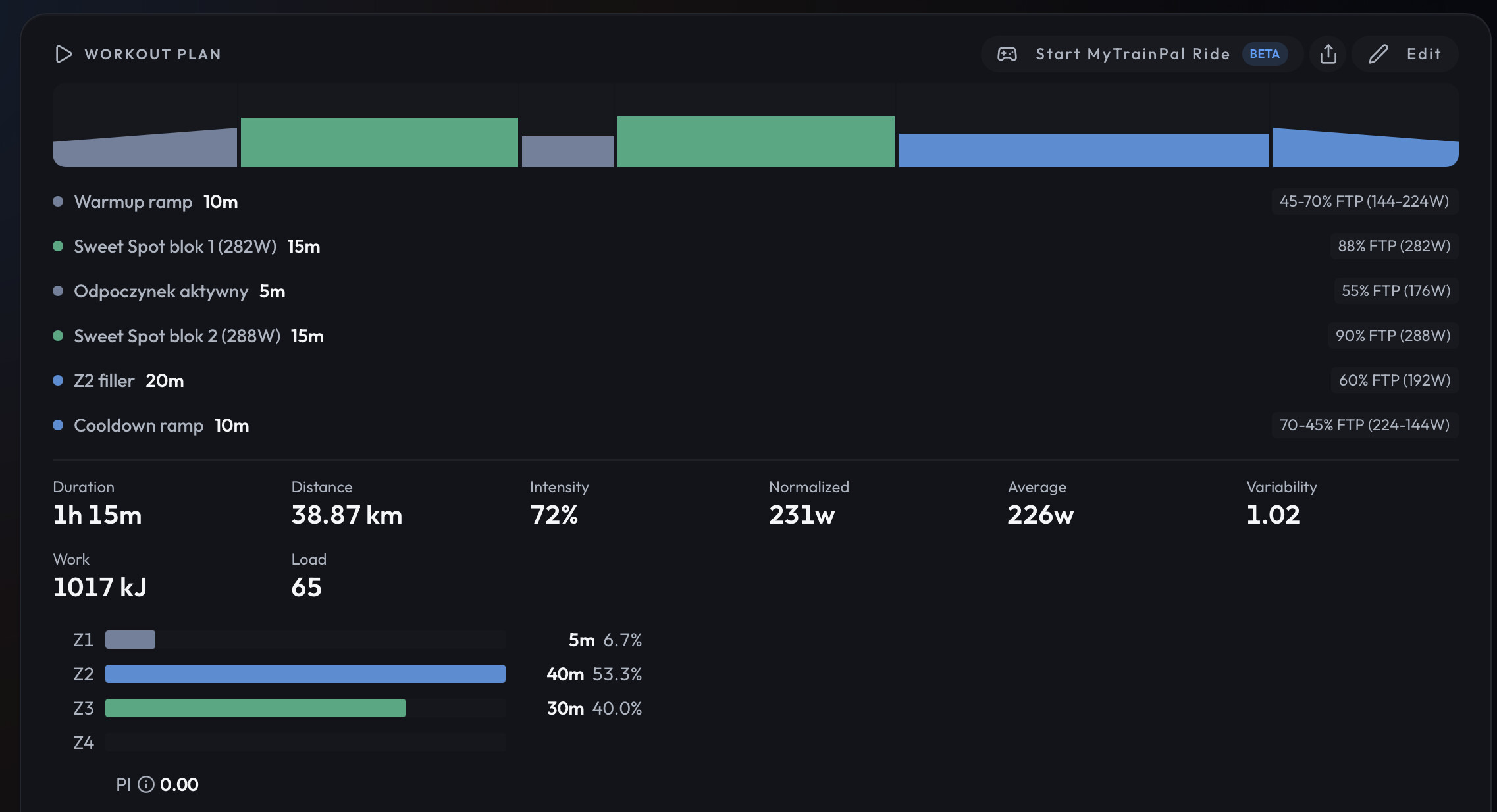
Open any planned cycling workout. Above the workout structure, you should see the option “Start MyTrainPal Ride.”

  1. Ride setup

There are quite a few things you can customize in the Ride Setup menu, and I encourage you to experiment with different environments and settings.

One mode I would especially like you to try, because I think it is the most fun, is racing against your own ghost.

In the Route configuration, select “Race a past ride” and choose any activity that contains GPS data. If that activity also includes power data, MyTrainPal will additionally estimate and display your CdA.

3. Smart trainer connection

You can connect your smart trainer either through the mobile app, just make sure you have the latest version installed, or through a desktop browser that supports the Bluetooth API, such as Google Chrome, Microsoft Edge, or Opera.

  1. Heart rate strap

HR straps can be connected in the same way as smart trainers, either through the mobile app or a compatible desktop browser.

  1. Virtual shifting

If you use a virtual shifting setup, such as the Zwift Cog, you can enable Virtual Shifting in the ride settings.

  1. AI riders

You can choose between riding alone, riding with a steady pace group, or joining a group ride.

Drafting physics are simulated realistically, so riding in a group should allow you to maintain a higher speed for the same effort, just like in the real world.

  1. Workout mode

By default, the workout you used to enter MyTrainPal Ride will already be selected. The workout targets will be displayed on screen and ERG mode will be enabled when supported by your trainer.

You can also choose “Just Ride” if you prefer to ride freely without following a structured workout.

  1. Rider settings

There are currently two rider models available, male and female.

You can also configure your CdA, which allows the simulation to more accurately represent different riding positions and bike setups, such as a road bike or TT bike.

The default CdA is 0.32, which roughly represents riding on the hoods with relatively straight arms.

The rest should hopefully be fairly self explanatory. If you have used Zwift, Rouvy, or similar platforms before, you should feel at home pretty quickly.

I’m keeping my fingers crossed that you enjoy the new mode, and I’m really looking forward to hearing your feedback.

Cheers,
Krzysztof

2 Likes

Many thanks @Krzysztof I’ve a workout scheduled tonight so I’ll give this a ride :+1: great work and I think this is a great step for the platform.

1 Like

I have a workout tonight but its a heat adaption one so will have to do on TPV to capture core data.

Will give it a go for my saturday ride though

Thanks,

The CORE sensor support will be added to the MTP Ride in next update, unfortunately there were too many things to sort out that it didn’t fit in v1.

No worries, it is a bit niche.
But again is a good USP :grinning_face_with_smiling_eyes:

Hi Krzysztof,
I’ve been using your app for two whole days now, and I’m increasingly impressed by its accuracy and breadth it’s truly excellent!
Thanks to your app, I’ve ditched Hevy for my strength training. I’ve noticed that, in addition to creating specific, well-structured, customized programs, the app allows me to monitor and execute them, and syncs them with Intervals much better than Hevy. :grinning_face_with_smiling_eyes: Not to mention that it collects macronutrients from Zepp to calculate their needs and energy recovery. Truly everything in one place, great!:smiling_face_with_three_hearts:
Now there’s also the option of a virtual ride. I’m excited to try it on Sunday!

Can I just ask you one question? Do you think there are plans to connect the heart rate monitor via Bluetooth for strength training during the workout? I ask this because, in order to record my heart rate while I’m at the gym, I have to simultaneously record with Zepp. If it could also be linked to MyTrainPal, everything would be in one place, meaning just one registration, not two, and therefore no Zepp :wink:

I’m happy I found your app; you’ve made so many things easier for me.

Keep up the good work.

Love this feedback, thank you!

Now that I think about it, since I’ve already gone through the effort of implementing a reliable Bluetooth connection for MTP Ride, I should be able to reuse the same solution for the strength workout player.

Thanks for the idea. I’ll keep you posted once it’s available.

Just got off the bike on my first 2 rides so I won’t go in detail with feedback until I’ve had time to sit down and write it up but the overall feeling is that I am very impressed. As a former user of RGT this is a very good implementation of magic roads. Lots of feedback to come but it’s a big :+1: from me!

Thanks, James, for taking the time to test it.

I went for a longer ride myself yesterday and noticed a couple of browser specific issues, such as the screen dimming every few minutes because the browser did not recognize that an active session was in progress. I also spotted a few UI quirks, which I have already addressed today.

I’m looking forward to your full review. I think the comparison to RGT is a very good one. Let’s bring the spirit of RGT Magic Roads back to life, but make it better, free, and available across all platforms!

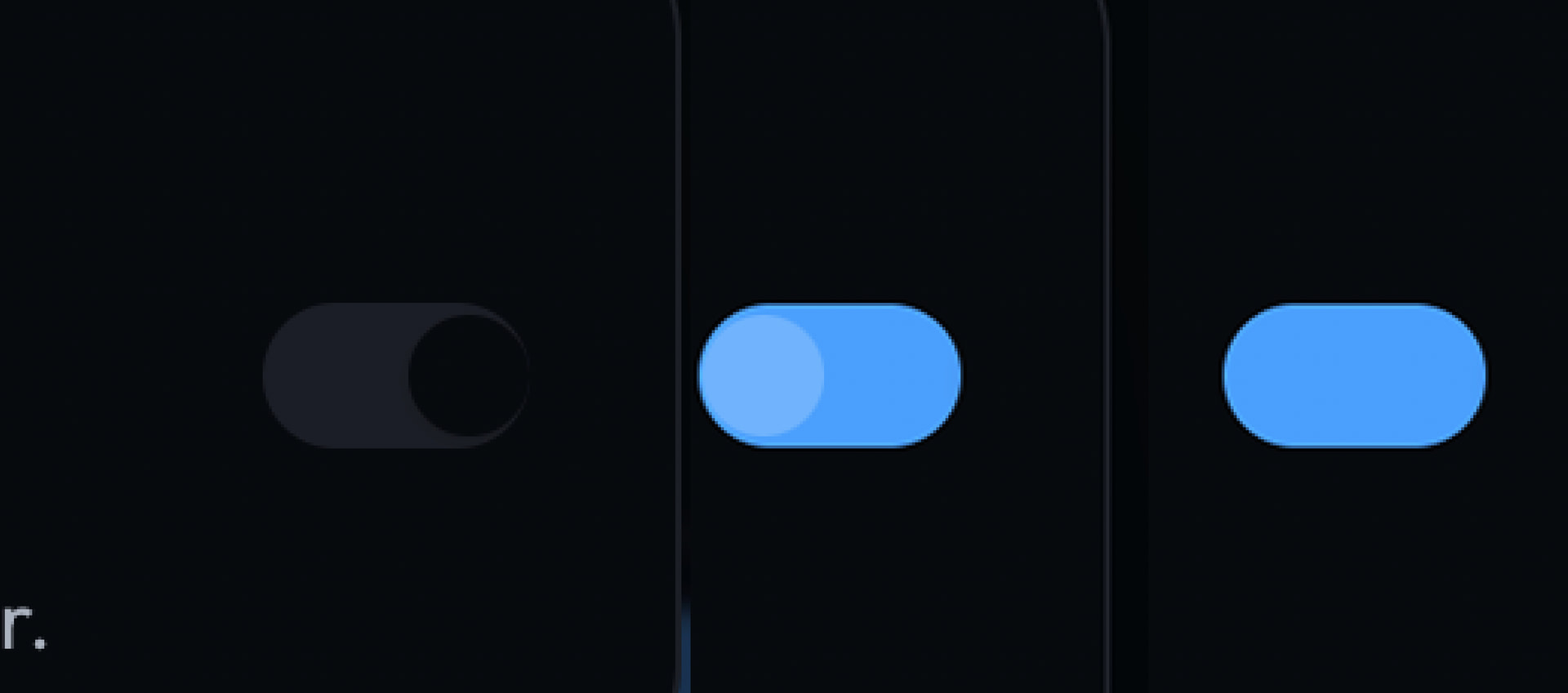
tiny UI feedback, the on/off toggle needs to keep its little button when on.

1 Like

fixed, thanks!

1 Like

Hi Krzysztof

It’s truly incredible: the AI ​​coach is truly impeccable. I’ve questioned it thoroughly, and it never gets a single answer wrong. It automatically adapts my workouts based on my condition, including CTL, ATL, TSB and that’s exactly the amazing thing: it calculates everything, even the stress caused by strength training with specific algorithms, along with cycling. Unlike Intervals, which generates calculations based solely on cycling, running, and swimming.
Finally, a real turning point, at least for me.:grinning_face_with_smiling_eyes:
Thank you very much.:star_struck:

As we were saying, the only missing piece is the association of the heart rate monitor with the strength log. I think it’s important, considering that MTP’s strength lies in the correlation and interpolation of data from various types of stimuli, including the neuromuscular one from strength training. Also providing it with the HR response during these is a valuable piece of data.
And all in a single recording. A dream!:folded_hands:

I tried MTP Ride with my iPhone yesterday, but my Kickr didn’t connect. So far, only my Kickr Core is connecting.
Am I wrong?

1 Like

That’s definitely coming. It will work the same way it currently does with the Apple Watch. Intervals.icu will receive the heart rate stream, and each exercise will be encoded as a separate interval, so you can see everything clearly on the activity chart.

You’ll just need to be a little more patient with me :slightly_smiling_face: I want to finish wrapping up the work around MTP Ride first, and then I’ll move on to this.

That’s strange. I have exactly the same setup and haven’t had any issues connecting.

Are you sure the app has permission to access Bluetooth? It should have prompted you for permission the first time you tried to connect.

Hi Krysztof,
That’s so nice to hear. :star_struck: You obviously have all the time you need.:hugs:

yes, I’m sure I gave permission, I connected the polar H10, and also Helio Strap without any problem.
I also made sure all other apps below were closed.