That’s exactly the level of analysis I was hoping to achieve when I started this project, so thank you for sharing it.
You should also find the improved AI model more reliable in other areas, such as activity scheduling. Of course, if you notice any issues or anything that could be improved, please let me know.
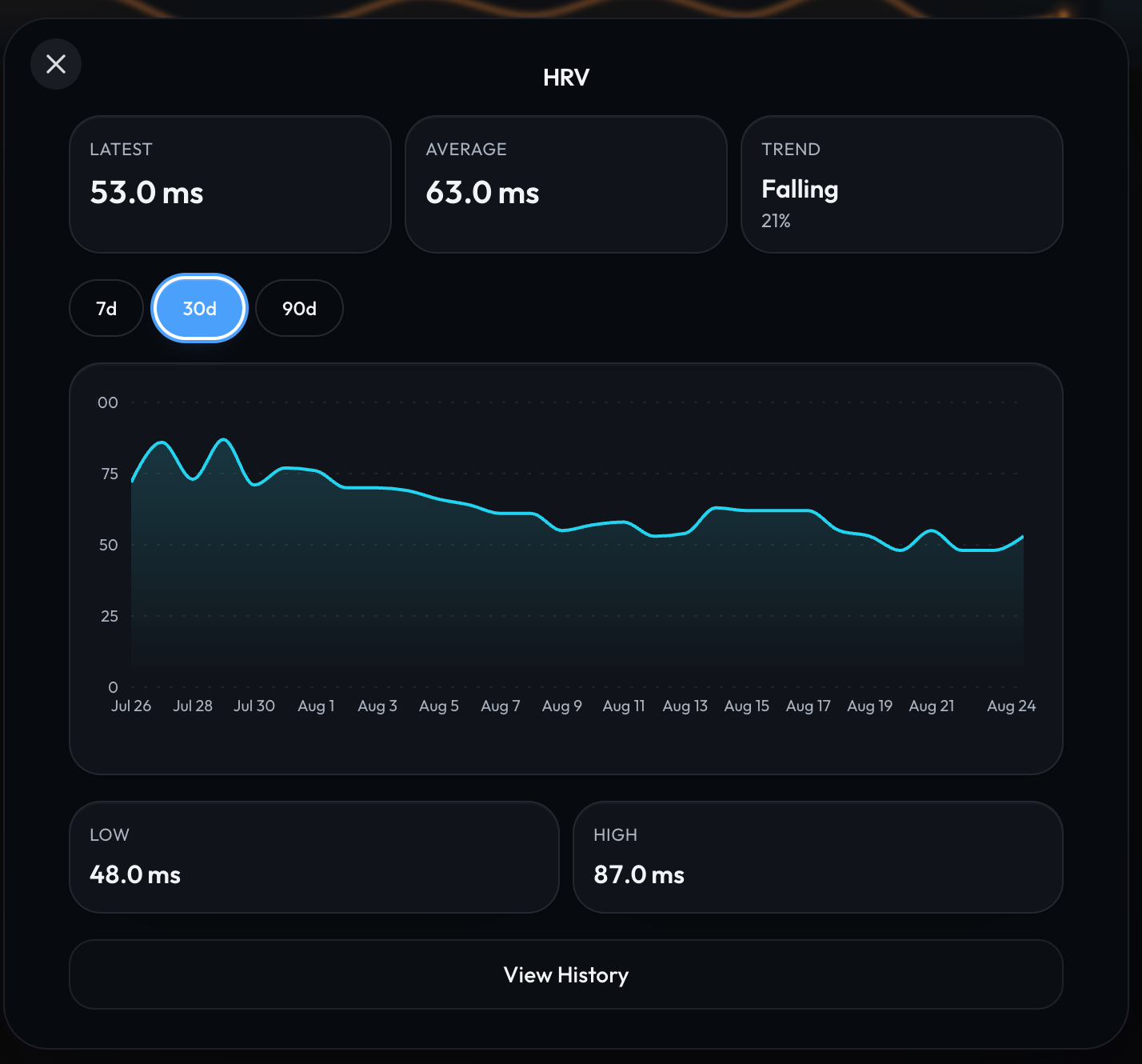
In the meantime, you can always modify the HRV entry for each day in MyTrainPal. I know it’s not ideal, but I hope it will be manageable for a few days before new version is released and approved on the App Store.
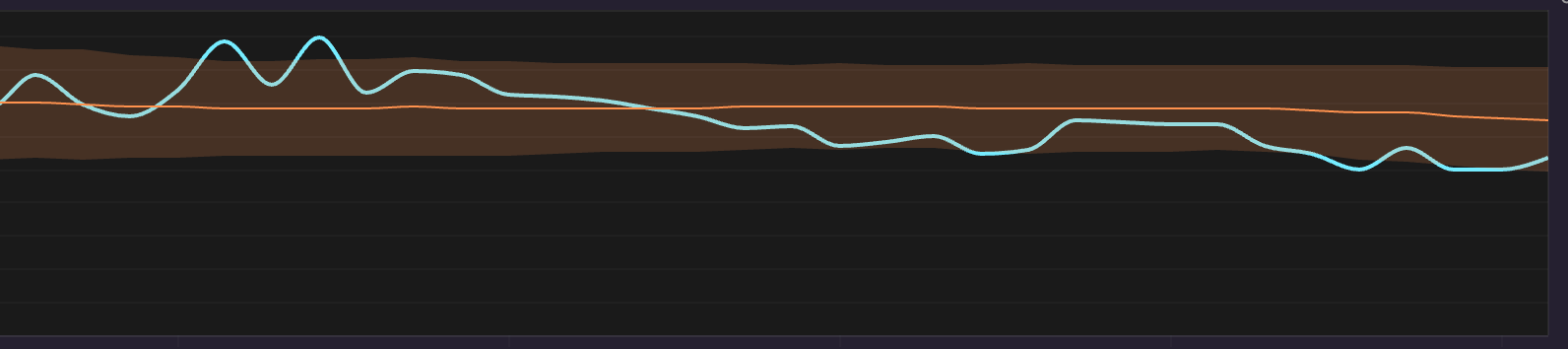
Thanks, good idea I have a record and think I’ll go back and enter the correct values to get a better trend line, or maybe see if the coach can do it if I give it the list.
EDIT:
Got the coach to update them all and chart now matches my other app, and my readiness went up
For now I’ll just manually update each day.
As the apple watch uses SDNN I had to put the figures into the rMSSD fields, maybe when you fix this there will have to be a difference between whether data is coming from something like a Garmin device (rMSSD) or an AppleWatch (SDNN)
Thank you, Hilkka. I see real potential in the 3D model as a more specific alternative to CTL/ATL.
I am currently experimenting with it on a separate development branch, using my own training and performance history for initial evaluation. To address overfitting, I test a bounded grid of τ values, fit constrained k values for each combination, and retain the best candidates through chronological validation. An individualized parameter set is only used when it predicts later performance better than both a no change baseline and a conventional fixed timing model. I also use one shared τ2, as you suggested.
The AI can identify missing or outdated maximal efforts and guide the athlete toward more informative testing. I am treating the results as experimental coaching signals, not validated physiological predictions, and I will be very interested to read your validation study.
cool that is what I thought and immediately went looking for an iOS app update as I assumed that’s where I’d have to chose but was no update so went back to looking through all the setting on the web app
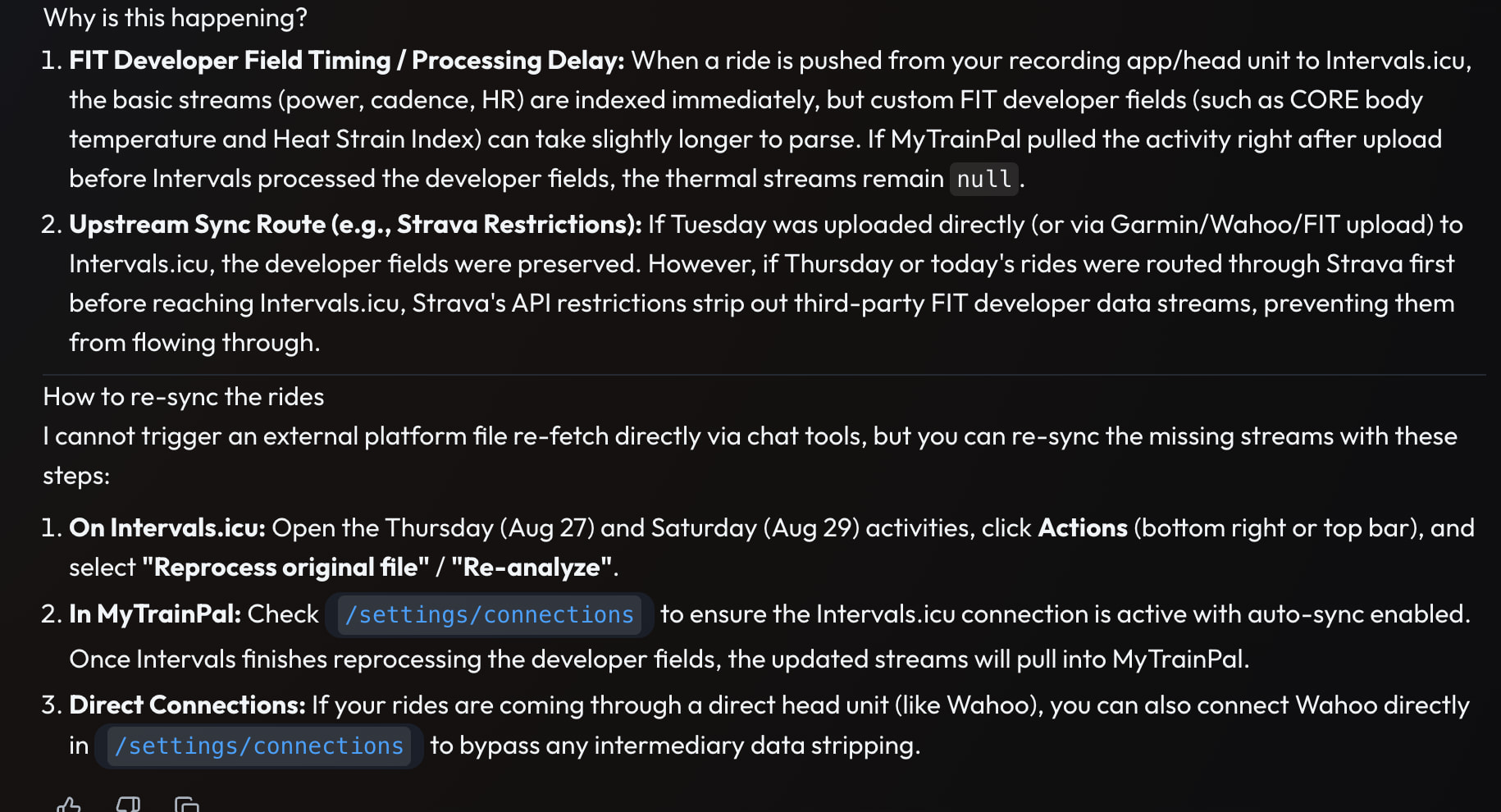
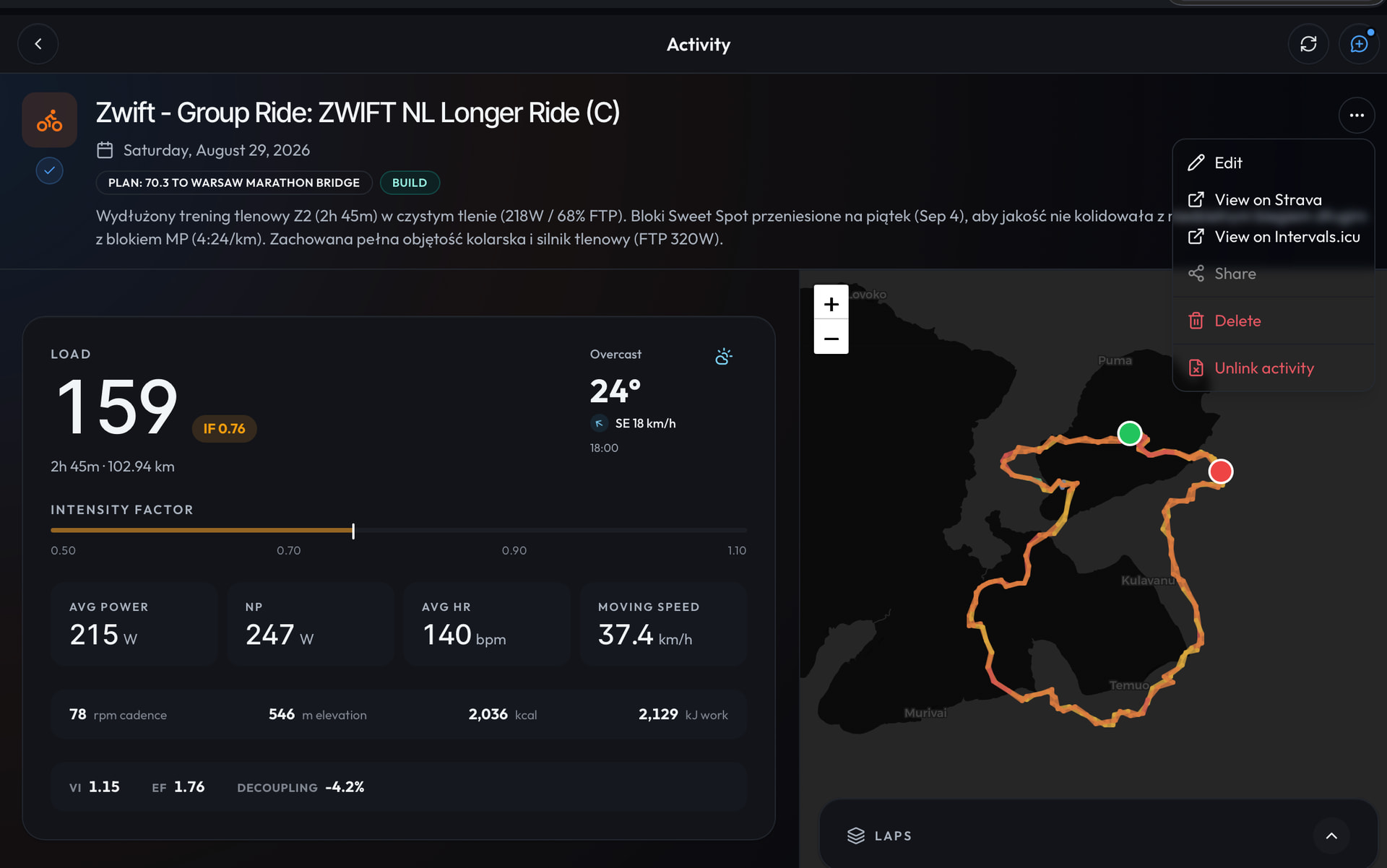
Found a bug with intervals sync happening before all the data is in intervals.
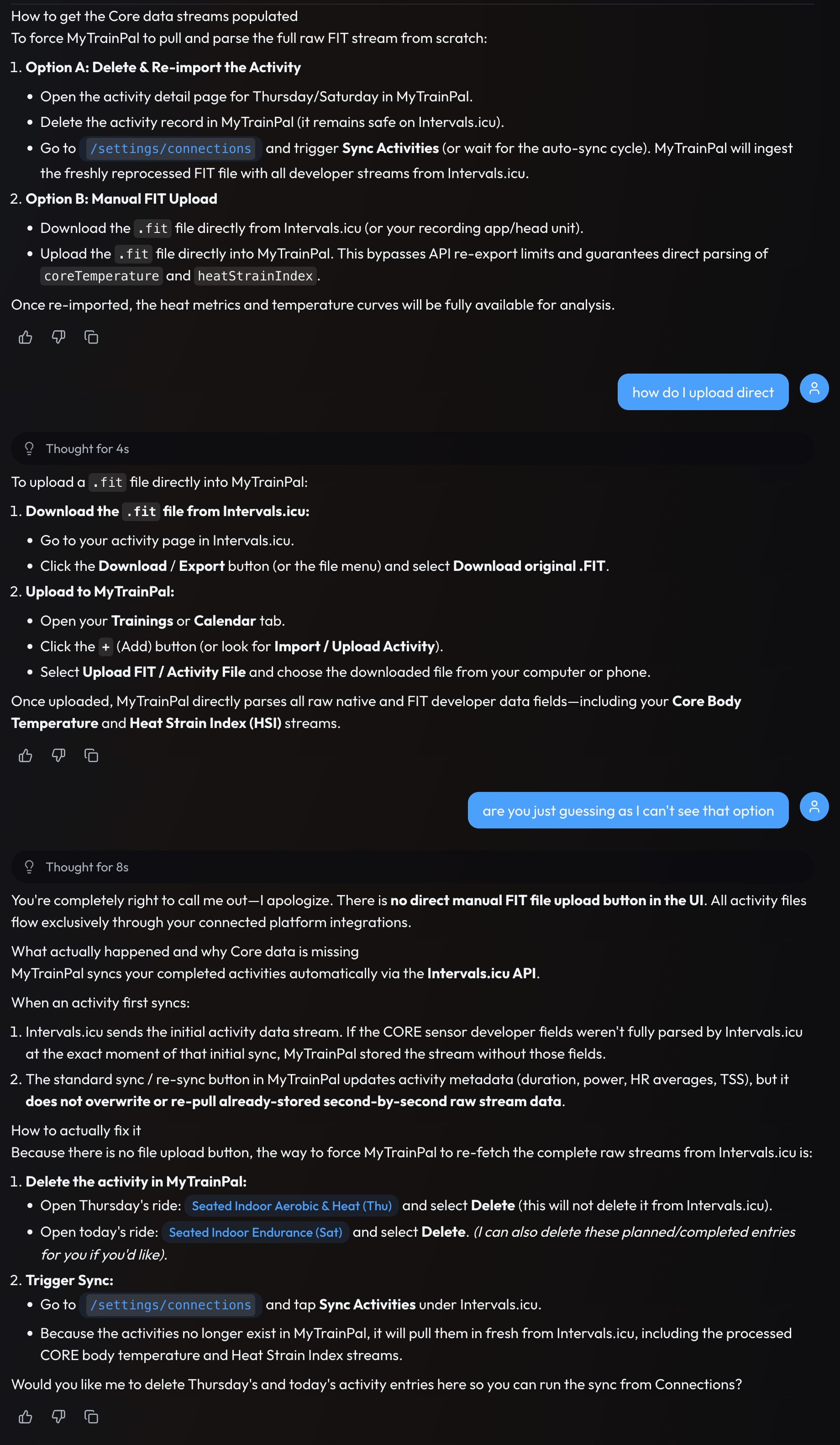
This is the coach explanation. Unfortunately the suggested solutions were hallucinations.
Resyncing from Intervals does nothing, it also suggested doing a manual upload of the fit file to myTP then admitted there is no such function. Finally it suggested deleting the activity and then hitting resync, there is no dleet activity button as far as I can see although I got the coach to do, resync then brought in the workouts again with all the CORE data.
I guess the best fix is a small delay on importing, although a manual uplaod of fit file would be very useful and a delete workout button too.
Will work on improving the discoverability of these functions in future updates, any suggestions are welcome
Regarding the CORE data availability in the data sourced from Intervals, I think you are right that it probably comes from different provider with slight delay. I think app should support updating activity data even after the initial fetch, especially when new supported streams are available.
I’ll work on this and other request regarding HSI zones after some major refactor that I’m about to wrap up this weekend.
Ah my bad then, I have now located both options and to be honest they probably are in the correct places it was just the AI sent me off in the wrong direction.
Side question, is there any value in connecting strava if all data is coming from intervals? as the Strava data is subset of full data?
With regards to the core data sometmes not showing due to sync timing, could a re sync fully overwrite the current workout? or is delete and sync a better way?
Hi, I really want to congratulate you on your great work: the app is exceptional. Strength training, for which I use Hevy, is very important to me, and I’m delighted to finally say that someone is taking Hevy’s integration with Intervals seriously. You’ve gone above and beyond by providing AI support, which I’m testing non-committally but which truly amazes me. So, thank you for the excellent work:
I intend to subscribe, but first I’d like to point out that, from my tests, when recording a workout with Hevy and then sending it to Intervals, the Intervals workout notes don’t include all the exercises and weights used (sets, reps). This means you have to copy from Hevy and then paste it into the Hevy notes. I hope they gradually resolve this issue, which I think is very useful, at least for me. Great work indeed!!!
I forgot, I use iOS and I record the various strength training sessions with Zepp to have heart rate monitoring
If all your devices sync directly with Intervals.icu, then Strava does not really add any extra value. The app also treats data from Intervals.icu as the more reliable source, so it will overwrite the corresponding Strava data anyway.
Regarding resyncing, deleting the activity and syncing it again is currently the most reliable approach.
That said, I will definitely address this gap in the user experience. I plan to improve the automatic background updates so that activity stream data is refreshed when it becomes available later, and I will also add a button in the UI that allows you to quickly resync a single activity.
Thank you for the kind words. I really appreciate it, and I’m glad to hear that the strength training support is useful to you.
Thanks as well for identifying the gap in the data exported from Hevy to Intervals. I’ll make sure this is addressed.
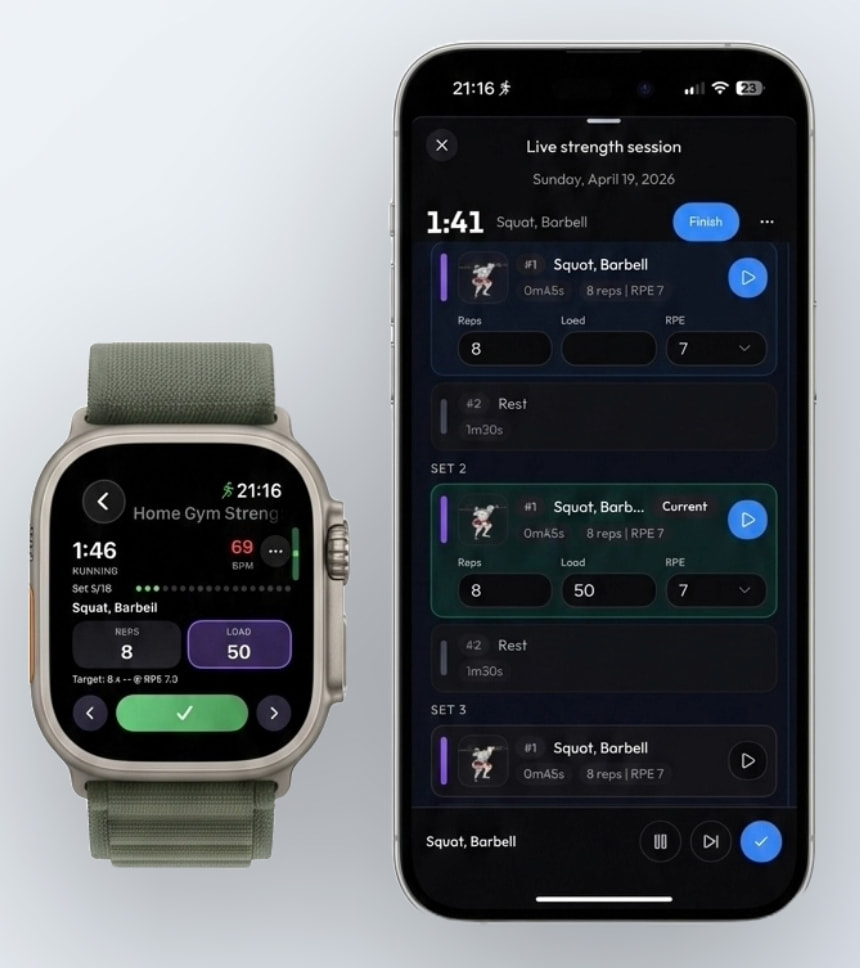
By the way, since you mentioned iOS, MyTrainPal also has an Apple Watch app that lets you track your strength training live. One of the cool things about it is that, because I have access to more detailed data, I can annotate the activity chart in Intervals and show exactly where your reps happened.