Hi @david - How do I get this dialogue to activate the settings for totals??
I clicked everywhere in the calendar but cannot find it…
Thanks!
Found the dialogue under edit layout - but checking the boxes does not enable compliance color toolbars in my setup…
Compliance will only display if you have goals set for Totals.
Thanks for this. Yes these boxes are only un-greyed for Totals on Top.
Compliance comes up if you have any structured workouts in that week - even if you have no goals set for Totals. It’s this anomaly that just looks odd… one workout is populated as your goal for the week (which it isn’t).
Any other thoughts as to how I can get rid of this?
@david @eva I wonder if either of you can help with this? Perhaps adding a tick box option to hide the compliance where users don’t have a Training Plan, but do use the intervals.icu Workout Builder / Workout Library to schedule an occasion session …or am I the only user that does this?
1 Like
You mean hide all the targets bar (from left side summary)? I guess there could be a setting for that too.
1 Like
We have added an option to control the progress bar display. Click Options → Edit Layout, then click the cog icon on the bars to bring up the totals toolbar:
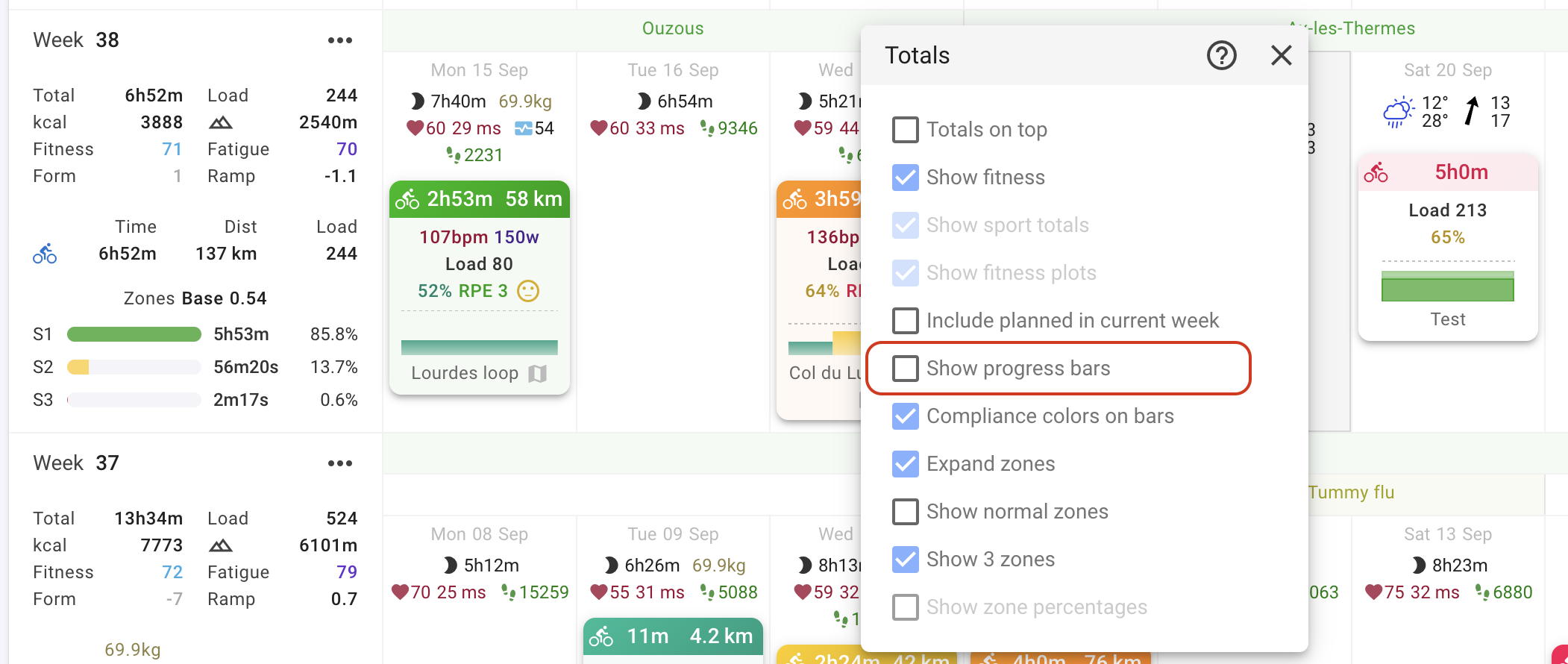
1 Like
Perfect - many thanks!!!
1 Like