I enabled it because I use my Wyze scale to send my weight to Apple Health, however, Wyze will not send the data until you open the app and tap on the scale. I forget to do this some days, so I was hoping resync multiple days would pick up the previous values and send them.
Readiness Score, for example, does not appear on the website. Neither does SDNN.
In Sync Fields, everything is turned on in Standard, Custom, and Experimental.
I went to More, Apple Health, Recent Sync History, tapped on today, May 27, tapped Re-sync This Day. It synced 5 metrics and did not sync 13 metrics. Neither Readiness Score nor HRV(SDNN) were synced. Here are the logs for it:
2026-05-27 16:16:47 | HealthKitDailyMetricsSyncService:info: Successfully synced 2026-05-27 with 5 metrics
2026-05-27 16:16:47 | HealthKitDailyMetricsSyncService:info: Uploading 5 metrics for 2026-05-27 (filtered from 19 by 5 wellness keys)
2026-05-27 16:16:47 | HealthKitDailyMetricsSyncService:info: Readiness score computed: 81 (Good), personalBaseline=true
2026-05-27 16:16:47 | HealthKitDailyMetricsSyncService:info: Sleep score computed: 61 (Fair)
2026-05-27 16:16:47 | HealthKitDailyMetricsReader:info: Fetched 17 metrics for
2026-05-27 16:16:47 | HealthKitDailyMetricsReader:info: Fetching daily metrics for
2026-05-27 16:16:47 | HealthKitDailyMetricsSyncService:info: Starting sync for 2026-05-27
2026-05-27 16:16:47 | HealthSyncView:info: Requesting permissions for manual sync…
2026-05-27 16:16:45 | HealthKitDailyMetricsSyncService:info: Readiness score computed: 81 (Good), personalBaseline=true
2026-05-27 16:16:45 | HealthKitDailyMetricsSyncService:info: Sleep score computed: 61 (Fair)
2026-05-27 16:16:45 | HealthKitDailyMetricsReader:info: Fetched 17 metrics for
2026-05-27 16:16:45 | HealthKitDailyMetricsReader:info: Fetching daily metrics for
2026-05-27 16:16:44 | AppleHealthSyncService:error: No prior synced activity data found.
2026-05-27 16:16:44 | AppleHealthSyncService:info: loading synced activity data from app group
2026-05-27 16:16:44 | HealthSyncView:info: Proactively checking HealthKit permissions on view load…
I then went to Intervals, Fitness, and added a new chart. I chose Add Plot, Readiness, as-is. Same for SDNN. Nothing appears in that chart. It’s blank.
For anyone curious about this, the problem turned out to be in my setup for Wellness Captured Fields.
After discussions with @spmcewen, I found that I only had a few metrics selected in the Captured Fields of the Wellness Popup. I selected all that I expected to send and then and manually resynced back 21 days in the app. After that, I started seeing what I expected.
First of all, thanks for all the hard work you’ve put into the app.
I tried to export my Intervals session to my Apple Watch but ran into several issues. Here they are:
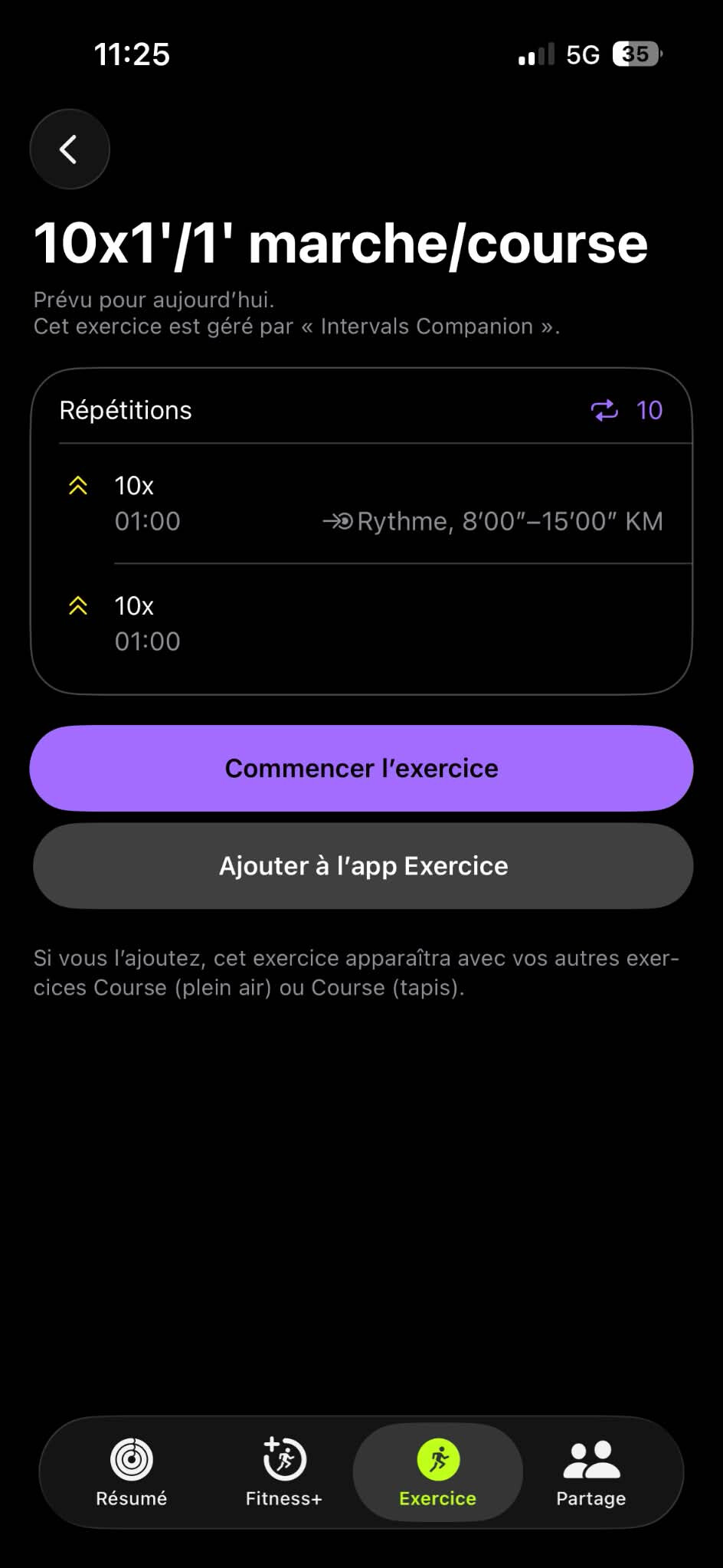
When I export my Intervals session to the Apple Watch, the pace for Z1-Z3 (2nd interval) doesn’t show up on the watch. It’s as if no pace had been selected, so I don’t get any information during my session.
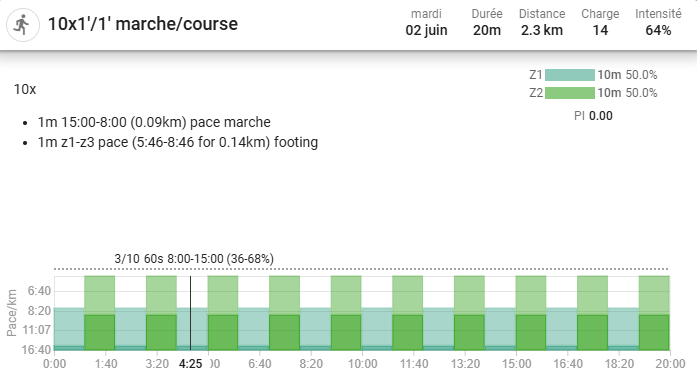
Intervals session (website):
It seems like the pace didn’t export from the Intervals website to Intervals Companion.
How can I make sure the pace exports correctly to the watch? Did I make a mistake when setting up the Intervals Companion app or when exporting the session?
When exporting this same session, once it’s finished, from Apple Workout to Intervals, the laps don’t export and the “Data” tab in the web app shows nothing. Yet in my Apple Workout, the intervals are there with all the associated data
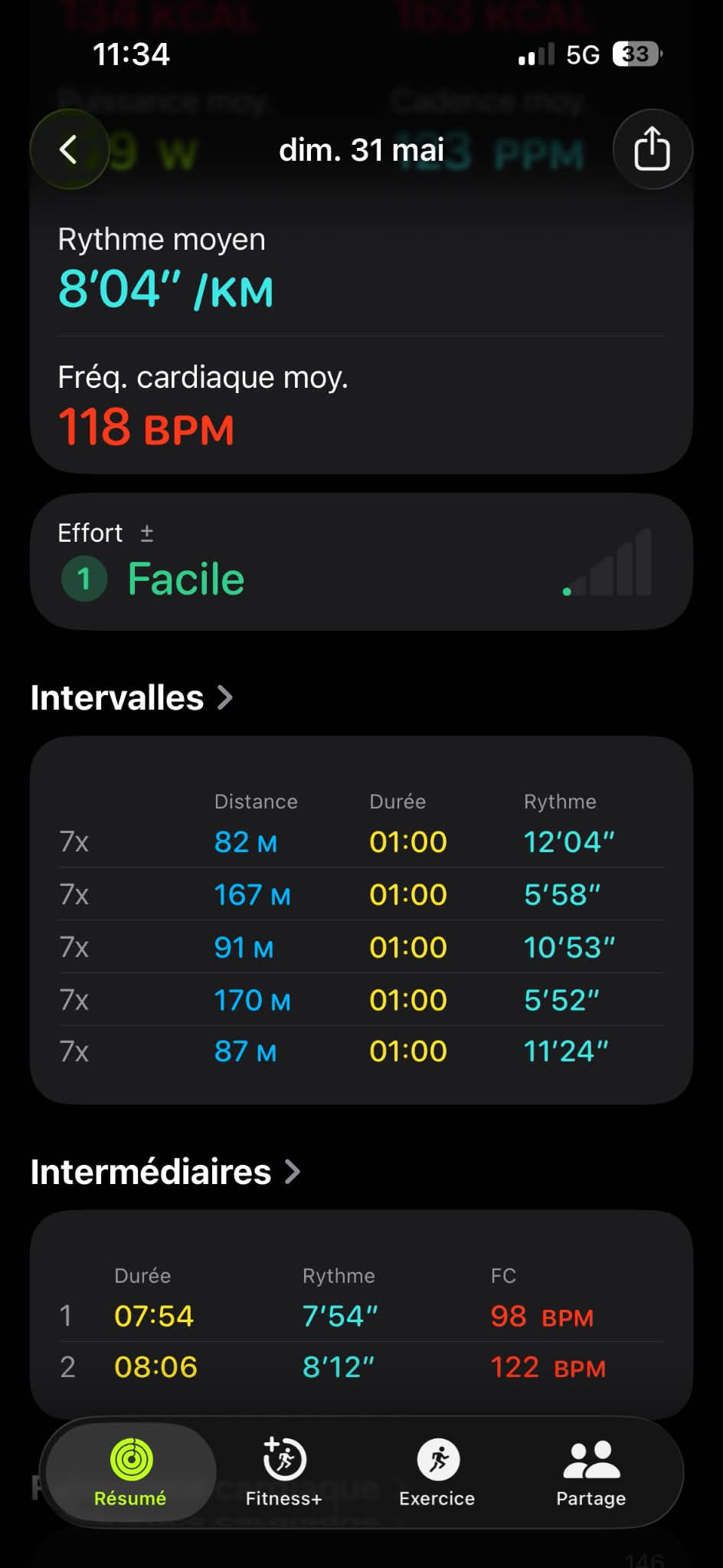
Minor issue: In my workout, I was supposed to do 7 sets of (walking/running). So I have 14 laps/intervals in my Apple Workout app. However, they’re all labeled “7x.” Is it easy to change the labels to “1, 2, 1, 2, etc.” (or A, B, whatever) instead of “7x, 7x, 7x, etc.”?
Screenshot of my workout on the Apple Workout app showing the laps/intervals:
Can you share the text used for the workout steps from the website? I want to try reproducing this. I copied the text in your first screenshot but am not getting valid results.
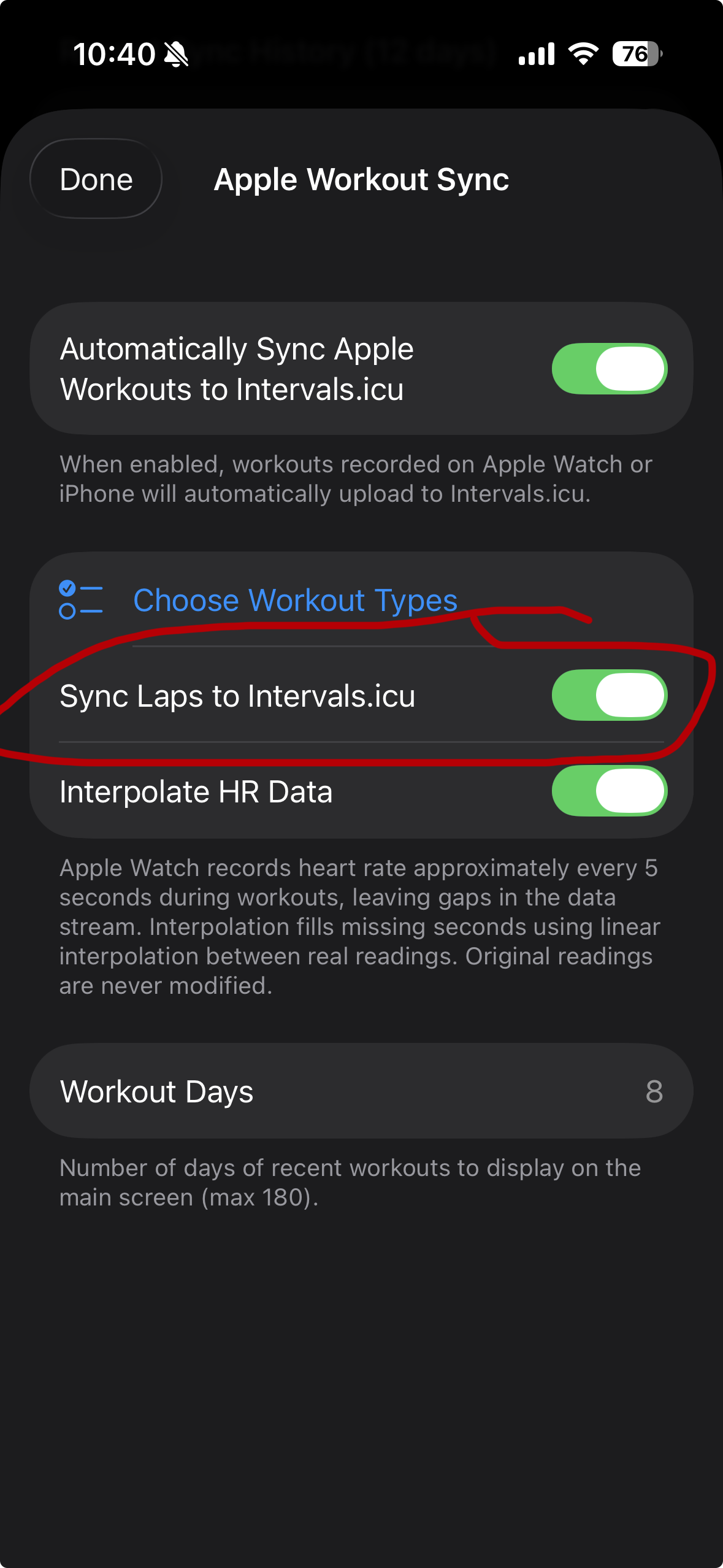
For the laps, do you have the “sync laps to intervals.icu” toggle on?
Apples support for laps seems to be lacking. I’ve looked into the labels before and Apple makes it difficult to control those.
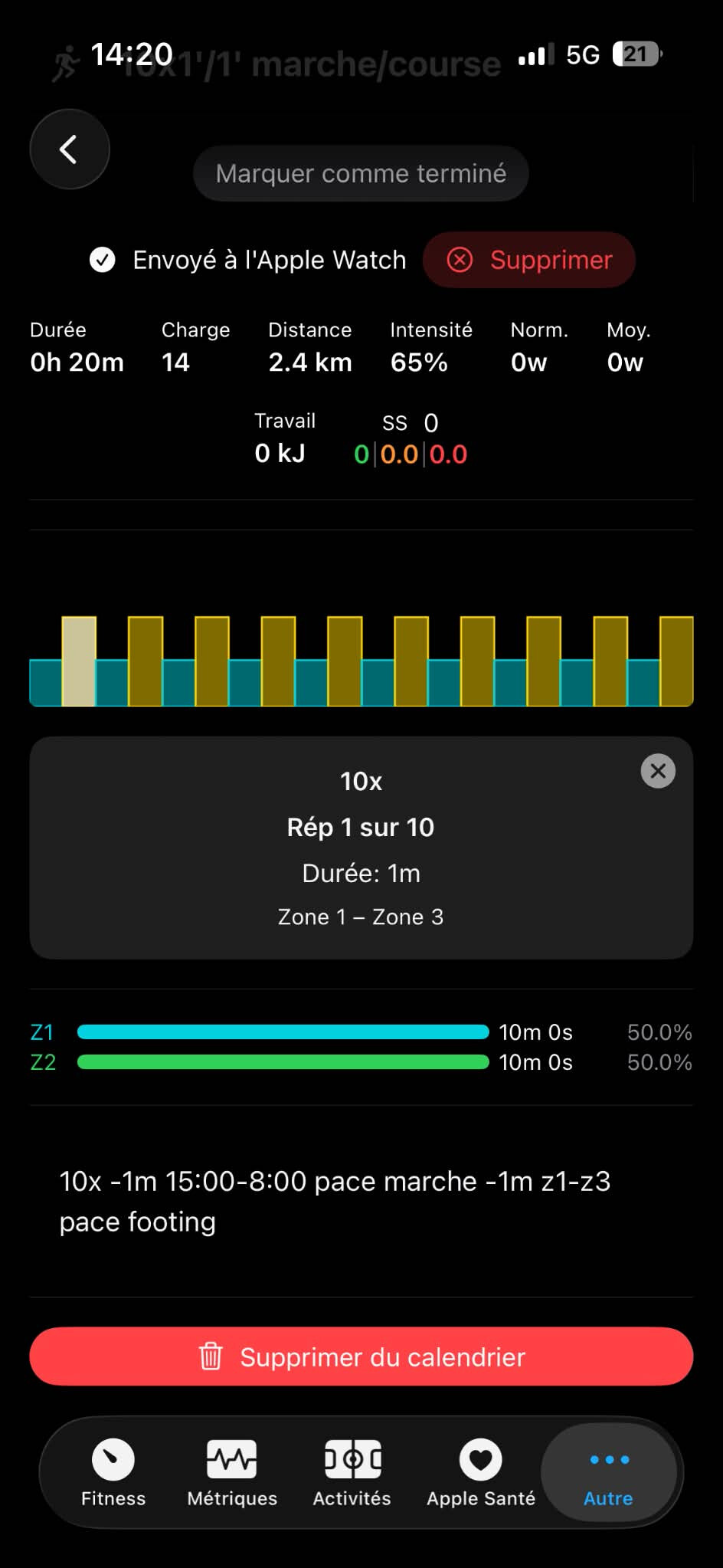
10x
-1m 15:00-8:00 pace marche
-1m z1-z3 pace footing
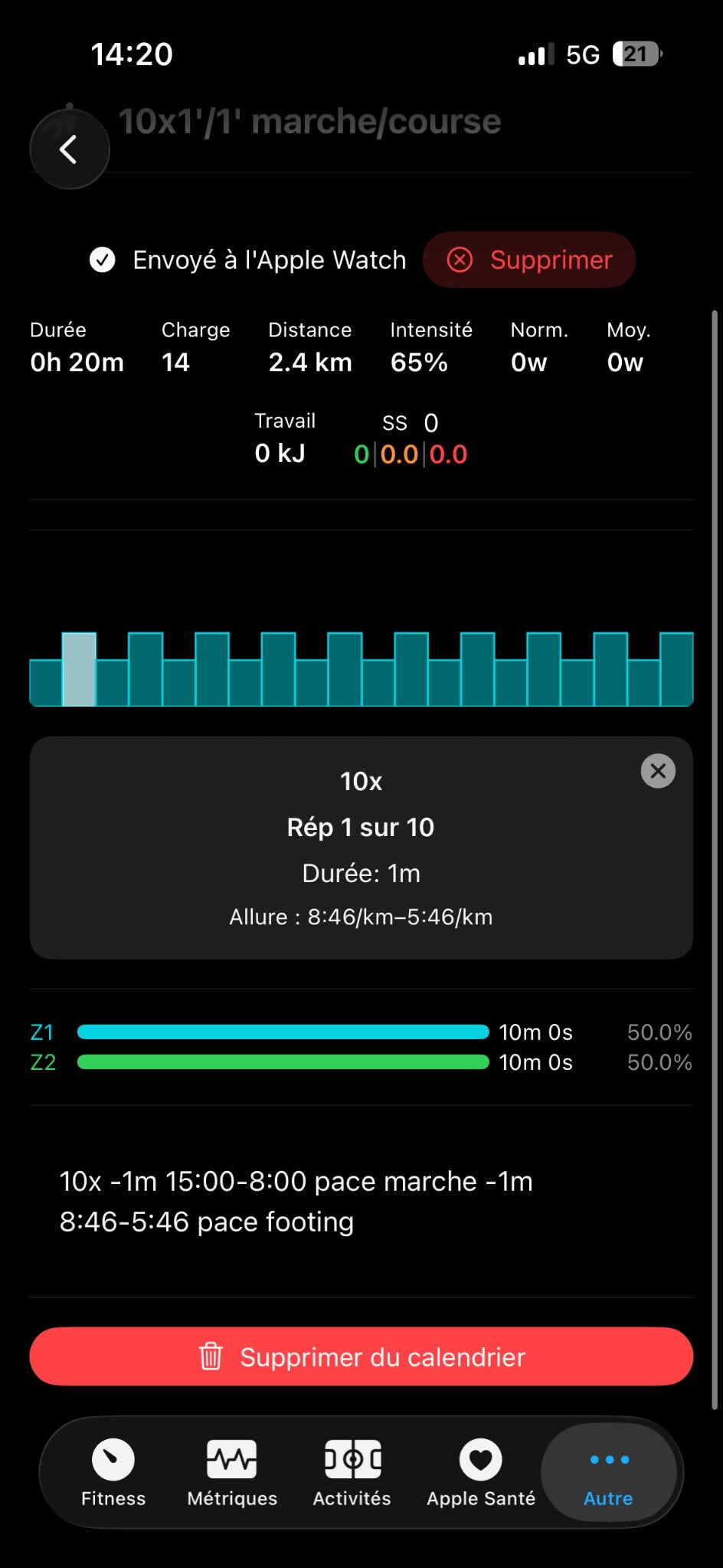
But if i use real pace instead of zones for the footing it works and export pace on the watch.
This text works fine but dont use “z1-z3”, i give the real pace of these zones :
10x
-1m 15:00-8:00 pace marche
-1m 8:46-5:46 pace footing
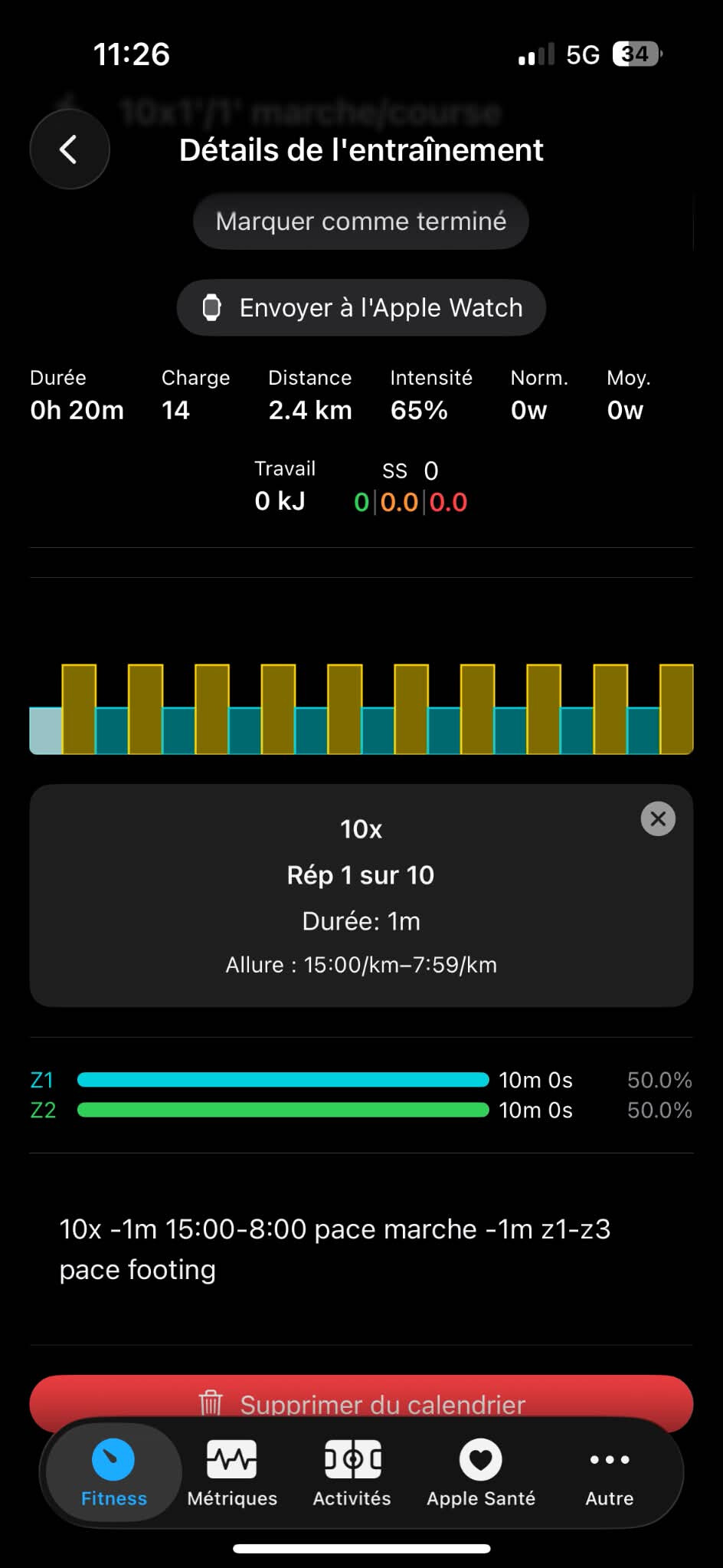
I get the impression that, for the first text, the website understands what z1–z3 correspond to in terms of pace and therefore displays this information in the workout, but the Intervals Companion app doesn’t convert these zones into a specific pace
Workout with the 1st text (zones) in the Intervals Companion app :
Thanks for these details. I found the issue and it’s specifically when using Z1 as the starting range for a pace based step. If you use Z2-Z3 you should see it working. I’ll have a fix in the next update. I may release 3.2.1 to fix this and some other bugs I’ve found in 3.2.
Sync laps to Intervals is on the Workouts: Apple → Intervals.icu settings screen on the Apple Health tab. I found that dealing with the laps on the Apple side was cumbersome to get working at all. So YMMV.
Thanks again so much for your reply. I tried it, and using z2-z3, everything works perfectly!
However, I can’t seem to find the option to enable lap synchronization. I’m not sure if it’s in “Apple Settings,” “Apple Health app settings,” “Apple Fitness app settings,” or “Intervals Companion app settings.” I’ve looked everywhere but haven’t found it.