Intervals Companion v3 updates for Apple Health and workout syncing

Starting a new thread for what will be a substantial update to the Intervals Companion app…

Version 3 of Intervals Companion adds several new features with deeper Apple integration:

  • Automatically sync workouts recorded with Apple Watch or iPhone to intervals.icu
  • Automatically sync daily Apple Health metrics to intervals.icu
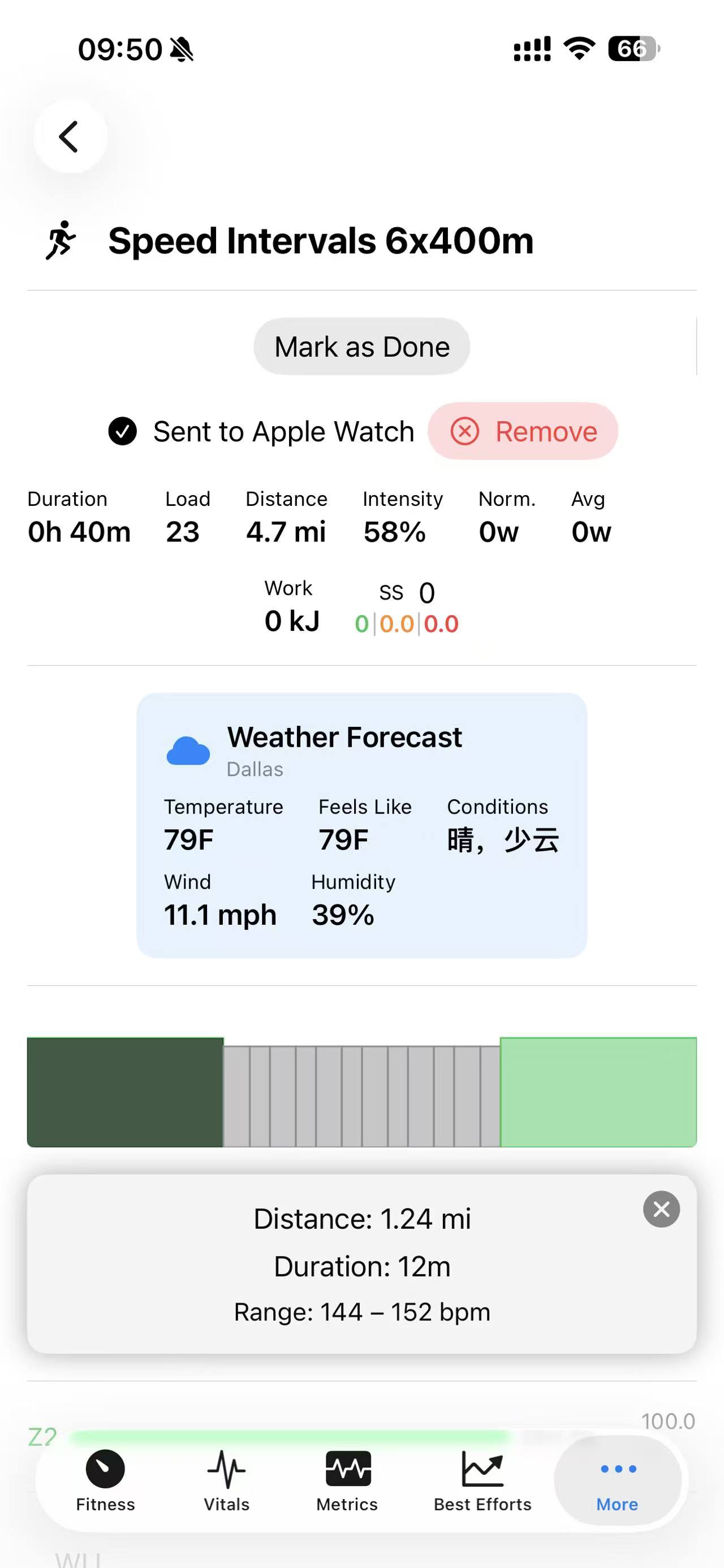
  • Convert and sync planned workouts to Apple Watch
  • A new Metrics screen for building customized charts and widgets for all fitness and health metric fields

I feel like these are working well enough that I’m in the home stretch toward finishing and releasing them to everyone. I’ve been using the updates myself for the last couple of months during development, and they’ve been working well for my use cases and activity types. However, I know that doesn’t cover the wide variety of use cases you all have.

Health metrics syncing supports several custom fields that can be configured on the intervals.icu side: active and resting energy, and sleep phases. This has been built in a way that makes adding new custom fields straightforward.

There are a few fields I’m considering experimental, as they rely on sleep data (such as from wearing an Apple Watch at night) and custom logic to calculate, rather than a simple pass through from Apple Health to intervals:

  • Avg Sleeping HR
  • Baevsky SI
  • Sleeping HRV (rMSSD)
  • Sleep Score
  • Readiness Score.

There are a few options to control how some of the fields are calculated, but your mileage may vary with these. Sleep Score and Readiness Score may continue to be fine-tuned as well.

The new Metrics screen will eventually replace the original Vitals screen. It’s rebuilt from the ground up and should perform substantially better than Vitals. It allows you to design custom charts for any combination of metrics, supporting all fields from Vitals plus all the new Apple Health fields. Any chart added to the Metrics screen can also be added as an automatically updating Home Screen widget.

v3 also includes a few smaller features:

  • Library: View the contents of your intervals.icu library and add workouts to your calendar
  • Distance splits on activity detail screens
  • Pace zone charts

None of the features in v3 should change any existing functionality.

If you’re interested in getting access before the official release or want to help test, you’re welcome to join the TestFlight builds here:

Thank you to those of you already on the TestFlight builds and all the feedback you have provided!

9 Likes

Wow! I’m testing build 17 and the work done is amazing, especially with the health data. In build 16 the app crashed on startup, but in this 17 it works perfectly. Thanks again for your work, and keep up the good work!

This is a great update, I was using healthfit to bring in some of the apple data to intervals so having it all in one place is really good. Thanks for all your work on this!

Thanks really appreciate the updates.

Any chance of you collaborating with sleep HRV app also on test flight. Saves having it on 2 apps.

Also @spmcewen is it possible to have a total today daily TSS fitness view?

@Badgerman Technically speaking, anything is possible!

Sorry though, I’m not very familiar with Sleep HRV. I assume you mean this: Sleep HRV – An app to record true (overnight rmssd) HRV from the Apple Watch - #86 by nich

It sounds similar in approach. If Afib mode is on you get more frequent measurements from an Apple Watch while sleeping and then can use the beat-to-beat measurements values to get rMSSD over time. My app will do all this and sync it to intervals as part of the daily metrics sync. Note that this and the Baevsky SI and readiness scores are “experimental”.

I’m sure what a total daily TSS view would look like. If you can give more info I can see if it fits in anywhere.

I’m focused on stabilizing and fixing bugs in the current TestFlight FIT → Apple Health and Apple Health → FIT Apple sync bugs, but haven’t planned out what could be coming next.

1 Like

Hi Spencer,

Started recently using intervals.icu, and found your app. I’m running the app on macOS and it gets stuck on the “Logging in…” screen indefinitely. The browser never opens to complete the OAuth flow.

I checked the system logs via Console.app and found what looks like the issue. The SafariLaunchAgent log shows:

Enqueued authentication session request:
URL = https://intervals.icu/oauth/authorize?client_id=45&redirect_uri=intervalscompanion://oauth-callback&scope=...
callback = Callback { scheme: intervalsapp }

The OAuth request uses redirect_uri=intervalscompanion://oauth-callback but the registered callback scheme is intervalsapp. So the authorization redirect never reaches the app, and it just spins forever on “Logging in…”

App version: (from App Store, latest as of March 2026) Platform: macOS

Let me know if there’s anything else I can provide. Thanks for the great app!

The app uses iCloud Keychain to store your login credentials, so it’s required that you have that enabled on your iCloud settings. I’m not sure if logging in only from macOS without first creating your login keychain item from iOS works.

It sounds like it does not, as the login code tries to use the embedded browser to handle the login in redirects for the oauth flow.

I’d like to cleanup the login flow in general some day.

Ah, okay, got it. I don’t have an iOS device handy to check it, but thanks for the reply anyway!

Give the latest v3 build 27 in TestFlight a try. Link is above in my post. I made some changes to how the login works so using macOS only should work. It does for me, anyway. I did not try with iCloud Keychain disabled, but that’s where your login token gets saved if you have it enabled.

The problem was actually the way the code was popping up the intervals.icu authentication page. For some reason it only worked on iOS and not macOS, and Apple changed how that can work. I was probably using the older approach from the start when I could have been doing it the new way all along. The callbackUrlScheme works the same when set as “intervalscompanion” or “intervalsapp”.

Thanks so if I do multiple activities I can’t see the total TSS for the day on the main view like I can in intervals.

I gave no clue re HRV calculations but if could use the same as the other app (for Apple afib data) then we would only need one.

Thanks for your awesome app - it is exactly what I need :wink:

I’m currently testing the last beta versions and for whatever reasons they are not syncing Apple Health data to intervals.

Everything was working as intended with the Apple smart watch, but yesterday I wanted to test my wife’s Garmin Fenix. It comes with Garmin Connect and I do see the workouts I did with it in Apple Health, but they are greyed out in the invervals companion app and are not synced.

Why so? What am I missing here?

UPDATE: oh no! It appears that only speed gets synced for the Garmin recorded activity! No heart rate etc.!

As I can see the data (Heart rate etc.) is present in the original Garmin fit-file, but is missing (except speed) for the one synced by the intervals companion app.

Well, I found the culprit - I do not know if it was always there, but in the settings → Apple Health there is a switch to limit syncing only to data that was recorded with the Apple-smartwatch.

Switching that off and allowing to sync all data (so also data recorded by other apps like WorkOutDoors and Garmin Connect) totally fixed my issue.

Thank you!!

Hi,

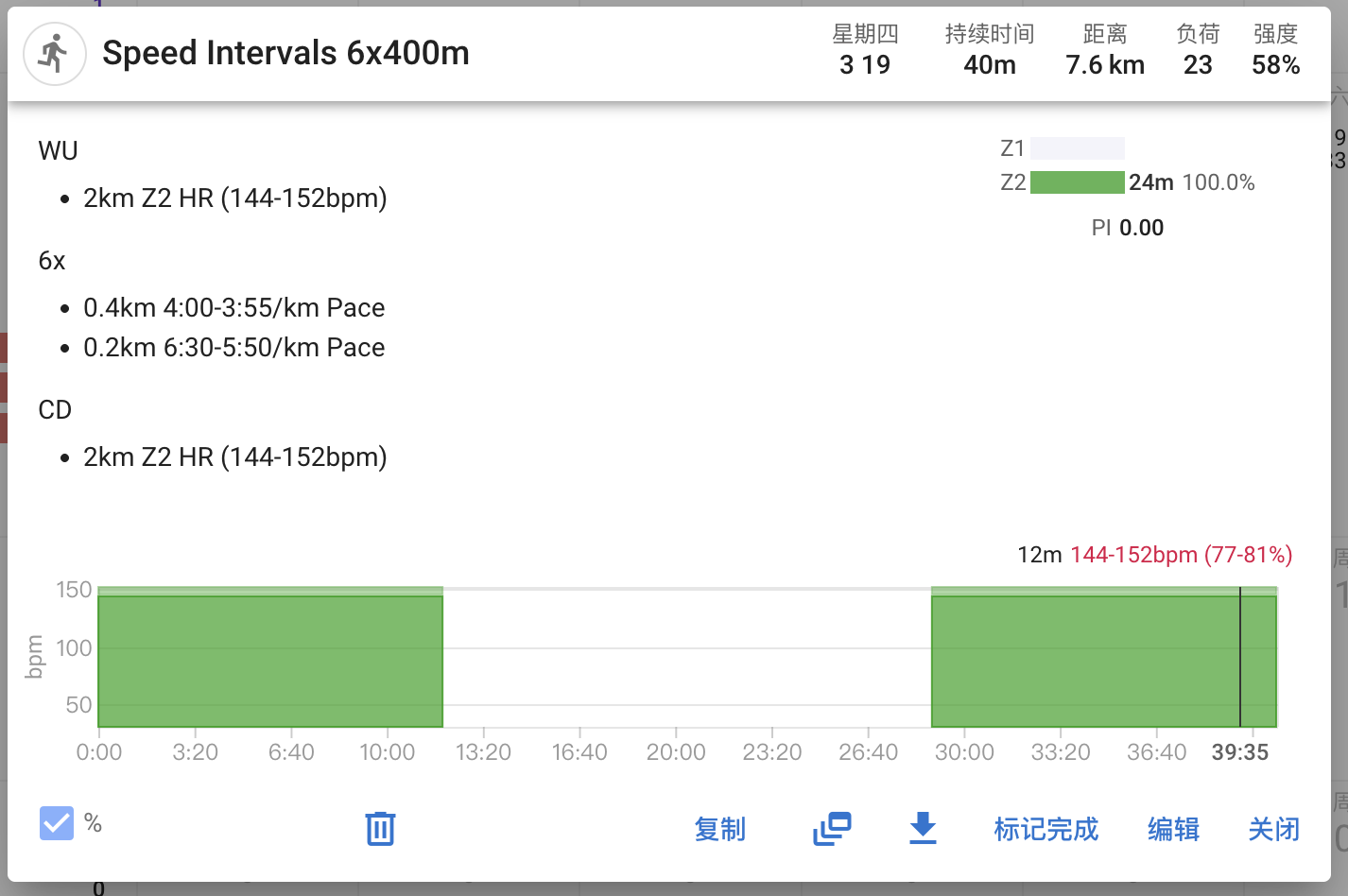
I created a structured running workout via API with both HR and pace targets:

WU

  • 2km Z2 HR (144-152bpm)

6x

  • 0.4km 4:00-3:55/km Pace
  • 0.2km 6:30-5:50/km Pace

CD

  • 2km Z2 HR (144-152bpm)

What works:

What doesn’t work:

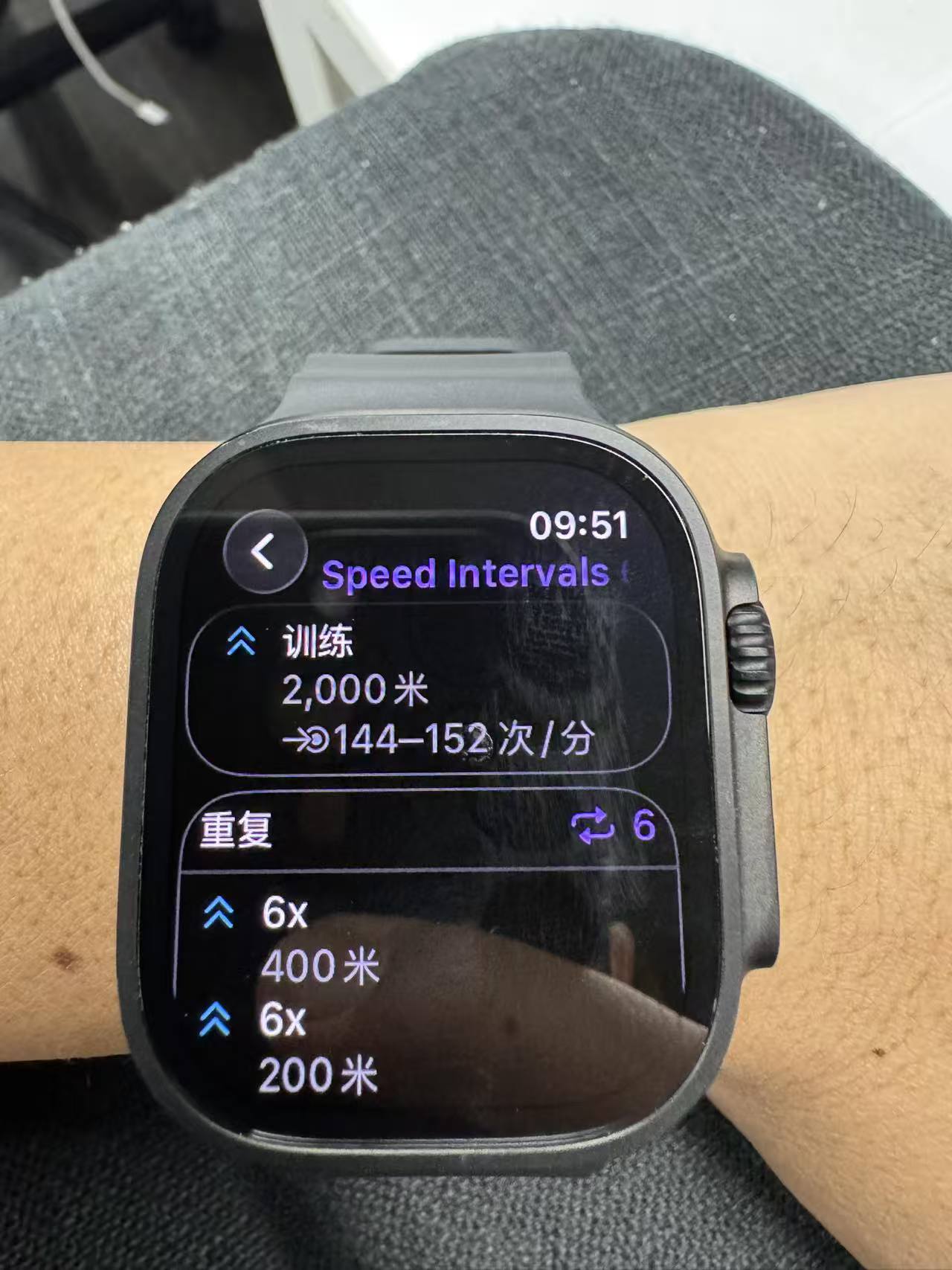
  • After pushing to Apple Watch, the interval steps only show distance (e.g. 400m) — no pace target is displayed
  • I also tried syncing via Watchletic — same result: the Goal is set to Distance, but the Target field is empty (“—”)

What I’ve tried:

  • 4:00-3:55/km Pace (range, slow first) — no pace on watch
  • 3:55-4:00/km Pace (range, fast first) — no pace on watch
  • 3:57/km Pace (single value) — no pace on watch

The pace data is correctly parsed in the API response (workout_doc shows pace: {start: 240, end: 235, units: secs/km}), so the
issue seems to be in how the workout is exported/synced to Apple Watch.

Is pace target sync to Apple Watch supported? Apple’s WorkoutKit has SpeedRangeAlert since watchOS 10, so the platform should be
able to handle it.

Thanks!

Keep in mind that not all apps write a good amount of data to Apple Health. I’m not sure if Garmin Connect writes heart rate samples or not. So if you’re passing 3rd party activities back to Intervals.icu from Apple Health, you might be losing data. Always better to connect services directly to intervals if possible.

1 Like

From what I can tell, the WorkoutKit API allows you to set goals and alerts for steps. Goals only support distance, time and energy.

In your case the step goal is 6x repeated blocks of 400m/200m steps.

The alerts allow for power, hr, and pace (and maybe more) notifications while a step is being done. Those are the ones that my current conversion checks for. For pace, SpeedrangeAlert is what’s used. So you should, at the very least, get pace alerts if you go outside the defined range while doing the 6x block.

WorkoutKit is limited in what you can show where, I’m not sure if I can force the alert range text into the display, but can look into it. Sounds like Watchletic has a similar limitation.

Hi,

I’m quite sure this is not just a display limitation. There really was no pace alert.

I tested it today during an actual workout, and I did not receive any pace alert at all at any point in the test.

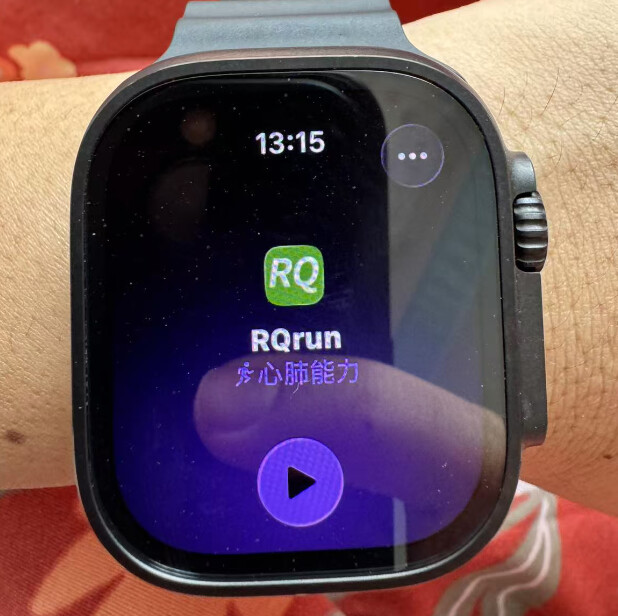
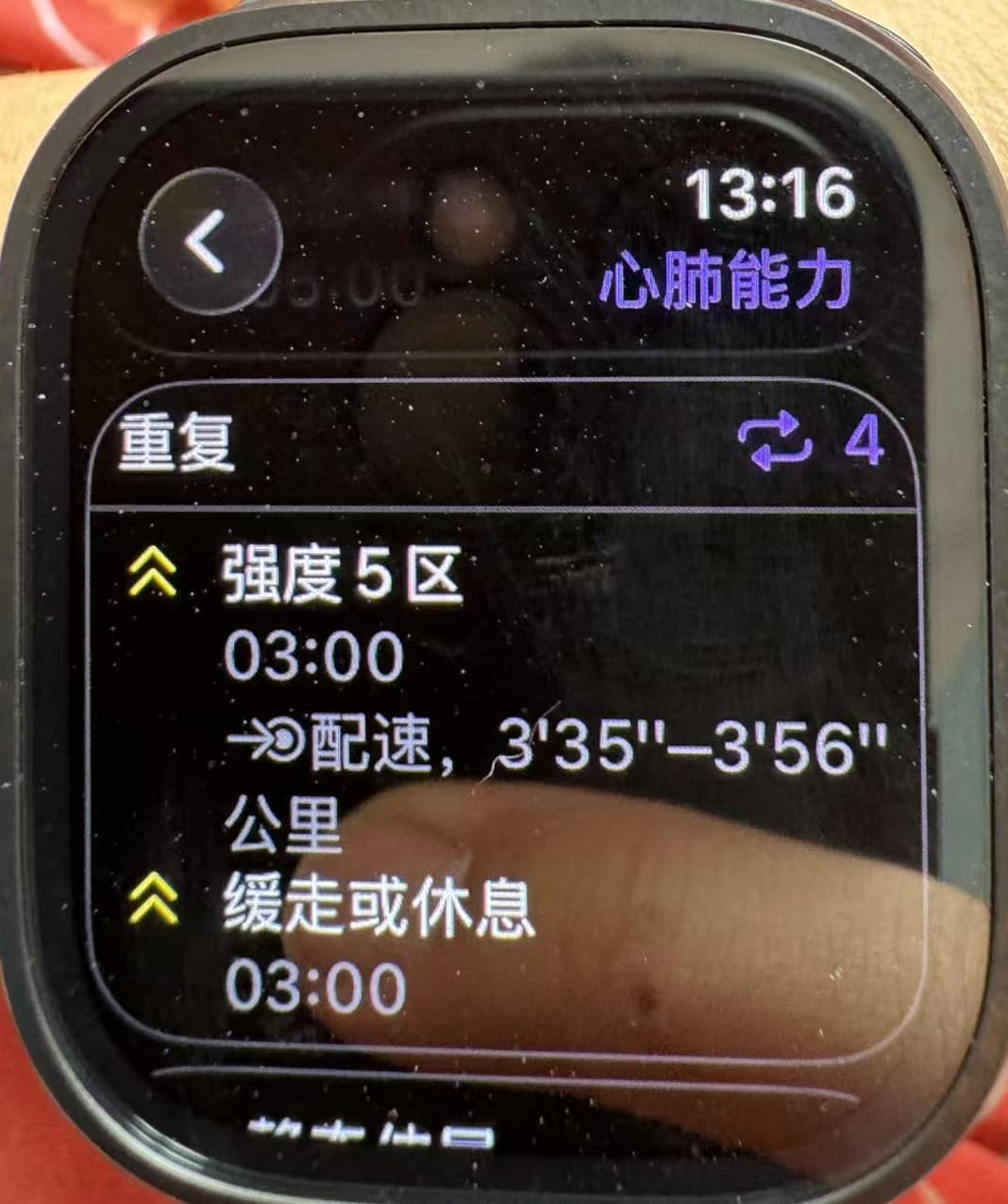
I also checked RQrun, which is also based on WorkoutKit, and it does show the pace information clearly. I can share screenshots for reference.


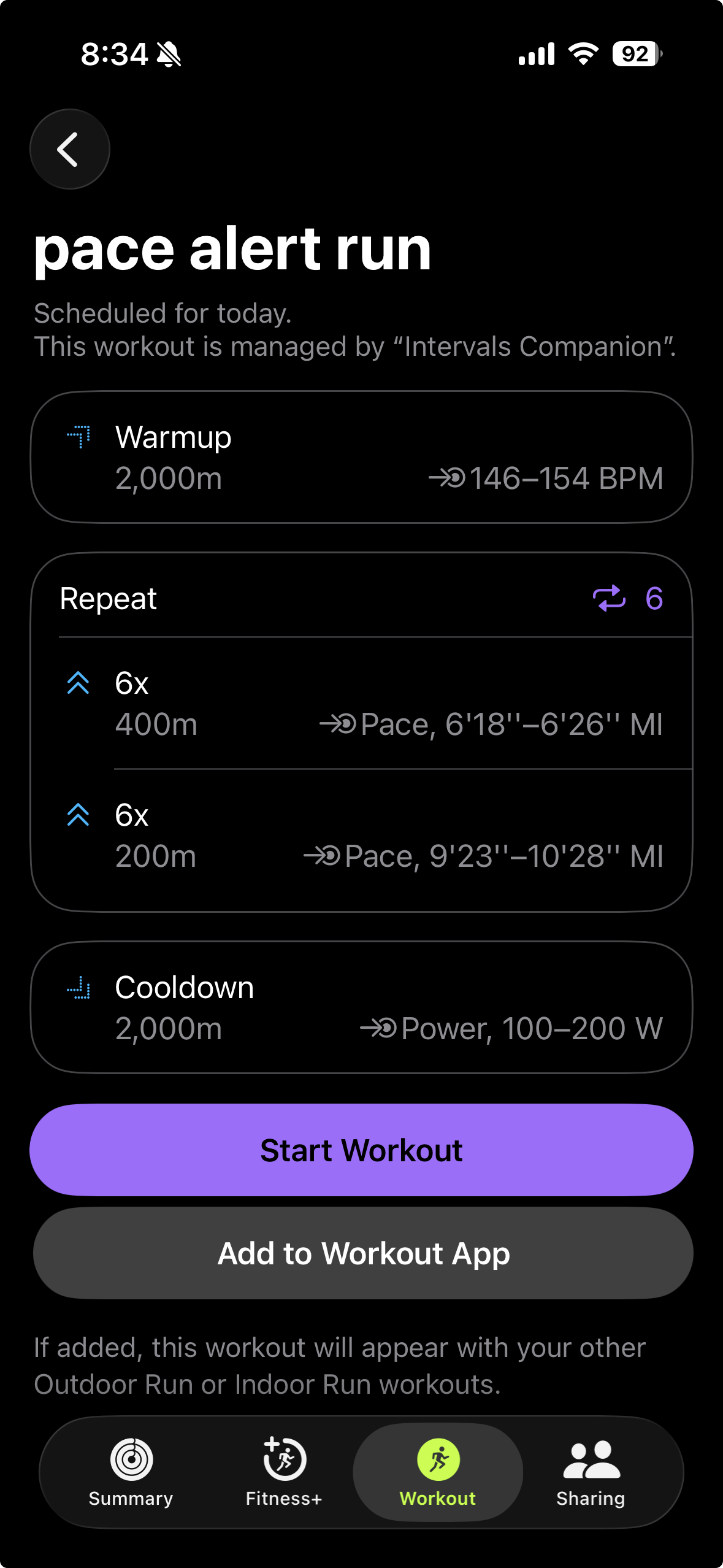
Looks like the issue was with the “secs” steps being defined with units, like “secs/km” and “secs/mi”. I was handling “secs” but not the unit cases. I didn’t realize that was an option, so the code wasn’t checking for it.

That was with a block defined as (converted to imperial units):

6x
-0.4km 4:00-3:55/km Pace
-0.2km 6:30-5:50/km Pace

Fix will be in the next TestFlight build.

Thanks!

Really appreciate your help looking into this. I’m very much looking forward to your update.

1 Like

I tested the latest Build 34, and the pace alerts are now working properly. Really appreciate the incredibly fast turnaround. Thank you so much.

1 Like