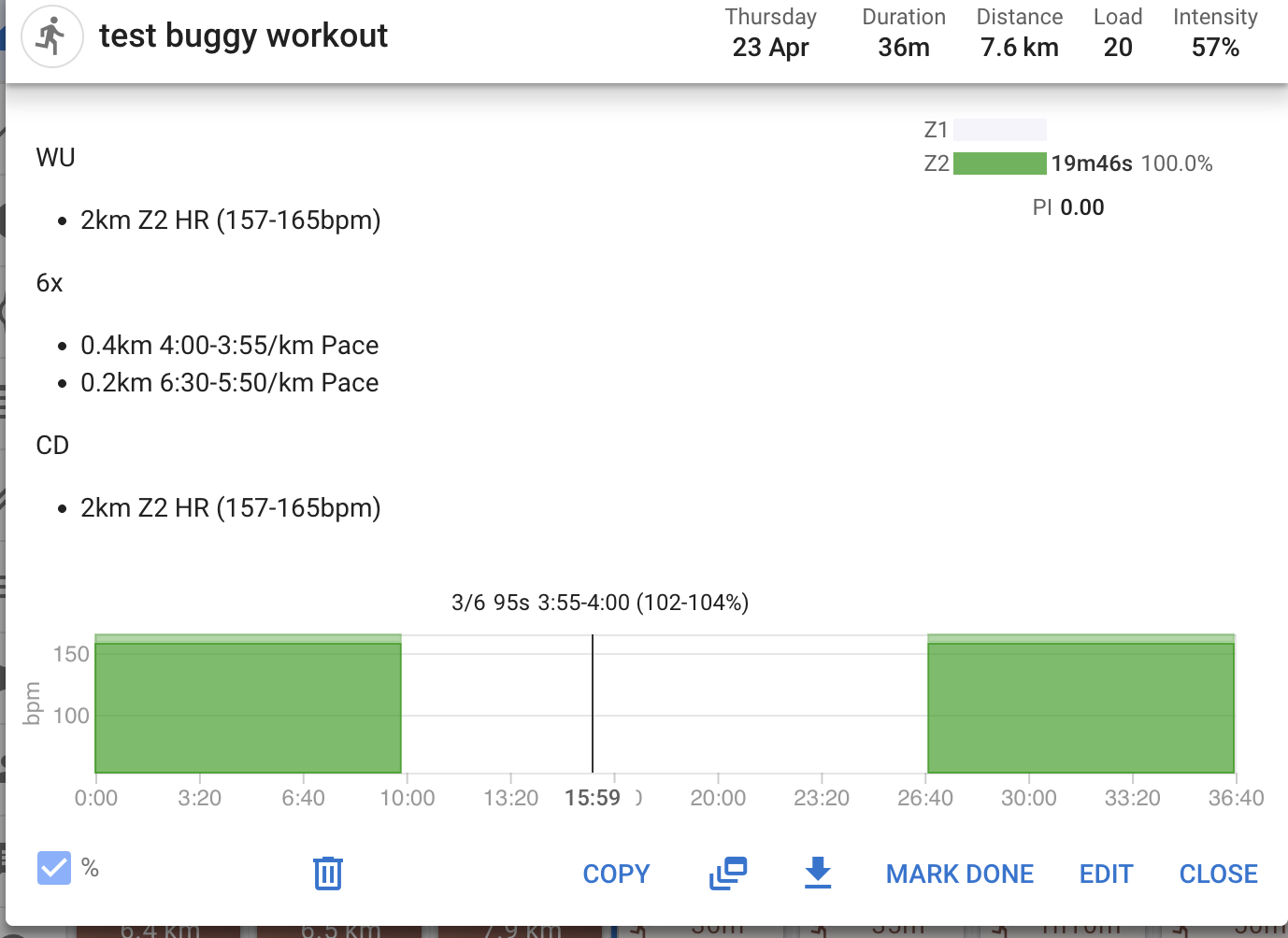
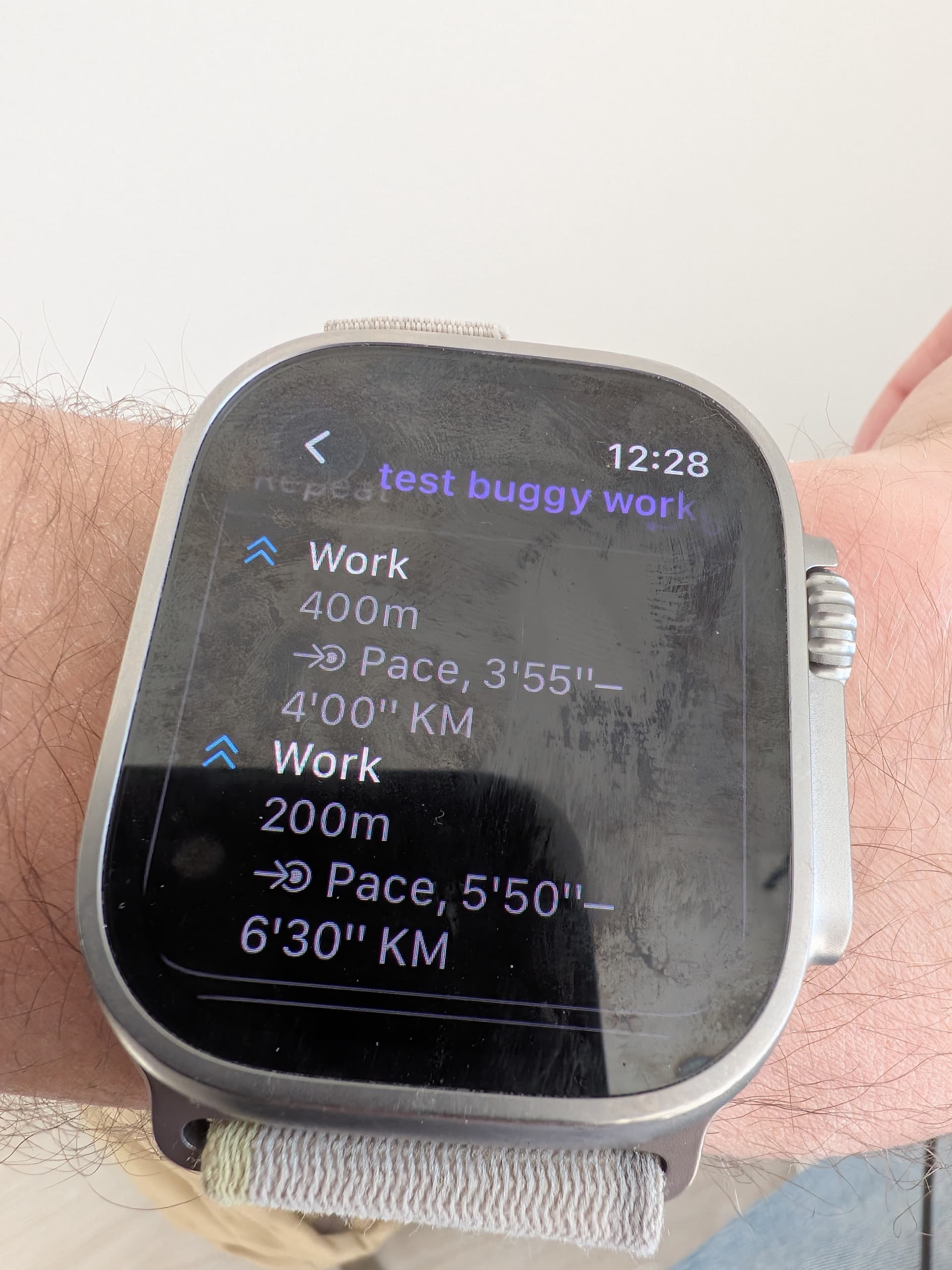
Hello. i just found out about this. Thanks for the great work. i will give it a try. one question though. how do i change the metrics for the screen ? or does apple decide what is good for me to see ? 
lets say i want to see the BPM in the main screen, not possible ? and i havnt tried but. will the action button jump to the next intervall ?
thanks again 
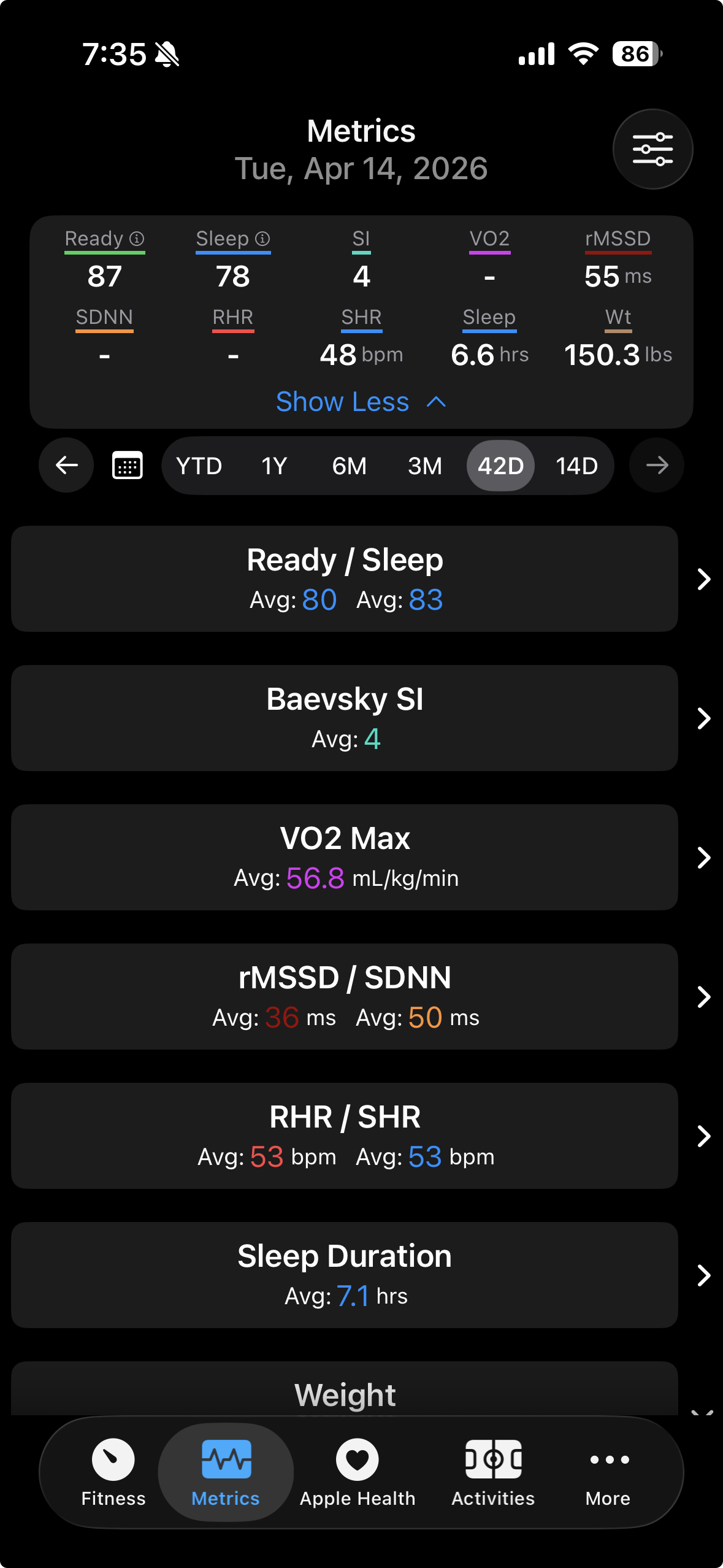
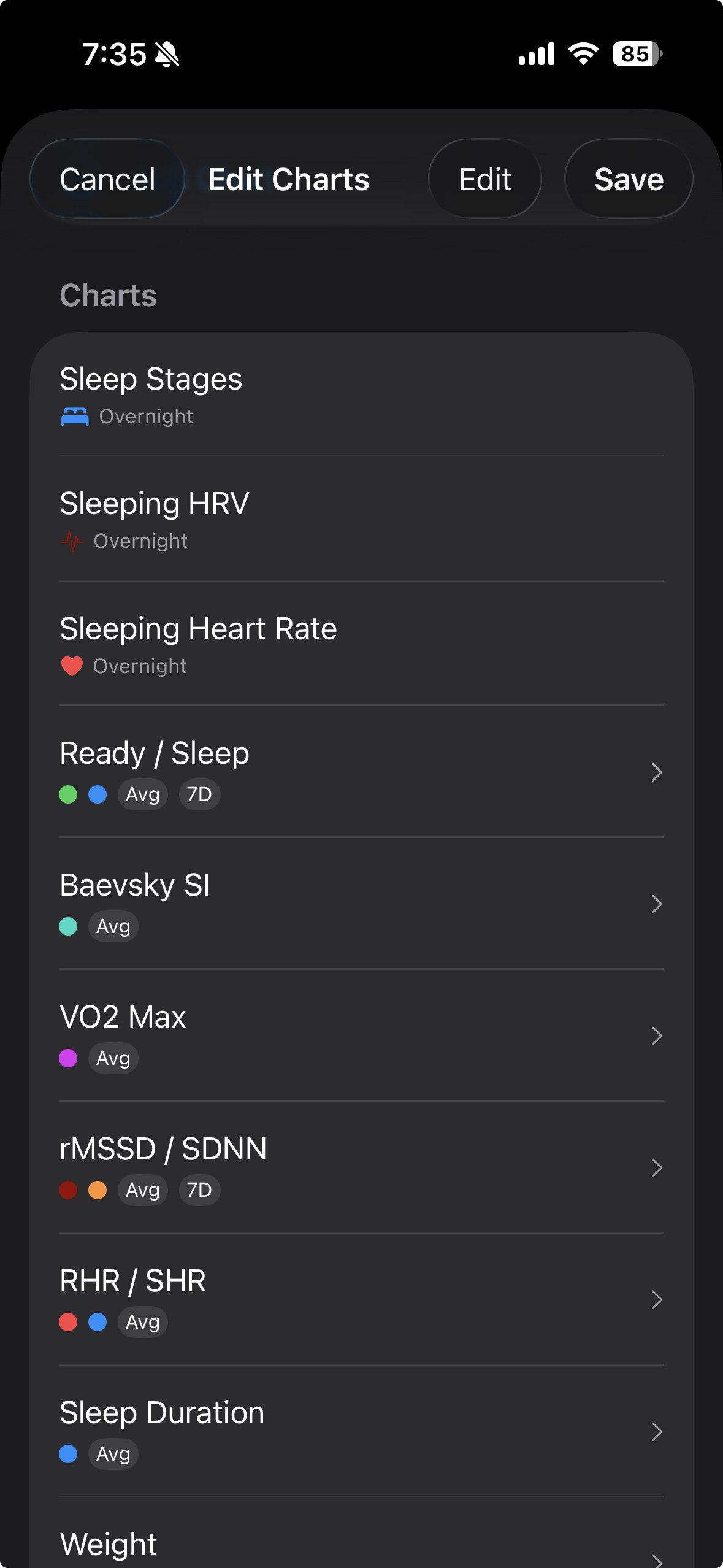
Do you mean the order of the metrics displayed in the header at the top? That is determined by the order of the charts. If you want resting heart rate to be first you would go into the configuration screen and drag that chart so it’s at the top:
The last question about the action button, do you mean on the Apple Watch when doing a structured workout? I think you need to have the action configured to control laps for it to skip an interval. It sounds like double tapping the screen should work too, though I’ve never tried it.
I have just downloaded the official release and started using, the app is a perfect add-on to intervals. I am an Apple Watch user for all Wellness and non cycling workouts. I am looking a the Ready/Sleep graph on the Metrics page, I have data across all the other graphs on the default screen setup. However, this graph has no data…how is this populated?
Readiness and sleep scores depend on having sleep data, and some amount of historical data as part of its calculation. Probably more detail than you need is here, also linked from within the app: Score Logic — Intervals Companion
Note that the app calculates these and syncs them to intervals.icu. The graph simply show whatever the values are that come back from the intervals API. They would work the same if it was Oura or Garmin syncing the scores to intervals.
Thanks for the quick response, some reading to do!
I should have warned that it’s AI generated, but I did verify it for accuracy. One thing it may not mention is that you need to have the experimental readiness and sleep score fields enabled in the apple health metrics sync screen, in order for them to be calculated. The graphs show the daily values pulled back from the intervals data API, so they need to be synced first to show up.
Another user helped with the Baevsky and overnight rMSSD formulas. These are calculated by the app using beat-to-beat measurement data during sleep periods. If you do the afib trick to make Apple Watch take more frequent measurements you’ll see a lot more HR sleeping data.
1 Like
Thanks. Would you recommend we use AF history for your app and recording sleeping HR and rMSSD?
I just turned my off to save battery as all other apps require AF history on, but spotted yours is not using that data?
The app needs the beat-to-beat data and when AF is enabled you get a lot more samples to work with. It probably will work better having more data, but be aware that there are downsides to turning on AF mode. You lose a bit of battery and other HR related notifications as well, so that tradeoff is up to you. I wish Apple would allow afib to be set per watch. I have an Ultra that is too big and clunky to wear at night, so I use an older smaller watch on a more comfortable band to track sleep. AF mode applies to both even though it’s not needed on the Ultra.
I only experimented a few nights with AF disabled. I was getting maybe 2 or 3 successful data points.
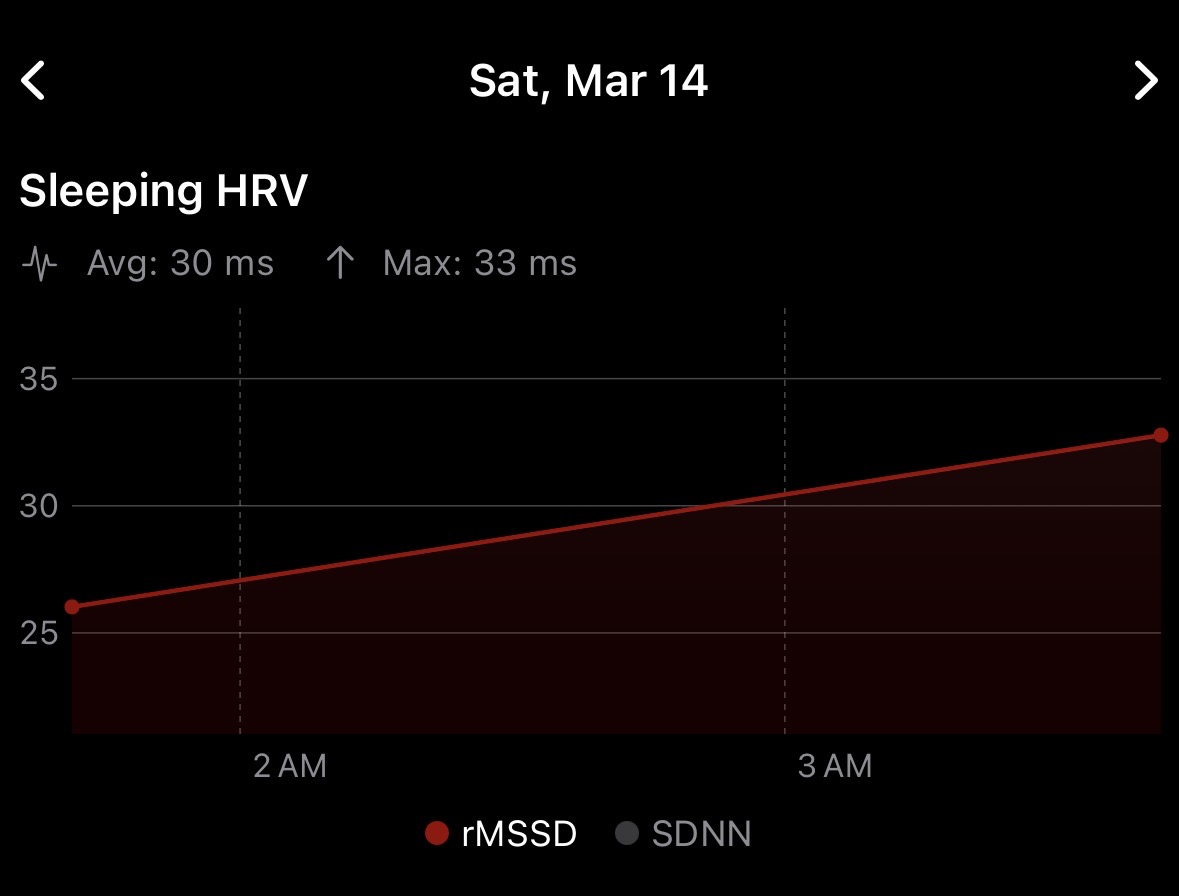
versus:
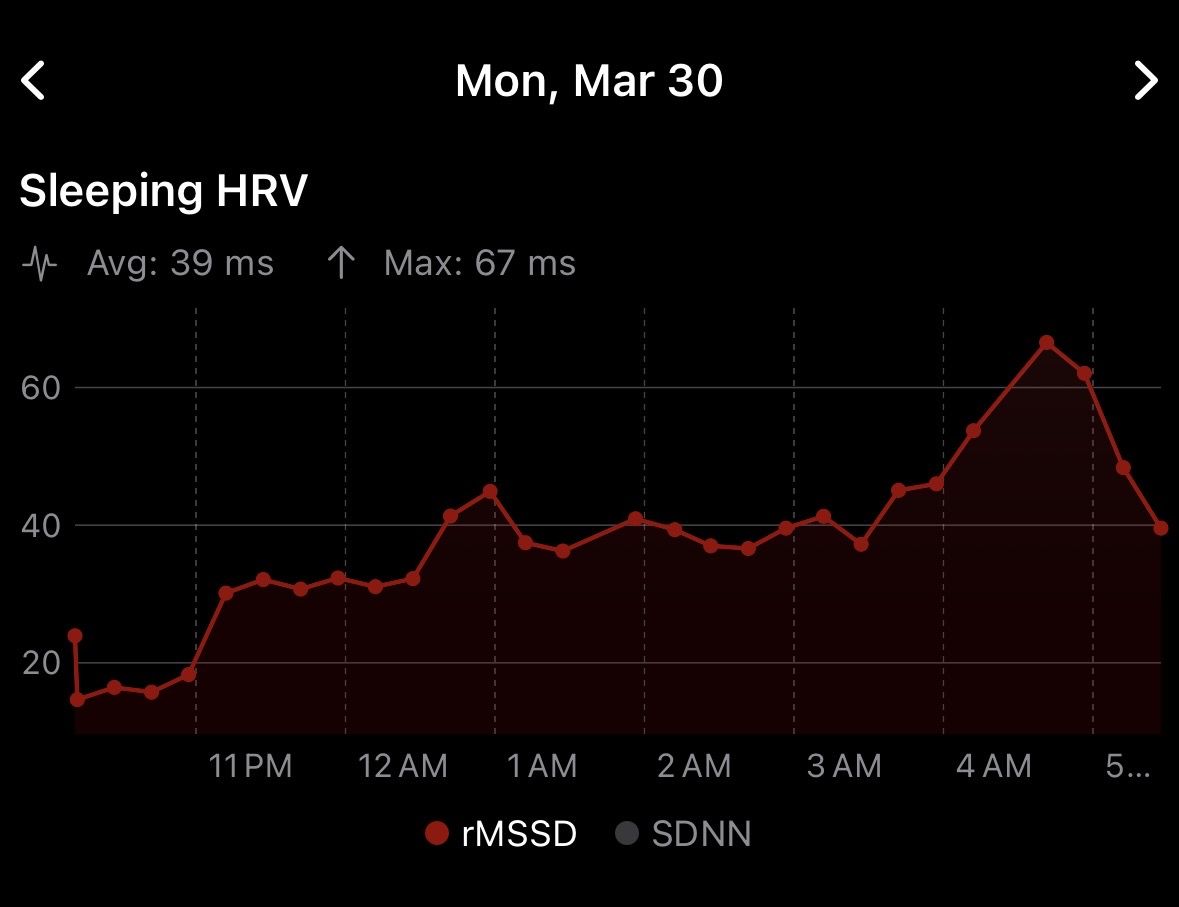
The logic applies filters to the data collected and requires a minimum amount of clean samples. Samples spanning measurement gaps, not within a sleep stage, wildly outside a normal range (bad readings caused by motion) get tossed, and a minimum number of clean beats are required for an rMSSD value to be calculated.
I think there are limitations to capturing data like this with an Apple Watch. Band tightness, how much you move, sensitive of the sensor itself, etc, will probably all affect the captured data. Maybe this is why Apple hasn’t done more with HRV themselves? I used an Oura ring for a while and compared the graphs and scores with the data captured by the watch and it seemed similar for my data.
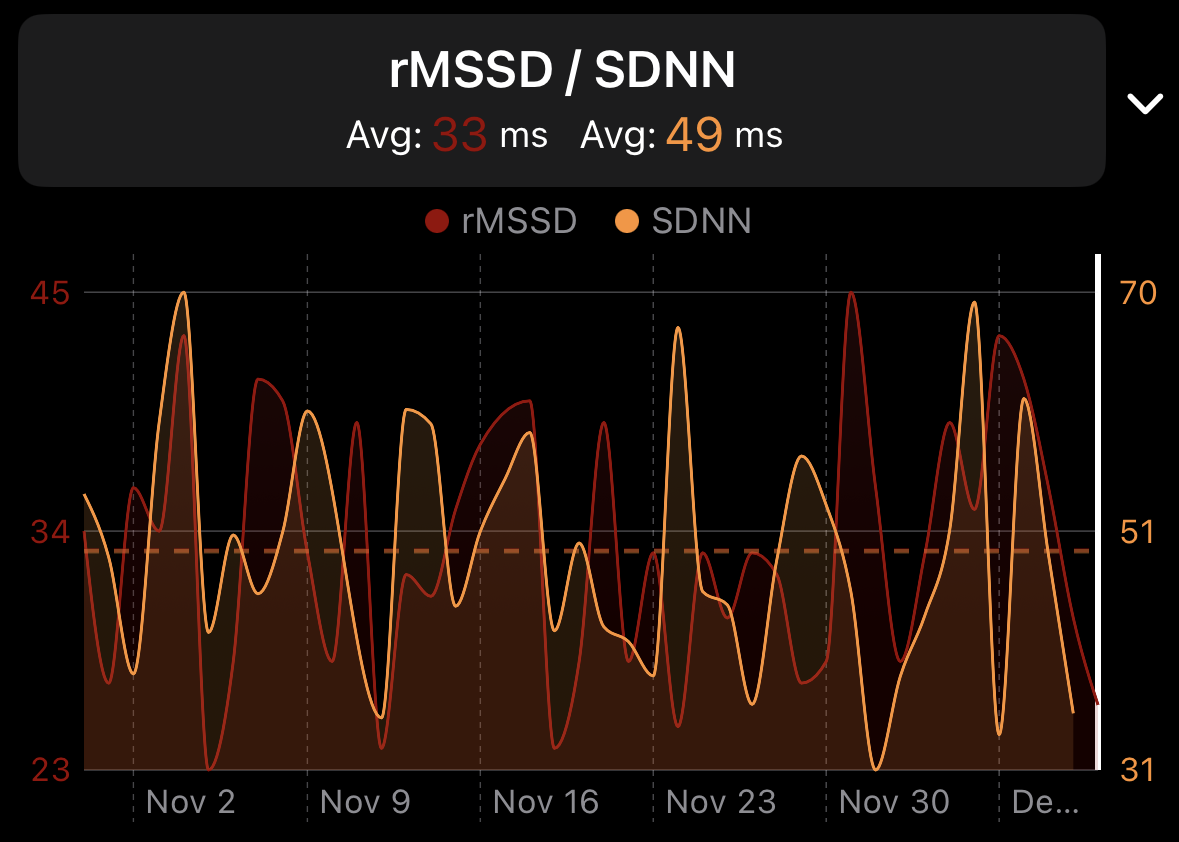
I also noticed Apple’s daily SDNN measurements follow the trends of my overnight rMSSD calculations pretty closely. Using the AF trick captures a lot more SDNN values as well:
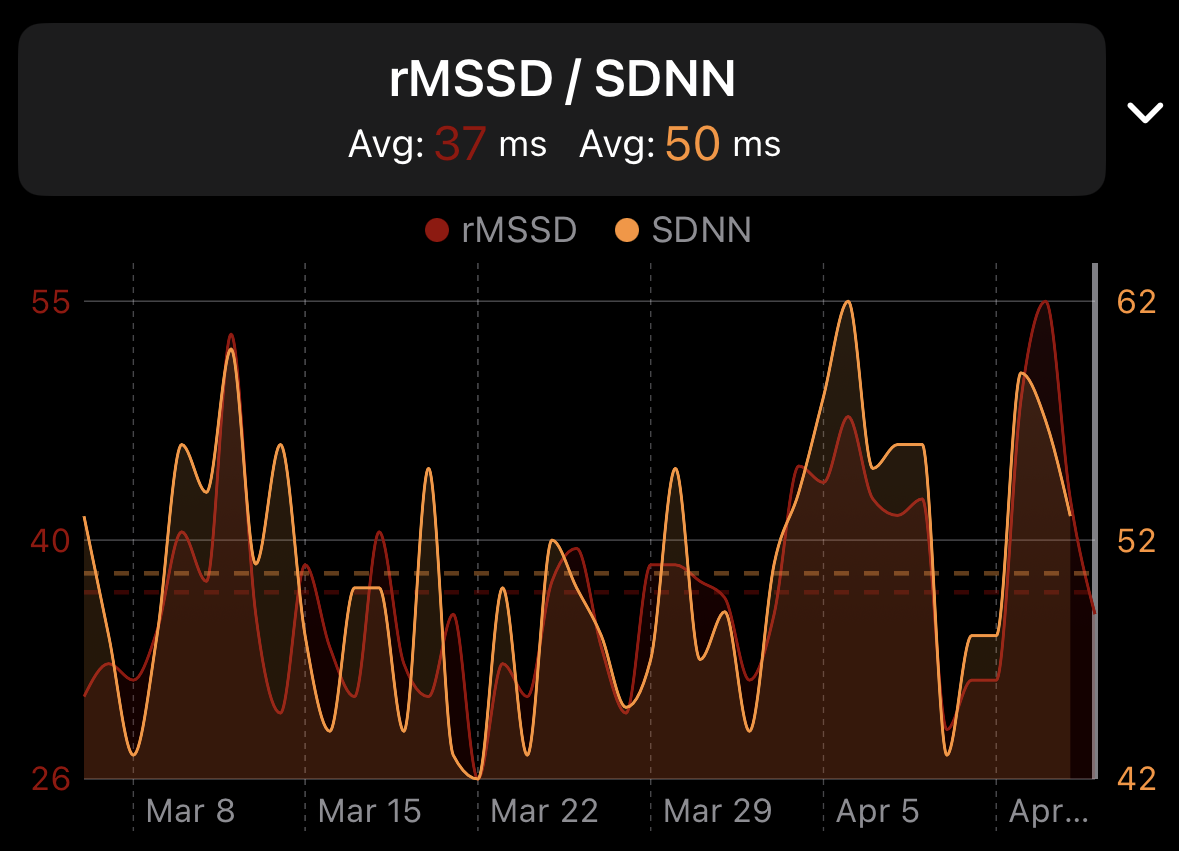
And here is what my rMSSD looked like when Oura was capturing it compared to Apple’s daily SDNN values (with AF disabled) synced by HealthFit: