IntervalCoach - AI workouts that adapt daily to your recovery and goals

The load drop: Your demonstrated load is about 425 a week and the plan is targeting 223. That is because you have a B race in three consecutive weeks, and a B race tells the coach you want to perform, so it gives that week a mini-taper. Three in a row means three tapers back to back, and your actual training volume gets thrown away.

Looking at them, It might be better to consider these C races, something you run through as a hard session, no taper, the plan carries on. Set the ones you are training through to C and keep B for the races you genuinely want to be sharp for, and your volume comes straight back. C races still count as the hard day and the plan works around them.

The feedback loop: Your Firmenlauf race was analysed as “harder than expected” because it exceeded the conservative base-phase targets the plan had set, and it recommended reducing intensity afterwards. So the plan under-prescribed, you raced properly, and the system read that as you overshooting and pulled your future intensity down further. Racing should never be scored as a deviation from the plan. Fixing.

**The wide ranges: ** Your VO2max session was prescribed at 101 to 115 percent of critical speed. That spans from a shade above threshold to well past VO2max, which is exactly your CP6 versus CP30 point, and it is two different workouts. Your 30/30 and 40/20 sessions are tight at 113 to 117, so this is a handful of bad templates rather than running targets in general. Those templates need narrowing.

Race-specific work: A race week only allows one quality session, so with three race weeks stacked there was almost no room for anything sharp. Underneath that, we do not yet prescribe from race distance and target pace the way you are asking for, with 1000m speed work or 5k race-pace reps.

Your training schedule has Thursday set to cycling only, and the second Sunday session set to a 130 minute ride. The planner is following what it was told about your week. You can change that under Training Plan, in the Training Volume section, where each day has its own sports and duration. Set Thursday to Run and the rides stop.

IntervalCoach will not overwrite or delete a workout you put on the calendar yourself, which is deliberate so it never destroys your own planning. If you clear the day first, the planner fills it. If that is not what you were seeing, tell me which day and I will look at that specific one.

Thanks for writing it up in that much detail.

Thank you

Hi, I’m signed up to IntervalCoach a few days ago. Sometimes I struggle with the coach function. This morning I asked to schedule three rides for Tuesday, Wednesday and Thursday with the context that I have time on these days and recover on Friday. It was confirmed and update should be in the calendar shortly.
This evening for tomorrow a ride is scheduled, a run on Wednesday, recovery on Thursday and another session on Friday.
I experienced a similar behavior a few times. And any message to the coach uses credits.
Am I the only one with that behavior?
Thanks for checking
Alexander

Thx for the quick resolution. So will my current plan (4w ahead) be automatically adjusted to my age now I set that switch? Or should I do something extra?

Ciao, forse ho trovato un piccolo bug!

Semplicemente il coach non crea più allenamenti, ma li pesca a random dalla mia libreria Intervals.icu! Il problema è che io spesso ho salvato allenamenti a caso anche dei pro (Van Aert, Poggy, Ciccone…) e quindi mi ritrovo settimane con carichi assurdi!

Allora ho chiesto più volte al coach che preferivo ritornare ai suoi allenamenti, che me li cuciva addosso. Lui accetta la mia proposta, mi dice che avrebbe corretto il piano, ma non lo fa! Ho solo allenamenti della mia libreria un po’ più “Tranquilli”.

È un bug?

PS: ho comprato il piano annuale! E avrei delle altre proposte folli, ma non so minimamente se si possono integrare, te le posso dire?

Grazie di tutto

I had a look at your account and there are two separate things going on. The first is a genuine bug on my side. When you asked to keep Friday and Saturday free while you’re away, the coach answered as if it had saved that and even displayed the change. It never actually saved it: both days are still marked available on your account, which is why Friday still has a threshold run sitting on it. The longer Tuesday, Wednesday and Thursday durations did save correctly. So the confirmation was half true. I’m fixing the cause so the coach can’t report a change it didn’t make.

The second is a misunderstanding that’s on my copy, not on you. When you asked for the three long rides, the coach applied them to your availability for next week rather than rebuilding this week, and it did say so, but it was buried in a long answer. This week was already built, so what you saw that evening was simply the existing plan.

I’ve reset your chat credits for the burned chats.

Not automatically. The age-aware setting is read when a plan is built, so your existing four weeks were generated before you flipped it and still follow the old rules.

Two ways to pick it up. Do nothing, and Sunday’s weekly refresh builds the coming week with it, then the rest follows week by week. Or, if you want it applied to the whole block now, hit Rebuild on the Training Plan page. That regenerates from this week onward, keeps the next seven days of workouts plus anything you created yourself, and clears scheduled sessions beyond that.

Frankly, flipping that switch should kick off the rebuild for you, the way changing your schedule or your goal already does. I’ll get that fixed.

Thank you for the detail, it made this quick to confirm.

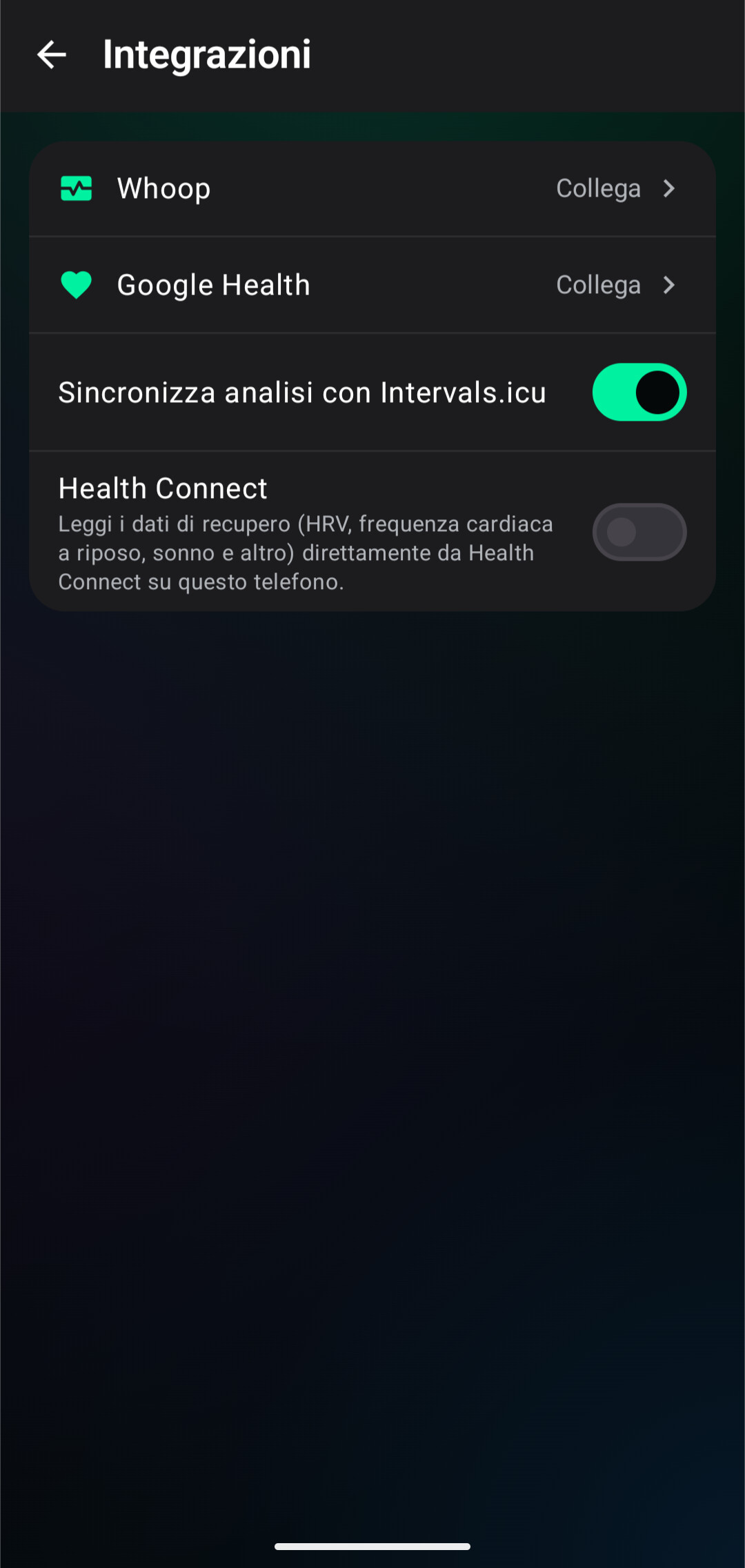
Your library is switched on for planning, which is the current default, and that means everything saved in it is eligible, including the pro sessions you saved just to look at. I can see a couple of those on your calendar over the next two weeks. You decide which folders it draws from: Settings, then Integrations, then Intervals.icu Workout Library. Untick the folders holding the pro sessions and keep the rest, or switch the whole thing off if you’d rather the coach built everything from scratch.

The second half is the actual bug. When you asked the coach to go back to building your sessions, it did create replacements for the Thursday and the Saturday. A plan rebuild ran the following day and overwrote both with library sessions again. So the coach was telling you the truth and something behind it undid the work

And yes, send the mad ideas over.

2 Likes

Ho appena controllato, forse da app non si può fare? Vedi screenshot

Idea folle, premetto che non sono programmatore, non ho minimamente idea se è possibile, ma ho pensato che per rendere più stimolante ancora l’allenamento, il coach potrebbe proporre una sfida tipo a fine settimana (?).

Ancora più folle e banale come pensiero è: prova a sfidare (es.) la salita della 4 tappa della Vuelta (mi è venuta in mente la Vuelta perché stanno correndo ora). Praticamente riprodurre come fosse un allenamento la parte più significativa della tappa!

Lo so è pura follia e chiedo scusa per la mia immaginazione!

You’re right, and thanks for checking. Those folder controls are web-only at the
moment. They live at intervalcoach.app under Settings, Integrations, Intervals.icu
Workout Library, and the apps don’t have that screen yet. Log in from a browser
once and untick the folders holding the pro sessions; the change then applies
everywhere, apps included. Getting those controls into iOS and Android is on my
list now.

On the challenge idea: not crazy, and no apology needed. There are two things in
there and they’re worth separating.

A weekly challenge from the coach is the straightforward half. It fits how the
plan already works, since the coach knows your form, your fatigue and what you’ve
done that week, so it could offer a session that deliberately stretches you.

Recreating a real stage is the harder half, and the more interesting one. To turn
the decisive climb of a Vuelta stage into a workout you need the route profile:
gradients, length, where the steep pitches sit. That’s the same groundwork as
route-based training from a GPX file, which is already on my list. Once that’s in
place, “give me the last climb of stage 4 as tonight’s session, scaled to my FTP”
becomes a realistic thing to ask for.

No promises on timing, but both are noted. Keep the ideas coming.

1 Like

Woooooow benissimo! Grazie mille per tutto il lavoro che stai facendo! Proprio ieri ho fatto l’abbonamento Pro ad un anno e dopo due settimane sento già i risultati!

È un app che sto provando a sponsorizzare fra i miei amici ciclisti!

Continuerò ad aiutare segnalando e se mai proponendo! Top!

Thank you, that’s really good to hear, and thanks for putting the word out.

The reporting is worth just as much, honestly. Several things you flagged over the past fortnight are now fixed or on the list, and the library one turned out to be hitting other people too. Enjoy the riding, and keep the ideas coming.

1 Like

I am seeing a lot of my trainings exceeding the max. scheduled time i have put in, how can that be ?

And also there seems to be something wrong in the calendar, it is showing a Recovery week. but the amount of TSS from the trainings is more than a recovery week.

You were right, and it was a bug rather than a setting at your end. Four of the
sessions on your calendar were longer than the slot for that day, three of them
by 16 to 31 minutes.

The cause was a timing gap. Your week gets planned in one pass, and the
individual sessions get built from that plan over the following days. If the
time you have available for a day changed in between, the session kept the
length it was planned with, and nothing later re-checked it against what you had
actually set. There was already a guard for a day being switched off entirely,
just not for a day being made shorter.

That’s fixed and live now. I also rebuilt your plan while I was in there, so the
sessions sitting on your calendar are the corrected ones rather than the long
ones you were looking at. Worth a glance, since it replaced what was there.

Thanks for flagging this one.

Running feedback / workout classification:

​The auto-classification for intervals is still pretty far off.

​Yesterday I ran 7 x 4:20 @ 10 seconds faster than Critical Speed / LT2, with short 60s recovery jogs between reps.

​The AI: Classified it as Anaerobic (correctly defined the zones with 0s in z6, 5m in Z5)

​Intervals.icu: Classified it as Threshold

​Reality/Perceived Effort: It’s clearly in that Supra-threshold / VO2max realm.

​Calling a workout with 30 minutes of total work at CV/VO2max pace “anaerobic” makes no sense—you couldn’t survive that much volume if it were truly anaerobic effort.

You’re right, and it was caused by my own fix from your last report.

After your 16-minute race in post #1093 I added a duration constraint so a long continuous effort can never come back as “anaerobic”. That part works. But I wrote it with a second half saying anaerobic is for sessions whose hard work comes in short repeats separated by recovery. Your 7 x 4:20 with 60-second jogs is exactly that shape, so the rule I added to stop the wrong label is what handed it out this time.

What I missed is rep length. “Separated by recovery” describes nearly all interval training, VO2max and threshold work included. What actually marks out anaerobic capacity work is that the reps themselves are short, roughly 30 seconds to two minutes. A 4:20 rep at critical speed is VO2max work on any reading, and as you say, 30 minutes of accumulated work at that pace settles it on volume alone.

Digging into it turned up something more useful than the wording. We already work out the answer from your zone data, and with no time in Z6 that calculation could never have said anaerobic. It was just being handed to the model as a suggestion rather than as a rule, so the model’s label is what got stored. That is now the other way round: the zone data decides, and the model cannot override it upwards. Your session comes back as VO2max.

Thanks for staying on this, and for including the zone breakdown. Knowing there was 0s in Z6 and 5m in Z5 is what made it obvious the zone data was fine and the label was the problem.

Hi, something is off in today’s morning briefing. I had 9 warnings that I need to take a rest and a deloading week is recommended, however further up it says my readiness is 85 and I’m well rested. For tomorrow, the coach planned a ramp test . I have the feeling that the coach mixes data from connect (readiness) with intervall data.
Could you please check on this?
:folded_hands:

Thanks for sending this over, this led me to dive into your metrics here. The briefing did present it badly.

On the 85 next to nine warnings. Your readiness score leaves training load out entirely on purpose. It is built from your body metrics overnight and nothing else: HRV, resting HR, sleep, recovery curve, your check-in.

We chose that deliberately. Form is a model. It is arithmetic over the training stress you have logged, and it describes what a body should feel like after that much work. Your HRV and resting HR are the body itself. If we let the load feed into the score, a hard block would automatically drag it down even on mornings when you had genuinely recovered, and you would lose the one number able to tell you that. So your form could be -80 and the 85 would still stand.

And this morning it should stand. HRV within 6% of your baseline, resting HR 8% below it, 7.6 hours of sleep. You recovered well from that gravel tour, and the measurement is the better guide.

So the warnings are not overruling your 85. They are telling you the load behind it is high and climbing fast: ramp rate, volume jump, form at -38. Both are worth knowing but might feel too alarming right now. Which is what sent you looking for a data problem. That’s on us to fix.

On the ramp test. It went onto your calendar on 24 August, before the seven-hour gravel tour on the 26th that put your form at -38. So what you were looking at last night was a five-day-old decision your own riding had overtaken, which is a fair thing to be suspicious of.

The morning check does re-examine it. When today’s session is one of ours and your numbers have moved this far from where the plan was written, it regenerates the session rather than leaving it as scheduled. So the ramp test should not survive tomorrow morning in its current form. Worth watching, because I would rather know than assume: if you wake up and it is still sitting there unchanged, tell me and I will dig into that specific run.

One thing does deserve a look on our side, which is whether a test in that position gets moved to a better day or simply replaced. Being replaced means you quietly lose the retest. I have written that down.

Thanks for looking closely enough to make me check.

2 Likes

Week of August 28


Race pages became a place to start training

Every race page grew into a full preparation surface this week. A new “What this race demands” panel gives a coach’s read of the course, built from its distance, climbing, sport and season, with fueling guidance for long events and estimated finish-time ranges by level, and it now reads in your own language across all 17 we support. Below it, “Your road to race day” maps the actual Base, Build, Peak, Taper and Race-week phases onto real calendar dates using the same periodization the coach uses for real plans, and a “What would it take you?” calculator gives you a finish window for that exact course plus the weekly training hours a solid preparation typically needs. Signed in, you can now set any race as your goal with one click; if you found the race before you had an account, signing up from that page carries it with you, so onboarding starts with your plan already pointed at race day. There is also a one-click “Add race day to your calendar” button, dedicated pages per sport and per country, and a copy-paste “Train for this race” badge organisers can put on their event site.

A coach that only claims what it actually did

The biggest theme of the week: closing every gap between what Coach+ said and what it did. It no longer tells you it set an FTP, Critical Speed, threshold pace or LTHR it has no way to set, and instead points you to your Intervals.icu profile where those values live. Asking to shorten a session now shortens it instead of making it 50% easier; asking for sweet spot gives you sweet spot instead of a plain endurance ride; asking for core work gives you core work instead of the phase default. Saving a note to your custom instructions adds to what is there rather than replacing it, “noted” is only said once something is genuinely stored, and a change written out but never applied is caught rather than confirmed. When something it announced was blocked or declined, it now follows up and tells you. Swapping a workout no longer blocks itself mid-swap, chat history no longer loses the coach’s words around a workout card, and approval cards always arrive with a sentence explaining them. Asked about pain, breathing or heart rhythm, the coach now says what it can do for your plan and points you to a doctor or physio for the symptom itself.

Workouts that land on the right day, at the right size

If you train from your own Intervals.icu library, your hardest sessions were being read as easy ones and actively favoured for easy days; library workouts are now sorted by their real intensity. A workout the coach builds now has to be physically executable and has to be the length it says it is before it reaches your calendar. A hard session can no longer land the day after a Sunday race, your plan no longer freezes on the week your goal race was in, and a session the coach had already scheduled can now be adjusted on the day even when it is missing our internal marker. Cadence drills keep their rpm targets when a session is trimmed, walks are prescribed at Zone 1 rather than an unreachable Zone 1-2 (which was also inflating their planned load), a coach-adjusted walk replaces yours instead of joining it, and swims are now classified from pace rather than a wrist heart-rate trace that goes flat in water.

The daily outlook sees the pattern, and sticks to your data

Your daily outlook can now talk about the shape of your training and not just today: how your intensity has been distributed over recent weeks, whether your easy rides are staying genuinely easy, whether every day is landing at the same load, and which way your aerobic efficiency on long sessions is moving. The same numbers Analytics shows you, raised only when there is enough history and when they matter for the day in front of you. At the same time it got stricter: quality checks now strip concerns your own numbers disprove, so it can’t flag poor recovery on a green day or claim HRV is below baseline when it sits above, and it can no longer decide you are ill on a heavy training block when you have reported nothing. A session that merely felt harder is no longer reported as fitness going backwards, racing a race is no longer scored as going off-plan, and form is described using the same cutoffs your dashboard uses.

Billing, settings and analytics

You now get a receipt by email every time your subscription renews, showing what you paid, for which period, when the next payment is due and where to stop future renewals. Age-aware planning moved out of the cycling-only corner of Settings up to Preferences where every sport can find it, and flipping it now rebuilds your plan straight away instead of waiting for the next one. In Analytics, the Training Score now matches your dashboard, the body weight chart follows your units setting, and the HRV chart follows the range you selected. Switching wearables no longer distorts your skin-temperature baseline, and your emails now sign off in your own language.

In the iOS, Mac and Android apps

The Android app picked up the age-aware planning toggle, a Form ring that reads as a percentage of your fitness so it agrees with the web app, coaching notifications that ask their suggested question straight away instead of leaving it in the message box, and a morning check-in that survives rotating your device. On iOS and Mac, Form now reads as a percentage everywhere including widgets, the watch and Siri, HealthKit sync problems come with an actionable hint instead of a bare error, Analytics gained a body fat trend chart, you can swap a planned workout’s sport or type straight from the workout detail, and the dashboard scrolls faster.

On the blog

The August update is out: the coach on your wrist, race pages that plan, and coaching instructions that the planner cannot overrule.
1 Like

two contradictory workouts

Yesterday, August 29, my calendar contained one IntervalCoach workout for August 30: 7×11 min endurance with 2-minute pickups. AI Endurance separately had an easy endurance workout scheduled.

At approximately 6:00 on August 30, IntervalCoach removed/replaced its original workout and created two completely different IntervalCoach workouts for the same date and time:

  • 2h40, 131 TSS, including 6×2 min at 105% FTP and 6×30 s at 115% FTP at 58 rpm
  • 26-minute recovery ride, 11 TSS

At the same time, the app displayed five recovery warnings, including 31% recovery, suppressed HRV, chronic sympathetic dominance and high risk of chronic fatigue.

This appears to be two conflicting adaptations: the weekly planning engine generated a hard workout while the recovery engine generated a recovery ride, and both were written to the calendar.

Please check:

  1. Why were two contradictory workouts created?
  2. Which process generated each workout?
  3. Which wellness values and timestamps were available when the 6:00 calculation ran?
  4. Does IntervalCoach trigger a fresh Garmin/Intervals.icu wellness sync before calculating the daily workout?
  5. Is there a race condition between weekly replanning and daily recovery adaptation?
  6. Why was the original 7×11 workout replaced by a substantially harder 131-TSS workout despite five red recovery warnings?The 131-TSS workout would bring my completed weekly load from 447 TSS to 578 TSS, very close to my 592-TSS weekly target. This suggests the planner may be trying to close the weekly TSS gap without considering that the previous day was already a 152-TSS threshold workout and that three of four completed rides this week were classified as threshold sessions.Thank you Zdeněk Čech

Thanks for the write-up, Zdeněk, it let me reconstruct the morning from the logs, and you have it right: two processes wrote the same day and neither replaced the other.

Which process made which workout. The 2h40 / 131 TSS session came from the weekly Sunday plan rebuild, which runs early in the morning and re-planned your taper. That session is one of your own Intervals.icu library workouts matched to the slot, which is why it doesn’t look like the coach’s usual sessions. The 26-minute recovery ride came from the daily readiness check a few minutes later. It saw recovery at 31%, HRV below baseline, resting HR up and a high load-to-recovery ratio, decided on rest, and swapped the day to a recovery ride. Both were written to the calendar six seconds apart, at 08:06 local, and the swap should have replaced the other session instead of sitting next to it. That is a bug, and it is logged with your case as the example.

Which wellness values were available. Everything you saw in the app was already there at 08:05: the readiness check ran on your Garmin data as Intervals.icu had it at that moment. IntervalCoach doesn’t trigger a Garmin sync itself; it reads what Intervals.icu holds, and when your wellness updated again at 08:31 the coach re-evaluated and confirmed rest.

The plan builder deliberately doesn’t look at today’s readiness; that is the daily layer’s job, and the daily layer did veto it. But failed to replace it today.

Hi,
Thanks for checking. Your explanation makes sense.
One question: Is it possible to force an update? This morning, my Connect Data were not complete, only 26 min of sleep recorded and so was my readynes score and the planning from the AI. I asked the coach to update but nothing happened. Just a few minutes ago, an update was made at 12:01, now reflecting the correct values.
Thank you so much for your work and support
Alex