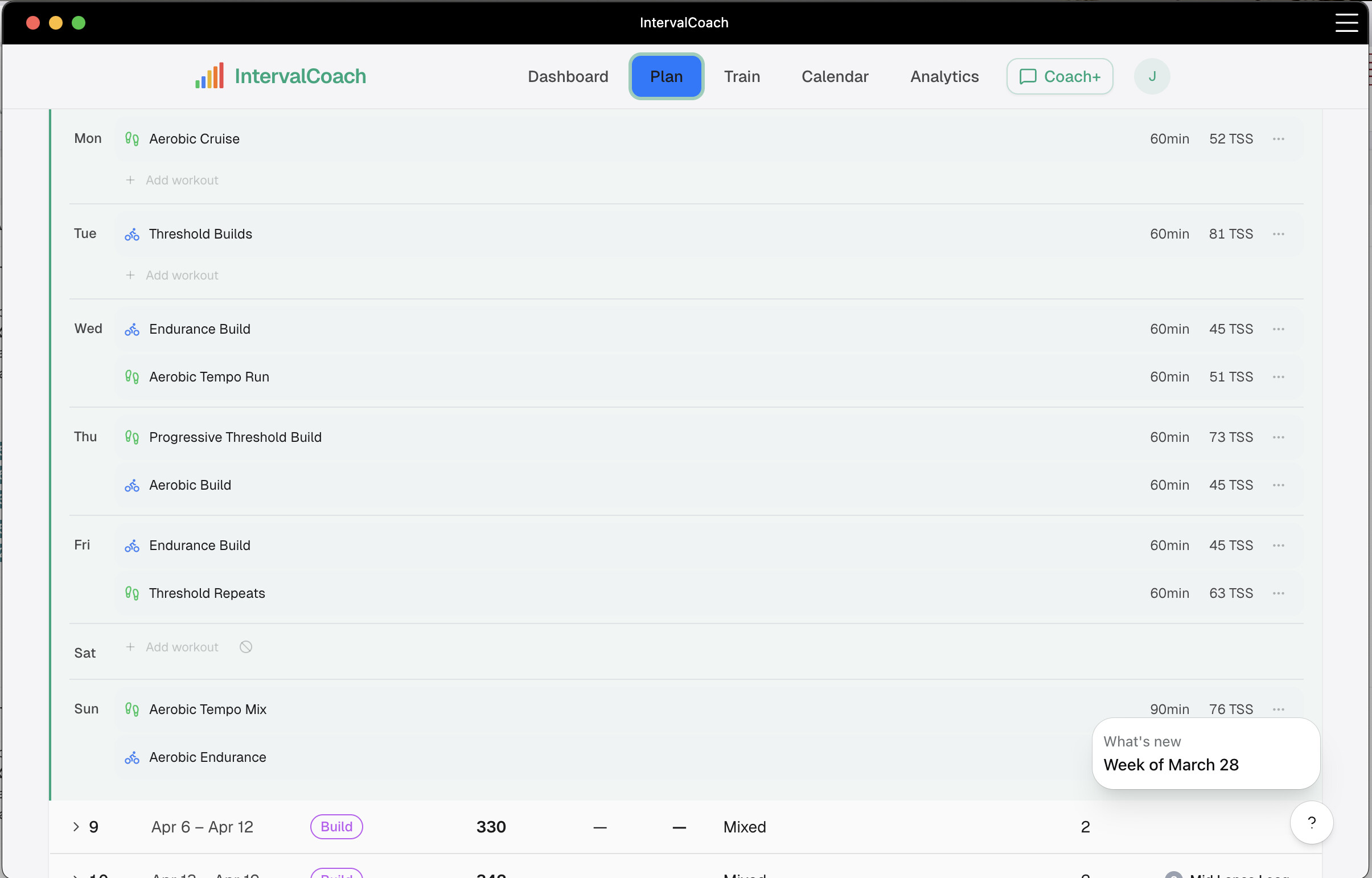
I see this morning a new plan has been generated for this week but it doesn’t appear to have cleaned up planned workout that were being generated on a rolling 7 day basis. So now I end up with some double workout days. No problem for me to delete workouts in intervals, but just wanted to highlight a potential bug.
I visited your site and the app looks promising. I wanted to ask if it’s possible to use it as a coach to plan workouts for athletes I follow on intervals.icu and if the app integrates with the “goal generator” feature of intervals. Thanks.
Did you generate these workouts yourself via TrainNow, or did they appear automatically? If they showed up on their own, that’s a bug I’ll look into.
Thanks for flagging this. I can confirm the issue: your new weekly plan only has 1 workout scheduled for this week, but there are 10 leftover workouts from last week’s rolling generation still on your calendar. The system doesn’t clean those up when the plan changes, which is a bug.
For now, you can safely delete the extra IC workouts in Intervals.icu - they won’t come back. I’ll fix the cleanup so this doesn’t happen again.
Thanks for checking out IntervalCoach! To answer your questions:
Coaching multiple athletes: IntervalCoach currently works as a personal AI coach for individual athletes, not as a multi-athlete coaching platform. Each athlete connects their own Intervals.icu account and gets their own plan. A coach mode where you could manage plans for athletes you follow is an interesting idea though. I’ll add it to my list.
Goal generator integration: IntervalCoach doesn’t integrate with Intervals.icu’s goal generator directly. It has its own goal-based planning: you set an A/B race event in Intervals.icu, and IntervalCoach builds a periodized plan toward that goal with CTL targets, phase progression, and weekly workouts.
I just checked my coach generated training plan. It seems like he does not utilize all days and I will not reach my target load determined by the coach:
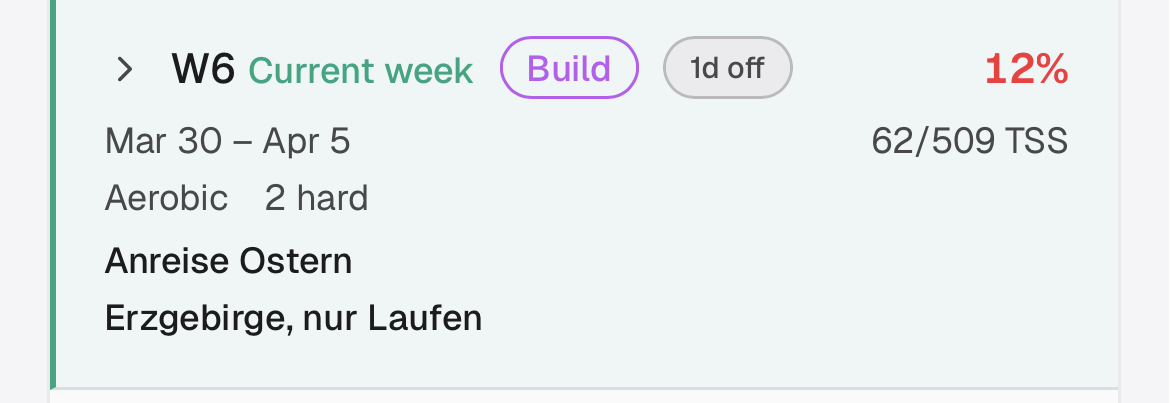
Goal should be 509, but with everything that is scheduled so far, I will not even reach 400. it respects the Thursday to be unavailable day, but I am not sure while its skipping Friday.
Training Milestones and Public Profiles launched this weekend. You can now earn badges for volume (Century Day, Big Week, Monster Week), consistency (7-day and 30-day streaks, Plan Follower), fitness gains (FTP Bump, New Peak CTL, Power Surge), recovery, and multi-sport training. Badges include repeatable challenges like Monthly Century and Perfect Month, plus tenure milestones at 3 months through 2 years. Unearned badges show progress bars so you can see how close you are, and earned ones show what percentage of athletes have unlocked them. You get an email when you unlock a new badge. Share your milestones by enabling a public profile in Settings > Account; customize your handle and share the link. Read more →
Performance Benchmarks is a new Max feature that lets you see how your fitness compares to similar athletes. Toggle benchmarks on in the Analytics page to overlay P50 reference lines on your CTL, eFTP, power curve, weekly TSS, and running pace charts. Filter by age group and sex for a relevant peer group. The power profile radar and peak powers table also show peer P50 values so you can compare at every power duration from 5s sprint through 60min endurance. Your age group and sex now appear in Settings under your profile, sourced from Intervals.icu. Read more →
Thanks for flagging this. I looked into your W6 plan.
Thursday (Anreise Ostern) is correctly skipped since you marked it as unavailable. But Friday April 3rd has your “Erzgebirge, nur Laufen” event set to LIMITED availability with Run only, and IntervalCoach wasn’t picking up on that yet since the training availability feature in Intervals.icu just launched only 2 days ago (Athlete Training Availability). That’s why Friday has no workout and your planned TSS falls short of 509.
I just pushed an update that respects the LIMITED availability setting, so days where you’ve set yourself as available for specific sports will now get workouts in those sports. The max training time setting is also respected. Your plan should pick this up after the next regeneration.
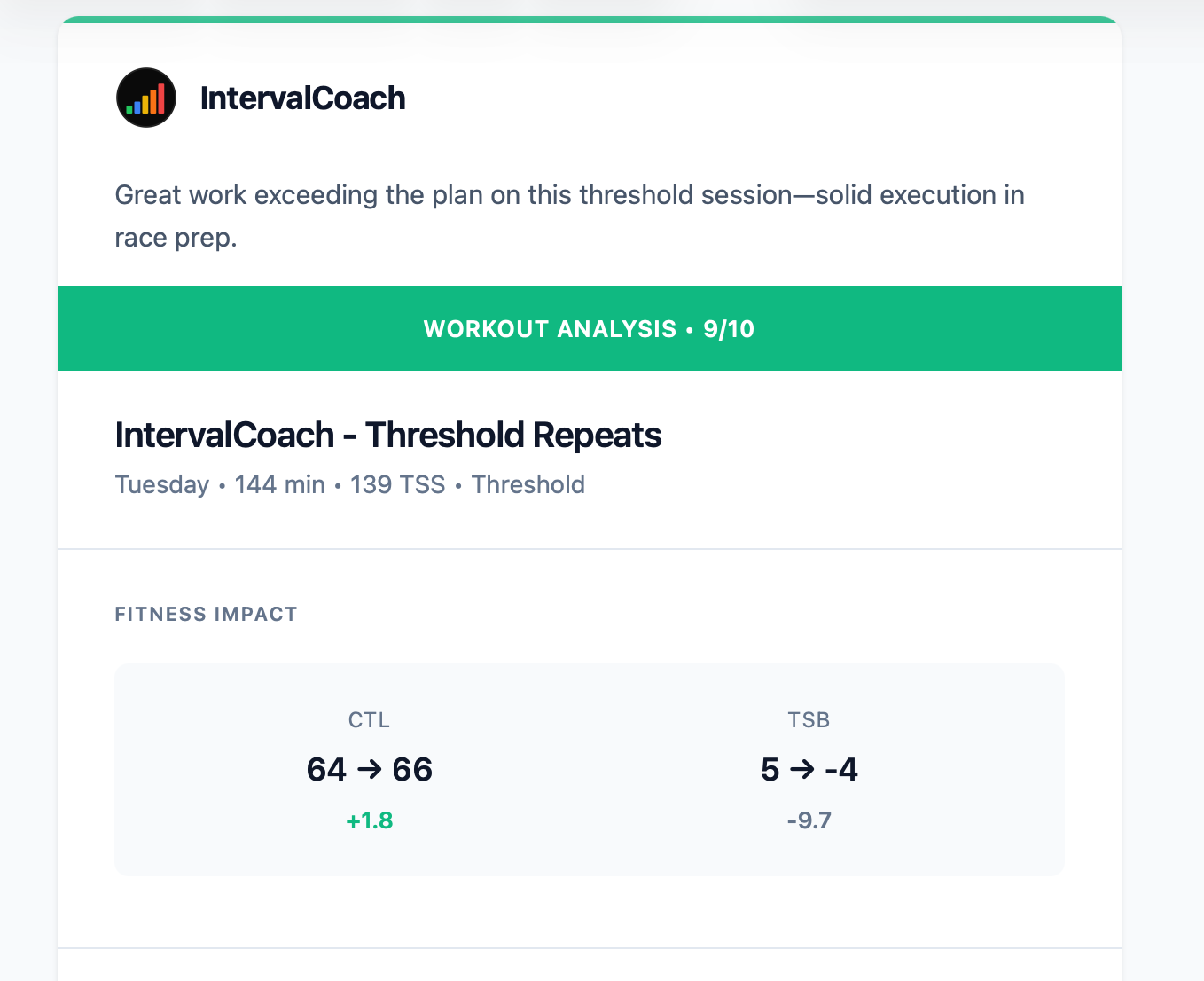
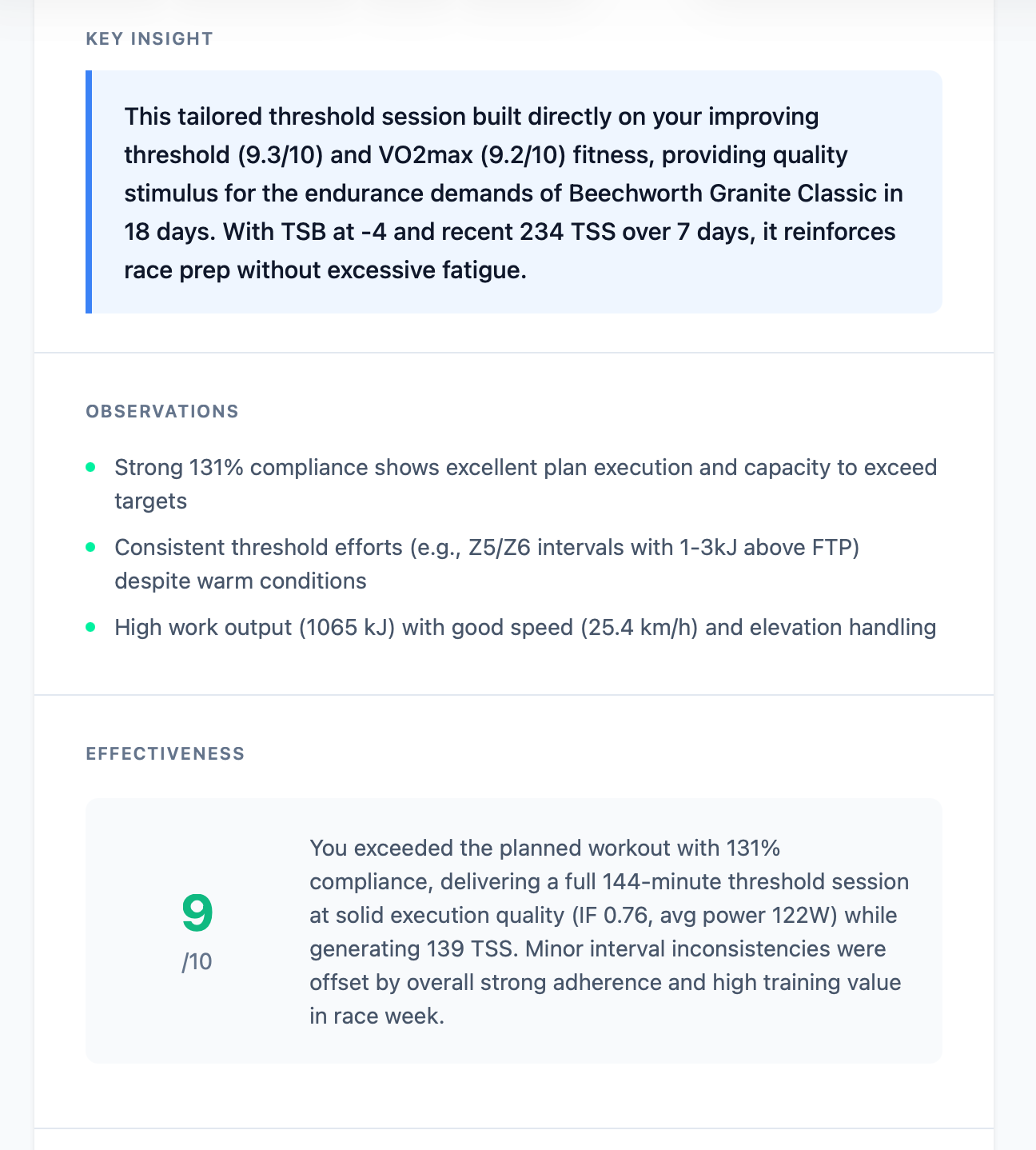
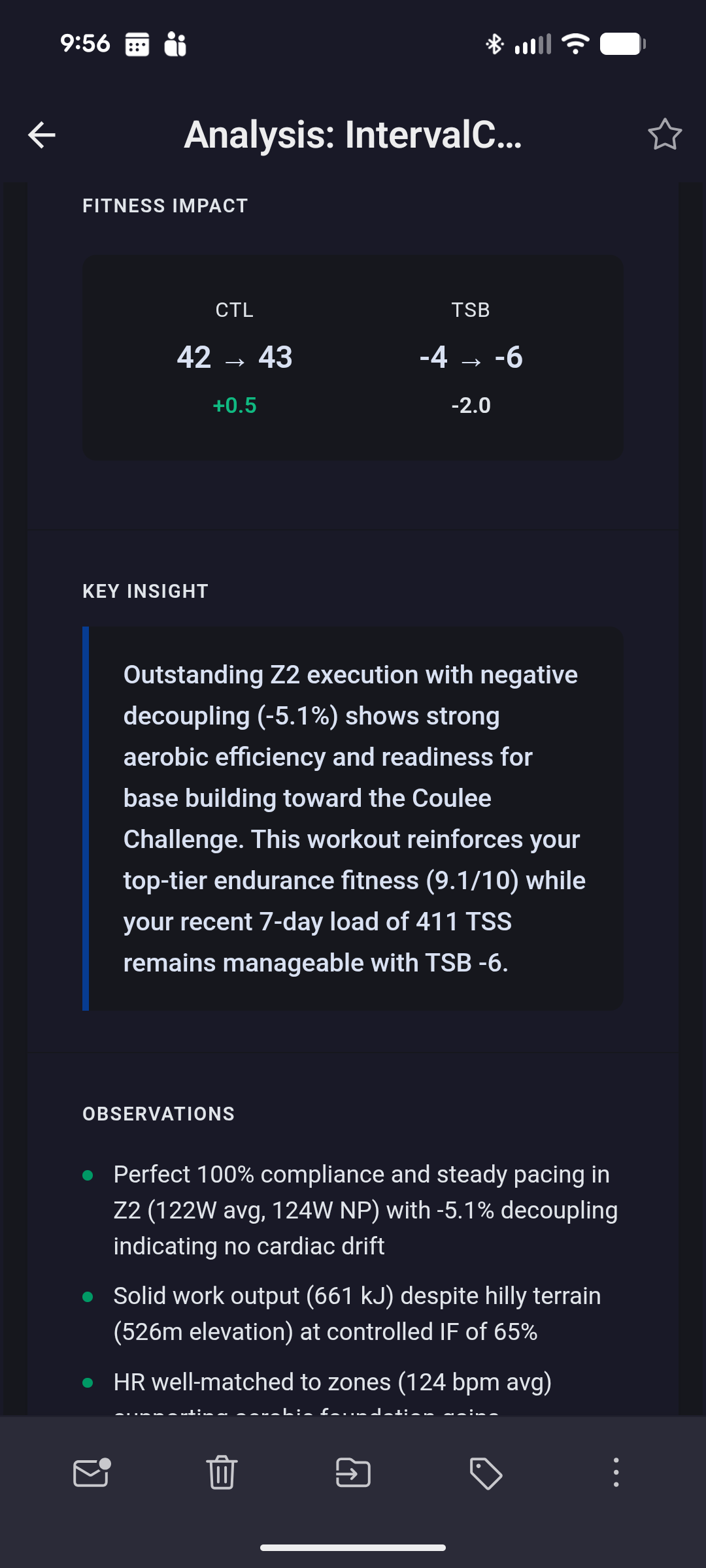
@mrusschen I have to say, I’ve given up on the accuracy of the post workout analysis, specially if I’ve ignored a workout and just did a “normal” ride. Today was the last straw. Had a scheduled threshold session but decided I’m tooo burnt out this week, so just went riding.. The post workout analysis was
general question:
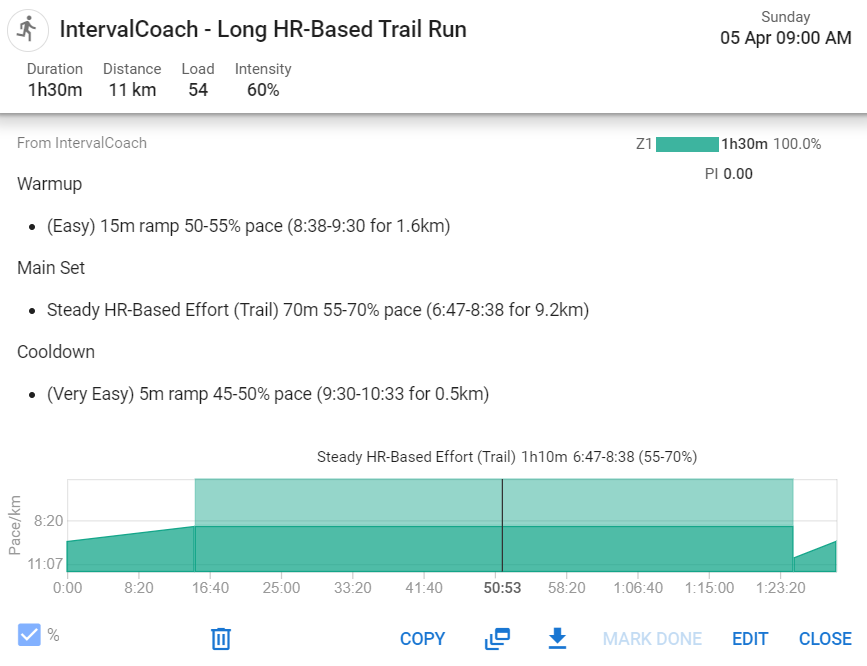
you can I have a run to be hr-based, rather than pace based?
Currently the determination on settings is set to automatic, but i am not sure how to mark a run as beeing a trail-run.
I asked the coach to recreate my friday and satruday as hr-based, but it keeps on creating pace based trainings.
unrelated to this app, but similarly I got feedback from another one calling my vo2 workout a “solid endurance ride”. for me, all these AI coach apps just completely miss the mark in so many ways. as a self-coach and someone who coaches others, I don’t spend a lot of time analyzing individual workouts. you either do it or you don’t, and if you don’t you just kind of have to figure out why.
there’s too much focus on the PMC numbers and individual ride stats with all of these AI coaching apps. the numbers themselves don’t tell you anything other than how much you’re training
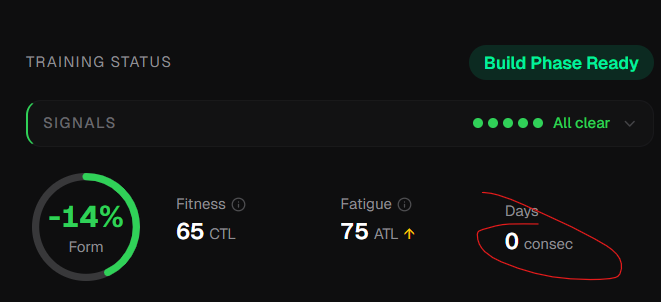
Quesiton related to Dashboard and consecutive days:
since the start coach always shows me a zero value here, which I think is wrong as I am multiple days of consecutive training in my calender.
Hey n0rt0nthec4t, thanks for flagging this. You’re right, that analysis doesn’t always make sense.
What’s happening: the compliance score comes from Intervals.icu and it’s purely duration/TSS-based. So your 144-minute casual ride vs the planned 120-minute threshold session shows as “131% compliance” because you rode longer. The AI then sees that number and assumes you nailed the plan, without actually checking whether you did any of the planned threshold intervals.
I’m fixing two things:
Structure mismatch detection: before the AI scores a workout, the system will now check whether the actual zone distribution matches the planned workout type. If the plan says “Threshold Repeats” but you spent most of your time in Z1-Z2, it’ll recognize you skipped the plan and score based on what you actually did instead.
More honest scoring: the scoring scale was too generous for unstructured rides. A casual ride should get a 5-6 for training value, not an 8-9 just because you were out there pedaling.
Thanks for the feedback, this is a good catch.
Hey Duppie, valid points, all three.
“Hilly ride” on an ERG-controlled indoor ride: Fixed. Indoor/virtual rides now suppress terrain and elevation commentary since those are controlled by the trainer, not you. Same for power variability comments.
CTL 43 vs app showing 44: Fixed. The analysis now rounds values consistently to match what the app displays.
“TSB” terminology: Fixed. The analysis now uses “Form” to match what you see in the app.
These changes apply to new workout analyses going forward.
The quickest way: go to Settings > Training and change “Running Workout Target” from Automatic to HR. That will make all your run workouts HR-based.
The “Automatic” mode uses HR for trail runs and pace for road runs. It determines trail vs road based on your goal event type, not individual workouts. So if your goal race isn’t marked as a trail run in Intervals.icu, all runs default to pace-based even on auto.
Fair point. Individual workout analysis is one of those things that’s easy to over-index on. Whether you nailed the intervals or went 3% over target doesn’t matter much in the grand scheme. Consistency and showing up matter more than any single session’s numbers. Where I’m trying to focus IntervalCoach is more on the “what should I do today given everything that’s happened this week” decision, rather than grading what you already did. The post-workout analysis is mostly there so the system can learn from what worked and adjust future workouts. But I take your point that the presentation leans too heavily on the numbers.
That’s a bug. The consecutive days counter shows how many days in a row you’ve trained (working backwards from yesterday). It’s used in the readiness assessment to flag when you need a rest day.
In your case it should definitely not be 0 since you’ve been training every day. The issue is that the initial dashboard load calculates it without your activity history (to load faster), and the corrected value from the full data load isn’t overriding it properly. I’ll fix this so it shows the right number.
A short review. Overall, I’m not happy with how Trainer+ works. It forgets or resets previous conversations. It confuses days of the week, resulting in completely inaccurate calculations. This lack of perfection is certainly disappointing. Perhaps other AI trainers work this way, too. And the interface seems overloaded to me.
thanks for the respone. I understand the suggestions, but this not really working for me.
Depending on my location I need to switch between pace and hr (hilly terrain).
I tried to achieve this with the help of the ai chat (convert my trainiong to hr), but the results are not really looking good, it sticks always with pace
Chat memory: Coach+ does keep the conversation history (up to 20 messages) within a session. If you’re seeing it forget context, that might happen after clearing the conversation or if the session gets very long. Could you give me an example of what it forgot? That would help me figure out if there’s an actual bug.
Day/date confusion: AI sometimes gets confused about which day is which, especially when reasoning about “next Tuesday” vs calendar dates. If you can share a specific example where it got the calculation wrong, that would help me pin down what’s going wrong and fix it.
Interface: Any specific parts that feel cluttered? Always looking to simplify where I can.
Appreciate the feedback, even when it’s critical. That’s how things get better.
I looked into this. The workout steps use pace targets because your setting is on “Automatic” and your goal event isn’t a trail run, so everything defaults to pace.
I just pushed a fix: you can now ask the Coach+ chat to make a workout HR-based (e.g. “generate an HR-based run for Friday” or “make my Saturday run use heart rate zones”) and it will output HR zone targets instead of pace. This works per-workout without changing your global setting.
The per-day toggle in the training plan view (so you can mark specific days as trail/HR without using the chat) is on my list as a follow-up.
As I wrote above, you’re clearly doing a great job, but unfortunately, AI is still far from perfect, and we’re expecting too much from it too early. This may also be because I’m far from a newbie, and some of his answers and recommendations seem boring to me. In this case, I don’t want to waste time and delve into it. Thank you and good luck!
Hi - really enjoying using IntervalCoach as someone who has trained consistently for a lot of years and quite often fancy doing my own thing or just getting out because the weather is nice, it’s great that it adapts. I happen to also log all my dog walks but just recently this has flagged a ‘14 day consecutive training days’ warning and is telling me to take a rest day, which I could do by just not logging my dog walks… But, my query is whether you can ask it to ignore very light activities, such as very light ‘recovery’ dog walks, so that training warnings aren’t flagged? I could combat this by deleting dog walks but just wondered whether it was possible to still incorporate these as useful recovery walks, but ignoring warnings. Thanks!
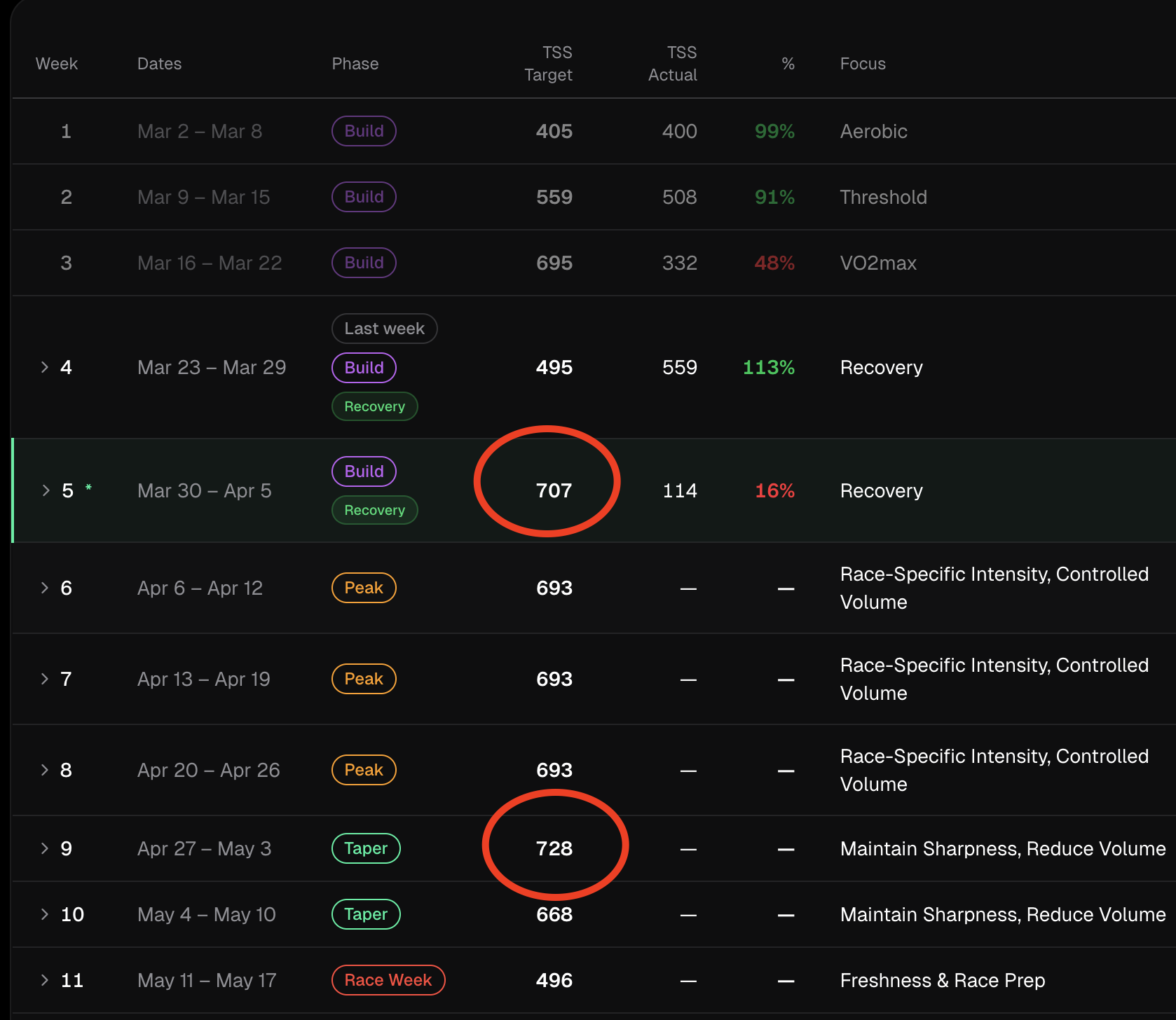
I found it very strange that the current week, supposed to be a ‘recovery’ week is the second week with the highest TSS target in my program .
And the first "taper’ week is the one with the highest TSS target. I just realized this and it doesn’t really make sense