Martijn, did you get this fixed? It still shows as of Wednesday evening Central Time US
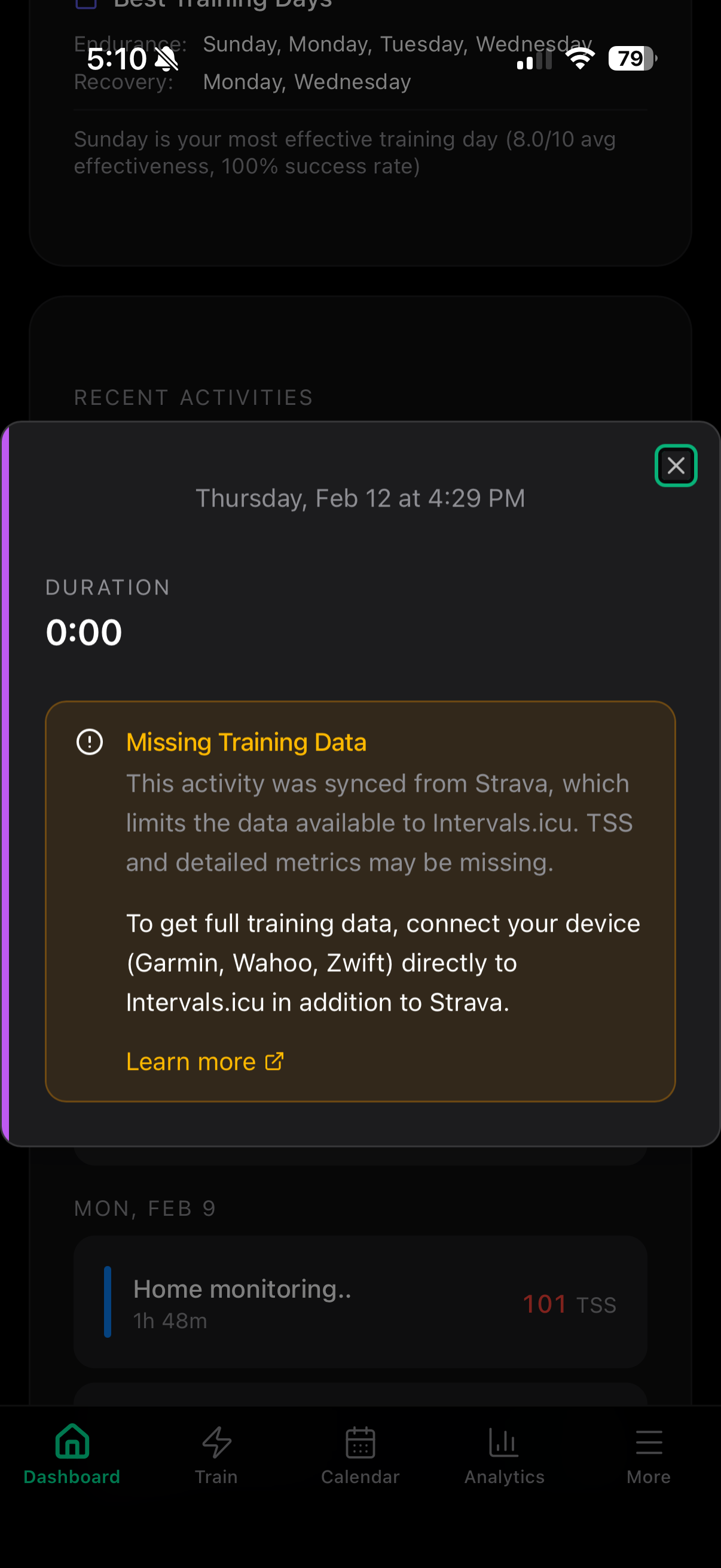
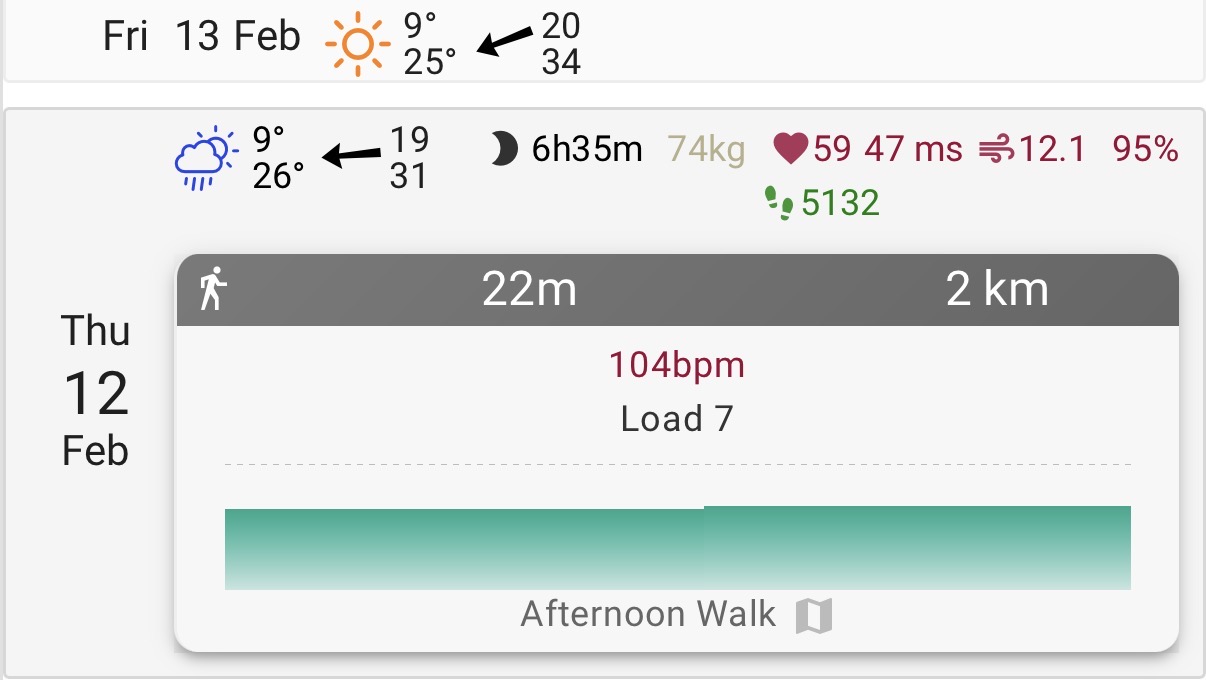
Another thing. I sync my Apple Watch activities that I record (generally walks as per this example) into Strava. and have this sync turned on within intervals.icu. However, in the dashboard, its not bring across the correct data, in that says the time was 0m etc, where clearly not. The data appears correct in intervals.icu, but is not correctly processed here
I have used Humango AI and am now using JOIN. I feel Intervalcoach is a mix of both, but already far better implemented, better visuals, straightforward.
At the moment I have two questions.
- My availability changes a lot week by week. Do I change this for instance every sunday evening for the next week so the workouts can be adapted? I feel only the next week should be adapted because it will be different again the following week.
- Will it be possible to suggest Wahoo SYSTM workouts as an alternative? This is a Humango feature I really liked.
Thanks for trying it out, and good catch. You’re right, the analysis sync currently replaces the entire activity description instead of appending to it. That’s a bug.
I’m going to fix it so it preserves your existing description and adds the analysis below it. In the meantime, you can disable it in Settings > Integrations (“Sync analysis to activity description”) to prevent it from overwriting your descriptions.
Adaptation not editing existing workouts - The “Adapt all calendar workouts” setting works together with the daily adaptation: each morning, it checks your readiness and fatigue to decide if today’s workout needs adjusting. If your recovery looks fine, it won’t change anything because there’s nothing to adapt. So it’s possible the threshold just wasn’t met on those days. That said, I’ll double-check the logs to make sure the external workouts are actually being detected properly.
Workout chart showing Sweet Spot - You’re right, the chart doesn’t match the workout text. The chart is generated by parsing the workout description, and when it can’t parse a certain format it falls back to a generic template. In this case that template added a Sweet Spot block that isn’t in your actual workout. The text description is correct, the chart is wrong. I’ve added this to my list.
Public roadmap - Good idea. Right now there’s a changelog for shipped features, but nothing for what’s in progress. I’ll look into making something like that available so you can see what’s being worked on and avoid duplicate reports.
Thanks for trying it out, and for the detailed feedback. These are all great points.
Trail running goals - You’re right, trail support needs more work. Right now the system detects trail races and uses HR-based zones (since pace is unreliable on trails), but it doesn’t account for elevation at all, which is obviously a key variable for trail training. Adding elevation to goal events and using it for training plans is on my list. Same for target finish time: you’re absolutely right that training for a 100k in 10h vs 30h is a completely different plan. I’ve added that as well.
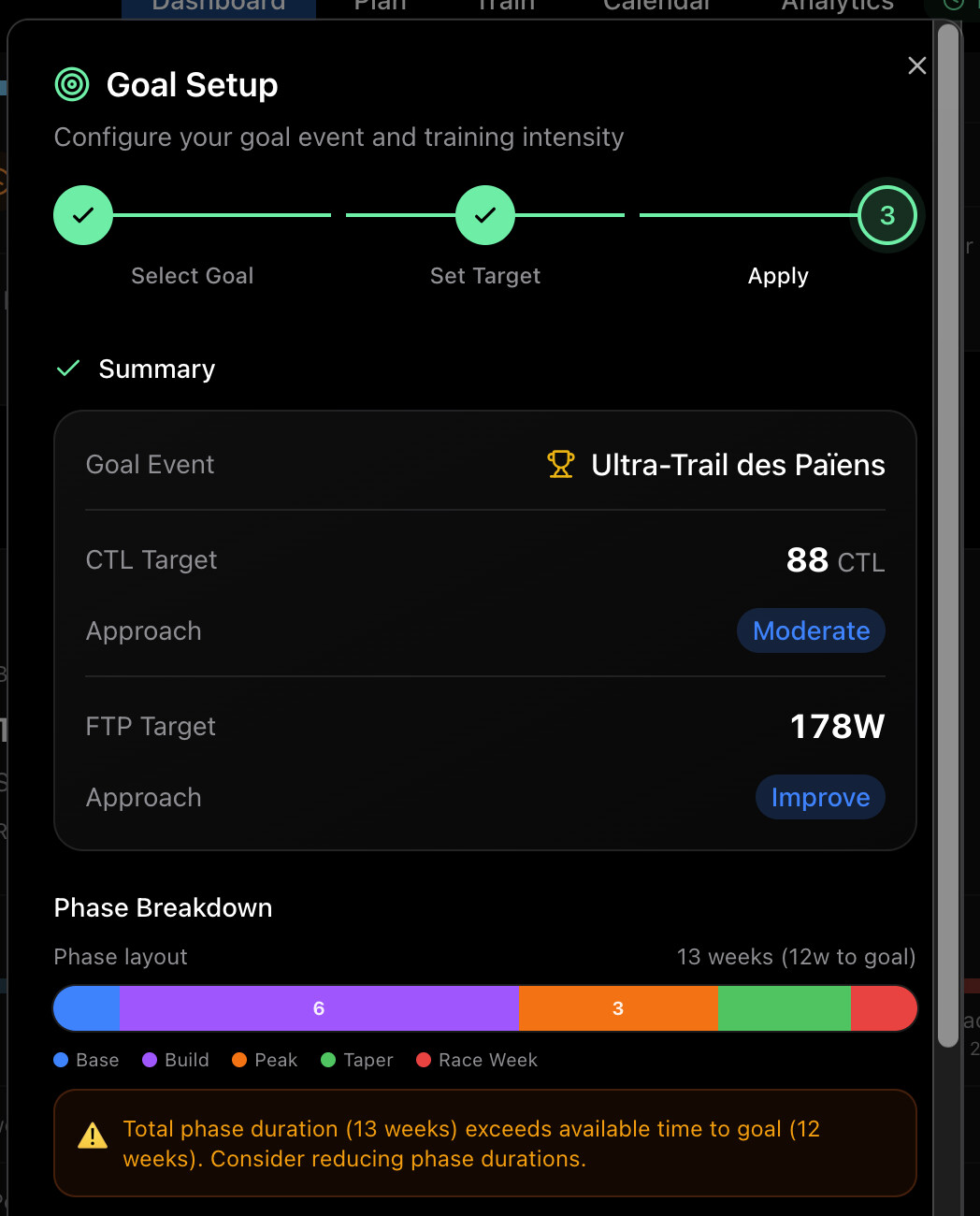
About FTP: the training zones for running workouts are actually based on pace and HR, not FTP. FTP only applies to cycling. But I can see the goal setup might be confusing if it shows FTP-related settings for a runner. I’ll look into making that clearer.
B race support - Good news, this actually already works! If you mark your February event as a “B Race” in Intervals.icu (set the event category to RACE_B), IntervalCoach will automatically plan around both events. Your A race gets a full taper, and B races get a shorter mini-taper (about 1 week) so you arrive fresh without disrupting your main training block. That’s exactly the “intermediary race” approach you’re describing.
To set it up: in Intervals.icu, edit your February event and change its category to “B Race”. IntervalCoach will pick it up from there.
Looking forward to more feedback as you keep using it!
Sorry about that, thought I had this one nailed down. I pushed a fix on Feb 7 for the analytics charts, but it looks like the dashboard’s fitness trend has the same issue on a separate code path that I missed. I’m on it.
This is a known Strava limitation. When activities go through Strava (Apple Watch → Strava → Intervals.icu), Strava restricts the data it shares with third parties. So even though Intervals.icu can display some summary info, the detailed data (duration, per-second streams) may be missing or zeroed out when fetched via the API. That’s why you see “Missing Training Data” in the app.
The best workaround is to connect your Apple Watch directly to Intervals.icu, bypassing Strava. The HealthFit app can export .fit files straight to Intervals.icu, which gives full training data. That said, for walks with low training load (7 TSS), they won’t significantly affect your training plan either way.
Thanks for the kind words!
Changing availability week by week - Yes, you can update your training schedule in Settings before the weekly plan generates (Sunday evening around 8pm your local time), and the new week will reflect those changes. But you’re right, there’s a simpler approach for weeks where your schedule is temporarily different: add a “Holiday” event in Intervals.icu on the days you won’t be available. Use keywords like “holiday”, “vacation”, “trip”, or “busy” in the event name. The plan will automatically work around those days without you needing to change your default schedule each time. That way your master schedule stays intact for normal weeks.
Wahoo SYSTM workouts - Interesting idea! That would require integration with Wahoo’s workout catalog, which I’d need to look into (not sure if they have a public API for this). I’ve noted it as a feature request. For now, the workouts IntervalCoach generates can be synced to Intervals.icu and from there to Wahoo devices, but matching them to specific SYSTM sessions isn’t possible yet.
2 Likes
Hi,
In my weekly training plan, I have a recovery day. A 26-minute exercise. After more than 20 years of reading, analyzing, deepening. I understood by reliable data. That our body only assumes something with workouts of at least 45 and up, ideal close to an hour. For more than 20 years, while I was a professional, the recovery day was exactly 1 hour. Defined by the coach. Below this time there is no effect on our physical condition.
In my opinion for this application to level up. It will take 3 things. First, each person can select how many days they want to train and how many they want to rest. Can define the days that are for one or another situation. Then you can define the time of the exercises. Most importantly for me, to define what kind of training I do for each day of the week.
Sunday is always team or group training, free training. As it will be intense, Monday active recovery, light training from 50 minutes to 80 minutes. Tuesday total rest, ideal for another activity (yoga) example. Wednesday load. Thursday volume. Friday train vo2. Saturday rotate legs, maintain activation do about 2 hours peaceful, with 4 to 8 high intensity sprints. To keep your metabolism activated, for Sunday to be ready to endure your training colleagues
The best way will be to have a line for all the options as we have to select at this moment the training time for each day
so the suggestion is to set set each day in the week as available and then add “gaps” into the plan by inserting events within intervals.icu?
Would the output be the same if you would just deselct those days from the weekly plan generation?
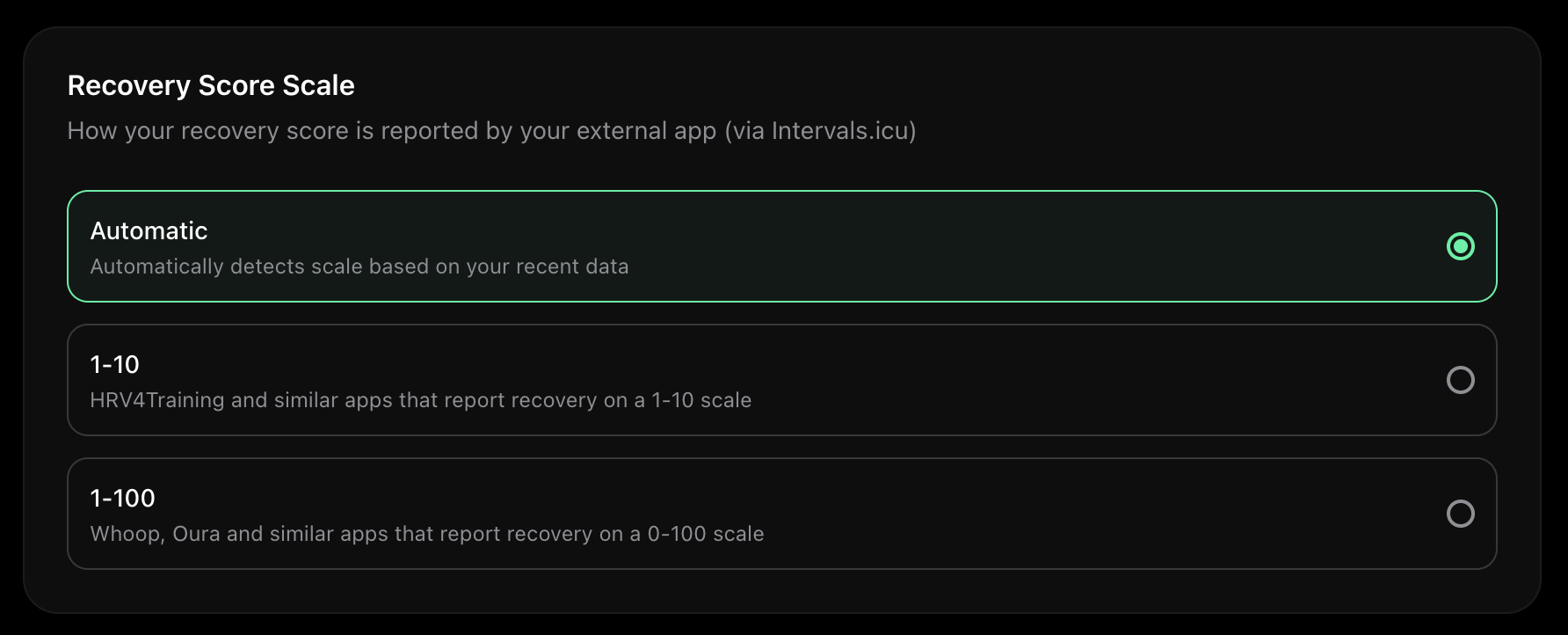
I noted an additional improvement: the recovery score is off due to a scale issue. I pull the readiness / recovery score from HRV4Training which use absolute value to gauge the readiness, indeed IC use a 1-100 scale. Refer to my message I posted on a different thread (similar issue!):
@Marco_Saraceno There’s an option for this use case in your settings (IntervalCoach). Here you can select the scale for recovery scores like these:
1 Like
You can already do this : Settings > Training and here you can chose your training day, the duration and the activity you want to do. The only thing you can’t do, is define if you want a particular day to be an " hard one " or a “recovery” . But i agree, it could be a super cool feature
3 Likes
You’re right, I’m still exploring things and I don’t think I’ve figured everything out yet. Not all capabilities available. But back to the subject of training times. If you are at 01:30 hour per training day. And that seemed to be resolved, yesterday I was surprised with a 26-minute training session. When I have defined other values.
HRV4TRAINING does not use a 1-10 score system: my score float within a quite narrow band of value from 7.1 to 8.2 …
1 Like
HRV4Training doesn’t actually have universal “good” or “bad” thresholds: everything is relative to your personal baseline. So instead of mapping to fixed breakpoints, the app now calculates your personal mean and normal range from recent data and interprets each day’s score relative to that. A good day for you shows green, a bad day shows red, regardless of the absolute number.
The fix should be live shortly.
2 Likes
It’s not a ‘recovery’ or ‘readiness’ score. Anything with that kind of naming is a made up score that in most cases makes no sense at all and has no value at all. The only exception that I know of, is the Elite way. There, a Z-score is used to ‘interprète’ today’s value compared to your individual normal range.
In HRV4Training, it’s a multiple of the natural log of the RMSSD value. That value is compared to your individual ‘average’ and trend.
Device manufacturers make up Readiness scores without telling anyone what has impact on the score. They consider or market it as their ‘secret sauce’ but most of those are completely nonsense. They mix up inputs and outputs to brew a number that tells you exactly nothing.
The interpretation of trends and values for HRV needs some knowledge to recognize edge cases. The Elite logic is relatively good for most of the situations, but is 1 out of 2 times wrong when it comes to edge cases.
If you want a magic number to simply tell you what you should do without further attention, then don’t use HRV.
3 Likes
Hi Martijn
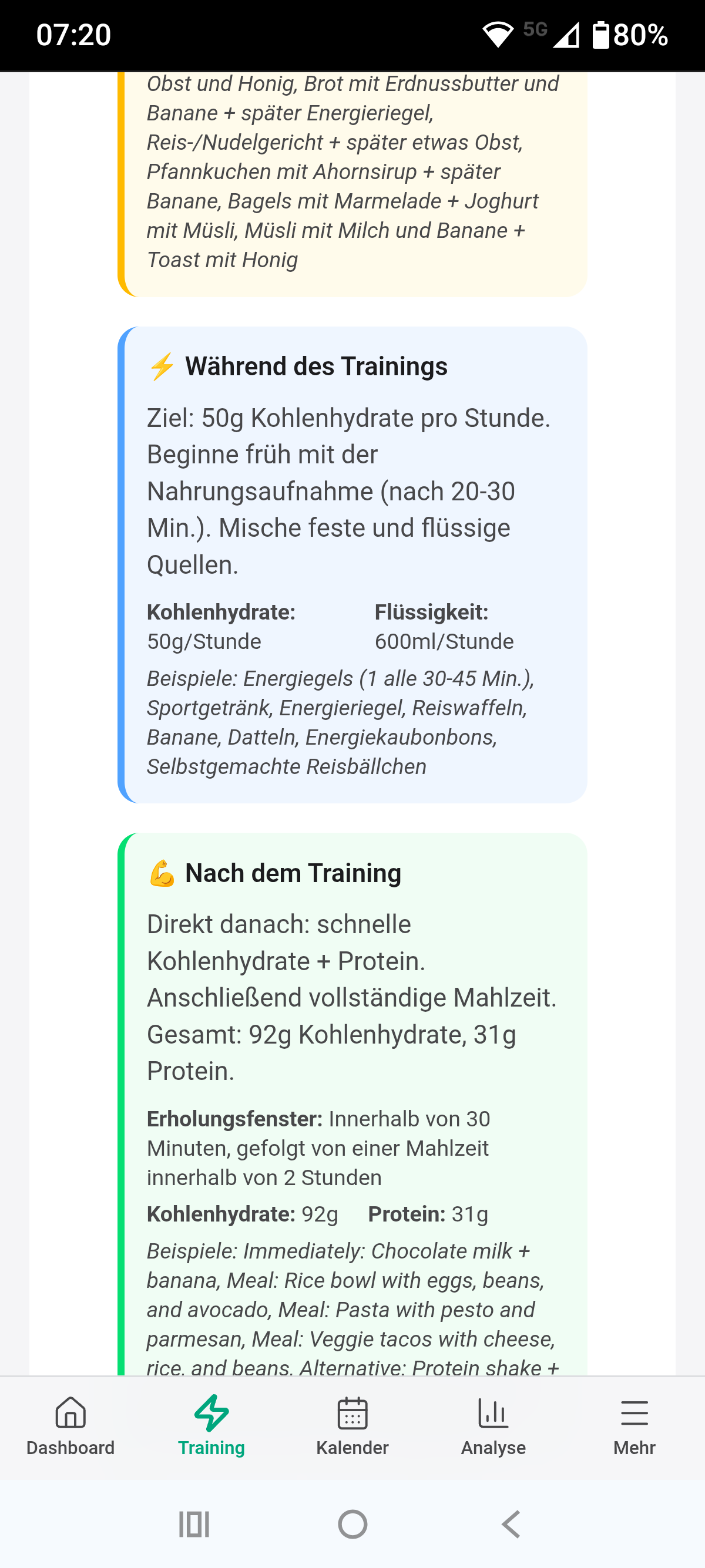
One minor adjustment, the nutrition examples are mixed in English - German.
Thanks for checking 
Pius
Hey everyone, here’s what shipped this week:
The Training Plan page is now in public beta. This gives you a full view of your training from now until your goal event, with week-by-week TSS targets, training phases, a CTL projection chart, and progress tracking. You can see how many weeks you’ve completed, total TSS achieved vs planned, and whether you’re on track. Give it a try and let me know what you think.
The biggest addition is the new workout library picker in JustTrain, so you can now browse and select from your saved IntervalCoach workouts instead of only generating AI workouts. There’s also manual phase planning in the Goal Setup Wizard if you prefer to set your own Base/Build/Peak/Taper durations rather than letting the app calculate them automatically.
Trail running support is here. If your goal event is a trail race, ultra, or mountain run, workouts now use heart rate zones instead of pace (since pace varies with terrain), include hill repeats and elevation gain targets, and the AI coaching accounts for trail-specific demands like technical terrain and descents. The app also tracks elevation data from your activities now to give the AI better context.
Multi-day events like stage races and tours are now properly recognized. The app extends Race Week across the full event duration and the AI planner understands multi-day demands. You can also now schedule multiple training sessions per day (AM/PM splits) with per-session duration and sport controls.
Weekly plan generation got a lot of fixes this week: better TSS distribution so individual workouts can’t blow up your weekly load, smarter workout variety (no more 5 endurance rides in a row), and the plan now actually respects your recovery status. Plus a bunch of timezone fixes that were causing issues for athletes in Australia and the Americas.
A few more additions: WeChat Pay and Alipay are now available for our Chinese community, we added Chinese (Simplified) and Danish language support, and you can now customize when you receive your weekly plan email.
Full changelog with all the details: Changelog | IntervalCoach
As always, let me know if you run into any issues or have feedback!
4 Likes
Fantastic updates, thanks!
1 Like
Pretty cool updates so far. Thank you for the work.
A new observation I made: on the training plan page, the new week by week overview looks pretty odd on a mobile device. I guess there a fonts and description but they are not visible. I am looking at the page on an IPhone, Browser is Vivaldi. When I am switching to the light theme, it looks okay.
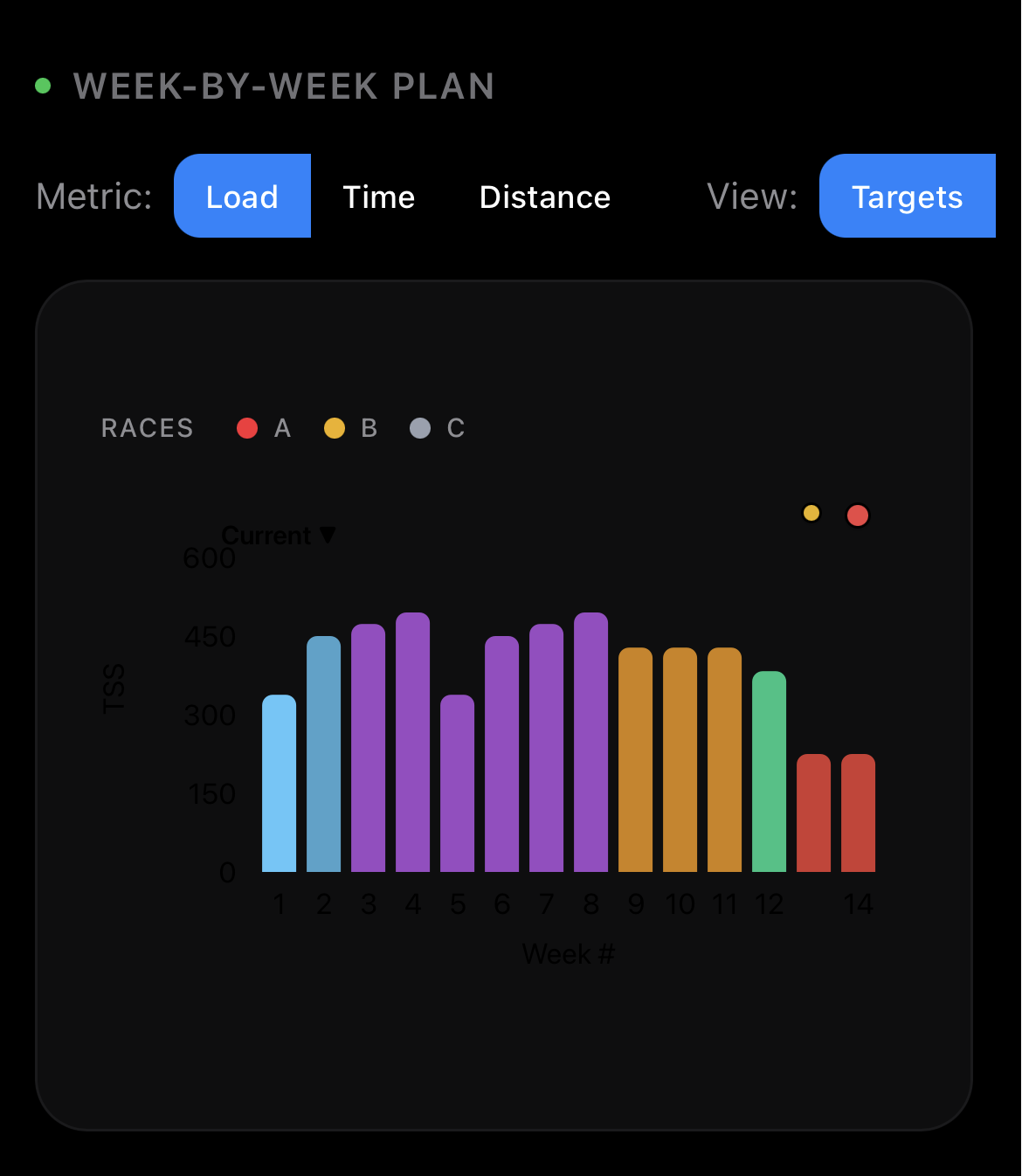
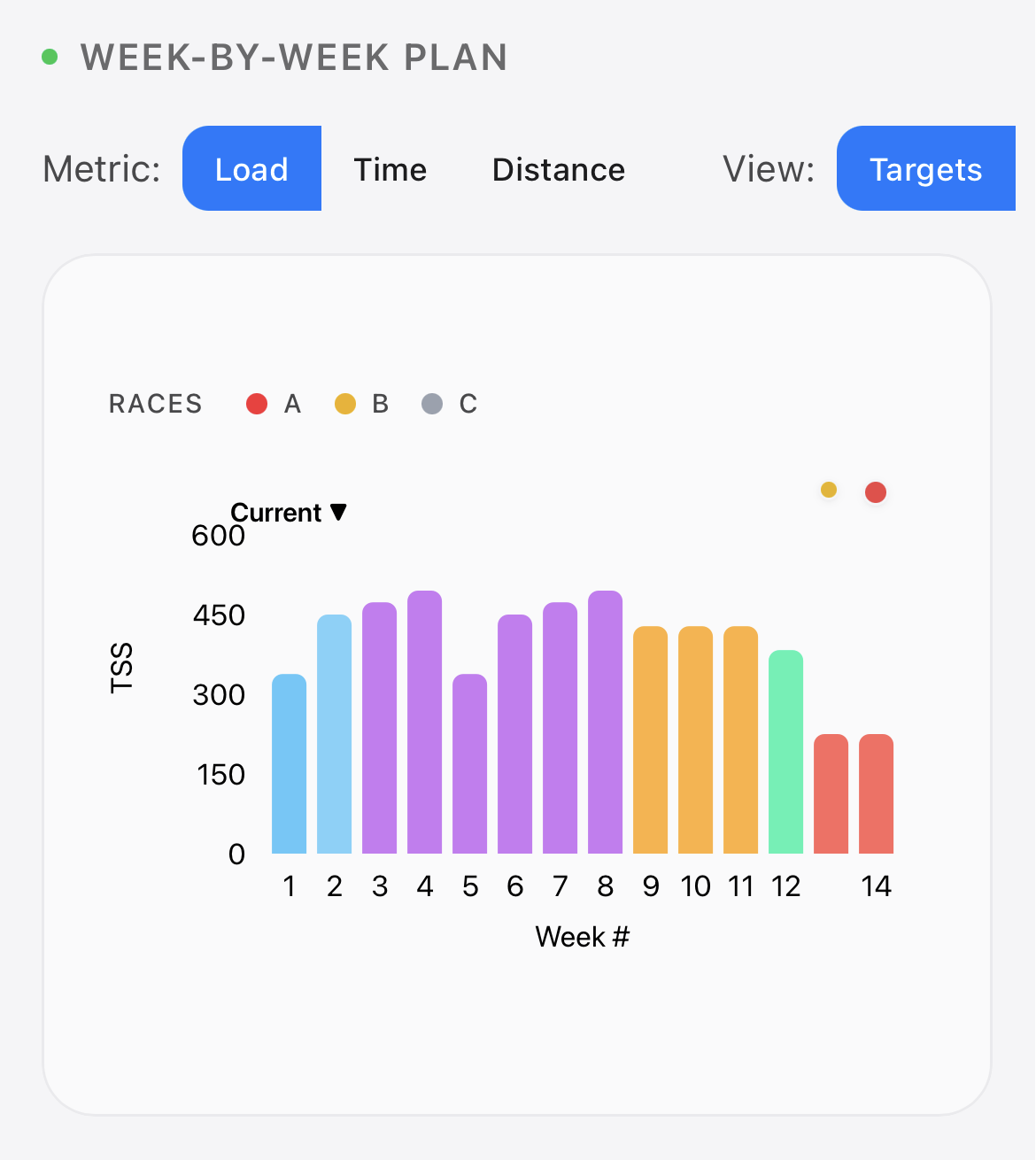
Hi, amazing work and thanks again for your constant improvment . I’ll mainly focus on this because I’m a trail runner myself 
This is a very cool improvement , but is it already on ? I just checked .
But when adding a race as objective the target is still in FTP (see screenshot) . Also even if you said that it took into account elevation, it doesn’t seem to take the elevation of the race. I can’t see any option to add it , and on Interval.icu, you can’t really add elevation, neither a taget time. As i mentionned in a previous objective that would be very interesting to add a target time objective in adition to the elevation to train to reach this objectif. At the moment, and if i understoond well it seems that improvement around trail running are made for training session , at this is super cool, but it doesn’t really take into account the objective to adjust to it more closely .
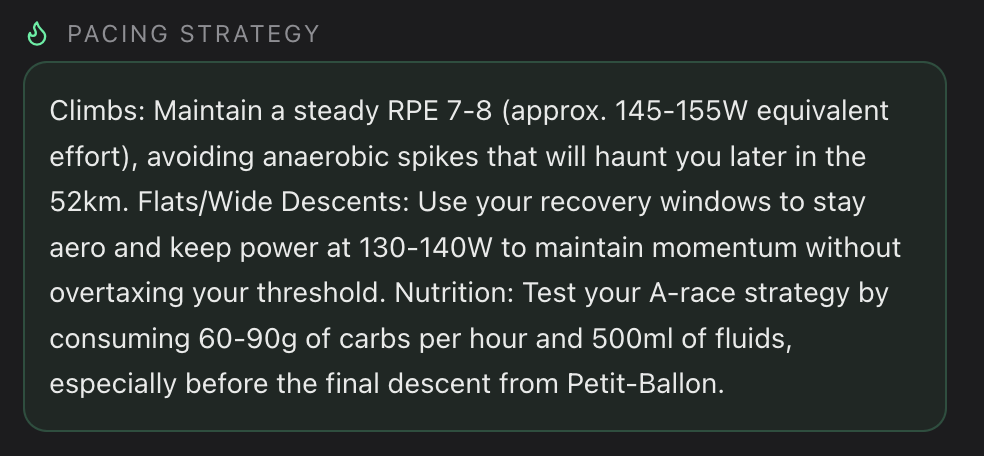
Also I tried to genernerate a “pace strategy” and i have this. So still mentionnig Power and not speed or HR.
Hi Martijn, coach has trouble interpreting my A race.
In intervals.icu I set it as 1100 miles, 168 hours, 2750 load.
- in the dashboard, it states that the a race will take 48-60 hours with an estimated CTl of 77
- in the training plan page it says 100-140 hours with an estimated CTL of 83.
In both pages distance and load appear correct.
Duppie