IntervalCoach - AI workouts that adapt daily to your recovery and goals

Good catch on the HRV graph. You’re right that the summary shows HRV correctly but the wellness chart was missing it. Turns out the fix I shipped for Apple Watch HRV (reading from the SDNN field) only covered part of the data pipeline. The wellness chart was fetching HRV through a different code path that didn’t have the same fallback. I’ve just pushed a fix for this, so if you refresh the analytics page you should see HRV in the graph now too.

For the recent activities: the dashboard and calendar data is cached and refreshes when you load the page. After a Zwift workout syncs to Intervals.icu, there can be a short delay before it shows up. The analysis email fires faster because that’s triggered directly by the webhook. If you do a hard refresh on the dashboard it should pick up the new activity. If it still doesn’t show after a few minutes, let me know and I’ll dig deeper.

You’re spot on about the timezone issue. The race detection is running on UTC, so for Australia it’s essentially a day behind. When you finished your race on Saturday morning Sydney time, the server still thought it was Friday. That’s why it treated everything as “pre-race workouts before tomorrow.” I’ll fix this so it uses your timezone for race-day detection.

And the second point is a fair one: if the system can’t match the activity to the race (because of the timezone bug), the AI has no way to know it was a race effort. Once the timezone fix is in, it should correctly identify race-day activities. But your broader point about the AI being more honest rather than always positive is good feedback too, I’ll keep that in mind.

Thanks for sticking with it and for the kind words!

Thanks for flagging this. You’re right, those numbers should match Intervals.icu. Two things going on here:

First, I just pushed a fix today that changes how we fetch fitness data, and your dashboard might be showing cached (stale) values. Can you try a hard refresh of the page? That should force fresh data from Intervals.icu. If that doesn’t fix it, try again in a few hours when the cache fully expires.

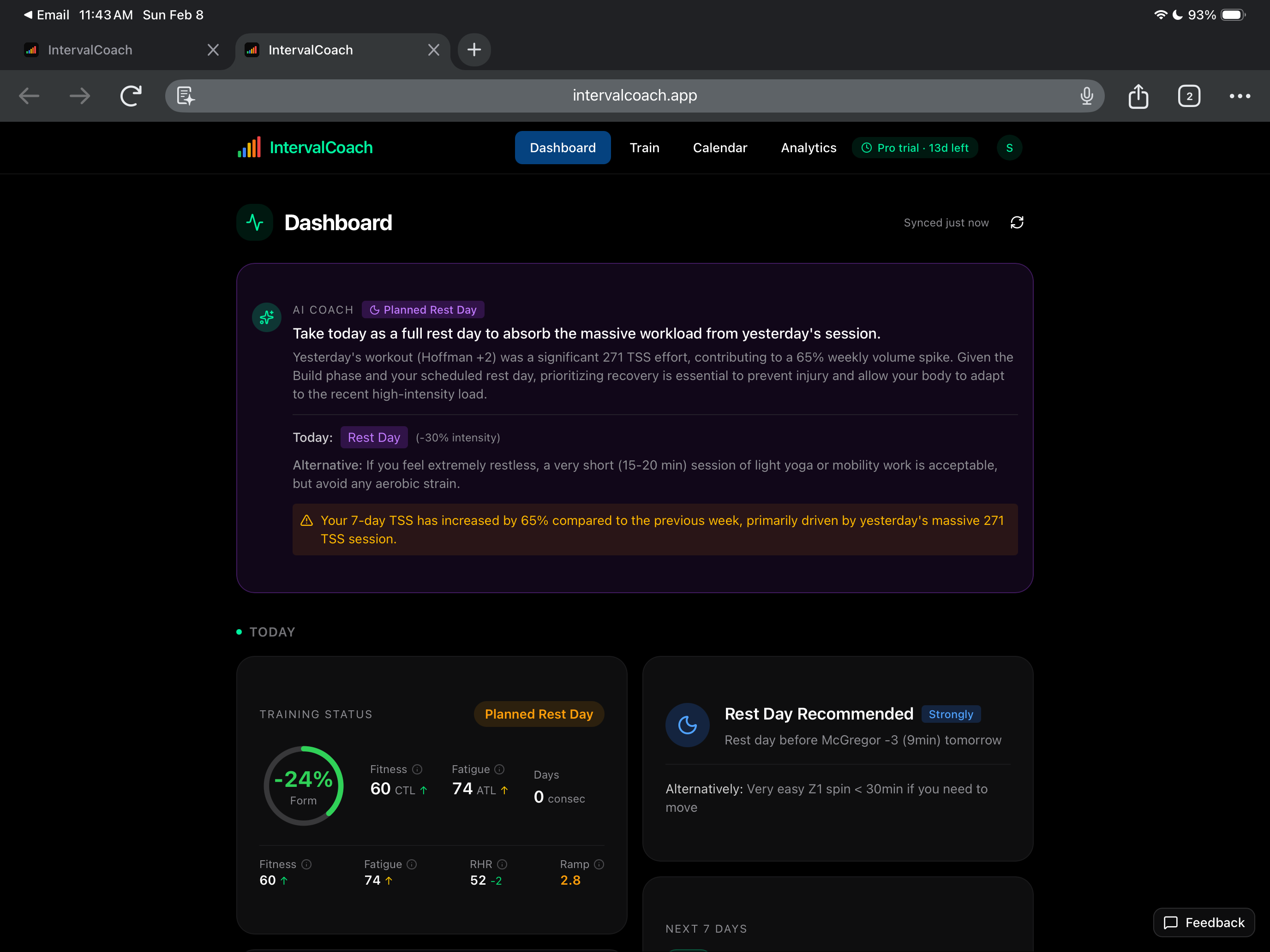
Second, I also just updated how Form is displayed. It now shows as a percentage (like Intervals.icu does) instead of an absolute number, so it should be easier to compare between the two.

Let me know if the numbers still look wrong after refreshing!
2 Likes

Yay. Can confirm then wellness graph now populates correctly. Thanks!

The syncing of the recents activities didn’t happen event after refreshing. Took around 1hr which means something isn’t right. I’m also in Australia so not sure if that effects syncing if your looking at UTC time..

I would expect the calendar and recent activity lists to be almost realtime insync with internals.icu

I’ve got matching CTL and ATL with intervals.icu on the dashboard page, the form number is wildly off..

Why on Intervals HRV Is 100 (from Daily Garmin 2 ’ test) and in the app Is 36 (nocturnal?

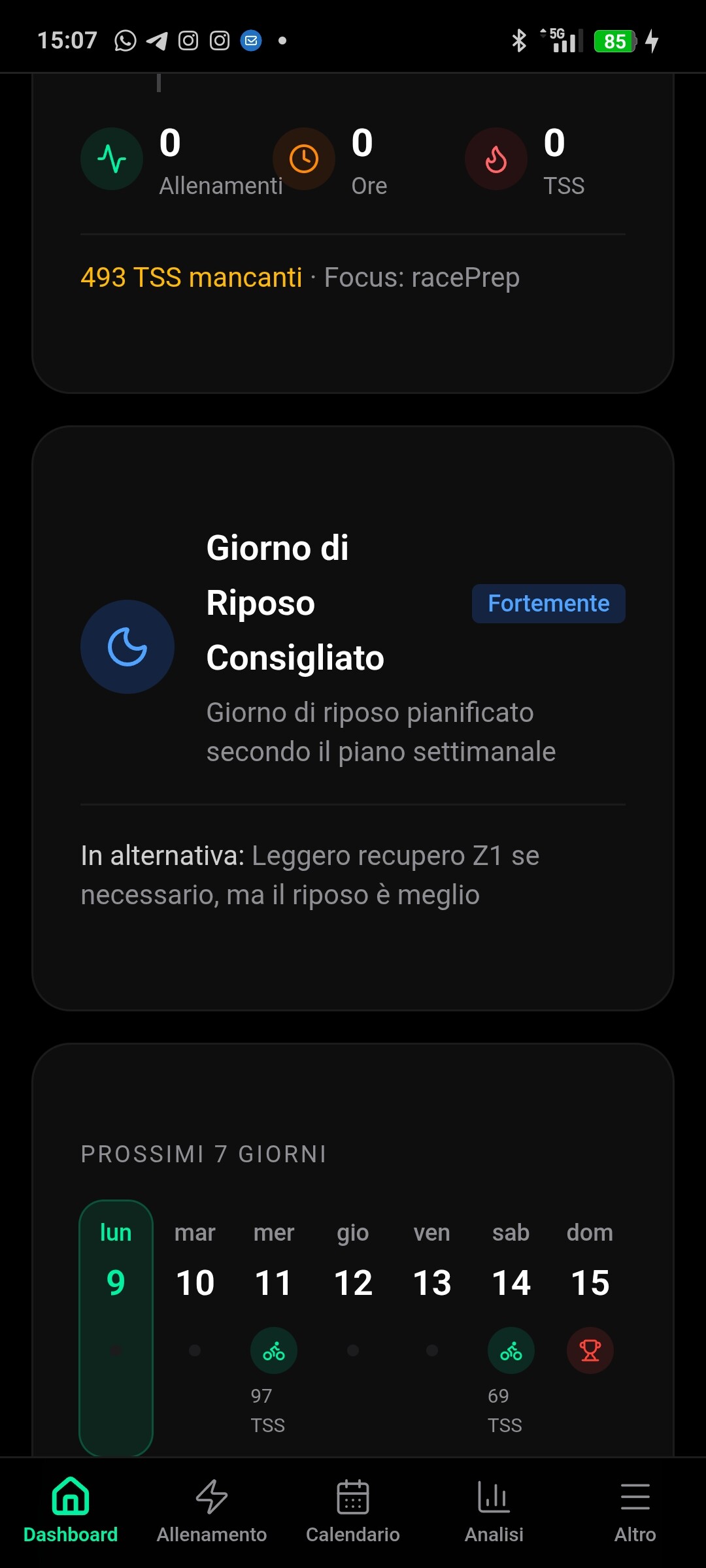
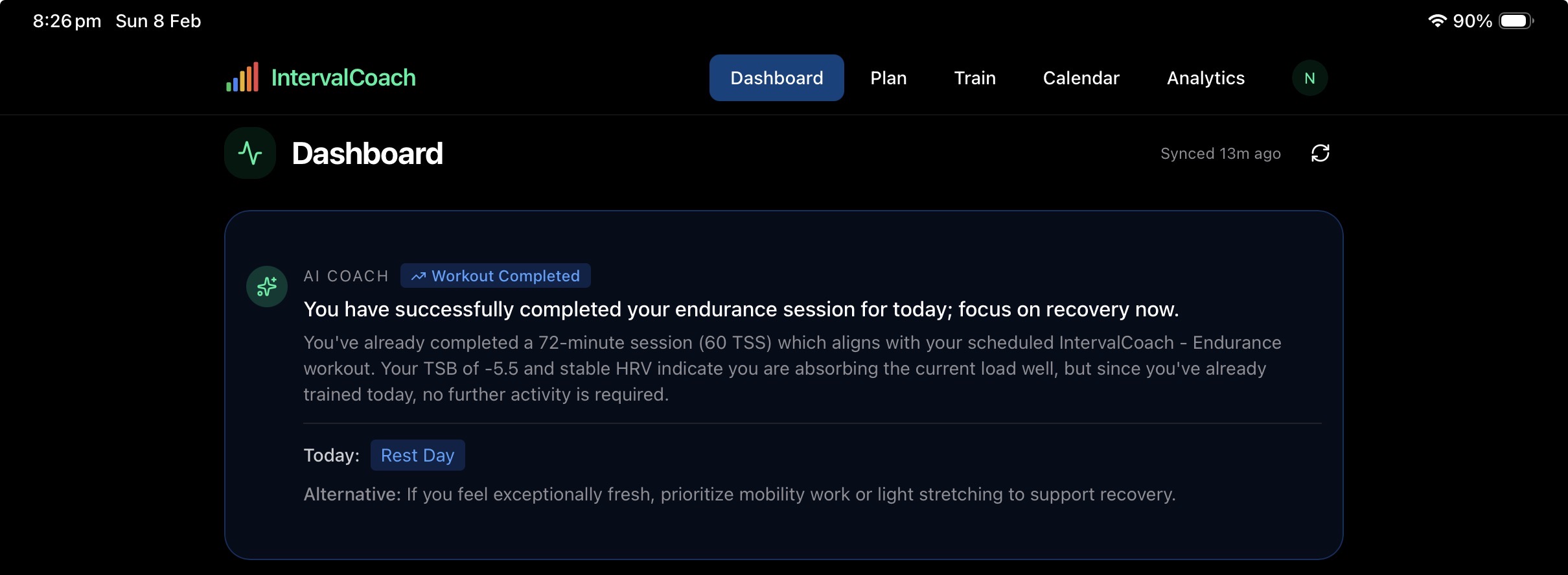
If I’ve competed today’s workout, why does it still show below as today, rest day ie. it shouldn’t be shown?

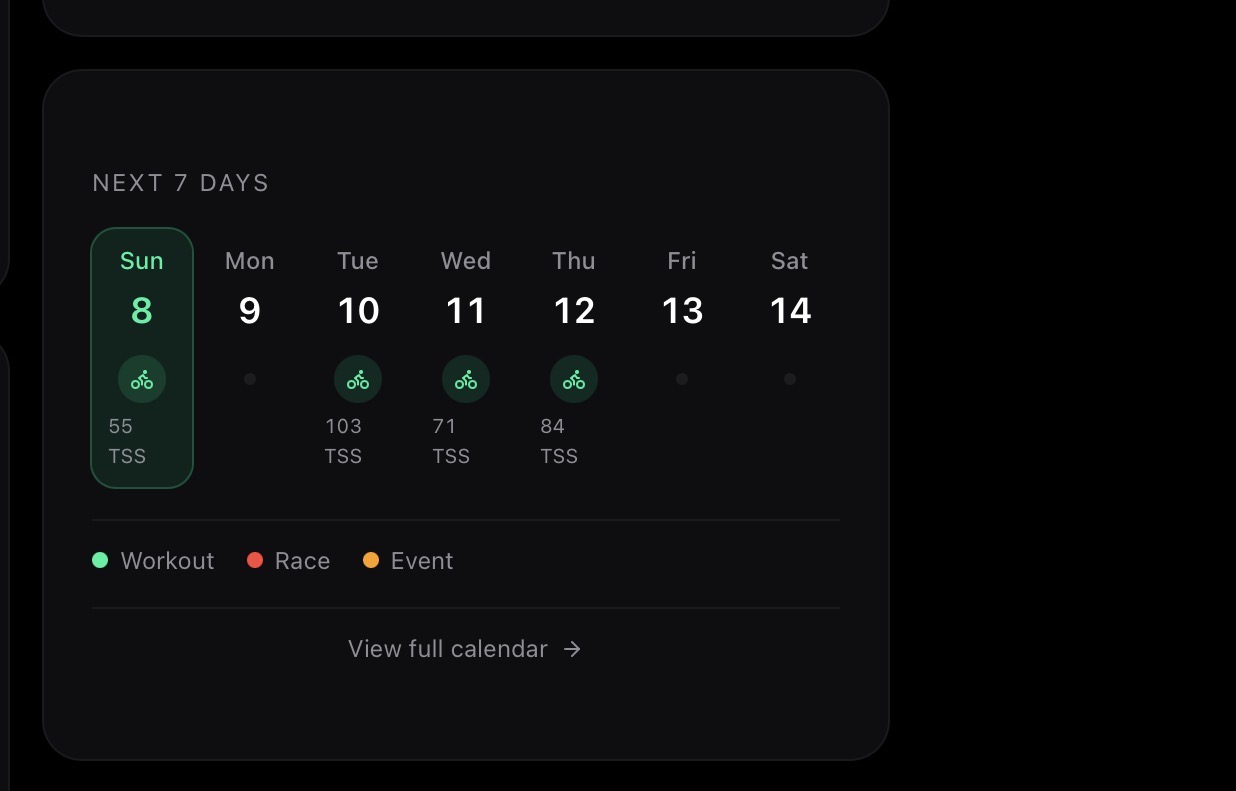
Should the next 7 days summary exclude “today”? Thinking from a user perspective, it should. Ie the next 7days after today

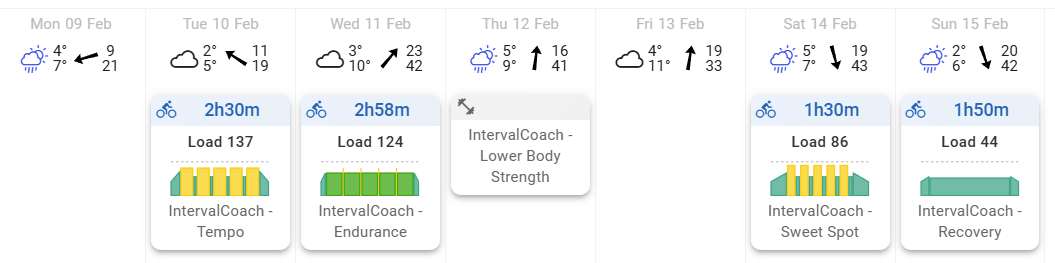
Hi, possible bug report again. For this week, I set 6 sessions for the week. MO, TU, WE cycling 2h, TH gym 1h30m, FR rest day, SA, SU cycling 2h. The output is this:


The cycling times are off by quite a lot from the set 2h. Also, perhaps add a slider to be able to set how many consecutive sessions you want to do before a rest day, I for example would want to do 3x cycling, 1x gym plan before doing a rest day. At the moment the default is 3 consecutive days I think?
Thanks!

I disagree. First day in the next 7 days should be the current day

There is a slider for weekly hours. Have you set that correctly?

I believe the total planned workout duration will not exceed that value


I attached some photos

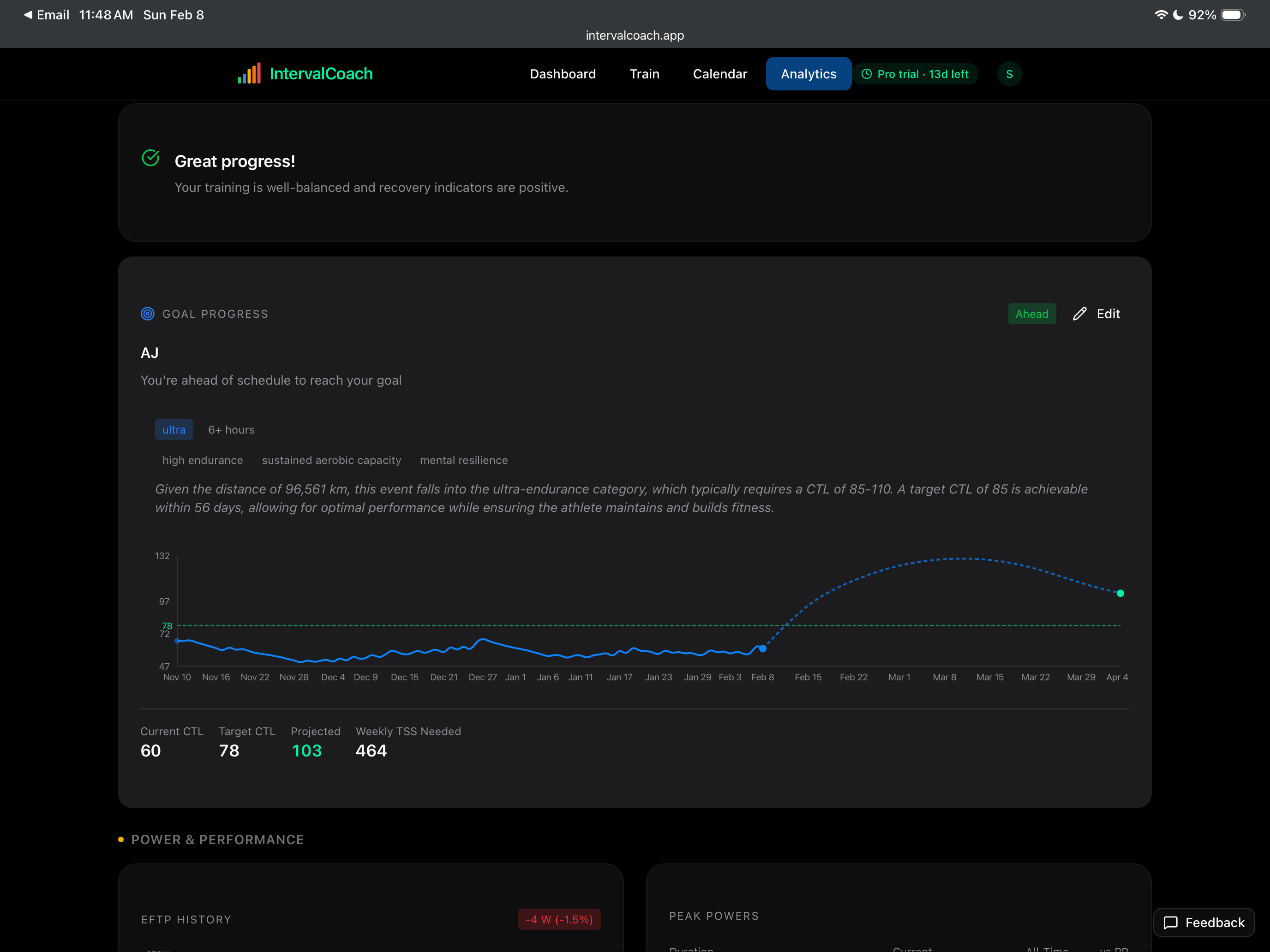
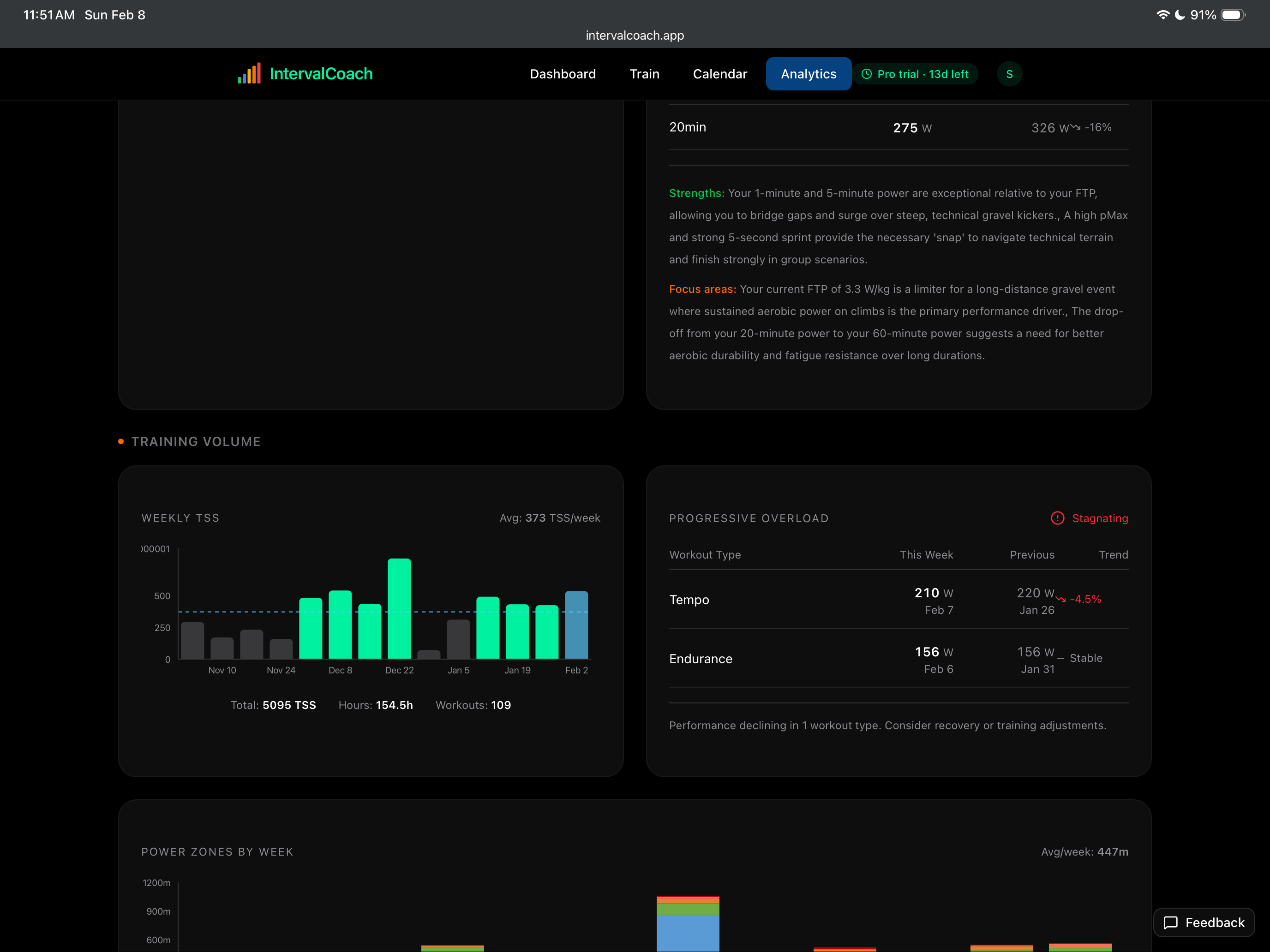
  1. Not sure how it calculating a 65% volume increase
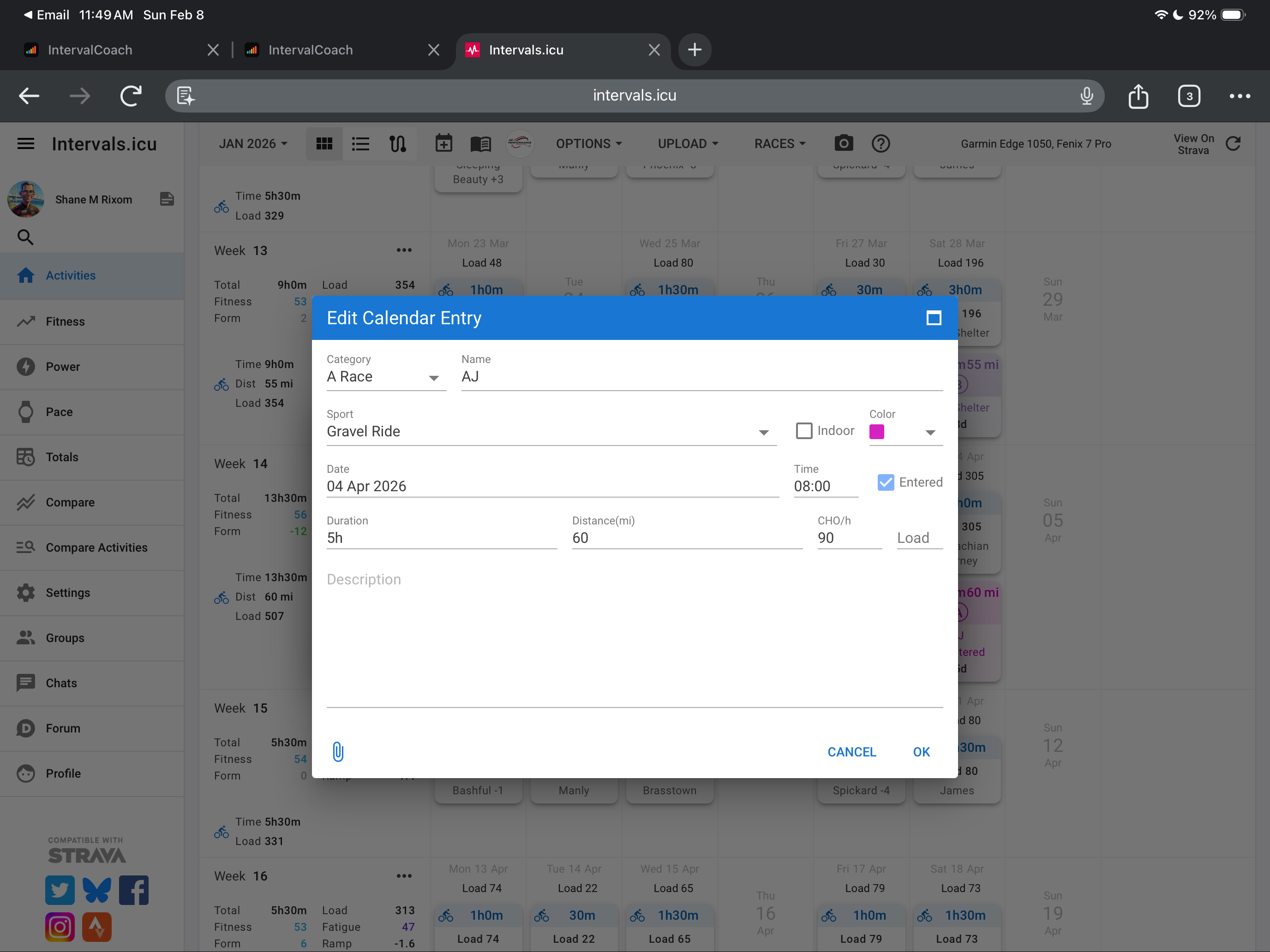
  2. Is the distance for my race just a formation issue?
  3. For Progressive Overload is shows that I am declining for Tempo, but it is comparing a 1 hour ride at 220 watts to over 4 hour ride at 210 watts. I am not sure I will classify that as a decline.

Overall, love the look, glad it work with my current plan and look forward to seeing improvements.

Hello,

I have a difference of ~30 watts between the 20’ FTP test on an uphill road and the ramp test on the home trainer. The interval ICU allows me to input both values; would it be possible to use them for training via an indoor/outdoor switch?

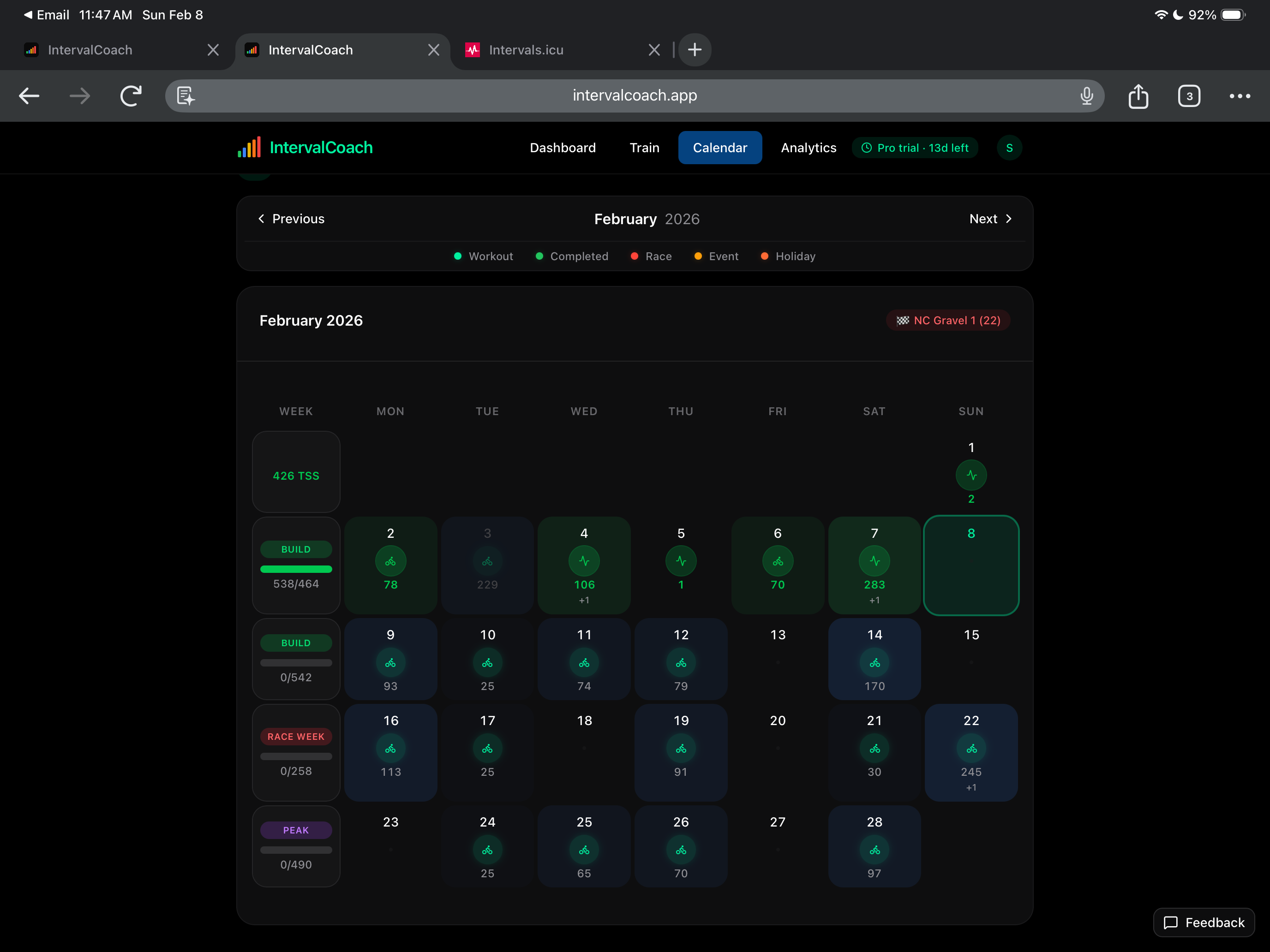
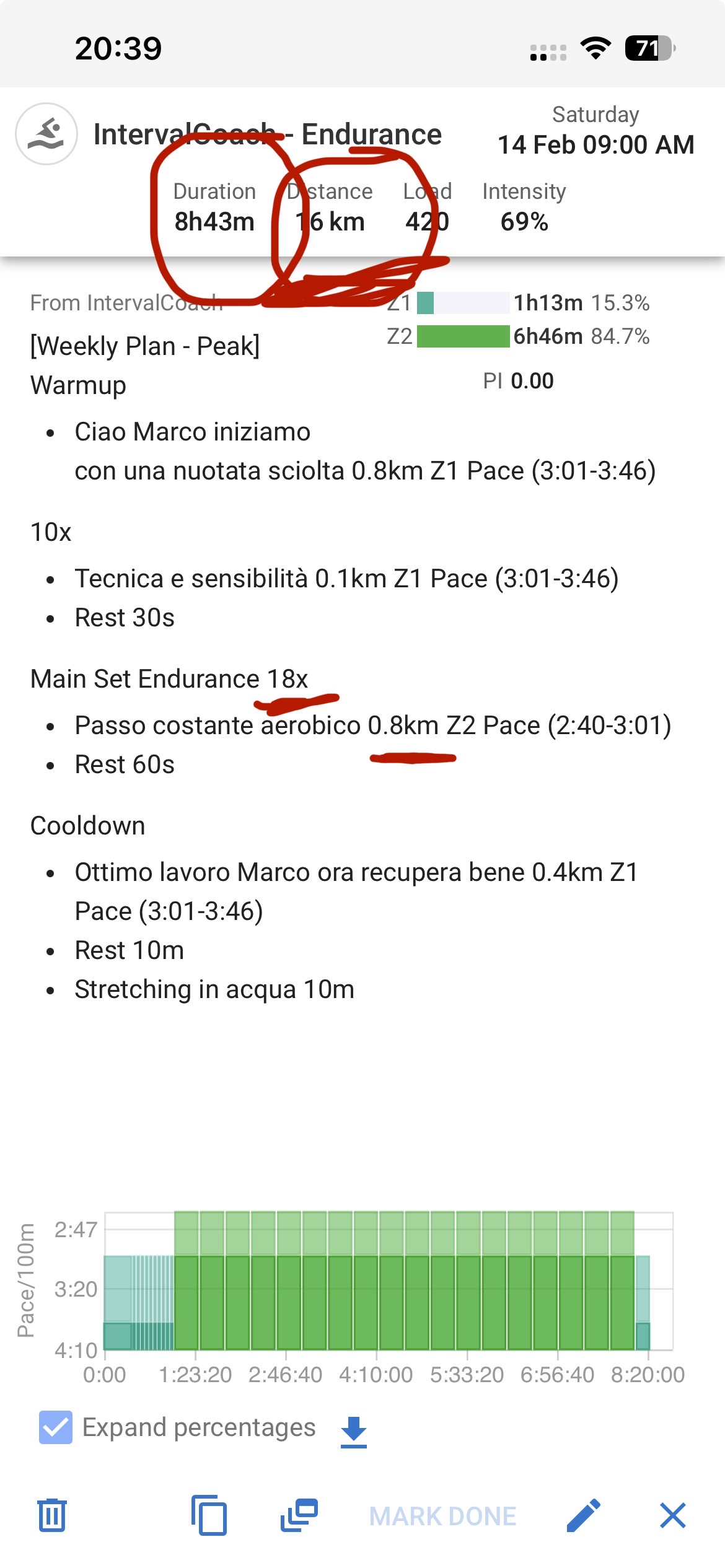
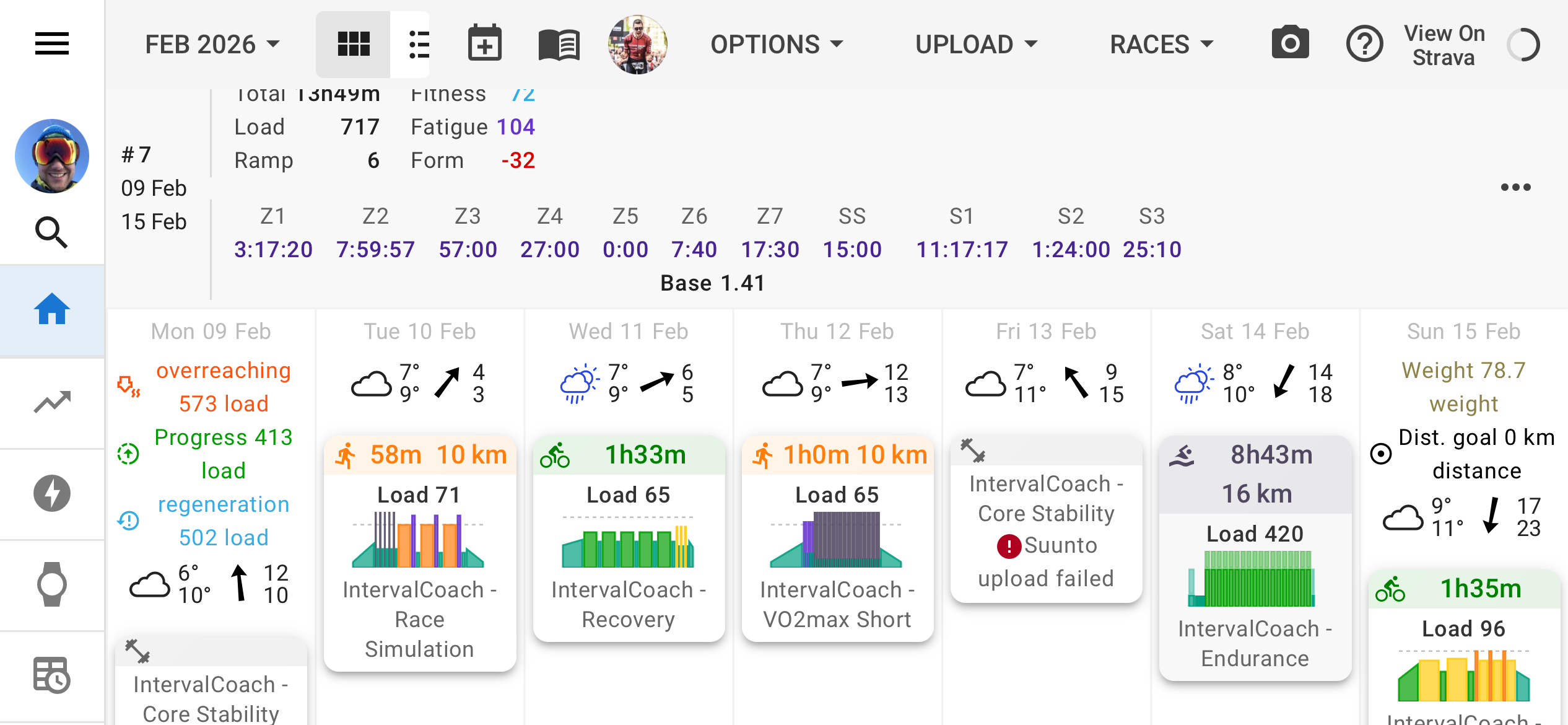
A new bug noticed: IC planned next week’s workouts, but the weekly plan looks off. On Monday and Friday, only core workouts are scheduled, while Saturday shows a monster swimming session (~430 TSS).

This is not a parsing issue: the system actually planned 18 × 800 m intervals.

Most likely, the AI stacked this massive swim on Saturday to reach the expected ~700 weekly TSS.
Additionally, by scheduling only core sessions on Monday and Friday, the planner was probably confused. I would have expected those days to include both core and an endurance workout, not core alone — which may have pushed the system to compensate by overloading Saturday.

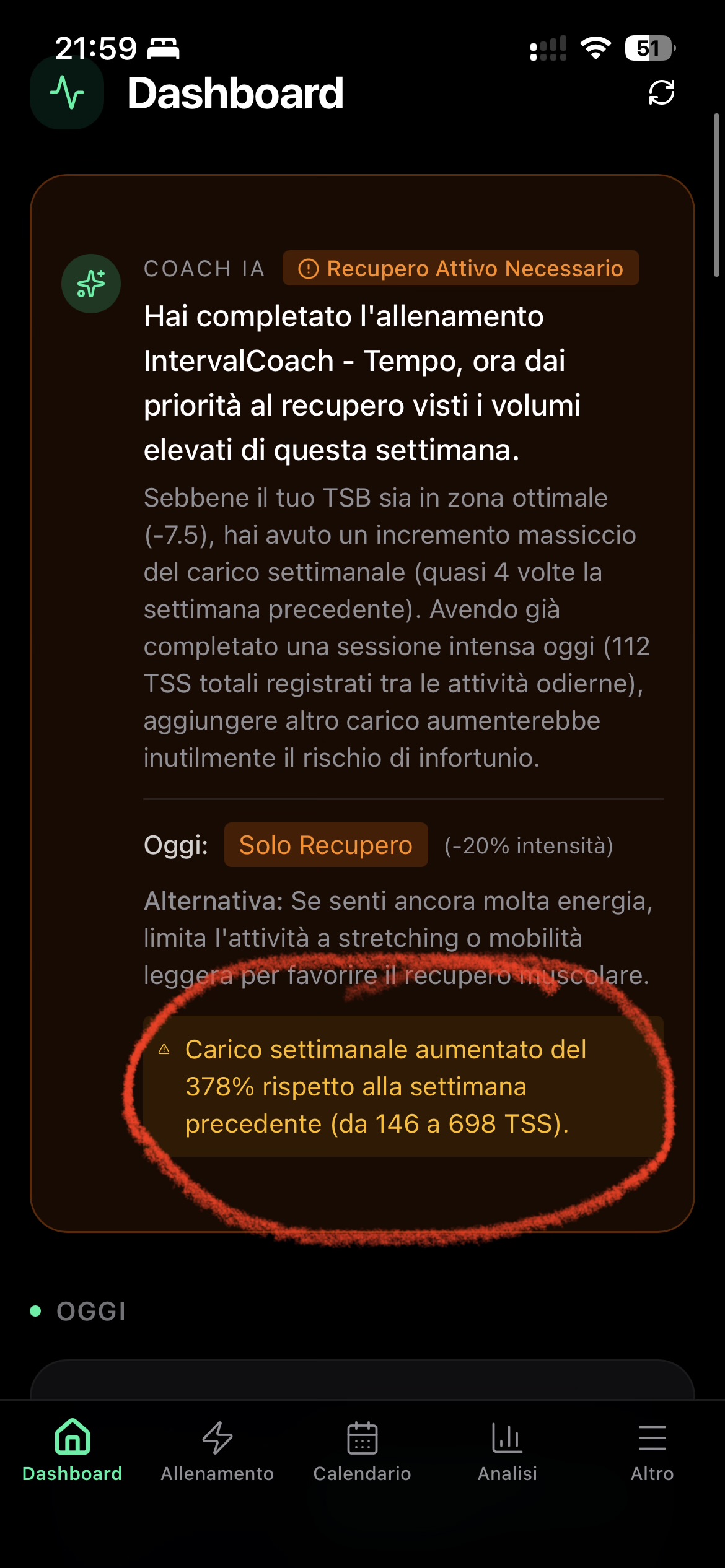
A final bug noted for today: the AI is reporting improper weekly TSS in the Dashboard AI check in. It reports:

  • 146 TSS compared to actual i.icu 396 TSS for the week ended Feb 1
  • 698 TSS compared to actual i.icu 510 TSS for the week ended today Feb 8

This resulted in an improper calculation of load ramp of 378%

How far in the past does IntervalCoach IA look back at your HRV to determine what is a “normal” range for you. I only have about a week of data entered as I have to do it manually. Would it be worthwhile to add more?

Hi Martijn
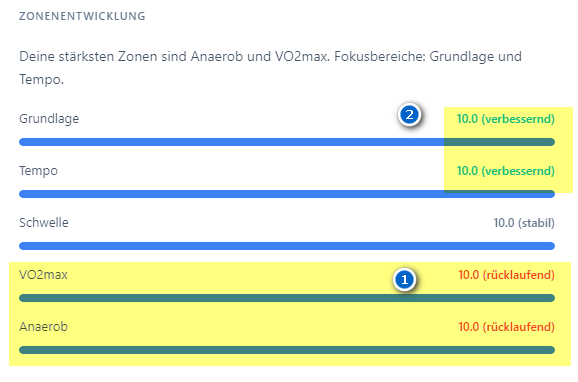
Week 6 Summary says that my strongest zones are 1) anaerobic and VO2max.
But on the other hand it says that these are declining. 2) Tempo and Base are improving.

Thanks for checking :wink:
Pius

just wanted to mention, that this issues still seems to be there in a new week.
So plan to-be-tss and and dashboard tss do not match.

What I could find this morning though was, that this morning in the Periodization Model Settings, system thought it was in week 3 of the currrent cyclce, even though it is already in week for.
I manually adjusted this, and then the training plan view pulled the right tss target, but not the dashboard view.

Yeah, mine is also showing that I am going to increase mine this week where in reality it is going down.

Ok! Ma riesci ad avere più sessioni nello stesso giorno? Tipo corsa nuoto?

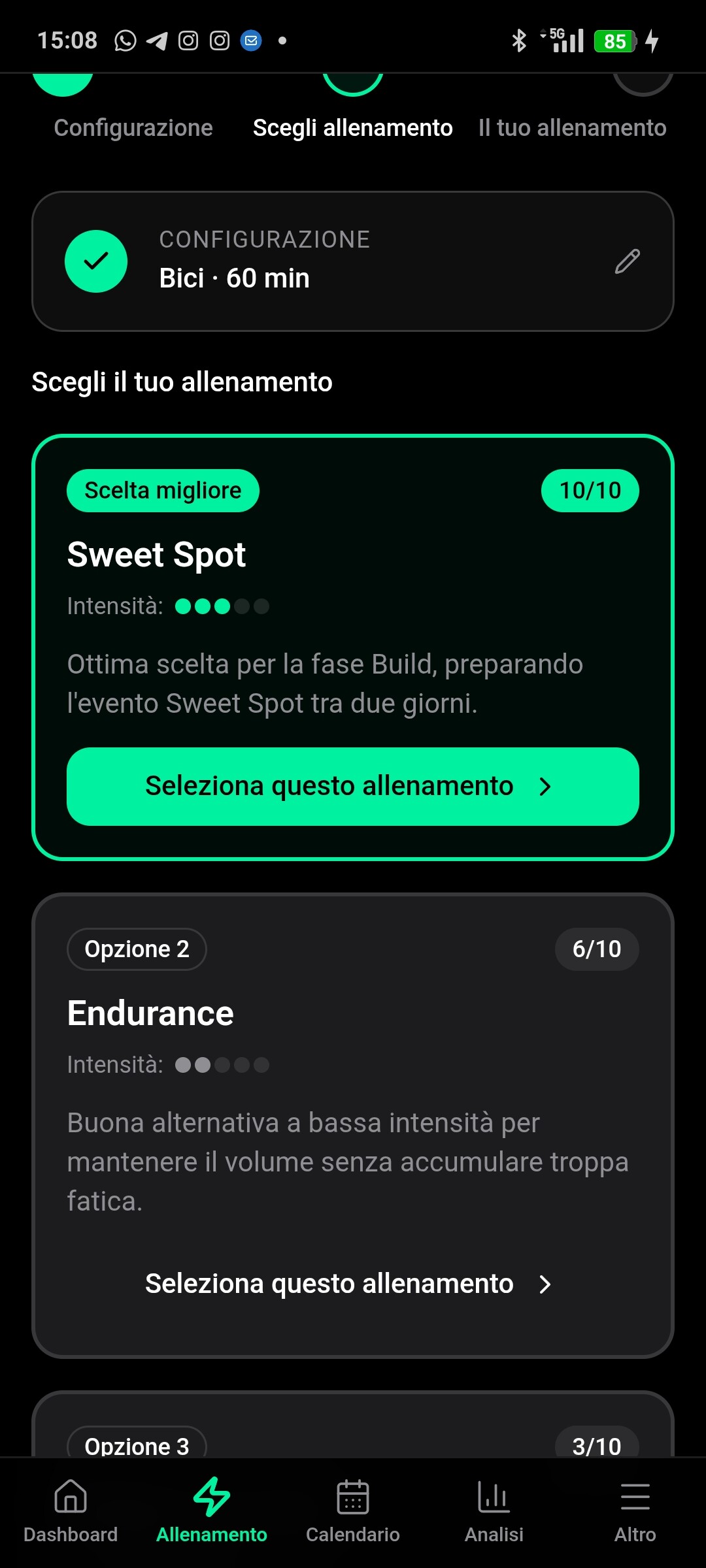
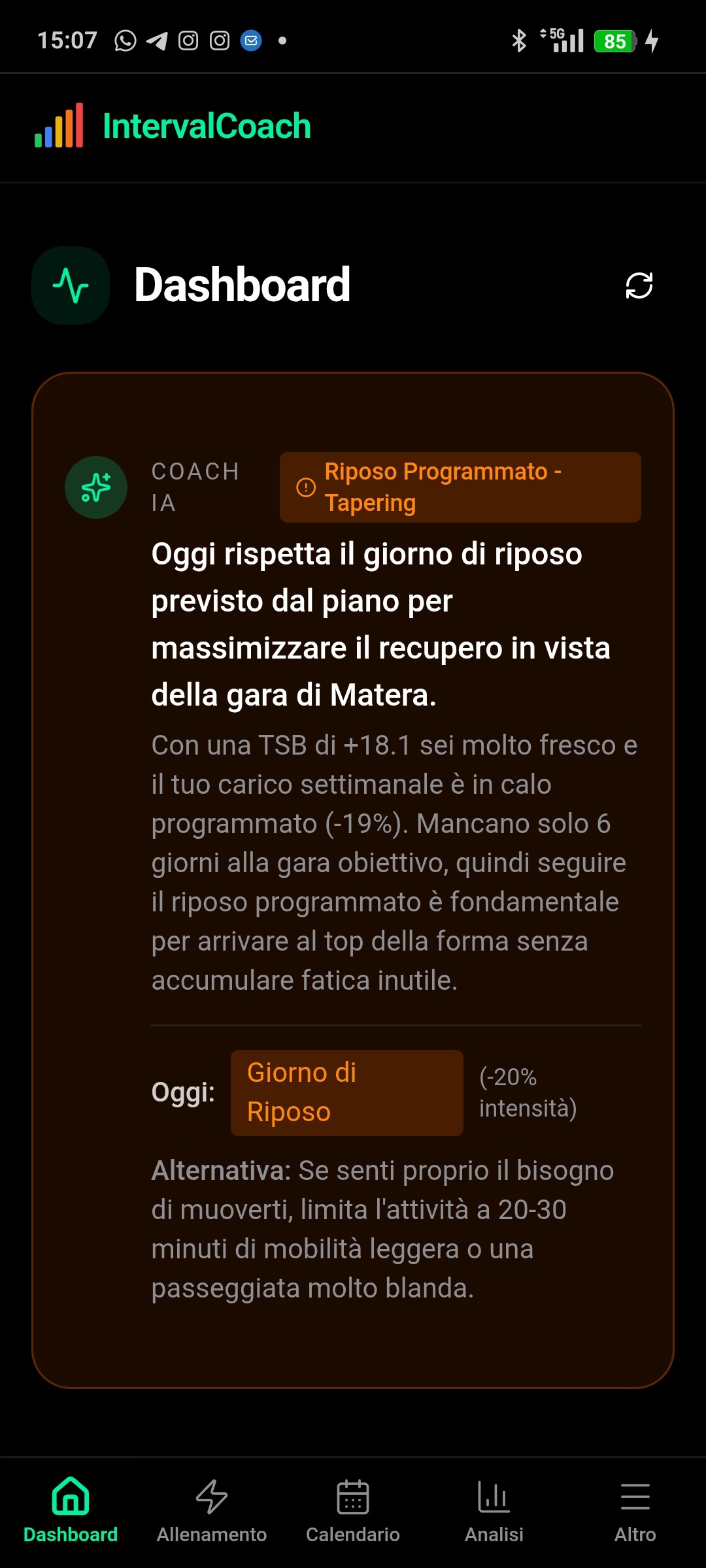
Im in Taper week.
Suggested recovery but if i can try to generate a Train , I’m being suggested a SWEETSPOT session indicating that they are in the build phase

sign me up