It’s really exiting to see all the pieces fall into place. Thanks for the great work.
Noticed something odd this morning on the dashboard page:
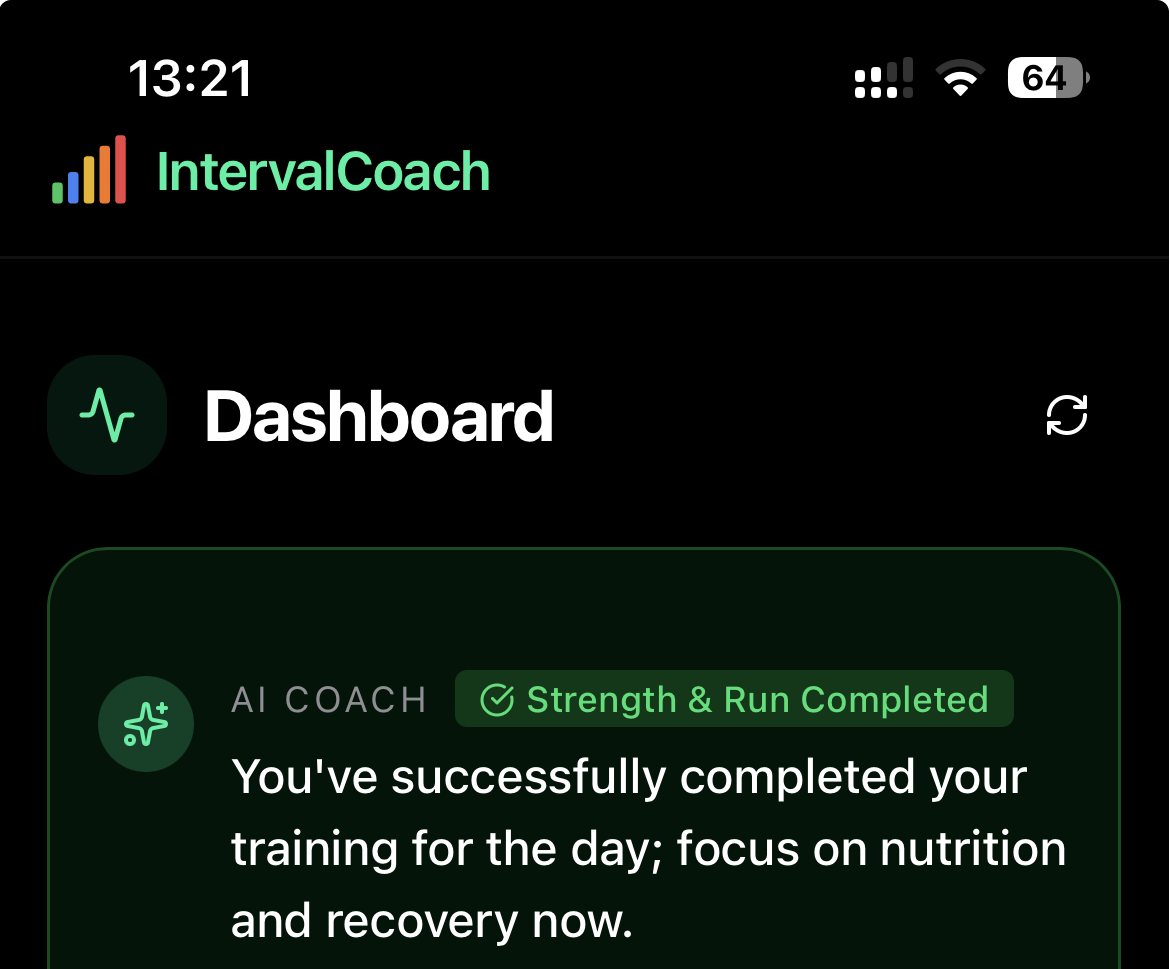
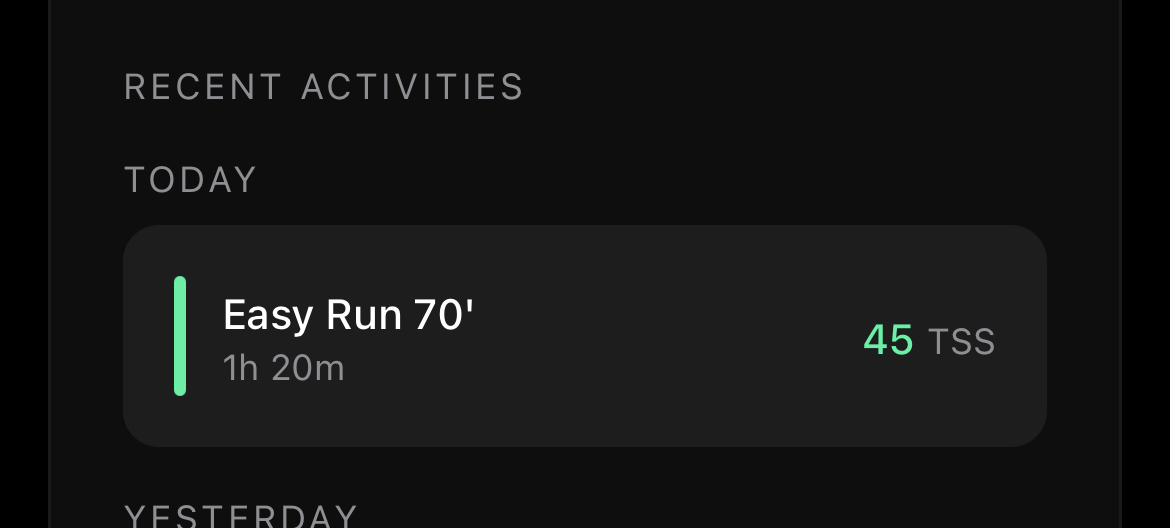
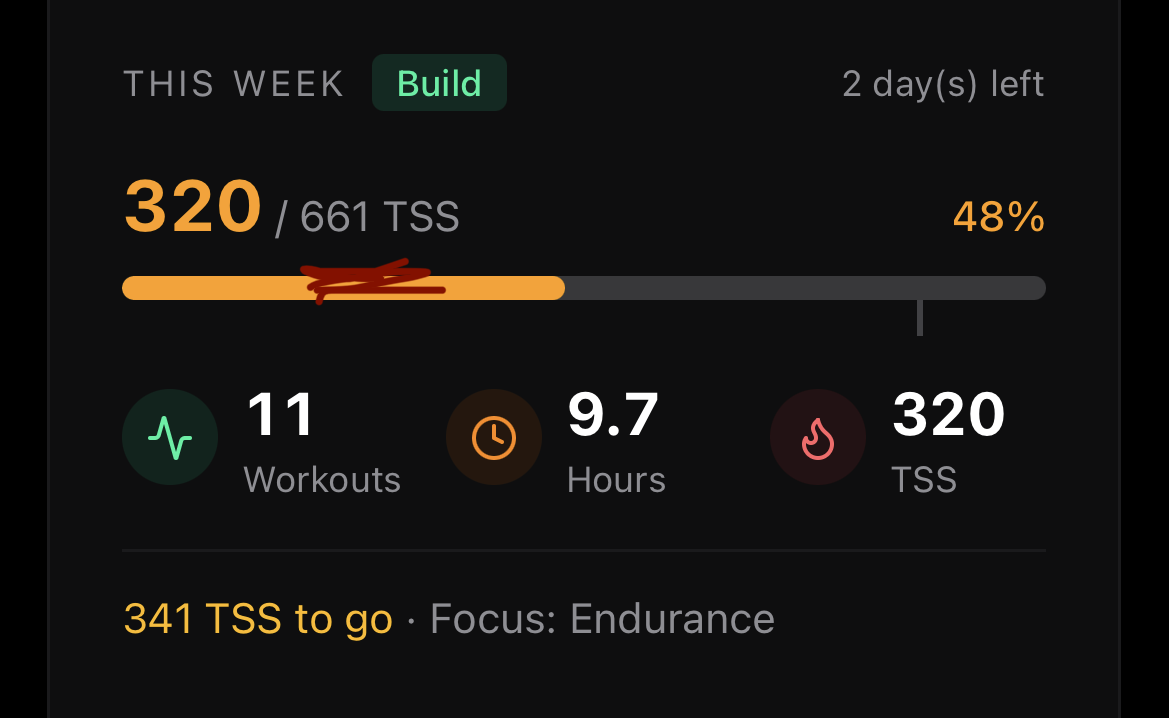
Summary shows all my sessions being done for today even though I just finished the running session so far.
Je n ai pas trouver l option pour décocher les entraînements planifiés
Je rentre d une sortie planifiée par IC , j ai effectué cette sortie le long d un fleuve, parcours très plat, mal grès cela il est très difficile de rester dans la plage watt prévue, car elle est très étroite. Solution : une plage plus large
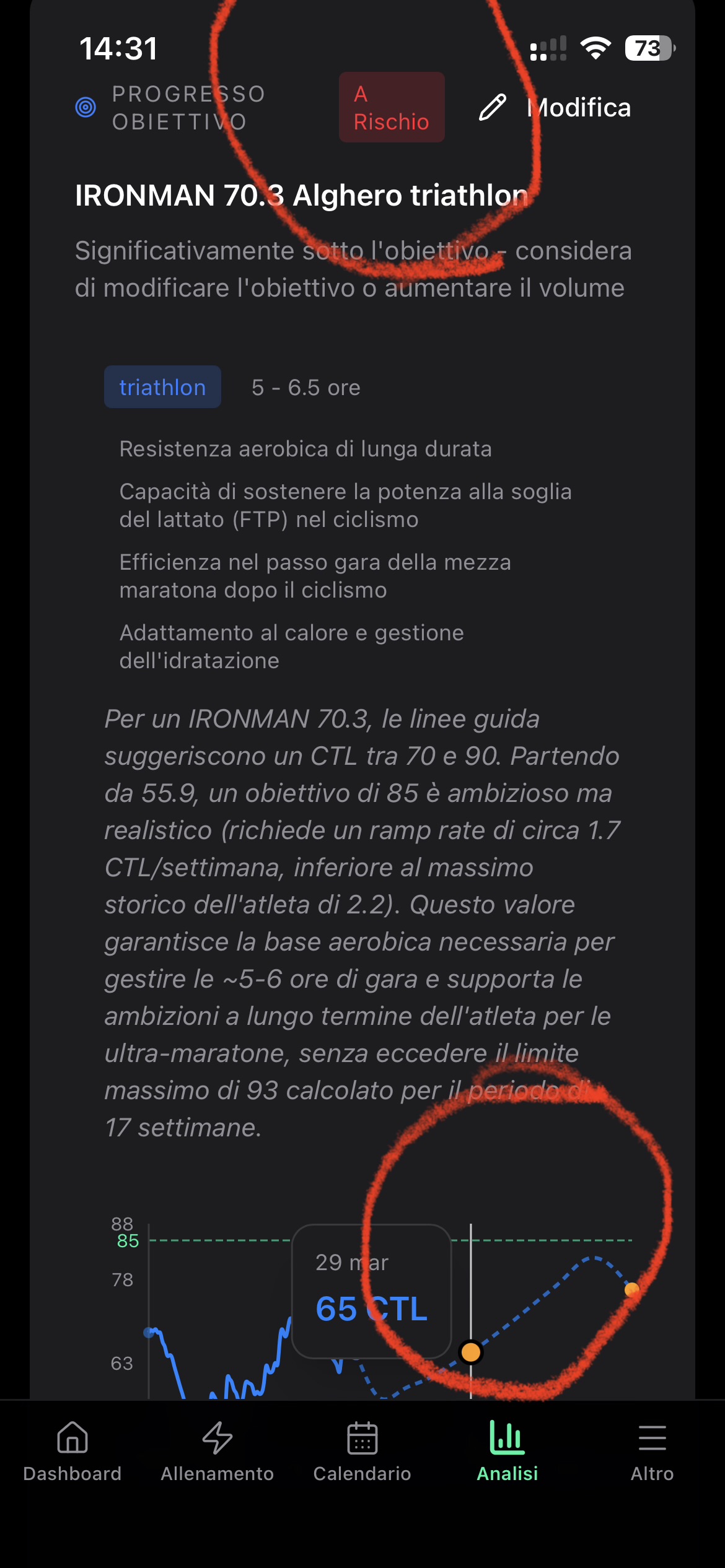
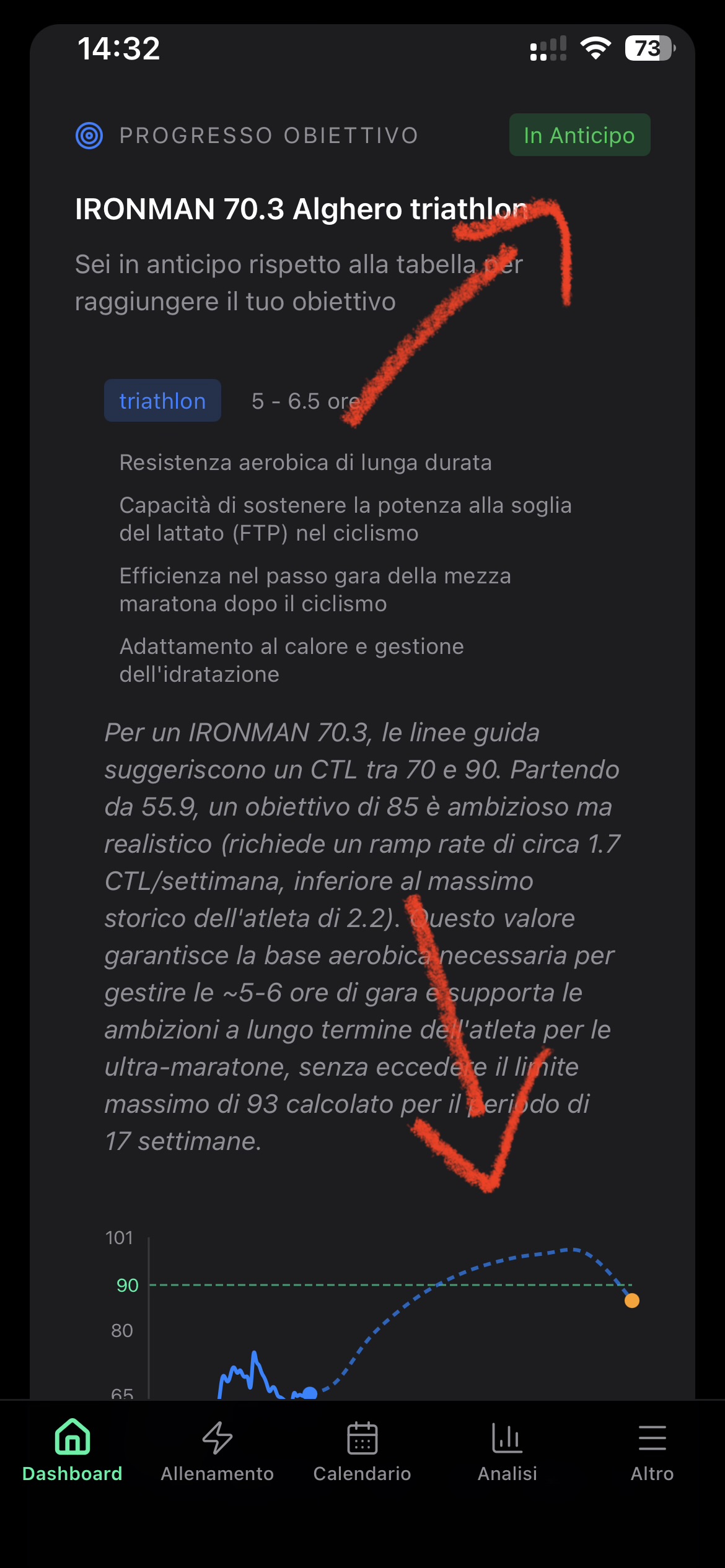
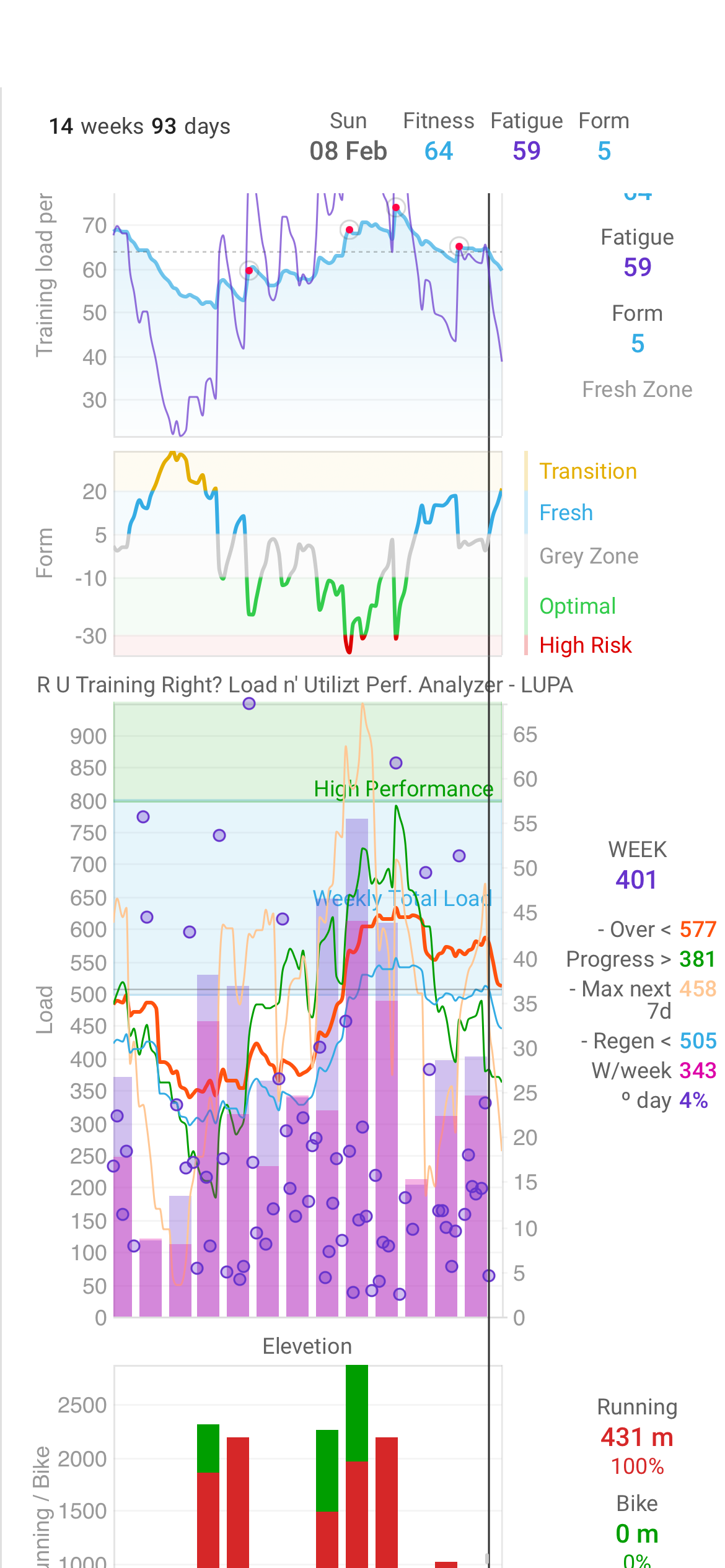
I spot an inconsistency between the Dashboard and the Analysis tabs in the visualization and considerations reported regarding the progress of the plan:
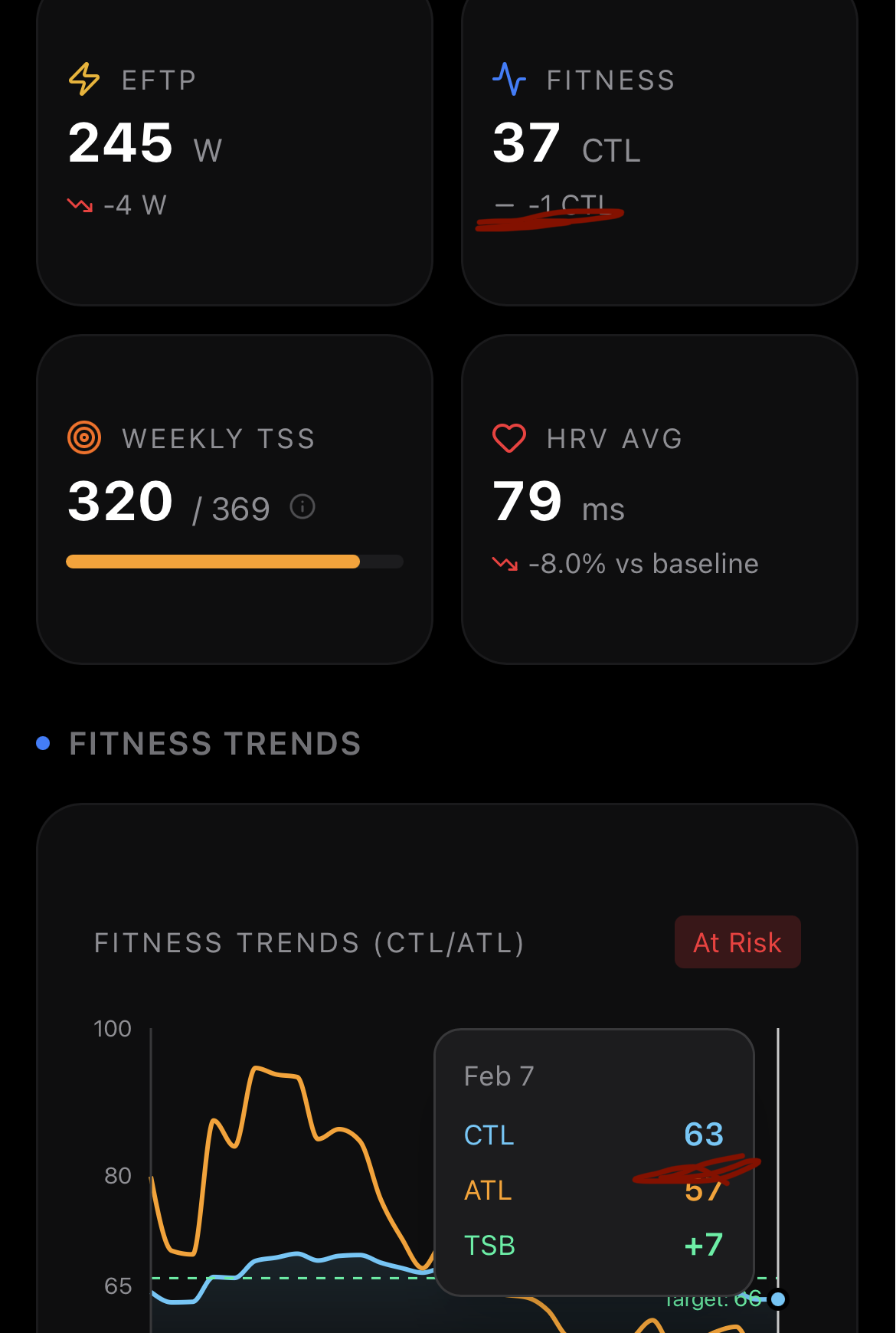
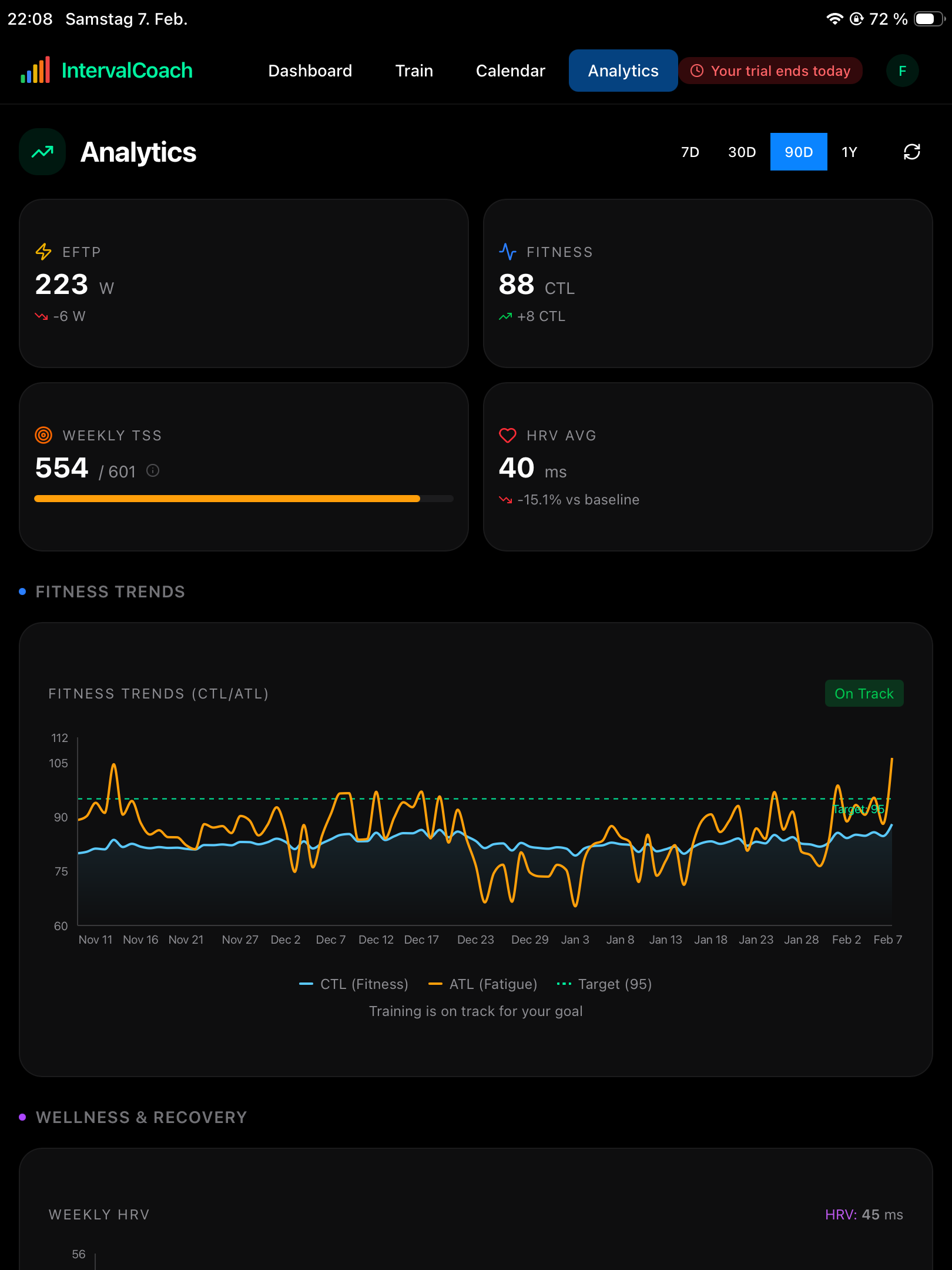
On the dashboard it gives me a form of -19, where intervals.icu gives me a form of 3. I guess that this is coming from the fact, that the dashboard calculates with a ctl of 37 as well, while analytics and Intervalls.icu show it it as 63/64.
Hi, thanks for your project.
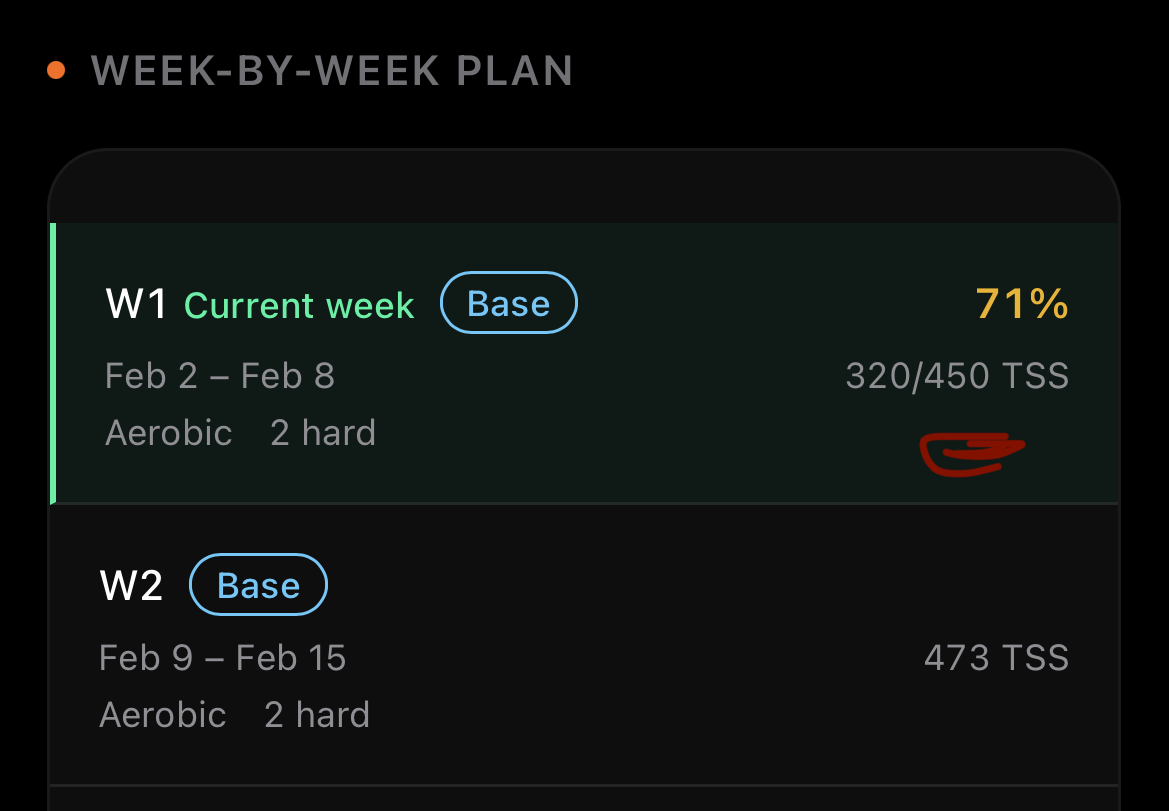
I have a question about the “regenerate plan” function. It seems to reset the periodization cycle, making the current week the first of a new “build phase” and moving the recovery week to week 4. This means if I’m two weeks into a plan, update my availability, and regenerate, I get a schedule with three additional intense weeks to go. I haven’t set a specific goal or event, if that matters.
Is there any way to avoid this, or am I misunderstanding how it works?
You’re right, that’s a bug. The AI Coach is marking all your sessions as done after you completed just the run, even though the strength session is still pending. It should only show “Run Completed” and let you know the strength session is still on the list. I’ve logged it and will get it fixed.
Thanks for the feedback, let me go through your points:
Removing planned workouts: There’s no toggle in IntervalCoach to uncheck individual workouts. To remove a planned workout, you can delete it directly from your Intervals.icu calendar. IntervalCoach will pick up the change automatically.
Power range too narrow: Good feedback. You’re right that even on flat terrain it’s hard to hold a very tight watt range outdoors. I’ve added this to my list to widen the target ranges in workouts, especially for outdoor rides.
Recovery time (Garmin 42h vs IntervalCoach 24h): These use completely different algorithms. Garmin uses your device’s sensors (HR variability, training load) with its own recovery model. IntervalCoach estimates recovery based on the workout’s TSS, your current fatigue (TSB), and the type of stimulus. Neither is “wrong,” they just measure differently. If in doubt, listen to your body and go with the more conservative estimate.
Done!
Great catch! You’re right — the Dashboard and Analytics pages are showing conflicting goal progress because they use slightly different calculations. The Analytics page uses your actual training history to estimate what’s achievable, while the Dashboard uses a more generic assumption that happens to be more optimistic.
The Analytics view is the accurate one. I’ve identified the bug and will fix the Dashboard to use the same calculation. Thanks for spotting this!
The FITNESS card (CTL 37) and the chart (CTL 63) are using different timezone handling. The chart correctly accounts for your local timezone, but the summary card defaults to UTC, which shifts the date window and pulls in a completely different set of activities. That wrong CTL then cascades into the Dashboard’s TSB/form calculation, which is why you’re seeing -19 instead of the +3 that Intervals.icu shows.
This is a straightforward fix on my end — I’ll get it deployed shortly. Thanks for the detailed report, especially connecting the dots between the card, the chart, and the Dashboard!
When you regenerate the plan, the periodization cycle does reset, so you end up starting a fresh build block instead of continuing from where you were. If you’re on week 2 of a 3:1 cycle, you should only have one more build week before recovery, but the regenerated plan gives you three. The cycle position is tracked internally, so the fix is to make the regeneration respect it rather than starting fresh. I’ve added this to my list.
After doing the free trial I upgraded to pro and I really enjoy what you have built here. Due to my work and travel, I can’t stick to a ridged plan and need something that can adapt to me. This fits the bill and has taken the guesswork out of what I should be doing.
I am however have one issue and I’m not sure if it’s a bug or an issue with how my data is being uploaded. For some reason it is tracking my fitness trends but is showing 0 TSS in my weekly volume. The training Gaps in the Analytics is having the same issue. For example, it says no long rides (2+ hours) recently but I did one last week.
Hi,
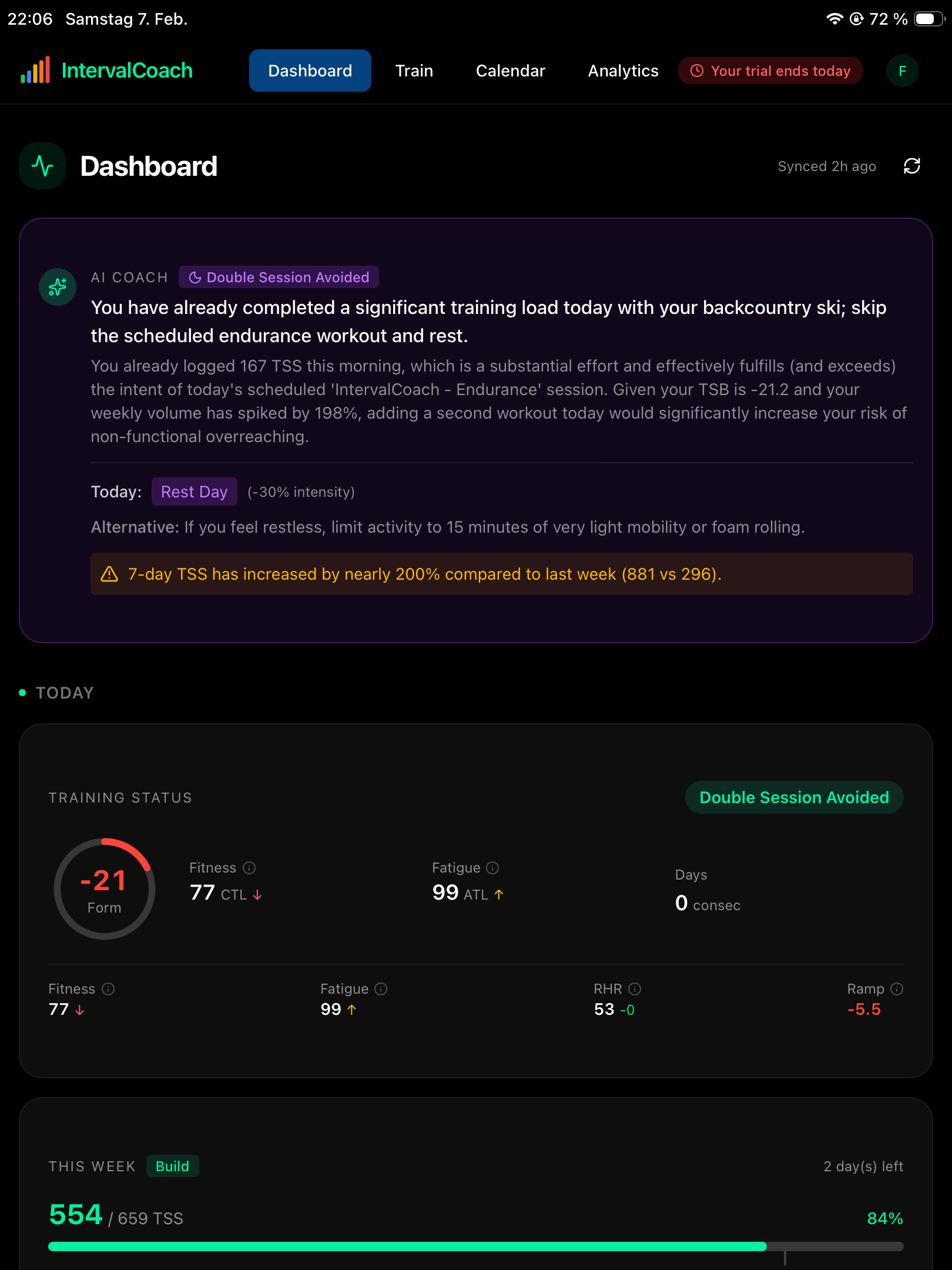
maybe there is an error in the Dashboard showing/calculating CTL/ATL/TSB. Yesterday, I had 85 CTL and 88 ATL. Today, I did an 167 TSS backcountry ski session, which was recognized by the AI coach and further rest was advised.
I did not assumed a drop in CTL/ATL, but the dashboard shows 77 CTL, which seems a bit surprising. Intervals.icu shows 88 CTL and 106, and so do the sections Fitness Trend and Goal Progress.
So AI Coach summary advise and Training Status in Dashboard seem somewhat giving wrong Information. Maybe you can have a look at this. Thank you!
Just pushed a fix for these. Wait a couple of minutes and try to hit the refresh button to see if that helps. There was some misalignment between the CTL in intervals and IC.
I’m assuming it’s still a work in progress? On the Analytics, get a small title now showing HRV and a tend, but the graphing under " WELLNESS & RECOVERY" is still missing?
Also, on the Dashboard page, how long does it take for recent “activities” to show? I just completed a workout on Zwift, was straight into intervals.icu, got the summary email from IntervalsCoach, BUT there is nothing under recent activities for it NOR on the calendar? Shouldn’t this occur straight away?
Here is my experience with the race today. After I finished a race I received the review emails saying great job, solid effort, well 5 of them counting each swim, bike, run and 2 transitions. Interestingly every email gave me a good review on the effort and it said that these are well executed before a race day tomorrow. A few things here:
a race day was today - thinking maybe AI is running on some US server and it was still yesterday there, but it is today here in Australia. So I would never be able to match a race with a review email?
Also regarding the feedback given, assuming these are pre-race workouts - why AI can’t call it stupid executing race effort, race time workout a day before a race? Wouldn’t a coach call it that, rather than trying to put positive spin on everything..
Hope my feedback helps and looking forward seeing more of your great work
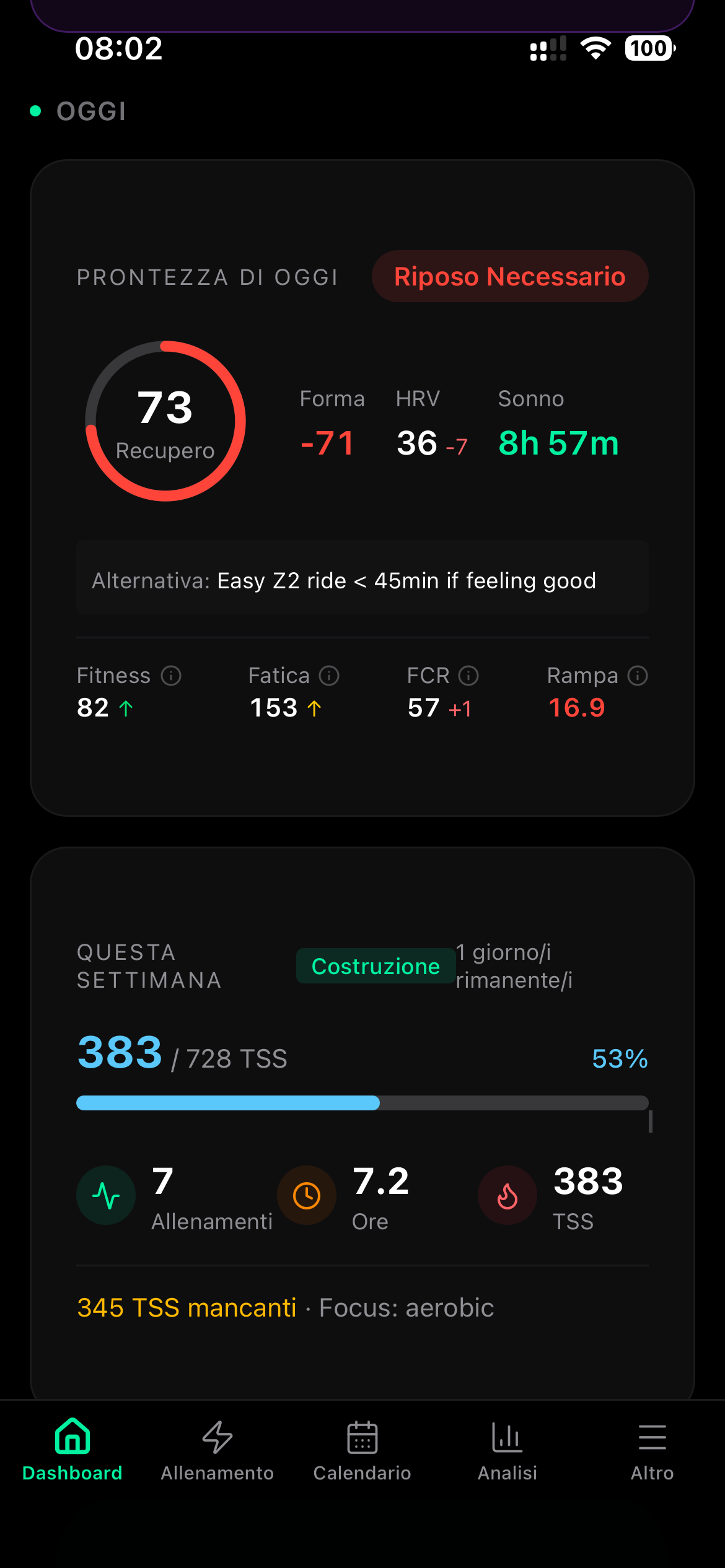
I noted a significant inconsistency between the Form in intervals (5) and in IC (-71) resulting in improper training suggestion!
Can you take a look?
Thanks!
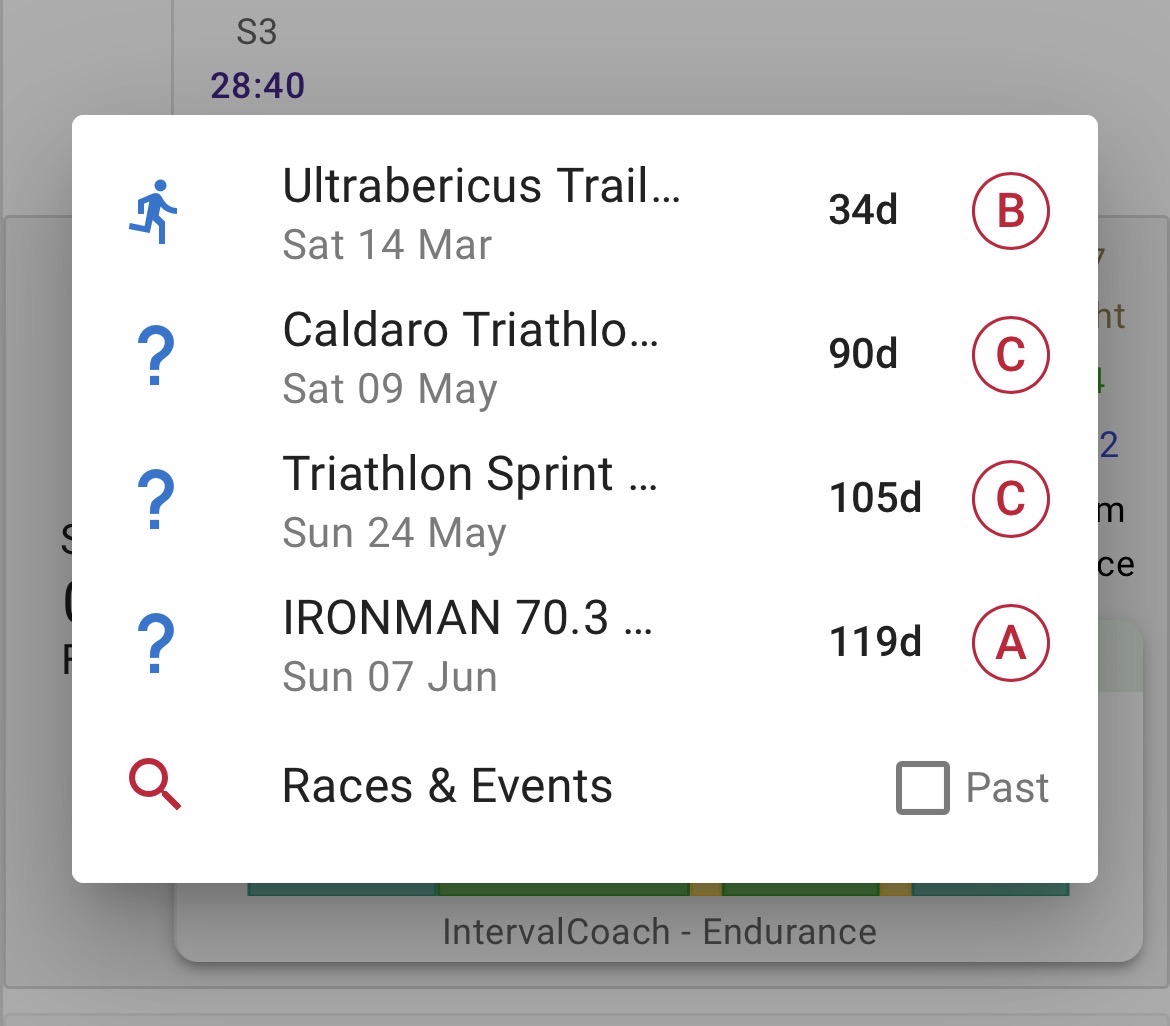
Per pianificare una gara di multi sport su i.icu devi scegliere “Altro”: la crei e poi la aggiungi al tuo calendario. Se nelle note indichi elementi rilevanti, ad esempio i metri di dislivello positivo della sessione di bici o trail, l’AI delle varie piattaforme, lo riconoscono!