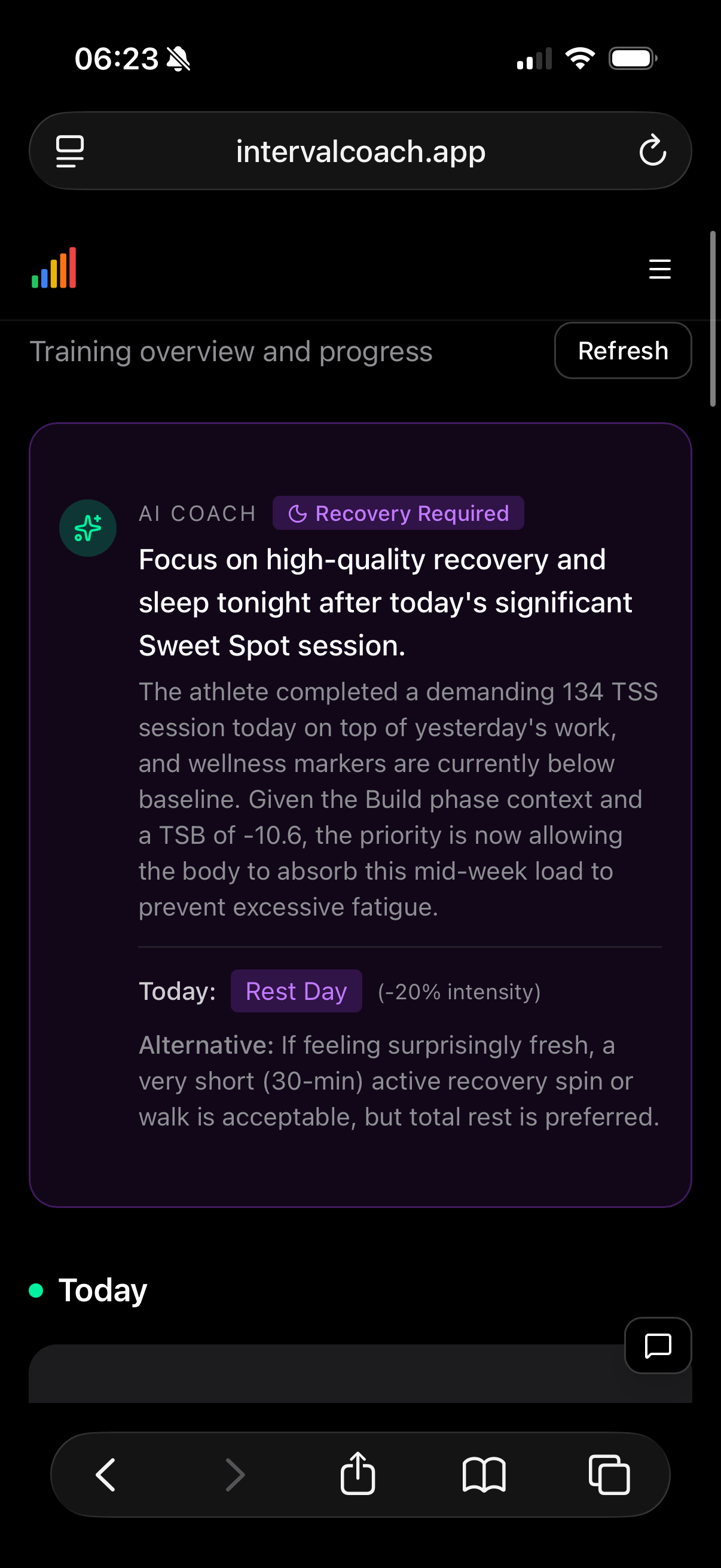
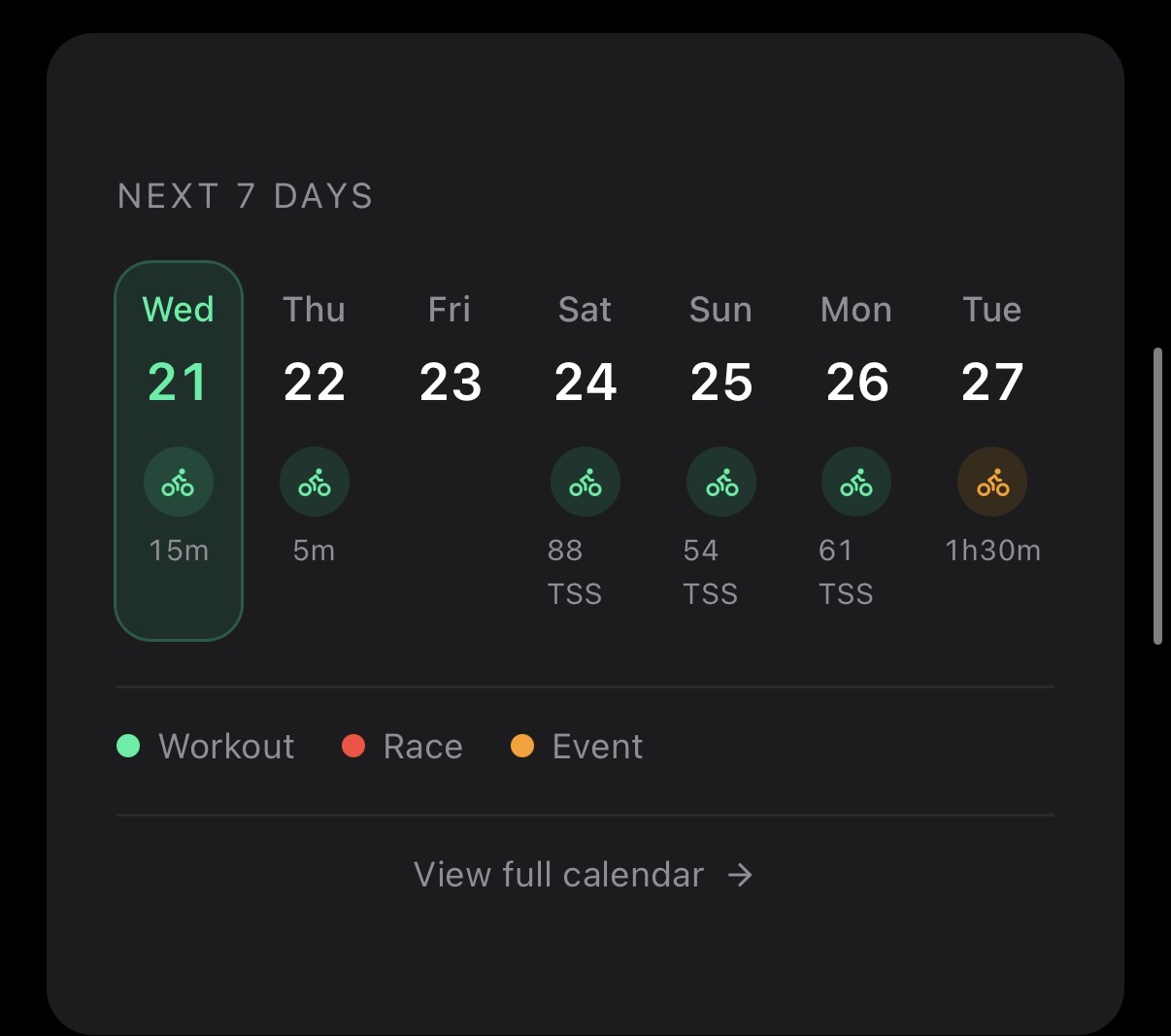
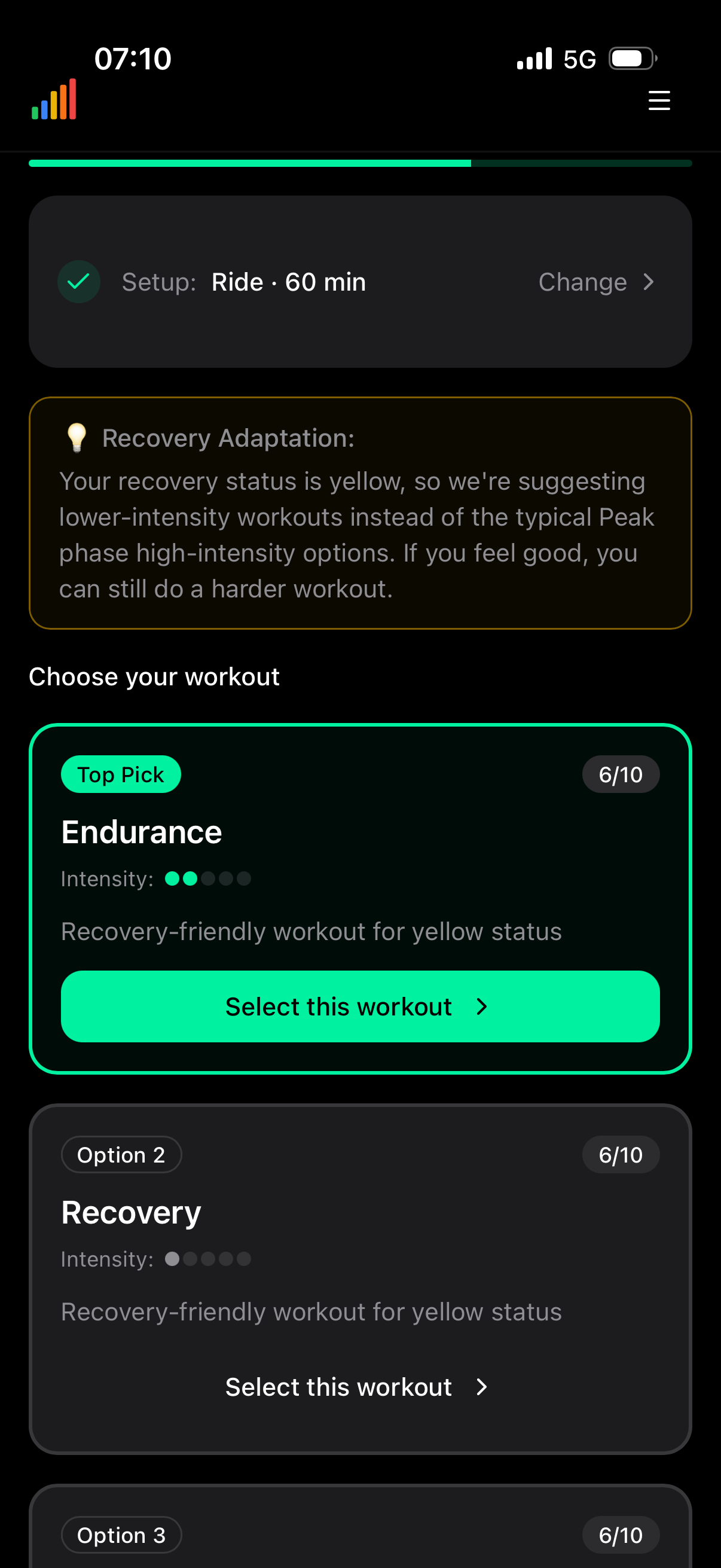
Hi, more syntax error on the intervals side, this time with run:
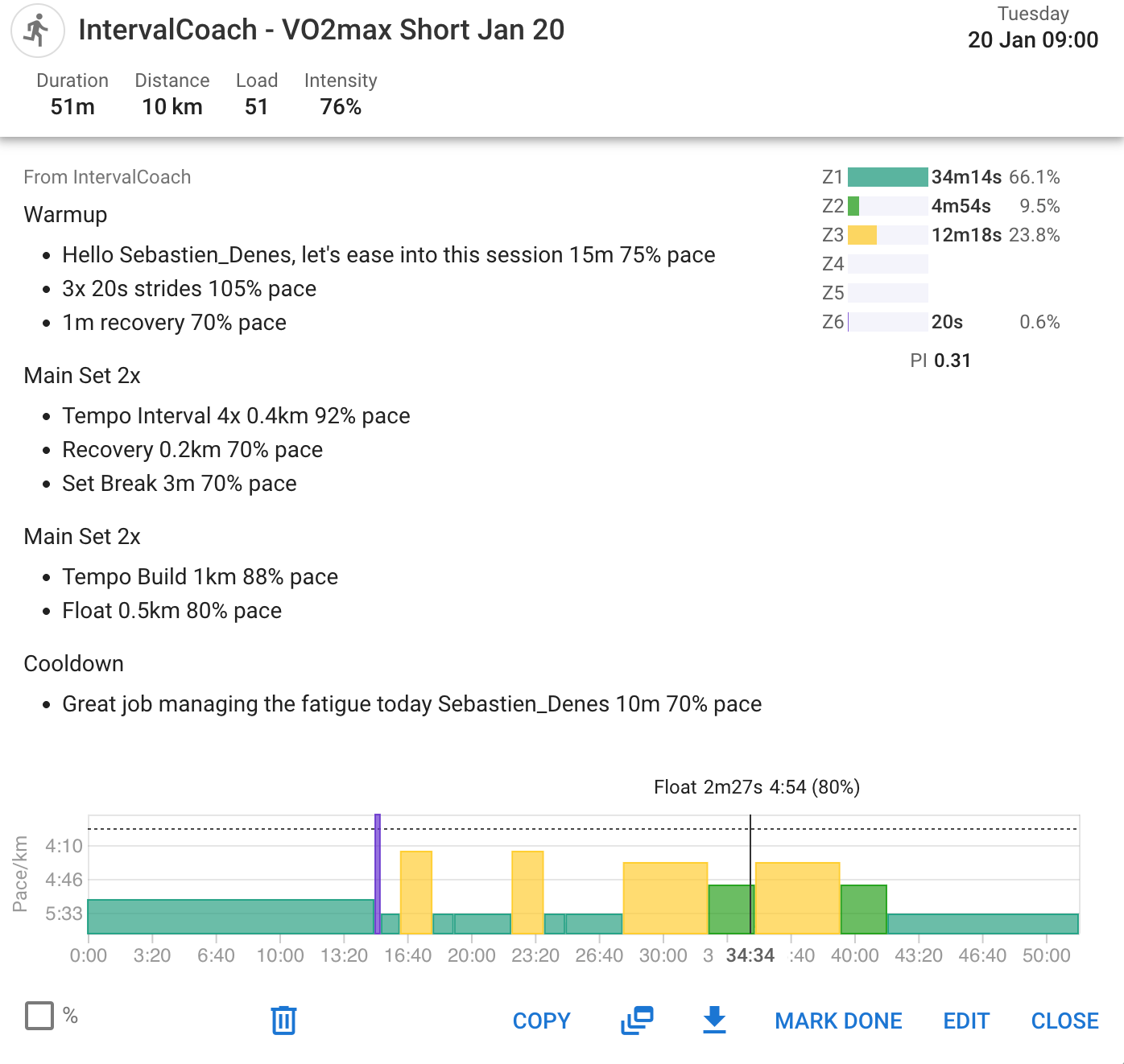
this is how it should look like:
I have now generated my first workout with ‘TrainNow’, sent it to intervals.icu and run it with auuki.com. Everything worked perfectly.
Under ‘TrainNow’, I have the option of creating a workout immediately.
Would it be good if you could also create the entire weekly plan using the menu?
Or do I have to wait until it is created on Sunday?
I’ve added a generate weekly plan option in the settings earlier today. I’ll consider if we want to make it more visible, but the idea is that the planning should be mostly automated.
Looking into this, will push a fix shortly.
@Sebastien_Denes Fixed interval workout structure so repeats sync correctly to Intervals.icu (nested sets like 2x4x now work properly)
I am an ultra runner. I tried the app today and it seems promising. It is very easy to understand the training load and the intended stimuli. For running, it still needs a few adjustments here and there, but the price and the layout are very encouraging.
I would also like to be able to choose training targets for road running and trail running (for example, heart rate or pace), and for the app to give me an estimate of my pace aFTP.
Thanks @BentoGalado, feel free to ping me directly (via forum or email) if you want to discuss improvements and feedback.
It seems the AI does not use the time zone selected for emails for the whole website.
It’s currently 0620 21/01/2026 but my calendar still says it’s 20/01/26 and that I’ve already completed the day’s workout (from yesterday).
Similar here. It’s Tuesday 8PM here in Central Time, yet coach (in app, not in email) talks about Thursdays workout happening tomorrow.
I just discovered this while on a work trip so it will be a few days before I can test out any of the recommended workouts. You only mentioned Whoop integration but my Oura ring data loaded in. I had a horrible night sleep last night and the AI recognized that and recommended a rest day. I have started to add in my upcoming races and looking forward to following the plan. Awesome app you have created!
@Duppie @dabsy I’ve rolled out several fixes for timezone-related issues that were causing incorrect behavior for users outside Europe:
What was fixed:
If you notice any other places where dates or times seem off based on your timezone, please let us know here. Screenshots showing the incorrect behavior vs. what you expected are super helpful.
Thanks for the reports that helped us track these down!
Thanks so much for sharing this, great to hear the AI caught your poor sleep and adapted accordingly!
You’re right that it works with Oura (and Garmin, Apple Watch, Polar, etc.) Any wearable that syncs wellness data to Intervals.icu will automatically be used by the AI. I just updated the FAQ to make this clearer since it was mainly mentioning Whoop before.
The direct Whoop integration is a Pro feature for real-time data (your daily email triggers the moment your recovery score is ready), but for most users the Intervals.icu sync works great.
Enjoy your trip, and good luck with the upcoming races, the AI will adjust your training as the events approach!
The reset Calendar button does not work, i.e. does not reset the calendar when you change training model, duration.
Is this the reset in the settings? I fixed a bug earlier today that didn’t reset the caching on the calendar if you clicked refresh, curious if that fixed it for you as well.
Hi Martijn!
Excellent job on the app. I signed up for the trial and really like it. It’s helped me learn about HRV and how my sleep score and HRV combo infom my readiness to workout. I have used TrainerRoad and other apps before that have a calendar and inform about which workouts to use and this one is one step better. I like how it evaluates my sleep score and HRV to tell me if I should rest or what type of workout I should do.
I think because I selected my A & B races like 6 months out, it says I am in a base phase of building my endurance…but I want to zwift and crush some races:)
What I did today though was opt out of the TdZ short race and will instead do the longer route and ‘try’ to stay in my endurance/tempo zone.
Long note to say, so far I really love it. This is what I was looking for - intrepet my health data and my latest zwift/training efforts and tell me what to do. This eliminates my self-coaching guessing. Couple things I am thinking about…(fellow product owner in tech)
Running support is here! 
Excited to share that the first running features are now live!
You can now track your running fitness with a Critical Speed progression chart in Analytics, plus a Best Efforts table showing your recent 42-day bests vs season PRs for distances from 400m to 5K. There’s also a new pace preference setting where you can choose between adaptive Critical Speed or manual threshold pace from Intervals.icu. And the AI coach now provides running-specific CTL guidelines for races from 5K to ultras.
This is just the beginning. More running features are on the way. Let me know what you think!
Thank you so much for the detailed feedback - this is exactly what I love to hear! It’s great that the app is helping you understand how your sleep and HRV connect to your training readiness.
You’ve hit on something interesting with the base phase vs wanting to crush TdZ races. The app is thinking long-term about your A/B events 6 months out, but you’re right that you don’t want to miss out on racing fun now. A few options:
On your feature ideas:
Really appreciate you taking the time to write this up. Enjoy crushing TdZ (in your endurance zones  )!
)!
Martijn
Tried it out today, looks promising, here are a few thoughts I have:
I will likely come up with some more stuff over the next few weeks and will post here accordingly 
Still having some time zone issues, although the website is showing my upcoming workout today correctly, the training overview is still talking about yesterday’s workout as if it happened today.
And the calendar still shows it being Wednesday despite it being 0630 Thursday.