@Everyday_Normal_Guy , I still seem to have the issue I mentioned above. It’s hit-and-miss if I can export the data after a measurement. In which case I need to close the app. re-open and then I can export.
Hello,
can someone help me!
I get this message and don’t know where and how I can see the data from HRV4 Training.
Thanks !!
Hi all,
I guess I had forgotten about the Dropbox functionality, so I created an R script that will merge data from the HRV4Training export into the Intervals.icu wellness export which can then be re-uploaded. The mapping is as follows.
- HRV4Training Recovery Points → Intervals.icu Readiness
- HRV4Training Training Motivation → Intervals.icu Motivation
- HRV4Training Sleep Time → Intervals.icu Sleep Time
- HRV4Training Sleep Quality → Intervals.icu Sleep Quality
- HRV4Training Mental Energy → Intervals.icu Mood
- HRV4Training Muscle Soreness → Intervals.icu Soreness
- HRV4Training Fatigue → Intervals.icu Fatigue
- HRV4Training Current Lifestyle → Intervals.icu Stress
- HRV4Training Physical Condition → Intervals.icu Sickness
Some of the scales are reversed – either because the metrics are inversely related or because Intervals reversed the order (1-4). The HRV4Training fields also have to be converted as they are scored 1-10 and Intervals.icu uses 1-4.
I have the code set up so it only replaces empty values in the wellness file with HRV4Training data. Like many, I use HealthFit to upload a lot of metrics, and in some cases this data is superior, i.e., HRV4Training’s sleep data doesn’t include naps.
There is a “last_upload” variable at the beginning of the script that will allow you to limit how much data you send back up to Intervals. Of course, you would need to run the R script in a directory with the two csv’s (wellness.csv and hrv.csv). I’d recommend starting with recent dates to make sure it’s working for you. I just uploaded several years and it appears to have worked.
Please let me know if you find any errors. Thanks!
library(tidyverse)
library(janitor)
library(lubridate)

last_upload <- date("2025-03-23")

wellness <- read_csv("wellness.csv")
hrv <- read_csv("hrv.csv")

hrv <- hrv %>% mutate(
  new_date = date(date)
) %>% select(
  new_date,
  sleep_time,
  HR_lying,
  rMSSD_lying,
  HRV4T_Recovery_Points,
  sleep_quality,
  mental_energy,
  trainingMotivation,
  current_lifestyle,
  physical_condition,
  muscle_soreness,
  fatigue,
)

translate <- function(col) {
  col <- as.numeric(col)
}

scaled <- function(col) {
  col = case_when(
    col <= 2.5 ~ 1,
    col > 2.5 & col <= 5 ~ 2,
    col > 5 & col <= 7.5 ~ 3,
    col > 7.5 & col <= 10 ~ 4,
    .default = NA
  )
}

rev_scaled <- function(col) {
  col = case_when(
    col <= 2.5 ~ 4,
    col > 2.5 & col <= 5 ~ 3,
    col > 5 & col <= 7.5 ~ 2,
    col > 7.5 & col <= 10 ~ 1,
    .default = NA
  )
}

hrv[3:12] <- lapply(hrv[3:12],translate)
hrv[11:12] <- lapply(hrv[11:12],scaled)
hrv[6:10] <- lapply(hrv[6:10],rev_scaled)

hrv$sleep_time <- as.numeric(hms(hrv$sleep_time))
hrv$sleep_time[hrv$sleep_time == 0] <- NA
hrv$sleep_time[hrv$sleep_time > 50400] <- NA


wellness$restingHR[is.na(wellness$restingHR)] <- round(as.numeric(hrv$HR_lying[match(wellness$date, hrv$new_date)]),0)
wellness$hrv[is.na(wellness$hrv)] <- hrv$rMSSD_lying[match(wellness$date, hrv$new_date)]
wellness$readiness[is.na(wellness$readiness)] <- hrv$HRV4T_Recovery_Points[match(wellness$date, hrv$new_date)]
wellness$motivation[is.na(wellness$motivation)] <- hrv$trainingMotivation[match(wellness$date, hrv$new_date)]
wellness$sleepSecs[is.na(wellness$sleepSecs)] <- hrv$sleep_time[match(wellness$date, hrv$new_date)]
wellness$sleepQuality[is.na(wellness$sleepQuality)] <- hrv$sleep_quality[match(wellness$date, hrv$new_date)]
wellness$mood[is.na(wellness$mood)] <- hrv$mental_energy[match(wellness$date, hrv$new_date)]
wellness$soreness[is.na(wellness$soreness)] <- hrv$muscle_soreness[match(wellness$date, hrv$new_date)]
wellness$fatigue[is.na(wellness$fatigue)] <- hrv$fatigue[match(wellness$date, hrv$new_date)]
wellness$stress[is.na(wellness$stress)] <- hrv$current_lifestyle[match(wellness$date, hrv$new_date)]
wellness$Sickness[is.na(wellness$Sickness)] <- hrv$physical_condition[match(wellness$date, hrv$new_date)]

wellness <- wellness %>% filter(
  date >= last_upload & date < now()
)


write_csv(wellness,"for_intervals.csv",na="")
1 Like
Yeah, I thought they fixed it but alas no.
also, Marco never replied to me.
It works for me, when i close the app, reopen it and go straight to the export to dropbox feature
Yesterday there was an update of “HRV4T” on GooglePlay to v3.8.5.
After this morning’s measurement, the option to export to … Dropbox.
After restoring the version ‘HRV4T v3.8.4’, the option to export to Dropbox ‘came back’.
Hmmm…in the FAQ section of the HRV4T platform also no longer mentions export to Dropbox.
I know , I know that the topic in this forum is about the issue of importing to ‘intervals.icu’, but we have a situation where data from HRV4T does not go to … Dropbox and users may be initially confused.
Well, the matter has been clarified 
I asked HRV4T support about this issue and here is what I was written back:
"hello Arthur,
Thank you for your message.
I confirm that the export will be maintained only via email in the future.
Thank you and all the best"
I confirm, same reply received from the developer…dropbox export deleted
Thats unfortunate, tx for the update. More than 800 Intervals.icu users are using this feature.
Marco has prev stated that if he had to re-start, he won’t do any export.
Support issues.
Yes integrations certainly generate support issues  But they also make the platform more valuable to users.
2 Likes
Using this method , you can export directly from hrv4t to dropbox using dropbox alias email
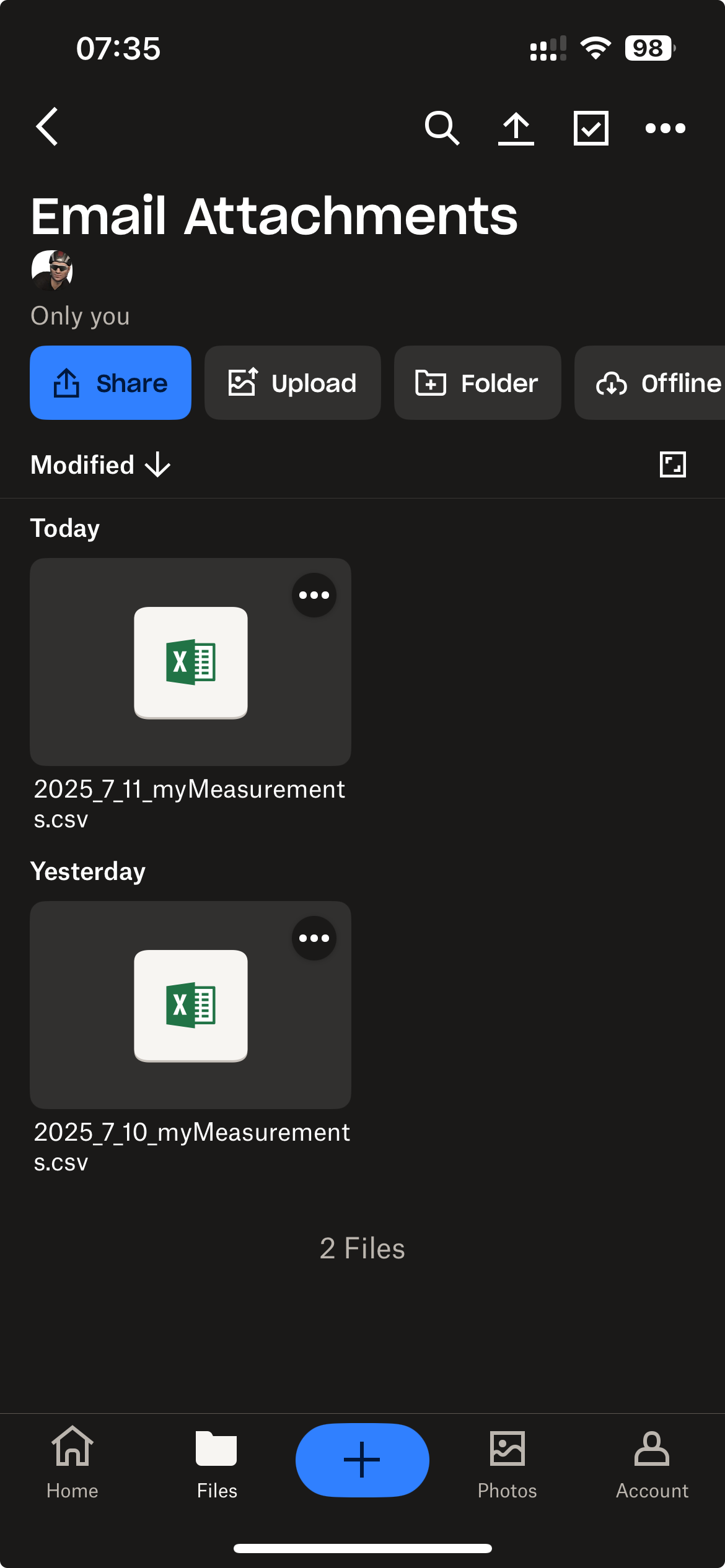
Unfortunately, it’s saved in a different folder: Email Attachments.
You’ll have to move the file later.
ciao
4 Likes
Thanks, that was easy.
Be careful because if the files remain in the “email attachments” folder (you don’t move them, but copy them), the new files don’t overwrite the old ones, but remain in this folder with the addition of (1) in the name.
Noted, thanks.
I moved the file to the original folder so that I don’t have to change anything in Intervals. I’m on iOS, so will keep using the upload to Dropbox until it is no longer supported. Good to know there is an option without having to manually capture information.
edit:
iOS names the file with a date, so not sure there will be a problem with (1) in the name. I will see tomorrow.
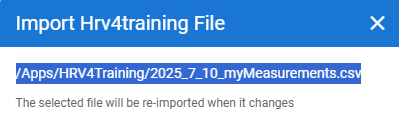
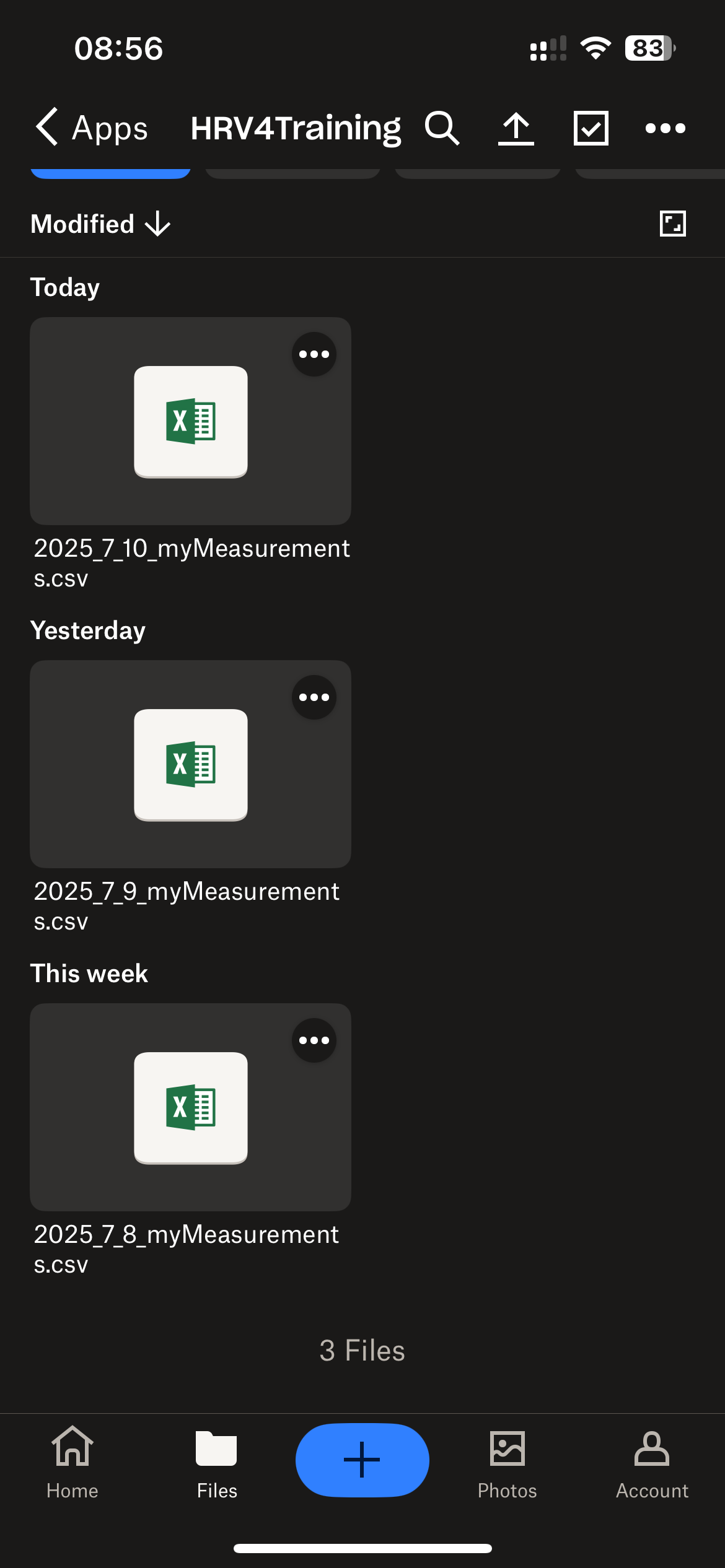
I think you’ll have problems because intervals set that way will always load the 2025_7_10 file. Tomorrow no . Every day you’ll have to change the intervals setting and point to the new file with the correct date.
I try to crate an automation whit Zapier to send the mail to correct folder in dropbox when I crate a mail with label HRV4T:
ciao
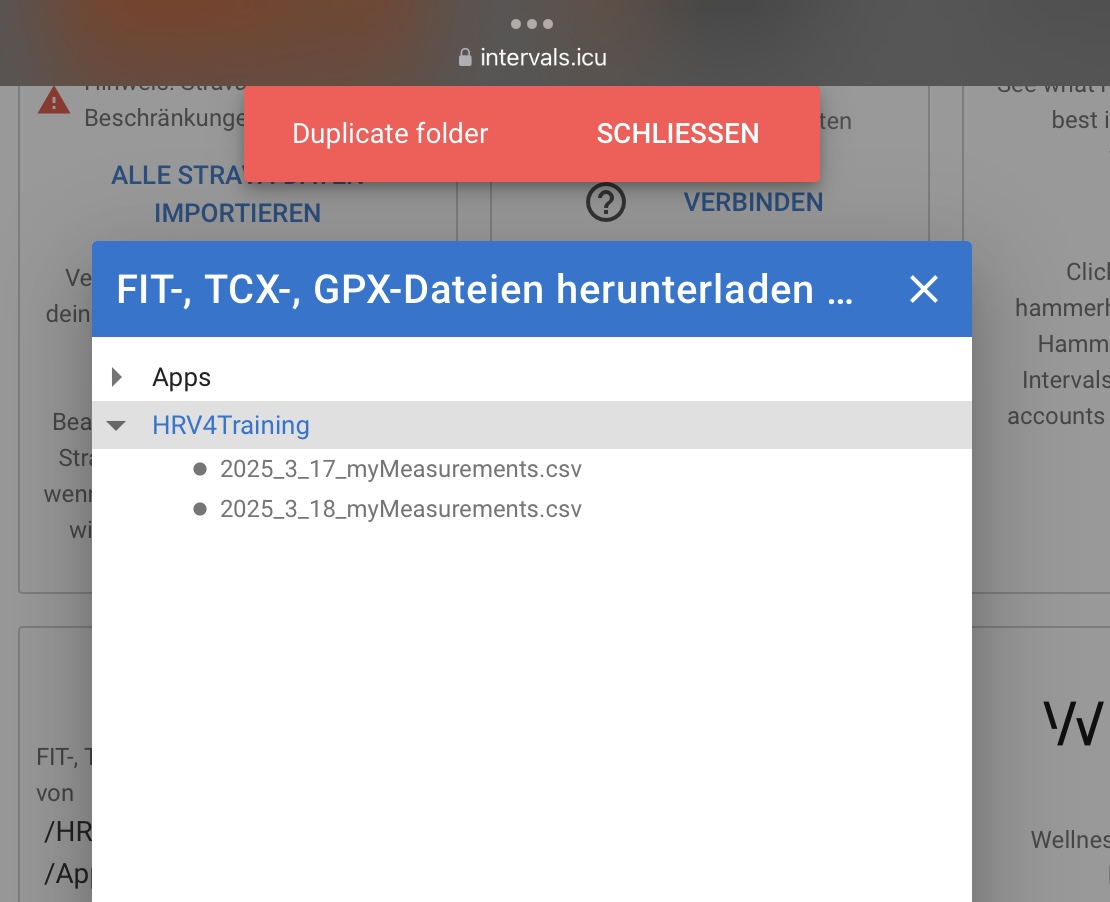
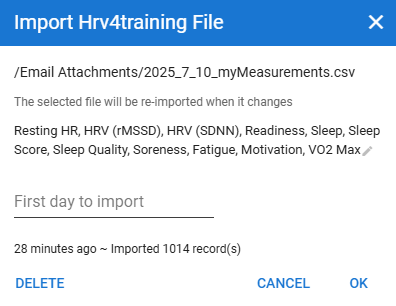
Wellness data updates whenever a new file is added, and there are changes. Intervals isn’t looking for a file name, but changes/new data.
The screenshot I posted above shows the last file used, and not the file to look for. Once a month, I need to clear out all old files.
1 Like
fantastic, I’ll try with your suggestion. in this case I avoid automation
THanks
I changed the location to the email folder, now, for wellness.
I’ll check tomorrow and see how it responds to the file called 2025_7_11_myMeasurements.csv
2 Likes