Hi all, I’d like to automatically upload HRV data from HRV4Training to intervals.icu where I centralized my fitness analysis. Currently, I sync Wahoo and Garmin data to intervals.icu—is there a way to include HRV4Training in this workflow?
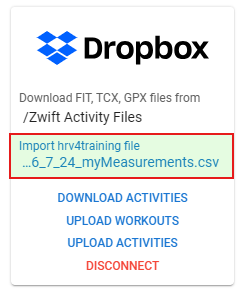
All my computers run on Linux (or Android). However, Dropbox synchronization usually works perfectly. If there is no other option, I will try with Dropbox or script something.
Thanks, Dr. Robert. This seems to work! I have successfully imported the file through the Dropbox workflow you described. One more question: where do I find the imported HRV data? Best wishes, (Dr.) Robert.
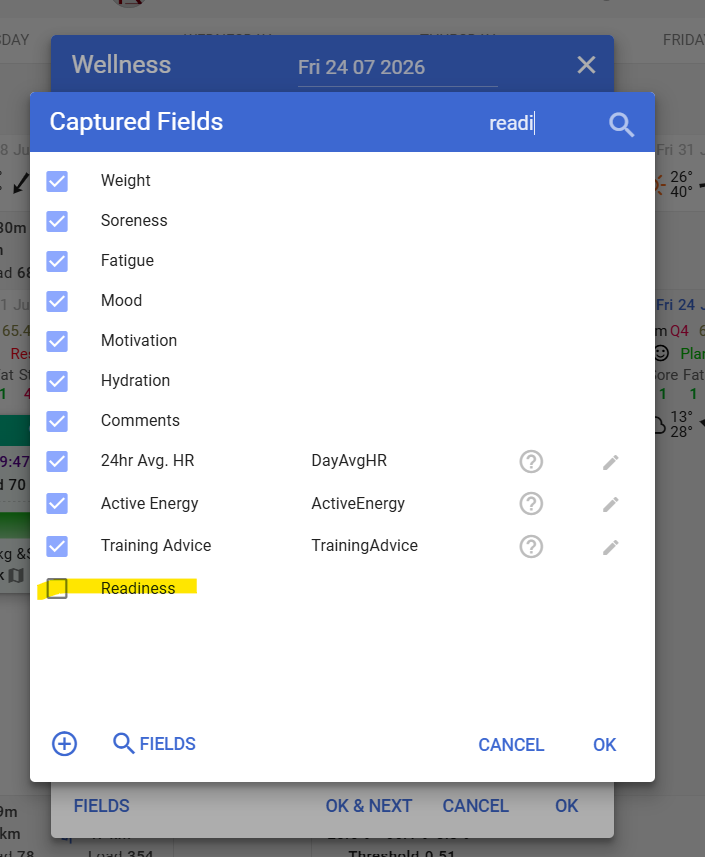
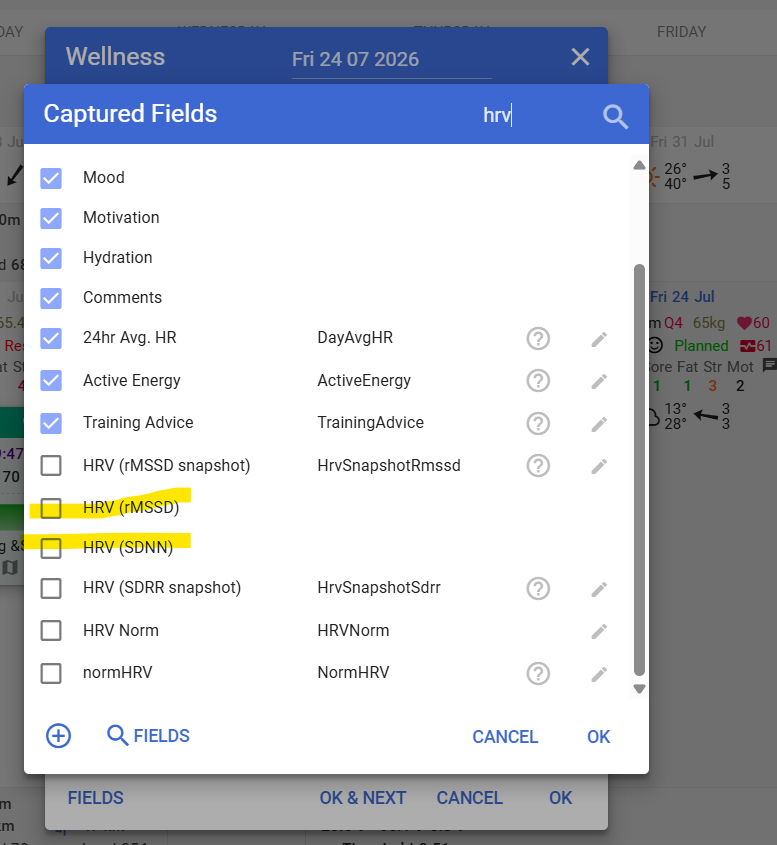
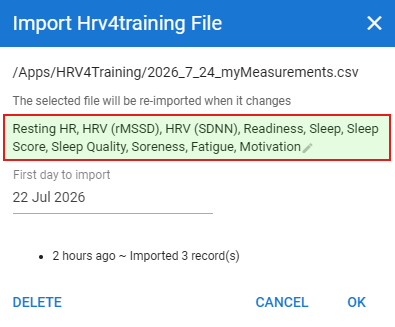
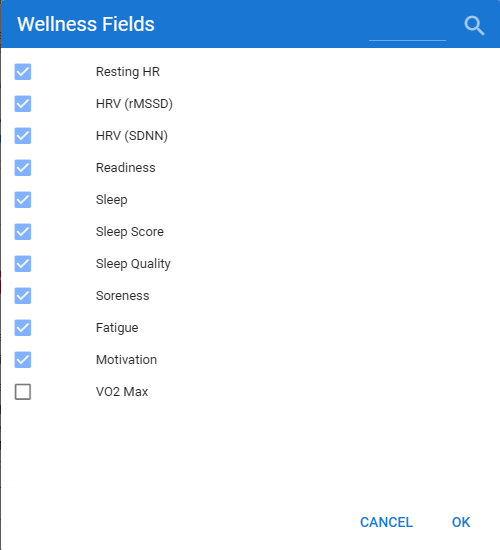
It’s been such along time since I set this up, and I did this with David’s help. As far as I recall I set up Wellness fields - Readiness to hold the overall HRV4Training score, HRV (rMSSD) and HRV (SDDN).
First check the csv from HRV4T for the column names.
The column names will define which Wellness fields will be populated.
Then check if those column names already exist in the Wellness data.
The Wellness fields without a pencil icon to the right are the system bult-in fileds.
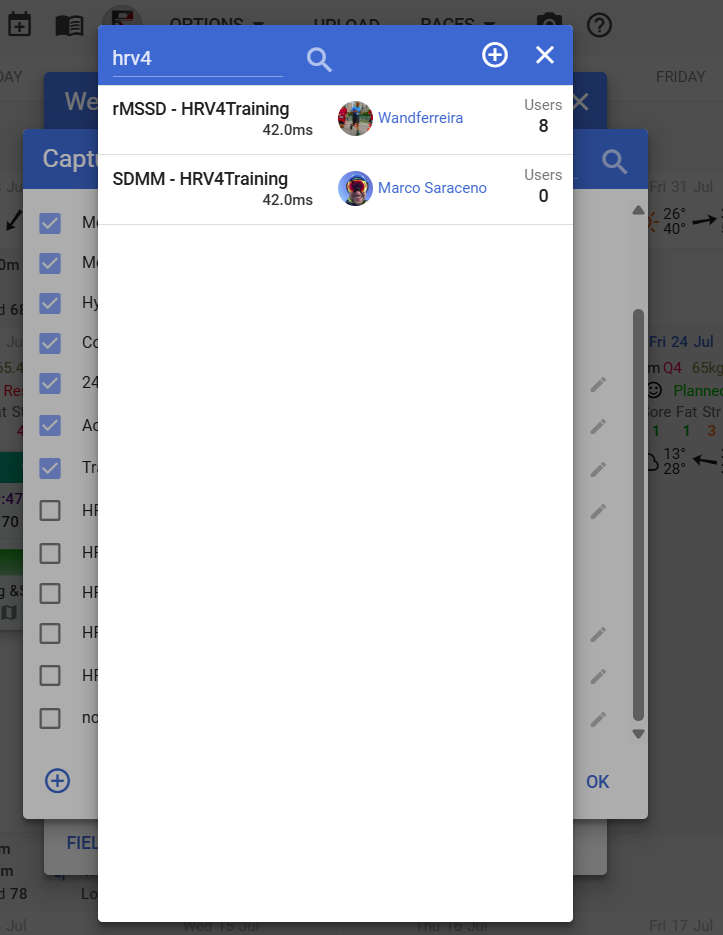
If you can’t find them there, click on the looking glass icon to see if another user already created and shared them.
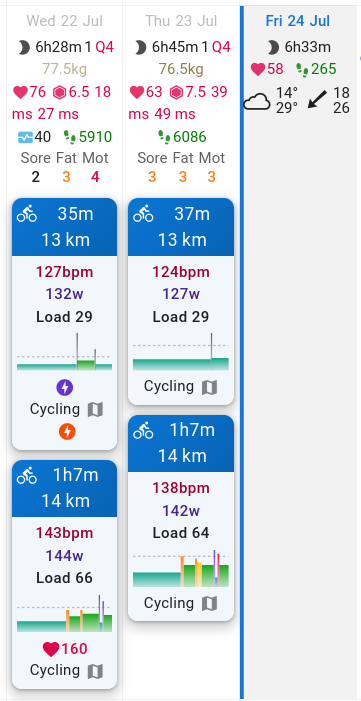
I found that the HRV4T_Recovery_Points were added to my activities in a red hexagon (6.5 and 7.5); I still need to check the other values. However, the values were added one day earlier than the measurement was done. Checking the CSV shows that there is a ‘date’ and a ‘local’ field. The local field shows a date that is +1 day. Thus, a problem with the HRV4Training storage or export (I’ll contact the developers; it could be a time zone issue).
Just in case you are wondering why my afternoon commuting rides are so slow: I’m living at 2,000 m.a.s.l. in the Mexican highlands, and the last hill is kind of steep (~250 m of height difference for 3 km). And I am riding an old and heavy MTB since there are many potholes on the ‘road.’
This was a problem a few years ago, and led to Marco saying he’s no longer supporting the export. It was only happening on Android, and not iOS. I can’t remember if David was able to assist or not. I would look to use some scripts to correct the automation.
@MedTechCD@Gerald: I got in touch with the HRV4T developers since eliminating the “local” column from the export would be a fairly simple solution. IMHO, requesting a clean export of the data is not too much, even though I could script it to export/store to a different location, fix the CSV, and move to Dropbox for import to intervals.icu (3-4 steps instead of one).
 (or Android). However, Dropbox synchronization usually works perfectly. If there is no other option, I will try with Dropbox or script something.