Pretty sure I am missing something obvious here, but how do I edit a step in a workout I created.
See below. There are two steps where I forgot to enter the duration. How do I go back and add duration?
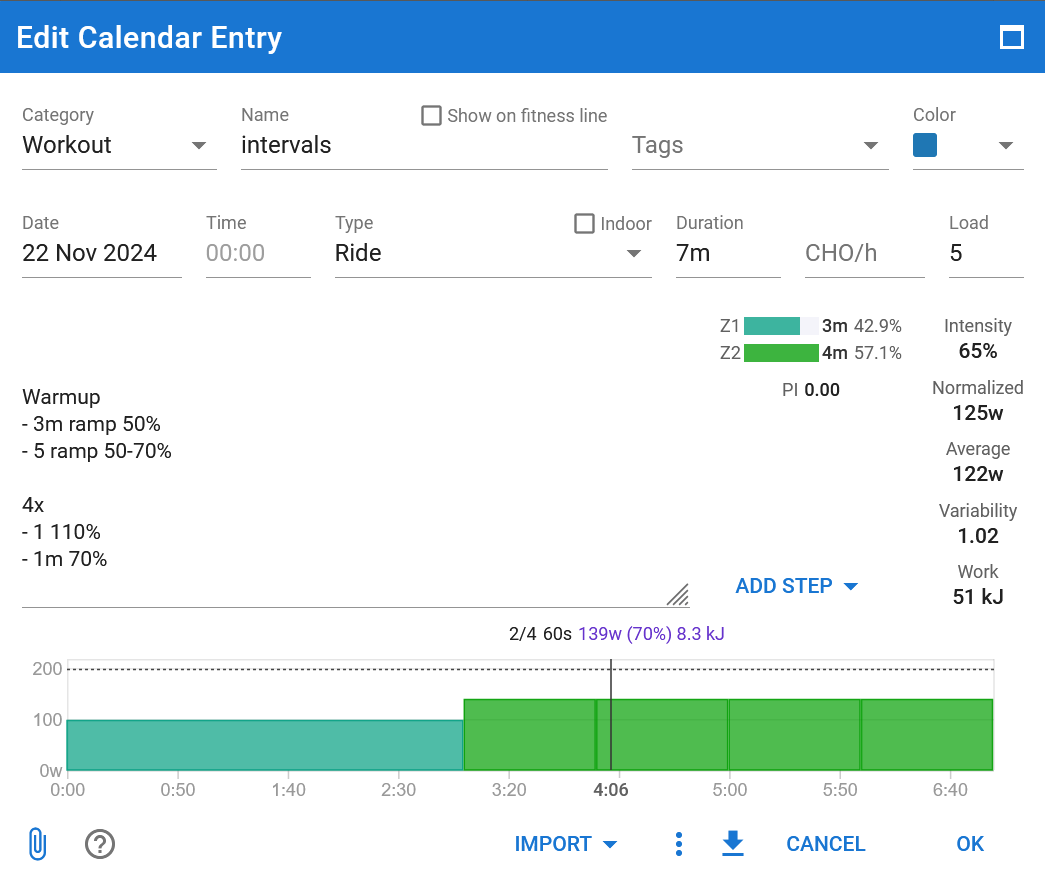
not entirely sure if I’m understanding you correctly, you want to enter the tminig for the part where you say
4x
-1 110%
-1m 70%
It looks like you’re in EDIT mode for the workout. are you able to put your cursor at the 1 110%? If you can, then you can edit by adding the “m” into the 1 110%
1 Like
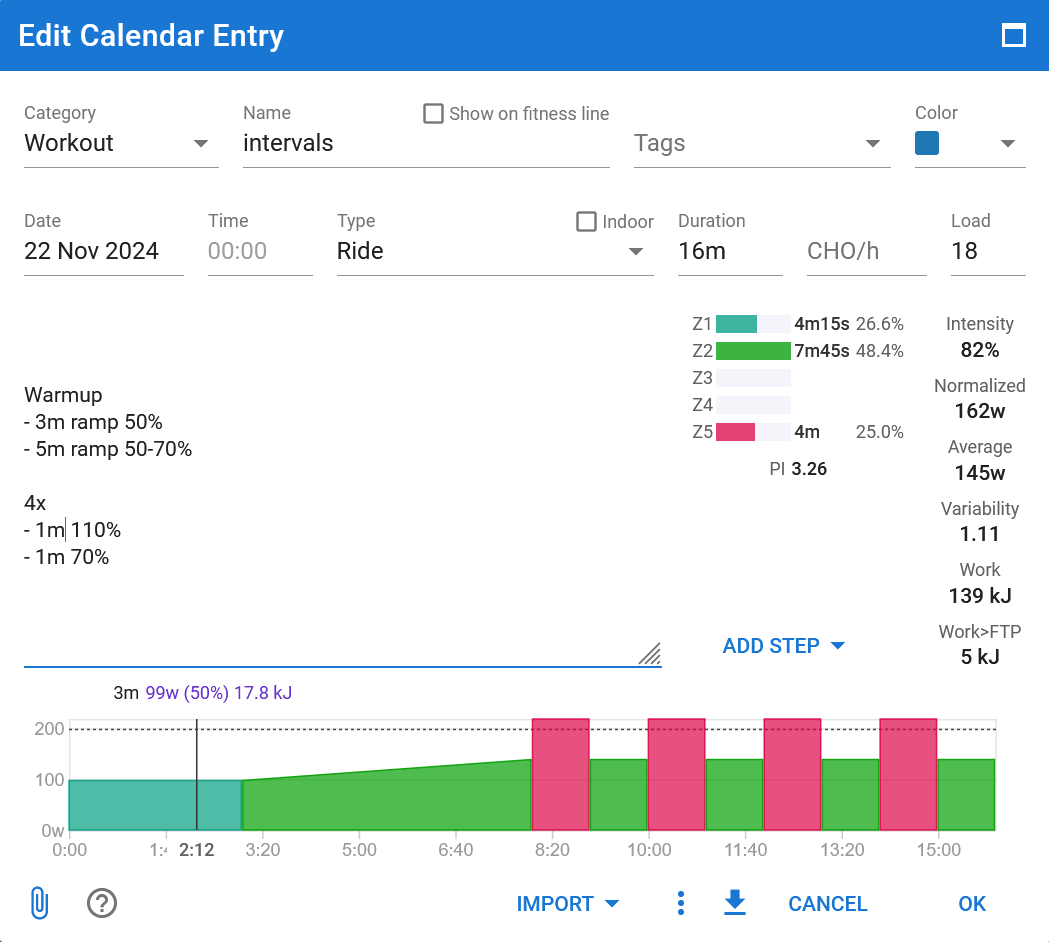
1 Like
I had the same question and thought the text was just a description for later on.
This is a brilliant and easy way to create a workout if you know you can do it by text.
Would be nice if there was some kind of hint/hoverover/label/wizard on 1st workout that could let you know that you can createand a workout like that
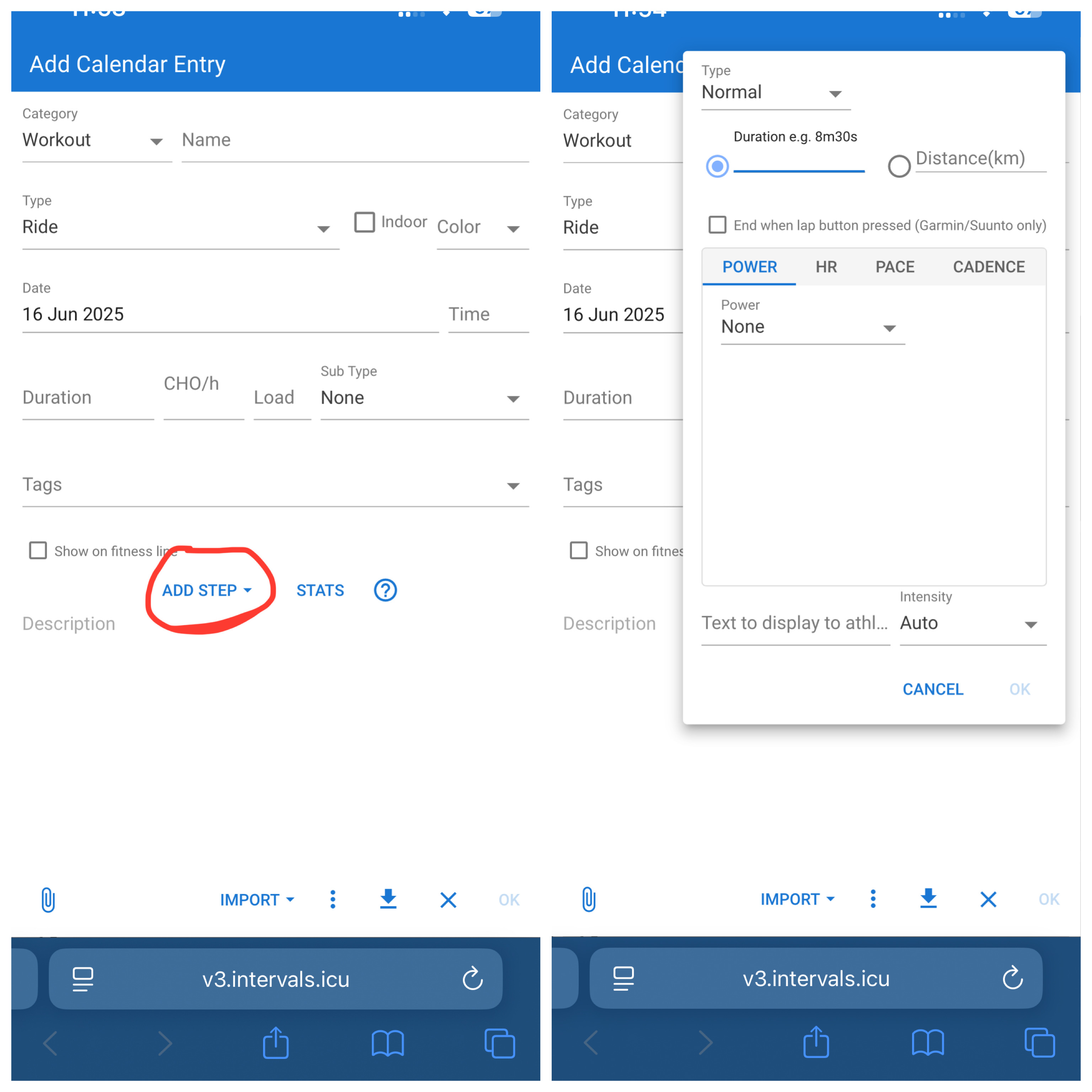
I noticed that and that helped me out as well. But like Duppie I wanted to make changes to a workout that was already created and was looking for a similar button to edit a step. Workout builder explains everything I wanted to know at this point.
My point in the previous reply is that as a new user it is not clear that you can type your workout. It looks just like a description you can enter some notes
Edit: I now see that the question mark is linked to that page. Maybe it just me