For what its worth, this is the default workout screen on my 840
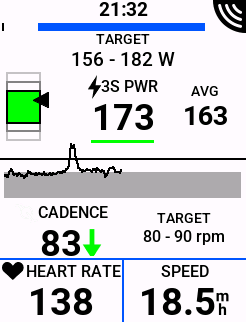
you can change the bottom row (mine setup to heart rate and speed).
What I love about the power graph is I can see the past ~2 minutes (1 minute 55 seconds), and the upcoming 2 minutes. If you want that in a custom screen I believe its called Workout Comparison and under the Graphical menu (I think).
I do a lot of cadence training, and I can set and see the cadence target (secondary target) in addition to the power target range.
Here is a random custom workout screen, I was just playing around:
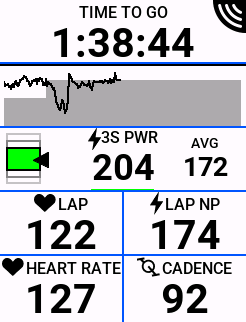
Real-time power with at-a-glance target vs actual both on the graph and the “power in the green range.” I’ve learned to feel power targets, and sim-mode (no erg) inside 5-10 times/year, and outside training its just a simple glance down to see if my brain and legs agree with target power.
1 Like
Right. This is the issue I’m having (have been having) that I still haven’t solved.
On your first screenshot you have target power. This comes loaded on the ‘Primary Target’ data field. You also have the 3s power smoothing on that field.
2 questions - How do you get the 3s smoothing info on that ‘Primary Target’ field. It does not appear on mine. And if I just wanted a plain old simple Target Power number, how do I select that field? I can find no way to show target lap power apart from selecting the ‘Primary Target’ data field.
Thanks 
For Garmin you have to set a target range. If you set a single value, you will go bananas from all the beeping.
If I´m not mistaking, the Intervals workout builder has this ´range´ option for Garmin as a feature.
Edit: just checked and when you select Power in the workout builder, you have several options (for Garmin only). Lap, 3sec, 10sec…
1 Like
Where do you workouts come from? Garmin? Intervals? TrainingPeaks? TrainerRoad? Something else?
1 Like
 . I actually nearly lost my mind 5 minutes into the warm up last night. I stopped the work and disabled the alerts. That allowed me to keep the single target number.
Created on Intervals.
I must not be explaining myself very well though.
Say I have a workout created on Intervals. It syncs to Garmin and from there to the head unit.
When I select that workout on the head unit in order to complete it, I want a screen on the Edge that shows me the target power I need to hit in any given interval. I see no way to add that target power as a data field unless I pick the ‘Primary Target’ data field. There is no other selection I can make with creating my Screen set-up that’s called Target power.
Hope that makes more sense
Yes that makes sense. If you want a single number - an unobtainable magic number - then you need to install a Connect IQ field.
Or accept that power targets should be ranges, and Garmin will display a range. Something like this
- Lower Aerobic 30m 55-65% power=3s 80-90rpm
- Low Aerobic 30m 60-70% power=3s 80-90rpm
- Aerobic Power 15m 65-75% power=3s 85-95rpm
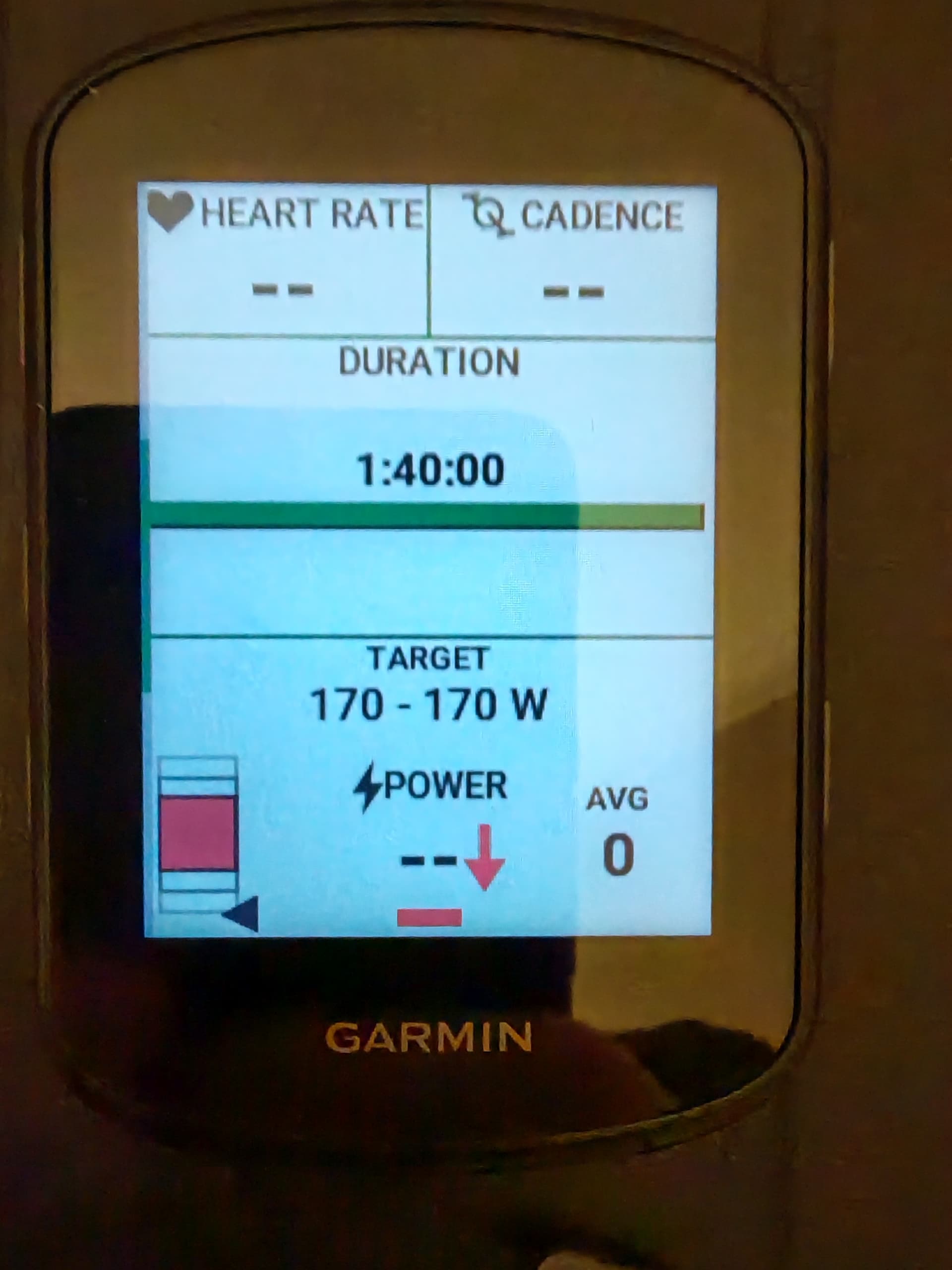
So this is my Garmin. I added a test workout to try figure things out
I always set a particular target as opposed to a range. Always have and always likely will. I can go North or South of the range if required during the workout but I try stick to the target.
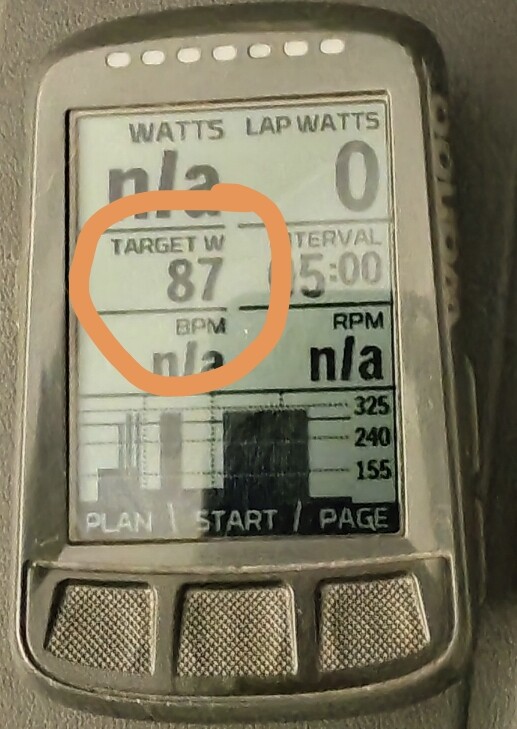
What I’m trying to find an answer to is the following. See the way the Garmin displays the target power. 170-170 but with all the rest of the stuff below that 170-170 . That all comes included in the ‘Primary Target’ data field. I want the Garmin to show just 170 -170 (or even just a single 170) without the stuff underneath it showing on screen. I just want to be able to select a data field that shows the target power and nothing else. I cannot find a data field anywhere in the field choices that allows that, like I’ve shown here on a picture from my old Wahoo.
Just target watts. I don’t think it’s possible but hopefully I’m wrong
I’ll break down what I said earlier… install something like this:
https://apps.garmin.com/apps/d4c9d8b2-0a2b-4578-877c-a8b54f65e5d7
and add that Connect IQ field to your custom screen.
try that and you should be happy 
1 Like
Thanks @WindWarrior . It’s a bit crazy that I need an add-on for this🙈
1 Like
And I think it is a bit crazy that some want a single number as a target 
 And not a simple green/yellow/red at-a-glance indicator and real-time power-vs-target chart. I wish Garmin did a better job displaying ranges by default, like my Xert field (and 530 did).
All a matter of perspective.
1 Like
Wahoo’s big lie…
And I got suckered into believing that was real for a couple months in 2017.
Anywho, let us know if you need help with anything else!
1 Like
This link shows all the (default) data fields available - bookmark it for a quick reference guide:
https://www8.garmin.com/manuals/webhelp/GUID-17DE938E-466A-4746-BDBF-7A6FC1B3A32C/EN-US/GUID-53FC7978-187F-4E53-AA33-04853F86B05F.html
NOTE: Not all data fields are available for all activity types. Some data fields require compatible accessories to display data. Some data fields appear in more than one category on the device.
TIP: You can also customize the data fields from the device settings in the Garmin Connect™ app.
@nasatt have removed the t at end of link. Thanks
1 Like
You have an extra t on the end of the url @Gerald
Thanks for the link
1 Like
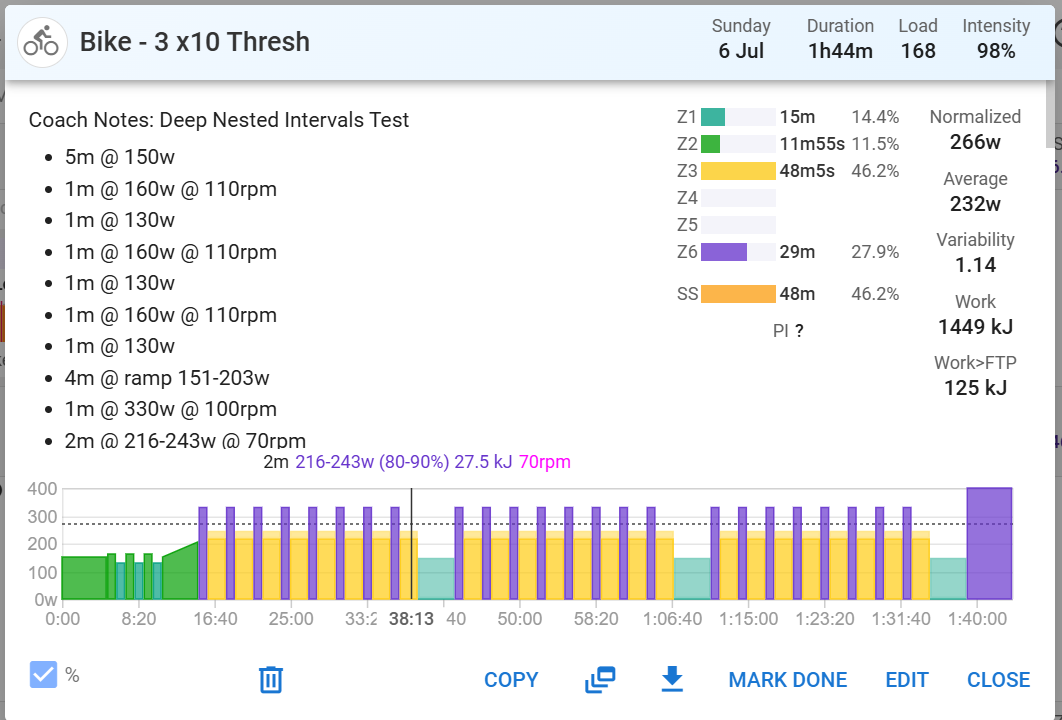
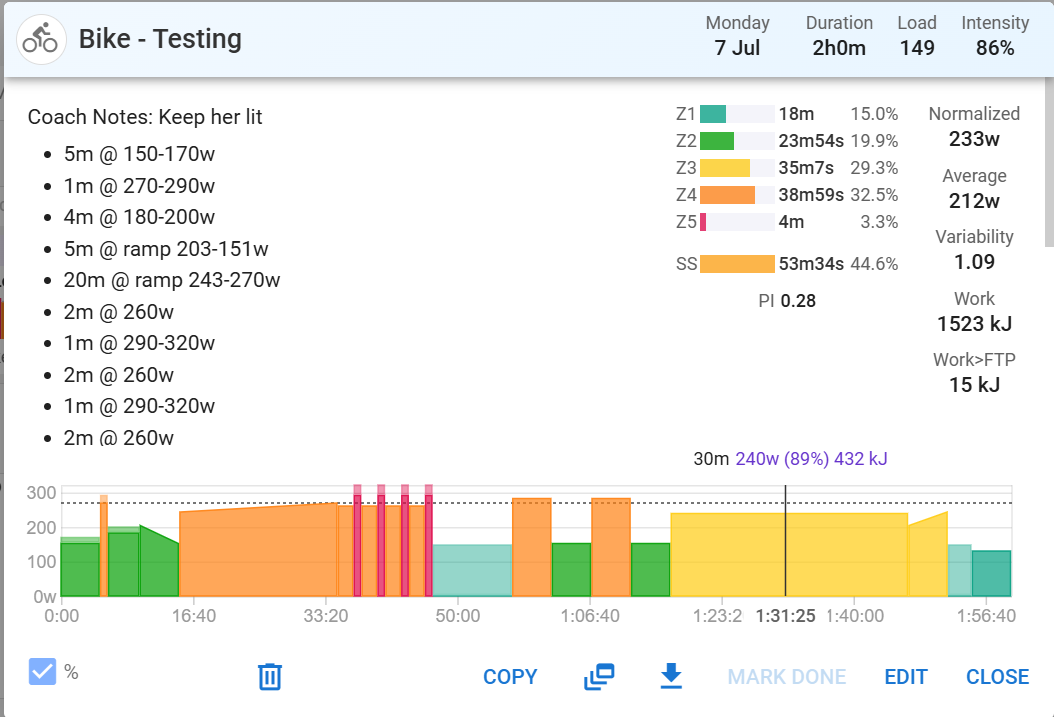
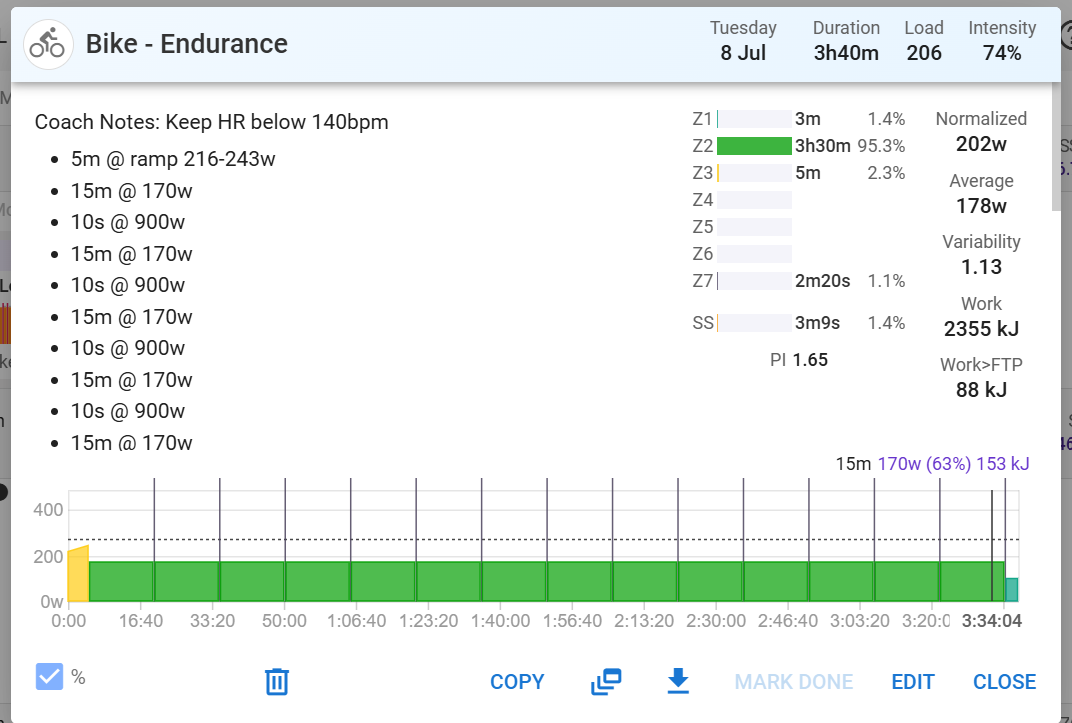
I’ve been playing around with automating workout uploads to intervals.icu. I’m just using made up workouts for the time being to test. See the screenshots below of 3 made up workouts. These syncs to Garmin Connect. Appear on both web app and phone app. I’m syncing the Edge 540 repeatedly but only the ‘Enduracne’ workout appears on the Edge 540. Any ideas why? I am a relatively new Garmin bike computer user, having come from Wahoo. It’s not to do with the ramps beacause the ramp from the Endurance workout shows up on the Edge 540
Garmin supports workouts up to 50 steps. Nothing beyond that.
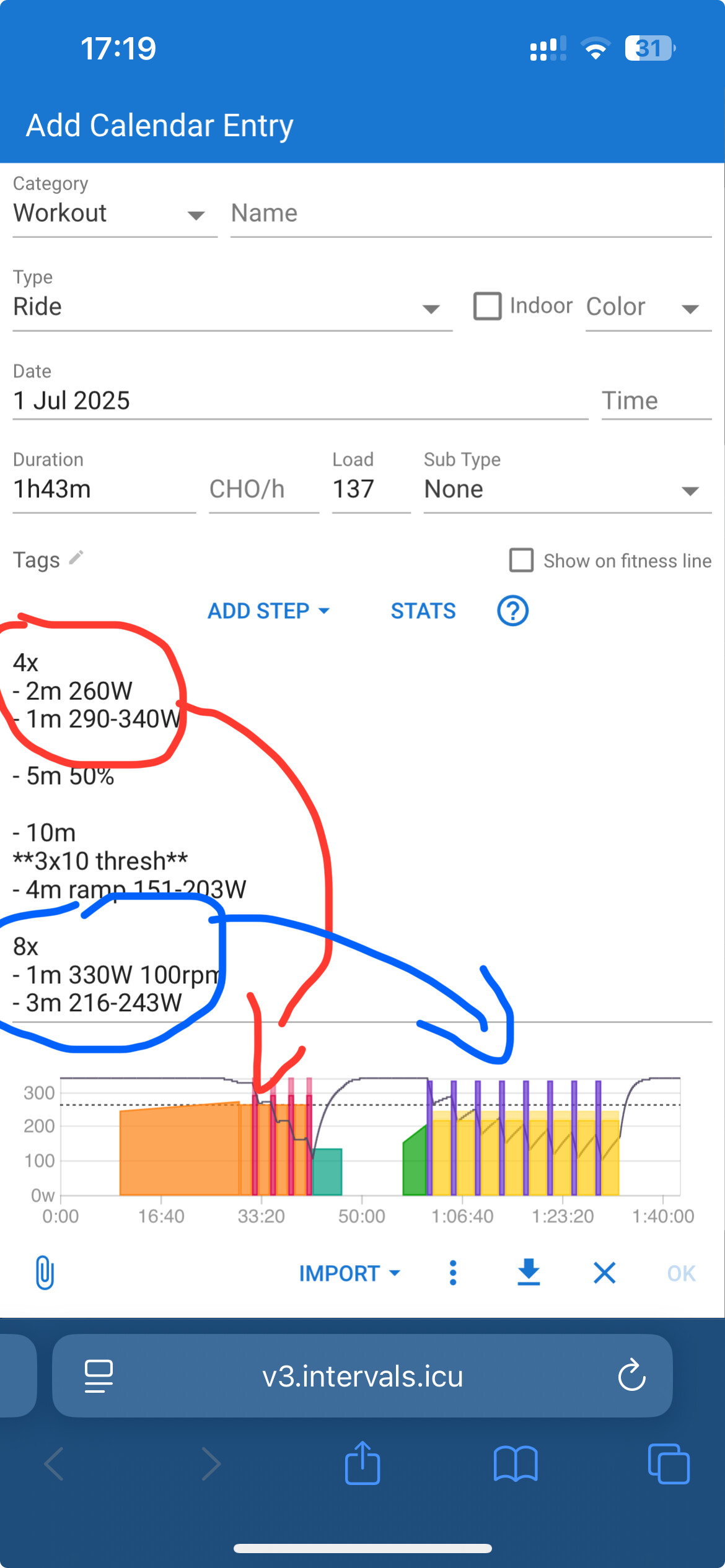
Garmin does not support ramps. Ramps are converted to multiple steps and are probably the reason why these exceed the 50 step limit.
1 Like
Oh. 50 steps  . That’s a bit of a short coming I’d have thought, no? I’m thinking micro interval sessions.
The ramps won’t really bother me. Not something I ever actually use tbh but thought I would provide options to code both increasing and decreasing ramps. They’ll work on my Wahoo any if I need it for any reason.
Use the nested function for repeat efforts, as follows:
2 Likes
I’ve never run into a limitation because as Gerald posted above you use repeat so something like doing 13 intervals of 30/15s:
13x
- 30s 350-400W
- 15s 150-200W
only counts as 3 steps.
1 Like