I’ve been working on a project called DunMove – a browser-based tool to generate structured cycling training plans that are based on weekly time budget, goal events, and desired training rhythm.
I built it because I was never quite happy with existing platforms (too rigid, too black-boxy, too app-centric).
So I wrote my own system to:
plan backwards from the goal event
distribute weekly load based on training phases
match workouts by duration, target TSS, and workout type
keep things transparent and editable
Key Features:
FTP-based planning → all sessions use %FTP structure
Load progression toward main event (including deload weeks)
Session types adapt to training phase (base, build, peak, taper)
Structured export: .zwo, .erg, and ICS calendar feed (fully works with Intervals.icu)
Supports 6 languages: EN, DE, FR, ES, IT, NL
Workout database: >5,000 structured entries, categorized by intensity, style, time & TSS
Test user included → you can walk through the full process and preview a complete plan
Designed for powermeter users – not HR or estimated effort
Browser-based, no app or subscription required
Here’s a sample use case:
You want to train 10–12h per week for an event in 16 weeks.
You set your training days, pick a peak event, and DunMove generates a progressive plan that builds load intelligently and matches your available time each day. You can then export sessions or sync them via ICS to Intervals.icu.
I’d really appreciate feedback from anyone here who works with structured plans, TSS logic, or just wants to see something a bit different from the big players.
If you have suggestions, feature wishes or just critical thoughts – please hit me with them!
Hey, thanks for the heads-up – I just fixed the issue! It should now work as expected.
Of course, the very last step (purchasing a plan) is disabled in test mode.
But as a TestUser, you can view a complete example plan – including:
the training calendar,
the weekly load overview (diagram),
and the day-by-day workout structure (also with diagram).
You can even try the drag-and-drop feature to move sessions around – check the “Expert mode” toggle below the calendar. *-- > *
EDIT: DunMove ( /deine_plaene )
Hope that helps! Let me know if anything else feels off.
Did a try as TestUser. Did not see a compete example plan.
The process to estimate daily duration is a bit confusing. No idea for what is this for.
When I plan, I use to setup week by week and duration for a specific week is not a constant.
Depends on lot of life parameters.
Try as well the French, this is unusable as French text fill up the page. String are too long
For now, I will not use that kind of tool.
I try from TestUser the register. Strange to have to register when you already loged in as TestUser
Thanks a lot for the detailed feedback – really appreciate the time you took to test it!
You’re absolutely right on several points:
French version: Currently machine-translated in many areas, which leads to overflow and messy layout. Definitely not final – improving that is on the list.
Daily time input: It’s used to match the workouts to your actual time availability per day, which helps avoid unrealistic overload on busy weekdays. But I totally understand your point – if you prefer week-by-week planning, this setup can feel a bit restrictive.
I’ll add a short explanation to make the intention clearer.
Example plan not visible: That’s on me. The TestUser actually has a complete plan (calendar, weekly chart, day views with intervals), but it’s not very obvious how to get there. I’ll make that much clearer in the interface.
Registering while already logged in as TestUser: Yeah, that’s weird – I’ll disable the registration option for test accounts to avoid that confusion.
Also, heads-up: There’s currently a bug affecting the calendar view for some users – I’m actively working on it and should have it fixed shortly. Thanks for catching this at exactly the wrong (or maybe right?) moment
Totally fair that this kind of tool may not match your preferred planning style – still, your feedback was super helpful and gave me several action points. Thanks again!
Thanks for your message! Currently, accounts can only be deleted manually by us. Just send a short message to info@dunmove.com with the request, and we’ll take care of it right away.
How do you define intensity workouts?
I can’t find a way to define how many interval sessions and what type (Vo2max threshold etc.) the plan should have per week. Can’t you define it at all or did I overlook it?
You’re right – at the moment, you can’t manually define how many intensity workouts (like VO2max, threshold etc.) you want per week.
Instead, we’ve built a smart logic behind the scenes:
The distribution of workout types depends on the training phase (e.g. Base, Build, Peak), and within each phase there’s a carefully designed balance between easy, moderate, and hard sessions.
For example:
VO2max isn’t used in the Base phase (wouldn’t make much sense there).
Threshold and high-intensity intervals increase during the Build phase.
The system also avoids repeating the same intensity type on back-to-back days.
Additionally, all workouts within a given category (e.g. threshold) are sorted on a scale from easier to harder, so the system can match them to the current phase and progression level.
So currently, the intensity distribution is fixed and follows established training principles.
In the future, we might offer more control per phase – but not week-by-week.
For most users, this setup works well – and those who already manage intensity planning in detail often prefer building their own plans anyway
Thanks a lot for the first round of feedback!
We’ve already implemented something new:
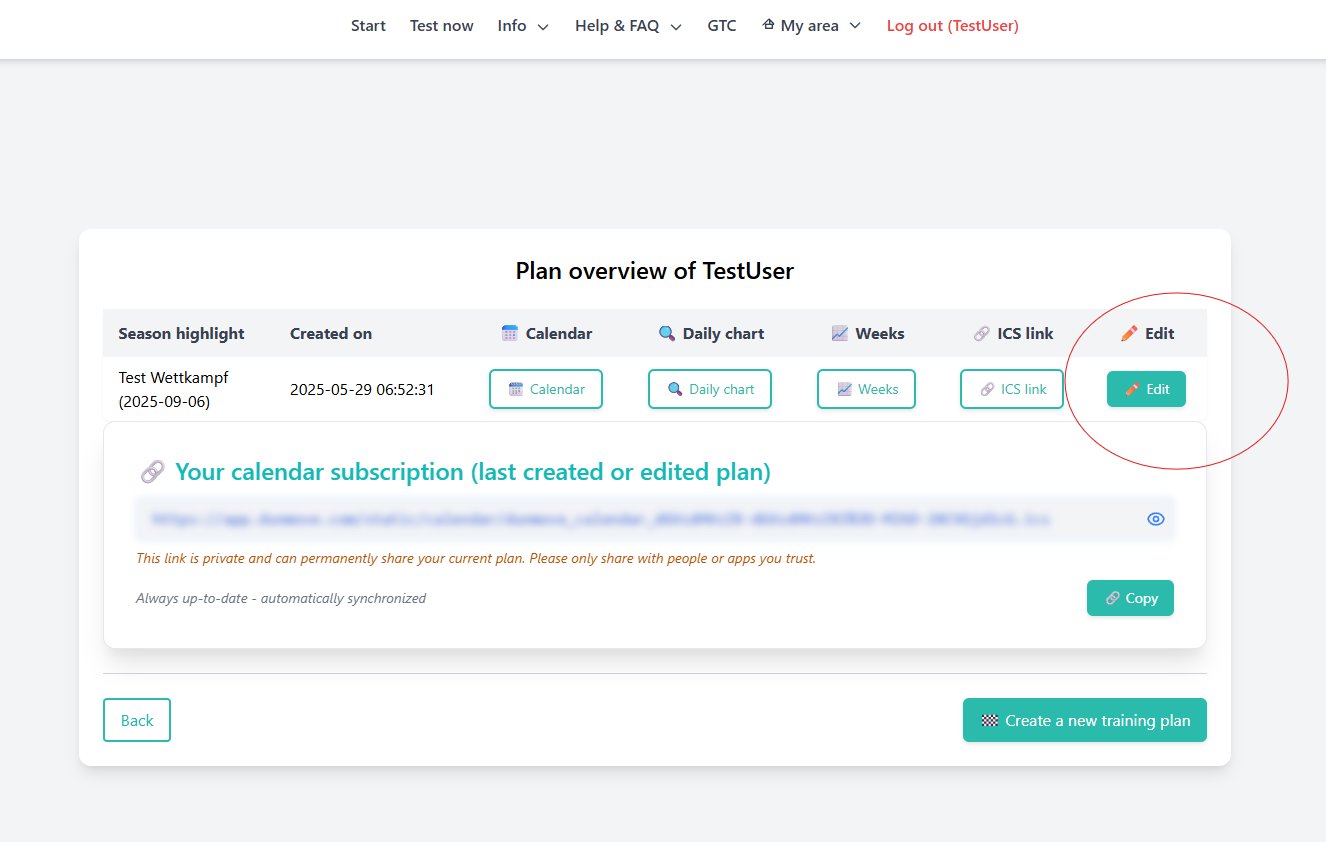
Edit function for existing training plans
You can now:
change your weekly time availability per day
add additional B races
and then simply save to regenerate your plan
Note: The language setting matters – it not only changes the UI texts, but also affects the choice and type of workouts. Try switching between EN / DE to compare the results.
Update:
DunMove has evolved quite a bit since my first post:
– 5,000+ structured workouts
– Export to .zwo, .erg and ICS (fully compatible with Intervals.icu)
– Browser-based, no app needed
– Training plans based on weekly time budget, target event, and training type
– FTP-based logic (%FTP), no HR or RPE guessing
– Available in 6 languages (EN, DE, FR, ES, IT, NL)
– New: Plan editor for illness, training camps, or “no time” periods
– free to use (login required)
I’d really appreciate your feedback – especially on structure, usability, and how realistic the load distribution feels. The goal is to create a practical tool for performance-focused training.
Some feedback from my personal perception:
Every week I do a group ride which is always around the same load, would be a nice thing to incorporate that as well.
I only have on 1 bike a powermeter, for the MTB I base myself on the LTHR. That would also be a nice addition.
DunMove + Intervals.icu API – coming soon!
The API integration with Intervals.icu is in full swing – first tests are already looking great.
Soon you’ll be able to sync your DunMove training plans directly to your ICU calendar – no more manual uploads, and any plan changes will update automatically.
Stay tuned – launch is just around the corner!
Quick follow-up on this (since “coming soon” aged… quite a bit ):
The Intervals.icu integration is already up and running and currently used by ~200 athletes.
What’s working right now:
• Full plan sync to Intervals.icu calendar
• Automatic updates when a plan is changed or regenerated
• Structured workouts (including intervals) are transferred properly
• Stable handling of larger plans and longer durations
What I’m still working on:
• Cleaning up some edge cases (especially around re-generating plans)
• Improving reliability when users reconnect or change settings
• Making the whole flow a bit more “plug & play” for new users
So it’s definitely not “coming soon” anymore – more like “quietly running in production”
If anyone wants to test it or has feedback, I’d really appreciate it