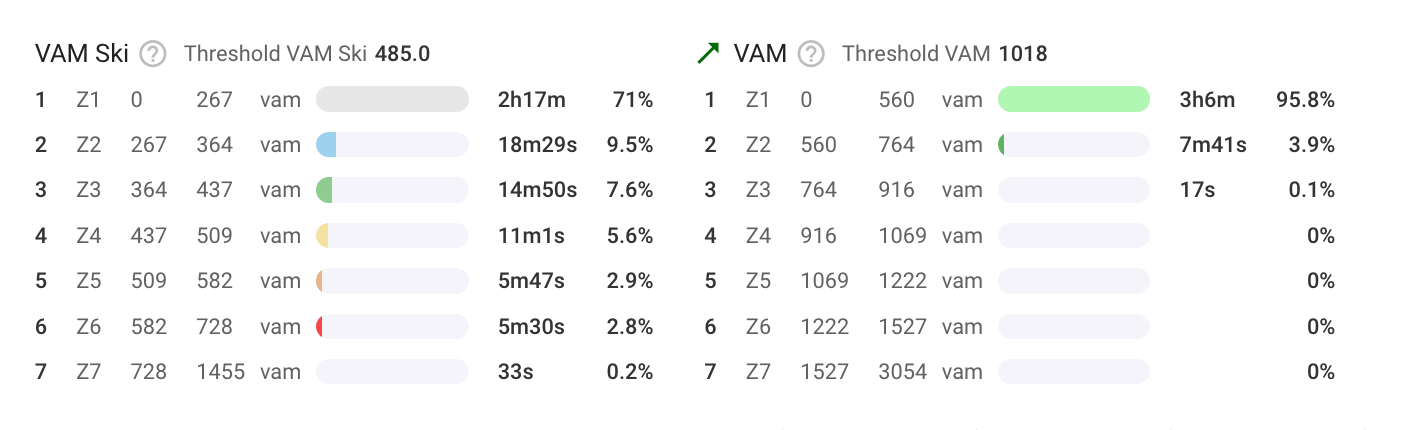
I have made a custom chart for VAM zones for Nordic Skiing, but the one I have made for cycling shows up as well.
Anyone know why this is?
I only have the one I have made for Nordic Skiing selected/ticked on the Nordic Skiiing activities under Sport Settings.
Sounds like you have selected multiple Custom Zones at once. When you navigate to Custom Zones you untick or tick the Custom Zones you want or don’t want
On the Total tab, I see Time in custom zones.
But it doesn’t match the actual time spent in the intensity zones, and the zone parameter values are different as well.
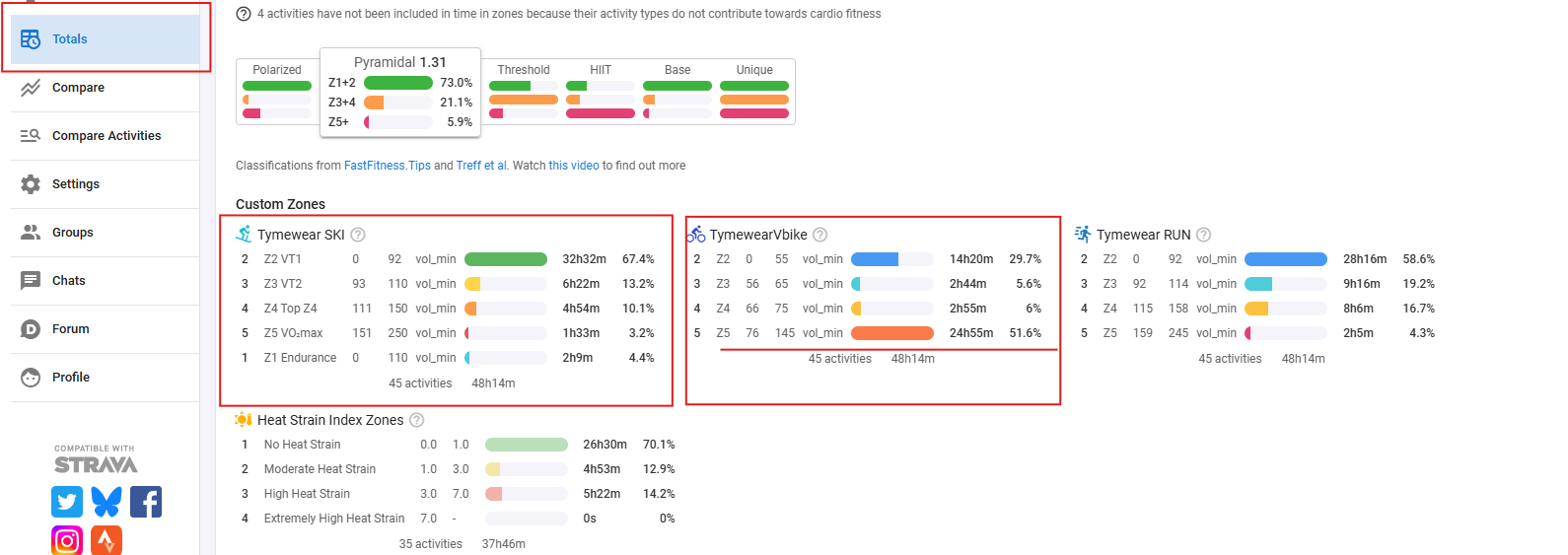
For example, obviously I couldn’t do 24h 55m in Zone 5 on the Tyme Bike
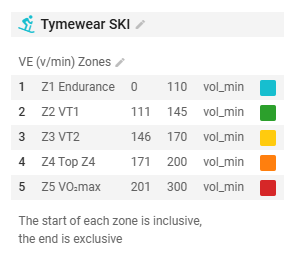
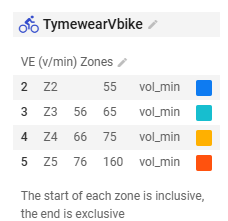
What do I need to adjust in the settings?
Did you change the zones? Did you update the zones after that? Can you show the time in zones for an old activity? Should be also a big time in Z5.
You also use absolute values for your zone definitions, which is kind of “not useful”, if you ever want to change them. You better should use Custom Fields as reference (Button below the zones), these will be copied to the activity too, and so you later can change your zones, but the anchor points for old activities stays the same.
1 Like
I selected 28 Nordic ski activities after the test and the new zone data. I updated them using Reprocess File (28 activities) — and the data became more realistic. But I have 28 Nordic ski workouts, while the dashboard shows 26 activities also for the Bike and Run.


For an old activity:

Yes, I use absolute values because I don’t really understand how to use Custom Fields as reference anchors.
So basically, there are happening two things. The definition of zones is copied to a new activity, and the custom fields defined from the settings page are also copied.
So if you define your zone like this
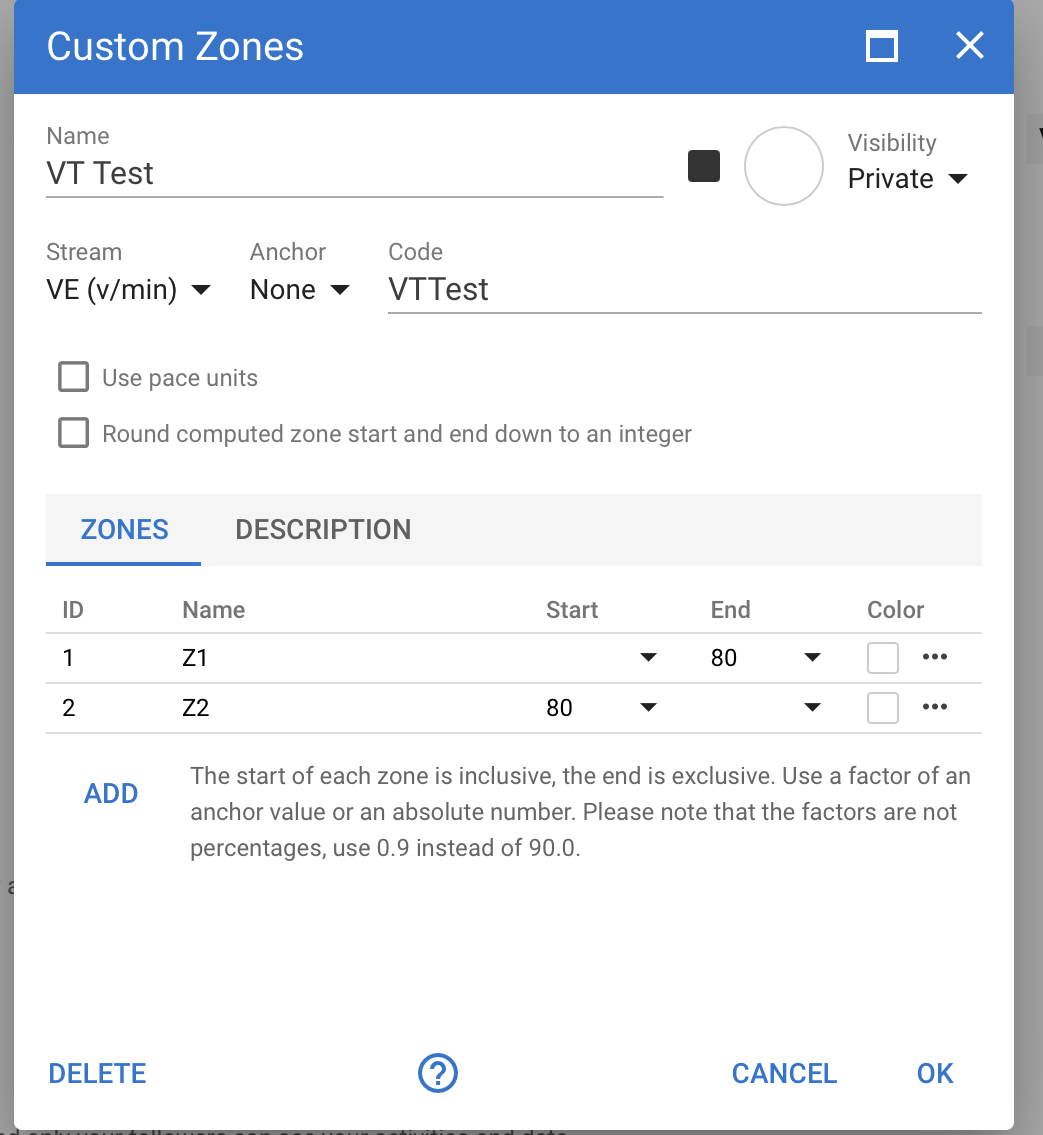
Then it copies Z1=[… ,80] Z2=[80, …] to the activity. Everything below VE=80 is Z1, everything above is Z2.
If you instead define a Field with VT1:
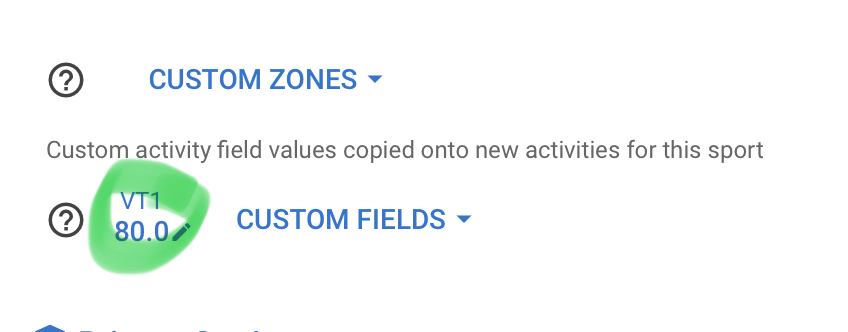
Then you can use this in your zone settings:

This means your end of Z1 is 1xVT1 (instead of 1, you could also write 1.2, then it would be 1.2xVT1, and so on).
So a new activity will have the zone definition: Z1=[… ,1xVT1] Z2=[1xVT1, …] and the VT1 field is also copied (VT1 = 80). So now everything below VE=80 is Z1, everything above is Z2.
Later you just need to change the field value, and it will update the Zones:
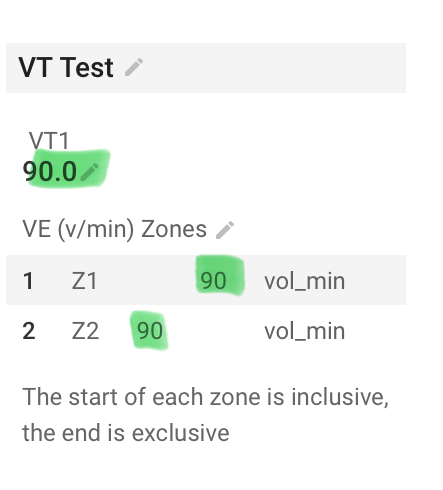
If you change your zones or values, then there will be no mixup, because the fields and values are always separated.
Regarding the Time in Zones issue for your custom zones. There is no separation of sport types and custom zones on the totals page. Not sure if this is a bug, or intentional @david
So currently your TymewearVbike uses also your Ski activities to calculate Time in Zone on the totals page, instead of showing only the time in zone for only bike activities.
3 Likes
@ R2Tom Thank you so much! Now I understand how it works. I really appreciate the detailed explanation.
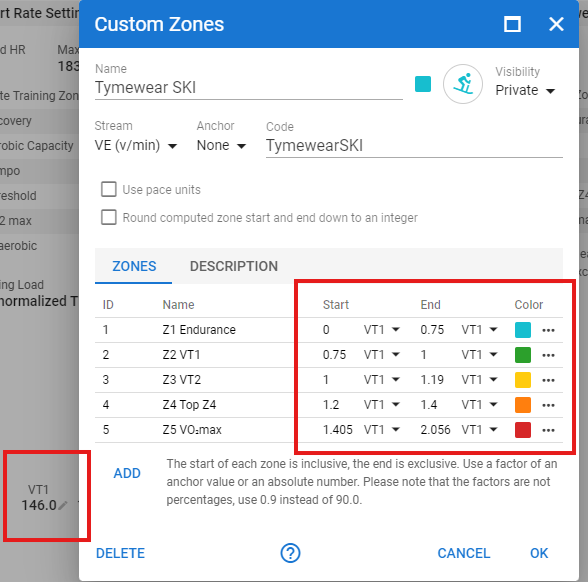
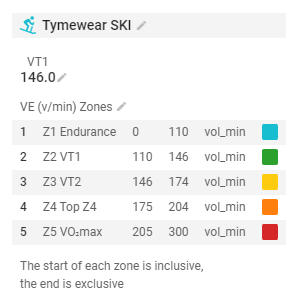
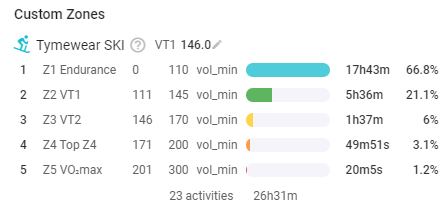
You also can use multiple „anchors“, so you could also define VT-Endurance, VT2, VO2max and TopZ4 as anchors. Then you „only“ need to update the values, and not the factors, because they‘ll probably change in the future. 
2 Likes
When using the built-in zones it is possible to do e.g. Z2-Z3 Pace, which will then give me the lower end of zone 2 pace and upper end of zone 3 pace, allowing me to create wider ranges easy.
With custom zones it seems to do the opposite - taking the high end of the first, and low end of the second. Let’s say I have CZxEasy, CZxAerobic and CZxThreshold, each anchored so that there is no overlap. If I choose CZxEasy-CZxThreshold I would expect to get the full range from the very slow end of Easy until the very fast end of Threshold. But instead I get the fast end of Easy and slow end of Threshold, which in this example would just be the exact same as Aerobic.
Doesn’t make a difference if I switch them around, I always just end up with the high end of the lowest zone and low end of highest zone.
I think you meant PascalCase here? In camel case first char is lowercased but the form doesn’t allow it.
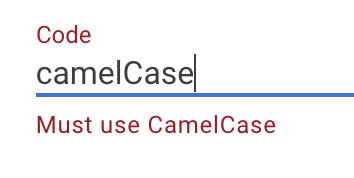
It is both camel case. But you need the “upper camel case”
The writing format camel case is the practice of writing phrases without spaces or punctuation and with capitalized words. The format indicates the first word starting with either case, then the following words having an initial uppercase letter. Common examples include YouTube , PowerPoint , HarperCollins , FedEx , iPhone , eBay , and LaGuardia. Camel case is often used as a naming convention in computer programming.
Wikipedia
1 Like
Thanks for clarifying. Since many developers (including Microsoft) use camelCase specifically for lower camel case and PascalCase for upper camel case, it might be worth specifying upper camel case or PascalCase to avoid confusion. Just a thought!
There is one more point I want to clarify.
Custom zones — I set them individually for each sport, and there are no questions there.
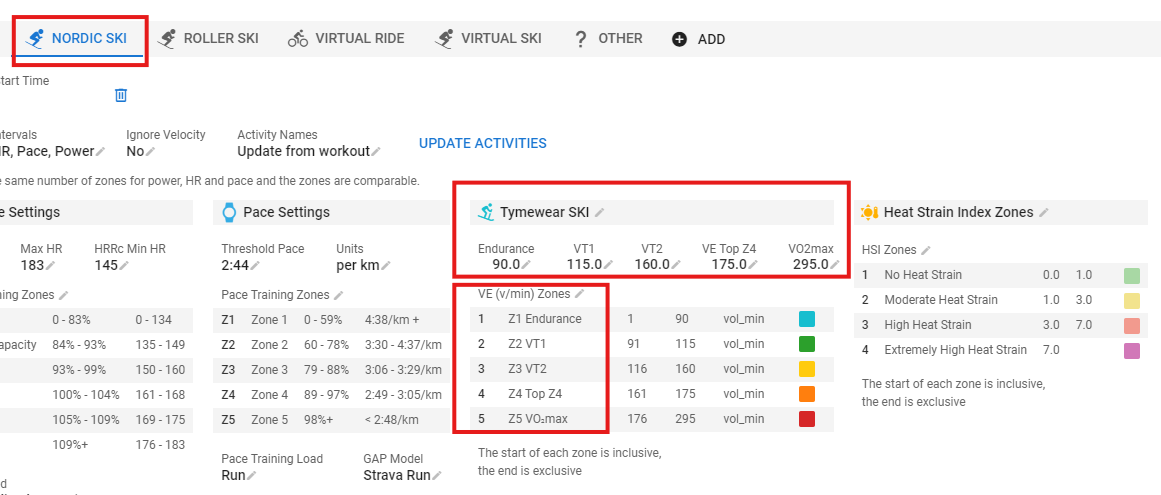
But when I go to the Totals page, the training zones are the same for all sports — and if I change one, the other automatically changes as well.
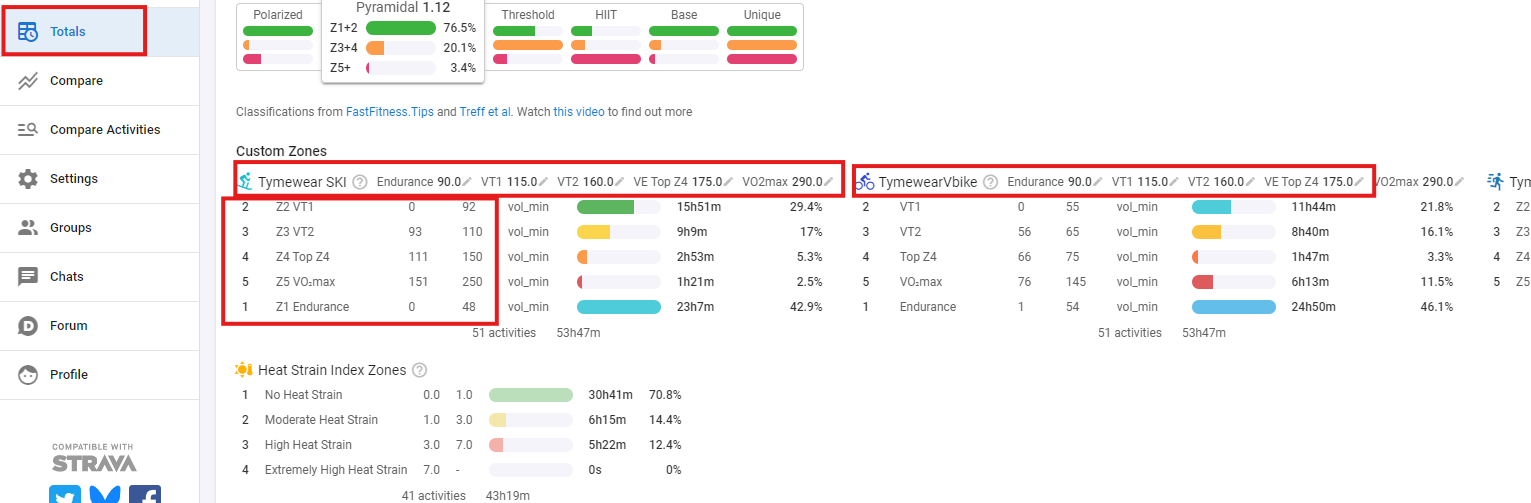
But the actual training values in the Totals tab do not change.
What else needs to be adjusted?
I’m not sure about this, but imo it may not make sense to show values on the totals page. Usually you select a bigger date range, and in that time frame it could change the absolute values of the zones. So it may be better to hide the values? @eva
But ofc there will be also zones which doesn’t change, and they could show the zone ranges. The built in HR and power zones doesn’t show any zone ranges either.
But to answer your question, from my observation it shows the values of the first activity from the beginning of your start date range.
1 Like