As a coach managing multiple athletes, I would love the ability to define custom pace variables for each athlete and then use those variables directly in workout definitions.
For example, in an athlete profile:
5K Pace = 3:20/km
10K Pace = 3:35/km
Half Marathon Pace = 3:50/km
Marathon Pace = 4:05/km
Critical Velocity = 3:30/km
Then, in workouts:
10x400m @10K Pace
3x2km @HM Pace
20min @Marathon Pace
8x1min @CV Pace
The workout would automatically adapt to each athlete based on their own pace values, similar to how power, heart rate, or pace zones are individualized today.
Why this would be useful:
Coaches often prescribe sessions using race-specific paces (5K, 10K, HM, Marathon, CV, etc.).
The current 7 pace zones are limited and may already be used for other purposes.
It would reduce the need to duplicate workouts for athletes of different levels.
It would make workout libraries much more reusable across large training groups.
It would improve readability by using meaningful training terminology instead of zone numbers.
Possible implementation:
A configurable list of custom pace fields in the athlete profile.
Support for variables in the workout builder (e.g. @10K, @HM, @CV).
Optional calculations based on race performances or threshold pace.
I believe this would be especially valuable for coaches managing groups of runners with different performance levels while using a common workout library.
You can setup Custom zones as a supporter (premium feature).
Create the custom zones and share them with the correct naming. Each athlete working with you would then just need to modify the values to his personal pace targets.
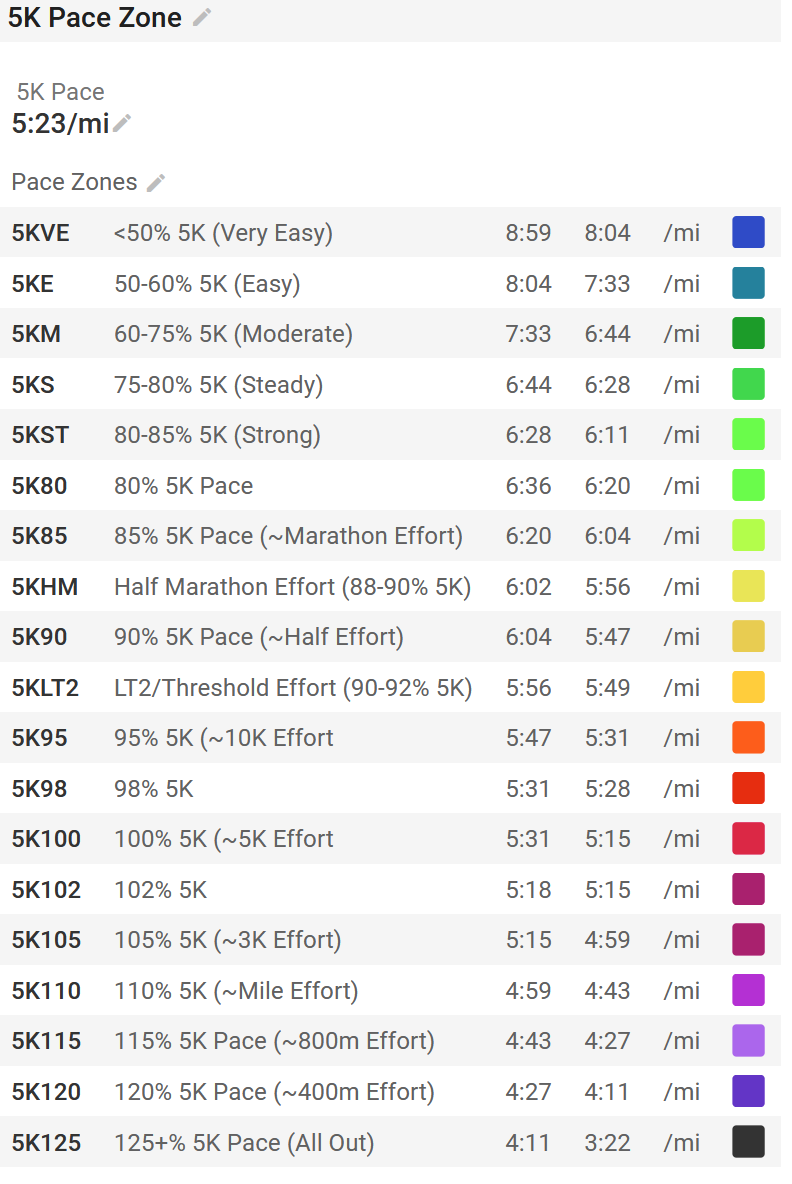
Building off that Custom Zones work, I had actually set up 5K Pace, Half Marathon Pace, and Marathon Pace custom fields, as well as pace based zones that build off of them. These are all public and you/your athletes should be able to use them.
EDIT: Also, it looks like someone built a similar zone for what you’re asking for–search for “Multi-Distance Anchored Pacing Model” in Custom Zones and then set your paces:
Using the workout builder syntax, this might look like:
5K Pace Repeats 10x
- 400m CZ5K100 Pace
- [some rest/recovery interval here]

HM Pace Repeats 3x
- 2km CZHM100 pace
- [some rest/recovery/float interval here]
And so on. Replace the brackets with however you’d prescribe rest
I didn’t make 10K Pace/Zones or CV Pace/Zones, since I’m haven’t recently/am not currently training using those, but creating them is pretty straightforward, especially if all you care about is that single speed – just create some Custom Fields for those paces, then create a custom zone set that includes only those zones with a start and end of 1 for each of them
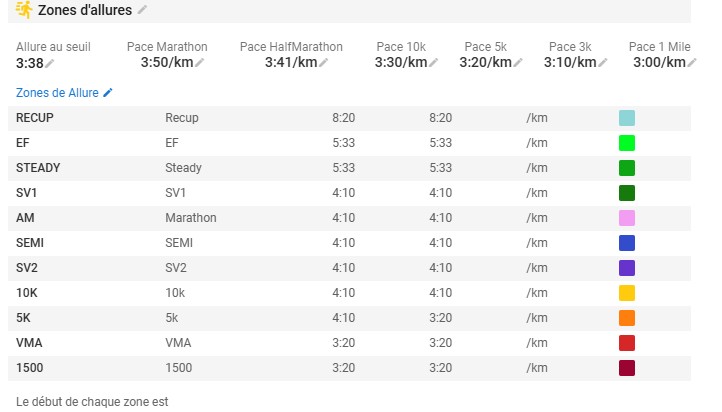
just subscribed as a supporter and created my custom zones following the model mentioned above. It works, but I am facing two major issues:
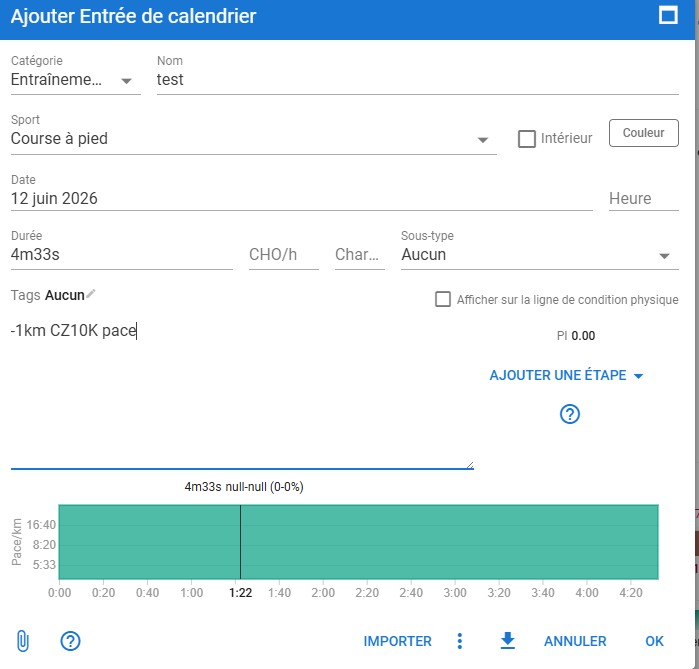
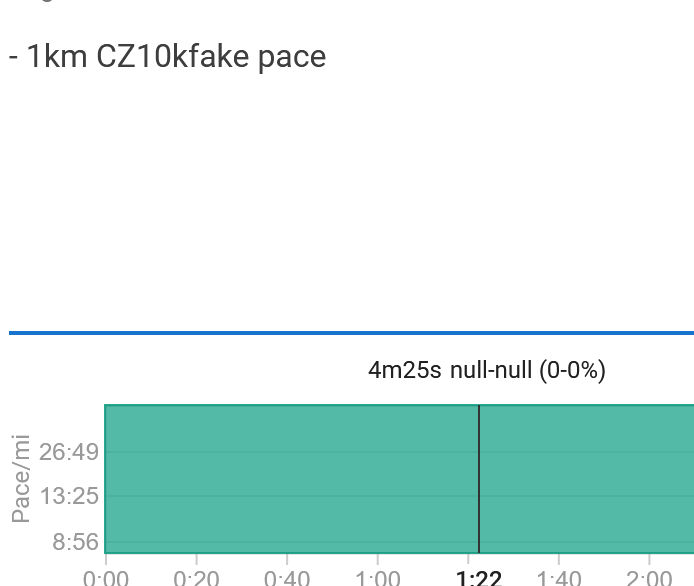
The “null” pace error: When I write - 1km cz10k pace in the workout builder, the correct zone color shows up perfectly, but the pace value itself displays as “null” in the pace tab. Do you know why this is happening and how to fix the syntax?
Applying to non-premium athletes: It seems like I cannot configure or push these custom zones to my athletes who are on free accounts. This defeats the whole purpose for me as a coach. Is there a specific way to sync my custom zones model to my free/non-premium athletes?
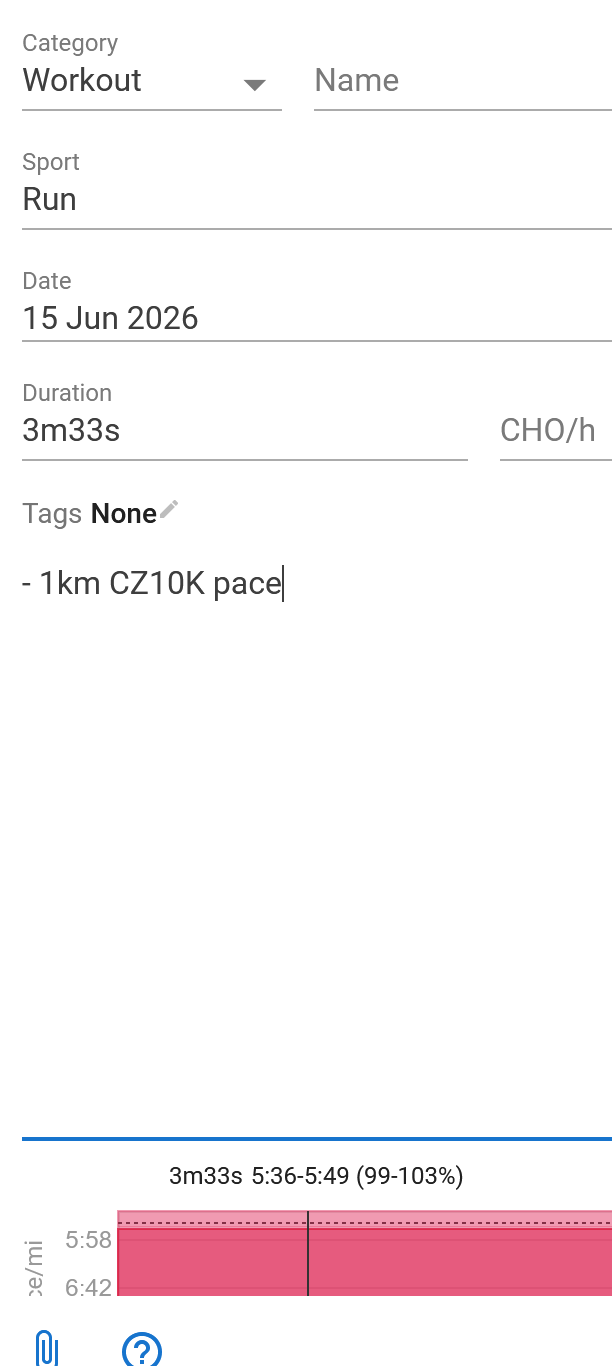
This may be a stupid suggestion, but did you try refreshing? I just copied those zones, entered my 10K pace, updated the Zone ID like you did, and then on that same tab, went to the workout section and added it.
I have experienced what you’re seeing when I have two tabs open, I make the changes on the Settings page in one tab, and then try to add a workout on the other page – Intervals doesn’t seemrecognize it as a real Custom Zone yet, since it seems to only grab them when the page is first loaded. Below, I use a fake zone and you see I get the same null-null. But when I refresh that second tab, it then works