Hi
I am loading a training plan into the intervals calender, so that it ends on a race date. When I try to edit weeks/insert weeks/delete modules, it keeps moving the calender and thus it affects the final race day.
How do I insert/delete training weeks without impacting the end date of my training plan??
1 Like
I am not sure, what you mean. If you have an event on a date, and your traing plan ends on that date of the event, and you then insert a week - of course it will now end one week after the event, because now your plan has one week more.
Why is this a bug report?
And what do you want to achieve? Maybe show, what you want to do, so someone could help you.
If I have a plan that ends on a date for a race and I want to add a week into my plan either for a break or holiday or rest, I want the race date to remain fixed, so the extra week should push all the previous events BACK one week and not move the race date…make sense?
adding a week to a calender shouldn’t move the end date…(at least give the option not too!!)
Makes sense if there is enough time available.
But it doesn’t if your plan already starts this week or next week.
You should probably move the whole plan a week earlier and then insert a week.
But I am certainly not an expert with the plan builder…
You should have the option. say you build a plan and then want a week off. it shouldn’t move the end date…assuming of course the plan hasn’t started…
You can edit your plan and change your start date. Just move it one week ahead.
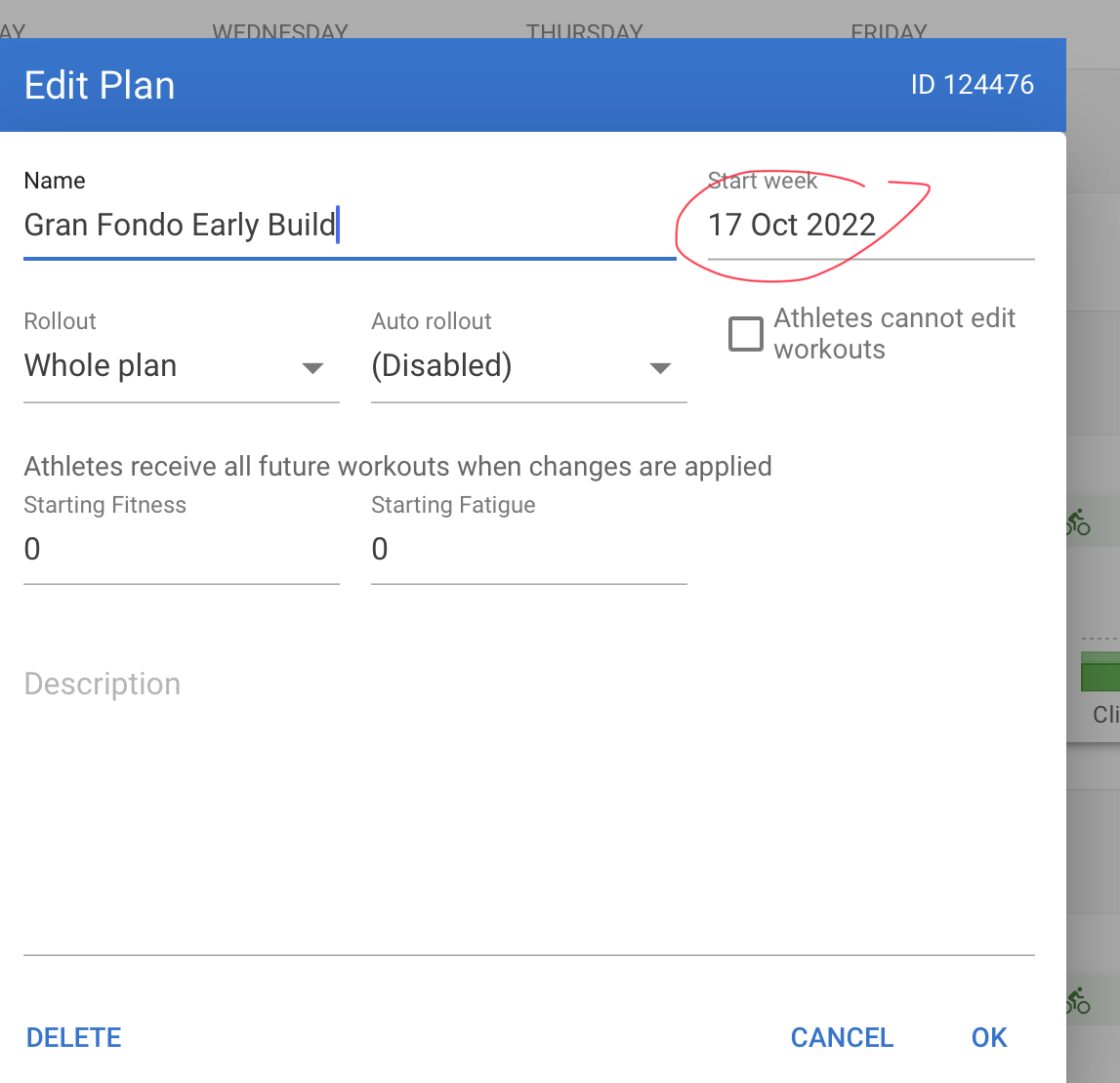
You also can drag and drop that plan on any calendar week, regardless of your configured starting date, like mentioned in this post
Related to this. I’d really love the option to set the plan end data not start date!
Don’t make me do the math of figuring out what is the Monday of the 16th week before my Sunday race at the end of the year!
To be clear - not a bug as current setup works as intended.