Nice suggestion. Lets see if we can sort these out!
1 Like
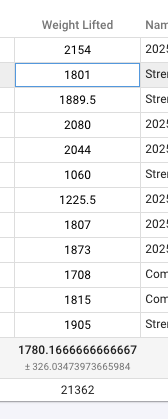
Not sure if this is new or previous, but Weight Lifted total in List View has a lot of decimal places
The new design looks amazing, especially like how the zones are displayed for the week! Small request would be to have the ability to only show the 3-zone model overview
2 Likes
Would it be possible to set an ‘overall’ load target as an option, rather than sport specific?
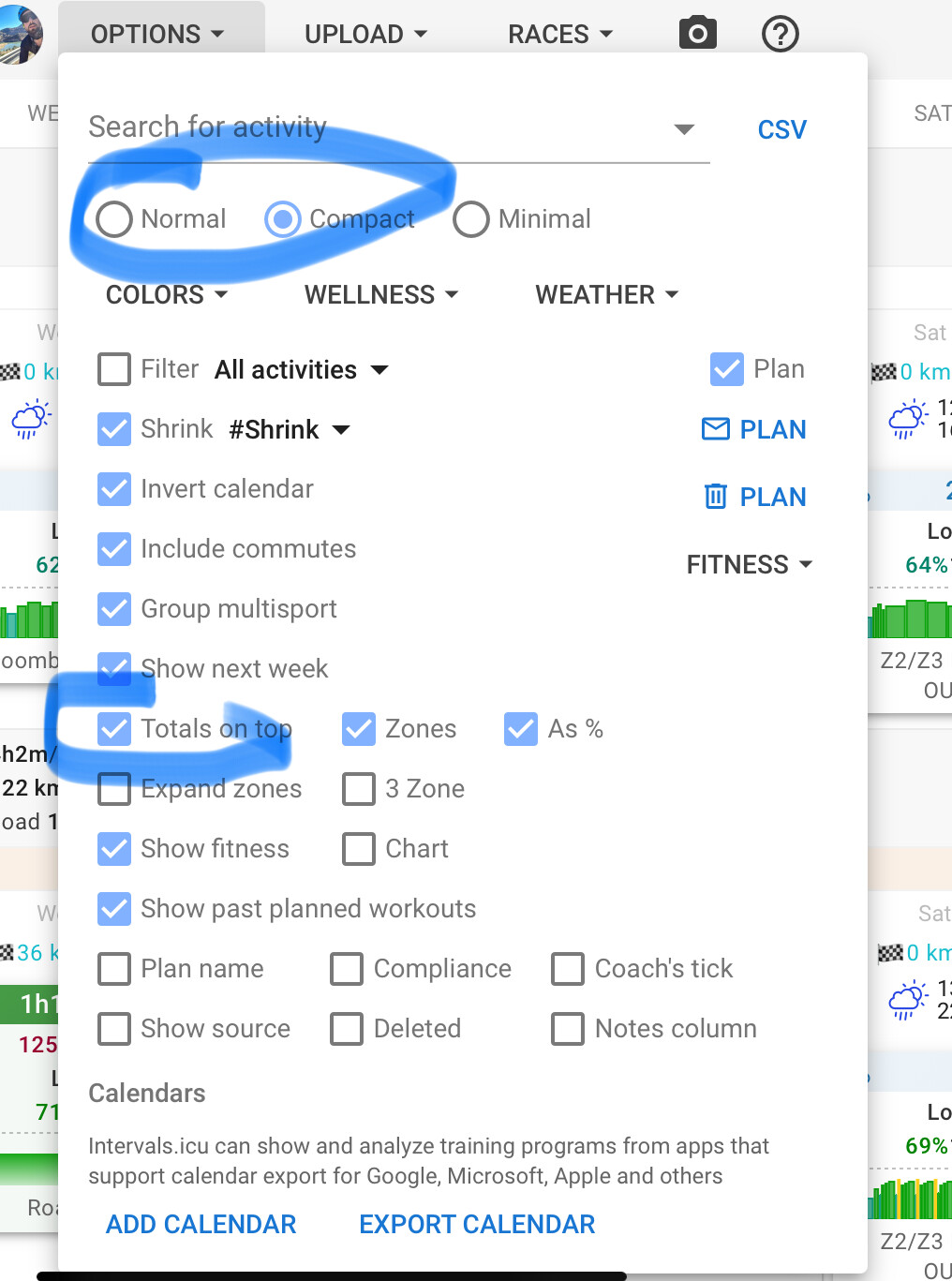
Is it possible to enable a switch to choose the old version? Some people are not used to changes.
4 Likes
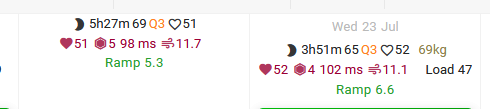
Looking good, and I half hate myself for pointing this out, but there is a bit of an inconsistent view:
BTW, first time trying to upload an image, so in case it does’t show up, I’ll explain:
On compact mode, on the day to day view, when some days have activities and some don’t the headers of the day cells/boxes jumps up and down.
On the days when there is an activity, the date is shown as the top-element on the header. On days where is no activity, this is hidden.
This can result in the summary lines (like sleep time, Resting HR, HRV, etc) to jump up and down; making them a bit harder to read.
Minor thing, but I thought it was worth pointing it out
4 Likes
This!
1 Like
I agree - it would be very useful if the projected number of hours etc. updated based on workouts already completed. Otherwise there’s no clear way of working out how many hours I will do in a given week if I don’t do the exact planned durations every time.
3 Likes
Hey hey,
thanks for doing this work. Looks great!
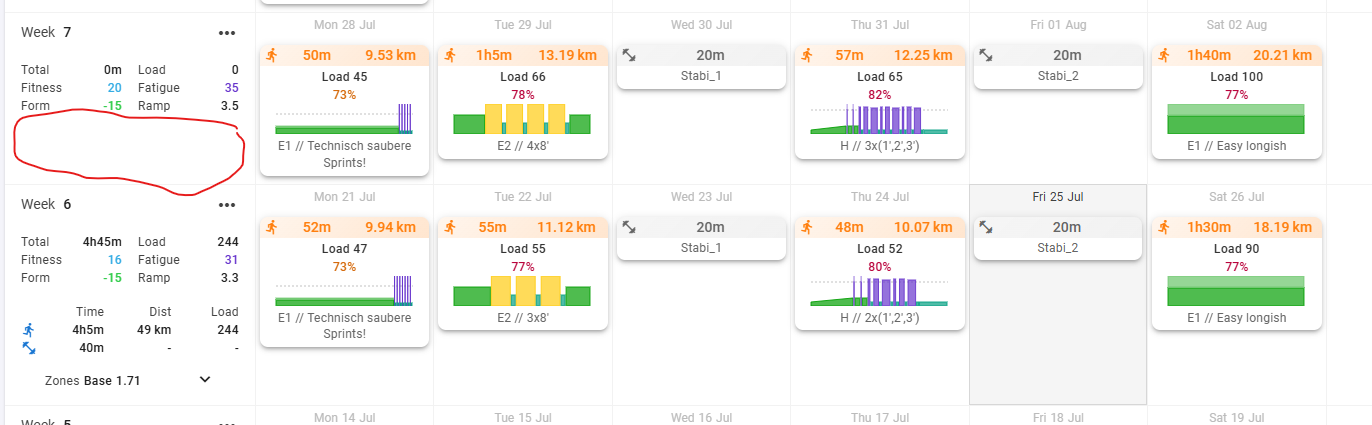
One thing I noticed: Currently there is no total time or distance forecast in “training plans” beyond the current week. That was super helpful for planning e.g., running volume increases for the next weeks.
1 Like
I’d like to echo this concern—I have the same issue with the current week’s planning.
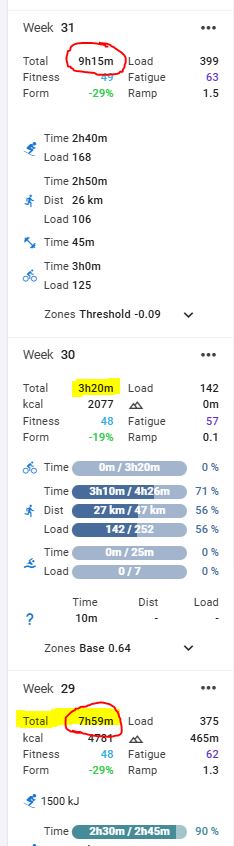
Previously, I could see the planned training hours for each week. Now, it only shows completed hours from last week and planned hours for next week.
But for the current week, only the actual logged hours are visible. Is there a way to see the remaining required hours without manual calculations?
In any case, the updates look fantastic, and a tremendous amount of work has clearly gone into this redesign. Thank you!
4 Likes
This seems like a good time to just say thanks for all the hard work you put into this tool. As a finance person with a love for data, it really is incredible.
4 Likes
That was a bug and has just been fixed. Tx.
I also dislike the look so I made a userscript that reverts to (pretty-much) the old design. It can be found here: Makes the past workout skyline flat and look like the normal one. · GitHub
and used with an extension like TamperMonkey: https://chromewebstore.google.com/detail/tampermonkey/dhdgffkkebhmkfjojejmpbldmpobfkfo
3 Likes
Thank you for all the hard work you put into this! I have to say though I’m not a fan of the new progress bars in the weekly summary. I actually think it’s more confusing than the way it was before. Take this example:
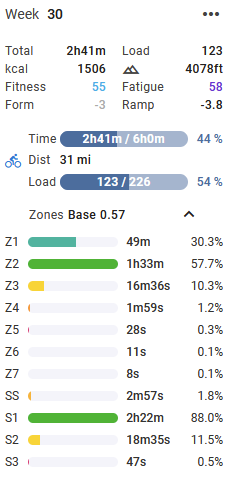
Why do I have some progress bars that show a percentage of my goals, and then other progress bars that show percentages of what I’ve done so far, with the major stylistic differentiator being the color? Additionally, I’m not sure that I care so much about what % of planned time I’ve done compared to the more important % of planned load. Finally, the extra width is really disruptive to the overall design when you have a browser window less than 1600px width or so. It
2 Likes
I understand what you are asking for. I’ve replied to you at the end, but need to help others understand a common misunderstanding about PLANNED, TARGET and ACTUAL values, including for “today” when planned and actual sums together for the day only, then resets after midnight.
You haven’t shared you calendar, so it’s difficult to explain using your numbers. I will use mine to show you.
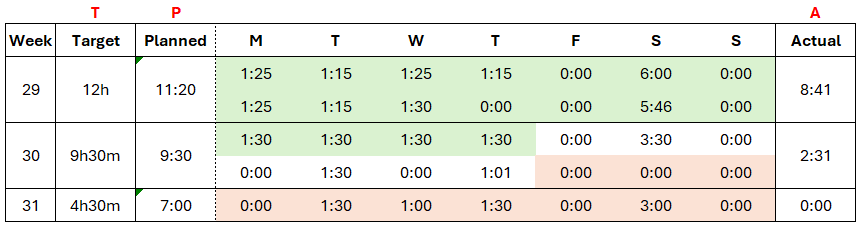
Actual (green) is in the past, so adds up to actual duration completed
Planned is based on activities loaded for the week. For this week, planned and target happens to be the same, but doesn’t show which is part of your query.
Target is what gets entered on this menu (which I assume you are using).
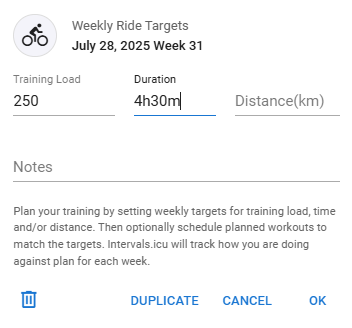
For future workouts, if there is no target value entered, then the progress bars won’t show, as seen by the example below. In my example, week 31 and 32 have identical workouts PLANNED, but there is no TARGET loaded for week 32 (so no progress bars showing).
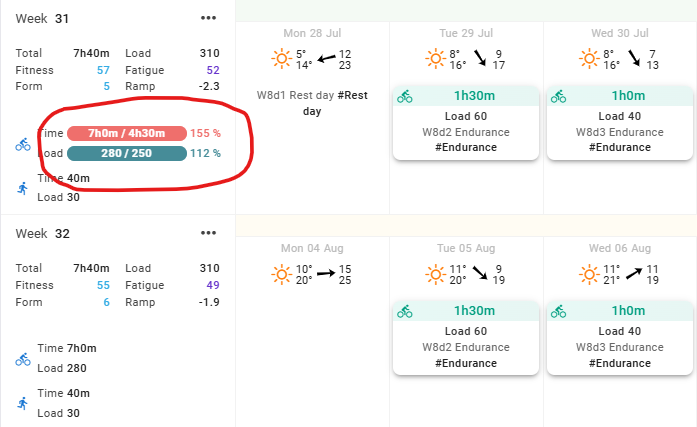
Here’s an example of with and without PLANNED and TARGET values loaded.
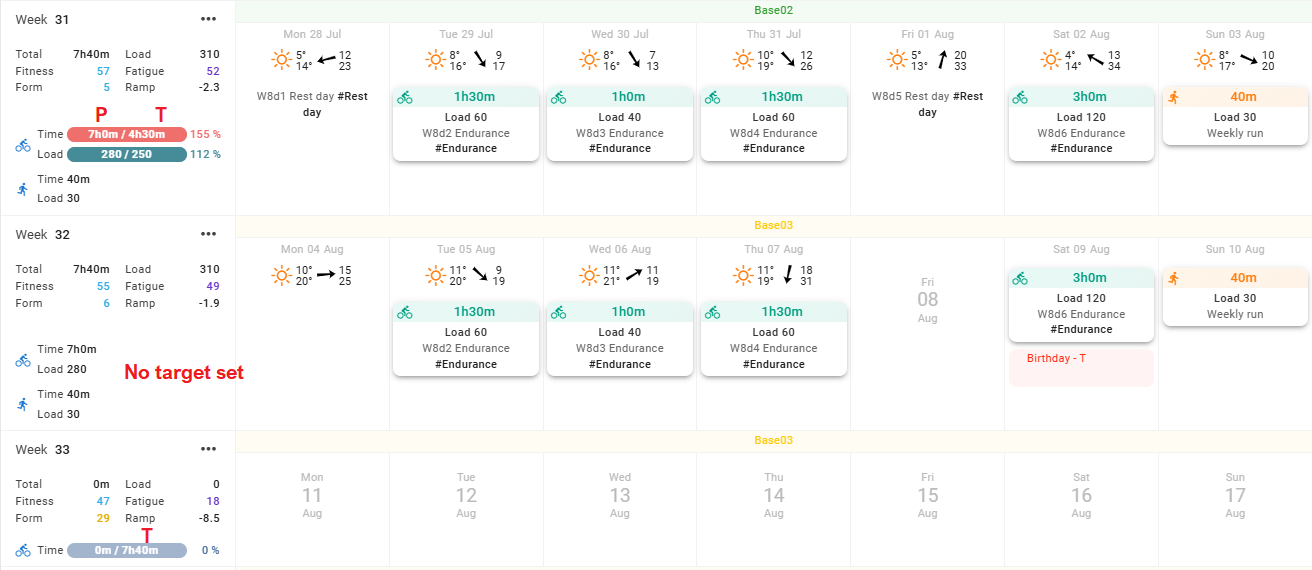
- Week 31 shows PLANNED and TARGET
- Week 32 shows PLANNED only (there is no target loaded, so no progress bar)
- Week 33 shows TARGET only (there is nothing planned, so shows the progress bar with 0m planned / 7h30m target)
@Timur back to your numbers:
-
Current week doesn’t show planned value, but does show target (in progress bar).
4h25m would be target and 3h10m would be actual. Without seeing the detail, it’s difficult to see if your PLANNED and TARGET are the same, but if different, the TARGET would show. -
Next week shows both planned and target.
2h30m / 2h45m is planned and target respectively.
2 Likes
I believe this is true only for future weeks.
for past and current weeks I have the progress bars without setting a “target” under weekly totals but with planned activities 
Thanks.
I didn’t check historical planned workouts as I didn’t want to disturb my data.
that’s weird because if progress bars are shown for current week with planned workouts
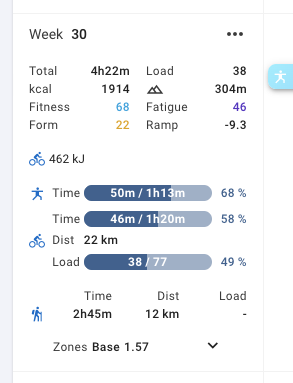
why aren’t shown for future weeks with planned workouts?
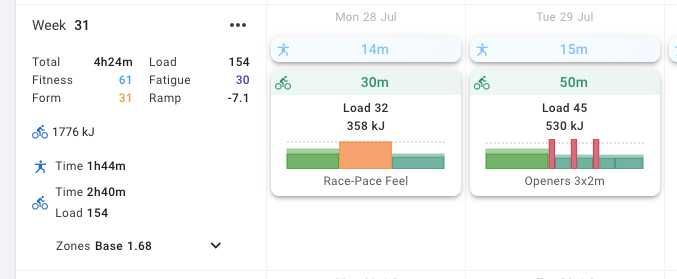
Is there an option to just turn off the time/dist/load progress bars in the weekly summary?
I don’t really plan ahead (I do, just not on this website), so the “target” only gets populated/updated as my Garmin data syncs - because activities based on Garmin Connect workouts bring along the associated workout. I wouldn’t be in the habit of setting a structure or target pace for non-interval type runs (say for easy, tempo or long runs) so there is no associated workout on the import - and thus no information to populate the plan.
It looks like the full “actual” totals for the week are still compared to the partial “planned” values for the workouts, that are never present in advance. This compliance number (say, 250%) doesn’t reflect in any way how the workout went, but rather just how many non-interval sessions I did.
So the bar lines only appear on weeks that have a workout, and don’t make much sense there. Unless I start to add a “plan” to each week and go back and add one to each each historical week, this visual information is not helpful to me. Just seeing the actual totals as before or a week-to-previous-week comparison would be more useful.