Cadence anomaly Forerunner 255 + Running Dynamics Pod

First of all, I am very happy with this platform!
I am using a Garmin Forerunner 255 and a Running Dynamics Pod. The cadence on Stava and Garmin Mobile Connect is correct (around 180 spm when running). Intervals displays the number 90, so half the spm.
Strava
Screenshot 2022-07-28 at 17.08.30

Intervals

1 Like

Intervals started as a cycling app and in cycling cadence is based on revolutions. In running it is steps. @david already has this on the todo list.

1 Like

Aha, that explains the exact division by 2!

Hi,

I am having the same issue on Forerunner 955 + Running Dynamics Pod. So it’s not hardware related right? Just a fix from David’s side correct?

Yes this needs a fix in Intervals.icu.

In the meantime, I have a custom activity field and a custom interval field. The only problem is the lack of the graphic, but for me it is ok with the total and interval average.

Activity field

cadences = streams.get("cadence").data
times = streams.get("time").data

cadence=0
totalCadence=0

for (let i=0; i<times.length; i++) {
  cadence=cadences[i]*2
  totalCadence+=cadence
  //console.log(cadence)
}

finalCadence = totalCadence/times.length

Interval field

cadences = streams.get("cadence").data

totalCadence=0
count=0

for (let i=interval.start_time; i<interval.end_time; i++){
  count++
  totalCadence+=cadences[i]*2
}

finalCadence = totalCadence/count

Tx. You can do it a little easier using activity.average_cadence * 2 and interval.average_cadence * 2.

Also with your interval code you need to use interval.start_index and interval.end_index for this sort of thing. The times will only work if there is 1 second per tick and no missing data points.

1 Like

I’m a bit lost, and can’t figure out how to update my running cadence to twice the recorded value. It is now only showing one leg’s spm.

Where do I set the Activity Field and Interval Field?

Use one of the user created fields for both. There’s enough choice:

1 Like

Thank you! Thanks for taking the time to high light where to find it… :slight_smile: was looking for this field in Wellness.

The field is added now. How do I update previous runs to have the correct cadence?

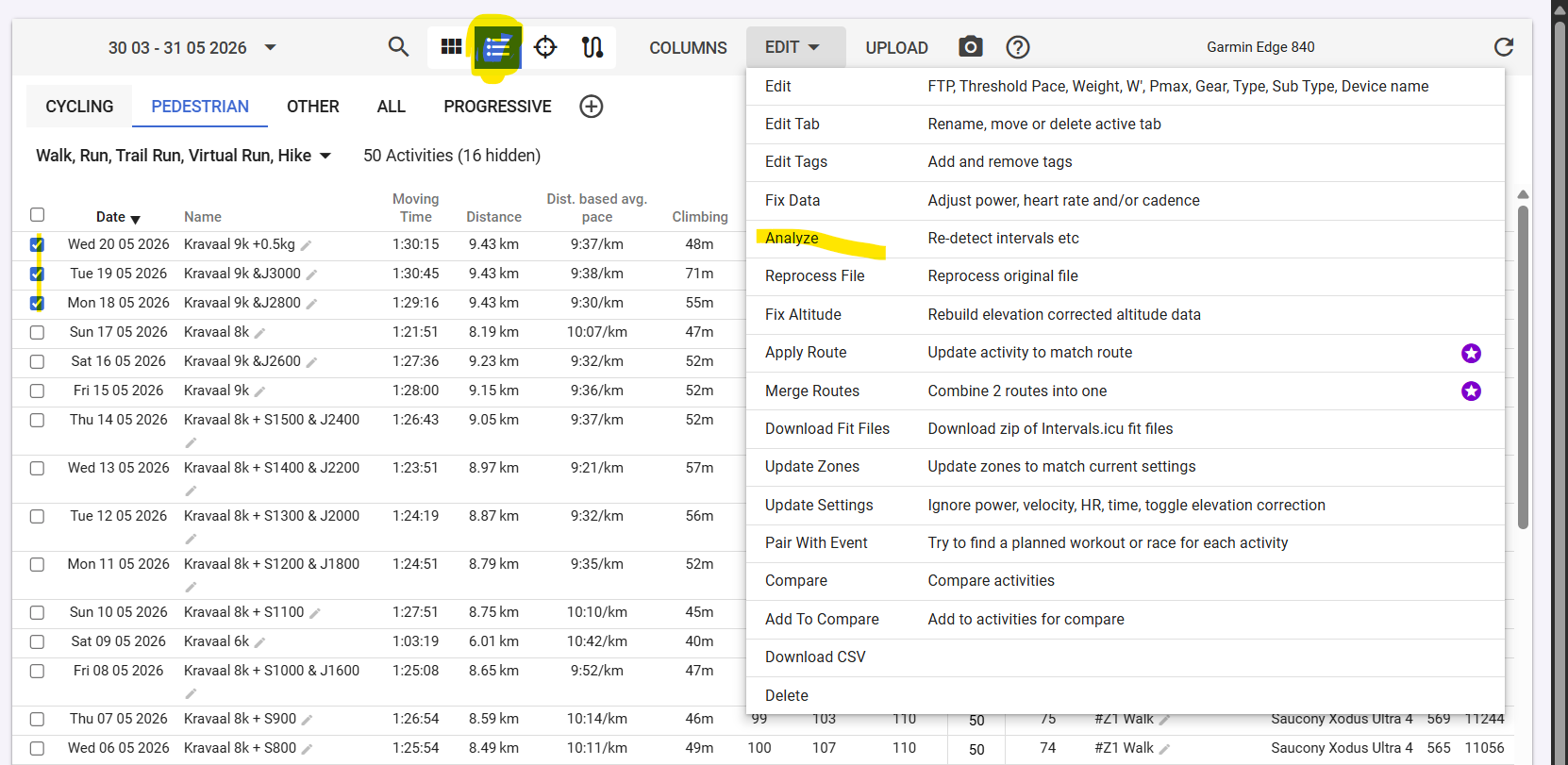
Re-analyse from the Actions menu at the bottom of the Timeline tab or do it in bulk from the Activity List View.

Alright!

Allow me to ask again. The field is added, and is now displayed.

The chart will remain at 50% value?

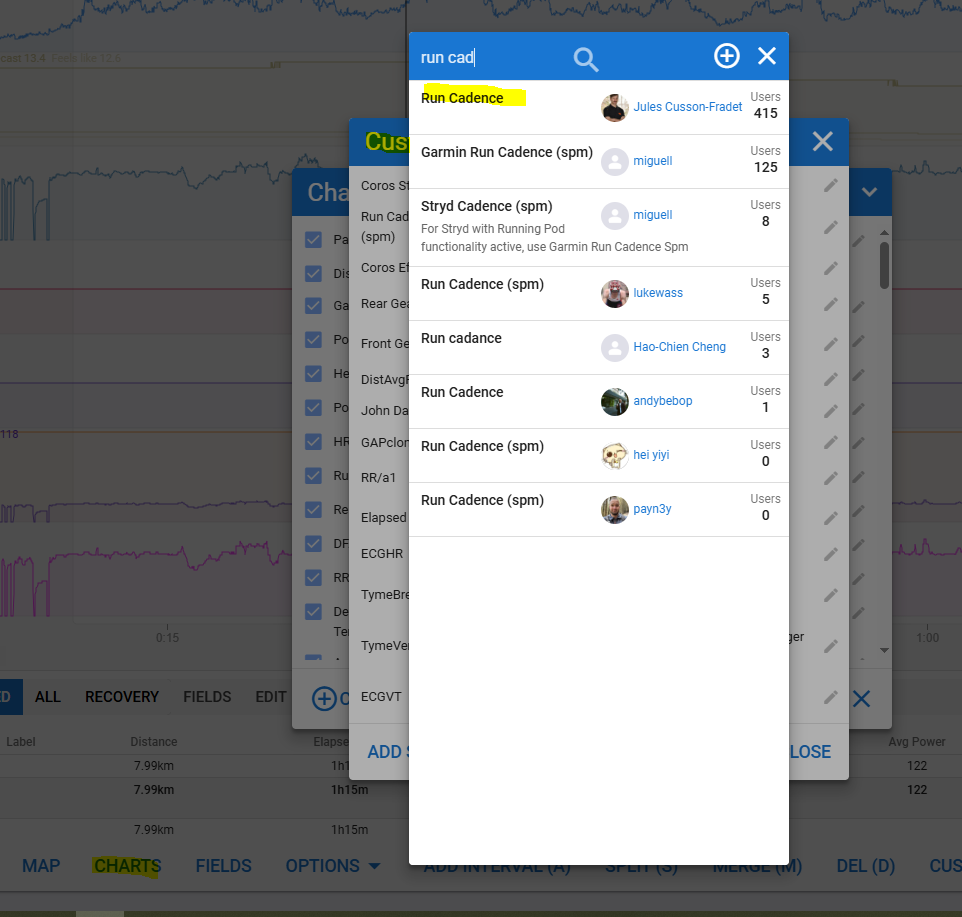
I think you should find a chart under Charts > Custom Streams > Search

1 Like

First add a custom stream for Run cadence (which will double the cadence from the activity file), then add a chart with that custom stream and drop the default cadence chart.
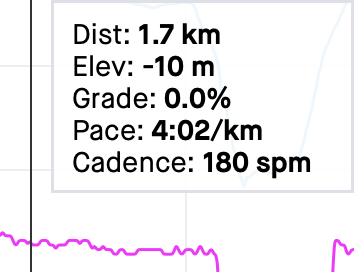

1 Like

Thank you both.

I can’t get the new stream working and displaying. I give up. I’ll just use the original 1-leg’ed cadence.

What doesn’t work? Did you find and add it?

If you done this it says you have to reprocess files to calculate those streams. For existing activities do Action > Reprocess File

For new ones it will do that automatically

@R2Tom the chart is not showing…

Did you do

Action > Reprocess File

?

Oh, yes. Nothing happens.