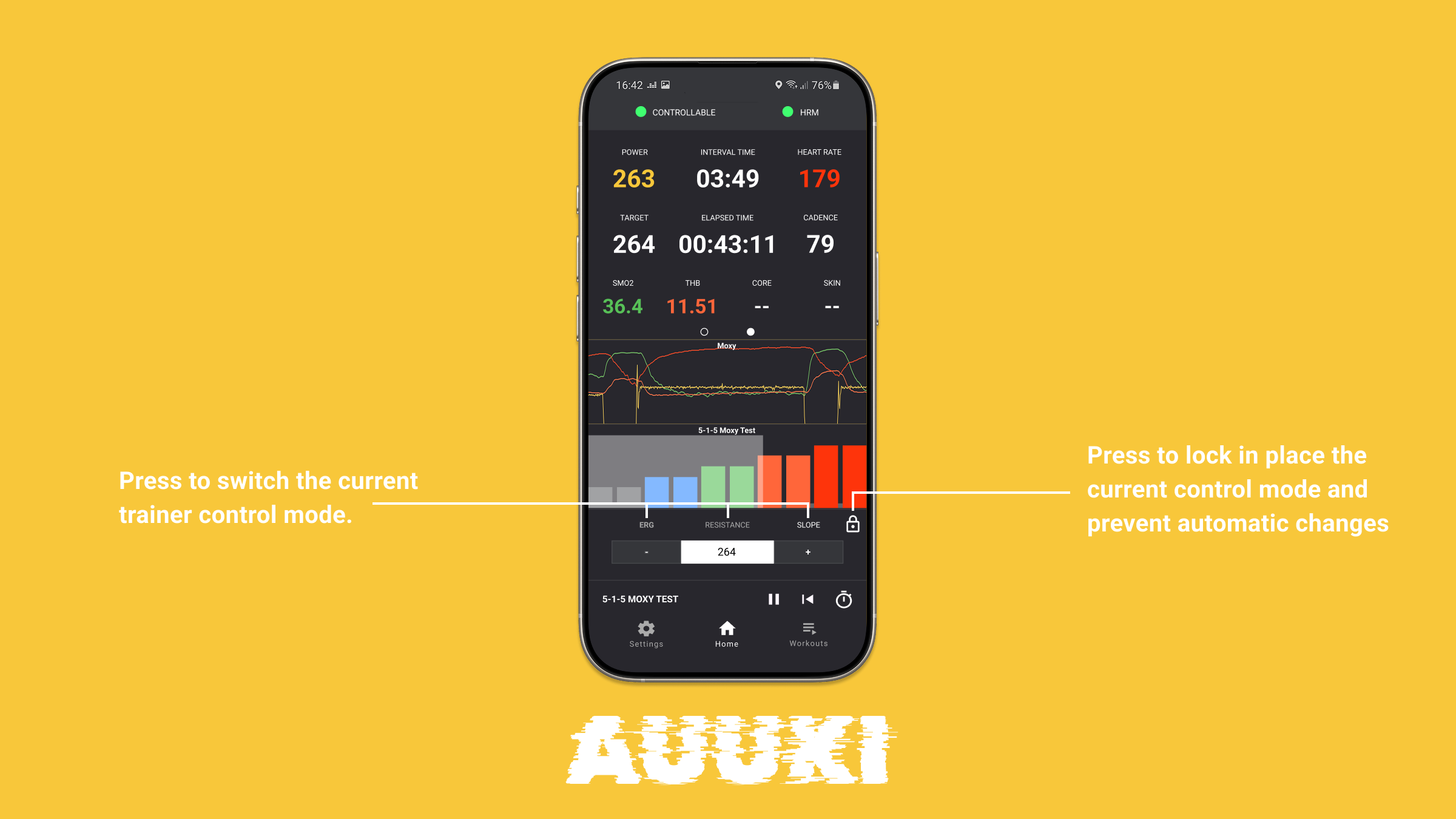
About the workout modes, the answer is: it’s complicated. Auuki supports workouts with pre-programmed intervals in Slope and ERG mode, but since this is not a standard feature of the zwo workout format or any other workout format, there is no workout editor that can create those, and to my knowledge there is currently no platform that supports them. Auuki has a build-in editor that can create those kinds of workouts, but it’s kinda hard to use, I’ve been meaning to re-write it, will eventually get to this, but it still won’t solve the lack off standard for this across the industry.
Since others are also asking the same, I am currently working on a solution that may patch this issue and allow you to at least lock the Auuki app into a mode for the rest of the workout. You will be able to select ERG, Resistance or Slope mode and lock it for the rest of the workout session. The trade off is, you’d need to manually adjust the resistance value for the selected mode. Will notify you here when it’s ready.
Locking mode sounds great. I usually mash the r key when a new interval starts and I want to stay in resistance mode. Not ideal when it’s a sprint and I need both hands on the bars.
We did some work on decoding that few years ago, but if I remember that right, the main missing part is the internal protocol for trainers with native support for virtual gearing. This last part is crucial for providing a good experience. I think Zwift promised some time ago to make the protocol public. Last time I checked this was not yet the case.
The entire thing can be reverse engineered or simulated with ERG mode, but I’d prefer to wait some more time for Zwift to come true on the promise. Maybe they did, I’ve missed it though.
In any way I won’t be doing any work on that feature until at least Autumn. I’ve been neglecting the iOS apps for years, in favour of the web app, so I want this year to publish the full suite of apps, and this is the primary goal now. Auuki for iOS is ready, Auuki for Apple Watch is working, but needs refinement, soon starting on MacOS and AppleTV apps. Will be quite busy with that until September.
Anyway, I am trying to save up some money for a Tacx Neo and a Zwift Frame for this winter, if all goes well, I’d be highly motivated to thinker with the new equipment so this feature is definitely coming.
Just had a feature request regarding smart bikes with buttons. I have the Elite Square (image attached), and I am sure there are many people with the Zwift Ride. I was just wondering if it would be possible to implement the buttons, so they can be mapped to some hotkeys. For example, pressing Y, A, B or Z performs some function like skipping the interval, changing from ERG to slope mode, etc. It would be great to have complete functionality from these buttons, but I understand this may be a niche market.
Yes, the new Zwift Click would fit well with the UI control tasks, and maybe the Elite Square will too. Will try contacting Elite, for some documentation on how those work and pair.
Starting a tab in the browser in “Dock” mode, won’t be possible, because the Browser restricts resizing or closing windows. But there is a workaround. Those restrictions won’t quite hold if you have the app installed, and thus running in its standalone window.
I’ve added some changes today that hopefully will make using Dock Mode a little more ergonomic.
First if you click the Dock button, the app will create a new Dock window at the bottom of the screen and will try to close the old window. That’s more clear than before.
Second there is a new Option in Settings, Start in Dock Mode, by default its OFF, but if you set this to ON, next time you open the app it will try to open up in Dock Mode.
There 2 conditions for this to work: 1. Auuki needs to be installed, 2. This feature works on Windows and Linux only, not on Mac. On Mac there are further restrictions even for installed apps.
Here is the install button in the Brave browser. Click that and Auuki will be available as a regular installed app.
New small request, could the device attached to the fit file (manufacturer in File ID) not be garmin?
With the API rerquest from them to show their device everywhere it’s unnecessary clutter.
Currently: Garmin Edge 1030 Plus
Obviously a nice to have but presumably a trivial switch