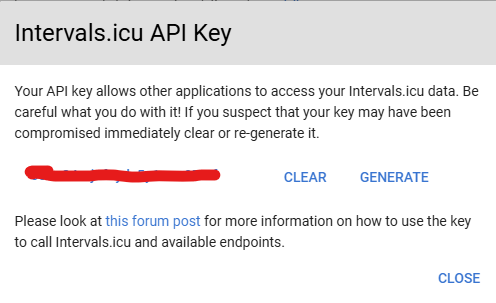
ya. I put my API Key in instead of “using correct api” - Just wasn’t post my API Key on the forum.
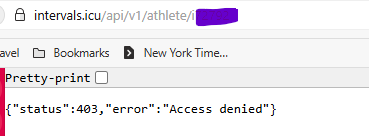
I can’t figure this out. I have no idea why I am getting the 403.
The code below should work
Hi, @stezz ! Did you ever get an Action from custom GPT working? I’m working with a hallucinating ChatGPT to sort it out, but as far as I understand the problem is with authentication. GPT cant set the username to ”API_KEY”, cause you can only set the password. Since I don’t trust my GPT I’m not sure about this.
It seems like it could be possible to use third party tools so GPT contacts them, they add the correct authentication and parses the query to Intervals and returns the answer to GPT. But didn’t get it working with the help of GPT, so kind of gave up again.
If anyone got ChatGPT+ to connect to Intervals I could document it on the forum for others to copy.
I have a python script which takes a cycling workout description from excel (something like 3x(8x(1m @ 105-110% @ 100 rpm, 2m @ 80-85% @ 70 rpm) , 4m rec) ), parses it and converts to a .zwo and then uploads it to a specific date in my calendar.
I’ve been trying to do the same via a .json for running workouts but I’m having zero luck. Can running workouts get sent to the calendar in a proper structured format (i.e. not just a line of text). Anyone else done this? Thanks
Edit - I found this thread. Thank you @Jonasdlm Super stuff.
Im planning to create an AI agente (yes i said Ai and agent in the same sentence ). That consume information from some data points (garmin, my fitnespal, others) and can create training plans in base of objetives.
I would like to that plan store in intervals, so the people can upload to their garmin o apple watch.
I would research your api docs, any recomendation thinking in this use case?
I’m trying to use the Intervals.icu API, but I don’t see the “Allow API access” checkbox under Developer Settings on my Settings page. Could you please enable API access for my account?
Everyone has access. Use basic authentication with athlete id in the link, API_KEY (this exact string) as user and your api-key (found on the settings page) as password.
yes.. if it’s uploaded into intervals from te FIT file, then it’s available.
YOu access it using the same “code” as the custom field for core body temp
I will give it another try.
Currently my code doesn’t fetch it.
But I do not know why. Maybe I should learn how to do it by myself instead of using Gemini CLI
I am consistently getting a 404 Not Found error when trying to fetch streams for my Garmin activity i81043961.
We have confirmed my API call is correct (/api/v1/activities/81043961/streams) and that I am using the correct authentication method. Since it is a Garmin activity, it should have streams.
Could you please investigate if there is an issue with this specific activity file on the server? Thank you!
 ). That consume information from some data points (garmin, my fitnespal, others) and can create training plans in base of objetives.