API access to Intervals.icu

I have tried a few different set ups and received this error.

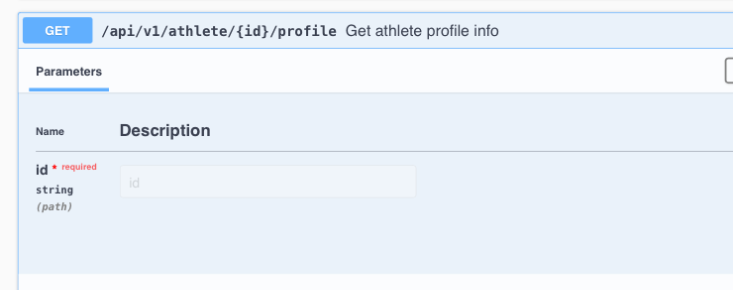
:x: Error 404 while accessing /athlete-profile
Response: {“timestamp”:“2025-05-26T14:42:42.070+00:00”,“status”:404,“error”:“Not Found”,“path”:“/api/v1/athlete-profile”}
:no_entry_sign: Could not retrieve athlete profile.

Ran another script and received this error.

:x: Error 403 while accessing /athlete/i87631
Response: {“status”:403,“error”:“Access denied”}
:no_entry_sign: Could not retrieve athlete profile.

You almost certainly made the ‘usual’ error…
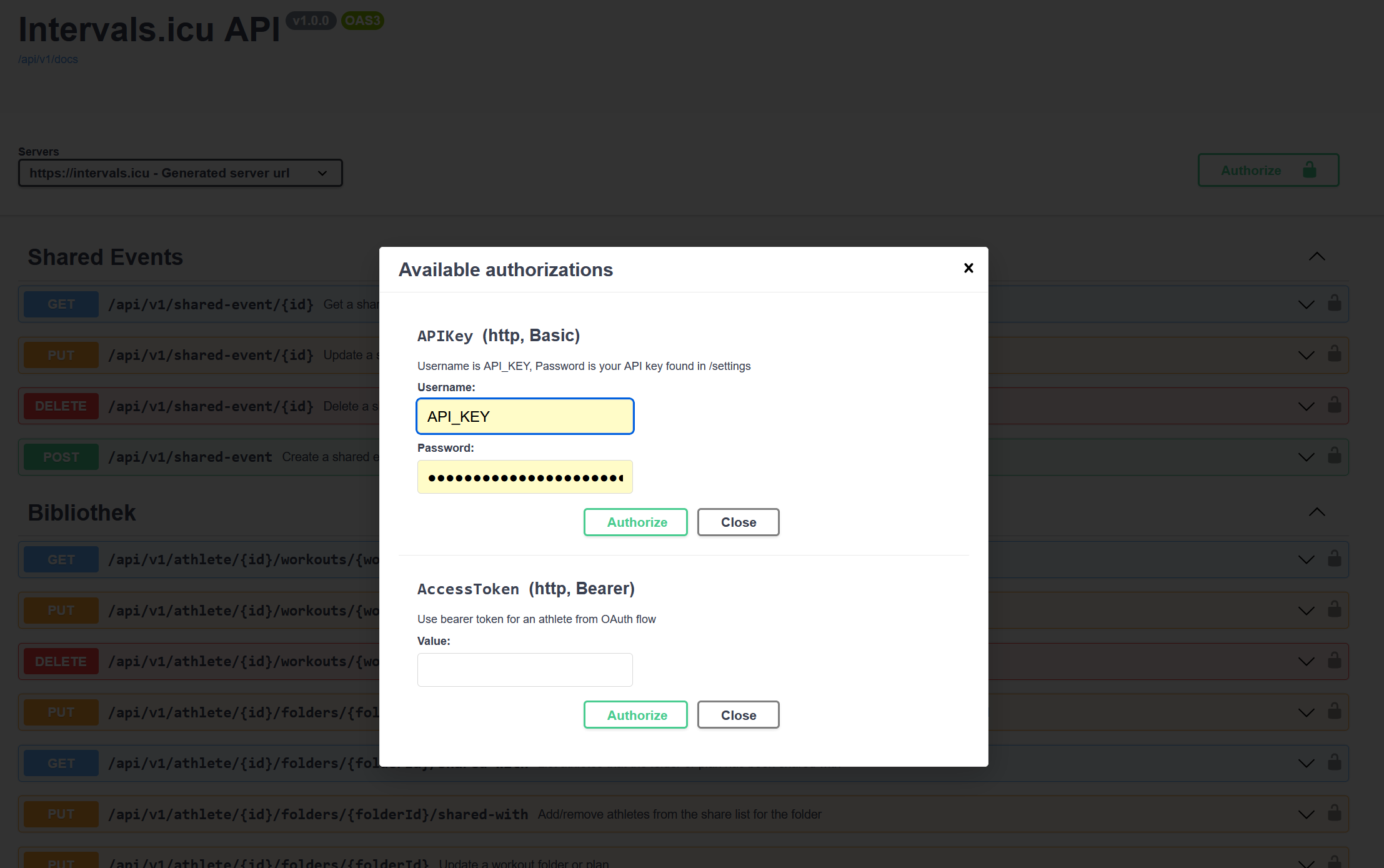
To acces the API, the username is the literal string ‘API_KEY’ (AND THUS NOT your api or athlete id) and the password is your personal Api-key.
If not, post some examples of your curl commands.
Should look like
curl.exe -u API_KEY:8765abcd3432s2u3h3tyhmnof https://intervals.icu/api/v1/athlete/i6789/wellness.csv?

The user name is ’API_KEY’ with basic auth.

Still getting the 404 error.

curl -u API_KEY:xxx https://intervals.icu/api/v1/athlete/i87631/fitness

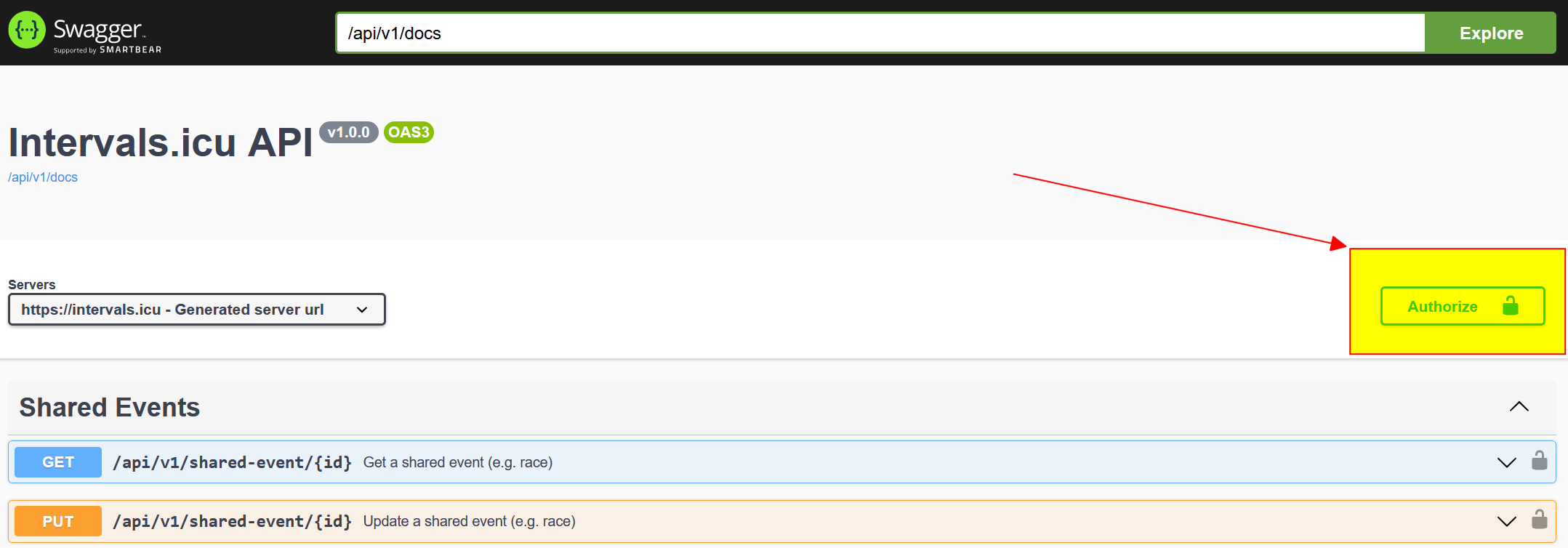
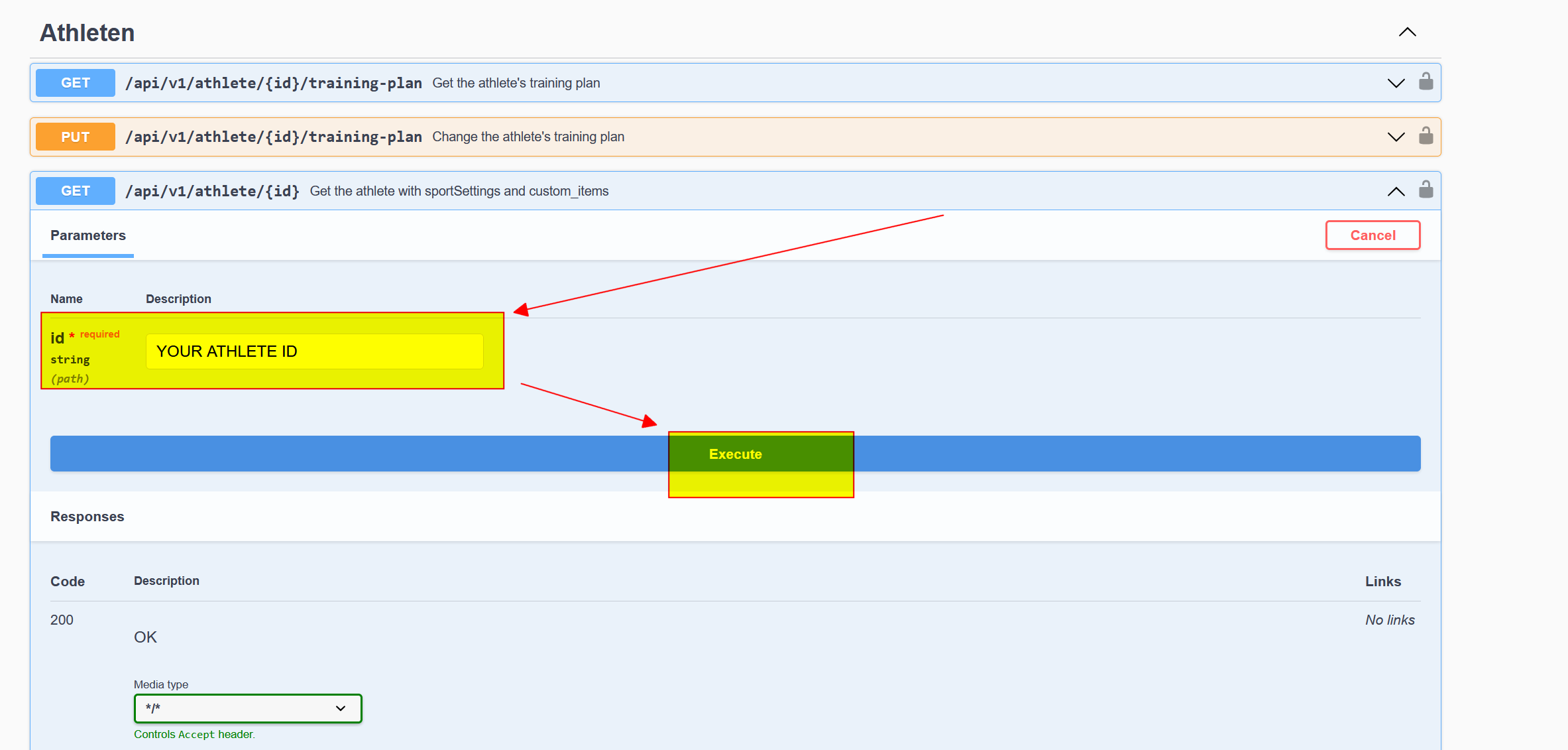
this one doesn’t exist - have a look for available Endpoints here: Swagger UI - you can also Try them out directly …

Yes, received the 403 access denied.

are you sure your API Key and Athlete ID match?

Yes, coping them.

You already tried with the Swagger Tool?

https://intervals.icu/api/v1/docs/swagger-ui/index.html


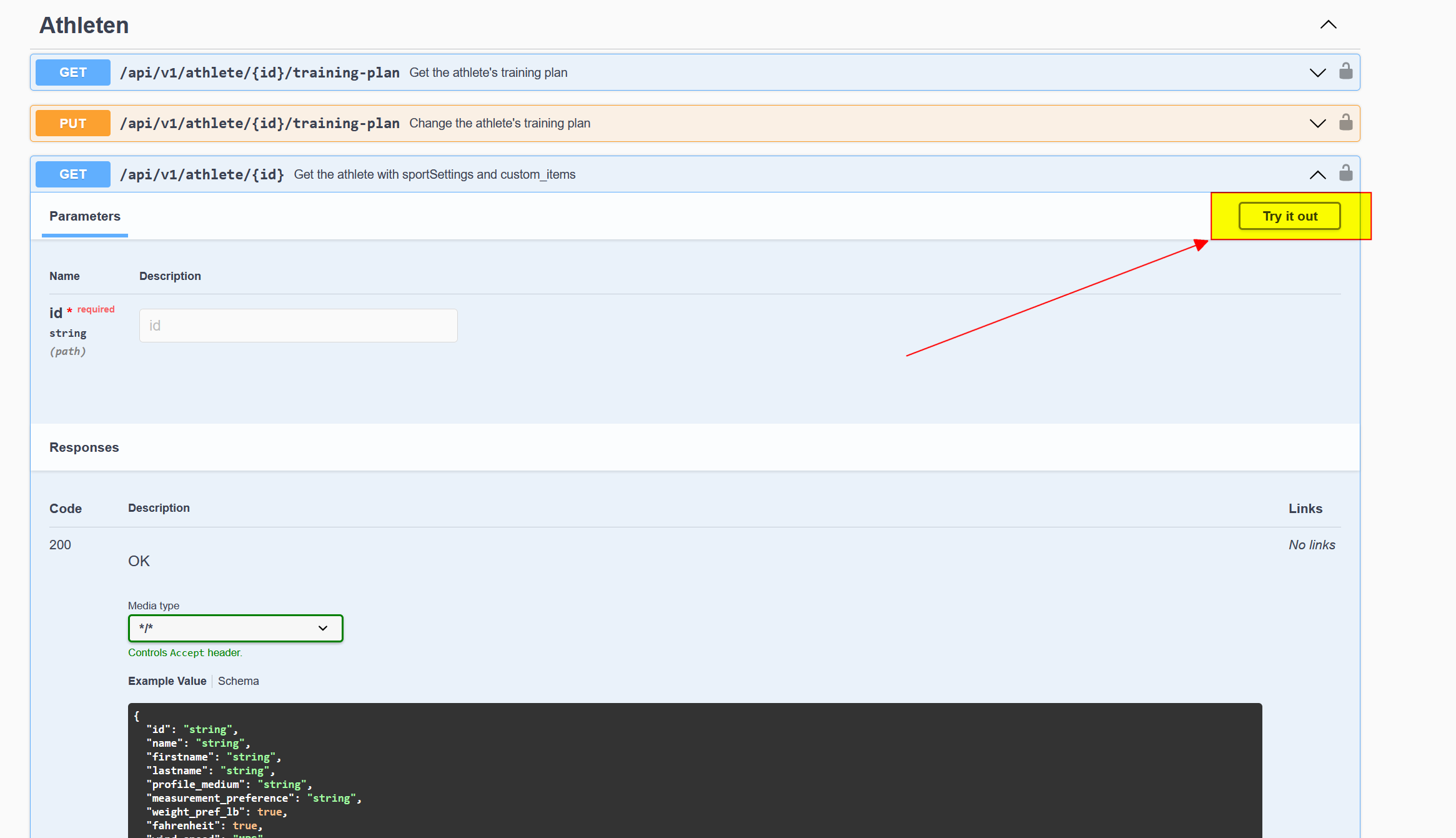
and then try one of the Endpoints


I don’t think that endpoint exists. If you are looking for “fitness over time” call this endpoint.

I am trying to get my training plan using the Swagger Tool and I am receiving a 403 too. The cURL is the following one:

curl -X 'GET' \
  'https://intervals.icu/api/v1/athlete/i349268/training-plan' \
  -H 'accept: */*' \
  -H 'Authorization: Basic {Base64 encrypted API_KEY:myApiKey}'

And the response that I am obtaining is:

{
  "status": 403,
  "error": "Access denied"
}

PS: I have also done the Authorize step before trying this endpoint.

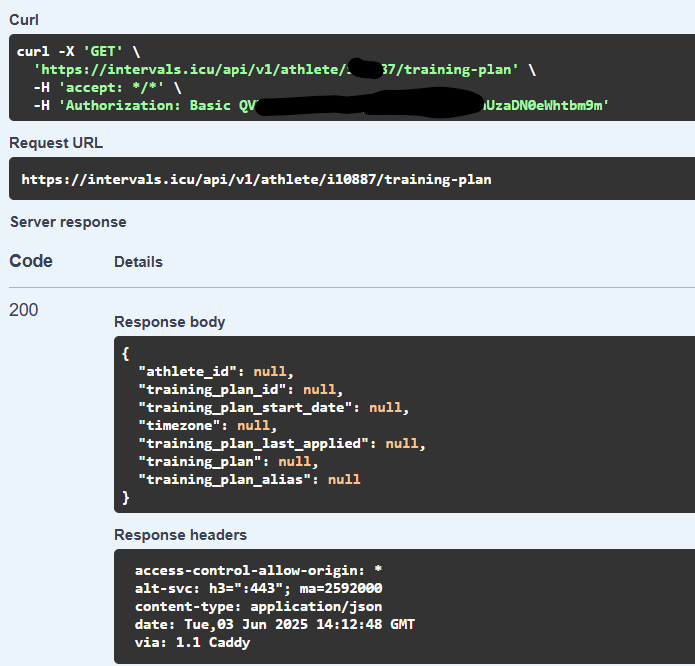
Works fine for me with the Swagger tool as per the instructions @Andreas_Schnederle-W posted above.

PS: I don’t have a plan and the response indicates ‘null’ without errors.

I have to grant any developer permissions in Intervals ICU to be able to access the API or I just only have to get the API Key from the settings page?

For own usage, this is fine and recommended.

1 Like

Hi,

I’m building an AI Agent that can create structured workouts for me and push them to Intervals.icu. Ideally, the agent will also be able to retrieve completed workout data afterward in order to analyze the session and provide personalized feedback.

Right now, I’m using my own personal Intervals.icu account to test this out, so I’m not implementing full OAuth just yet — just using my API key for now.

I have two questions:

  1. What’s the proper flow to post a structured workout to my calendar?
    For example, is it:
  • Step 1: Create a workout folder
  • Step 2: Upload a structured workout to that folder
  • Step 3: Schedule it on the calendar using the workout ID?
  1. What’s the recommended way to retrieve completed workout data ?
    Should I query the calendar? Or is there a better endpoint for retrieving performance data after a session?

I’m not a developer by trade, so feel free to explain it like I’m five :blush:

Thank you !

Guillaume

1 Like

You can just upload workouts directly to your calendar, no need to put them in a folder first. There is some info here:

1 Like

See “Downloading completed activities” in this post:

1 Like

I’m trying to test the API from a python script, with the eventual goal of automating workout uploads


import requests

API_KEY = “correctapihere”
ATHLETE_ID = “correctathleteidhere”
URL = f"https://intervals.icu/api/v1/athlete/{ATHLETE_ID}"

headers = {“Authorization”: f"Bearer {API_KEY}"}
response = requests.get(URL, headers=headers)

print(response.status_code)
print(response.text)


That’s the code I’m using. I am getting a {“status”:403,“error”:“Access denied”} error
Any ideas why? API key and athlete id are 100% entered correctly

Thanks

Don’t use Bearer, use Basic authentication

1 Like