Sorry to be a pain One more thing that is not obvious to me in term of UX.
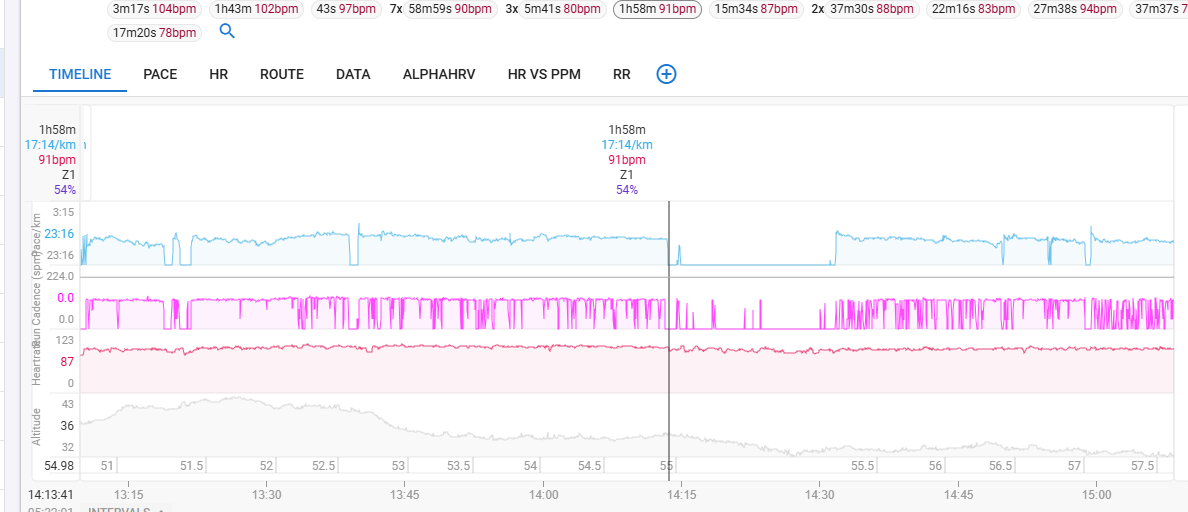
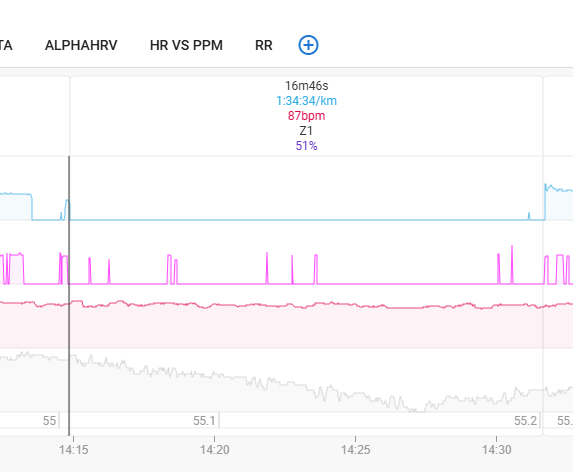
From the chart, I select an interval (created on import of an activity where I used manual laps on my Garmin). Then I can see I forgot to lap manually, so I wanted to add a new interval I clicked mouse left click and hold to right to select the pause and did “Add Interval” option at the bottom but nothing happened.
Note also here that after I manually selected with the mouse the portion of the interval, the info in the data table below “Selected” still matches the previous interval.
Perhaps only me but if I read “Selected” and if I select a portion of the chart, then I’d expect to see the corresponding data on the table? Or do I miss something?
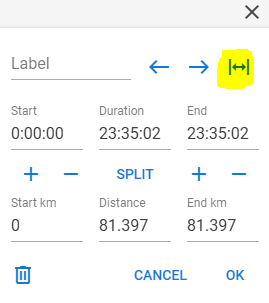
Note: never click on this button… not a single warning or “Are you sure?” message… All intervals I carrefully just labelled were gone in a second.
You already have an interval, if you want to split this interval (=lap marker), click ‘S’ or Split. If you have no work-interval at all you can add new ones with “Add Interval” or ‘A’
Thanks that worked using Split function. Is there also a simple way to “move” slightly to the left the start of an interval? If I move my mouse to the thin grey line on the top, I see the cursor changing shape but if I click and hold nothing happens?
If you move the edge of an interval to the left or right, and it is next to another interval, that will merge them. So make sure that there is interval-free room at the side you want to move it to.
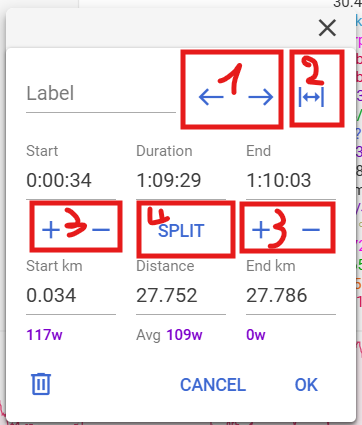
Use the interval dialog to move an interval left or right per second with the L/R buttons (1)
If you only want to move the start or the end, click on the +/- buttons under start or end to move that by one second (3)
If you want to make the entire activity one big interval (2)
If you want to split an existing interval in multiple same smaller ones, use the Split function which has further possibilities to split by time/distance (4)
 One more thing that is not obvious to me in term of UX.