Section 7
Options
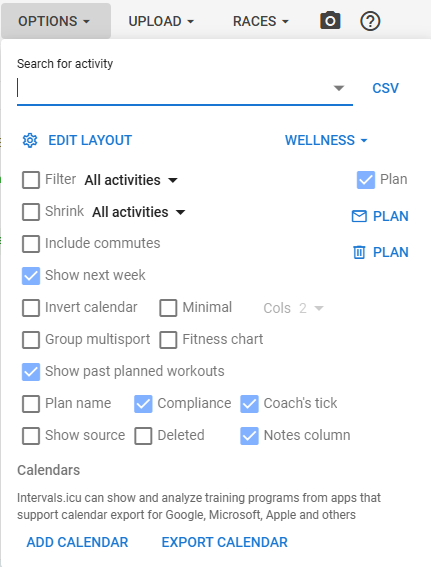
Quite a lot of features here, so updated posts will be required. Update for Dec-2025 in progress.
Note: many of the pop-up boxes are moveable, but clicking on the header, then dragging left/right/up/down. See the + arrows on the sports settings (3.7, below).
-
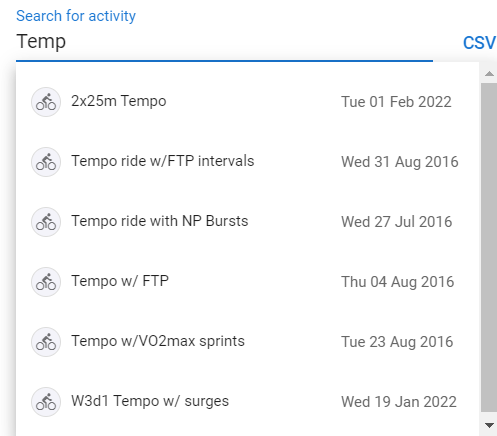
Search for activity
Allow you to search for activities by the activity name, eg. Temp will list all tempo workouts.
-
Clicking on CSV allows you to download all activities.
It will ask to save the file, in your default download folder. -
Edit Layout
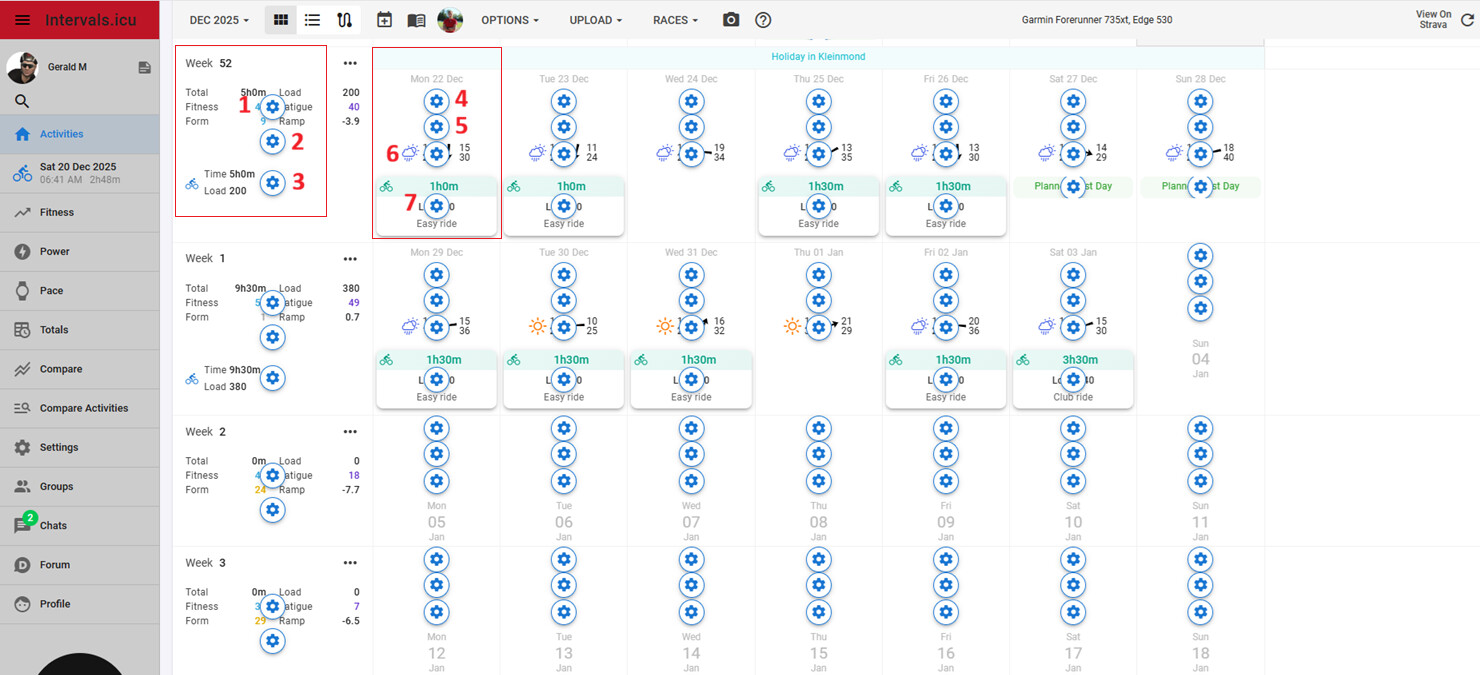
There are seven edit icons showing, when edit layout is selected:
-
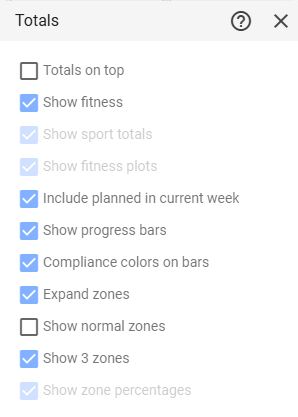
3.1. Totals - this replaces the older normal, compact and minimal options
-
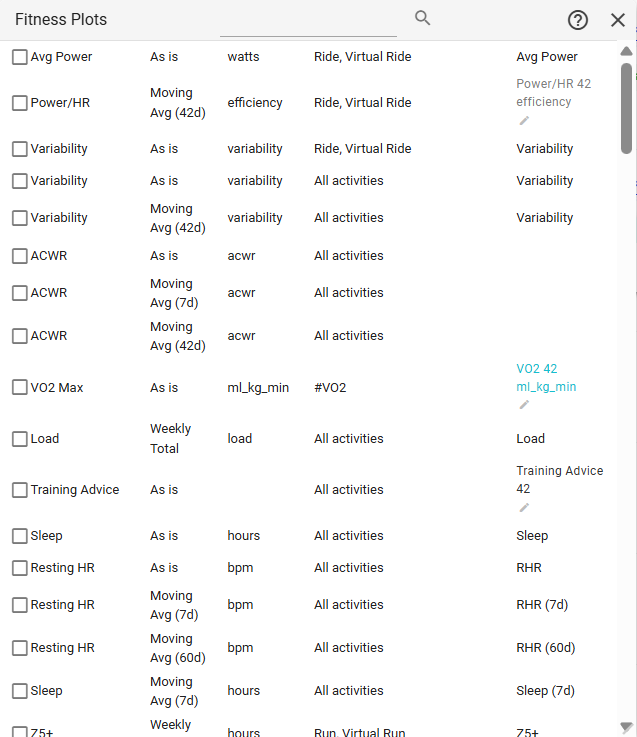
3.2. Fitness Plots - see this post for more information to add these “metrics” to the calendar.
-
3.3. Totals - this is the same as 3.1, above.
-
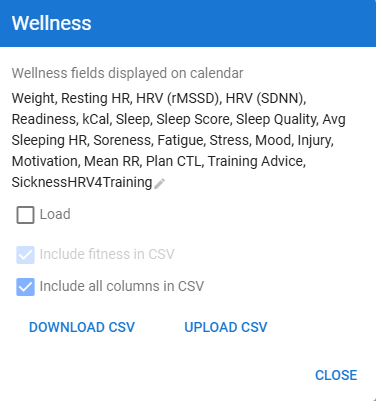
3.4. Wellness data - select fields to display in the calendar, as well as options to download/upload CSV data.
-
3.5. Fitness Plots - this is the same as 3.2, above.
-
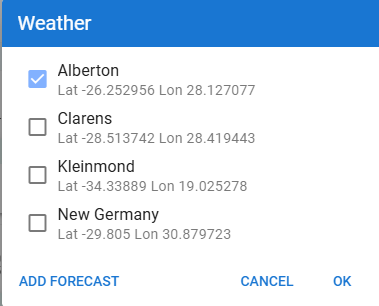
3.6. Weather - allows you to set single/multiple weather stations on the calendar.
-
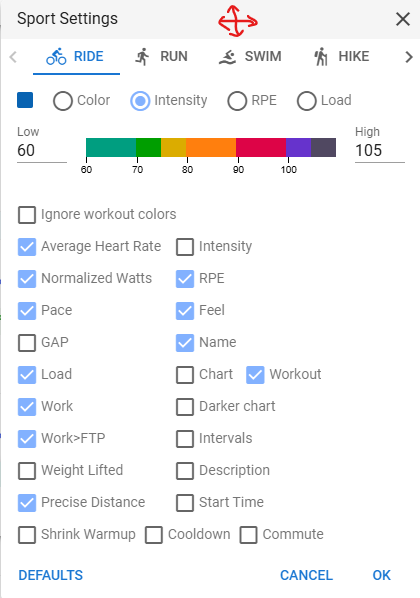
3.7. Sport Settings - allows customisation of one/more sports. This section might require a help section on its own.
-
Wellness - this dropdown is the same as the point 4 above (in edit layout)
-
Tick boxes
This allows you to show/hide information on each day on the calendar.
This will be covered in specific posts. -
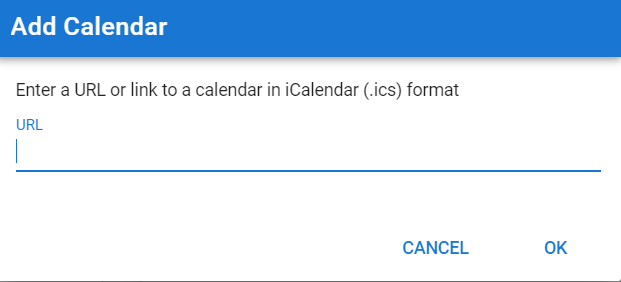
Add calendar
This allows you to link a 3rd party calendar to your account, eg. your Outlook, iOS or similar.
-
Export Calendar
This allows you to export your calendar in Intervals.icu to another 3rd party calendar.