Section 2 and 3
Calendar view - the default view when opening the Activities page.
Clicking the List view, right image, it shows a list of your activities.

This allows bulk editing of certain data, by ticking the checkbox, left most column, and then using the Edit option. Editing allows:
- Changing weight, FTP, W’ (pronounced double-u prime);
- Fixing Heart Rate, Power, and/or cadence;
- Re-detecting intervals;
- Reprocessing the original file (excluding Strava);
- Updating zones (useful if you forgot to change your LTHR, maxHR and/or FTP;
- Delete activities
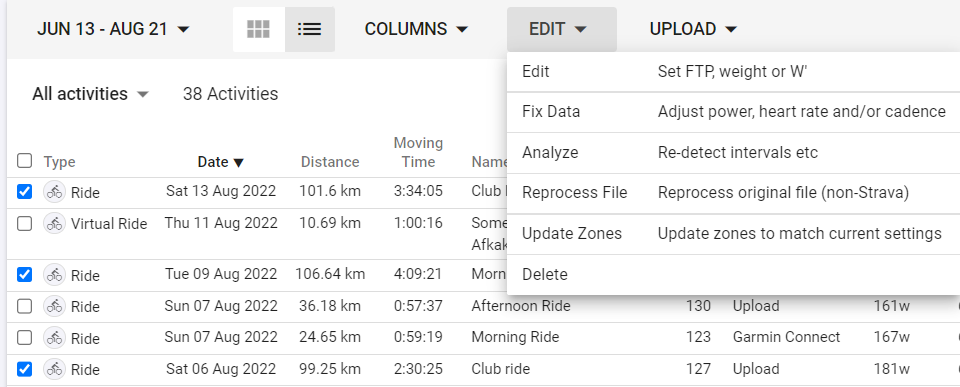
When selecting either of these options, the date range selector shows.