lovely app, with some niggles, latest version, lates ios 18.5:
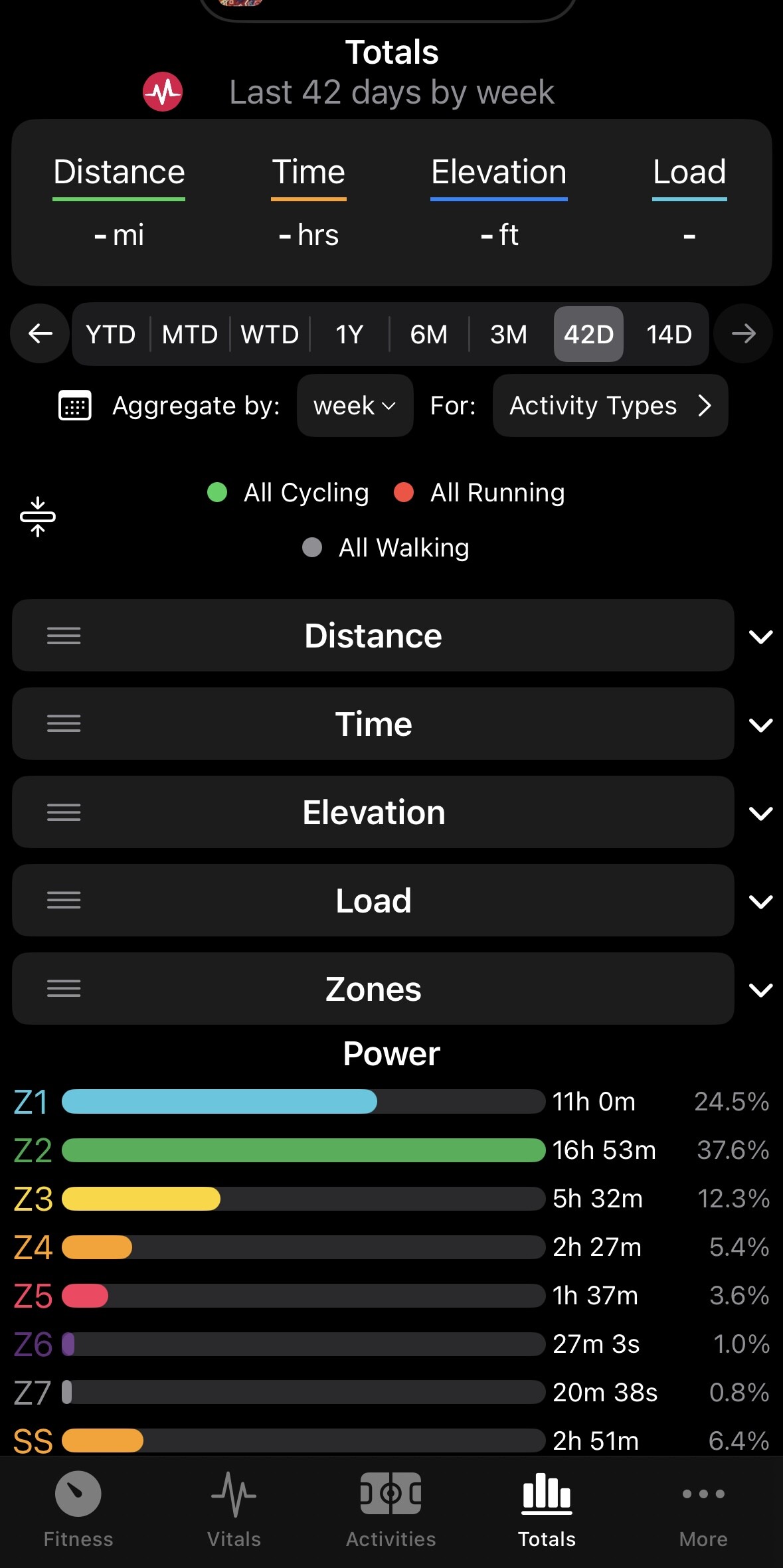
On the totals screen, 1Y totals just deosn’t work. you can choose 6M, ok, then 1Y, and nothing changes. scrolling back you can go back a year, then you can’t show current 1y (mid 2024 - now).
The totals screen would crash with the zones for a while for me, the app would dissapear, until i removed the zones from the screen and updated the zones, now seems ok.
activities did work fine, then i tried to view 1Y’s worth, now that tab is blank completely, no header or anything, and nothing ever loads, only the 5 bottom tabs visible.
Hm, I wonder if there is something in your activity data that is making it not happy. Apple provides crash reports to developers when they are shared from a user, but I’m not seeing your crash or any others recently reported for 1.6.1. It’s possible it just hasn’t caught up yet.
I’ll send you a private message with some things we can troubleshoot.
I just installed v1.6.2 today (first time installing this app) on iOS 18.5 on iPhone 16 Pro. On first launch I was prompted to sign-in and give permissions.
Then I got a blank screen for the Fitness tab. It just said Fitness and the date at the top and had the tab bar at the bottom. The entire middle was completely blank, no text.
When I tapped on the Vitals tab it was the same except there was a spinner icon, but it just kept spinning for more than a minute before I tried the activities tab, which DID work and show my activities, so obviously the account connection worked right. Totals tab was working as well (IIRC).
I tried going back to the Fitness and Vitals tabs and there was no change (no info shown).
After force quitting the app and re-launching it, everything was working fine.
So I guess that you have a bug where if the user data hasn’t loaded before opening those tabs they don’t work.
Thanks for reporting this. The login flow and initial data flows is an area I have wanted to cleanup for a while. The issue has to do with some data lookup calls being allowed to start before the full login was complete. This will be fixed in the TestFlight builds soon and will be in the next release.
Version 1.7 has been submitted to Apple’s approval process with the following changes:
New Features
• Customizable Tabs: Rearrange or hide tabs to fit your needs. Head to Settings → Customize Tabs to try it out.
• Apple Health Sync: Now supports all Garmin activity types — including multi-sport workouts.
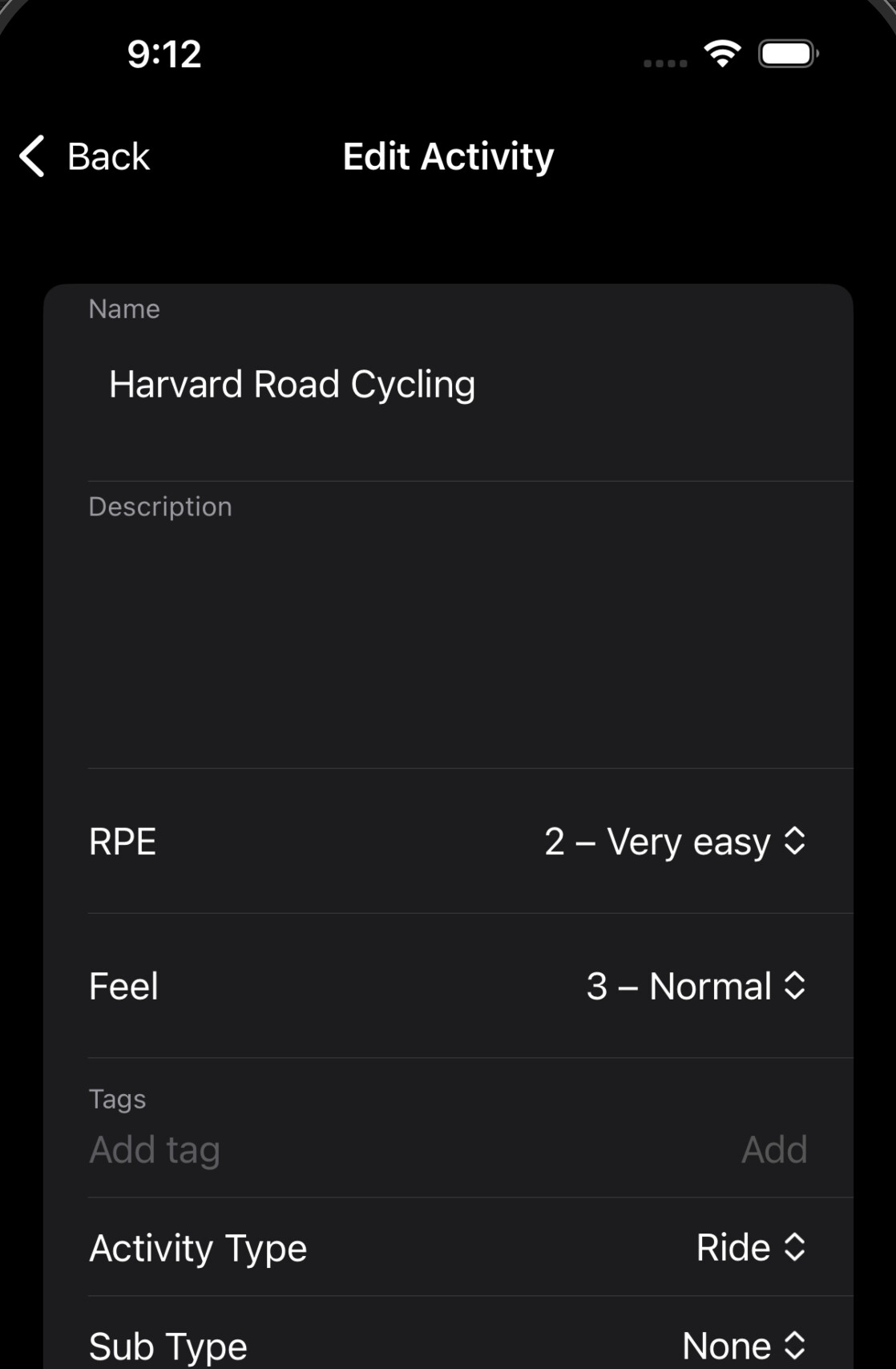
• Activity Editing: You can now set RPE and Feel when editing an activity.
Fixes & Improvements
• Smoother login and data loading experience.
• Fixed elevation and speed graph issues when using metric units.
• Resolved a gear data parsing bug related to time-based reminders.
• Fixed a crash caused by invalid FIT file event sequences.
• Patched an issue with bad achievement data from the API.
As always, thank you for all the feedback. And thank you to those on the TestFlight builds. It’s incredibly useful to see those session counts and crash data (or even better, the absence of it), even if you are not actively submitting feedback.
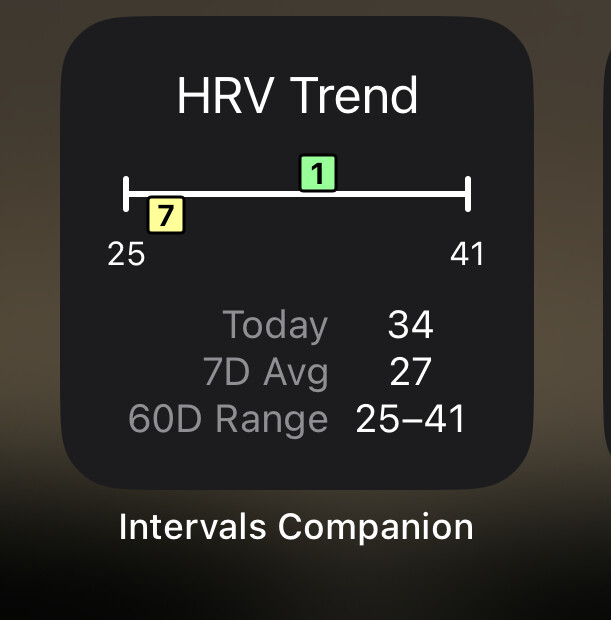
The graphic shows the 60 day HRV average as a range +/- the standard deviation. The current day and 7 day average HRV is shown within the range as colored squares.
This was added in the 1.4 release and I had some notes about it there but I should document it better.
You can hide this by going to settings → fitness settings → show hrv trend on fitness screen.
I’ve had it about a week now but I’ve got no data coming through on the Totals tab, apart from zones. Also, on the Activities tab, some outdoor rides aren’t pulling through too. I’ve played around with the settings but nothing joy. Can anyone advise please. Thank you.
@edie06 - Hello, it sounds like you’re using Strava as the source to sync activities to intervals. That doesn’t work well, as the intervals API can’t return the data for those. See the note here: Intervals Companion
Many thanks for the reply. Yeah, all my outdoor activity go from garmin/apple watch to strava then strava to intervals icu… I’ll do a direct garmin connection now and see how it goes. Cheers!
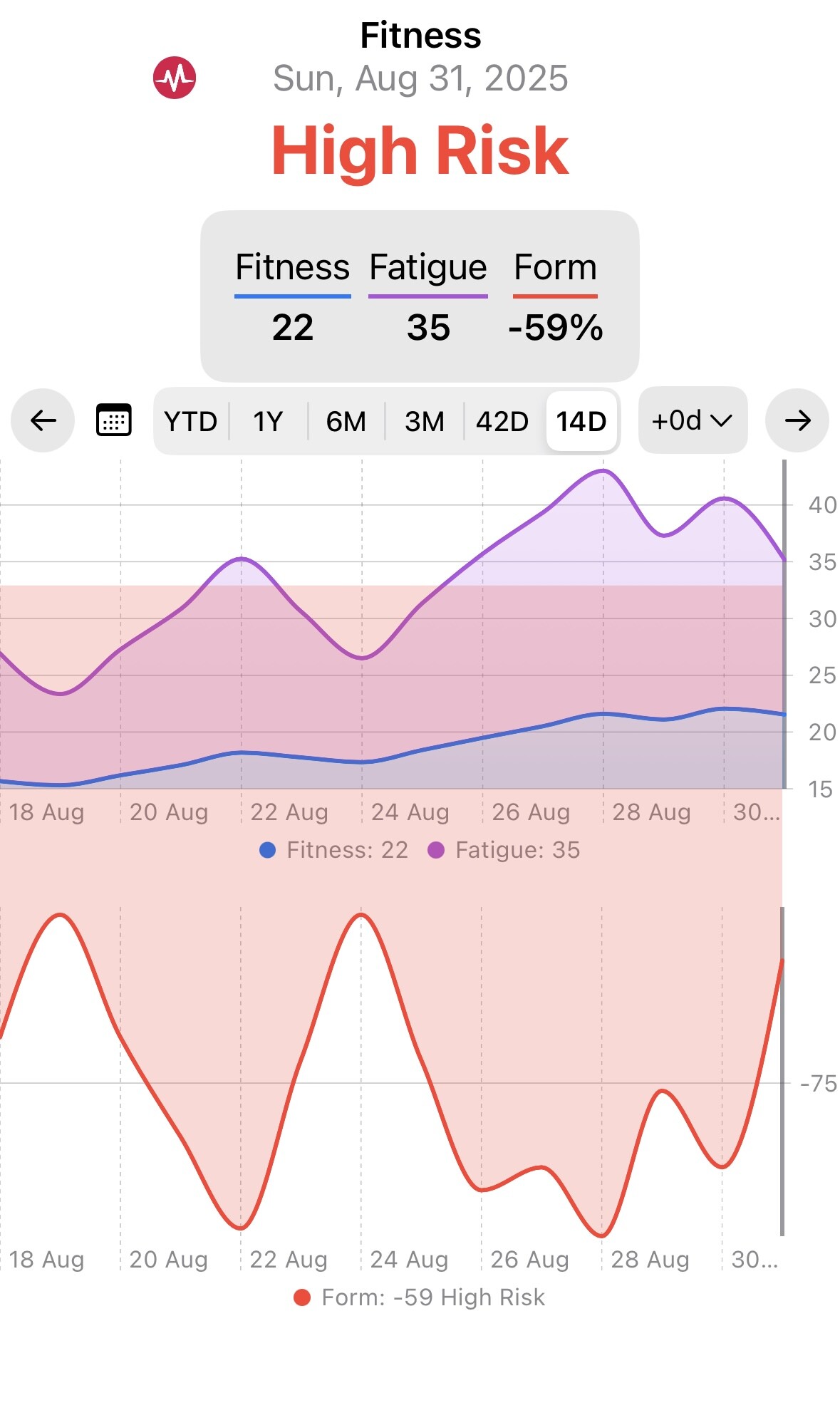
I’ve downloaded the iPhone companion app and it’s pulled my data from Strava but I’m seeing a big red High Risk at the top of the page which has me worried.
Does this mean I’m putting my health at risk by exercising?
Thanks. I read that guide, but it doesn’t tell me what “high risk” means. Can you point me to the relevant section?
Also, I don’t see any of my activities in the companion app (even though they are all showing up on the website and I’ve used the same login for both).
Your numbers are low, so switch to absolute values. If you switch you will be in the green zone.
Red zone doesn’t mean you harm yourself. In my opinion exercise is always great to improve cardiovascular health, regardless what those numbers say.
The idea behind it was that if fatigue (ATL) spikes too quickly, it can overwhelm your body’s ability to recover, leading to burnout or injury. You can read more at TrainingPeaks
Strava doesn’t allow to forward “their” activities, and since the companion app is an external project, it can’t show these from intervals. Import your activities directly from Garmin/Wahoo to intervals, to show them in the companion app.
Sorry, maybe I wasn’t being clear about my activities.
I’ve connected my Zwift and Strava to intervals.icu and it has successfully imported the activities. But I am not seeing any of my activities showing in the companion app (despite using the same login as for intervals.icu).
And I can’t find anywhere in companion app to connect Strava, Zwift etc.
So how do I see my activities in the companion app? Don’t intervals.icu and the companion app work off the same dataset?
I told that before, but probably not clearly enough: Strava → intervals → intervals Companion App is restricted by Strava. They don’t allow to forward any activity fetched by their API. You can search for that topic in the forum. If you click on the red “!” in the connection settings box of Strava, you will also get all relevant information about this.
The companion app gets the data via API from intervals.icu
You will only see them if you import them from original source or manual upload.
Zwift isn’t providing historical activities over their API. Only new activities will be imported. These should be shown in the companion app afaik.
Thanks. Sorry for all the questions, but I’m brand new to this.
The companion app is showing my fitness/fatigue/form curves so I assume it must be getting aggregated data from intervals, but maybe not the individual activities?
You say I can import my activities into the companion app, but I can see anywhere in the app to be able to do that. Can you explain how I import them please?