The way these gaps are shown (entirely or not) depends on the optional setting:
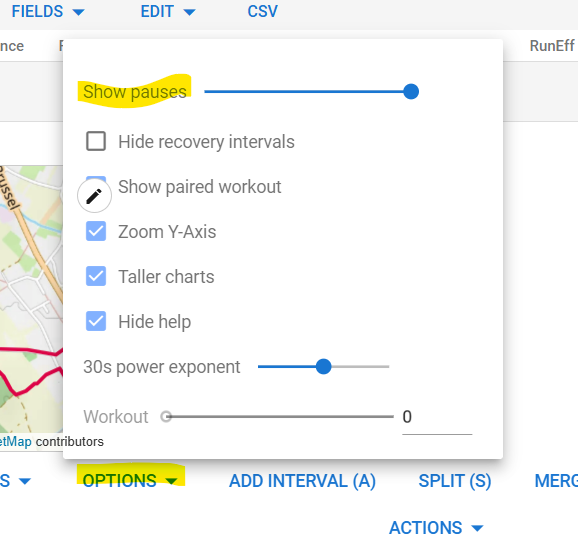
Interesting! I never noticed that option. I was thinking about a similar setting to control the gap detection threshold. Thanks!
OMG HOW DID I MISS THIS!!!
Thank you so much for doing this, love it
Just donated to PMC, thank you again
Thank you so much! It’s very much appreciated!
Thank you! I’m a daily user now  Donation done
This is really great and thank you for making it available to us all!
But it is missing the one thing I wish for: Totals for time in heart rate zones (duration and percentage).
Would you consider implementing that?
Downloaded the Companion app in iOS. The sign-in w takes me to a second screen that’s blank. I assume it’s the sign-in, but there’s no way to do so. Canceling returns me to the Log In w page with a pop-up saying Permission Required, sign in failed.
Phone has the current iOS version.
Thoughts on a solution?
Thanks
I’m not seeing or hearing of anyone else having login issues. Are you sure you’re using your intervals.icu username and password and not strava credentials or something like that?
Do you mean the totals here: Intervals.icu ?
I’d have to figure how to recreate that and decide on which options to expose for querying and filtering. I’m not trying to recreate all the options and features of the website on iOS because that seems like a huge amount of work and I’m sure it all translates well to a mobile experience, but it’s something for me look into for sure!
Yes, those are the totals I am referring to. Personally, the only one I really want is the one that I screen captured below. Essentially just want to see time in each zone across all activities, for the time period selected in the Totals tab in the app (would be great to have Week to Date ‘WTD’ and maybe All Time ‘AT’ as selectable time periods as well, but I realise I’m probably pushing my luck here!)
I think a lot of people would find it useful for monitoring e.g. Zone 2 training, 80/20 training etc., which is pretty popular these days. Actually, the main reason I signed up to intervals.icu is because Garmin Connect doesn’t show totals for time in heart rate zones.
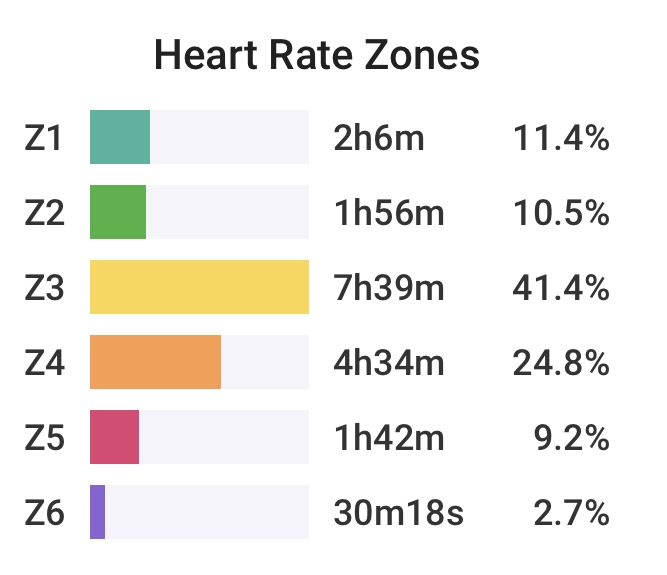
Thank you for replying.
I’m not using any credentials. I don’t use Strava (crazy, right?), but the issue is having nowhere to enter my Intervals information. It’s just blank. I’ve deleted and reloaded the app, but still the same. Any chance it’s a setting on my phone? I keep stuff rather private.
It sounds like you’re not making it to the intervals.icu login screen. What is your default iOS browser? If it’s not Safari I would try again with that set as the default.
I think I may have all the pieces to build this without too much effort actually. The totals view is already selected activities for the specified range with filtering of the activity types. I can reuse the power and HR zone code that builds the zones displays for the activity details screen. Just need to feed it the totaled data.
I have to see if a WTD button will fit.
I’ll add this to my list!
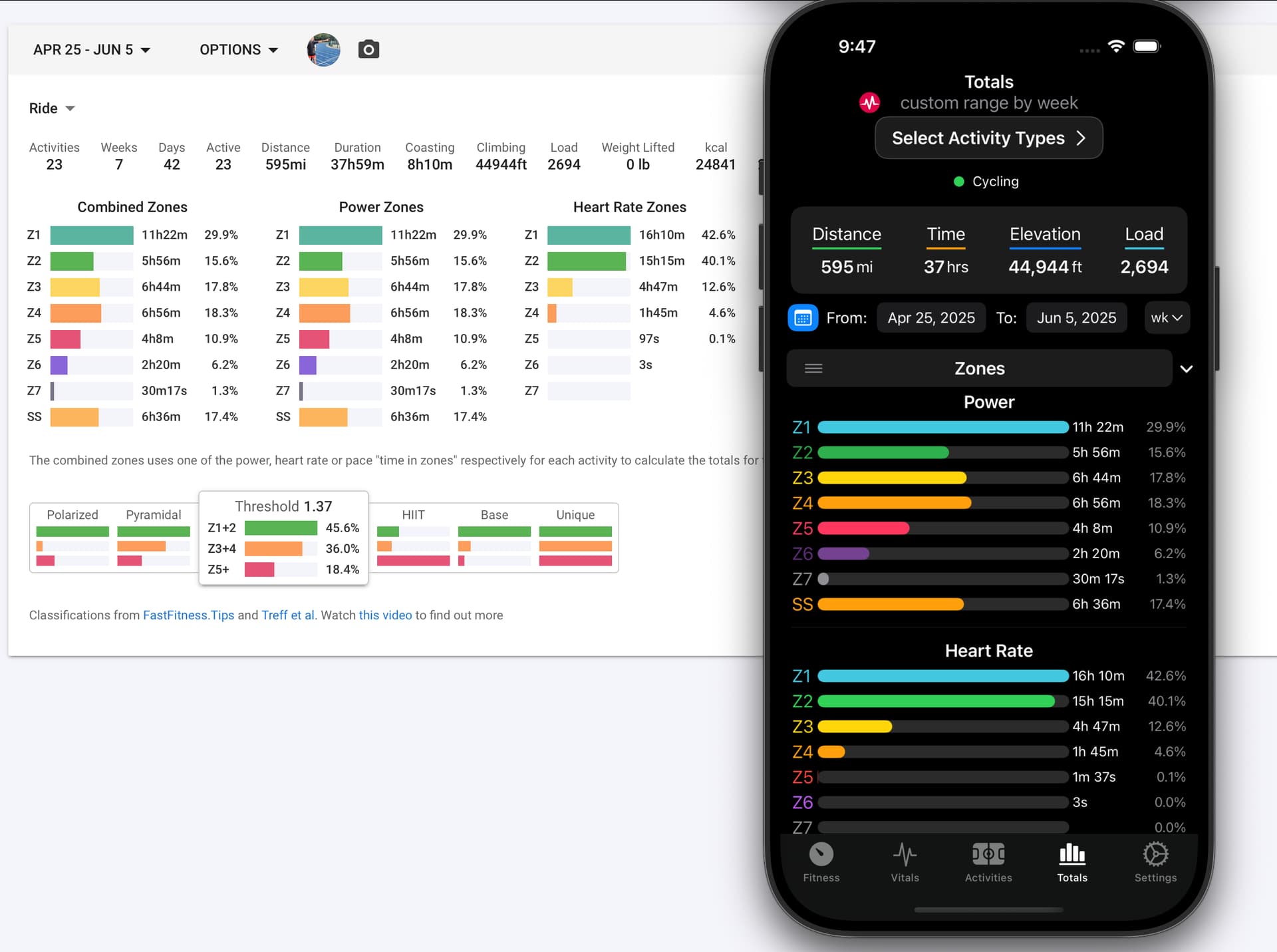
Looks amazing!
Can I maybe suggest that Heart Rate go above Power, since it is generally being tracked for all activities (therefore, more universally applicable), whereas Power is only tracked for some activities? Doesn’t really matter though. Either way, it looks so great!
By the way, sorry to add another thing, but I have just noticed a small bug…
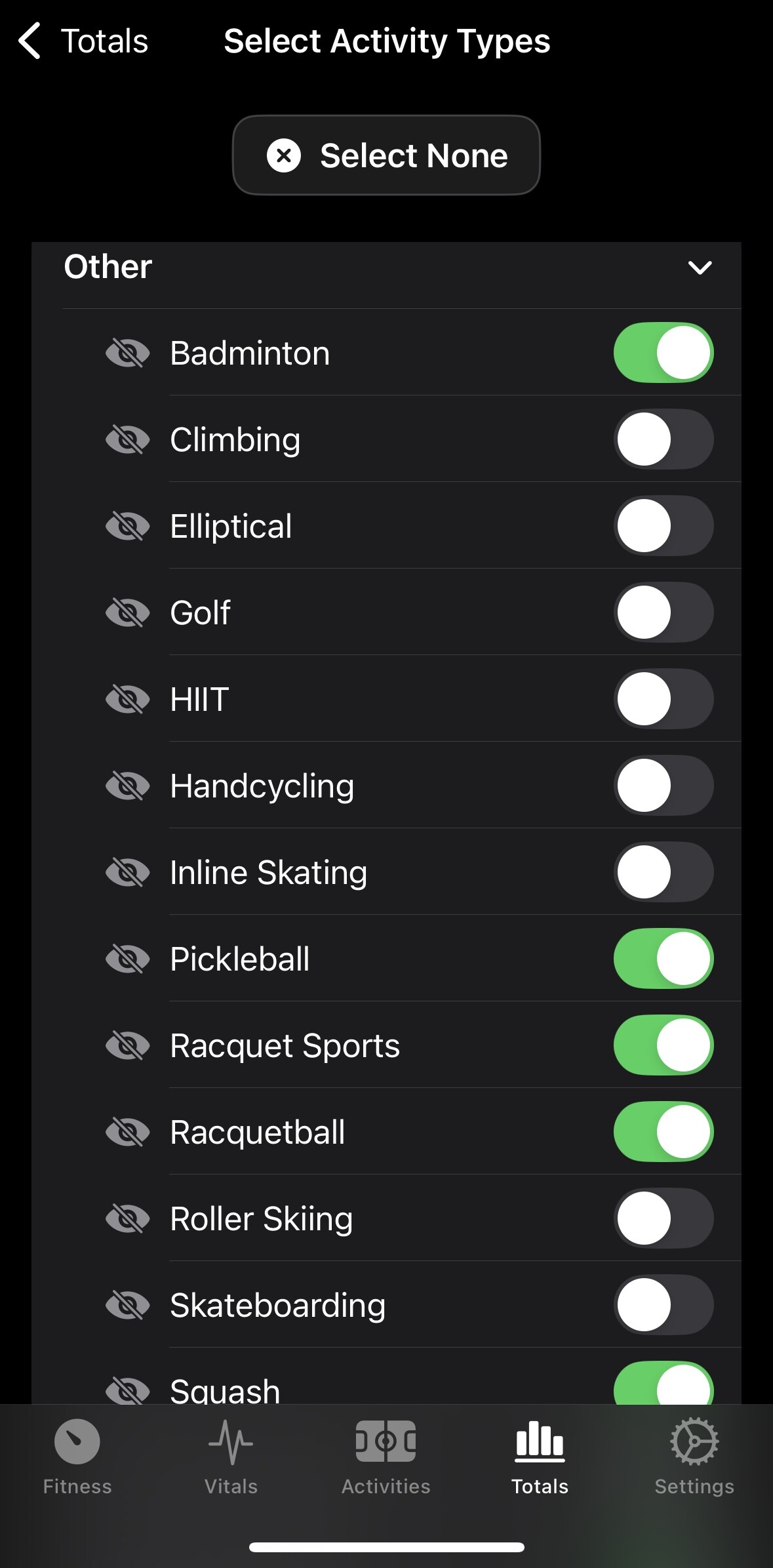
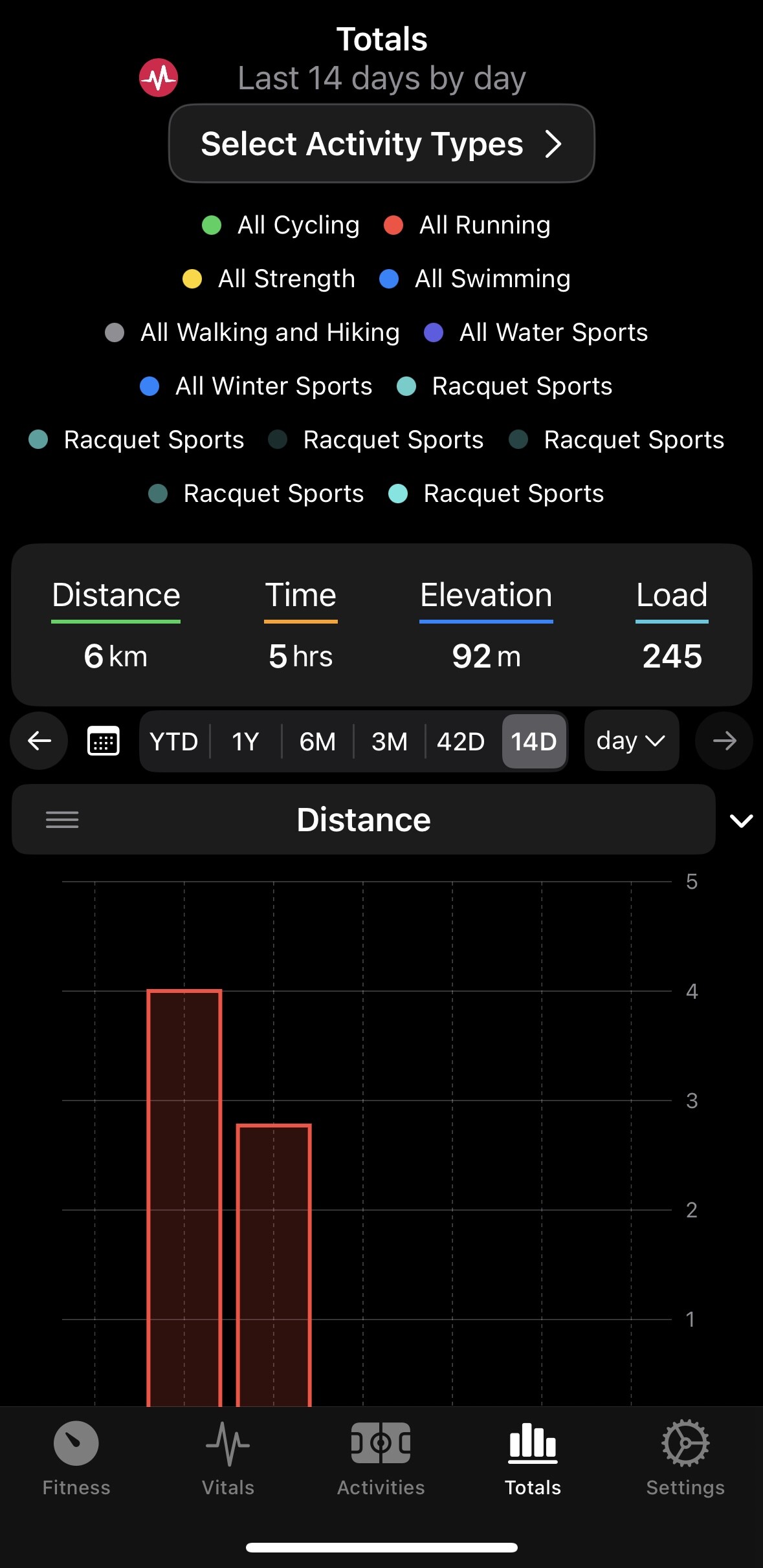
When selecting racquet sports in the Activity Types, they all are labelled as ‘Racquet Sports’ in the Totals tab, instead of properly named as e.g. ‘Tennis’, ‘Squash’ etc. This behaviour occurs regardless of whether racquet sports are selected individually or the ‘Racquet Sports’ button is selected.
Below is an example.
Can I also suggest to add an ‘All Other’ button (or ‘All Activities’ button) in the Select Activity Types page? That would allow selection of all activities, without having a huge list of activities at the top of the Totals tab.
You’re correct, I’m not getting access to the login screen. I changed the default browser to Safari (it was Firefox) but this didn’t solve the issue. I tried to log into Intervals.icu on Safari but it again didn’t give me access to login details - user/email, PW. Just blank.
As you noted, there aren’t others on this thread with the same problem, leaving me confused about my iPhone settings. Maybe I have a toggle to off buried deep.
Good ideas. I believe the racquet sport labels are fixed in TestFlight already. Or it’s an issue I’m unable to reproduce.
I’m adding some better options to “Select All” activities and fixed how the other category is handled, which I think will satisfy what you describe.
There will also be some improved settings in 1.6. You will be able to hide/show specific sections on the activity details, vitals, and totals screens. And specify the power and hr zones zone display order.
That sounds strange, but it sounds like a bigger issue if you can’t go to intervals.icu in Safari and login. Do you have any Safari extensions or plugins enabled that might be interfering? Is Javascript disabled? Maybe try clearing the Safari website data and sessions?