Hi Everyone:
Zwolle is a free indoor cycling app with one job: riding the structured workouts on your Intervals.icu calendar, on any trainer, smart or not so smart.
Open it and today’s planned workouts from Intervals.icu are on the home screen. Pick one, check that your trainer and sensors are connected, press Start and ride it block by block. When you’re done, upload the ride to Intervals.icu and Strava, one click each.
That’s all it does. No virtual world, no avatar, no animations, no in-app video, nothing to race or unlock. Zwolle shows you the workout, your numbers and the time to the next block, and stays out of the way. If you like something to watch while you ride, put it next to Zwolle: shrink the window and the ride screen turns into a compact view.
Here it is in 34 seconds:
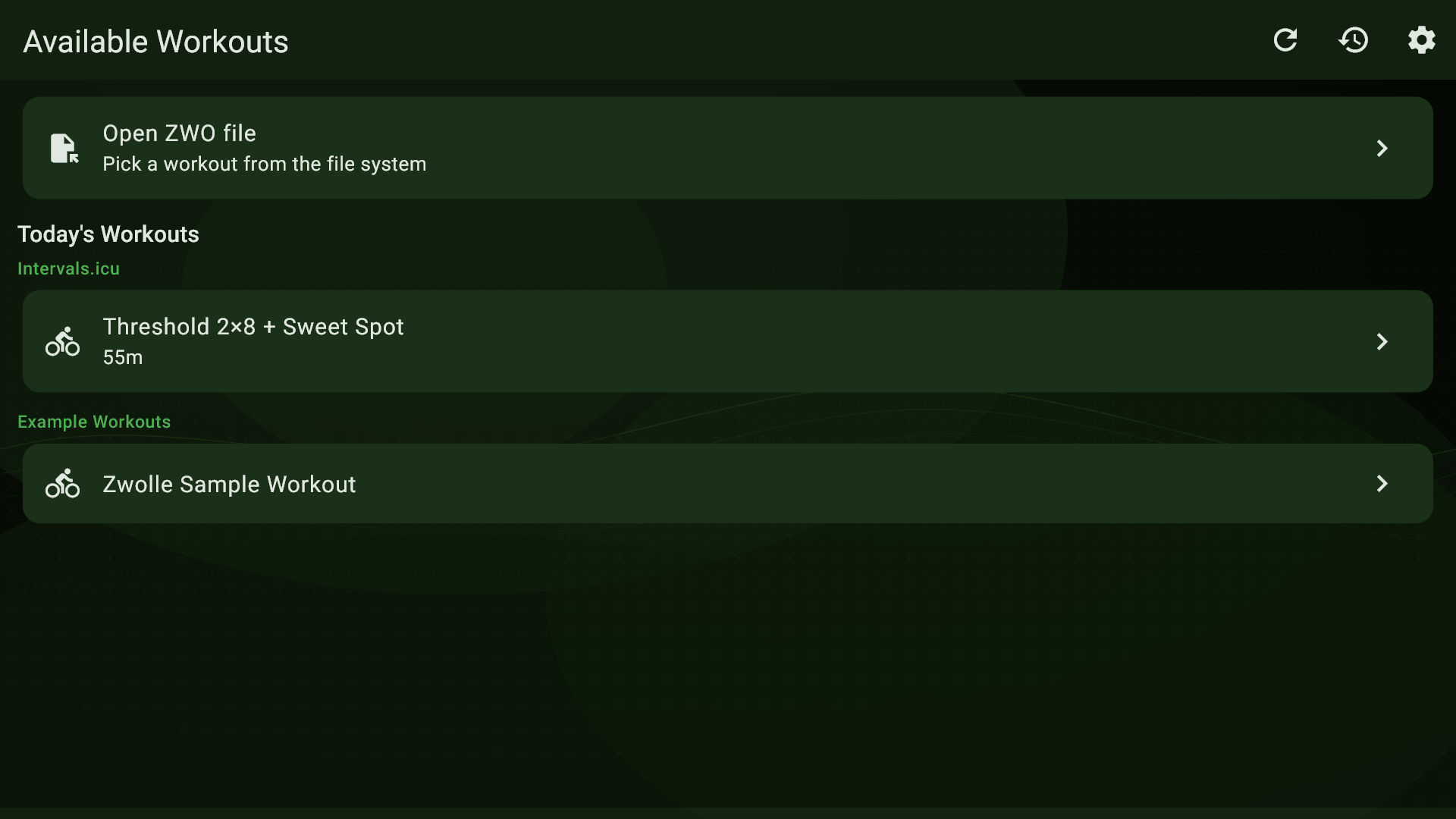
Your workouts
- From your Intervals.icu calendar. Connect Intervals.icu once in Settings, and the home screen lists today’s planned rides with their names and durations. Added one a minute ago? Hit refresh.
- From .ZWO files. Open any .ZWO file, your own or from anywhere else. For a workout on another day, download it from Intervals.icu as .zwo and open that. A few example workouts are built in.
- At your FTP. Zwolle can keep its FTP in step with the one in your Intervals.icu settings (or Strava), so the watts match what Intervals.icu planned. Or type your FTP in yourself.
Before you start, the setup page shows the whole workout as a chart, and a live reading from each connected device, so you know everything works before you clip in.
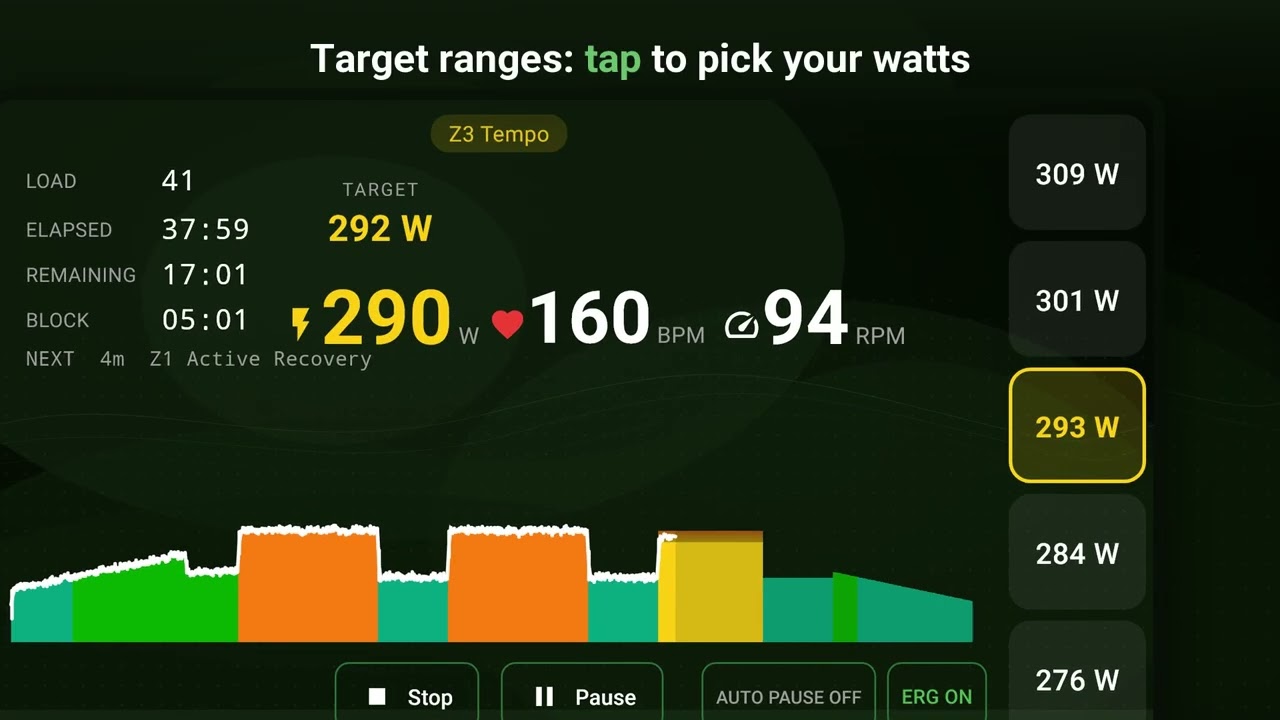
Riding
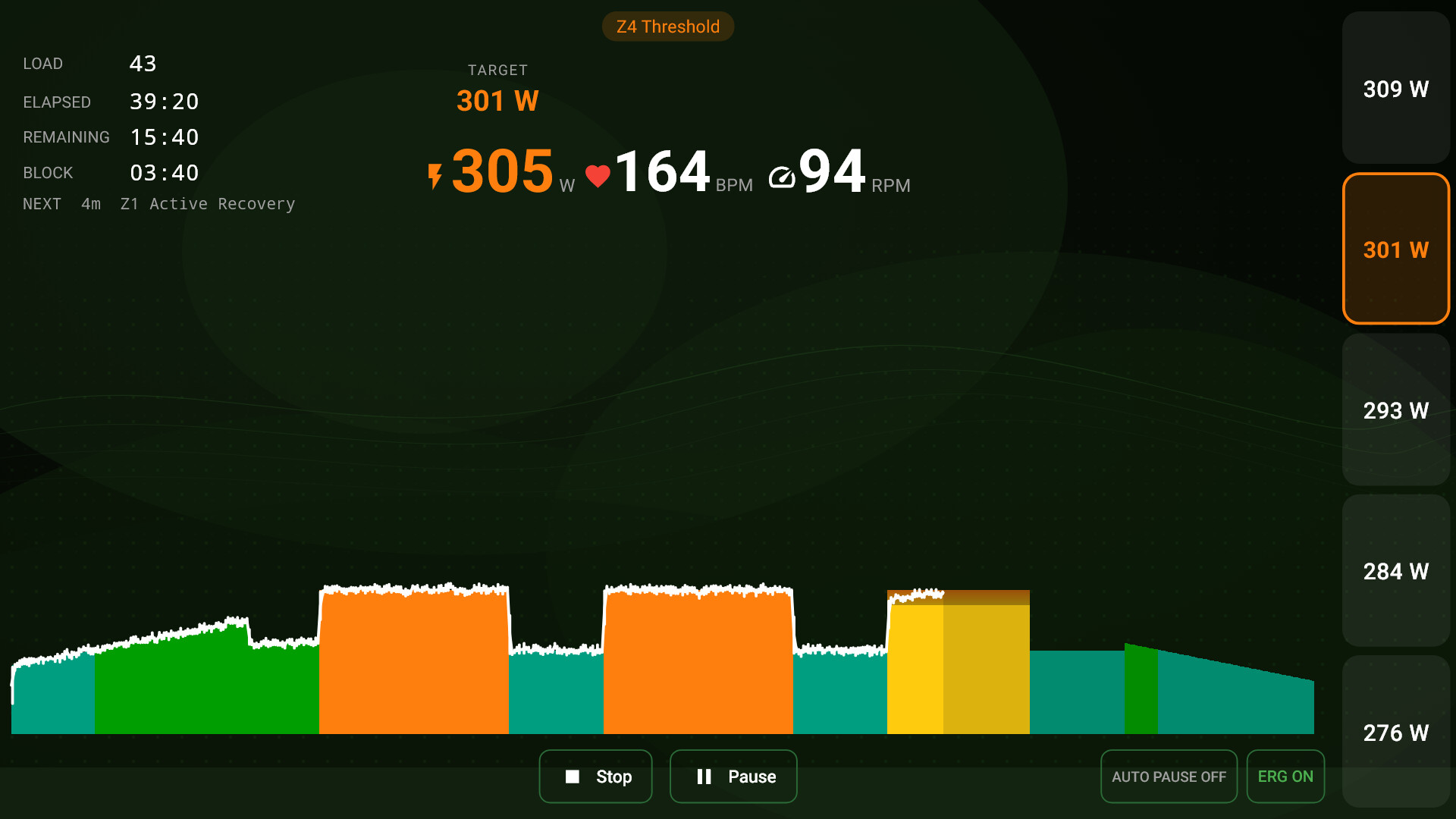
- The whole workout runs along the bottom as a chart in Intervals.icu’s zone colours, with your power drawn over it as you go.
- Big numbers in the middle: the target power (and cadence, when the workout has one), with your power, heart rate and cadence right below. More than 10% off and it turns red, with MORE POWER or LESS POWER (SPEED UP or SLOW DOWN for cadence).
- Timers: elapsed, remaining, this block’s countdown, what’s next, and your Load so far.
- A countdown beeps you into each new block: five short beeps, then a high one as the block starts.
- Target ranges, like “88-94%”: five buttons appear on the right, each labelled with its wattage. Click one to choose where in the range you ride; in ERG mode, that’s what the trainer holds.
- Messages in the workout file show up large in the middle of the screen.
- The ride starts when you start pedalling. Optional auto-pause stops the clock when you stop pedalling (but not in a rest block with a zero target), and pedalling resumes it.
- Devices you’ve used before reconnect by themselves when Zwolle starts, and again if one drops out mid-ride.
- The window scales: make it bigger and everything grows with it; make it small and you get the compact view, with just the essentials and Stop and Pause buttons.
Your trainer: smart or not so smart
- Smart trainer. Turn on ERG mode and Zwolle sets the resistance for each block. Each new target goes to the trainer a couple of seconds early, so your power changes on the block boundary instead of a few seconds after it. You can turn ERG off and on mid-ride and ride the targets on your gears.
- Which smart trainers: any Bluetooth FTMS trainer (Wahoo KICKR, Elite Suito and Direto, Saris H3, Tacx NEO 2T and NEO 3M, and so on), plus older Tacx trainers (NEO, NEO 2, Flux) through Tacx’s own Bluetooth protocol.
- Not so smart trainer. Any trainer or rollers with a Bluetooth power meter on the bike. Zwolle shows the targets, and you ride to them on your gears.
- A heart rate strap and a cadence sensor are optional.
- It’s all Bluetooth Low Energy: your PC needs Bluetooth 4.0 or newer, built in or a USB dongle.
After the ride
- Your ride is saved the moment you finish. If Zwolle closes unexpectedly mid-ride, it recovers the ride the next time you open it.
- The summary shows duration, average power and NP, Load and intensity, cadence, heart rate and how much of the workout you completed, over a chart of your power against the targets.
- Upload to Intervals.icu and Strava, one click each. The FIT file carries the workout’s steps and their targets, so Intervals.icu can chart your power against them. On Strava the ride gets a short description: how much of the workout you completed, its Load and intensity.
- Pauses are recorded the way a Garmin or Wahoo head unit records them, so elapsed and moving time both come out right.
- Or export the FIT file and take it anywhere else.
- Every ride stays in Zwolle’s history, with its summary and chart.
Free, no account
Zwolle is free: no subscription, no ads, no account of its own and no tracking. Your rides stay on your PC unless you send them to Intervals.icu or Strava.
Get it (Windows)
It’s on the Microsoft Store: Zwolle Live Leg Experience - Free download and install on Windows | Microsoft Store
- Install it and open Settings (the gear icon).
- Connect Intervals.icu, and Strava if you use it. When Zwolle asks, let it take your FTP from Intervals.icu.
- Pick today’s workout, connect your trainer and sensors, and press Start.
Android testers wanted
The Android version works and is in closed testing on Google Play. Google only lets a new app out to everyone once at least 12 testers have kept it installed for 14 days, so I need your help.
What I’d ask of you: install it on your Android phone or tablet, keep it for 14 days, ride with it a few times, and tell me what doesn’t work or doesn’t make sense. You get Zwolle before everyone else, and a say in where it goes. On Android it also has picture-in-picture, so the ride carries on in a small floating window while you use another app, and a compact view for split screen.
To join, send me a private message here, or an email to [email protected], with the email address of the Google account on your device. I’ll add you and send you the link to opt in. Please don’t post your email address in this thread.
What’s next
- Android, once the testing is done.
- iOS after that.
- The next update learns how quickly your trainer responds and times each target to that, instead of a fixed 2 seconds. It also takes power, cadence and heart rate only from the device you picked for each, so a power meter and a smart trainer’s own reading no longer get mixed in the recording.
Questions, bugs, a trainer that won’t behave, something you’re missing: reply here or email [email protected].
And thanks to David for Intervals.icu and its API, which made this possible.