First of all, huge thanks to David for building such an amazing platform and keeping the API so open and developer-friendly. It really empowers us to build cool things!
I wanted to share a personal project I’ve been working on, called Aixle (pronounced “Axle”).
It is an open-source, automated coaching system running on Google Apps Script . It connects your Intervals.icu data with Google Gemini (AI) to generate a daily custom workout.
Fetches Data: It pulls your daily fitness data (TSB, CTL, recent load) via the Intervals.icu API.
Analyzes: It calculates your training phase (Base/Build/Peak) based on your target race date.
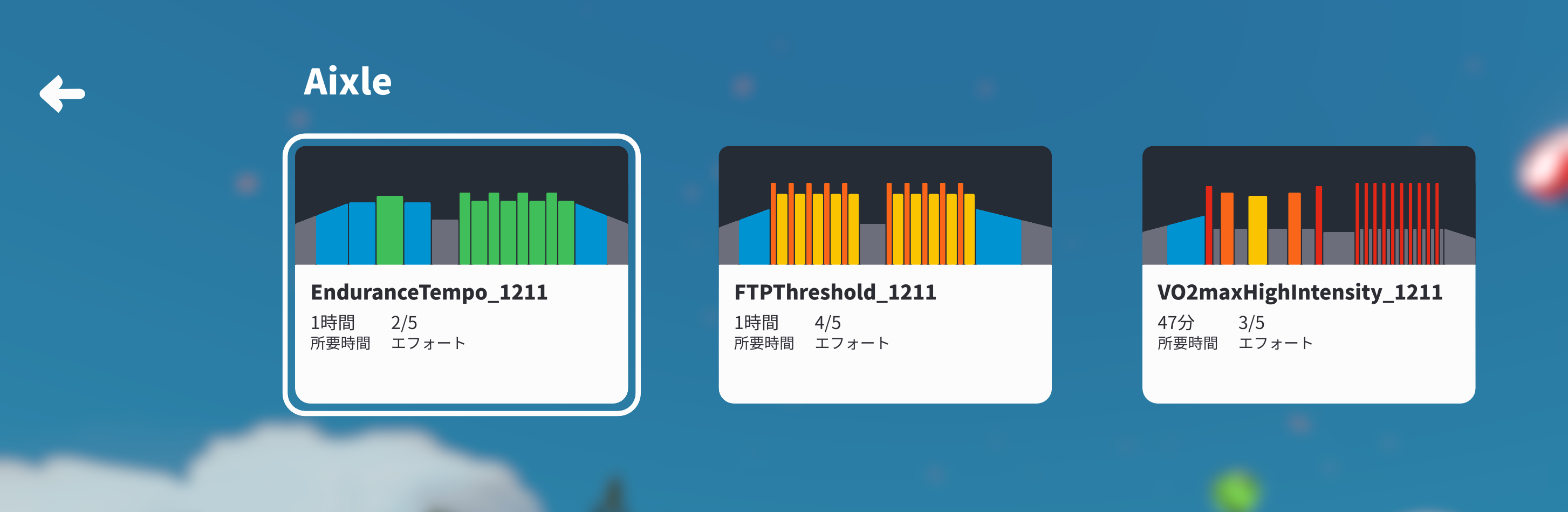
Generates: It sends a prompt to Gemini (Model: gemini-3-pro-preview) to design a specific Zwift workout (.zwo) for the day.
Delivers: It saves the file to Google Drive (which syncs to Zwift) and emails you a summary.
Why I built it:
I wanted a logical, data-driven training plan that adapts to my daily fatigue, without the expensive monthly subscriptions of other coaching platforms.
Since it runs on your own Google Cloud account, it operates at a minimal cost (just the small API usage fees), making it a very affordable alternative.
I hope some of you find it useful or get inspired to build upon it!
Currently, there are usage hurdles, such as the need for a Gemini API key, and issues with API timeouts, so I’m preparing to turn it into a web service.
In the current version, I installed the PC version of Google Drive and synchronized it using a synchronization script (only available for Windows). In the next version, I plan to link it to Zwift by uploading it to intervals.icu.
  const blob = Utilities.newBlob(result.xml, "text/xml", fileName);
  folder.createFile(blob);

  // This uploads the workout to today's date on your calendar
  uploadWorkoutToIntervals(fileName, result.xml, formatDateISO(new Date()));
  //
And put this new function at the bottom of the script:
function uploadWorkoutToIntervals(name, zwoContent, dateStr) {
const athleteId = “0”; // “0” works for the API key owner
const url = https://intervals.icu/api/v1/athlete/${athleteId}/events;
const payload = {
category: “WORKOUT”,
type: “Ride”, // Default to Ride for cycling
name: name,
description: “Generated by Aixle AI Coach”,
start_date_local: dateStr + “T08:00:00”, // Schedules it for 8:00 AM
file_contents: zwoContent,
file_extension: “zwo”
};
 That was unexpected. Really neat, thanks for sharing!