Now it works!
1 Like
Sign in with intervals.icu account is possible. Thank you!
After a chat with the AI Coach I gave the GO to create a training plan. Unfortunately, creation of workouts failed. See screenshot:
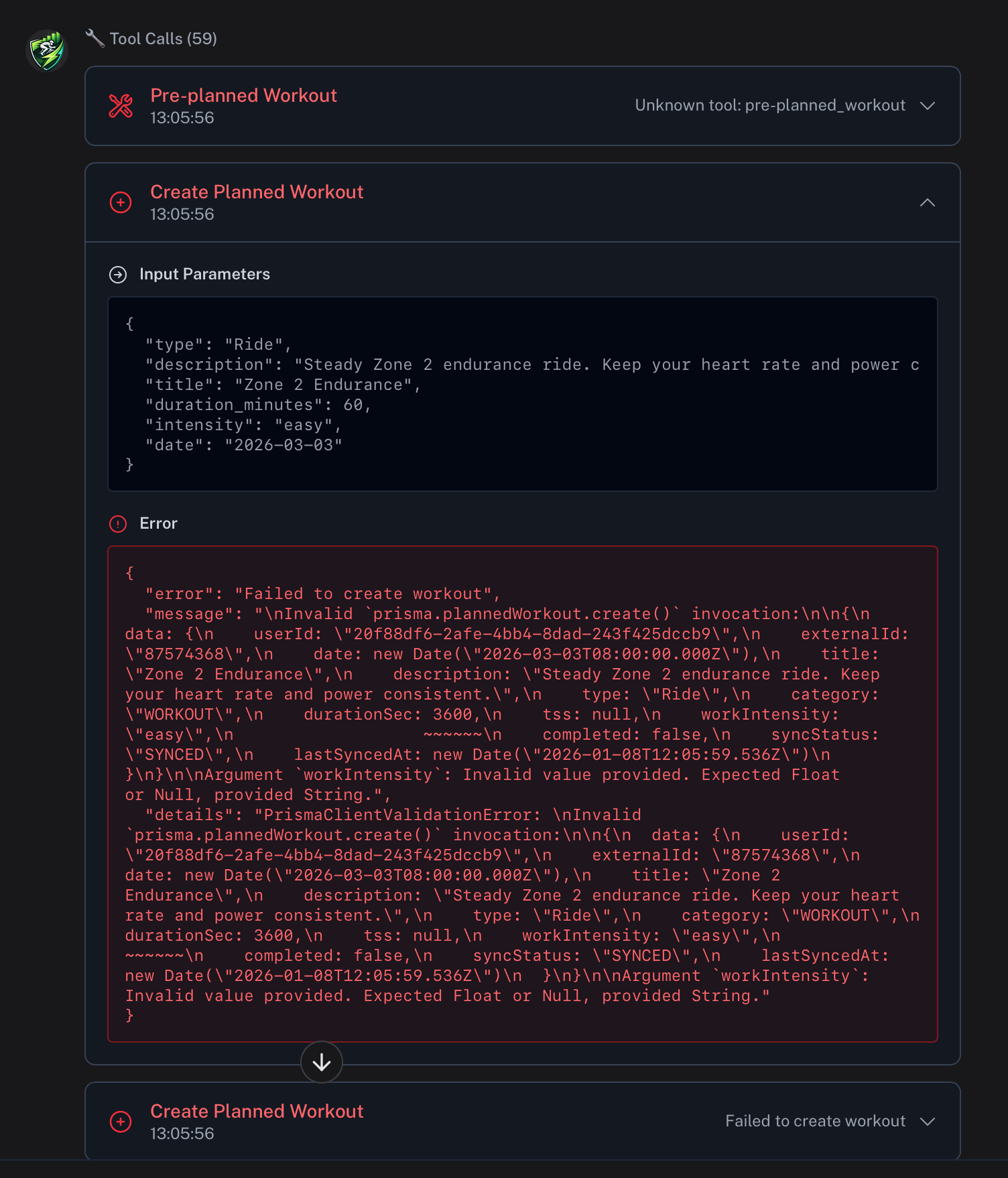
Also, loading existing workouts from intervals.icu calendar into CoachWatts doesn’t work.
1 Like
Schedule clean up doesn’t work.
After creating a few workouts and syncing to Intervals, I tried to clean up the training plan. In CoachWatts, the plan is abandoned. Which is good. Also no workouts in the activities section. On intervals.icu however, still workouts are plannend.
The “Clear Future Schedule” functionality should remove every activity. Also after a re-sync, my intervals calendar is still “polluted” with workouts.
1 Like
There seems to be a problem with syncing older data with intervals:
I set the dropdown to 365 days, synced the data and in workouts it’s only showing 50 activities (the oldest in late october)
In data → pipeline → analyze workouts I can see 113 total (which still doesn’t match the count for the last 365 days)
Also I’m seeing problems with HR decoupling in a lot of activities, e.g. in my workout c7ab01d5-1ced-4697-955e-15979b579ec9 there is 3.3% aerobic decoupling, however AI analysis says 325%.
Hi @hdkiller
I really liking the interface, it’s modern, inisghtful and easy to navigate. Keep up the good work.
The calendar update is causing some issues. I have an FTP ramp test planned for today. After I asked AI to update the workouts for next week (with additional Z2 time upfront), it moved the FTP assessment this week to Tuesday January 6th. When I ask AI to move it to January 8th, it says it is already planned for January 8th.
Also, I can’t seem to move it manually. When I try to drag and drop it wont let me/ this happens both on mobile(android with Firefox) and web (Windows with Firefox)
I dm’ed you the activity id for the FTP test
Thanks for this project. Its very promising.
Since today, it seems I can‘t sync wellness data. I even deleted my account und created a new one. Only activites get synced. There isn‘t any wellness data or Athlete Profile.
Any idea?
Under data, it shows a failed sync with intervals.icu.
I am checking all these issues. Pardon for my incompetence! I’ll release fixes in the following hours.
You’re doing an amazing job. The platform is fantastic. I used Xert and abandoned it to use this one for my runs. Keep up the good work and I look forward to seeing my suggestions for improving training when you have time.
2 Likes
Hi everyone — thank you all for the detailed reports and for your patience. I really appreciate the kind words as well; they mean a lot 
Let me address the issues one by one and clarify what’s already fixed, what’s rolling out today, and what still needs investigation.
1. Workout creation & loading from Intervals.icu
The workout creation failure and the inability to load existing planned workouts from the Intervals.icu calendar were caused by a backend issue that has now been fixed (a few hours ago).
 What you need to do
Please re-sync your data via /settings/apps → Advanced Sync → 365 days .
After the sync completes, re-analyze a few workouts first to confirm everything looks correct before re-analyzing the full batch.
2. “Clear Future Schedule” not removing planned workouts
You’re absolutely right — this should remove all planned workouts from Intervals.icu.
- The Clear Future Schedule fix is currently being deployed later today.
- After deployment, clearing the schedule + re-syncing will correctly remove all planned activities from Intervals
- Previously “abandoned” plans in CoachWatts leaving workouts behind in Intervals was a bug, not expected behavior
3. Drag & drop rescheduling not working
Manual rescheduling via drag & drop is currently disabled due to a calendar bug.
 Good news: drag & drop rescheduling will also be deployed later today.
This should resolve issues both on web and mobile.
The FTP test jumping dates and the AI thinking it’s already scheduled correctly is part of the same scheduling / timezone problem I’m currently untangling.
4. Older data missing / activity count mismatch
I am still investigating it. Do you have data from Strava in intervals?
5. HR decoupling values clearly incorrect
Yes — values like 325% aerobic decoupling are obviously wrong.
This is a known analysis bug and is being fixed. Thanks for flagging specific activity IDs — that helps a lot.
6. Wellness data not syncing / Athlete Profile missing
There was a downtime overnight, which caused some wellness data not to sync automatically. Additionally, there’s an active bug related to the injury field in Intervals.icu that can cause wellness syncs to fail.
What to do now
- Press Sync Data on the /dashboard , or
- Trigger an Intervals.icu sync from /data
Final note
I know this is a lot at once, and I take full responsibility for the rough edges here. I’m currently reworking time zone handling across the entire app, which unfortunately surfaced several of these issues at the same time.
Thank you all for the detailed feedback, the patience, and the encouragement — it genuinely helps me prioritize and improve things faster. More fixes are landing over the next few hours.
If anything still looks off after re-syncing and today’s deployments, please reply here or DM me the activity IDs 
Thank you!
5 Likes
Really impressed with what you’ve created. I have an issue with this ride. It was completed on the 9th Jan but shows in the calendar as being completed on the 8th. Long Aerobic Endurance Ride - Shared Workout | Coach Wattz - Coach Watts
Thanks, and keep up the good work.
My performance Summary in tiles still are off.
How to reset it?
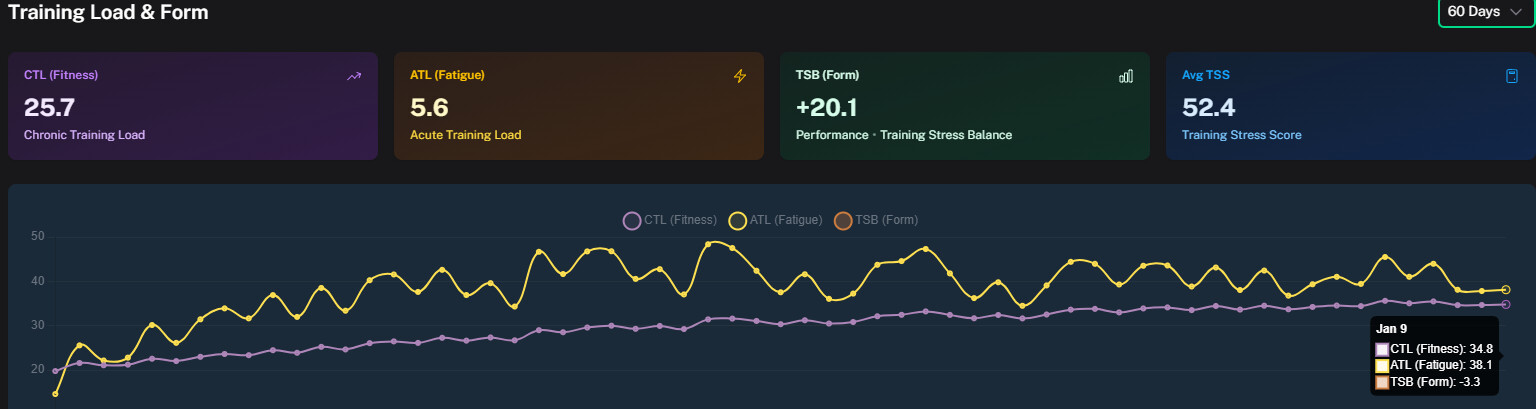
The positive think is that they are not taken for insights
Thank you for update. However, this functionality should remove ALL PLANNED WORKOUTS CREATED by COACHWATTS imho. My strenght workouts directly planned in the intervals calendar are deleted now. Which should not. 
Edit: After checking the calendar; I noticed Today+4 weeks, still planned workouts in the intervals.icu calendar. Seems the functionality is limited to a specific time block.
I am sorry about, i’ve overlooked it. Fixes are being deployed.
Nope, no data from Strava in intervals. Previously I had an account with email which I deleted and made another one signin with intervals directly. With the previous account I was able to pull all data for the last year. This seems like a regression of some sort in recent versions. Thanks for your work !
Here is another example where CW misinterprets data. On the Wellness tab it shows this:

Soreness is entered in intervals.icu and can have value from 1-4. 1=Low, 2=Average, 3=High, 4=Extreme. So 1 should be green, not red
Mood is entered in intervals.icu and can have a value from 1-4. 1=Great, 2=Good, 3=OK, 4=Grumpy. So 1 should be green and 2 should be light green leaning to yellow(?)
1 Like
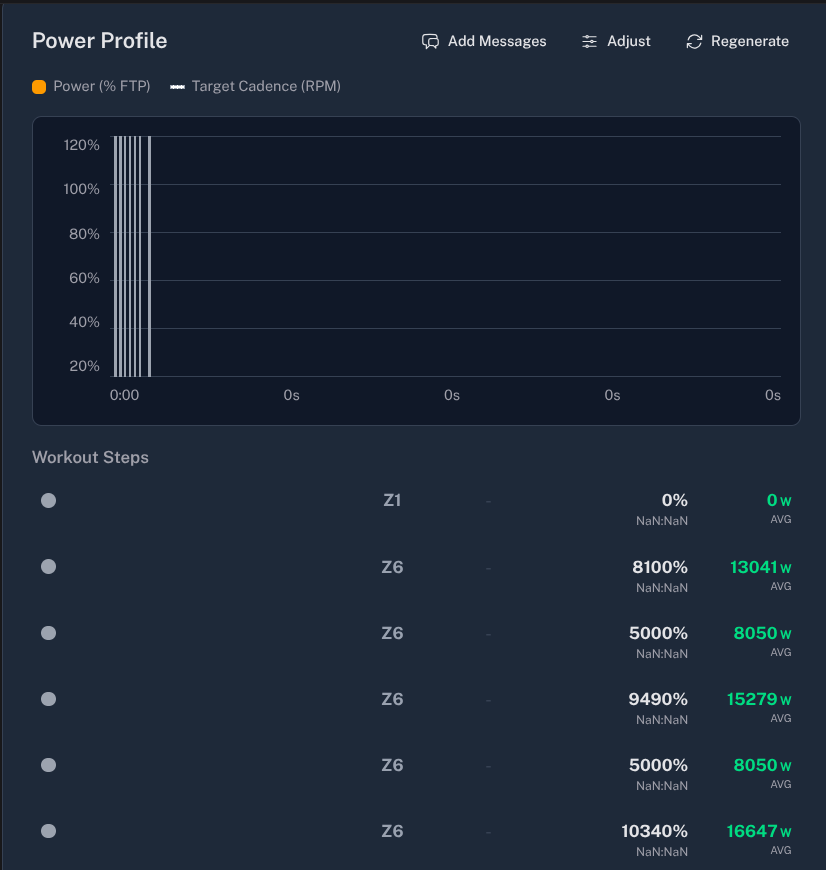
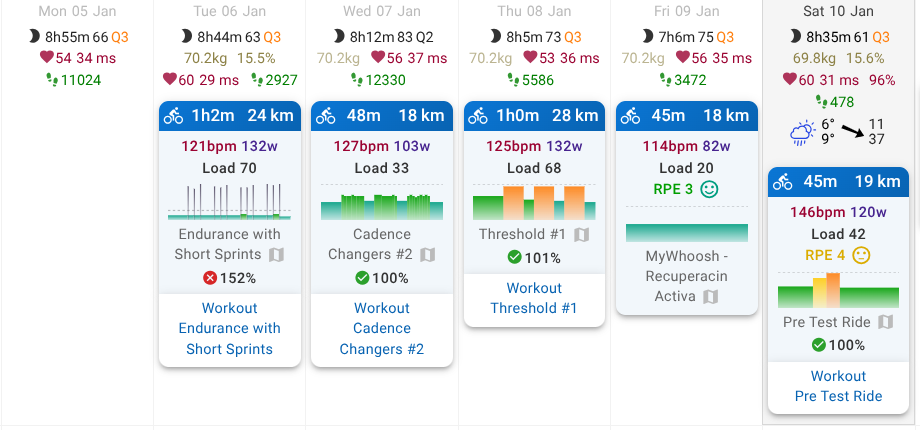
I love the tool, I think it’s awesome! The biggest issue I’m finding is that planned workouts from Intervals don’t sync properly. They only appear once the workout is completed, and it doesn’t link the planned session with the executed one. Also, the planned workout data is incorrect.
Thank you so much for everything!

1 Like
Release v0.5.9
 Coach Watts v0.5.9 Release: The Smart Coach Upgrade!
We are thrilled to announce our latest release, v0.5.9, which focuses heavily on introducing a brand-new, highly intelligent Recommendation System and making our AI Coach smarter, faster, and more transparent.
Here’s what’s new and improved:
 Smarter AI & Personalized Recommendations
This release brings a dedicated system for deep, actionable training insights, generated instantly based on your performance and goals.
 Brand New Recommendations Page
You now have a dedicated home for advanced coaching advice.
-
Context-Aware Advice: The AI doesn’t just look backward; it integrates your entire context—including current training plan details, future planned workouts, heart rate zone distribution, and wellness scores—to provide highly precise and personalized suggestions.
-
Deep Dive Analysis: View detailed explanations and implementation guides for every recommendation, helping you understand the why behind the suggestion.
-
Integrated with Chat: Recommendations are seamlessly integrated into the AI Chat system, allowing you to discuss and apply the insights directly with your coach.
 Trend Indicators & Analysis
-
Dashboard components now include Trend Indicators to help you quickly see if key performance metrics are improving or worsening over time.
-
We’ve fixed and backfilled data to ensure core metrics, especially Aerobic Decoupling, are calculated correctly and accurately reflected in AI analysis.
 Planning & Workflow Improvements
We’ve made significant quality-of-life updates to how you manage and interact with your training schedule.
-
 Drag-and-Drop Rescheduling: Simply drag and drop planned workouts directly on the calendar to reschedule them instantly!
-
External Calendar Fix: Clearing your future schedule now correctly removes those workouts from your linked external calendars (fixes a known sync issue).
-
Workout Source Tracking: We now clearly mark workouts that were generated by the Coach Watts AI versus those synced from external sources like Intervals.icu.
 Transparency & Feedback
We believe trust comes from clarity. This release gives you more control and visibility over how the AI is coaching you.
-
Give AI Feedback! You can now explicitly tell the AI whether its advice, recommendations, or workout generation was helpful or not. Look for the new feedback component on your dashboards and detail pages. Your input makes the coach better for everyone!
-
AI Usage Logs Redesigned: We’ve moved and redesigned the AI Usage Logs to a dedicated route for clearer transparency on when and how your data is being used to generate coaching insights.
-
Legal Compliance Update: We’ve updated our onboarding flow and legal policies (Terms of Service and Privacy Policy) to include mandatory consent for health data usage, ensuring we meet the highest standards of user protection.
 Under the Hood
-
Improved Sync Stability: Resolved several issues to make intervals.icu syncing more robust and consistent, especially for ad-hoc and structured workouts.
-
Performance Optimization: We’ve optimized data stream fetching to improve the loading speed and responsiveness of charts and calendar views.
-
Foundation Updates: We’ve upgraded our core infrastructure, including storage integration and dependencies, for enhanced long-term platform stability and security.
Screenshots for your convience
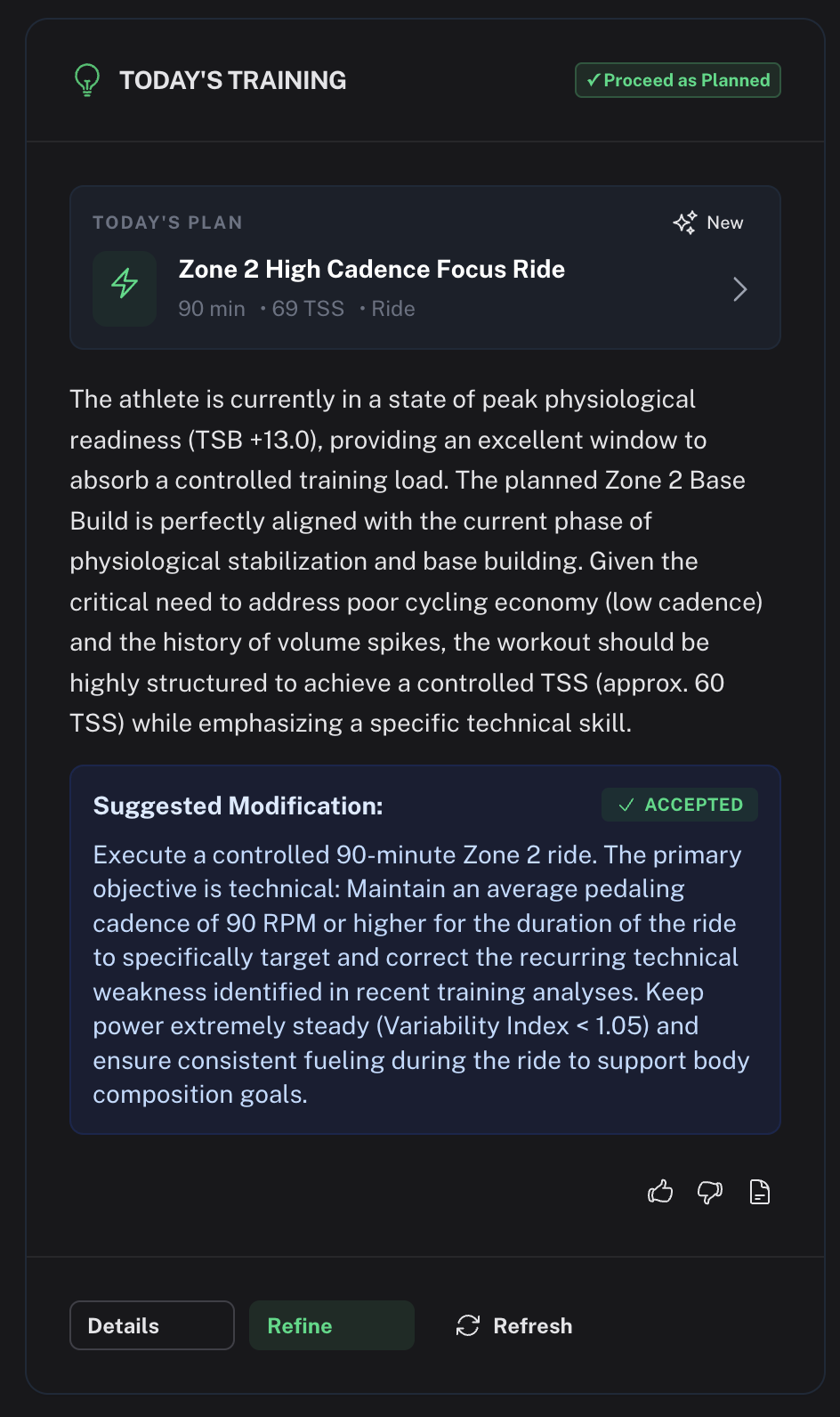
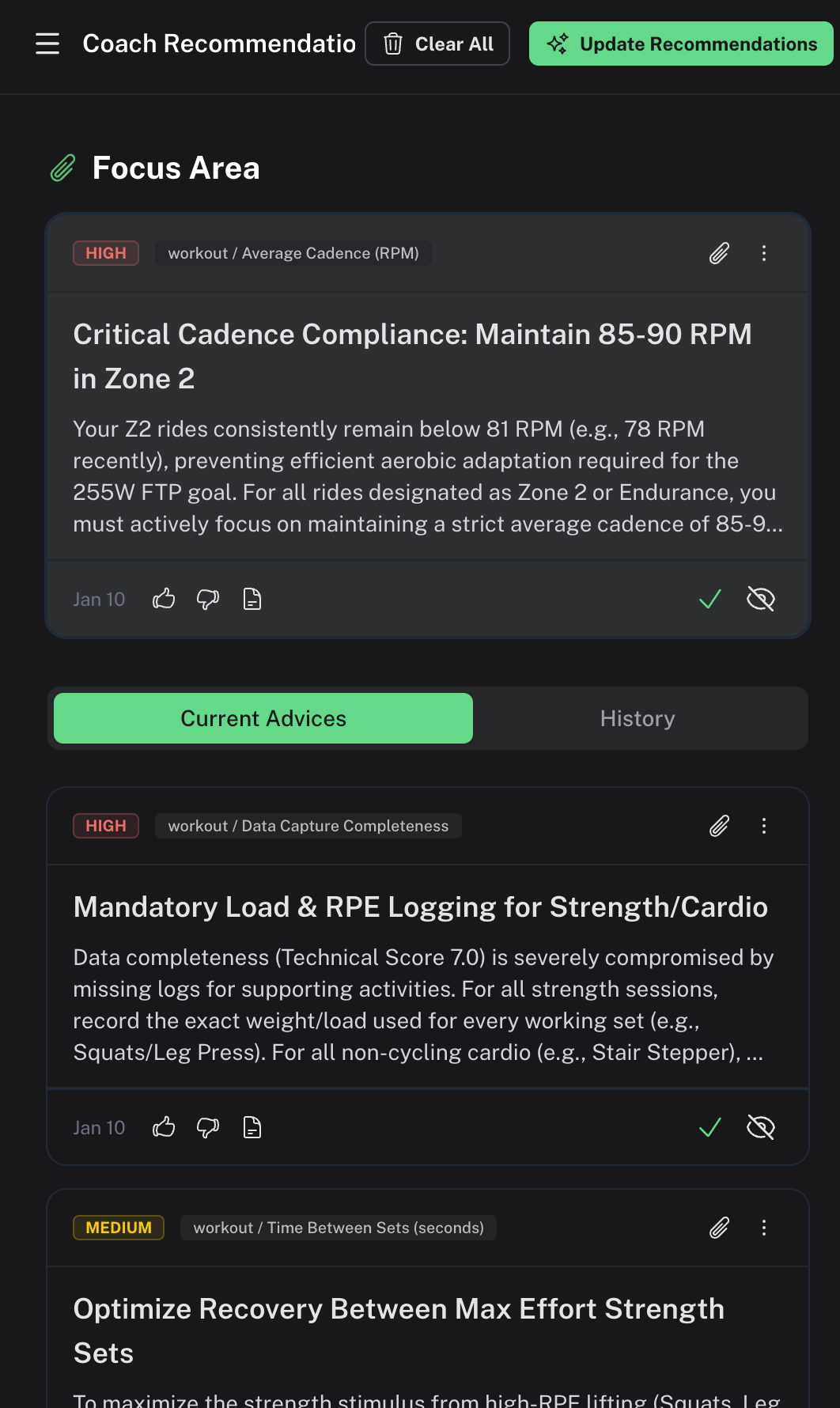
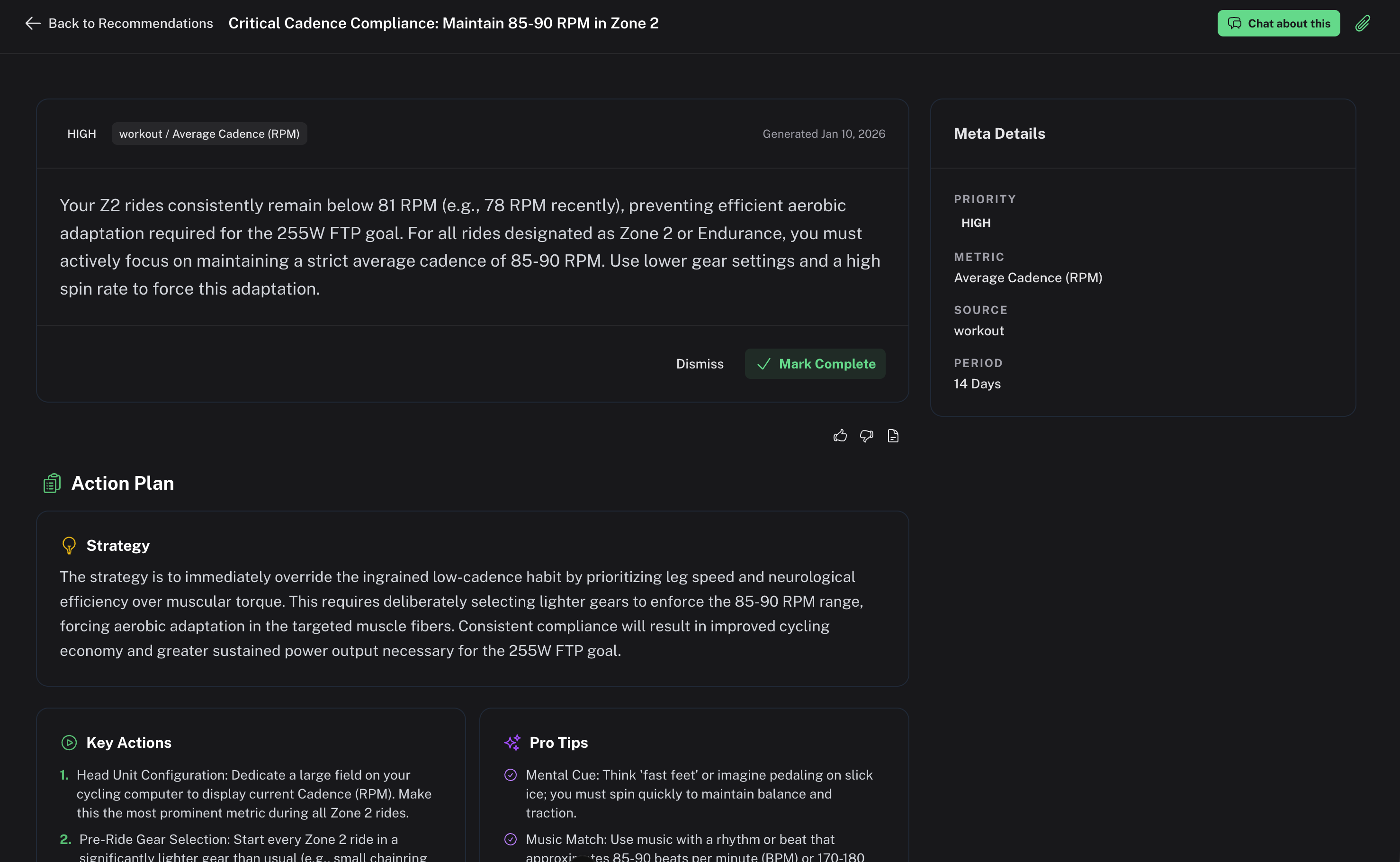
@koldoc The planned workout data is now finalized. After some housekeeping, I’ll be looking into syncing planned workouts from Intervals. I’m also planning a feature where Coach Watts can “adopt” your planned workouts, which will then appear in the /plan section, so I expect further improvements there soon.
From a roadmap perspective, I’ll be addressing mobile layout issues, improving the Goals section to provide better UI for editing, aligning, and tracking goals, and adding audit logging with technical details so more tech-savvy users can dig deeper into the underlying raw data.
In addition, I’ll be enhancing the workout AI analysis, as the current analyses are still too isolated and overly focused on individual workouts rather than providing a more holistic view of overall performance and progress.
Once things stabilize a bit, I’ll shift my focus to technical improvements, addressing code quality issues, and establishing automated testing.
Thank you for all the feedback and kind words, it truly motivates me to keep going!
3 Likes
Hi @HDkiller
Add ons for the list of things that need improving:
kJ: intervals.icu send Joules. You need to divide it by 1000 to get to kJ
Dates are still wrong, and ai generated workouts use that wrong date: on th activities page, the workout shows on the correct day.when I click on it it shows the workout planned for yesterday. The AI verbiage indicates that it uses yesterday’s date for it’s commentary.
Thanks for your hard work on this app!
1 Like
Hi @hdkiller
I started using the workout generation in CW. There is a lot to like: The focus on the defined weakness, the variety in intervals to keep it interesting, etc. It is probably the best dynamic workout generator I have seen sofar!
I do notice a bug in the ramp phases.
My workflow is as follows: CW > Intervals.icu > TPVirtual
Here is what you send to intervals.icu for the ramp up phase.
“Cadence Focus Ramp 10m 55-75% (100-137w)”
That shows as 10 min phase between 55 and 75%. ERG does not ramp from 55% to 75%.
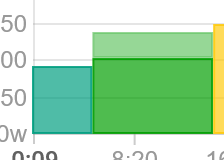
Here is what a correct warmup looks like:
“10m ramp 55-75% (100-137w)”
This will show as an ERG ramp from 55% to 75%.
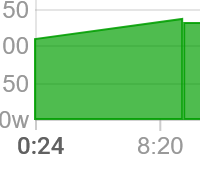
I think it may have to do with the message you put up front. That is not a problem for steady power intervals, but appears to be an issue for ramp intervals
Thanks!
1 Like
Release v0.5.10
Watts App Release Notes: v0.5.10 is Here!
We’ve just pushed a significant update focused on making your recovery insights clearer, your data faster, and your coaching recommendations smarter. Time to dive into the key improvements!
Smarter Recovery & Training Load
Understanding your body’s readiness is crucial for maximizing performance. We’ve introduced a suite of new tools to give you unparalleled insight:
-
Integrated Readiness Scores: Your wellness checks now include a dedicated Readiness section! We pull these insights directly into the app so you know exactly when to push or rest.

-
New Training Load Insight Modal: Quickly review your acute and chronic training load (ATL/CTL) trends right from your dashboard cards. This modal gives you a deeper dive into how your training is trending.
-
Data Freshness Alerts: Never worry about using outdated metrics again! Your dashboard now features stale data warnings and prompts to auto-update, ensuring your coaching advice is always based on the latest activities.

Performance & Reliability Upgrades
We’ve optimized several key areas of the app for speed and stability:
-
Lightning-Fast Workout Lists: We’ve refactored how we load your training history. Workouts lists now use server-side pagination, meaning they load significantly faster, especially for long-term users.

-
Better Data Handling: We’ve resolved a few backend issues to ensure absolute consistency:
-
Timezone handling is now rock-solid, ensuring your workout calendar dates are always correct regardless of where you are.
-
We fixed an issue with how Kilojoules (energy expenditure) were stored, ensuring 100% accurate training data metrics.
-
Automatic Error Recovery: If you experience a rare loading hiccup, the app is now smarter and will attempt an automatic page reload, keeping your workflow smooth.
 Enhanced Coaching Intelligence
Our AI Coach is getting smarter, offering more tailored and impactful advice:
-
Deeper Athlete Profile: We now include metrics like your Heart Rate/Power Alignment Score and your Active Goals when generating your profile analysis. This means the AI better understands your physiological tendencies and long-term targets.
-
Prioritized Current Metrics: The coaching model now prioritizes your most recent and important metrics, ensuring recommendations are highly relevant to your current fitness state.
-
Improved Recommendation View: We’ve polished the layout for workout recommendations and added a convenient history toggle so you can easily review past suggestions.
 UI Polish & Clarity
-
Garmin Data Attribution: We have implemented clear branding and attribution across the app. You’ll see explicit indicators confirming when data has been synchronized and processed from providers like Garmin. Trust and clarity are paramount!
-
Clean Layouts: Fixed several layout issues on the Settings page and ensured planned workout descriptions preserve line breaks, making them much easier to read.
I hope this release fixes several outstanding issues mentioned in the thread.
@Duppie i’ll check the ramp issue as-well and will fix in the next release!
Thank you for all the feedbacks!
3 Likes