We got the wellness prompt dialog implemented and I wanted to share this because I desperately needed this feature in my daily routine!
For those who don’t know - there’s been a setting for wellness prompting that’s been sitting in the Settings page for literally years without actually functioning. I found forum threads asking about this dating back to:
December 2020 (first thread asking “how does it work?”)
November 2022 (another “is this still in development?” thread)
Multiple discussions over the years with David confirming it wasn’t implemented yet
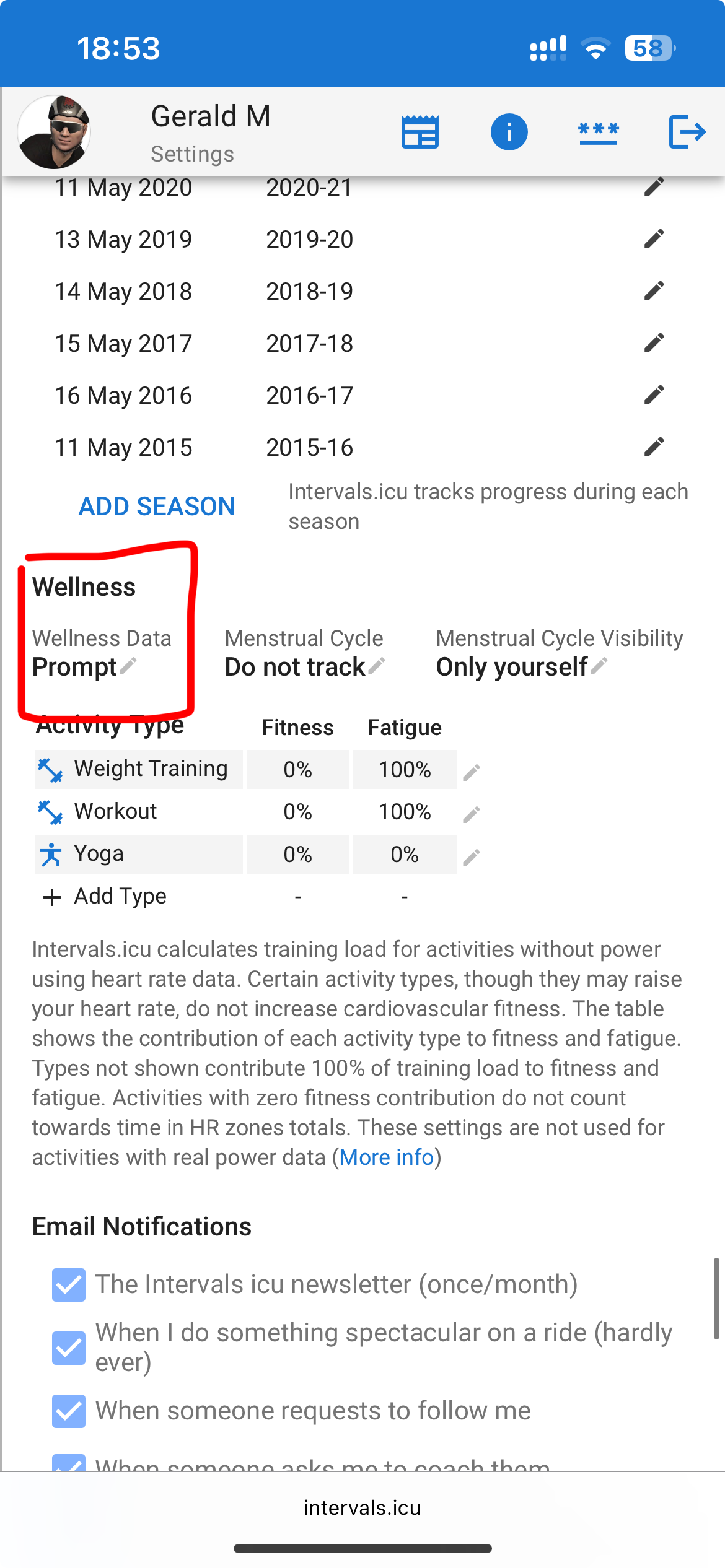
How to enable it:
Go to Settings → Wellness
Change the prompt setting from “Don’t ask” to “Prompt”
→ The app will now show you a dialog once per day to enter your wellness data
That’s it! The feature actually works now (at least for me). It’s simple but makes a difference for staying consistent with tracking soreness, fatigue, mood, and all the other metrics we forget to log manually.
Please report bugs: Since this has only been lightly tested so far, please let us know in the comments if:
It’s not working for you (be sure to have the newest version of intervals.icu loaded)
You encounter any bugs or unexpected behavior
You have suggestions for improvements
Hope this helps others who’ve been waiting for this feature as long as I have!
I turned it on and the box popped up as expected, so seems to be working.
One suggestion - at the bottom is an OK and Next button. I think an OK and Prev button would be more useful in this new automated process as sometimes you might go in at 8am in the morning and update wellness data for today, but some of the fields relate to the previous day. As an example I added a field for Garmin Stress. When I go in at 8am I won’t know today’s value for it, but I will know yesterday’s. So it would be good to be able to go back to yesterday’s figures easily
This is something I’ve been waiting for anxiously for a long time. Would it be possible to allow coaches to turn that on for their athletes so I don’t have to ask each of them to do it and then explain how to do it?
Thanks very much @eva
This is really what i was waiting for.
One Feature-Request regarding that topic.
– A Setting to re-prompt after a certain time of day. –
Why: In the morning i would like to set my weight, maybe mood, training motivation etc.
Then i go to work, have horrible day or maybe a great one - and would like to change some values before training.
Especially stress etc. can very much change for me during the day. When i wake up i am typically fine
I would love to have a re-check after opening intervals after a certain time of day.
I’m already in a habit of updating my data, daily, but as a few have said, getting the athletes to complete it is more important for me.
@david or @eva
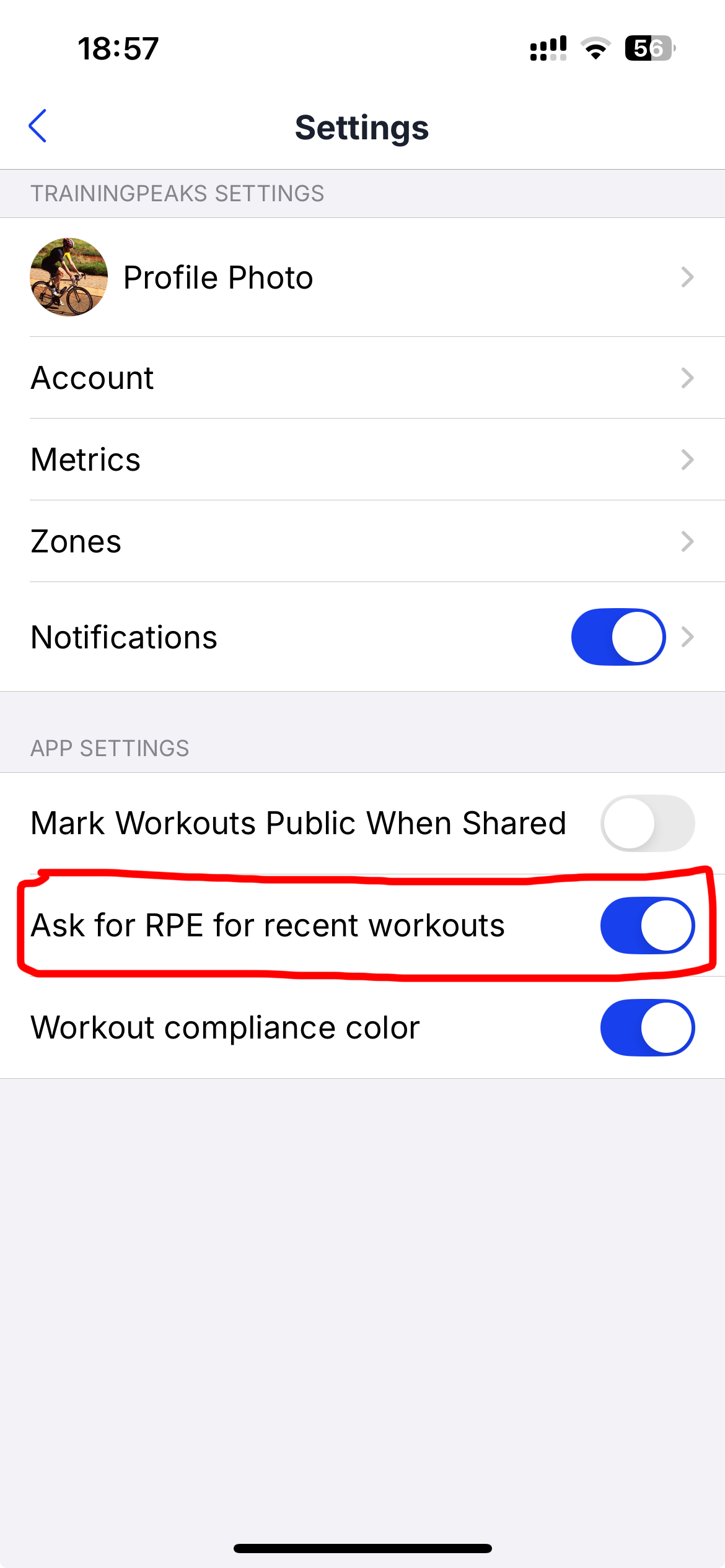
Would it be possible to add a prompt for RPE and feel, please. This would be when an athlete goes into their activity, and it’s not complete.
TrainingPeaks has this as a feature (not restricted to premium users).
On the calendar, fatigue is abbreviated as fat…
There’s simply not enough space to write it out in full.
If you are using intervals.icu in another language, there’s an error in the translation file for that language. Tell us which language and the user who made it will correct.
amazing feature
for people who often go to sleep very late, is it possible to add some kind of a setting to push the prompt beyond 8am or so? For now it shows for example at 1am when I’m just checking something on intervals.icu and I assume the prompt is for the next day (present day but after sleep ofc)
thx
Something I noticed:
If I left intervals open yesterday working on an athlete I coach, then I open it today and it happens to be on these athlete’s calendar page, it prompts me to complete wellness data FOR THAT ATHLETE, not for myself. That kind of thing (opening intervals.icu in a previously open tab and it’s another athlete) happens to me all the time.
Then, it doesn’t prompt me when I open it in my own calendar.
There is a check in the code that prompts only for the “owner” athlete and I couldn’t reproduce the bug. But that doesn’t mean it isn’t possible, everything is in software development So we will be testing this more.

 or maybe a great one - and would like to change some values before training.
 I often struggle to find the thing I am after too

 So we will be testing this more.