How can I see a summary of weekly planned versus completed?
It seems the current “view weekly totals” is actual completed plus planned. I feel it would be equally helpful to see completed versus planned. TrainingPeaks shows this for TSS, distance and duration, and it is very helpful, especially when planning for the weekend if previous workouts were over or under the plan.
I don’t think this is what I’m looking for. Here’s an example:
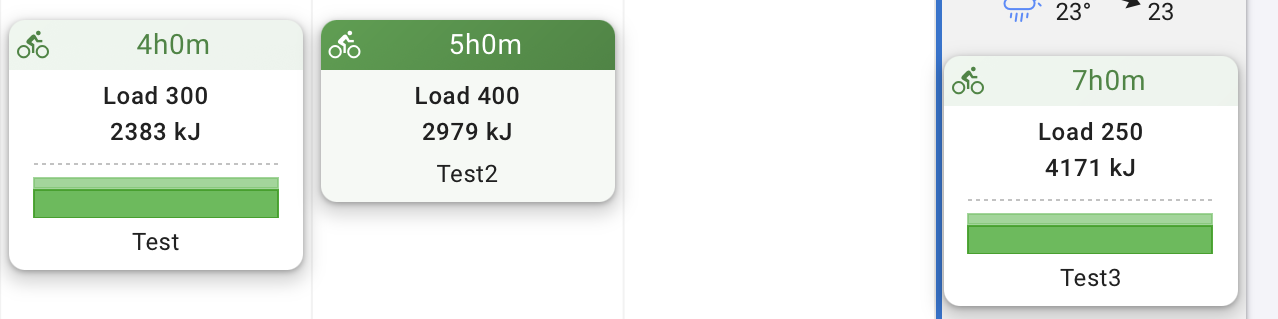
Hypothetically, the plan for this week is 550 TSS over 11 hours
According to the plan, I am supposed to complete 300 TSS and 4 hours by end of day Friday, leaving 250 TSS and 7 hours to complete over Saturday and Sunday.
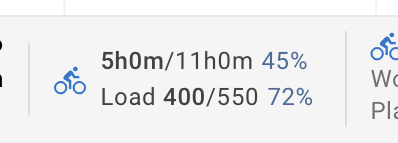
Instead, say I complete 400 TSS and 5 hours by end of day Friday.
In the current version, the weekly totals would now show 400/650 TSS instead of 400/550 TSS and 5/12 hours instead of 5/11 hours.
It seems most logical to show the actual + planned compared as a percentage of the original planned amount instead of actual + planned as a percentage of actual + planned.
Is this the total of the planned workouts for the week or are you also using Weekly Targets?
If you use both planned workouts and weekly targets, you get this kind of anomalies. Use one or the other, not both at the same time.
Weekly targets in Intervals are for those who use ‘loose planning’, just a target for the week. Planned workouts are for those who use more strict training plans.
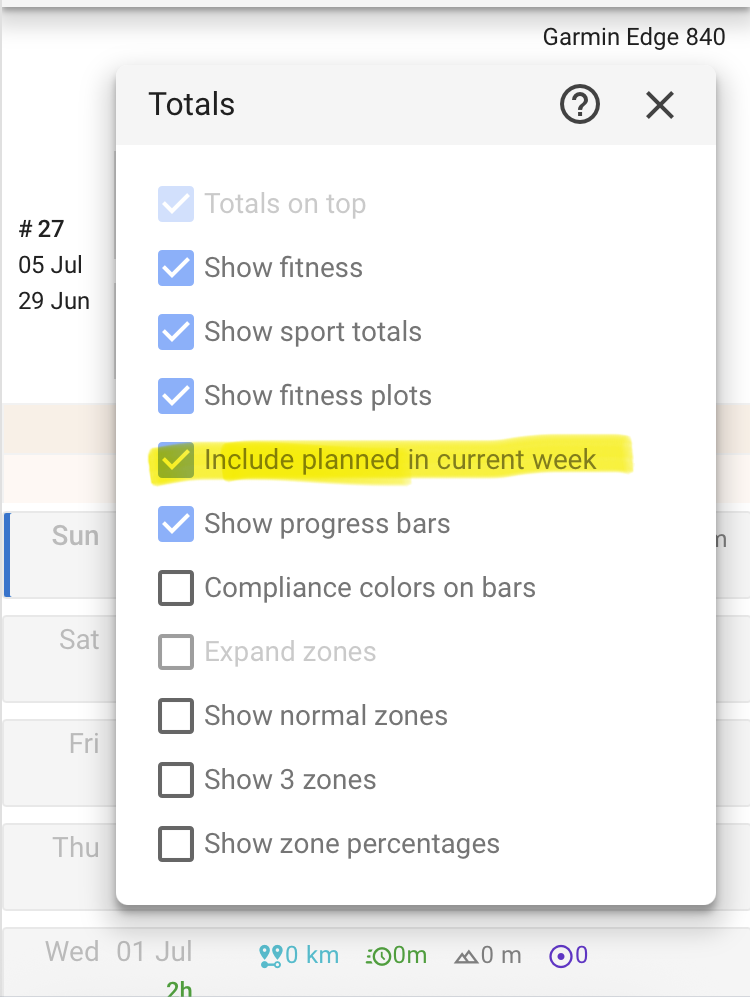
Though I know there is here and then confusion with that, but I don’t see any anomalies with that. It might not be implemented in a completely intuitive way or rather, the problem is that two inputs can result in one output. There’s the sum of planned workouts and the weekly targets. The weekly target always takes priority, meaning it overrides the sum of any planned workouts. Additionally, there’s the “Include Planned in Current Week” option, but this only affects the current week and applies only to actual values, not target values.
Here’s an example:
I have 5 planned workouts, each with a load of 100. The target is 500. If I now set a weekly target to 600, then the target becomes 600 (regardless of the planned workouts). The confusion may arise because if I complete an additional session with a load of 100, it might be mistakenly assumed that the target is calculated based on the planned workouts and the additional session combined: 100 + 500 = 600. Depending on the “Include Planned” option, the actual value will be either 600/600 or 100/600.
My current workflow involves using the Annual Plan Builder to create the weekly targets. I then roughly fill in the next 2–3 weeks. The current week is planned in detail. With the “Include Planned” option enabled, you can clearly see whether you’ll meet your targets by the end of the week with the planned workouts (planned workouts = ‚actual value‘ and ‚target value‘ is derived from the weekly target from the plan builder).
My personal Interest is for a structure training plan based on workouts (not weekly targets). So if I am halfway through a week of planned workouts defined with time/load/distance, it makes the most sense for the weekly totals numerator to be actuals and denominator to be the original plan totals. I can’t come up with a good reason for the denominator to be actuals + remaining planned.