I figured the issue, it was something do to with my NextDNS’s filtering system for ads and tracking. I added it to the allowlist.
1 Like
Cool app Evan - thanks! I noticed a problem. The summary of my weekly activity is incorrect. See attached screenshots from Veloq v Intervals.
Also, I often do workouts in an app that only uploads to Strava (not intervals) so it doesn’t get captured in Veloq. Is their a way I can get it into Veloq?
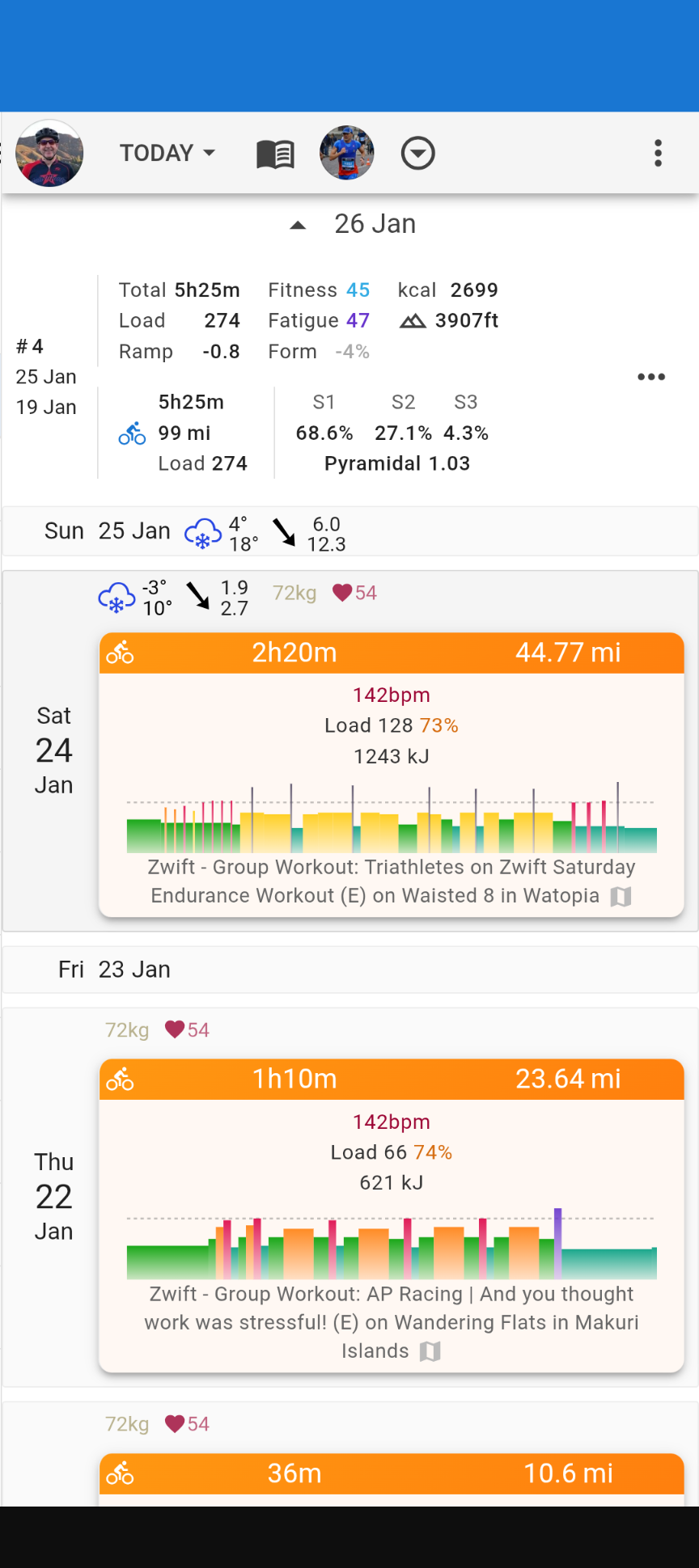
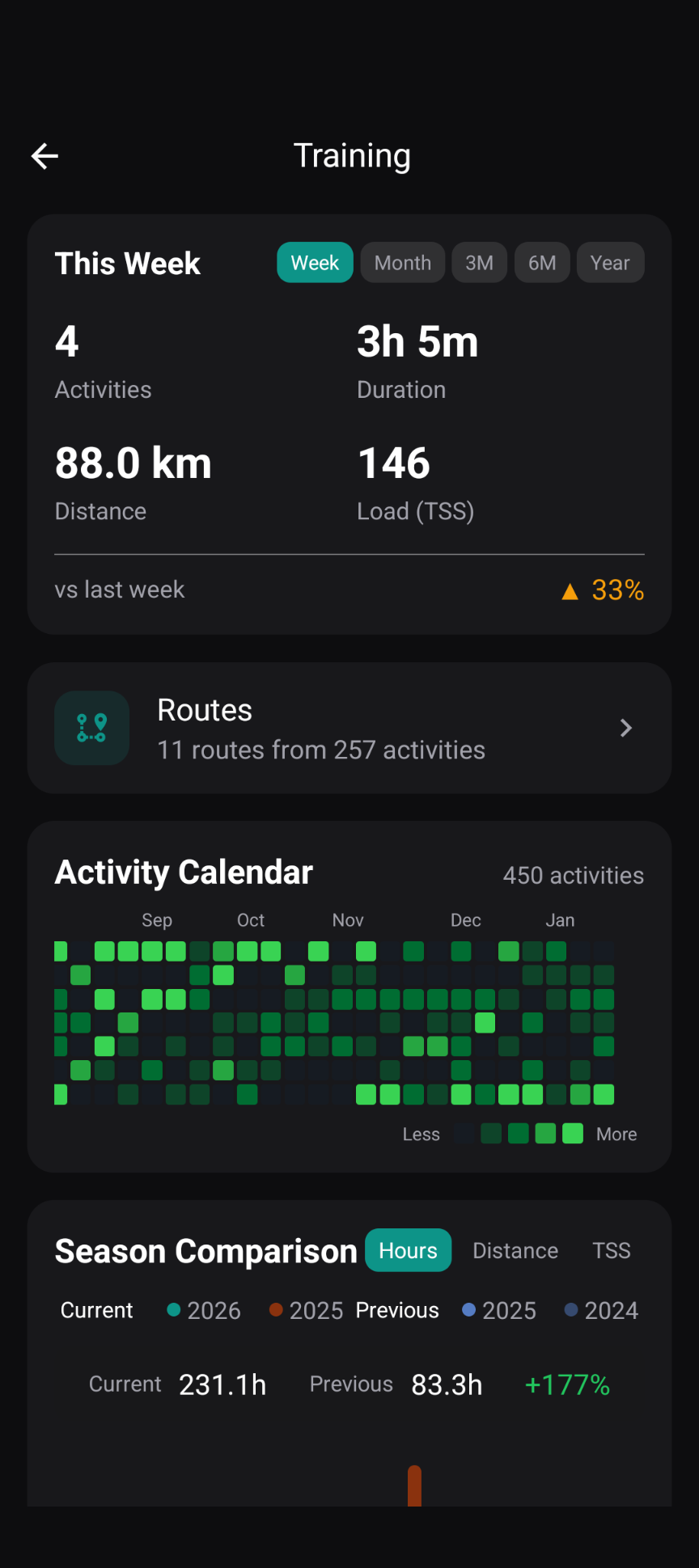
Thanks mate! And good find! The difference here is that the app uses a seven day rolling window rather than the actual week for that stat, but your observations are right, it should align better with intervals.
A change for that will be out in the next version, along with some other fixes that have been brought up here (thanks all!) - but it might take a week or so. I’m hitting a wall with several issues in the map library at the moment.
Regarding your point about the workouts coming from another app, unfortunately, no, I don’t have any immediate plans to integrate anything other than intervals. Are you unable to sync these from Strava to Intervals?
Sounds good, thanks for the reply.
And yes, those workouts and all their data sync to intervals (via Strava).
FYI the same issue exists with Sub Intervals app. It see that their was something uploaded to intervals but doesn’t have any of the data.
Ah! Yeh, I think this has something to do with the terms of use of the Strava API. David talks about it here: Import all data from Strava
and some more detail: [SOLVED] Data misssing through API (Strava Restrictions)
Unless you import those directly into Intervals, I don’t think they will be available in any app using its API.
Got it. So I’d need to download and import into intervals a fit file or something similar.
Hey all, it’s been a couple of weeks, but I’ve been busy working through a lot of the feedback from this thread - really appreciate all the testing and suggestions you’ve been providing.
I’ve just pushed version 0.1.1 to the App and Play Stores internal testing so give it a go if you get a moment, it may take some time to become available from the time of posting here. This one has some big changes, especially in the backend, expect some hiccups – it’s quite hard still at this stage to keep everything tested on both platforms as a single person :')
With this release, unfortunately, you will need to clear your sections and rebuild them for everything to work properly if it doesn’t happen automatically, and if the custom sections are still giving you trouble after that, a reinstall should sort it out. Sorry for the hassle, but it was necessary for the refactor. I promise to keep that more stable in further releases.
Some things you’ll notice based on your feedback:
- New menu-based UI - @R2Tom you asked about bottom navigation, so I’ve switched completely to many navigation. It meant some consolidation in some of the pages, let me know what you think
- Imperial/metric units - @Alpaka we now have imperial units, this can be changed in the menu, and the default one used will obtain whichever units are set in your intervals.icu profile.
- Chart improvements - Y-axis labels and average line with tooltips, so you can actually see the values now. If you want to see the y axis on any other overlaying plot you can hold the chip to see them. Also for a quick view of other plots you can hold their chip button to quickly see the data overlaid.
- @Alpaka with your suggestion we now have PRs uniquely for routes/sections
- Custom section fixes - @Manuel_Oberti the renaming issues should be resolved hopefully
- Much faster initial sync with the new background download engine
- Reorganised fitness tab with power/pace curves and training zones
- Satellite/aerial basemap options
- A bunch of stability fixes, but with some potential for some issues in iOS still (having a feature parity hamonised approach for both platforms has not been so easy!!)
Performance is my next focus - so if any page feels sluggish or janky, please let me know which screen, what you were doing, and roughly how many activities you have.
I’m looking forward to getting this out of testing and into a stable release soon. Thanks again for all the help getting it there!
2 Likes
Hello all!
The bugs have been ironed out, and the app has now been released on the stores 
Google Play - Veloq
App Store - Veloq
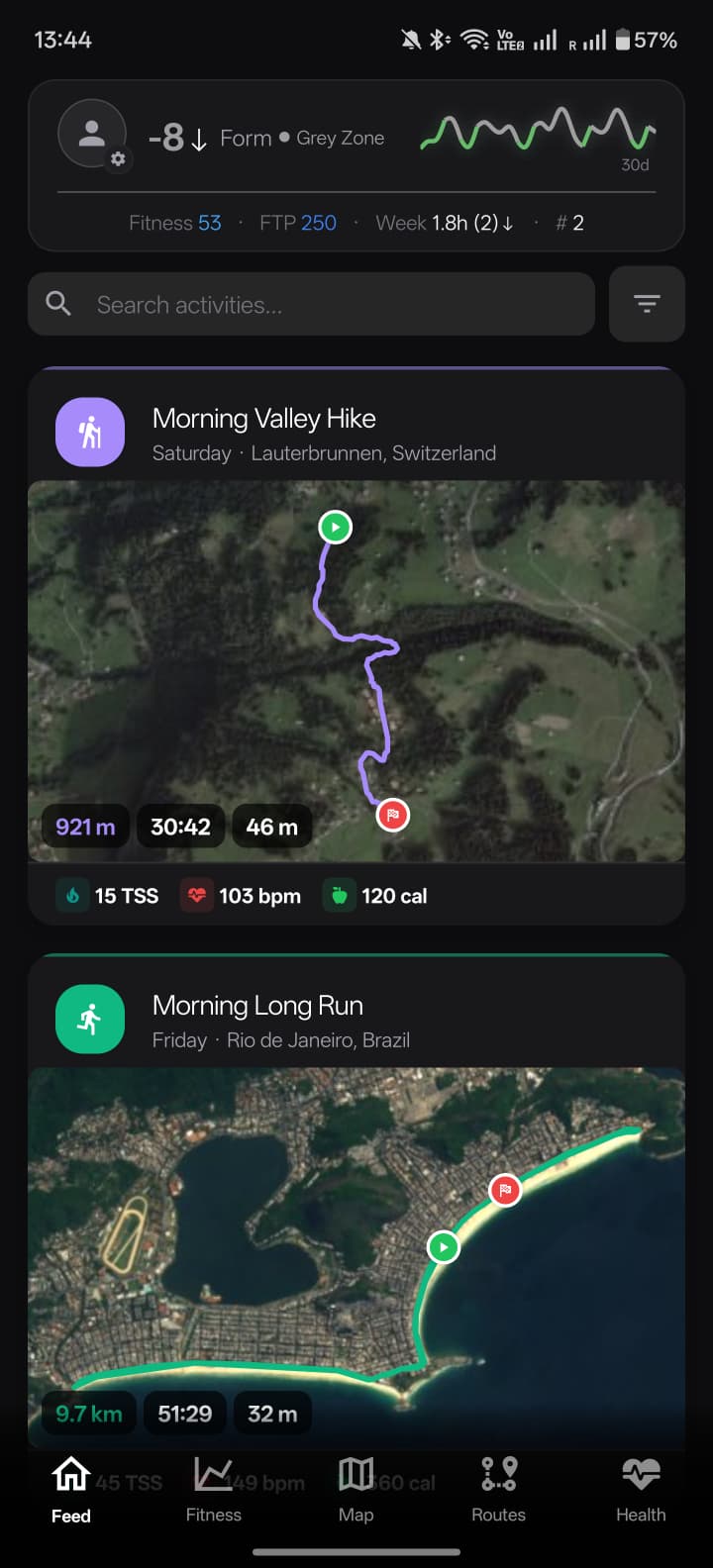
If you are not able to afford the store price, you may sideload it for free using your preferred method. The release for each version on both platforms can be found in the GitHub releases. Of course, don’t forget to support intervals.icu if you can too !!
For those who helped out by testing and sending in crash reports, thank you. Please get in contact with me with the platform you use, and I will send you a coupon to download for free.
And as always, if you have any feature suggestions or bug reports, feel free to add them here in this thread or in Veloq: Issues on GitHub.
3 Likes
Hi @evanjt, thanks for all your work! App looks great now.
Love the map overview with heatmaps, too. Is it possible to have the heatmap visible on higher zoom levels too?
1 Like
Yes, I would love to add this, too. In fact, heatmaps were included at an earlier version, but I removed them completely after having a terrible time stabilising the global map. Thanks for your support and feature requests !
Hello all 
A new version (0.2.2) will be released on the stores soon, with some significant visual changes. We now have 3D map previews on the activity screen, and the dark map vector layers have been improved so we can see the roads better than before.
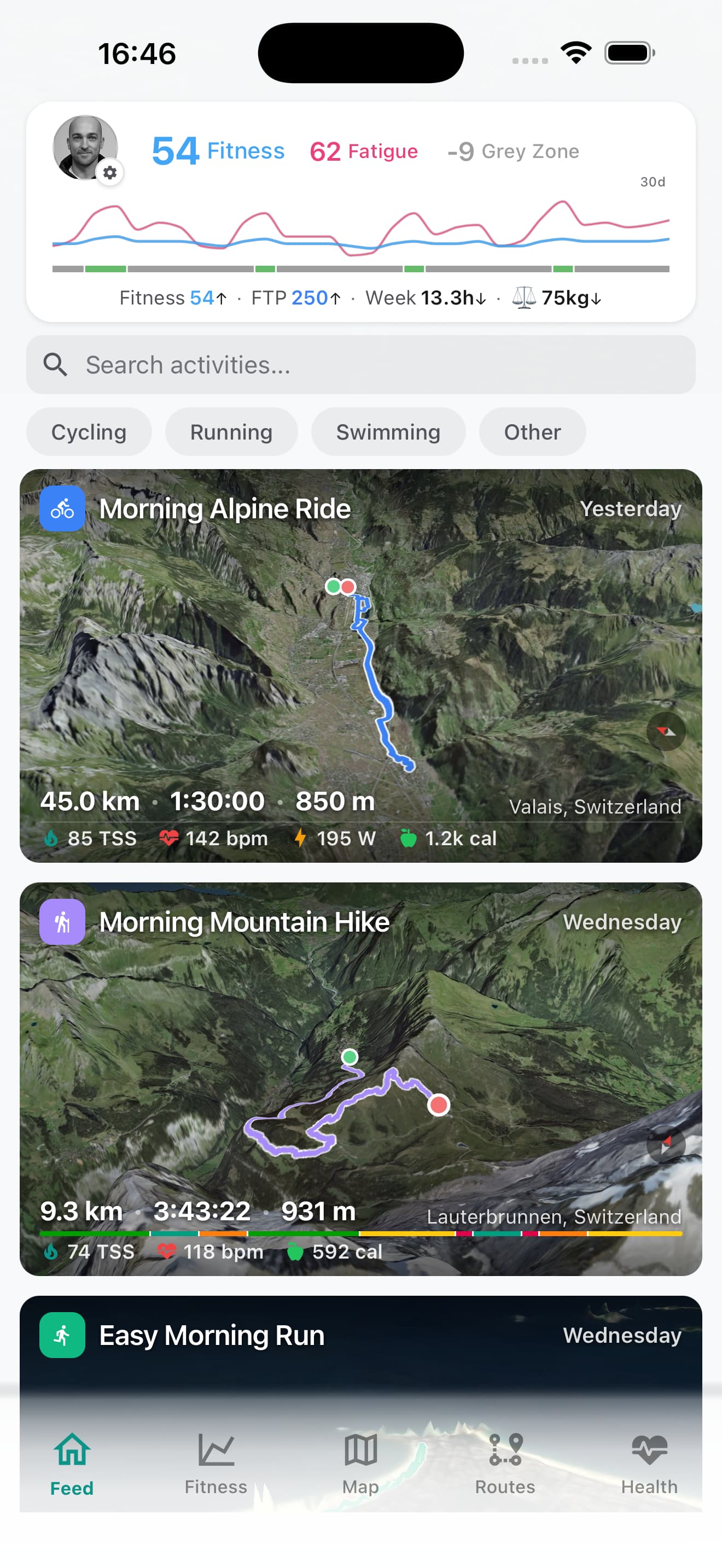
3D previews can be generated on all routes in “smart” mode where only those with significant elevation changes are considered worthy to preview. The rules for each map can be set for each activity type, or they can be changed individually by holding on the activity itself. Additionally, if you are changing the map inside the activity detail page, the last map type or 3D mode will be saved for when you go back to the activity feed.
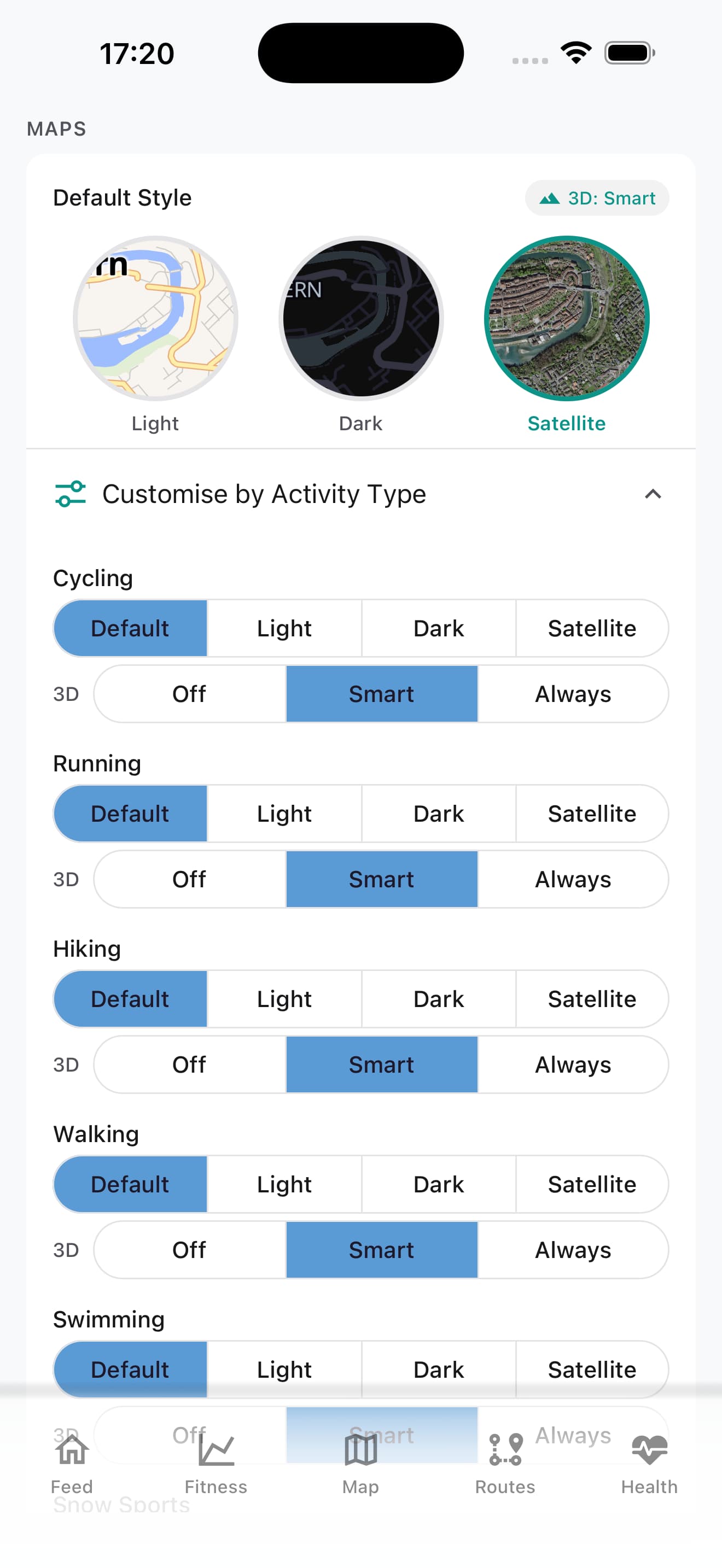
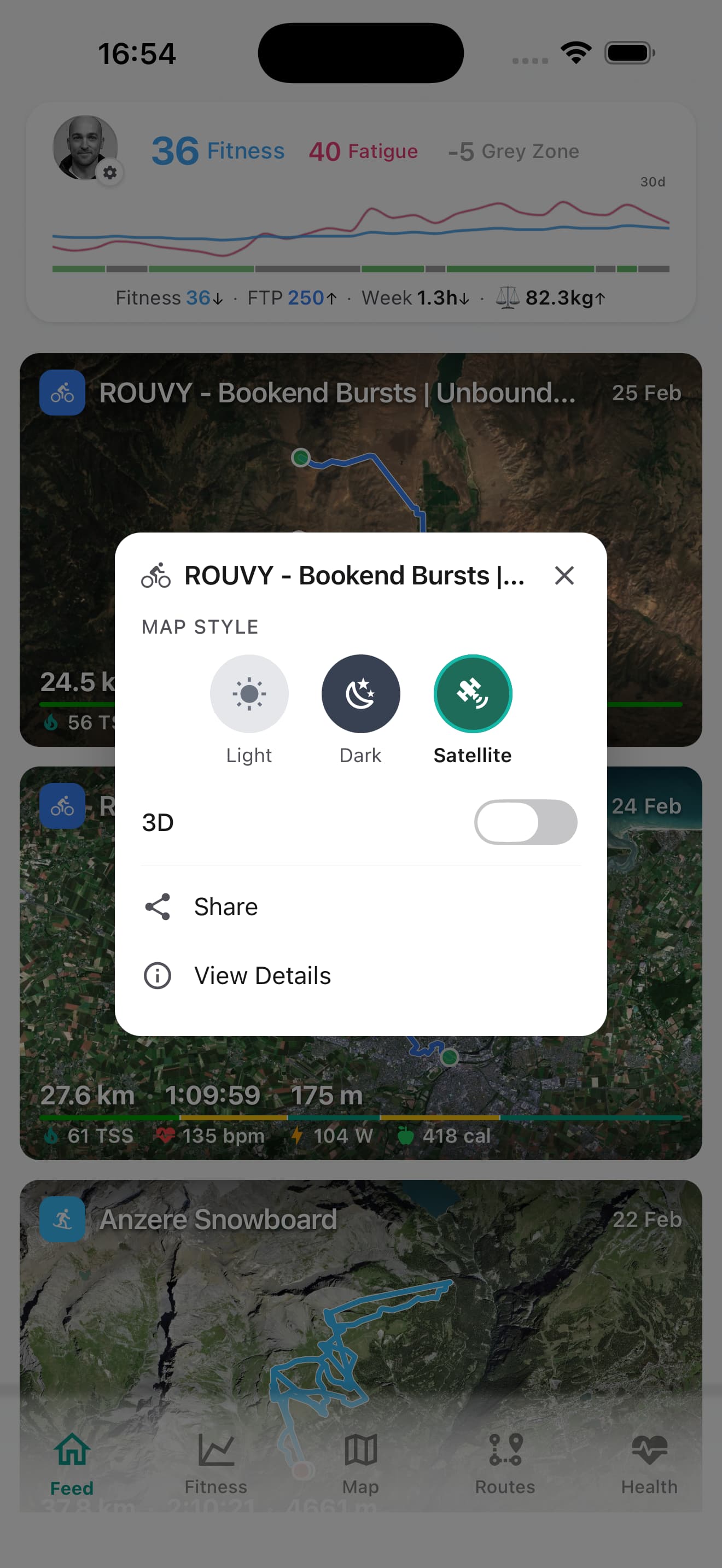
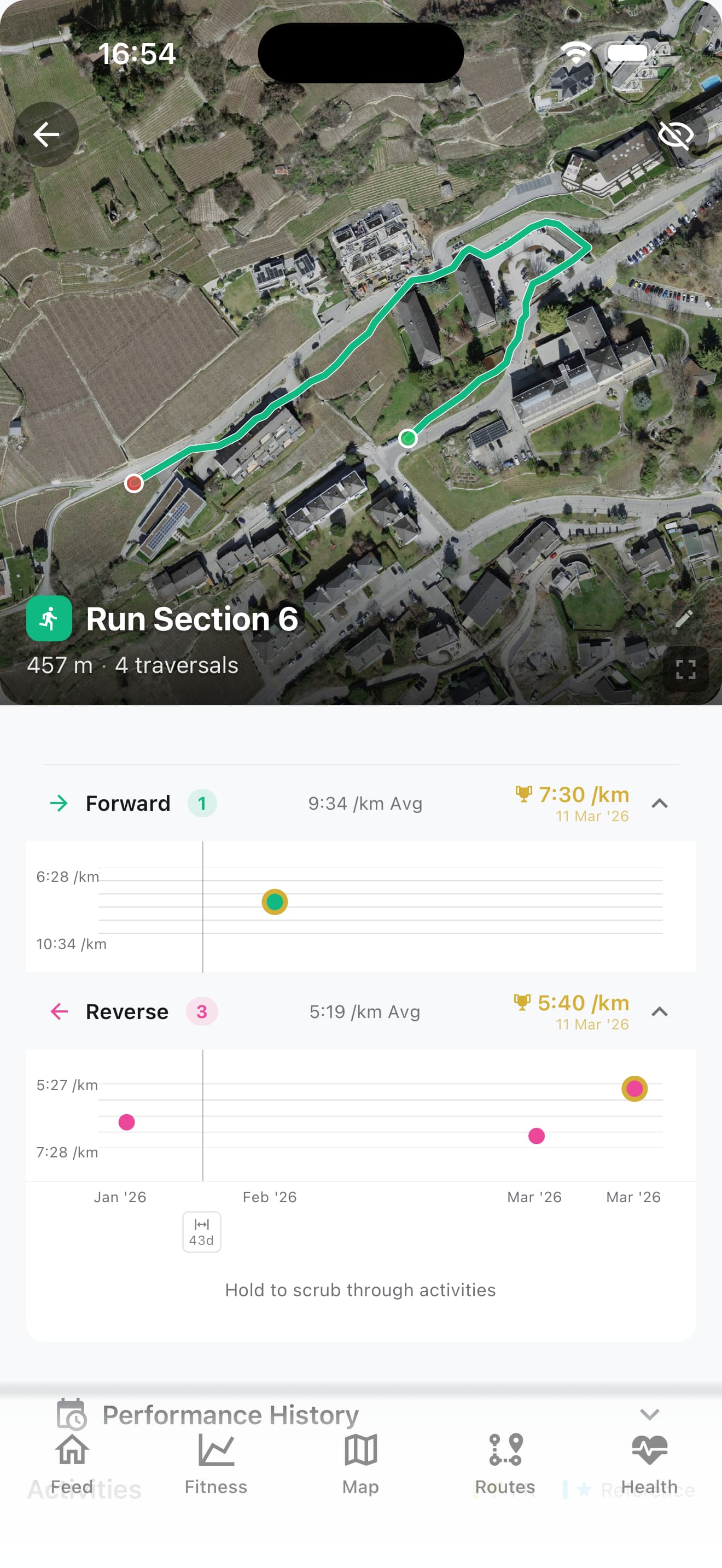
A lot of internal changes to improve the general speed of the app, the retrieval of data, including local tile caching and faster parsing of route/section data, and there have been some improvements sitting in testing for a while, such as PRs for both directions in the section detail screens, fixes to edits of sections and other cosmetic changes.
In this release, we now have activity intervals that are not shown by default and nested underneath the activity plot. Opening it will draw them on the plot and show you the information for each set.
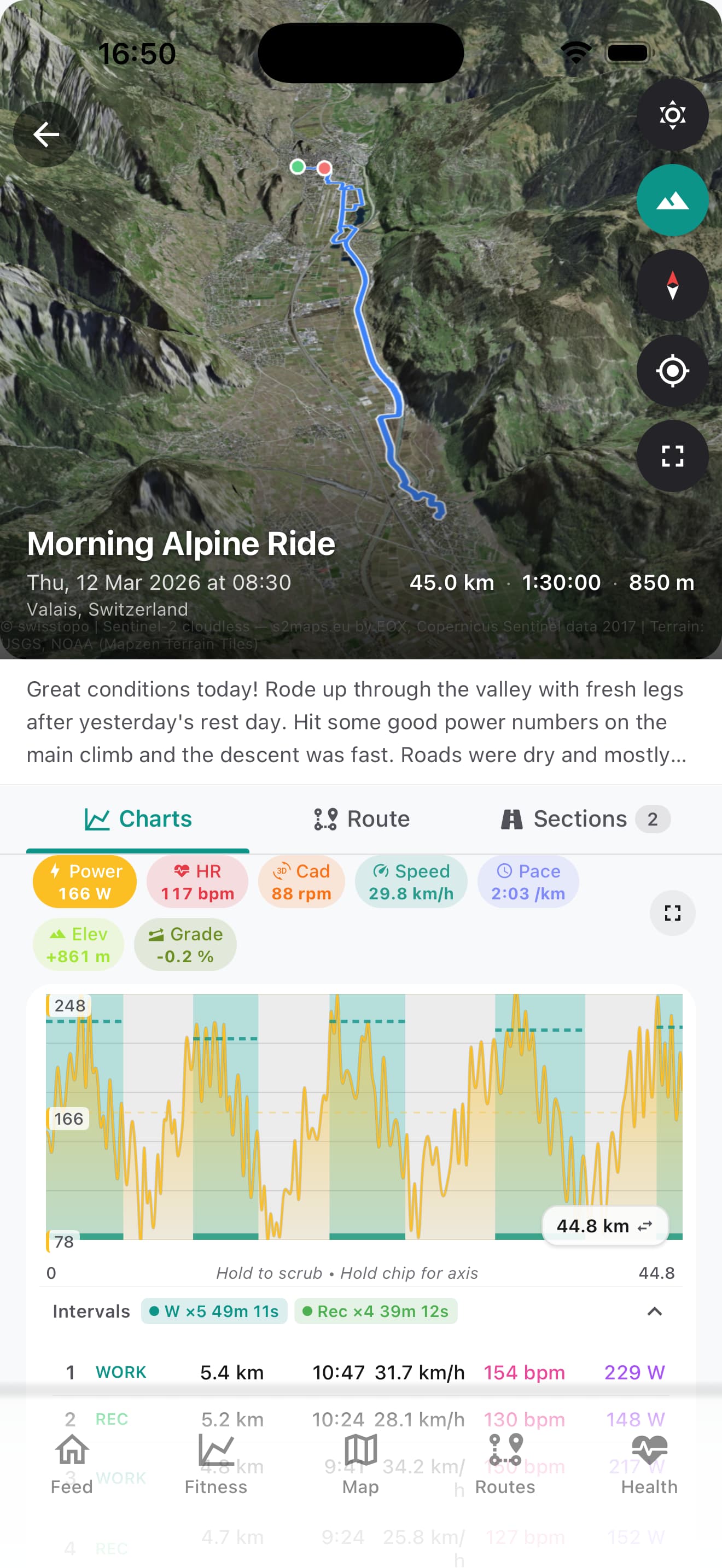
and if you look carefully in the activity feed, a new horizontal bar will show a preview of these intervals too.

There are still quite a few features I have in mind in the pipeline, half completed, but they require a bit more testing. And of course, if you come across any bugs or have feature requests, you may post them here or in Github and I’ll try my best to get around to them for you
Cheers!
1 Like