Hello, I’m a new user trying to set up a connection with Garmin Connect and getting an error.
Initially it redirects to Garmin and shows this
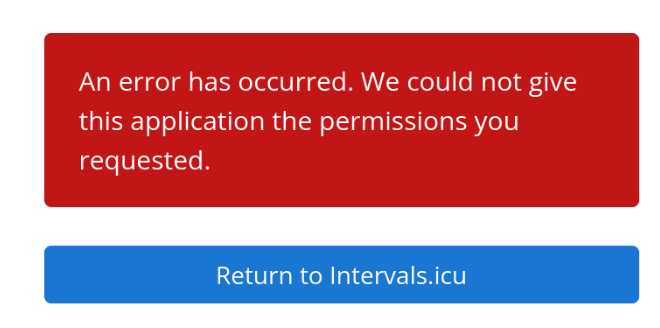
then upon return I get
{"status":500,"error":"com.github.scribejava.core.exceptions.OAuthException: Response body is incorrect. Can't extract token and secret from this: '<!doctype html><html lang=\"en\"><head><title>HTTP Status 401 – Unauthorized</title><style type=\"text/css\">body {font-family:Tahoma,Arial,sans-serif;} h1, h2, h3, b {color:white;background-color:#525D76;} h1 {font-size:22px;} h2 {font-size:16px;} h3 {font-size:14px;} p {font-size:12px;} a {color:black;} .line {height:1px;background-color:#525D76;border:none;}</style></head><body><h1>HTTP Status 401 – Unauthorized</h1><hr class=\"line\" /><p><b>Type</b> Status Report</p><p><b>Message</b> OAuthToken is invalid</p><p><b>Description</b> The request has not been applied to the target resource because it lacks valid authentication credentials for that resource.</p><hr class=\"line\" /><h3>Garmin Connect API Server</h3><script defer src=\"https://static.cloudflareinsights.com/beacon.min.js/vcd15cbe7772f49c399c6a5babf22c1241717689176015\" integrity=\"sha512-ZpsOmlRQV6y907TI0dKBHq9Md29nnaEIPlkf84rnaERnq6zvWvPUqr2ft8M1aS28oN72PdrCzSjY4U6VaAw1EQ==\" data-cf-beacon='{\"rayId\":\"9875e0345b4fdcbd\",\"version\":\"2025.9.1\",\"serverTiming\":{\"name\":{\"cfExtPri\":true,\"cfEdge\":true,\"cfOrigin\":true,\"cfL4\":true,\"cfSpeedBrain\":true,\"cfCacheStatus\":true}},\"token\":\"dfcba71ff1d44ca3956104d931b99217\",\"b\":1}' crossorigin=\"anonymous\"></script>\n</body></html>'"}
It looks like Garmin is returning “OAuthToken is invalid” during the
OAuth callback. Given no reported issues on Garmin’s status page, this
appears to be related to the OAuth token exchange on the intervals.icu side.
Happy to provide any additional info that might help debug this!