I use Stryd app on my Apple Watch on treadmill. From the app I can choose current incline so data will contain this info.
On intervals.icu it’s not showed elevation gain for these activities, incline data seems there. On TP it’s showing this info.
Also, if I add manually climbing meters, after refresh it’s disappearing.
Thank you!
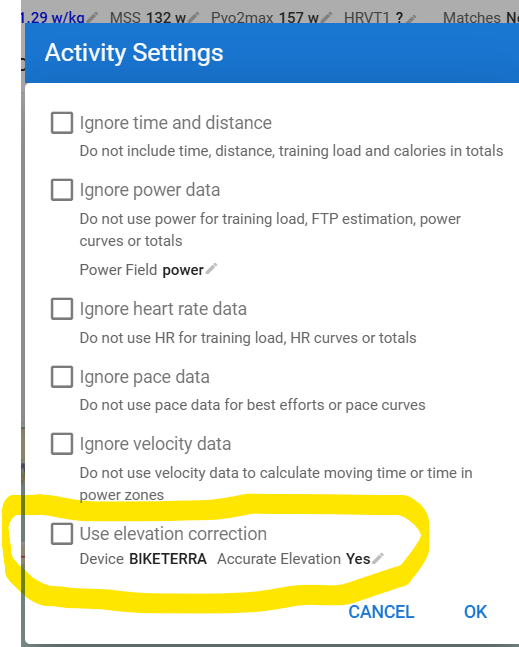
What are your settings here? Menu Actions - Settings.
If it is set as in the screenshot, Intervals will use the elevation calculated by ‘your device’ which is written to a specific FIT file field.
If that field is not populated by your device, nothing will be shown by Intervals.
Setting Accurate Elevation to No, will trigger Intervals to recalculate Elevation from the Elevation stream. If your device is not logging an Elevation stream, it will still be empty.
If you check Use elevation correction and a Lat/Long (GPS) stream is available, Intervals will lookup Elevation data in Online maps and use that to calculate Elevation.
In your case, on a treadmill, there’s no GPS, so the correction option will do nothing.
I would guess that the device either records an elevation stream from the incline that was set, or simply calculates the total elevation itself and writes it to the correct field.
If the above is not solving your issue, open the FIT file to confirm if the Elevation field is populated or not.
It’s not checked and it’s not appearing the option with Accurate Elevation like in your screenshot.
Intervals.icu activity is loaded from Strava, stryd apple watch app is uploading there.
Same data from Strava it’s pushed to TP and elevation gain appears ok.
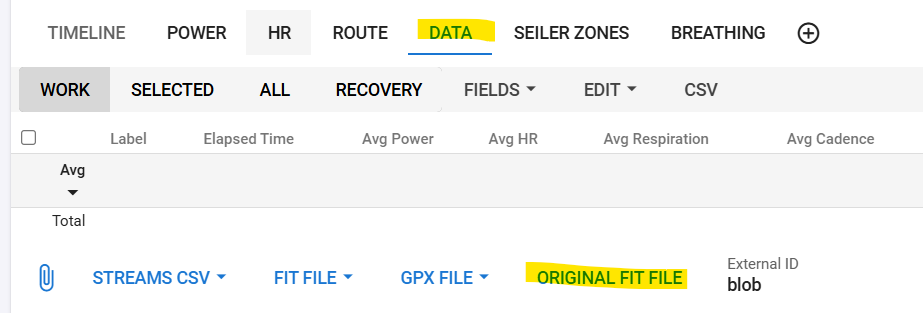
Download the FIT file that you got from Strava
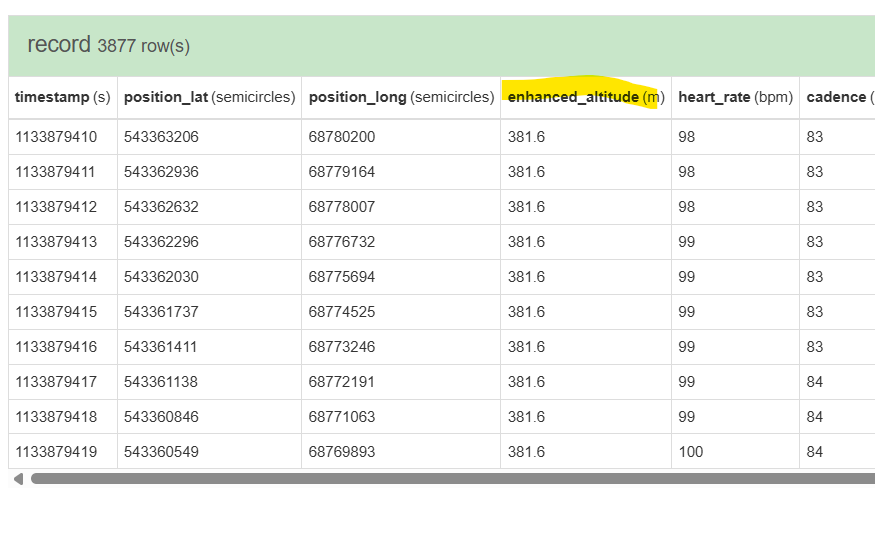
Upload that file to fitfileviewer.com and check if the total ascent field is populated
And check if you have an altitude stream or not.
If neither of them are populated, Intervals can’t display or calculate an elevation gain.
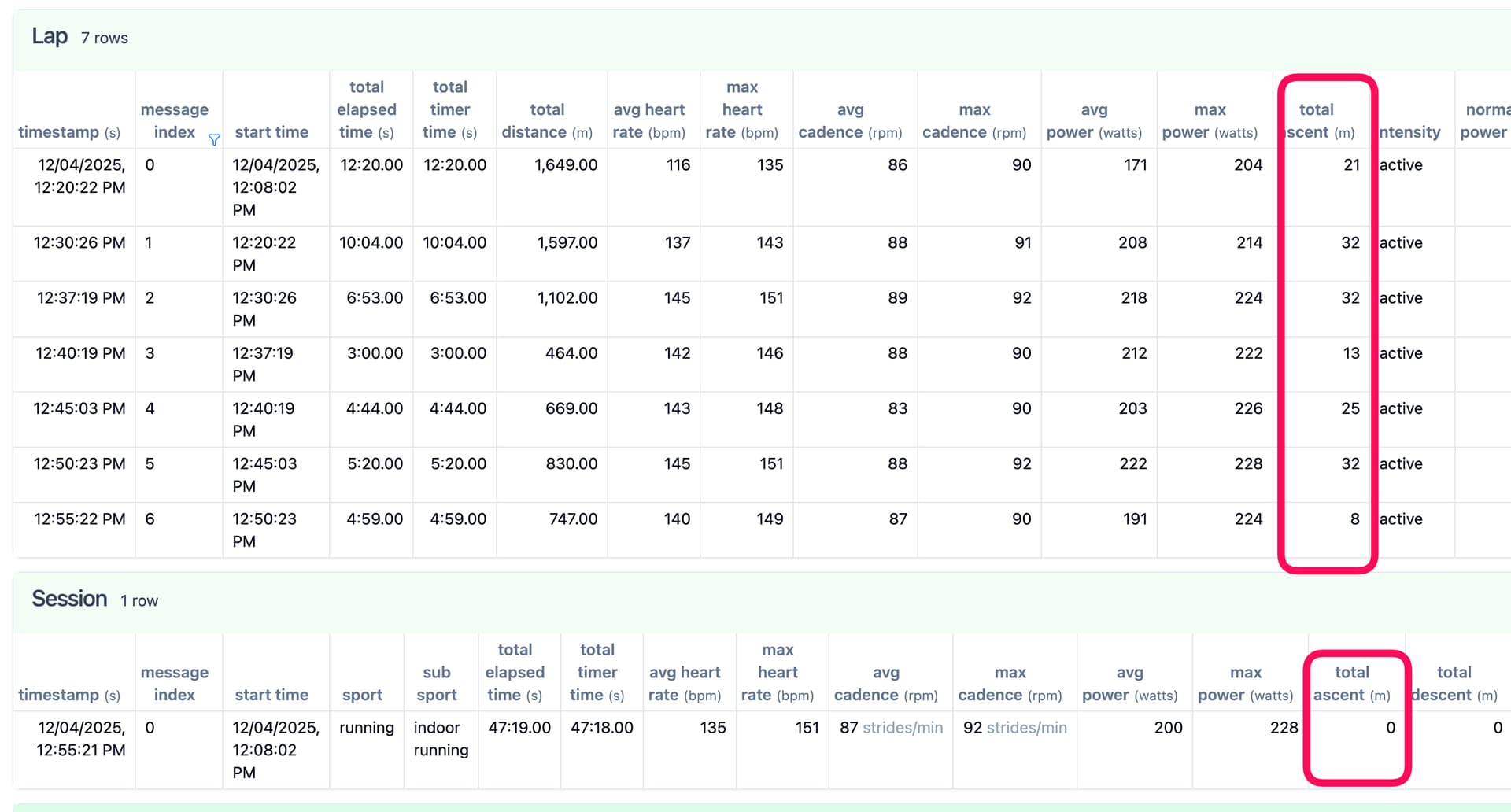
Seems for laps it’s added the data, but on session is 0m
thank you for support
Aha, that explains why it is overwriting on Refresh. It’s not empty, it is 0.
Thx for the screenshots!
That’s strange and probably a case that is not handled by intervals at this moment. @david should have a look if this can be handled by summing the lap elevation gains.
Sorry, I loaded the fit file from intervals.
I opened now the original fit from Stryd.
And at session and laps it’s no total ascent column.
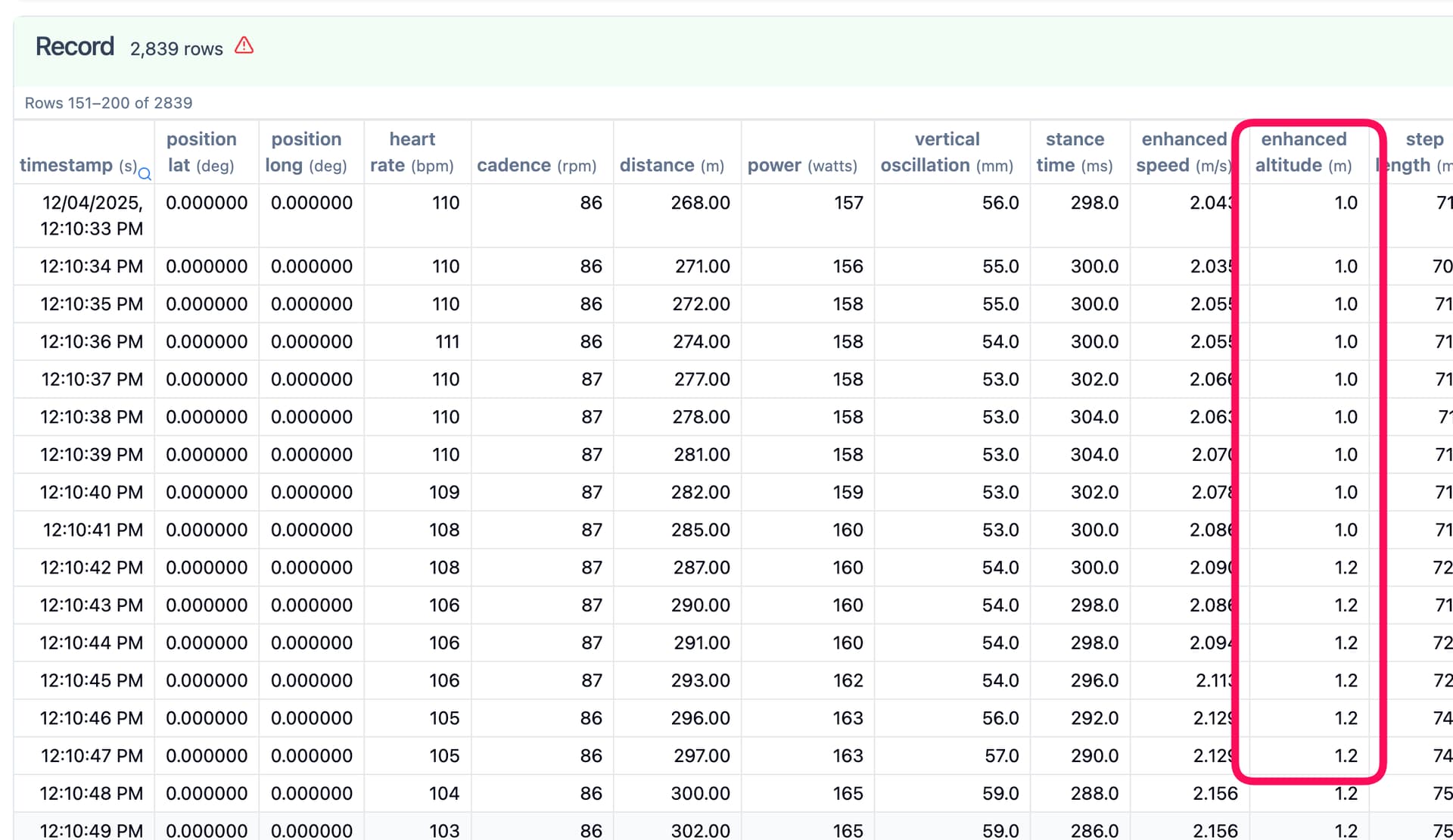
Only for Record, I have enhanced altitude.
Interesting that intervals managed to correlate data from Record to Laps correctly, but at Session/total it’s not.
And what is intervals showing when you upload the Stryd FIT file?
FYI: Strava is NOT forwarding the original file over the API, but a stripped version of it!
I uploaded original fit from Stryd to intervals and elevation gain (climbing) appears ok.
But it’s not showing GAP now  On treadmill I don’t need this, so I’ll upload original file for now as an workaround.
I checked and TP works because Stryd is sending the original fit file.
Thank you for your help!
That explains why it was shown on one and not the other.
Do you have another possibility to sync the original FIT file? I don’t have anything ‘Apple’, but if the Stryd app allows for example export to Dropbox, you can setup Intervals to grab it there.
Are only a few services that Stryd exports.
For now I manually import the fit directly from Stryd and climbing appears fine.
Thank you for your help to track down the issue!