I’ve been using both Xert and Intervals.icu for my training and was wondering if there’s a way to sync the Xert Planner dashboard directly with Intervals.icu. I’m aware that you can export Xert intervals to Garmin Connect, which then syncs the workout to Intervals.icu. However, I’m curious if there’s any method for a more direct sync between Xert and Intervals.icu without needing Garmin Connect as the intermediary.
Any insight or workarounds would be appreciated! Thanks in advance.
I never found a way. I tried exporting out of Xert into Garmin and couldn’t even get that to work. Every type of file I made from Xert seemed to be invalid. I see I can just send it to Garmin, it ends up in my workout library, but how do you get it down into intervals.icu? I personally have bailed on Xert. Too many workouts that are just complex for no good reason.
I’'m still not clear on how the workout builder works on here. I’ve just been making them in Garmin Connect for now.
You can export Xert workouts as a .zwo file and then import it into intervals.icu directly.
Re: the workout builder, if you’re referring to the workout builder on intervals.icu, it’s one of my favorite workout builders out there. It’s one of the easiest to use in my personal opinion.
Realise its an old thread, but I’ve been trialling Xert for the past couple of weeks and was looking to get it linked up to Intervals. Doesn’t appear to be direct link, but I’ve bodged together a script using Xerts open api (https://www.xertonline.com/API.html) to update my FTP, W’ (using the HIE value) and fatigued from Xert and upload the WOTD to Intervals.
Given the API appears open, I’m not sure if this is something @david can build in natively?
Yes it its working fine. I originally wrote the script below in R (sorry - data scientist so I just stick with what I know) - so might be best converted to better language. It only updates FTP and W’. I then went onto build something in Power Automate (which I have access to) which also updates the Fatigue value and imports the WOTD, but I’ve not implemented that in the R script yet.
library(pacman)
p_load(dplyr, httr, jsonlite, tidyr)

### Get Xert Signiture
xert_auth <- POST("https://www.xertonline.com/oauth/token",
                 authenticate("xert_public", "xert_public"),
                 body = list(grant_type = "password",
                             username = "YOUR_USERNAME",
                             password = "YOUR_PASSWORD"),
                 encode = "form")

# Extract the content of the response
content <- content(xert_auth, "parsed")

xert_data <- GET("https://www.xertonline.com/oauth/training_info?format=erg", add_headers(Authorization = paste("Bearer", content$access_token)))

# Extract the content of the response
xert_data <- content(xert_data, "text")

#Parse Output
xert_data <- jsonlite::fromJSON(xert_data)

### Update Intervals.icu
# Define the URL and your API key
url <- "https://intervals.icu/api/v1/athlete/{your_id}/sport-settings/Ride/"
api_key <- "YOUR_API_KEY"

# Make the PUT

response <- PUT(url,
                authenticate("API_KEY", api_key, type = "basic"),
                add_headers(`Content-Type` = "application/json"),
                body = list(ftp = round(xert_data$signature$ftp,0),
                            indoor_ftp = round(xert_data$signature$ftp,0),
                            w_prime = round(xert_data$signature$hie*1000,0)
                            ),
                encode = "json")

# Check the response
if (status_code(response) == 200) {
  print("Intervals Updated")
} else {
  print("Error Updating Intervals")
}
If you have R install on you computer, the script should run as is if you update your xert username, password and intervals api key. My is best is it was translated into a python script.
I’ve update my script to run within a Google Sheets Script. You can grab a copy of it here
It gets the TP, HIE, PP and LTP and Work Out of the Day from Xert and copies them to Intervals. If you have a running profile, it will also copy the your running fitness signiture.
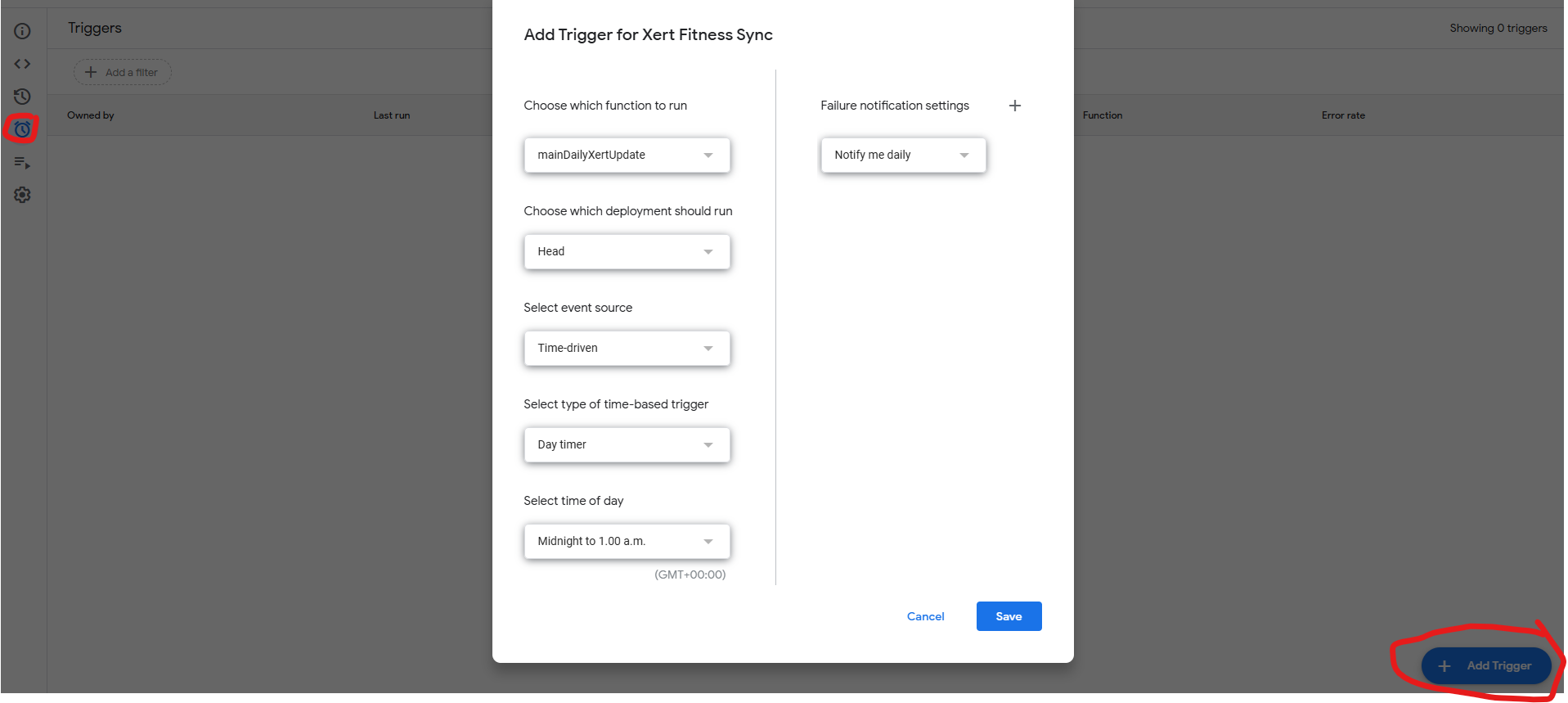
Save your own copy of the file to your Google Drive. You’ll need to enter your Xert Username and Password, Intervals Athelete ID and Intervals API Key in the relevant cells in column B. You then need to give the app permission to run - click Extentions in the top menu and select App Scripts. This should open a new window with the xert_intervals_sync.gs script selected. Press run on the menu bar and give it all requested permissions. It should then run fine. You can set it to auto run each day using a trigger
Thank you for this Script! I’ve been looking for a better way to sync Xert workouts to Garmin than the official method which requires manual intervention and this is it!
I set the script up to run multiple times a day so the workout of the day would change if manually selected but I’ve found it adds more and more workouts. Is there anyway to override the workout in Intervals.icu rather than adding them?
Good spot, Yeah I just have it running once a day so didn’t include a duplicate check. I’ve added this in now. It might mean that you need to take another copy of the public version to get the update.
At the moment it won’t delete the old wotd should you change it in Xert, you will need to do that manually.
I’m noticing that that the WOTd doesn’t seem to sync to intervals anymore. (I haven’t really used Xert in anger over winter) is the recent Xert update perhaps a breaking change?