Tx.
Currently naps are ignored. I suppose I should just add them in.
That is probably the “duplicate data from the API” bug I fixed. I will deploy the fix on Fri AM.
Tx.
Currently naps are ignored. I suppose I should just add them in.
That is probably the “duplicate data from the API” bug I fixed. I will deploy the fix on Fri AM.
I fixed a number of new issues after looking at your data (records out of order, duplicate records with more sleep etc.). Naps now count.
Anyone who has downloaded wellness history from Suunto please repeat the download to get these fixes.
Thanks for the detailed info, very likely its not just you so I need to get these things fixed!
Hi David,
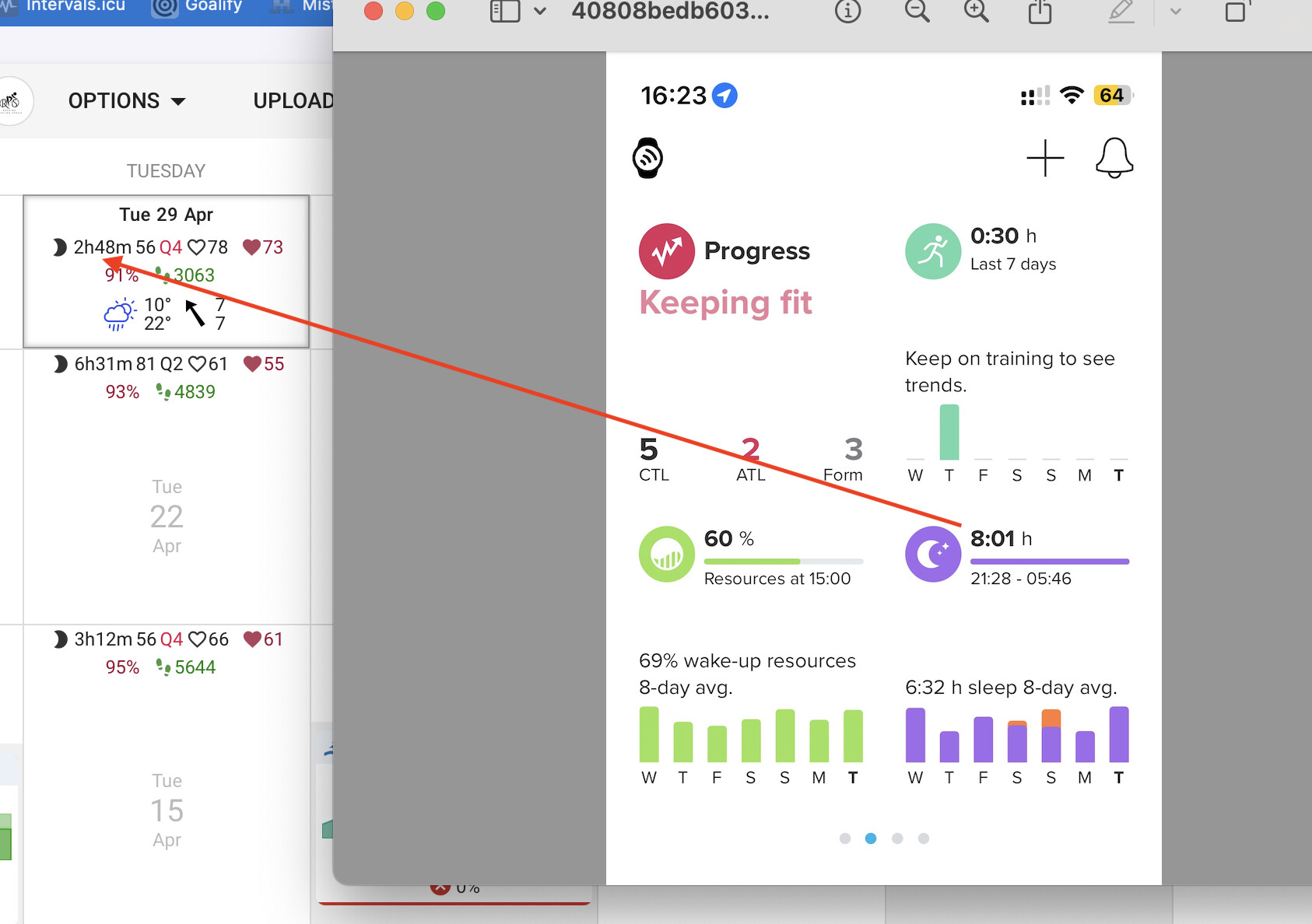
For the past couple of weeks, I’ve been experiencing some issues with syncing wellness data from Suunto.
It seems that Intervals.icu is unable to fully retrieve sleep data, only capturing part of the night. Often, it records just 1 or 2 hours of sleep, while the Suunto app correctly displays 6 or 7 hours.
I’m not sure if this is due to Suunto or a mistake on my part.
I ran some tests and noticed the following:
Naps are recorded correctly.

The only night that was reported correctly in recent weeks was one without any wake periods during sleep.
I hope this helps!
Does Suunto expose it’s ZoneSense data? If so, this would be amazing to bring in to intervals.icu, especially if it could be used to determine load rather than TSS.
Hi,
Thank you for this integration and the resolution of the problem.
However, since the beginning of March the sleep data are again very far. Without any particular logic, some days it’s ok but most of the time it’s not ok at all.
Am I the only one noticing this ?
It would help and you will get quicker help if you would kindly elaborate more on your situation.
You provide a screenshot showing the sleep time doesn’t match. Some additinal details would be great.
things like, what are you syncing from. What app, what device. What is your setup. What are the options you selected.
From JUST the screenshot, it looks like this is an Apple Device (iPhone?) and MAYBE this is data from Apple Health? But Apple Health needs a 3rd party app to interface / sync w/ intervals.icu. So there’s that.
Hi, I use Suunto App to record my health information and the native import from Interval.icu => Settings => Suunto (Download wellness data).
I know this is an old topic, but I was looking for the same info, and I saw that Runalyze already shows that information:
So I went to fitfileviewer to make sure I got the names right, I think I did.
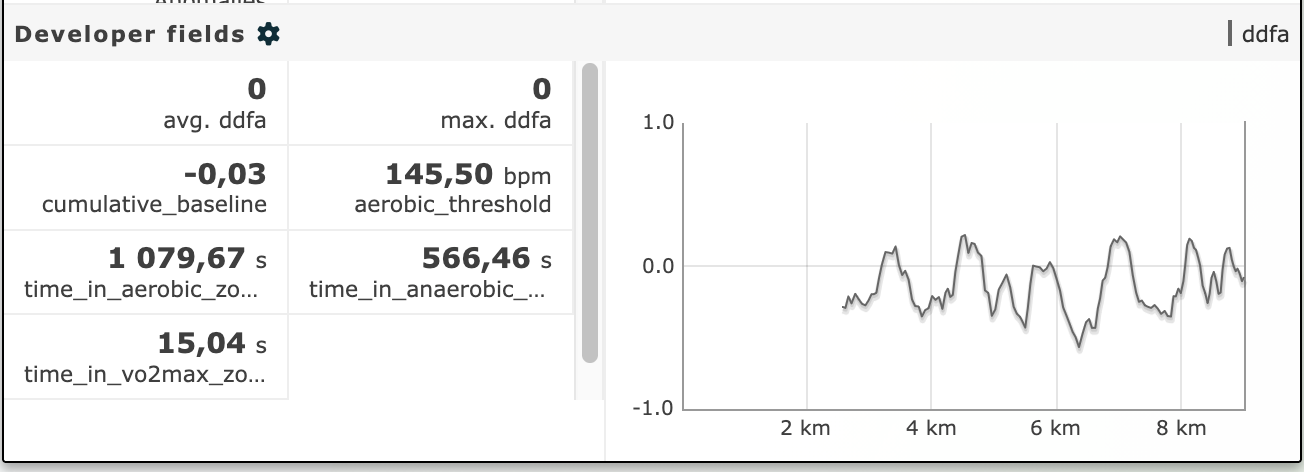
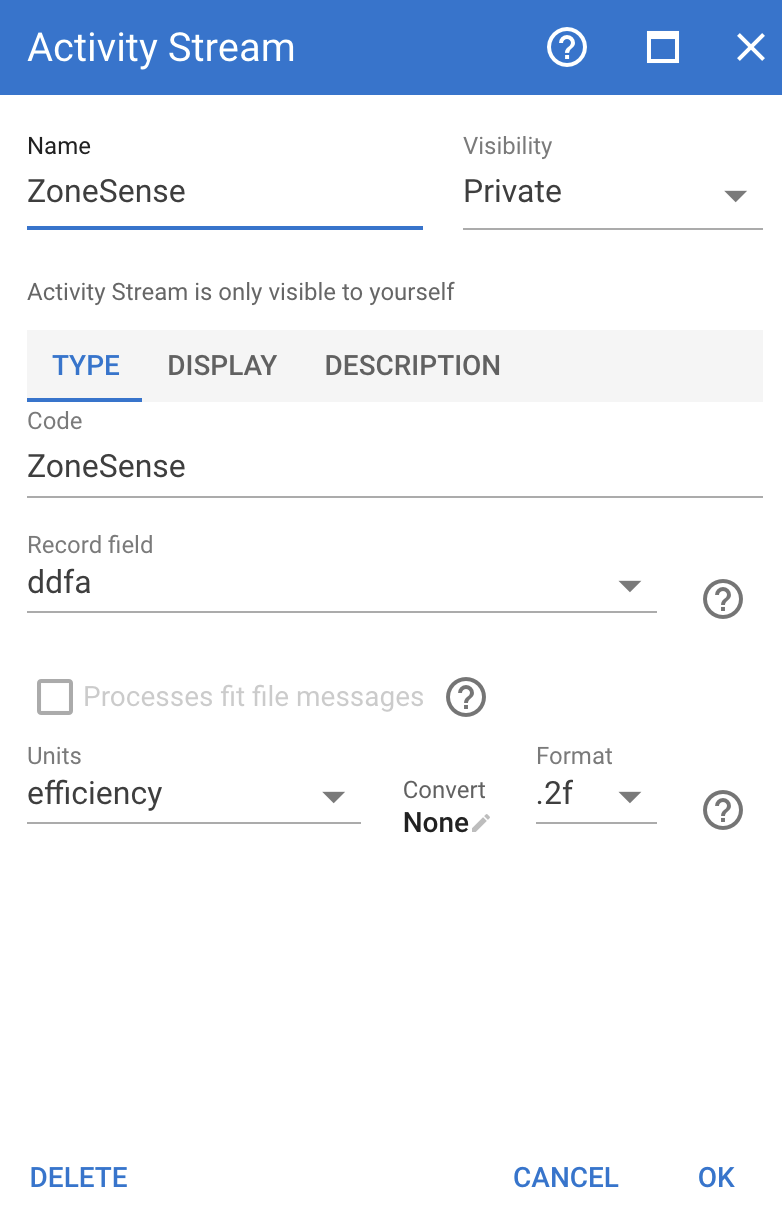
For the ZoneSense during an activity, you can add a stream for ddfa:
I need to look more closely, but it looks like ddfa <1 is aerobic and >1 anaerobic (I still need to do some vo2 max sessions to see how it tracks). After I gather all that information, I’ll try to make a custom chart with colors similar to what we have in suunto app.
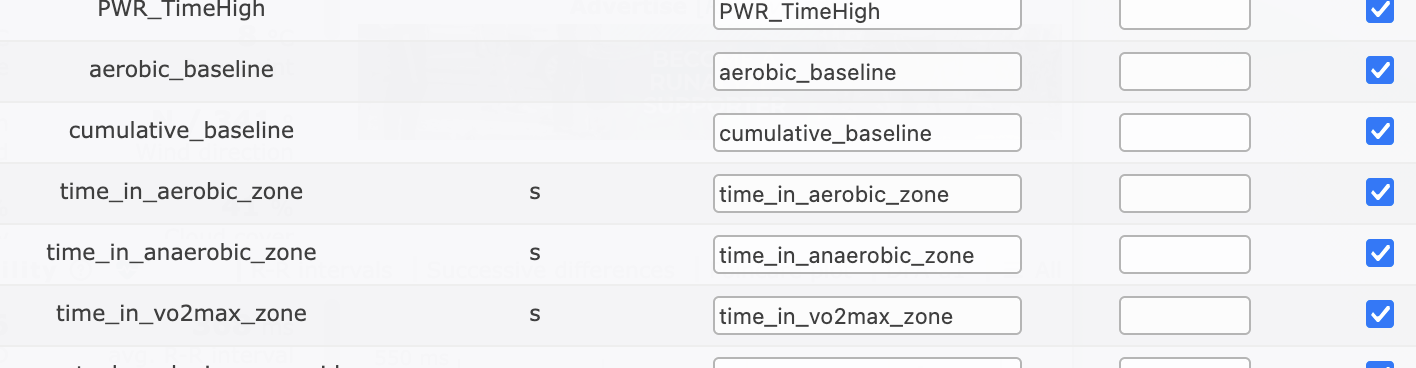
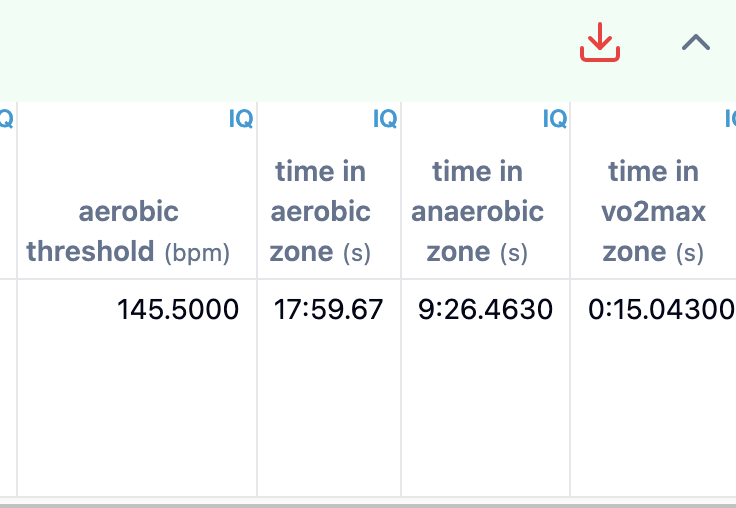
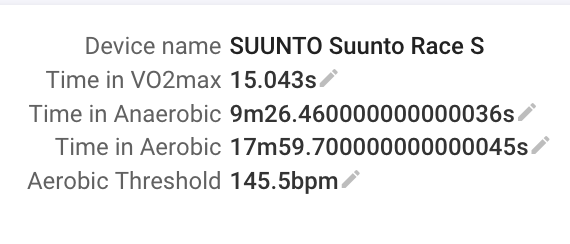
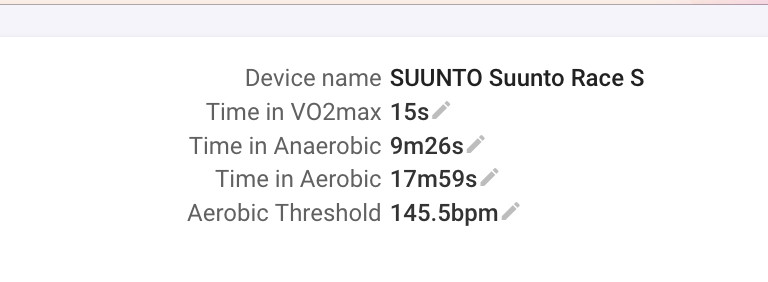
I think it should also be possible to add the summary to the summary panel, they are on the fitfile session data, but I haven’t found out to add it to intervals yet .
(maybe I should create a new topic with all this information whenever I get everything figured out)
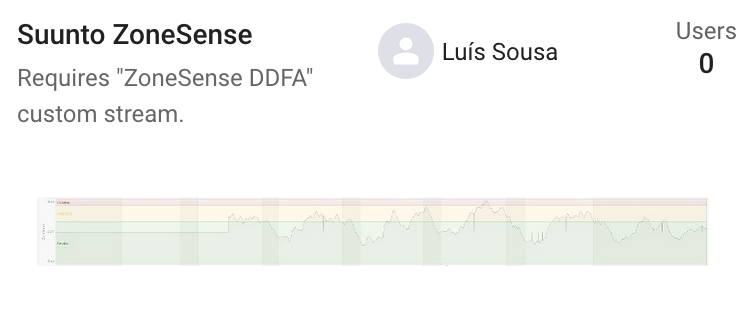
Ok, I think I got the chart as intended:
As always, first 10 mins is for ZoneSense to “calibrate” but I can assume most of the time it’s Aerobic work while warming up.
Now need to add this data to summary panel as well.
That said, is this data reliable at all? 
I only had this watch for 1 week and I couldn’t not see trends to see if it at least looks it’s tracking correctly.
Can you please share the data field and graph (make it public)?
Thanks!
Sure, just did!
And stream:
For those that are not aware, you need to add the custom stream and reprocess the workout to have the chart showing data.
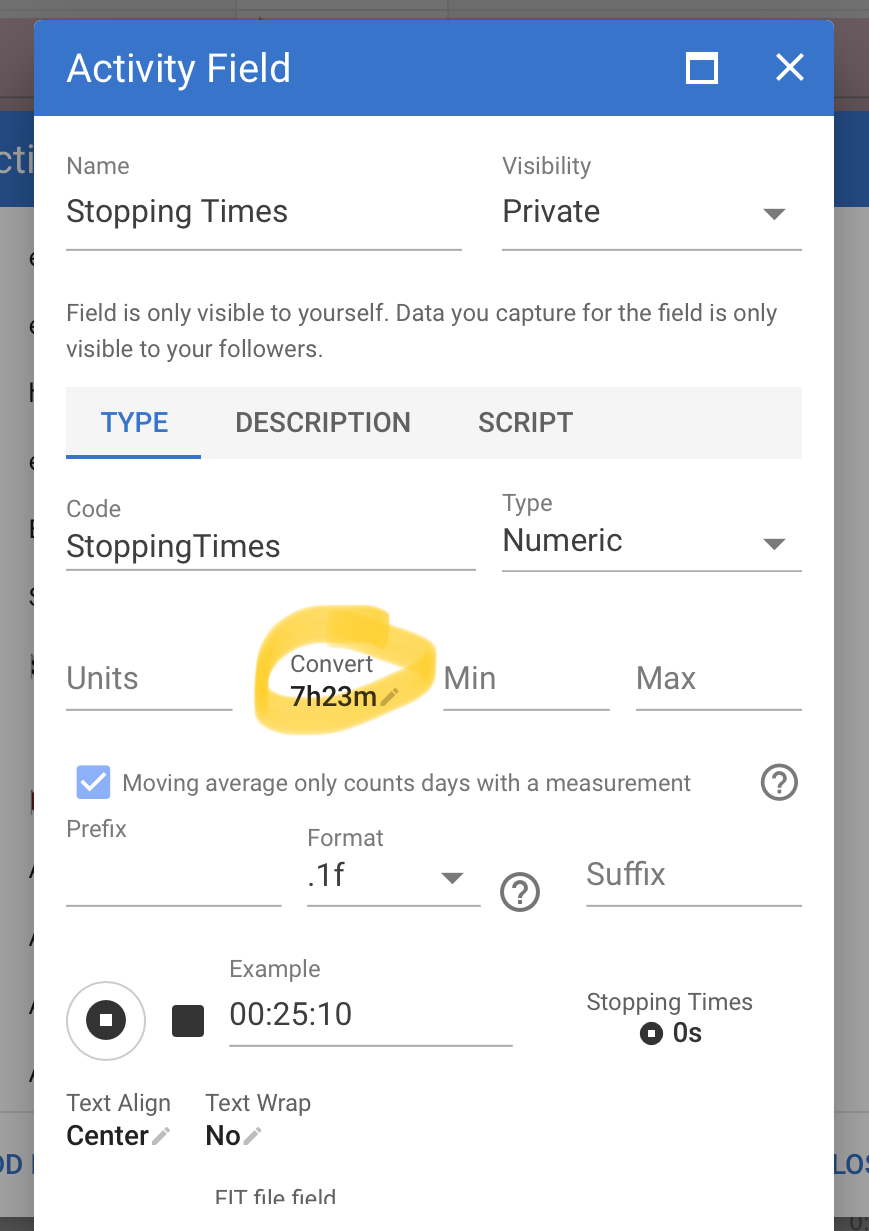
I’m now trying to add this data to the summary panel, but I’m not been able to format it correctly yet:
There is a convert box, did you use that?
Your result has to be in seconds and numeric, so that this works.
Meanwhile, added this chart to my fitness page:
I’m not sure if it will be meaningful at all, so I’ll wait a couple of weeks before making it Public (unless anyone wants to try it as well).
I say I’m unsure because I’m guessing that the Aerobic Threshold HR (LT1) calculated by the ZoneSense will be fairly stable, the pace might just be faster/slower.
I also need to do a true VO2max to see if ZoneSense also gives a LT2 value, but since ZoneSense only “works” with longer intervals, 3min+ I think, I’m not expecting to.
Sorry I am really late to come back to this thread, but thank you! I’ll get my AI coach to build it into his platform