When values get to 4 digits they run into the percentage contribution to the stack, at least, for “inline R” legends. Please add sufficient space for the 4-digit numbers
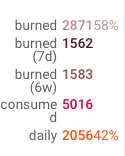
Am I the only one having this problem? Or ist this simply the way it is? Any feedback on the status is welcome to at least see if I am the only one or how this could be solved?
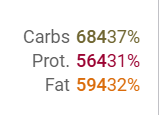
Same here, October 2026, and it is not limited to four digits: with the “inline R” legend the value and the stack percentage run into each other as soon as the value has three digits, e.g. “68437%” for 684 kcal / 37 %. Screenshot attached (a stacked macro-nutrient chart built from custom wellness fields). “Bars stack to 100%” avoids it, but then the absolute values are gone, which is the point of the chart. A space or a thin separator between the two numbers, or the percentage in a lighter colour in brackets, would do.
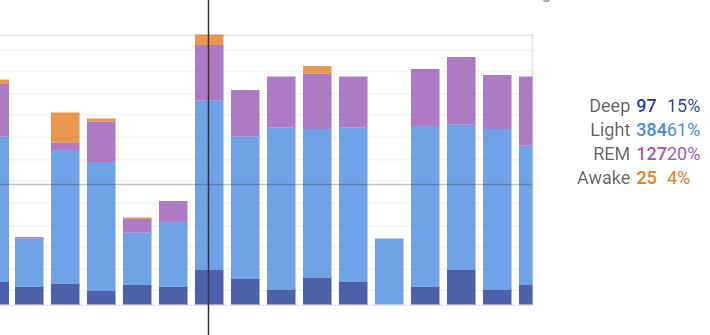
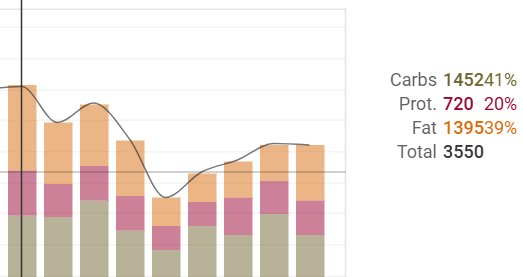
maybe one for @Sandeex ?