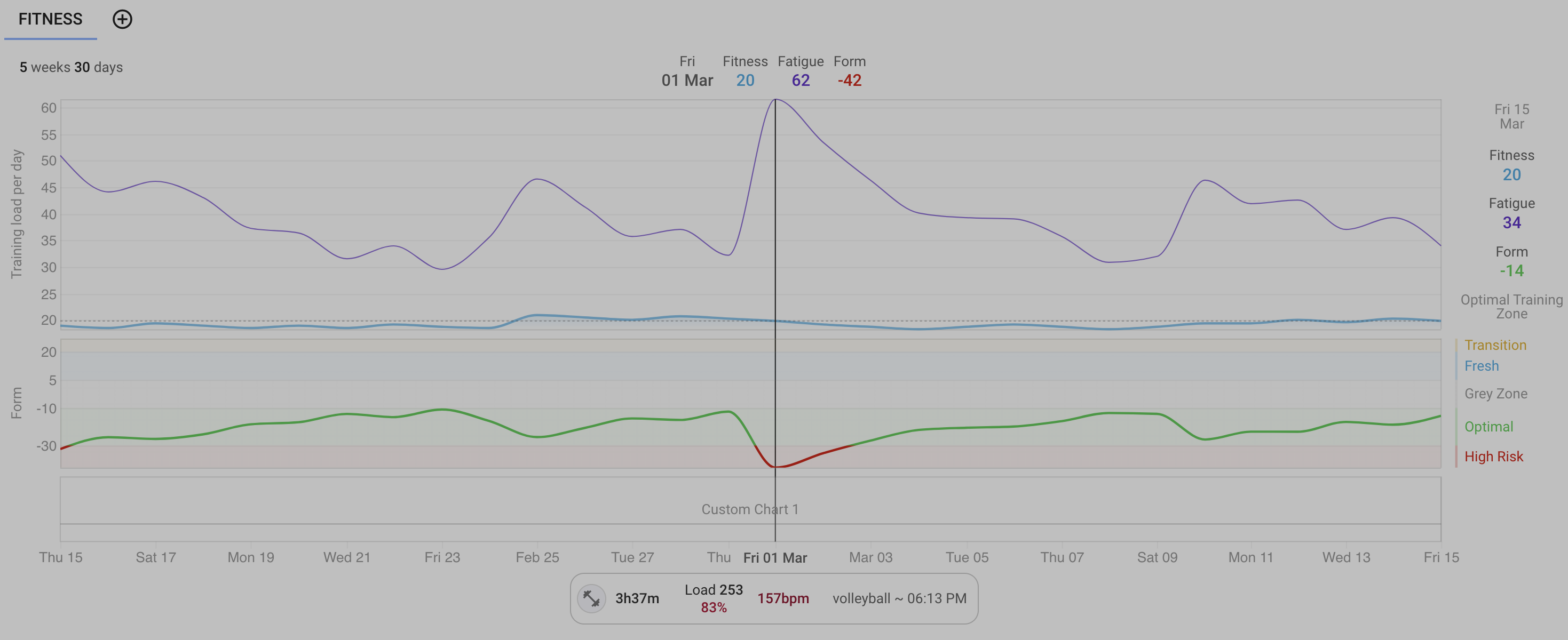
Hi there, loving the app overall. My main sport is volleyball, and I was hoping to capture it here (along with running/biking/lifting). I record the session with an Apple Watch, uploading through the strava app.
What I’m observing is that the volleyball sessions come in by default as a “Workout”, type, get a load (e.g. 253), and the load & form graphs respond to that, but the fitness line does not.
I find this very counterintuitive. I’m able to get the behavior I want by changing the Type to e.g. Soccer, or some other sport, in which case everything works as I expect. Not sure if this is a bug or if I’m just confused, but wanted to flag this as it jumped out in an otherwise very smooth app.
1 Like
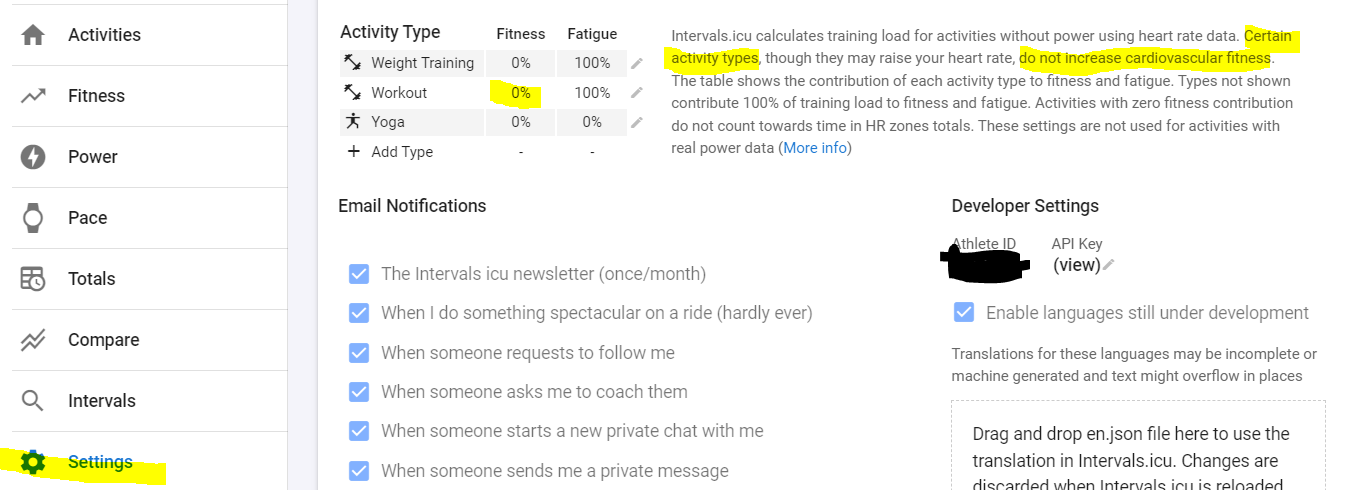
You can adjust that behaviour on the settings page:
1 Like
Ah, that’s very clear. Thank you!
So if I would set Fitness for Training to 100% it would count Volleyball as a training load in my charts? Is it recommended by you for do this?
In the fitness chart I see that I have training load for Volleyball now but it didn’t change the curve at all? Was it because the load was calculated behind and that’s why under Load it was a number with a grey number in exclamation marks (like: 0 (21))?
If the Load number is shown in between brackets, it indicates that it is not used for the Fitness chart. You can modify that for older activities. You need to re-analyze.
You can do that in bulk from the Activity List view. Select the activities and click Edit - Analyze. If it doesn’t work, you may need to ‘Reprocess’.
Future activities will automatically take the new settings.
Volleyball has a cardio-vascular impact so I would agree to do it.