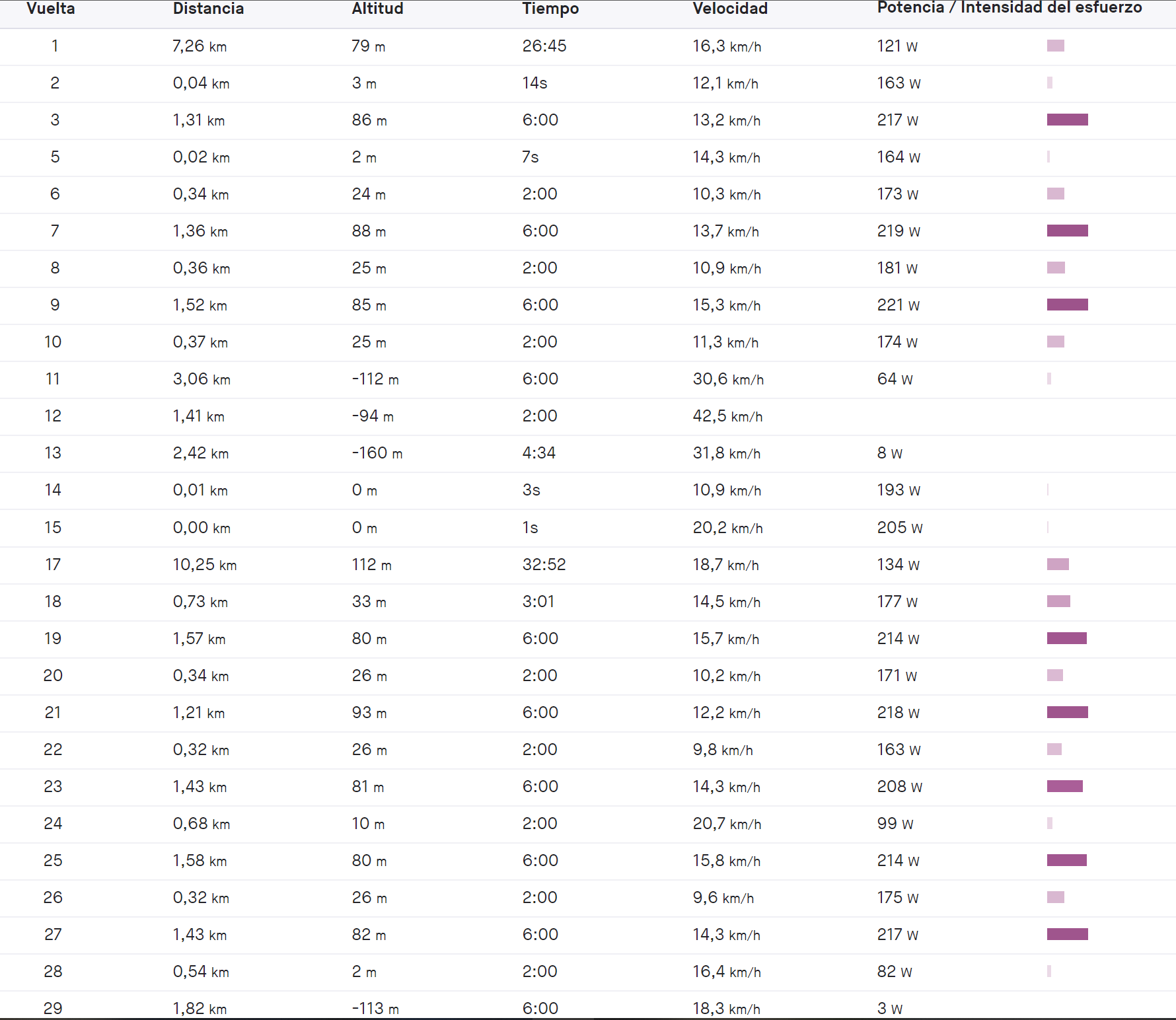
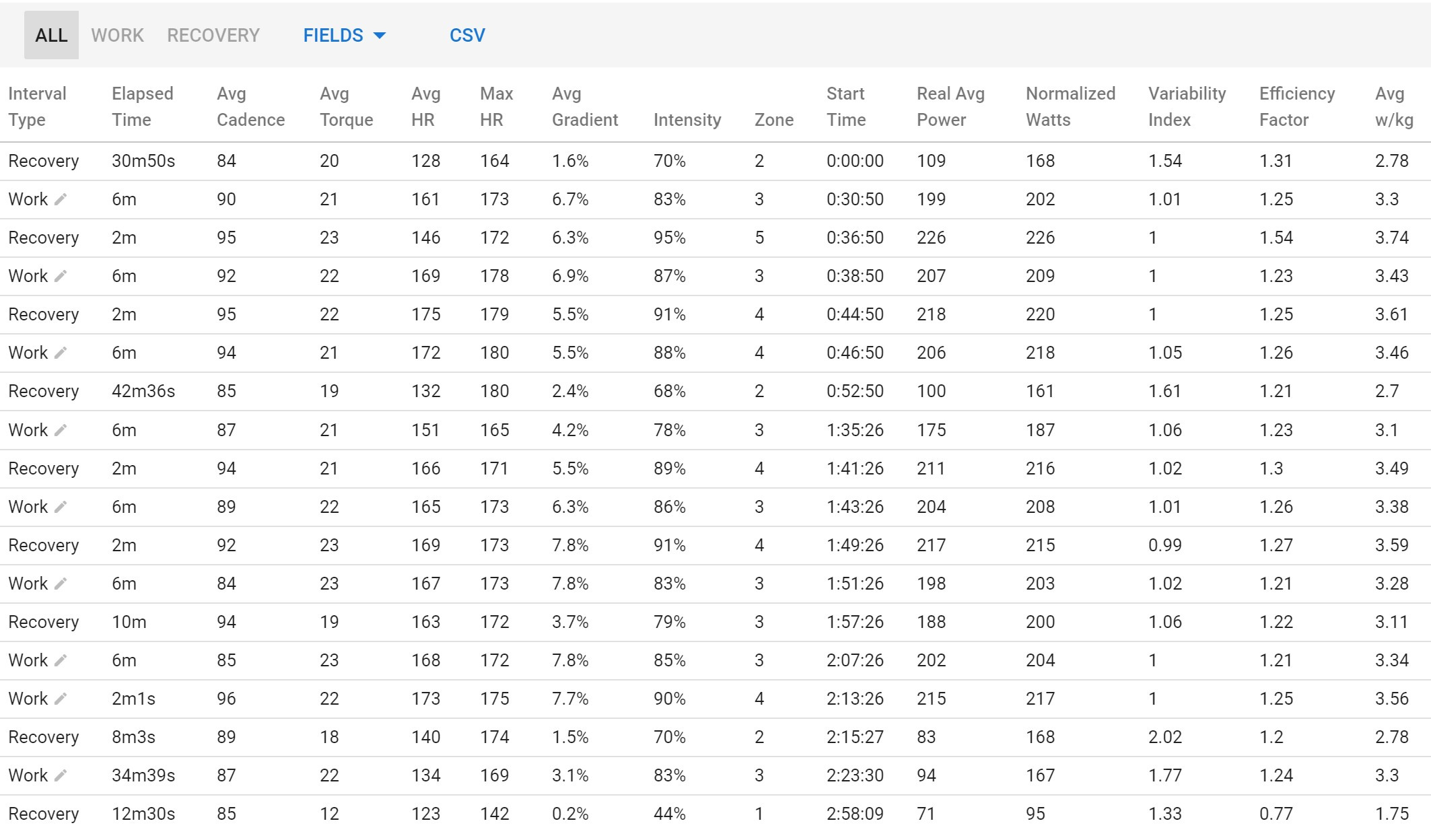
I have just uploaded an activity from garmin to strava today 27Aug2020. But if I choose the option to use Laps instead of detected intervals, data for those intervals is very different from data on Strava or Garmin.
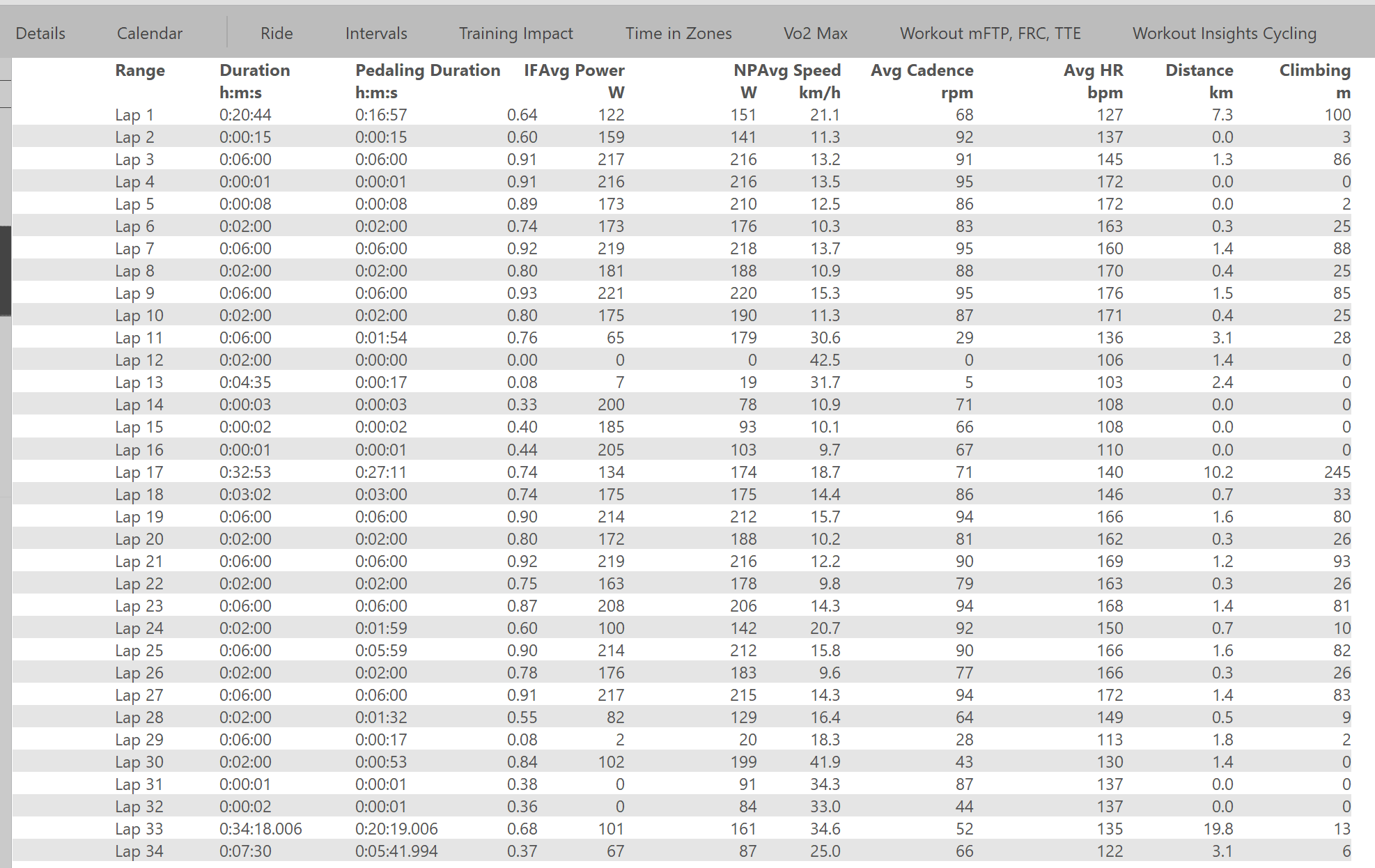
For instance, Real Avg Power on intervals.icu es more than 10w lower for the same lap on Strava.
For me, it looks like Laps are not being detected at the same time or point as the laps in Strava, First Lap in Intervals is 26 minutes long, first interval in Intervals is 30 min long.
Please, check 6 minutes and 2 minutes intervals of the activity and detail the differences. Is there some thing am I doing wrong?
Tx. I re-analysed the activity using “Analyse” and ticked both boxes. This will use exactly the laps from Strava and keep all of them. The “Use laps” button still gets rid of very short, spurious laps.
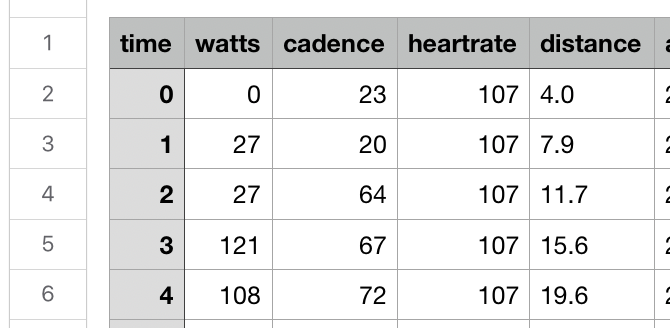
Looking at the first interval the start and end indexes match the Strava data but the time (22m26s vs 26:45), distance (6.4km vs 7.26km) are very different. Intervals.icu uses the activity stream data to work this out (you can download the ride CSV to see these):
So row 2 is index 0, row 3 index 1 and so on in the data file. So Intervals.icu is using the 1346 seconds time (22m26s) for time but this is very different to the elapsed_time of 1605 in the Strava lap data. Likewise the distance (6.4km) matches the 6410m from the stream data but Strava has 7267m. The difference in time will throw out the average power calculations.
Total work done on that first interval is 112 kJ so the Intervals.icu “real avg power” of 83w is correct (112000 / 1346s).
I don’t know why the Strava lap data should be so different to the activity stream data. Intervals.icu needs to work off the activity stream data because as soon as you start making edits to intervals thats all there is.
Maybe Strava is using lap data “as is” from your Garmin and that is different? Still I don’t know why that should be the case.
So the intervals are different, I can’t tell where Strava’s numbers come from because they don’t match the activity stream data but it looks like Intervals.icu is correct according to the activity stream data.
Strava is showing laps data in very similar way to Garmin Laps, not exactly the same.
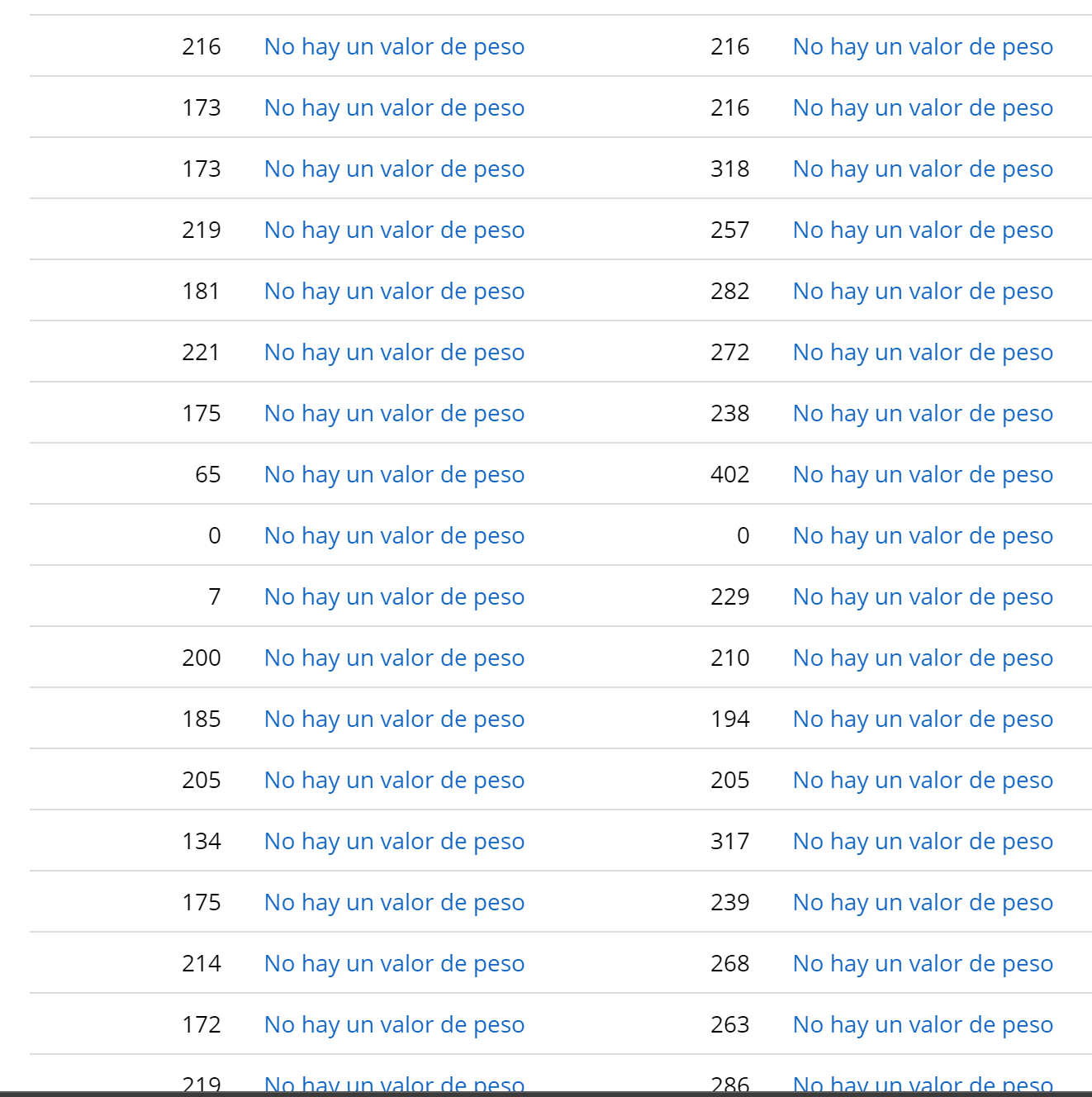
It is weird for me because Garmin and WKO5 (synced from TrainingPeaks) shows similar power numbers for the whole 34 laps as Strava with some little differences:
So, according with your answer, Strava is sending different stream data that it shows in their web right? If yes, How do you think can I force strava to send the stream data correctly?
I am going to try to upload file from garmin to strava manually (deleting the old one before) and then syncing again with intervals,icu.
I have just sent you all the data I get from Strava in a message. I think this will probably only get resolved when I implement manual file upload and Garmin connect download so I have the .fit file to analyse. I am going to have to make Intervals.icu independent from Strava soon.
Golden cheetah has the same problem when datas are synchronized with Strava. But When Golden cheetah uses garmin connect to import datas, they’re the same! So synchronization with garmin connect seems to be the best way!
Hi, was there any other resolution from this? I also see very different lap info between Strava and Intervals and would like to not have to go to Strava at all
Thanks all and especially @david for continuing to make Intervals so good. Happy to be a paying member.
It depends on your error. There is a known issue, that Strava is pushing wrong lap information if privacy circles are enabled.
So if this is the case, either disable them or use the original source as import for intervals.
Just for information: Keep all laps will keep all intervals as active intervals and will not mark these with less power as recovery intervals.
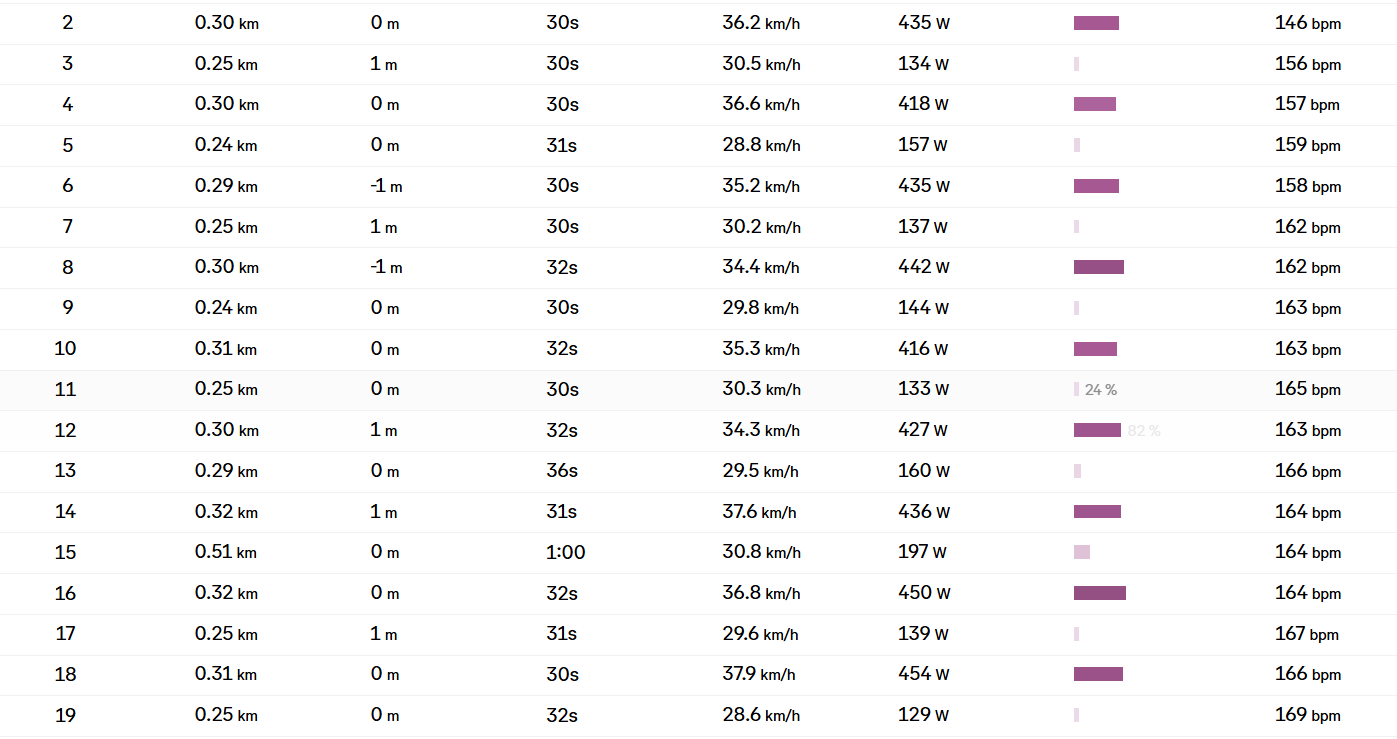
My error seems related to the original one, whereby I have very different lap values between Strava (which has the correct one in this case) and the activity in Intervals.
And if alternatively I connect Hammerhead (the original source), can I keep it Interval reads the Apple workouts via Strava, and the cycling workouts via Hammerhead? How would the priority ranking work there?
You didn’t understand it…
Strava has an option called ‘Privacy Circle’ to hide your start and end point of the activity, which could reveal the exact location of your home.
If that is enabled in Strava, the activity file they are sending out over the API, in this case to Intervals, has very often the lap events mangled up. You see, that is an issue at Strava’s site. You will not see that problem when viewing the activity on Strava itself and thus they don’t care much. It is a bug on their site that exists since a very long time.
But the wrong lap data comes to Intervals and thus can’t be displayed correctly in Intervals.
If you want to confirm that this is what you’re experiencing, you need to disable the Privacy Circle option on the Strava side.
Got it. And can I keep Strava linked for some fitness activities, from Apple watch, and use the Hammerhead connection only for cycling? (And thus keep the privacy circle active)
Or you can simply connect Hammerhead and leave Strava settings unchanged. Intervals will dedup any Strava activity that also comes from a direct source. In that case the FIT file from Hammerhead will be used in priority of the Strava one.
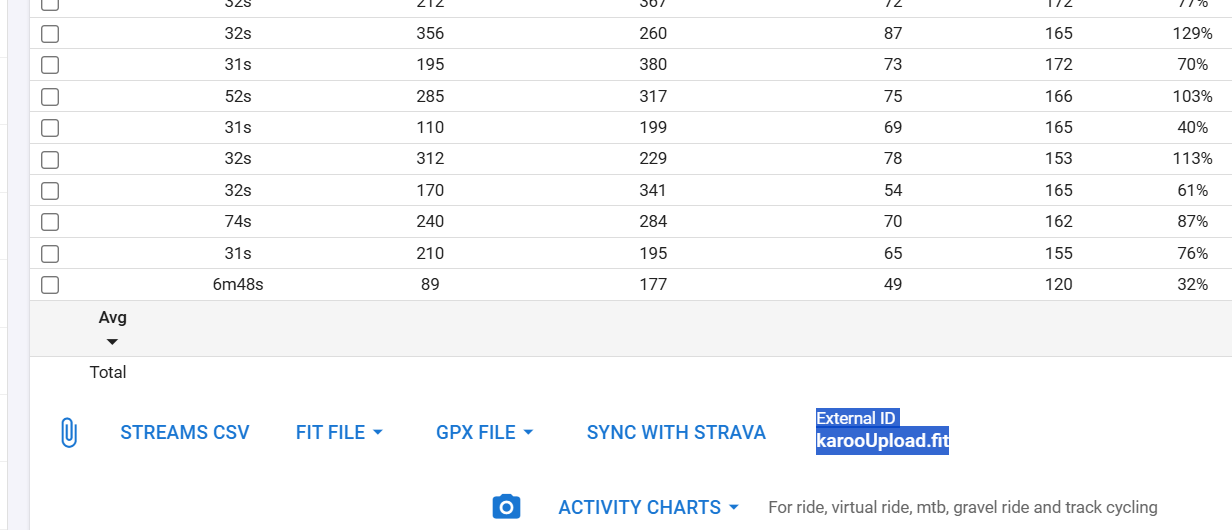
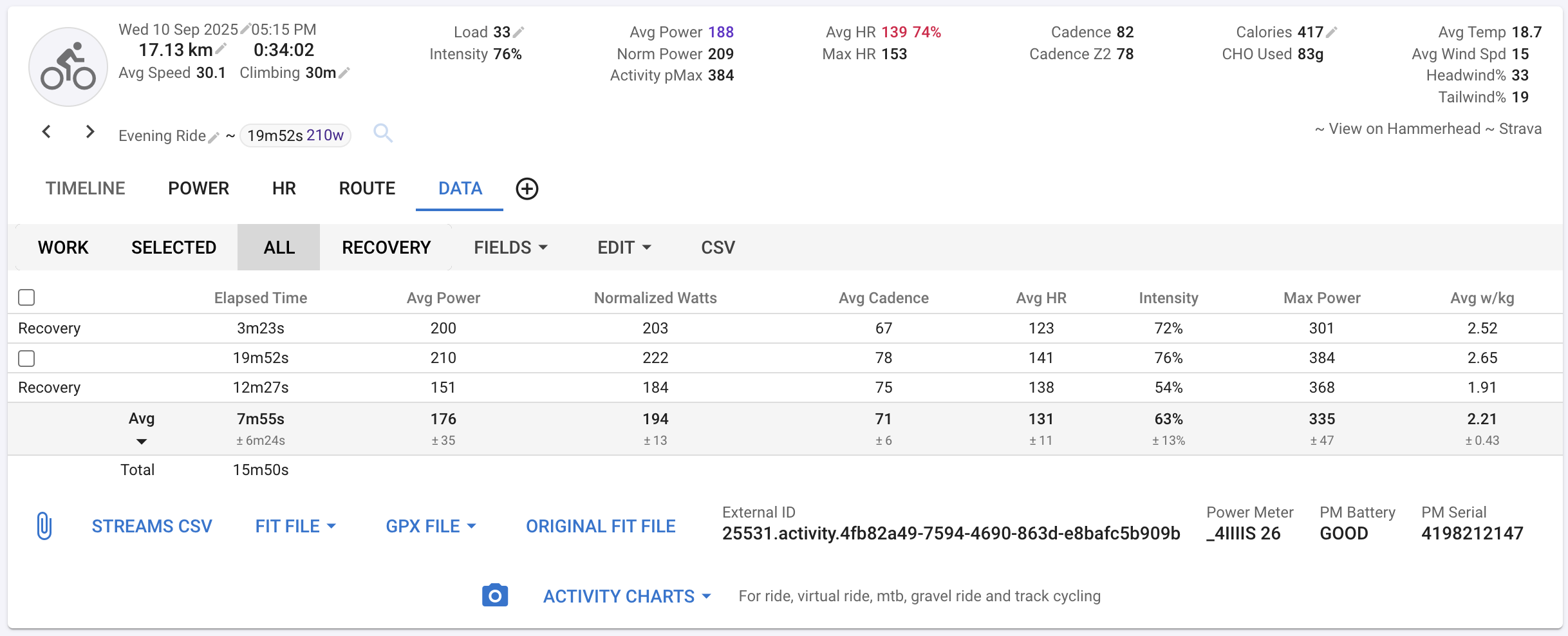
Thanks, I’ll try connecting Hammerhead and see how that goes. How would rides before the connection be treated? Can I refresh an upload from Hammerhead, as right now, after making the connection, and leaving Strava unchanged, I still have the incorrect laps data, although as in the screenshot, I see the label “External ID karooUpload.fit”.
Thanks for the help.
p.s.
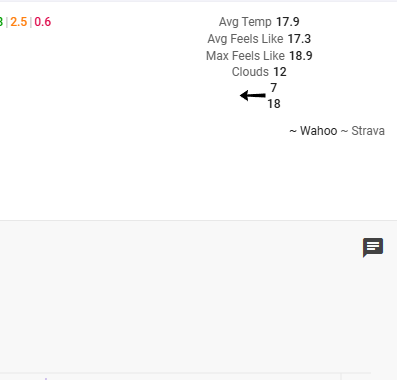
I see Strava in the top right. I’ll look at the next ride, which will be the first after connecting Hammerhead and Intervals.
I didn’t upload anything. Maybe the karooUpload.fit is the file that gets loaded to Strava first? I’ll check back later after the next ride. Thanks for the support.
I don’t have Karoo/hammerhead so I can’t confirm if there’s functionality to get historical data. New activities should be fetched from Hammerhead and have the correct lap events.