Hello,
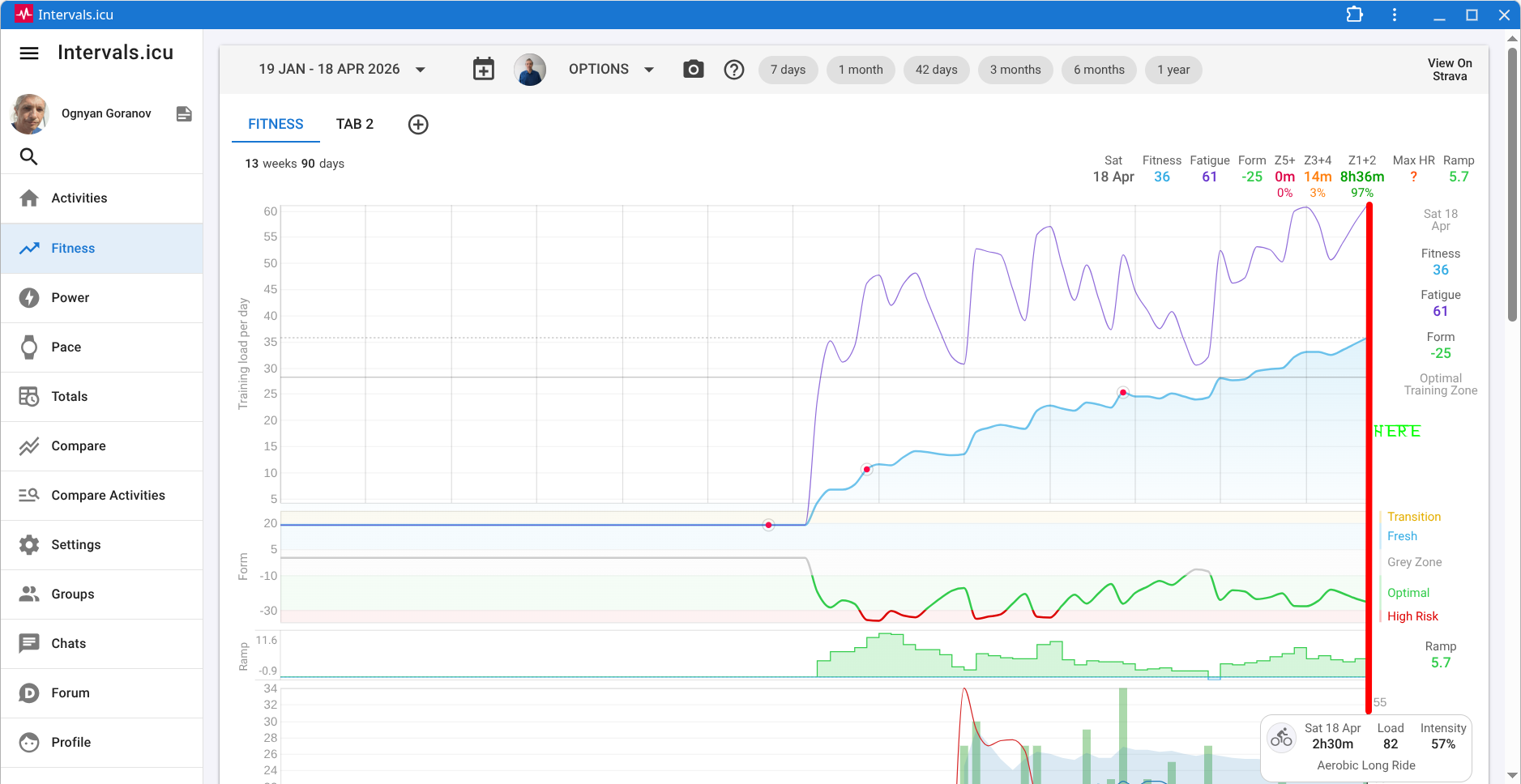
Until 3 days or so in the Fitness Tab there was some space between the current day and the end of the plot. Now the current day is just on the right border of the plot.
Is there a way to add space or revert it as before?
Thank you.
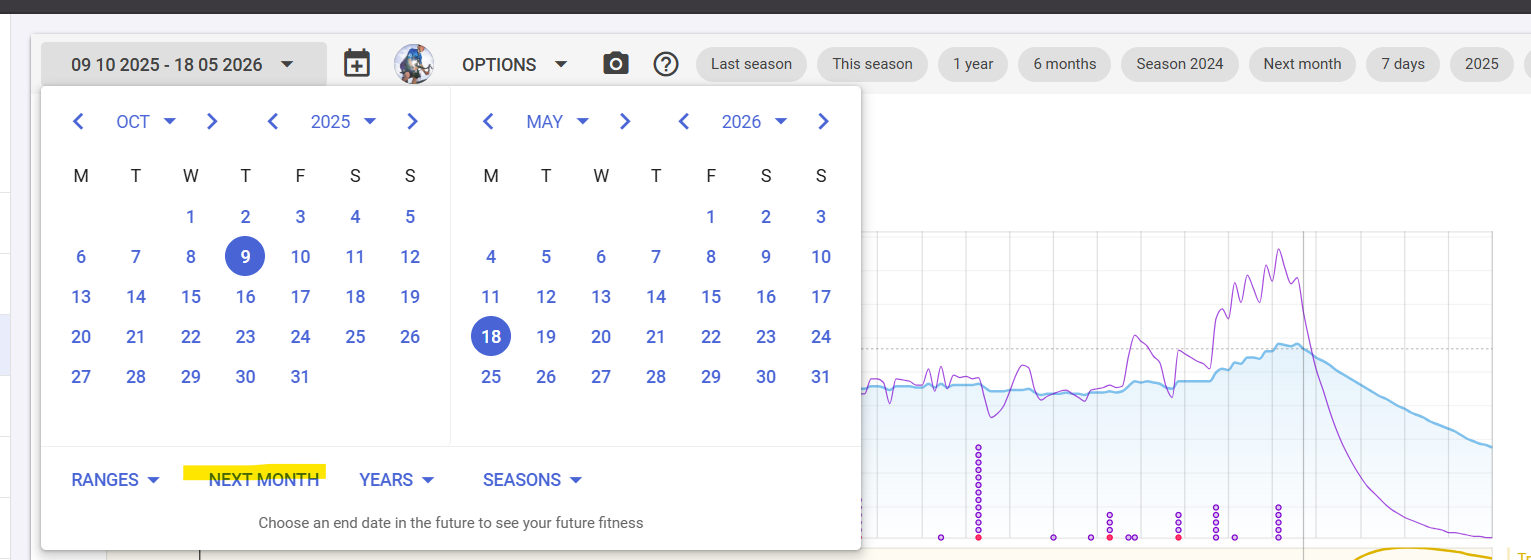
Ah. I’ve been looking everywhere else 
Thank You!
P.S.
If you care to share other good ways to adjust the tabs will be also great.
Now that you have used that Next Month option, it will appear as a button top right. Those quick acces buttons will have the last x used options from the Ranges/Years/Seasons, so it is even more easily accessible.
The most important thing to remember is that Intervals will open each day with the same date range (that you last selected) around ‘Today’. So if you like to have only 14 days ahead, adjust the date range manually with two weeks ahead. If you want 42 days of history, set 6 weeks before today, etc.
When you open Intervals tomorrow, it will adapt the date range around the actual day with the same history and future.
If you configured Seasons, you can also have the end of the actual season at the far right. Can be useful if you have a race at what you consider the end of a season for you. Then you will always see where you’re heading. Any planned workouts or full plan will populate with the expected load and that allows you to see how you’re building up to that race.
My favorite view is 6 months of history and 1 month ahead, but it all depends on your goals and preferences.
Of course.
Thank you very much 