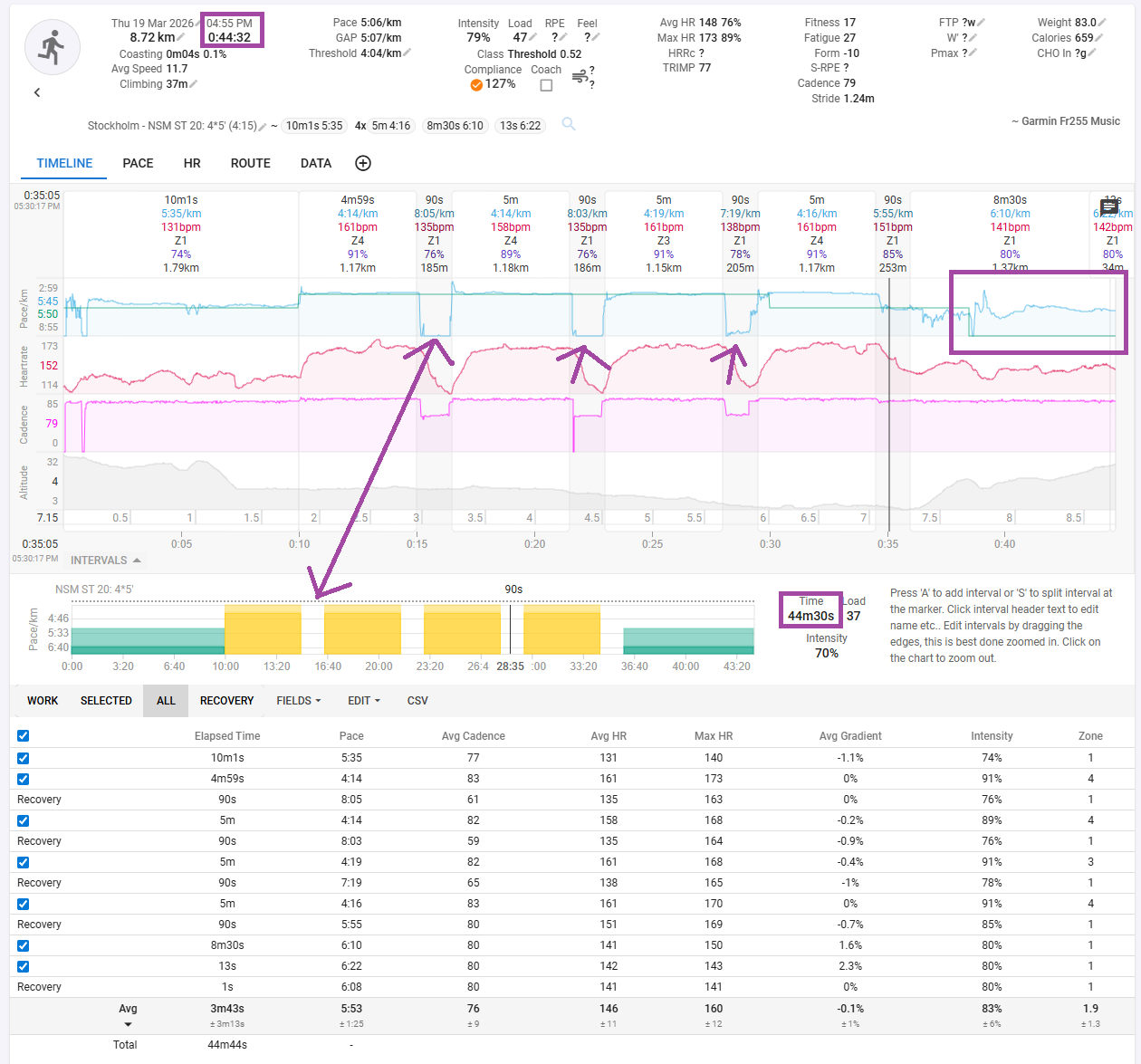
Perhaps I’m misunderstanding something here but seems to me that the graph plotting the planned workout pace is incorrectly showing in the chart of my workout once completed.
Note, the workout is 44:32 long and planned workout is 44:30 yet plotted pace the last 4:30 is shown as 0. (the purple boxes I drew in the picture)
The pace on the rests are incorrectly at interval pace (the arrows I drew in the picture)
Seems to me that the “work intervals” are shown consecutive without including the rests in between?
Not sure if behavior can be reproduced with other type of intervals e.g. HR etc.
Thanks a lot for your response!
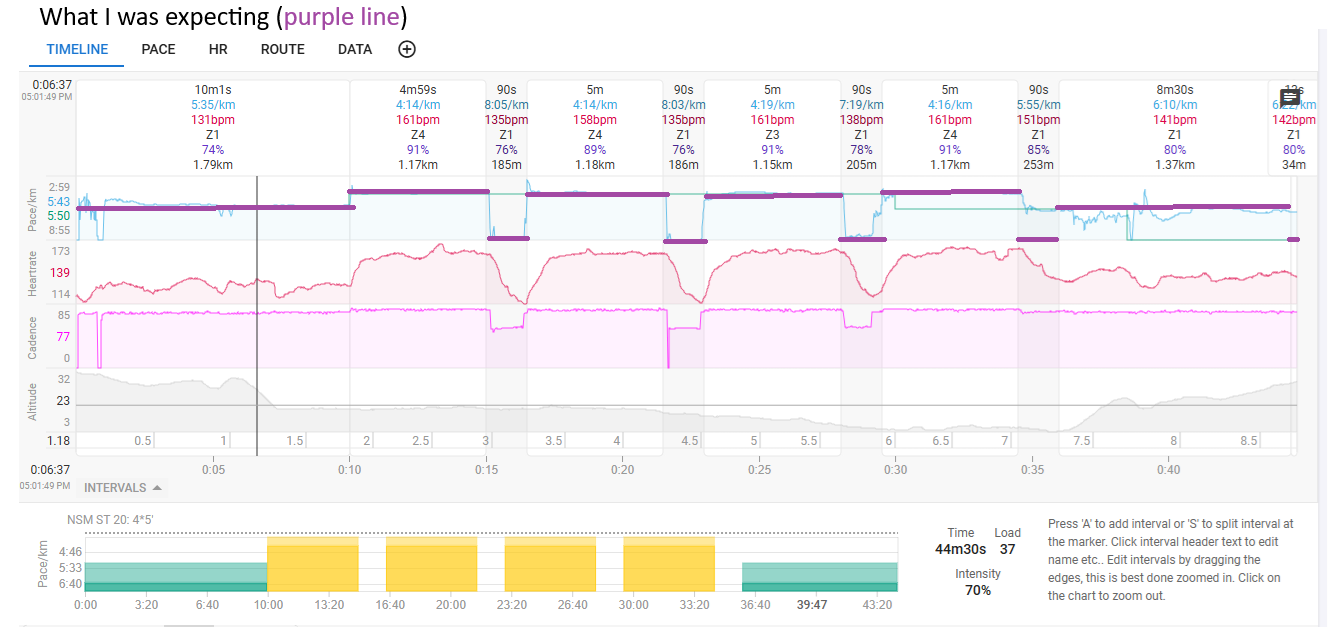
I understand I can switch it off, but my point is that isnt it showing the wrong planned pace in the chart? I would expect it to be as per the purple line in the below picture and not as it is shown now.
The rests don’t show correctly in the planned workout and thus are ignored.
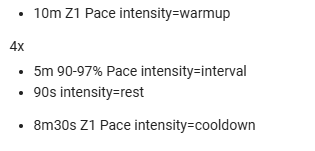
Show what’s in the planned workout. You probably have a rest target with the wrong syntax.
Are you really halting on rest? Or just moving slow?
If you stop, the timeline will be messed-up because Intervals uses Moving time.
Would ‘90s Z1 Pace’ suit your needs?
You need to find something that is shown in the chart or it will simply be considered ‘not existing’.