I asked this previously with regards to the ‘Notes’ column, but more generally how do you set ANY column width in List view? Does it matter what order they are added?
I don’t think you can change any column width at all (at the moment)
It would be good to know how it works. I set up tabs a while back and the ‘Notes’ column was appropriately wide for a free text field. Now when I put ‘Notes’ into any tab it is narrow and makes reading the field awkward. The order on the tab doesn’t make a difference.
Of interest, some other fields (numeric only?) are of the appropriate width e.g. ‘Climbing’, ‘Fitness’, ‘Load’ etc.
There is a rework of the page, so that might have changed recently. Maybe you can also show a screenshot of the view
@eva can you check the notes field on the activity list view?
I noticed today that the tabs I had set up months ago that had the appropriate width for the free text ‘Notes’ field have now reverted to this narrow width.
Interestingly, the ‘Description’ field has become much wider than before. Note that the ‘Elapsed Time’ and ‘Pace’ fields have remained as expected for fields that have a limited numeric width.
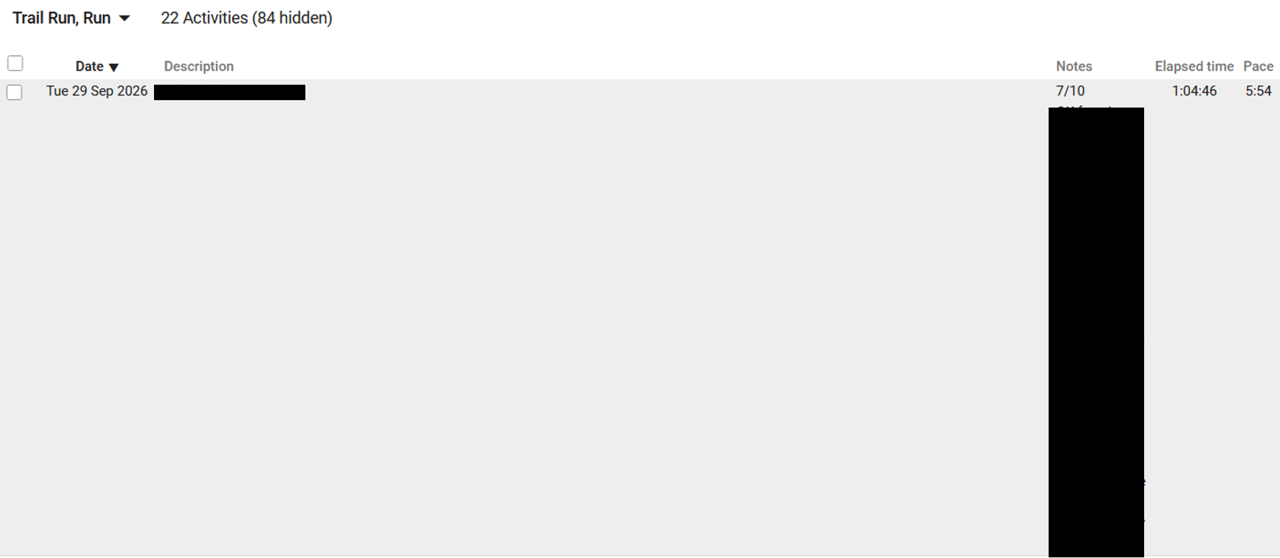
Hi. Does anybody have an ideas about this issue? 
Currently there is no option to change the width yourself.