Is it possible to highlight a portion of a ride and see the data for just that section? I used that all the time in Training Peaks, but I can’t figure out how to do it here. Thanks.
You can click and drag with the mouse to zoom to part of an activity. Interval stats for the selected portion are displayed top left of the timeline chart.
1 Like
What about highlighting(selecting) different portions of a ride.
For example, if someone wanted to focus on all portions of a ride where speed > 40km/hr. Would they just create intervals for each such portion (and then reset them/change them later if they wanted to focus on a different criteria).
Or is it best to just search for/create activity charts for such analysis?
Thank you.
You can ‘highlight’ them without changing intervals if you want. Use Actions - Find intervals but leave the dialog open and close it afterwards. If you confirm them with v-icon, your initial intervals will be discarded.
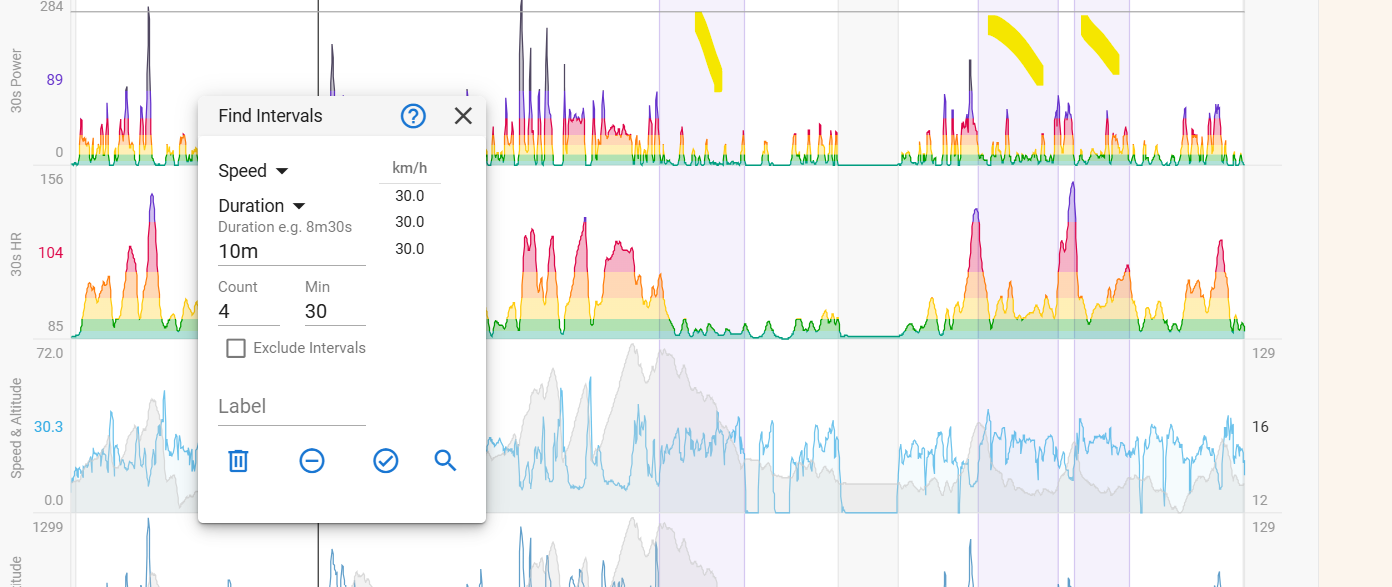
More details when you click on the Help/? icon in the dialog.
1 Like
I see this was also addressed in your topic on intervals vs selections. I had only read the first post of that topic and not the second yet 
Sorry about that and thank you.