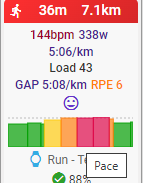
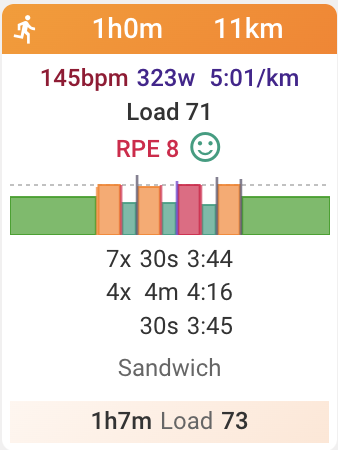
hi, seems to me that, even when set to prioritize pace over power for running, on settings, the skyline is always by power.
if so, would it be possible to have it changed to follow the primary data from the settings?
hi, seems to me that, even when set to prioritize pace over power for running, on settings, the skyline is always by power.
if so, would it be possible to have it changed to follow the primary data from the settings?
Make sure you’re setting the correct setting, as there are 4. The one that determines the skyline is the “Intervals” setting.
for running they are all on pace, but the skyline seems more aligned with the power.
then, there must have some kind of limitation or deviation in the way it interprets the data, because it doesn’t reflects the paces and zones.
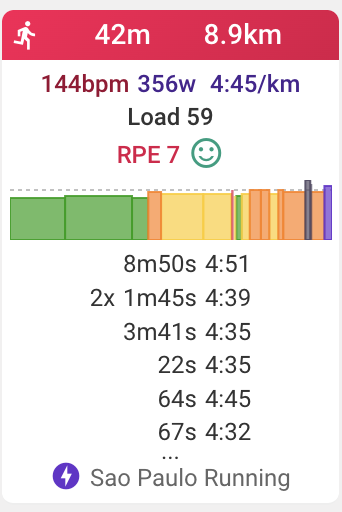
in the image here, all 30s and all 4min have the same pace/zone, but are presented different in the skyline.
Presumably those intervals have some deviation if you look at them on the activity screen.
The groupings value of intervals is not taken into account for the skyline, only the actual values.
The Skyline follows the detected/edited intervals in the activity. Check the intervals, edit as necessary and the skyline will show what you want.
the activity is using the workout laps, the same data and timestamps for all places where it has been uploaded. even then, different results.
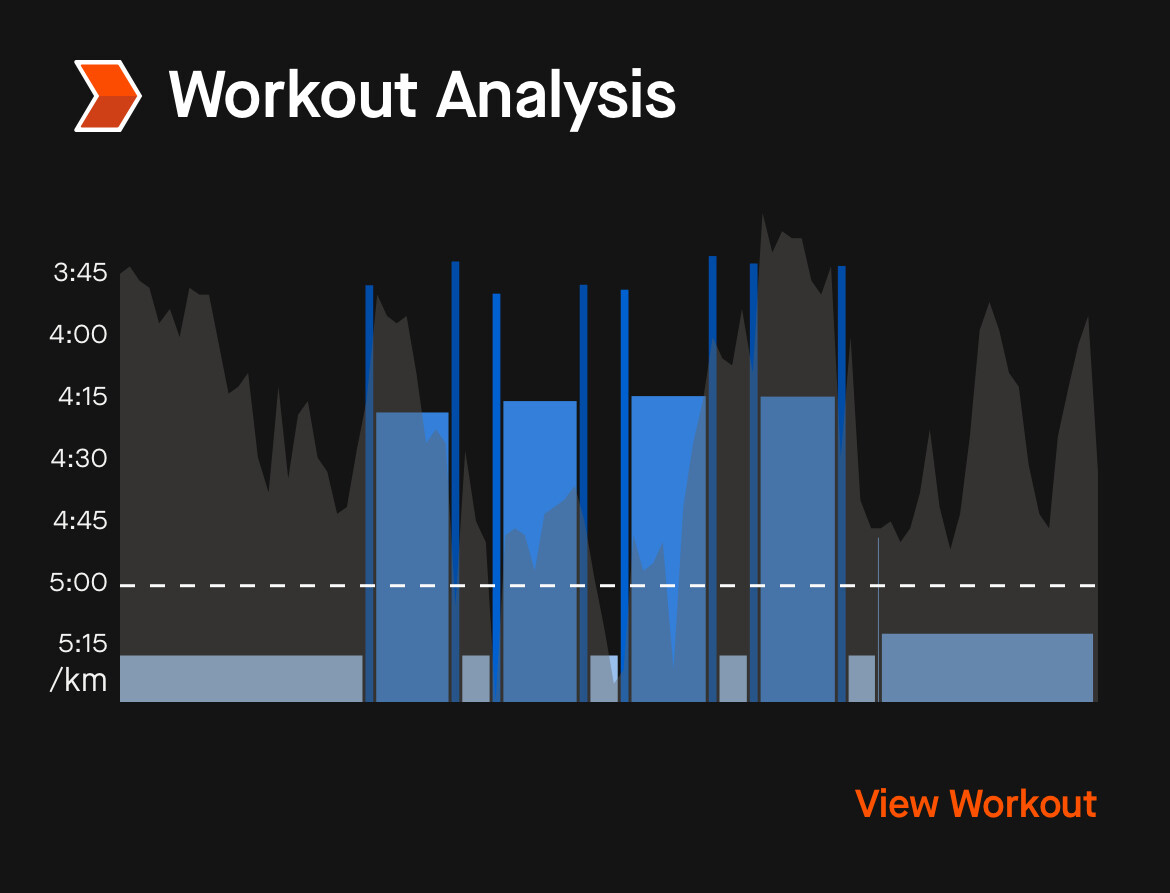
ie, the skyline on strava… the discrepancy on the short ones are huge. and this happens only with running pace, no problems with cycling with power.
The skyline chart shows the intensity of each interval. For pace 100% intensity is threshold pace. For power 100% intensity is FTP power etc… So I think it just looks different because the y-axis runs from 0% whereas the Strava chart is starting at a much higher intensity.
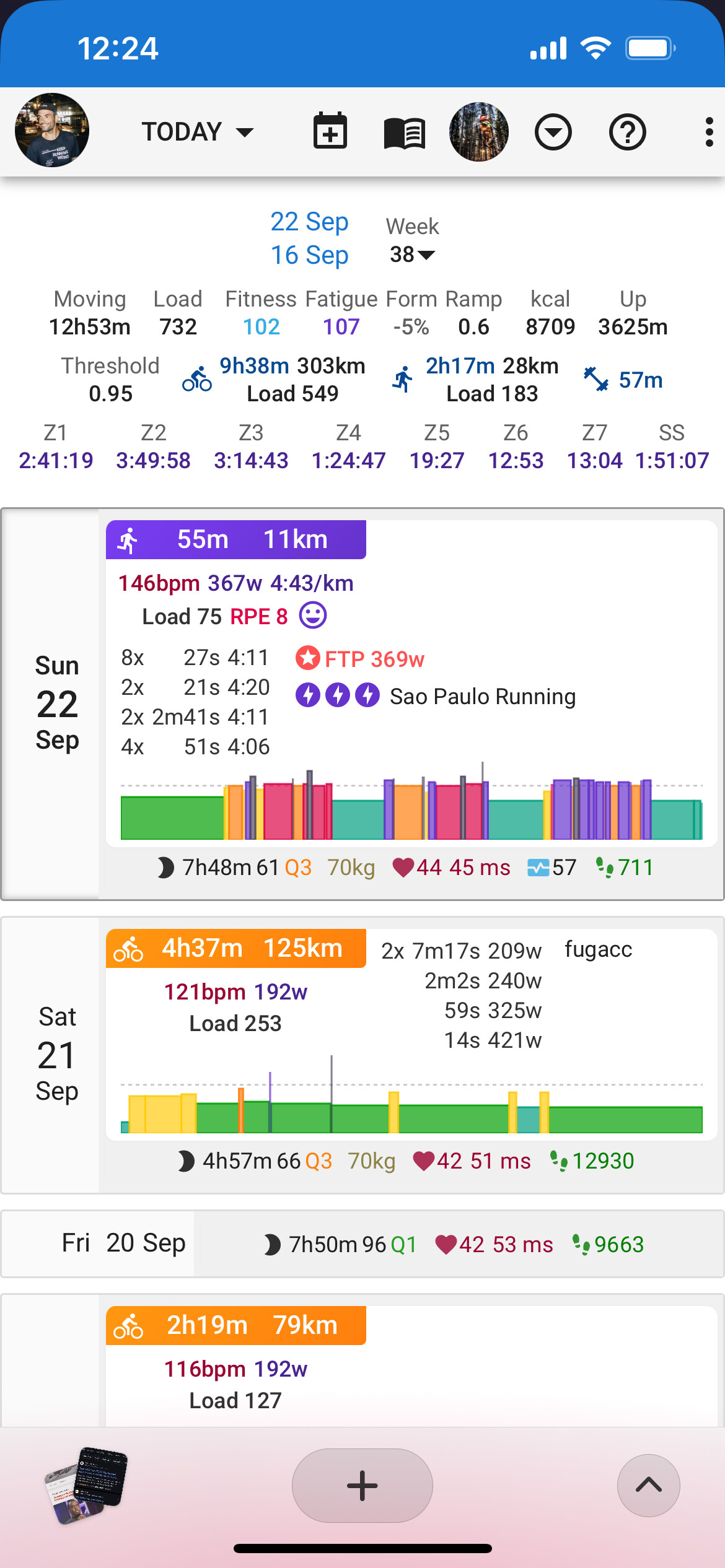
sorry man, it’s not. if you look at intervals’ skyline you won’t find the same sprints
the intervals have 3 structures, 2 “sprints” with a threshold between them. you can see all of them on strava, but intervals reads them totally different.
i know this won’t be a priority, but clearly there’s something in the way it draws the data, or the avg, or something like that and seems to be more pronounced when using pace instead of watts.
hey @david,
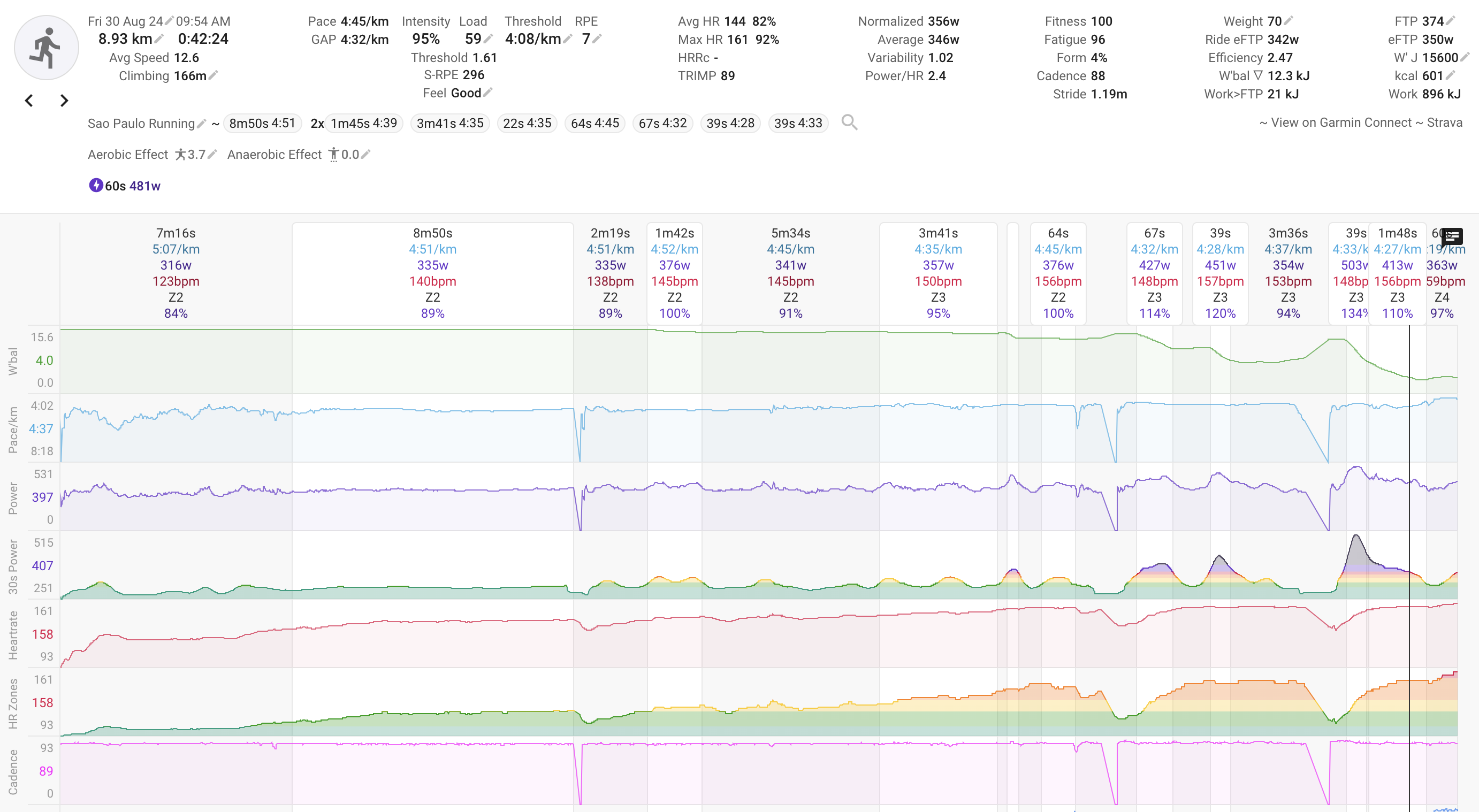
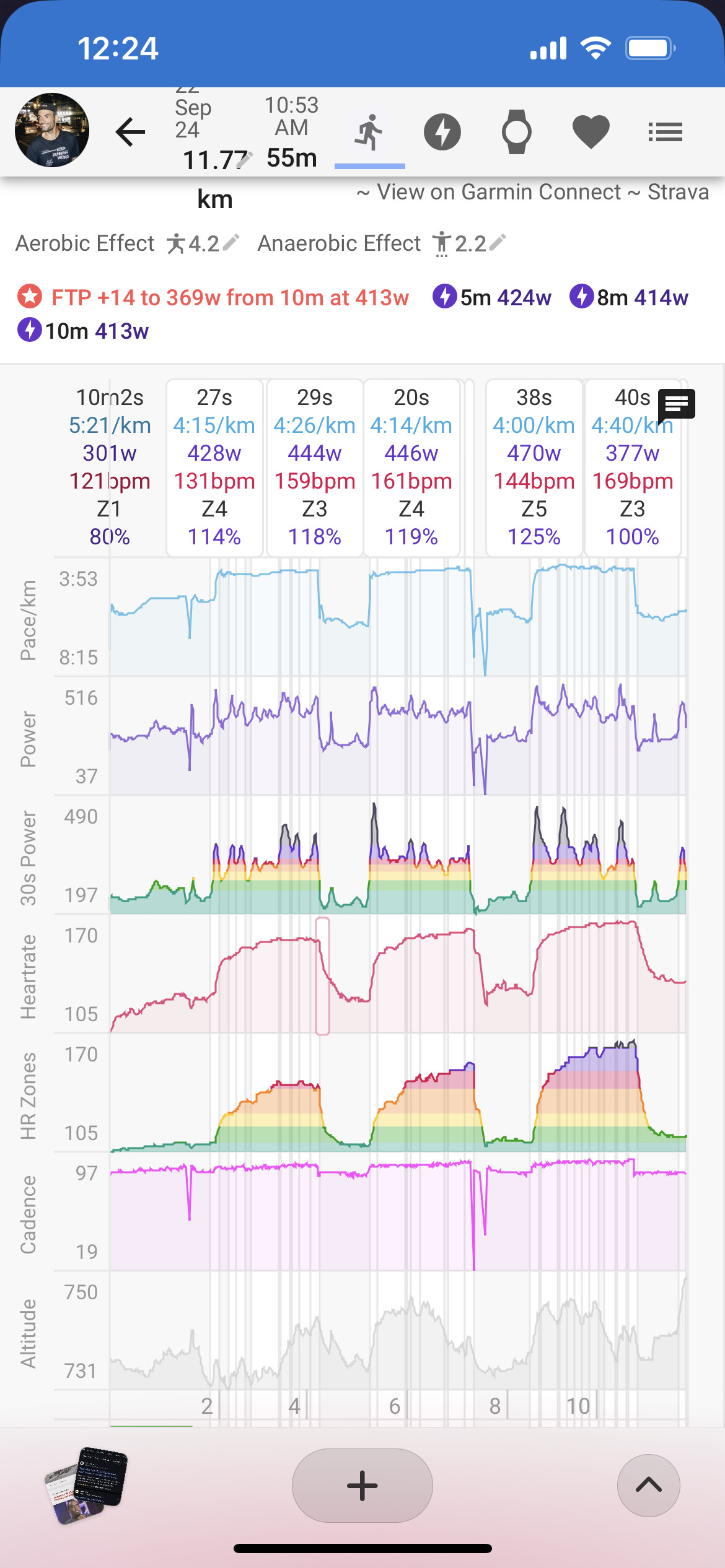
just to add to this talk, i noticed another discrepancy this week about what’s on the running activity intervals and the skyline.
if you look at it, will see that, towards the end, there’s no interval that goes beyond my threshold pace (4:08m/k), but there’s a power surge that’s clearly anaerobic… and that’s what seems to be represented on the skyline.
feel free to access the activity if you wish.
ps.: i’ve gained a few pounds over the last months, so the power zones is currently offsetting the pace zones, just because i didn’t a proper test to update them.
bumping here one of my top wishes, skyline by pace for running 
Hello team,
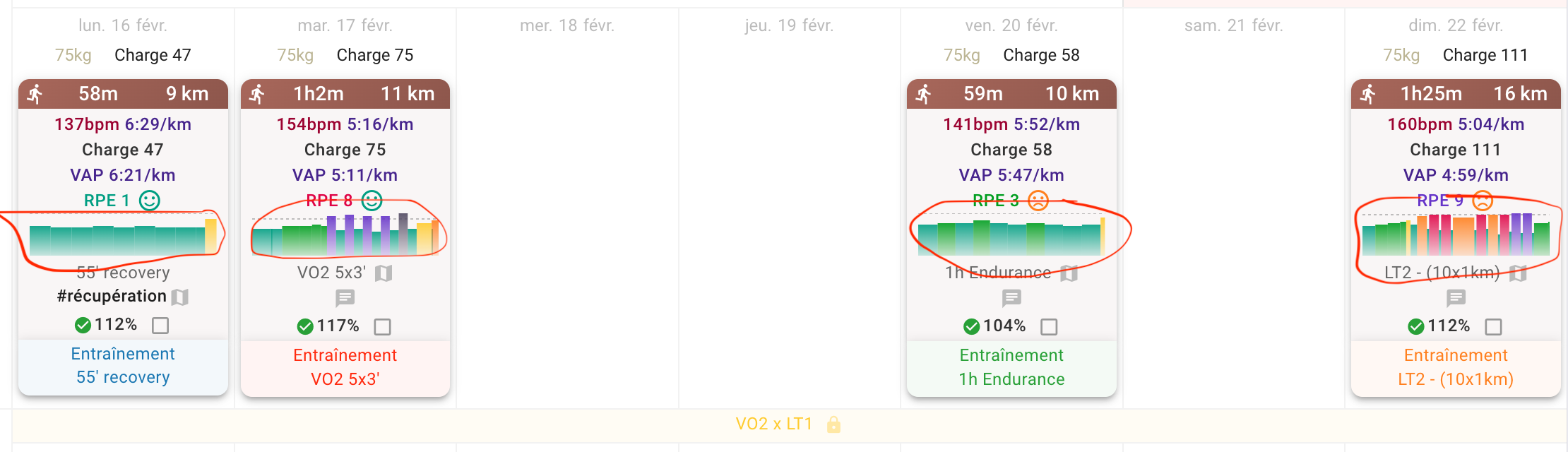
I would like to know how to get the normal pace on the attached graph circled in red, rather than the VAP?
Here, the blocks are done at exactly the same pace, but the colors are different on the graph because it takes the VAP into account.
Thank you in advance!
I’m not sure, if it’s the solution (or that there is any), but worth a try. Could you check, if the settings change your outcome: Settings > Time In Zones (change from GAP to normal) - below Pace Settings
Could also be that you have to „update zones“ afterwards for old activities, to make that work.
The setting ‘Use GAP for TIZ’ on the activity Pace tab could maybe also influence this?
Hi guys, thank’s for the answer, but nothing change…
Here’s more about that
It hasn’t been addressed yet though…
Perfect, indeed the question was not asked, should I ask it again in this thread?
hey! i think it helps centralize there, give your like on the original so we gather more people interested. in fact, it’s not possible to see the silhouette as pace efforts. they only take into account power, even if you sort out the laps manually, the intensity there is all messed up. seems like a really easy request, but yeah, nothing until now…